Providing Out-of-Band Connectivity to Mission-Critical IT Resources

ZPE Systems Announces TD SYNNEX Partnership to Bolster Growth Strategy

ZPETDS2

Fremont, CA  March 17, 2022 — ZPE Systems Inc., a leader in network infrastructure management and orchestration solutions, today announced a partnership with TD SYNNEX (NYSE: SNX), a leading global distributor and solutions aggregator for IT ecosystems. This agreement gives partners access to ZPE’s Intel-based Gen 3 out-of-band serial consoles & modular services router gateways, to serve large enterprises and MSPs with a platform for 3rd party applications and end-to-end automation for datacenter & branch edge deployments.

Legacy fixed-function devices do not meet modern requirements for scaling, automating, and securing enterprise networks, due to interoperability issues and closed architectures. As customers struggle against security and downtime-inducing network challenges, this partnership will enable them to deploy ZPE’s platform to address disaster recovery, human error, and ransomware, using their choice of best-of-breed vendor solutions. ZPE’s cloud managed Linux-based Nodegrid® is an open platform of programmable hardware and software that extends the capabilities of infrastructure, connectivity, and cybersecurity teams.

“Cyber and physical systems are increasingly connected,” said Reyna Thompson, Senior Vice President, Product Management at TD SYNNEX. “This means organizations across all verticals are now calling for a networking platform that enables them to mix and match the solutions that work best for their use case. This partnership strengthens our portfolio. Customers can now deploy ZPE’s platform to integrate the physical and virtual solutions they need, to make their networks secure, reliable, and easy to use.”

The Linux-based Nodegrid OS, which runs on every Nodegrid Serial Console and Services Router device, enables multi-vendor freedom in IT. This allows infrastructure, connectivity, and cybersecurity teams to deploy and manage their choice of hardware, software, and SaaS solutions — from cooling and smart PDUs, to switches and servers, to NGFWs, SD-WAN and SASE integrations. The Nodegrid platform integrates with new and existing infrastructure, providing secure out-of-band access, NetDevOps automation capabilities, and enterprise-grade security that address modern business demands.

“Teaming up with TD SYNNEX is a huge value add to ZPE ​​Systems’ Edge Transformation Partner Program,” said Steven Jehring, Vice President, Global Sales, ZPE Systems. “This gives partners greater financing options, while customers get more freedom to choose a partner that’s right for them. TD SYNNEX’s world-class support, pre-sales services, and global fulfillment capabilities will be instrumental in accelerating partner sales and transforming customer networks at the data center and edge.”

To learn more or become a ZPE Systems partner, visit partners.zpesystems.com.

Read the source version on Business Wire.

Data Lake Use Cases for Edge Networking

Stock,Trading,Concept,With,Downtown,Chicago,Cityscape,Skyline,With,Lake

Data lakes are a powerful tool for capturing, storing and analyzing data from many different sources. A data lake provides an inexpensive, flat storage architecture in which to house massive amounts of unstructured data, which can then be easily accessed by your data analysis applications, data scientists, or artificial intelligence (AI) programs.

There are many potential data lake use cases for edge networking, which generate a lot of data from many different sources. In this blog, we’ll describe how data lakes can help process your edge data from remote environmental monitoring solutions and internet of things (IoT) devices.


Data lake use cases for edge networking

Internet of Things (IoT) data from isolated locations

Internet,Of,Things,And,Home,Automation,Concept:,User,Connecting,With

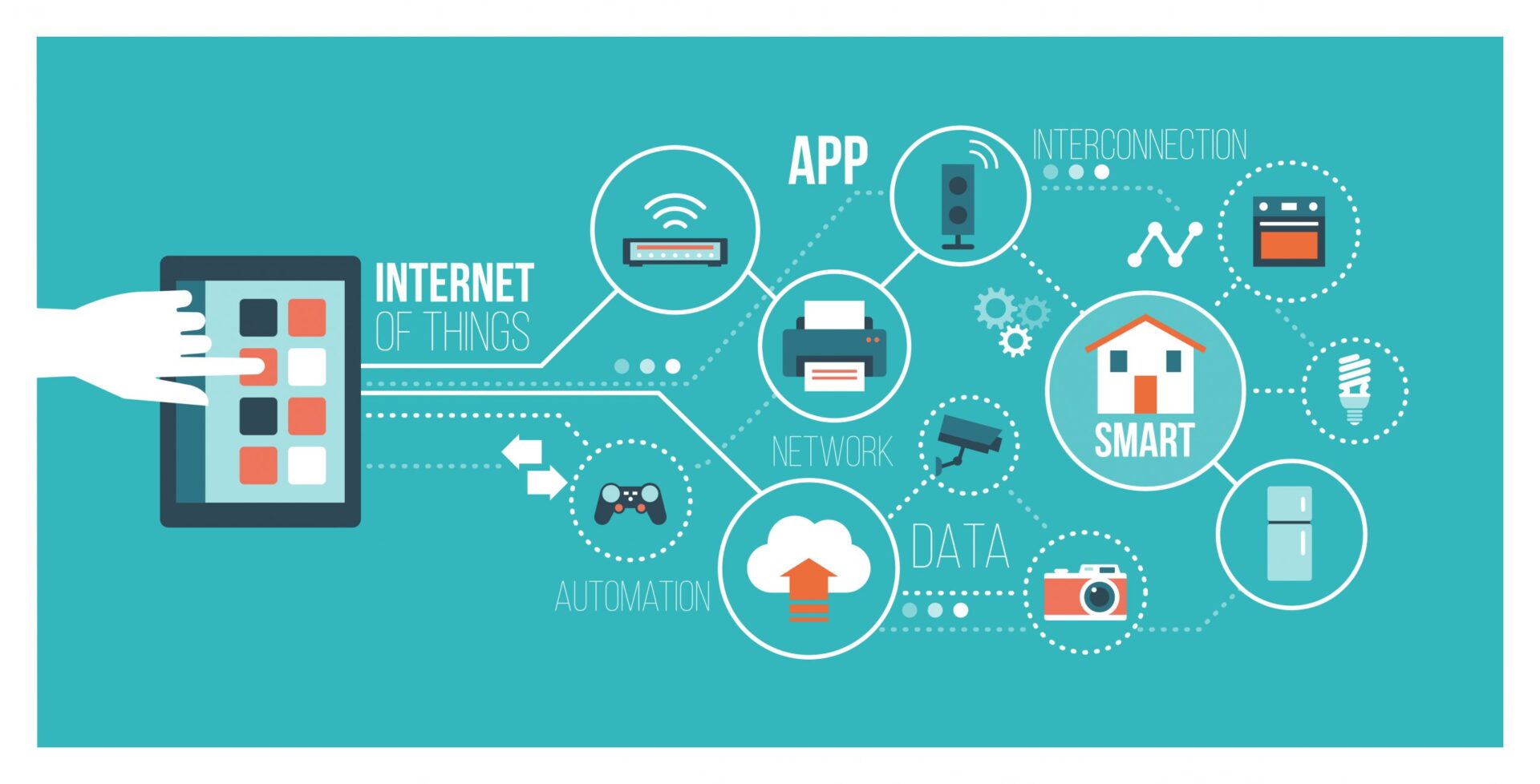
Internet of things (IoT) devices relies on sensors to capture and process the data necessary for their function. However, most of this data is irrelevant for the task at hand, and may not have a critical use at the time it’s collected. However, as in the example above, that doesn’t mean this data has no value—and if you delete it, you may miss crucial warnings or key opportunities.

When your IoT devices are at your network edge, especially in remote or dangerous locations, that makes data collection and processing even more challenging. For example, many offshore oil rigs are in the deep ocean, miles away from the nearest land. Much of the critical machinery is underwater and inaccessible to humans. IoT sensors and actuators can monitor, control, and collect data from this equipment without putting any engineers in harm’s way.

Some IoT sensor data is immediately actionable, but what do you do with the rest? With a data lake, you can store all this valuable information, even if you’re not sure what to do with it yet. Or, you can integrate a big data solution that uses AI to inspect and analyze sensor data in real-time, helping you spot issues and opportunities that you weren’t even looking for.

Let’s say you remotely manage several rural factories that use industrial printers equipped with IoT sensors. These sensors track consumable usage, detect nozzle clogs, and alert you when there’s an error. The printer manufacturer recommends that you take these machines offline every 90 days for maintenance, which causes significant production delays. However, your data lake analytics show that, according to sensor logs, these printers are capable of operating for at least 120 days before any maintenance-related issues pop up. You could use this information to extend the period between maintenance windows, increasing plant efficiency and reducing production delays without ever setting foot on the factory floor. Plus, having sensors enables you to pinpoint exactly what part of the printer needs maintenance, which shortens maintenance times.

You can use a data lake to store and analyze data from your edge network IoT devices, which helps you prevent and detect issues as well as improve your operational efficiency.


Environmental monitoring data from remote infrastructure

Cloud,Computing,Technology,Network,With,Computer,Monitor,,Laptop,,And,Mobile
Edge networks can be highly geographically distributed, which means you may not have physical eyes on all of your equipment. That makes it difficult to spot environmental risks like water leaks or rising temperatures that could bring down your edge infrastructure if left unmitigated.

One way to monitor the condition of your equipment from far away is with environmental sensors, which can detect things like moisture, overheating, and physical tampering. However, environmental monitoring systems produce a lot of data. Often, network engineers weed out the “irrelevant” data by creating alarms and workflows that are triggered when environmental conditions pass a certain threshold. While this works well enough for reacting to issues that are already occurring, it limits your ability to predict future problems or find opportunities for optimization.

Connecting your environmental monitoring solution to a data lake gives you the ability to efficiently store all your raw sensor data, so you don’t have to throw out any potentially valuable information. With a data lake, you don’t have to strictly prioritize which environmental monitoring data you keep. Even if you don’t have a specific use for that information right now, you may find one later. Historical data is often invaluable for troubleshooting systemic issues or finding ways to use resources more efficiently.

For example, let’s say you want to lower your energy costs by using air cooling systems more efficiently. With a data lake, you can collect and store temperature data from all your locations over the course of months or even years without worrying about running out of space on your local SAN. You can then use data analytics to view temperatures over time and correlate them with your energy bills to determine how expensive it is to cool your infrastructure in each location. Perhaps you could reduce A/C usage in your Minnesota branch, or maybe you need to invest in a more efficient cooling system for your Nevada warehouse.

Using a data lake for your edge infrastructure environmental monitoring means you can store and use all your valuable sensor data to prevent issues, spot trends, and optimize processes even from thousands of miles away.

Nodegrid Data Lake for Your Edge Networking Use Case

Though data lakes are a powerful tool, many solutions have limitations when it comes to edge networking. For example, some data lakes use an on-premises appliance that must be accessed from the enterprise network, which means your edge infrastructure has to connect over a VPN or WAN link. Other data lake solutions provide only storage, and don’t offer any built-in organization tools, analytics, or visualizations.

Nodegrid Data Lake is a solution built for the edge, with an entirely cloud-based interface that your users and devices can connect to from anywhere in the world. The Nodegrid control panel provides visual analytics on six key data points, including infrastructure, application, security, environmental, networking, and system logs. Nodegrid Data Lake even collects previously hidden server and switch logs from IPMI and RS232 serial consoles.

Plus, with Nodegrid environmental sensors and ZPE Cloud, you can monitor and manage your entire edge infrastructure from behind one pane of glass. The Nodegrid family of hardware and software is a complete edge networking solution.

To learn more about data lakes, read What Is a Data Lake, and Who Needs It? For more information about Nodegrid Data Lake use cases for edge networking, call 1-844-4ZPE-SYS or contact ZPE Systems online.

Data Center Temperature & Humidity Best Practices: A Complete Checklist

Businessman,Holding,Pencil,At,Complete,Checklist,With,Tick,Marks.,Business

Temperature and humidity have a significant impact on your data center infrastructure. High temperatures can cause devices to overheat, whereas extreme low temperatures can cause mechanical and electrical failures. High humidity can lead to moisture build-up, corrosion, and shorts, but low humidity can lead to electrostatic discharge. That’s why it’s critical that you monitor the environment in your cabinets and follow data center temperature and humidity best practices.

Data center temperature and humidity guidelines

Each piece of data center equipment—including enterprise servers, storage devices, switches, firewalls, and other appliances—has a recommended temperature and humidity range at which it operates most efficiently. However, you can’t create individual climates for each piece of gear, because it all needs to coexist in the same space. That’s why broader guidelines exist, such as those provided by ASHRAE (the American Society of Heating, Refrigerating and Air-Conditioning Engineers).

ASHRAE outlines four classes, based on temperature and humidity sensitivity, into which you can organize your data center equipment. Plus, arranging the layout of your data center to account for these classes can help you manage environmental conditions more efficiently (more on that later). The four equipment classes are:

A1: The most sensitive enterprise servers, legacy hardware, and specialty equipment that requires the strictest level of environmental control.

  • Temperature range: 15°C (59°F) to 32°C (89.6°F)
  • Relative humidity range: 20% to 80%

A2: Most modern servers, appliances, storage devices, and personal workstations fall into this class.

  • Temperature range: 10°C (50°F) to 35°C (95°F)
  • Relative humidity range: 20% to 80%

A3: Some newer equipment that’s designed to withstand a broader range of temperatures and humidity.

  • Temperature range: 5°C (41°F) to 40°C (104°F)
  • Relative humidity range: 8% to 85%

A4: Equipment that’s specifically made to operate in extreme environments.

  • Temperature range: 5°C (41°F) to 45°C (113°F)
  • Relative humidity range: 8% to 90%

It’s important to note that there is still a “sweet spot” where a piece of equipment will perform best even within these recommended temperature ranges. The key is to balance that performance against other devices’ cooling costs and needs in the same rack or cabinet.

Data center temperature and humidity best practices: a complete checklist

Now, let’s dig into the data center temperature and humidity best practices to help you achieve these standards.

1. Monitor rack conditions, not just room conditions

The location of your sensors matters a lot. Simply monitoring the ambient temperature and humidity in the room doesn’t give you an accurate picture of the conditions in each rack. Different spots within the room may report different readings depending on the location of the cooling system vents, how particular hot machines are running, and other factors.

Instead, data center temperature and humidity best practices recommend installing multiple sensors in each cabinet. You need to monitor the air that’s flowing into your equipment, so to get the most accurate readings you should place your sensors near the air intake vents (typically at the front of a rack-mount chassis).

2. Calculate and optimize your power usage effectiveness (PUE)

Power usage effectiveness, or PUE, is a metric that data center infrastructure management (DCIM) engineers track to determine their data center’s energy efficiency. You calculate data center PUE by dividing the amount of power flowing into the facility by the power usage of the devices and infrastructure contained within. The higher your PUE number, the less efficiently you’re using your power. According to Uptime Institute’s annual Global Data Center Survey, the average PUE was 1.57 in 2021. You want your PUE to be as close to 1 as possible, but at the bare minimum, you should strive to meet that average number.

Data center HVAC (heating, ventilation, and air conditioning) systems are notorious power hogs. You need to keep temperature and humidity within acceptable limits, but you also need to consider the power costs—both in terms of money and your data center carbon footprint. Keeping an eye on your PUE will help you determine that balance.

3. Design for more efficient cooling

If your PUE is too high, you should look into more efficient cooling techniques to build on that last point. Data center cooling systems are known as CRACs (computer room air conditioners) or CRAHs (computer room air handlers). CRACs use refrigerants and compressors to cool the air, whereas CRAHs blow air across chilled water. Both systems require a lot of power, but there are ways to increase your cooling efficiency without increasing your energy consumption.

For example, you can strategically arrange your data center equipment to maximize cooling efficiency. In a smaller server room, you could place your highly sensitive, A1-class equipment closest to your cooling system. The best practice is in large data centers and colocation facilities to have “hot and cold aisles.” That means arranging cabinet aisles back-to-back, so all the hot air venting out the back of your equipment flows to the exit vents in one concentrated stream.

It would be best if you always strived to stay within the temperature and humidity guidelines specified by device manufacturers, and your data center should follow the environmental standards outlined by ASHRAE. These data center temperature and humidity best practices for environmental monitoring, power usage tracking, and efficient cooling will help you meet those standards while saving money and optimizing performance.

4. Monitor the environment in your cabinets

Environmental monitoring sensors collect data on the conditions in your rack so you can ensure that the temperature and humidity are within recommended limits. Some best practices for data center environmental monitoring include:

  • If you’re managing remote data center infrastructure, you should implement remote out-of-band management, which provides a dedicated connection to your environmental sensors even during a network outage.
  • Temperature and humidity aren’t the only data center environmental risks. Your environmental monitoring solution should also include sensors for tampering, smoke, airflow, dust, and particulates.
  • You can’t keep your eyes on your monitoring logs 24/7, so you should set up automatic alerts, so you’ll be notified if conditions exceed expected thresholds. To gain even more control, you should look for an environmental monitoring solution that includes web dashboards with visualizations so you can track conditions over time and spot opportunities for optimization.

Achieve comprehensive data center temperature and humidity monitoring with Nodegrid

Nodegrid’s line of environmental monitoring sensors gives you a complete picture of the conditions in your rack so you can follow data center temperature and humidity best practices. With sensors for airflow and temperature, particulates, smoke, proximity, temperature, and humidity, you can keep a close eye on your physical equipment even from thousands of miles away.

ZPE Cloud provides a cloud-based web portal to monitor and manage your sensors, with analytics and visualizations to help you monitor power usage trends, detecting temperature spikes, and more. Plus, when you connect your rack infrastructure to Nodegrid Serial Consoles, you get reliable, secure out-of-band access to your environmental sensors and other data center devices, even during a network outage.

Learn more about data center environmental monitoring

Learn more about Nodegrid’s data center solutions

Need more help achieving data center temperature and humidity best practices with Nodegrid?

Reach out to contact ZPE Systems online or call 1-844-4ZPE-SYS.

Contact Us

ZPE Systems named Rahi Partner of the Year

ZPE Systems has been named Rahi’s 2021 Partner of the Year. The company outperformed more than 400 Rahi partners by excelling at revenue attainment, customer satisfaction, and support, among other important performance factors.

ZPE Systems' CEO Arnaldo Zimmermann accepts the award for Rahi Partner of the Year

ZPE Systems’ CEO and Co-founder Arnaldo Zimmermann accepted the award, and was joined on stage by ZPE’s VP of Products & Marketing, Koroush Saraf, and Rahi’s VP of Global Marketing & Business Development, Martin Bach.

Rahi’s CEO Tarun Raisoni said: “ZPE has been a longstanding partner and always brings tremendous value to Rahi and our customers. This year they exceeded their already exceptional performance standards. All of their teams are incredibly knowledgeable and committed, which is without a doubt what contributed to their high revenue attainment and customer satisfaction scores. ZPE Systems is a power player that enables our entire organization, and we look forward to continued success alongside them.”

According to Rahi, the Partner of the Year is recognized for ‘consistently meeting customer expectations through dedication, teamwork, technology, and a commitment to excellence.’ Rahi’s selection criteria weighs a partner’s yearly performance based on several metrics, and ZPE was chosen based on:

  • High revenue attainment
  • Consistently high customer satisfaction scores
  • Low RMAs
  • A widely relevant technology portfolio
  • Responsive engineering services
  • Exceptional deliverability, fulfillment, and back-end support

“2021 was another difficult year due to Covid,” said Arnaldo Zimmermann. “But I’m extremely proud of our dedication to supporting partners like Rahi. I’m accepting this award on behalf of Engineering, Operations, Business Development, and every team within ZPE, because everyone did their part to ensure this success.”

To learn more or become a ZPE Systems partner, visit partners.zpesystems.com.

Why Out-of-Band Remote Access is Critical for Branch Networking

Social,Network,Illustration

Branch locations—retail stores, shipping warehouses, and satellite offices—present a big network management challenge to the engineers supporting them. Traditional remote network management requires a WAN link to each branch, but what happens if that link goes down? Out-of-band remote access, also known as OOB, solves this problem by separating the network management plane from the data plane, and giving you a dedicated alternate connection to your remote infrastructure.

Why out-of-band remote access is critical for branch networking

To illustrate the importance of out-of-band remote access, let’s walk through a few branch networking scenarios that many IT professionals encounter during their careers.

Scenario 1: Your network and systems are suddenly offline

You’re an on-call network engineer working for a retail company headquartered in Seattle, WA. At 3 a.m., you receive a phone call from the Tampa, FL branch saying their network and all systems are entirely offline. Their store opens in a few hours. How do you determine and fix the root cause from the other side of the country?

Without OOB remote access, you’re left with a few options. You and the store manager could walk through some basic diagnostic troubleshooting over the phone. Still, unless they’re savvy with technology, you’re unlikely to progress very far with this method. You could pay for a local tech to work on it, but unless you already have a consultant on retainer, it could take hours or even days to schedule the service. As a last resort, you could fly across the country at a high cost to your company, both in terms of travel expenses and the hours of lost revenue while the branch is waiting for you to arrive and fix the problem. In conclusion, without remote OOB, any approach you take will be very costly and time-consuming.

Scenario 2: A virus is quickly spreading across your network

You’re a SOC (security operations center) engineer working in the home office of a national logistics company. You receive an alert that a warehouse computer across the country is infected with a Trojan virus, and it’s quickly spreading across the branch network. How do you isolate that branch network and remove the virus?

Taking the branch offline is crucial to prevent the virus from jumping to the enterprise network and spreading even further. However, once you lose WAN access, you’ll be unable to remove the virus or assess and mitigate the damage it caused. Your options in this scenario are even more limited due to the severity of the issue. You can’t walk someone through this process over the phone, and if you’re going to hire an outsider, it needs to be a trusted partner with security expertise. More likely, you’re looking at a truck roll, which again means travel time and expenses. To put it in a nutshell, all of these options mean more time for the virus to infect more of your network and compromise your business on a grander scale.

Scenario 3: You learn about a security vulnerability in your switch’s firmware

Your company has a satellite office in an isolated, rural location with only a skeleton crew of essential staff on-site, which is currently unavailable when the update needs to occur. You learn about a security vulnerability in their switch’s firmware, so you need to update the BIOS. How do you access the BIOS menu and power cycle the switch across a WAN connection?

Often, a switch must be managed from an HTTP or HTTPS session in a web browser. However, you need to power cycle the device and get into the menu before the switch fully boots up to access the BIOS menu. Plus, once the update is complete, the device will automatically power off, and then you’ll be unable to remotely turn it back on. It’s hard to justify the expense of a truck roll for such a simple procedure, but you also can’t leave the device exposed to potential threats. Without OOB, you’re more likely to delay critical updates and security patches, which increases the chances of a hacker finding and exploiting vulnerabilities to breach your enterprise network.

In each of these scenarios, you could save time, money, and trust with out-of-band remote access.

OOB lets you remotely diagnose, troubleshoot, and fix issues with your critical branch infrastructure through a dedicated cellular connection. You’ll have access even if your ISP has an outage, or if you need to temporarily sever the WAN link. You can also use OOB to manage powered down devices, simplifying BIOS updates and other essential maintenance. That’s why out-of-band remote access is critical to branch networking.

However, not all out-of-band solutions provide the same level of control, flexibility, and security. For instance, some OOB products only work within that vendor’s ecosystem, which means you can’t manage any of your other appliances or solutions, or you’re locked into their products and features.

You may also find branch network automation a challenge with your OOB solution—often, the appliances themselves have limited automation capabilities, and are challenging to integrate with third-party orchestration platforms. Plus, many OOB devices lack essential security features like single sign-on (SSO), multi factor authentication (MFA), and zero trust security, which could leave your branches exposed to potential threats and negatively impact your reputation and customer trust.

See how Nodegrid out-of-band remote access can simplify your branch network management

Nodegrid is a 3rd-gen out-of-band management solution, meaning you get reliable remote access to your branch networks without any of the limitations of a typical OOB product.

In the Nodegrid demo, you’ll see how the open, x86 Nodegrid OS makes it easy to integrate all of your Linux-based solutions for complete control and flexibility. We’ll also demonstrate how Nodegrid OOB delivers true end-to-end network automation and orchestration capabilities, with support for Ansible, Puppet, Chef, RESTful APIs, and more. Plus, all Nodegrid solutions are designed with security at the forefront, including zero trust security, SSO, MFA, and advanced authentication with unlimited fallback methods.

Learn more about out-of-band remote access for branch networking.

Visit our OOB learning center or request a free demo of the Nodegrid out-of-band solution.

Watch A Demo