3 Ways Docker Improves Network Management
Docker is the best way to deploy applications. There are several ways Docker improves network management. From being compatible with almost any programming language and machine, to its ability to run multiple containers in the same infrastructure, Docker has a lot to offer when it comes to automation and out-of-band management (OOB). But before we dive into the benefits of implementing it into your strategy, let’s take a closer look at what Docker is.
What is Docker?
Virtualization using virtual machines (VMs) was a game changer when first introduced. It allowed businesses to take full advantage of their network resources by giving them the ability to efficiently run multiple OSs and apps on the same host. When deploying new hardware, VMs significantly cut down the time it took to set up devices, allowing teams to configure resources in minutes instead of days.
But VMs have limitations. Aside from having to boot up an OS, each new addition requires virtual resources to be allocated (such as RAM), which can quickly strain your system when running multiple VMs. When porting, VMs typically cause compatibility issues, too, and they can’t share data volumes.
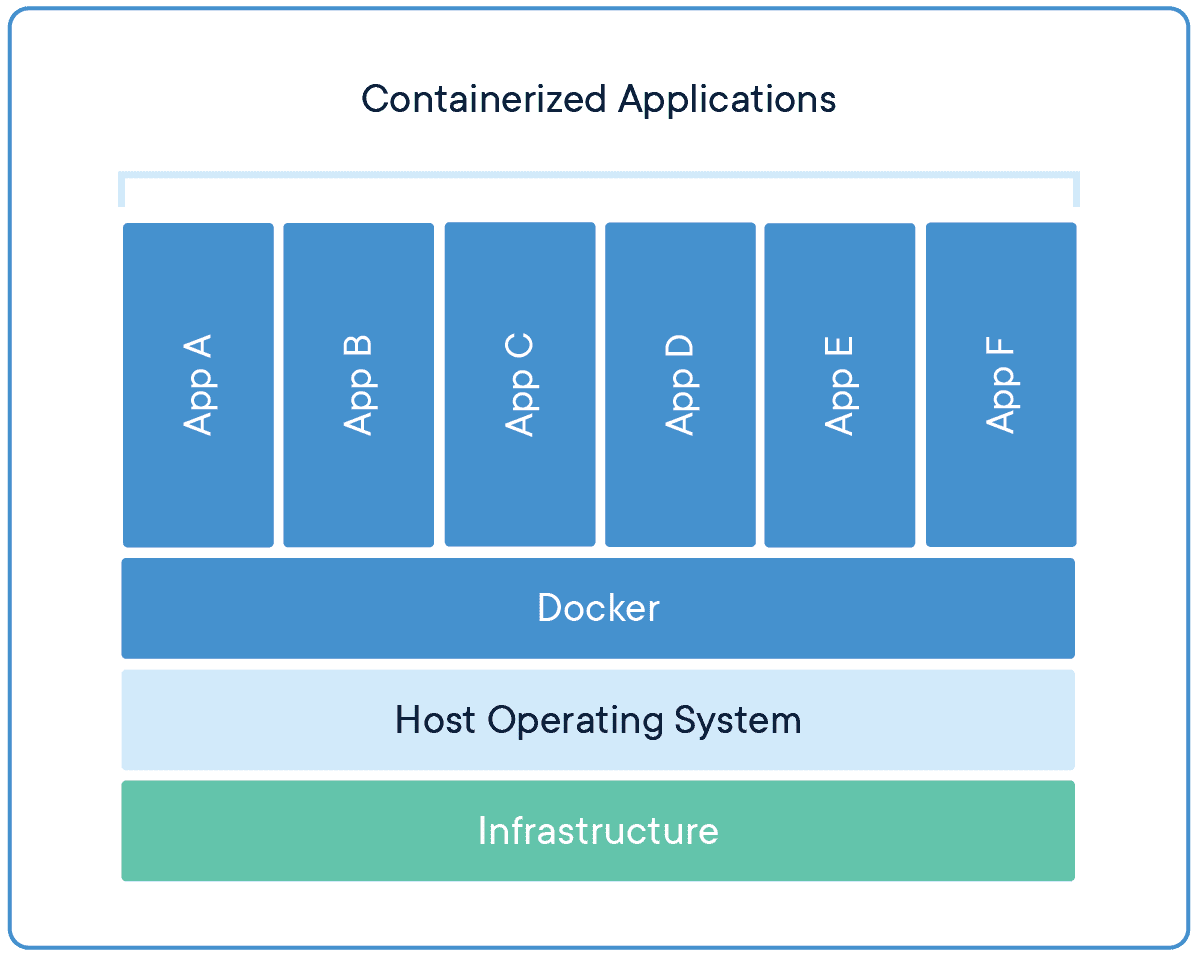
Docker is equally as revolutionary as VMs, and has been rapidly adopted by organizations since its initial release in 2013.
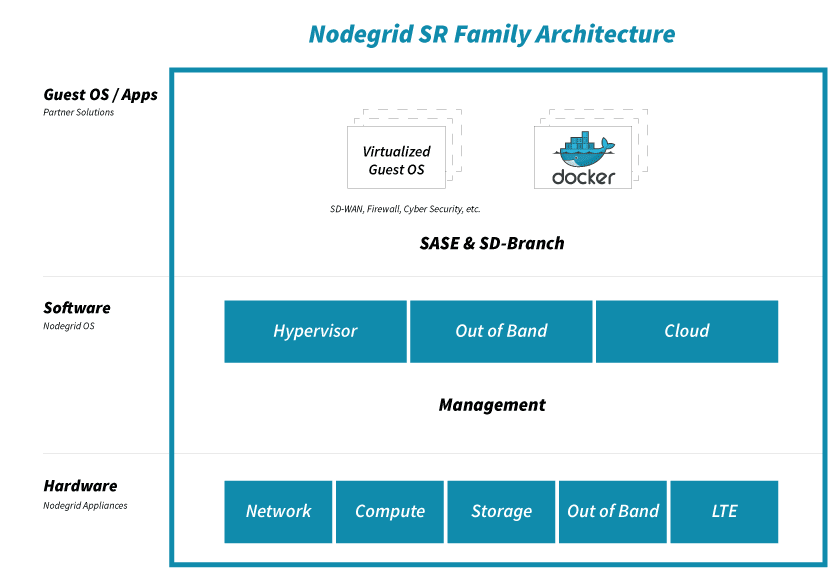
Docker takes virtualization in a different route, using something called containerization. Docker containers are lightweight and automate deployment of applications so they can work in different environments (i.e. on different machines). Each container is essentially its own software package that contains the dependencies to run an application, such as code, configuration files, processes, networking info, and sometimes even pieces of an OS.
So instead of running separate desktop environments, as with resource-hungry VMs, Docker containers run on a single system kernel and allow you to maintain isolated applications that work properly — regardless of what machine they’re running on.
How Docker Improves Network Management
Modern OOB networks employ an array of sophisticated tools, like those that support monitoring, management, and automation. Using Docker containers means that you can deploy applications and know that they’ll work on any resource, because Docker works on the client side. Docker can also act as a service and be deployed onto any server. And because all application dependencies are contained directly on the image, management is easier as well.
On a high level, using Docker containers brings these advantages to OOB:
- You save on resource allocation, because containers require only a small amount of server space.
- You can gather info and monitor your system by easily deploying lightweight apps.
- Because containers are highly portable, you can use them for diagnostics, even when devices go offline.
- Adding to the previous point, you can use containers for quick deployments, as well as for maintenance and backup.
- With regards to things that require safeguarding, such as temporary configuration data or emergency recovery data, containers allow you to add them quickly on-demand.
On top of all these advantages, Docker improves network management by giving you three major benefits.
Docker Simplifies Virtualization
VMs allow you to run any platform — along with its unique configuration — on your infrastructure. However, VMs come with drawbacks because they require significant resources in order to work properly. Essentially, running a VM means running a separate, virtual desktop environment on your hardware. And with each VM you run, your device must allocate RAM and other resources, which can be expensive and lead to unstable performance.
Docker containers are much more lightweight, and you can run multiple containers using only a single OS kernel. Containers use less memory than VMs, they boot faster (because they don’t have to spool up an OS), and they can share and reuse data volumes. In a nutshell, containers make virtualization simple, highly efficient, and easy to configure, which significantly reduces the overhead associated with virtualization when compared to using VMs.
Docker Makes Deployment Fast
Before VMs, setting up new hardware took days because of the tedious, manual configuration that was required. With VMs, devices could be configured in minutes (and remotely), but IT teams still lost time due to the need to boot up an OS for each VM.
Using Docker containers, fresh resources can be configured in seconds because there’s no need to boot up an OS. Multiple containers running on the same hardware can run isolated applications, such as those containing configuration data and automation scripts, to help you rapidly deploy resources to your network. Simply create a container for the appropriate job.
Docker Helps With Disaster Recovery
When it comes to business continuity, traditional approaches call for assigning a single purpose site to disaster recovery efforts. This means that resources sit idle at this site, because most of the time your organization is not focused on recovering from disaster. In essence, a traditional approach leaves disaster recovery as an afterthought, which means that managing and maintaining its infrastructure is costly and complex.
However, by using Docker containers, you can transform disaster recovery to be just another stage in the integration and development pipeline. This means that your recovery infrastructure is expanded from a single site to an entire region (or your entire organization), because containers allow you to utilize more resources more frequently. And should disaster strike, containers offer accurate automation for fast and reproducible deployments, so you can recover quickly and continue with your business continuity efforts.
Remember that a robust OOB solution takes advantage of the latest tools to give you more visibility & control of your network. Docker is one of those tools. It allows you to automate and take full advantage of your network resources, and you can focus on running only your necessary applications (not entire VMs). It introduces more efficiency with highly portable containers that work across platforms, and saves your system from the strain of deploying many resource-hungry VMs.
To get the latest network tips and out-of-band management advice, sign up for tips and updates.