Providing Out-of-Band Connectivity to Mission-Critical IT Resources

Network Field Day 27

Watch us kick off Networking Field Day 27!

View our live presentation and demo of Gen 3 Out-of-Band and our Zero Pain Ecosystem, recorded live at Networking Field Day 27. Watch now or download the presentation to discover:

  • Why current solutions are too vulnerable to downtime
  • Why we created Gen 3 Out-of-Band & the Zero Pain Ecosystem
  • How tech giants use Gen 3 to automate critical IT & boost uptime

Watch or download now using the buttons below!

NFD27 Overview

Agenda:


Problems that led ZPE to develop the Zero Pain Ecosystem

Explore the gaps in existing solutions and the downtime-inducing issues that inspired development of our Zero Pain Ecosystem. See ZPE’s core elements that enable the world’s largest enterprises to improve network reliability, address personnel & expertise shortages, and strengthen weak security postures. Learn about the latest Gen 3 requirements and see the blueprints for implementing the Zero Pain Ecosystem in data center, campus, colocation, branch, and edge environments.


How ZPE customers use Gen 3 OOB to automate remote critical infrastructure and edge networks

See how ZPE transformed critical data center infrastructure for tech giants, and extended this technology to enable the same openness, security, and scalability for remote critical infrastructure. Explore modern use cases for Gen 3 OOBI, end-to-end automation, NetOps / NetDevOps, next-gen SD-Branch gateways, and AIOps.


Demo No. 1: Hands on with Gen 3 OOB to resolve edge operational challenges

Live demo of a real customer deployment. We will remotely demo an IT admin in Europe managing infrastructure as if they are virtually present in California. Including connectivity, security, automation of critical edge infrastructure.


Demo No. 2: Go beyond standard OOB and explore the automated Zero Pain Ecosystem

Demo 2 goes beyond the standard of remote access. ZPE will show the open ecosystem that makes IT wishes come true by enabling flexible automation & orchestration by Zero Touch/Zero Trust Provisioning, and open 3rd party orchestration stack as well as 3rd party tools like Rumble scanners, pen testing, and automation playbooks.

Liked what you saw?

Check out our other Network/Security Field Day Presentations

Networking Field Day 26

  • Introduction to ZPE Systems
  • Global Data Center Infrastructure Management & Orchestration with ZPE Systems
  • Deploying & Managing Critical Remote Edge Infrastructure with ZPE Systems Nodegrid
  • Tour ZPE Systems’ Nodegrid and ZPE Cloud

View the Networking Field Day 26 Presentation

Security Field Day 7

  • ZPE Introduction: Why Cybersecurity for Enterprise Can’t Be Solved By One Vendor
  • ZPE Demo: Immutable Principles of Branch Deployment
  • ZPE Demo: Zero Pain Ecosystem – Launching Security Apps from ZPE’s Cybersecurity Platform

View the Security Field Day 7 Presentation

Watch agile networking in action with these Nodegrid demos

title_demoreel

Watch agile networking in action with these Nodegrid demos


ZPE® Systems Network Solutions Architect Rene Neumann shows you how easy it is to enable agile networking. See Nodegrid and ZPE Cloud first hand with our collection of demo videos. You’ll learn how to:


  • Use true zero touch for automatic deployments
  • Fully set up environments using rich orchestration
  • Remotely configure and manage edge workloads

Demo: Deploy Networks Fast with ZPE Cloud’s Zero Touch Provisioning

Demo: Fully Provision Edge Network Workloads with Nodegrid

Demo: Orchestrate Branch Network Devices Using Nodegrid

ZPE Systems introduces fully-integrated, open SD-Branch platform

ZPE Systems introduces Next-Generation SD-Branch for distributed enterprises and managed service providers

Fremont, CA, December 8, 2021 – Despite using SD-Branch and next-gen firewalls for branch transformation, modern enterprises still struggle with critical gaps in reliability and uptime.

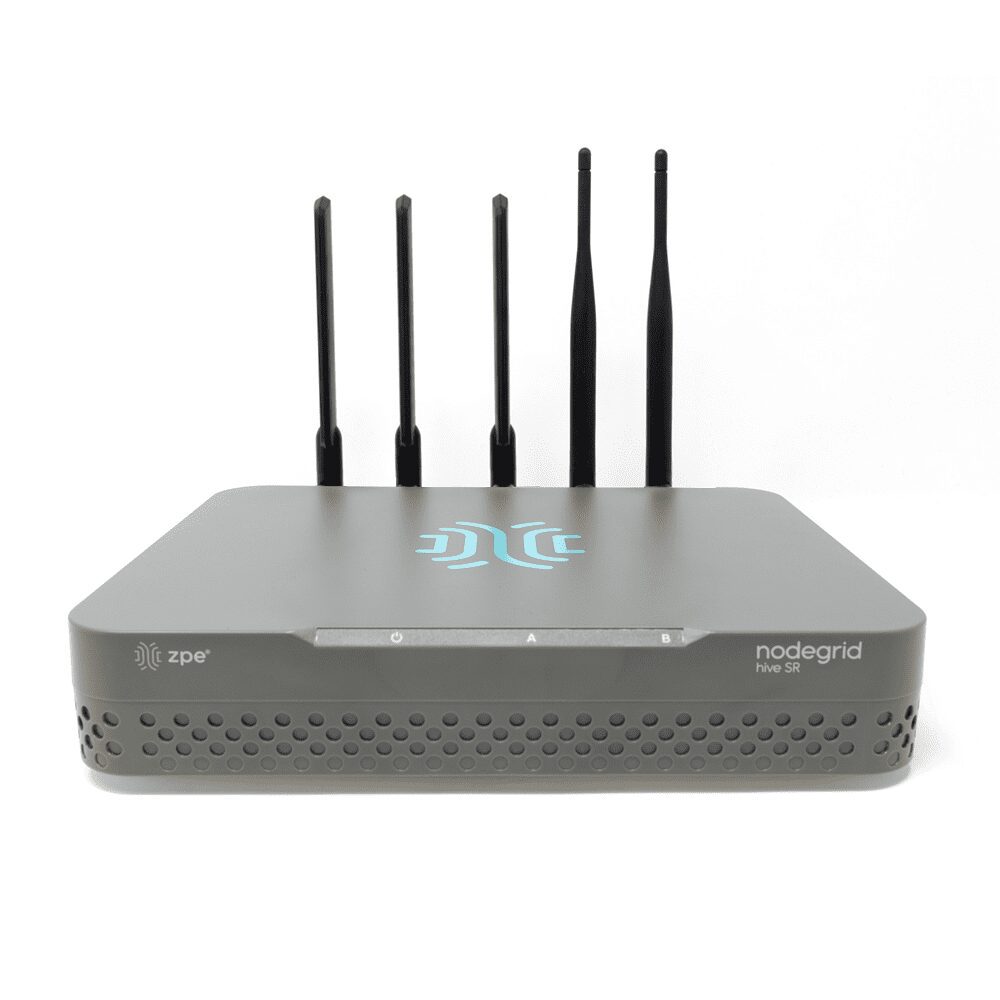
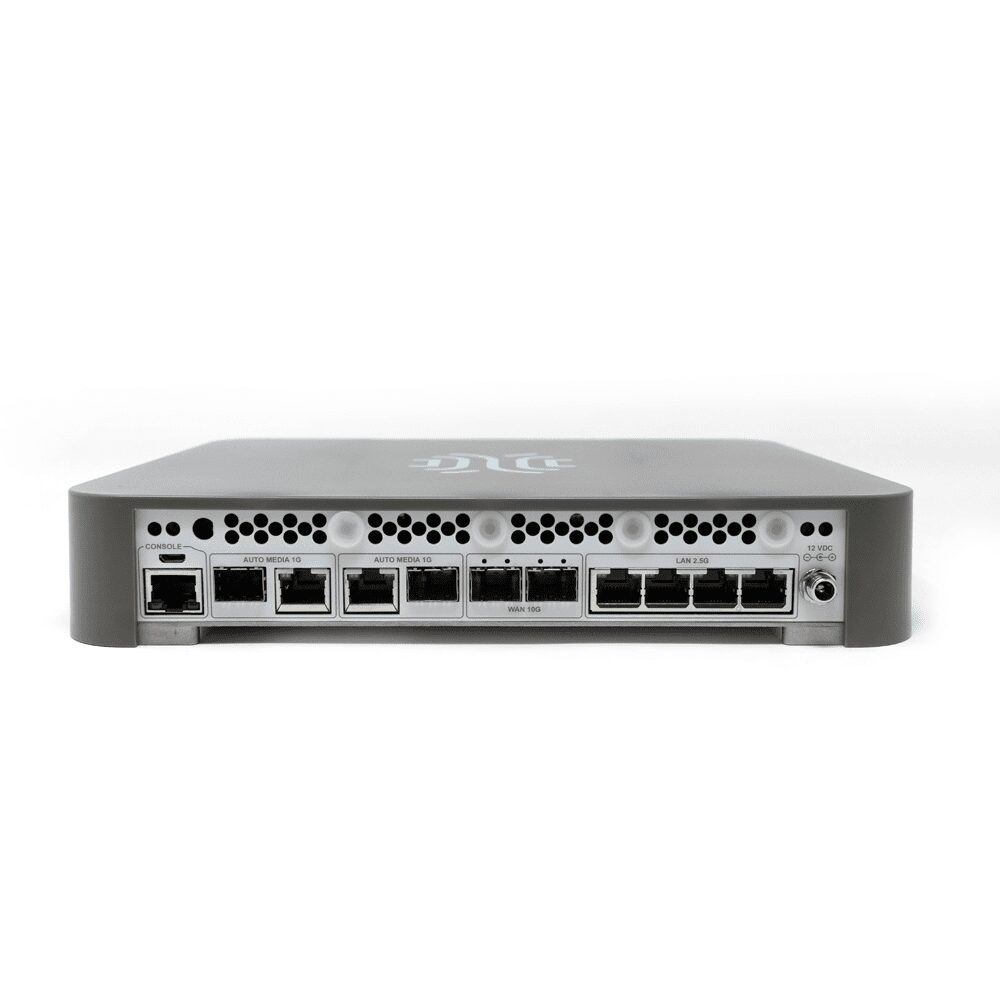
Today, ZPE Systems has addressed these gaps with the release of a fully-integrated, open SD-Branch platform. This platform consists of a new edge gateway called the Hive Services Router (Hive SR) with integrated 5G/4G LTE; cloud-orchestrated SD-WAN application; and wireless access points.

By collaborating with industry tech giants, ZPE Systems is enabling large enterprises, managed service providers, and other organizations to achieve comprehensive automation, robust out-of-band management, Day Zero installation, and continuous operation, bringing NetDevOps to the edge. This eliminates weak links in the automation chain, allowing for automatic deployments and remediation that are critical to reliability and uptime.

ZPE Systems’ Co-founder and CEO Arnaldo Zimmermann explains: “People automate what they can, but not what is most critical to their infrastructure. This leaves dangerous gaps in processes that cannot be automated. For example, you can’t recover a stuck switch without being able to talk to a third party PDU. Using our vendor-neutral platform, you can bridge those gaps and remotely connect to all your third party infrastructure.”

The announcement comes after the company’s recent release of its ZPE Cloud Apps, Nodegrid Data Lake, and environmental sensors. These — paired with the latest Hive SR, SD-WAN application, and ZAP-5220 wireless access point — solidify the company’s vision of providing a cost-effective, next-generation SD-Branch platform.

The Hive SR delivers more than connectivity and security, with integrated out-of-band and cloud automation that allow companies to orchestrate their NetDevOps pipeline in its entirety. Its open architecture, powerful x86 CPU, and robust memory and storage enable companies to directly host 3rd party software, containers, and VMs such as those for NGFWs or user experience monitoring applications.

The Hive SR also features the latest generation Wi-Fi 6 access point built-in, which covers 3,000 sqft (300 sqm) of space. Additional coverage can be achieved using the new ceiling-mounted ZAP-5220 access point, which complements the SD-Branch solution by providing enterprise-grade Wi-Fi 5 throughout indoor locations at speeds up to 1.2 Gbps.

Additionally, the Hive SR accommodates Nodegrid’s environmental sensors and connects to ZPE Cloud. These integrations allow companies to increase uptime by having visibility into device tampering, physical conditions, user experiences, and hidden machine data. The ZPE Cloud platform finally enables organizations to automate across diverse, multi-vendor equipment at the branch, thanks to its vertical integration of hardware and orchestration stacks. Organizations can now prevent downtime, predictably configure and scale environments, and optimize user experiences at the edge.

Increasingly hybrid infrastructures force organizations to shift connectivity and security to the edge, which can lead to a ‘tromboning’ or ‘hairpinning’ effect as traffic is looped through the data center. The Hive SR with the new SD-WAN application eliminates this, serving as the on-ramp to what Gartner calls Secure Access Service Edge (SASE) — or cloud-delivered connectivity and security. This combination allows organizations to send traffic directly to public and private clouds, without congesting the data center or risking security. Features like Auto-VPN and QoS automatically create secure tunnels and give IT visibility into application performance, bandwidth, link status, and other critical metrics.

Bringing everything together is the company’s signature next-gen out-of-band with Zero Trust Security at large scale. Next-gen out-of-band enables management of the entire SD-Branch solution and adjacent equipment, without putting engineers on site. Servers, PDUs, IoT, and other devices present at the remote edge can be controlled via serial console, management port or USB connection. This robust out-of-band is reliably accessible via the latest generation 5G modem onboard the Hive SR, which enables the branch to be completely rebuilt from scratch via the cloud — a process ZPE calls ‘seed-of-life automation™.’ These capabilities reduce mean-time-to-repair (MTTR) and prevent downtime via instant remote access to edge locations.

Nodegrid OS v5.4 also releases, including notable features such as support for SD-WAN, gateway profiles, 5G cellular, and IPv6. These enable organizations to take full advantage of ZPE Systems’ next-generation SD-Branch solution.

VP of Marketing Koroush Saraf adds, “One customer reported that the all-in-one Nodegrid solution exceeded all requirements, slashed 50% of their workload, and helped achieve near 100% network uptime.”

Hive SR is shipping now in limited quantities. Visit the links below for details.

Discover the open Nodegrid Hive SR

Explore the 5-in-1 SD-Branch gateway that enables full pipeline automation.

Unlock flexible cloud SD-WAN

Whether on-prem or in the cloud, optimize your WAN with a free 90-day trial.

Get Wi-Fi 5 for enterprise

See how the compact ZAP-5520 enables your LAN with speed and security.

About ZPE Systems, Inc.

ZPE Systems is rethinking the way networks are built and managed by providing software-defined, vendor-neutral infrastructure management and networking solutions.

ZPE Systems’ Nodegrid® platform consolidates, organizes, and simplifies the need for a complete remote access and control solution; Nodegrid solutions address the OOB management needs of the data center and branch, unifies edge networking environments, manages converged infrastructure and provides intelligent automation. ZPE’s smart, consolidated IT management solutions reduce downtime, deliver OPEX savings, and extends the reach of IT workforces.

ZPE’s global headquarters is located in Fremont, California with offices throughout the US and globally in Ireland, India, Brazil and Japan.

ZPE Systems, the ZPE logo and Nodegrid are registered trademarks of ZPE Systems, Inc.

To learn more, visit www.zpesystems.com.

The Importance of NetDevOps Automation for Modern Networks

Manager,Engineer,Analyzing,And,Control,Automation,Robot,Arms,Machine,On

The NetDevOps methodology is all about removing barriers and encouraging open collaboration between network, development, and operations teams. NetDevOps automation is what enables this collaboration to happen in real-time.

Let’s look at the key areas where automated NetDevOps practices can benefit your enterprise through software-defined networking, network function virtualization, software-defined wide area networking, and datacenter infrastructure management automation.

What is NetDevOps automation?

Network automation for NetDevOps focuses on eliminating manual device configurations and simplifying your infrastructure through virtualization and consolidation. Four key areas for NetDevOps automation are:

  • Software-defined networking, or SDN, uses software-based controllers to direct network traffic on virtual or hardware infrastructure.
  • Network function virtualization, or NFV, replaces physical networking appliances with virtual machines controlled by a hypervisor or SDN controller.
  • Software-defined wide area networking, or SD-WAN, separates traffic management and monitoring functions from the underlying hardware and makes them available as software.
  • Datacenter infrastructure management, or DCIM, unifies the management of all your remote and datacenter appliances under one control panel.

This article focuses on the network automation side of NetDevOps, but automating the Dev and Ops portion is also essential.

DevOps automation

On the development side, test automation and CI/CD (continuous integration/continuous delivery) focus on constantly checking new code for bugs and security vulnerabilities to streamline the deployment process.

On the operations side, automation seeks to eliminate manual configuration and provisioning of development, testing, and production systems using IaC (infrastructure as code). Using IaC, server configurations are written as software code that can run through the CI/CD automated testing process to ensure conformity and reduce human error.

The importance of NetDevOps automation for modern networks

Now, let’s dive a little deeper into NetDevOps automation for network teams.

Software-defined networking for NetDevOps

Software-defined networking (SDN) takes the control plane for physical and virtual network devices and makes it available as centrally-managed software. This allows you to create or change configurations for all your devices from one place, and then automatically deploy or roll-back those configurations at the press of a button. Your network appliance configurations can also run through the CI/CD process, just like software code and IaC, so you can perform automated testing to ensure that there are no errors or security vulnerabilities. This automated, software-based approach to network management provides numerous benefits, including:

  • Increased team efficiency: SDN saves time and reduces human error, which improves the
    overall efficiency of your NetDevOps teams. Using SDN, your network engineers can create one software-based configuration file and deploy it many times, rather than manually entering CLI commands on every new device. This saves time, freeing your teams up to work on more business-critical tasks. Plus, with SDN you know every device receives the same configuration every time, which minimizes the risk of human error and makes it easier to pinpoint any errors that do show up.
  • Improved routing intelligence: SDN provides centralized management and a holistic view of your entire network, which empowers you to improve your routing intelligence and optimize your network traffic. You can use SDN’s centralized control panel to create pre-defined load balancing, performance, and bandwidth policies, then use those policies to intelligently and automatically route traffic on your network. For instance, if there’s a traffic spike at one datacenter, your load balancing policies can automatically re-route certain traffic (say, remote or branch office traffic) to an alternate site that can handle those requests.
  • Enhanced security capabilities: SDN supports and simplifies network micro-segmentation enabling you to implement advanced security methodologies such as zero trust security. Without SDN, creating new micro-segments is often a manual process involving tedious tasks like mapping network dependencies or configuring and deploying new appliances. Since SDN provides a central control panel with software-defined configurations that can be automatically deployed at will, micro-segmentation for zero trust security is much easier, allowing you to get more granular and specific with your policies and security controls.

You should consider software-defined networking for NetDevOps automation if your organization is looking for a more efficient networking team, a more optimized network, and an easier way to implement zero trust security.

Network function virtualization for NetDevOps

Network function virtualization (NFV) is simply the virtualization of networking appliances like routers and switches. NFV separates the communication services—e.g., load balancing, routing, firewall security—from the physical hardware they usually live on, and instead makes them available as software. You can then program and control all your virtual networking devices from a central hypervisor or an SDN controller, providing the opportunity for network automation and orchestration.

NFV enhances the capabilities and benefits of SDN by further abstracting the control functions of your network and removing even more physical devices from your infrastructure. Since NFV runs on virtual machines rather than hardware appliances, you can reduce and consolidate your network infrastructure, making it easier to manage. Fewer appliances also means you spend less money on hardware and colocation costs. Plus, scaling virtual infrastructure with NFV is faster and cheaper than physical infrastructure because you can spin up virtual machines and applications with the click of a button and automatically apply configurations via SDN.

You should think about NFV for your NetDevOps automation if you’re hoping to consolidate and simplify your network infrastructure, reduce datacenter costs, and enable fast and easy network scaling.

Software-defined wide area networking for NetDevOps

Software-defined wide area networking (SD-WAN) separates the traffic management and monitoring functions from your WAN hardware so you can apply intelligent routing to your remote and branch office traffic. SD-WAN looks at your WAN traffic to determine where it’s headed, and then chooses the most efficient route to that destination based on current network conditions and availability.

SD-WAN makes it easier to orchestrate and control your WAN architecture because it decouples management from the physical software, allowing you to do everything with software.SD-WAN also provides easy scalability by allowing you to automatically deploy new branch office configurations, quickly add new cloud services, and dynamically optimize routing paths to incorporate new resources and locations.

If you’re looking for an easier and more efficient way to manage and optimize your WAN traffic, then you could benefit from SD-WAN for NetDevOps automation.

Datacenter infrastructure management for NetDevOps

Datacenter infrastructure management (DCIM) software provides centralized management and control over datacenter resources. You can use DCIM to gain visibility on all your physical and digital assets, no matter where they’re located, from behind one pane of glass. DCIM automation focuses on discovering and tracking assets (both physical and in the cloud), monitoring and optimizing resources, and provisioning and configuring new devices.

For example, zero-touch provisioning (ZTP) allows you to deploy remote devices without needing an engineer to stage configurations or manually install the hardware. ZTP devices use DHCP or TFTP to communicate with a server that provides configuration files or images that the device downloads and runs automatically. That means you can ship a new switch to a remote datacenter and have a local employee plug the device in and connect it to the network. From there, ZTP handles all the steps that are usually performed on-site by a network engineer.

DCIM automation with ZTP allows you to scale up your datacenter operations quickly and easily deploy new infrastructure. Your engineers can spend less time staging networking appliances or traveling to remote datacenters, allowing you to allocate your resources to more important projects. DCIM automation also provides a central control panel that you can use to manage all your datacenter infrastructure from anywhere in the world.

If you’re interested in bringing NetDevOps automation to your remote datacenter management, then you should look for DCIM solutions that support automation and zero-touch provisioning.

Kickstart NetDevOps automation on your network with Nodegrid

NetDevOps automation provides many opportunities to simplify and optimize your network management using software-defined networking (SDN), network function virtualization (NFV), software-defined wide area networking (SD-WAN), and datacenter infrastructure management (DCIM) with zero-touch provisioning (ZTP).

Are you looking for a way to kickstart NetDevOps automation on your enterprise network? The Nodegrid family of datacenter management solutions can help. For example, serial console servers running the Nodegrid OS can automatically discover and analyze new datacenter devices, allowing for greater efficiency and scalability. Plus, Nodegrid’s vendor-neutral network management software helps you control and orchestrate your entire architecture from behind one pane of glass.

Learn more about how Nodegrid can kickstart NetDevOps automation on your network.

Contact ZPE Systems today!

Contact Us

How to Implement a Zero Trust Security Strategy in an Enterprise Environment

shutterstock_1913848855

Large enterprises may be hesitant to adopt zero trust security because it may seem too disruptive to their business. However, cyberattacks on businesses continue to increase, costing affected enterprises an average of $3.92 million per breach, so it’s clear that traditional security strategies aren’t working anymore.

Even the President has addressed the need for heightened cybersecurity in an executive order explicitly requiring federal agencies to implement zero trust security policies and recommending that other organizations do the same.

The good news is, implementing a zero trust security strategy doesn’t require the dramatic, expensive network overhaul that many enterprises fear. Adopting a zero trust architecture is a gradual (and frequently cost-efficient) process that, when done correctly, requires minimal downtime and business disruption. Let’s look at the implementation process step-by-step and discuss some tips and best practices to ensure a smooth transition to zero trust security.


How to implement a zero trust security strategy in an enterprise environment

The foundation of zero trust security is the principle of “never trust, always verify.” Rather than creating a security perimeter around your network and assuming that everyone within that perimeter is safe, with zero trust security, you must verify everyone (and everything) that tries to connect to a resource, whether they’re inside or outside.

Implementing a zero trust security strategy in an enterprise environment is iterative, not something you should try to do all at once. Breaking your strategy into a series of small, repeatable steps allows you to improve upon the process as you and your team gain experience with zero trust principles and technologies.

Step 1: Define a protect surface

Older cybersecurity strategies usually focus on defining and defending an attack surface—the sum of all the potential points where an attacker could breach the network. This involves creating a security perimeter around your entire network and trying to keep sensitive data and vulnerable systems as far away from that perimeter as possible. The problem with this approach is that our networks are growing more extensive and more complex, increasing the attack surface and making it more challenging to identify and define every potential entry point.

In a zero trust security strategy, you should instead focus on defining a protect surface or each specific item that needs to be safeguarded from attack. A protect surface should include the data, applications, assets, and services—known as DAAS—that are most critical for your enterprise to protect from attack.

  • Data: You should identify and classify your data based on how important it is to your organization, how valuable it would be to hackers, and whether it’s subject to regulations like HIPAA or PCI.
  • Applications: You need to determine which applications use sensitive data or proprietary code that may be of value to an attacker.
  • Assets: You must create a detailed inventory of all your devices—not just laptops and cell phones, but also point-of-sale terminals, manufacturing equipment, IoT devices, and other network-connected assets—so you know what to include in your protect surface.
  • Services: You should identify all business-critical network services that need to be protected, such as Active Directory, DHCP, and email.

Rather than having one large attack surface to protect, you will have multiple smaller protect surfaces to focus on. Remember, implementing a zero trust security strategy is an iterative process, so it’s best to focus on one protect surface at a time. Once you define a protect surface, you will be able to move the required zero trust security controls as close as possible to create a micro-perimeter.

Doing so allows you to create individual security policies and procedures that are limited in scope to the specific requirements of that data, application, asset, or service. You can use network segmentation to granularly control and monitor traffic to a micro-perimeter and strictly limit which users and resources can request access. Defining a protect surface is thus an essential first step for implementing a zero trust security strategy for your enterprise’s DAAS.

Step 2: Map DAAS interdependencies

Once you’ve defined a protect surface, you need to map its traffic flows and interdependencies. You should document how specific resources interact with each other so that you can work these interdependencies into the security policies and controls of the micro-perimeter. Essentially, mapping your DAAS interdependencies allows you to safeguard a protect surface without accidentally breaking any related applications, services, or workflows.

Step 3: Construct the zero trust network architecture

There isn’t a perfect zero trust network design that you should strive to achieve—each zero trust network is customized completely around the protect surfaces. So, after you have defined a protect surface and documented traffic flows and interdependencies, you can build out your zero trust network architecture.

This involves implementing a micro-perimeter using the security controls you planned out in the previous steps. For example, you could use a next-generation firewall to segment your network based on a defined protect surface, create a micro-perimeter around that segment, and monitor traffic and enforce access control on all layers on the OSI model. This model is also known as the Open Systems Interconnection model and is a reference model for how applications communicate over a network. A traditional firewall only protects layers one through four (physical, data link, network, and transport). In contrast, a next-generation firewall also protects your upper stack (session, presentation, and application).

Step 4: Establish zero trust policies

Once you have implemented your zero trust architecture, you need to create zero trust security policies for the protect surface. You should use the “Kipling Method” to determine access, which means asking the following questions:

  1. Who should have access to this resource?
  2. What application is being used to access this resource?
  3. When is the resource being accessed?
  4. Where is this resource located?
  5. Why does the resource need to be accessed?
  6. How should you allow access to this resource?

Remember, you’re creating zero trust security policies for each protect surface and micro-perimeter, so you want to get as granular as possible to ensure only safe, known traffic and communication are permitted.

Step 5: Monitor and optimize

The final step is to monitor the protect surface and conduct frequent log reviews to ensure zero trust operations run smoothly. You should continuously monitor all user and device communication into and out of your new micro perimeter. This will allow you to detect and remediate potential latency, performance issues, and bugs, as well as create baselines for normal behavior. These baselines will make it easier in the future for your security teams and threat detection tools to spot unusual activity that could indicate a breach.

You’ll use the information you gain from monitoring and logging to improve the next iteration of your zero trust security implementation, as well as to continuously optimize your zero trust architecture. By focusing on one protect surface at a time, you can gradually expand your zero trust strategy to iteratively encompass more data, applications, assets, and services until you’ve transitioned your entire network to a zero trust security strategy with minimal disruption to your enterprise.


Additional tips for implementing a zero trust security strategy


shutterstock_1678402276

Assess your zero trust security capabilities

One of the most significant benefits of zero trust security is that it doesn’t require an expensive or disruptive technology overhaul to achieve. Instead, the goal is to augment your existing network architecture as much as possible using zero trust tools, policies, and procedures. Because of this, it is recommended that you start by assessing the zero trust capabilities of your existing architecture and tools, so you can identify the gaps in your zero trust readiness and avoid spending money on solutions you don’t need or already have.

Identity and access management

Many enterprises find that their zero trust readiness is hampered by deficient identity and access management (IAM). It is challenging to implement a zero trust security strategy without investing in a unified IAM solution that specifically supports zero trust principles and security controls. You should look for a centralized platform that supports zero trust IAM requirements like single sign-on (SSO), multi-factor authentication (MFA), and passwordless authentication, like Okta, for example.

Data discovery and classification.

Identifying the data that needs to be protected as part of your DAAS is much easier when you use the data discovery and classification tool. No matter what business you’re in, your enterprise is likely processing a vast amount of data every day, making it very challenging to manually identify, locate, and prioritize the data you need to protect. There are various specialized data discovery and classification tools that work across multiple industries, but you may find that one of your existing technology solutions already includes data discovery features, such as Azure Data Protection.


Implementing the ideal zero trust security strategy

Your enterprise’s transition to a zero trust architecture will be a gradual process, and it will need to be repeated every time you add a new protect surface to your network. Every time you expand your zero trust architecture, you should refine and optimize the implementation process which will help your security grow progressively stronger.

By following this iterative process and implementing the right tools and technologies, your enterprise can implement a zero trust security strategy that supports your business goals and keeps your network protected.

Want to learn more?

Contact us to learn more about how ZPE Systems can simplify your zero trust security strategy with Nodegrid’s Zero Trust framework.

Contact Us