Providing Out-of-Band Connectivity to Mission-Critical IT Resources

Make Management More Secure and Easy with Single Sign-On

Managing many network devices and applications can be a chore, and a lot of this stems from having to manually authenticate with each. You typically need to keep a spreadsheet containing your different credentials (or run the risk associated with having one set of credentials across the board). And until now, Nodegrid offered this typical experience. But you no longer need to be left with a juggling act when it comes to managing your network. That’s because Nodegrid now supports single sign-on (SSO).

What is Single Sign-On?

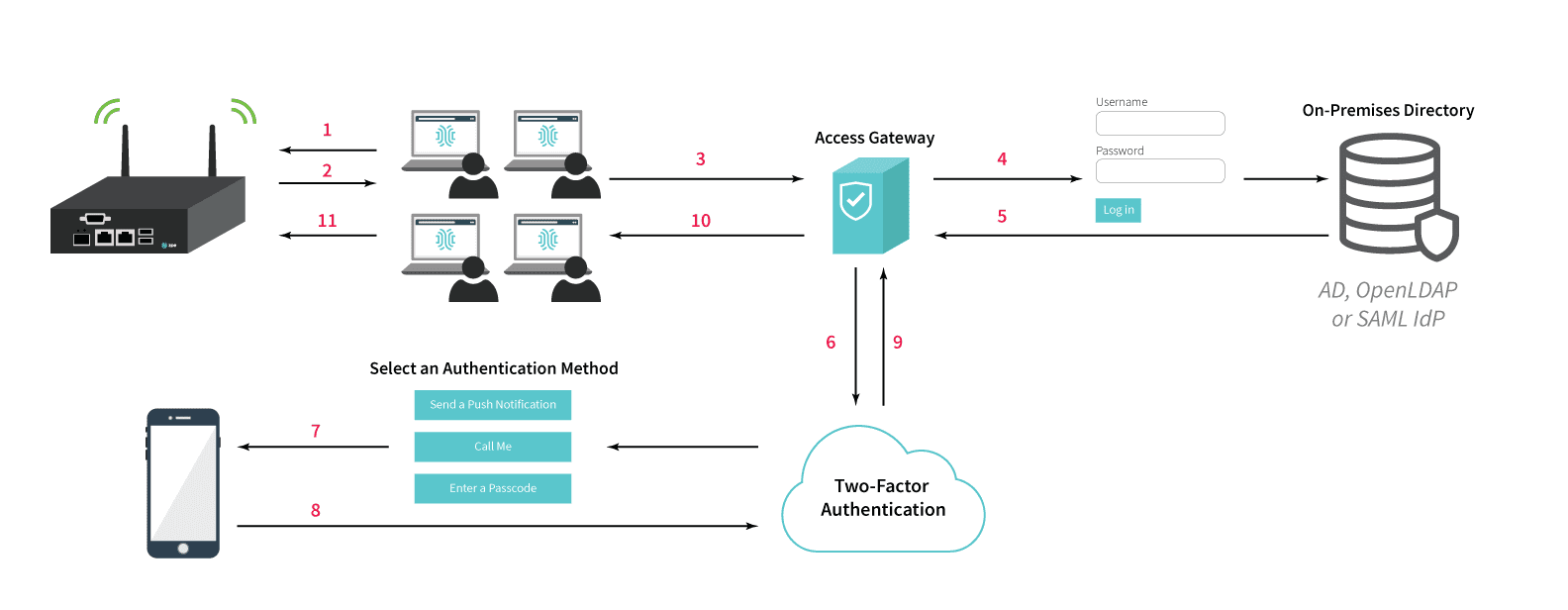
Single sign-on allows you to authenticate with multiple applications simultaneously, using only a single set of credentials. It’s like having one key that opens every door in the house! Once you successfully sign in to an application, you’re automatically signed in to all other connected applications. SSO allows you to access Nodegrid appliances and applications with ease, and you can seamlessly navigate back and forth without having to get bogged down by sign-in screens.
Benefits of Single Sign-On

SSO offers much more ease-of-use and increases security. Before SSO, you needed to keep track of many unique credentials. When managing appliances and applications, this forced you to sign into each individually. Aside from presenting you with frequent obstacles that slowed you down, this also left you to deal with the hassle of resetting or retrieving credentials if you forgot or lost them. You’d have to put in more time and effort to update your spreadsheet, and then get used to using your updated credentials (which often led to more resetting and retrieving). Now, you only need one set of credentials to sign in to everything. This means that you no longer need a lengthy spreadsheet with many usernames and passwords, and you don’t need to be frequently slowed down by having to sign in to each application separately. You also don’t need to worry about compromising security by trying to create easy-to-remember credentials, or by frequently going through password reset/retrieval protocols. If you do forget your credentials, one reset is all you need to get back up and running. And for network administrators, SSO simplifies user administration. Admins no longer need to add, remove, or modify users on separate applications. Nodegrid now puts convenient control in one place, so administration actions are consolidated and go into effect across all user access points.

Why use SSO with Nodegrid?

Nodegrid’s single sign-on currently integrates with many popular identity providers. These include Duo, Ping Identity, and Okta.
Nodegrid also uses the industry-standard Security Assertion Markup Language (SAML), so you can easily integrate with any identity provider who supports SAML 2.0. Single sign-on is easy to configure, and provides more convenient, secure access to applications and appliances. To get the most streamlined and safe experience with Nodegrid, consider taking full advantage with SSO.

10 Things to Consider when Choosing an Edge Solution

The edge is changing; CAPEX & OPEX costs, scalability, the number of devices and tools that make up the environment, and the speed of deployment, all need to be taken into consideration for the evolving EDGE.

Many of these devices and tools are outdated, sit in silos, and were never designed for the complexities of today’s smart infrastructures.
We now have more advanced solutions that can be applied to legacy systems as well as new data flows using edge computing, cloud computing, machine learning, and AI to provide new capabilities, reduce complexities, and further drive operational efficiencies.


1. Ease of Deployment

Is your EDGE solution simple to deploy? Can your Smart Hands get the job done? Will they be able to keep the devices up to date at each location without issue? Is Zero Touch Provisioning via WAN (IPv4 and IPv6) supported? There’s nothing more satisfying than plugging in a device, and having everything just work.

2. Safety / Keeping your Data Center Safe

EDGE devices can potentially serve as a backdoor into your data center… What happens if someone uses the EDGE device to connect back to your data center and gain unauthorized access to the network? Does your solution have the proper security features in place to ensure that not only do the proper people have access, but also validate that the access is coming from an authorized location?

3. Centralized Remote Management

Can your EDGE devices be supported by an SDN, remote management or Out-of-Band solution? Does it allow you to manage all devices locally, and at each of your EDGE branches/locations? Does the solution give you a 360° view of the entire network infrastructure without the need and complexity of a high-level management platform?

4. Notifications and Actionable Data

Because it’s very costly to have IT support staff present in every one of your locations (local and remote), you need a solution that provides data logging, notification, and automation capabilities to help reduce, or eliminate, the need for onsite IT staff, or expensive remote hands at every site… You need to be informed of configuration changes and possible security risks. Receive notifications and take proactive steps to ensure uptime, whether it be through human intervention or automation scripts. Will your solution keep up with your needs?

5. Protect your Data

Is you data safe? Does your current or planned EDGE devices support the latest in data, hardware, and storage encryption protocols, and if needed, a kill switch?

6. Multi-function EDGE Device

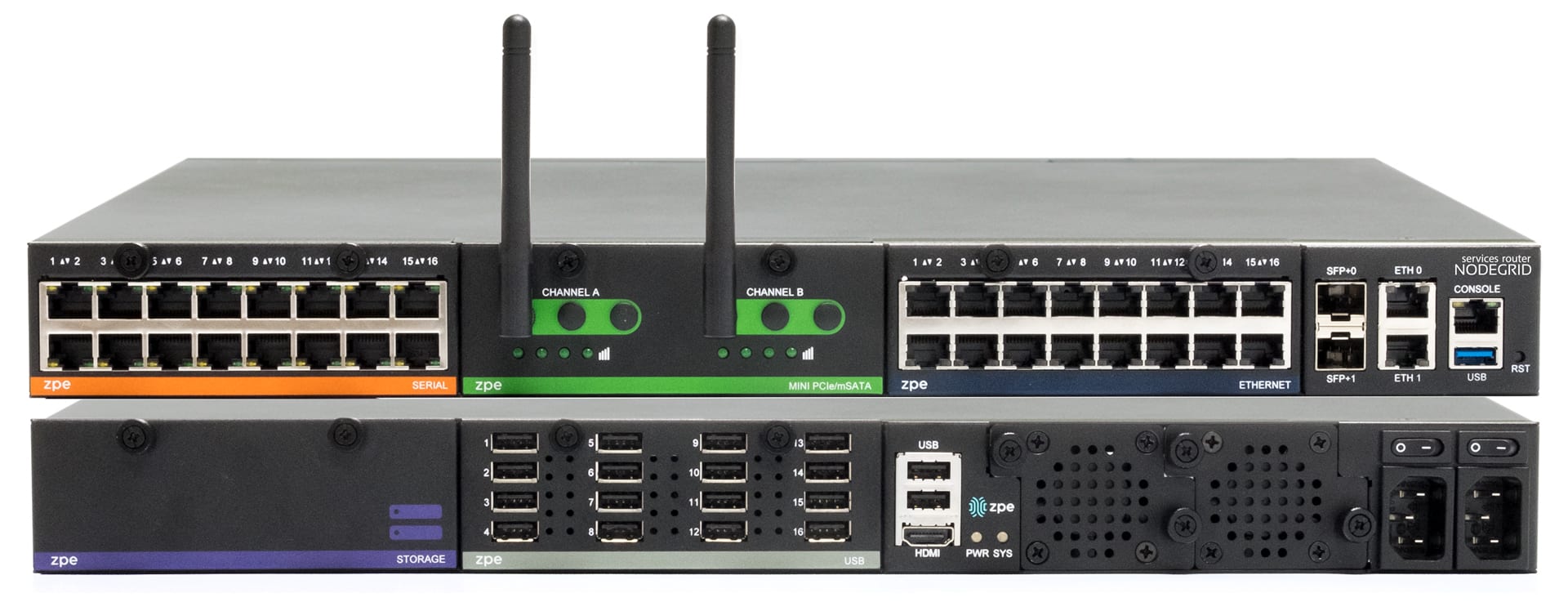
How do you reduce the number of devices at each EDGE location you have to maintain and periodically update to help reduce power, cooling and space costs? Is there a Multi-function Edge device that provides Switching and Routing capabilities as well as VNF support and on premise vCPE, Firewall, VPN, Compute, Storage, and Failover to Cellular so I have a 24×7 virtual IT presence?

7. Telemetry

Does your solution collect critical data points, allow you to inspect data logs, build an audit trail of actions and have a dashboard for visualization KPI’s?

8. Scalability

Does your EDGE solution allow you to easily grow and rapidly scale to meet business needs; Or is it complicated, cumbersome and an overall hindrance? Can it grow with you or will it need to be replaced as you scale? Your EDGE solution needs to be easily replicated across the various branches, offices, and retail locations.

9. True Solution Cost

CAPEX and OPEX – What is the initial cost of your solution and what would it end up costing to implement, maintain, and manage? There’s money to be saved if a solution costs less to maintain. Low initial costs generally come with hefty hidden fees – Training, maintenance and operational costs all add up, and in most cases, end up costing you more in the long run. A “set it and forget it” type of solution that adds automation capabilities may have a higher initial cost, but results in a tremendous savings because it doesn’t need to be replaced as often or have dedicated staff to operate and maintain.

10. Vendor Neutrality

What good is an EDGE solution if it doesn’t play nice with other EDGE location devices? You’re at the mercy of the various device vendors, their timetables and patch schedules and applications. You need a solution that adapts to your requirements, is built on an Open Platform and allows you to integrate seamlessly with other solutions.

Bottom Line

Check out ZPE Systems family of solutions for your Data Center, Lab, and Edge location requirements. You’ll be glad you did!


Need More Information?

If you would like more information on how the Nodegrid family of Open Infrastructure Management Solutions address all the needs of Edge networks, contact a ZPE solution specialist by giving us a call -or- sending us an email. We look forward to hearing from you.

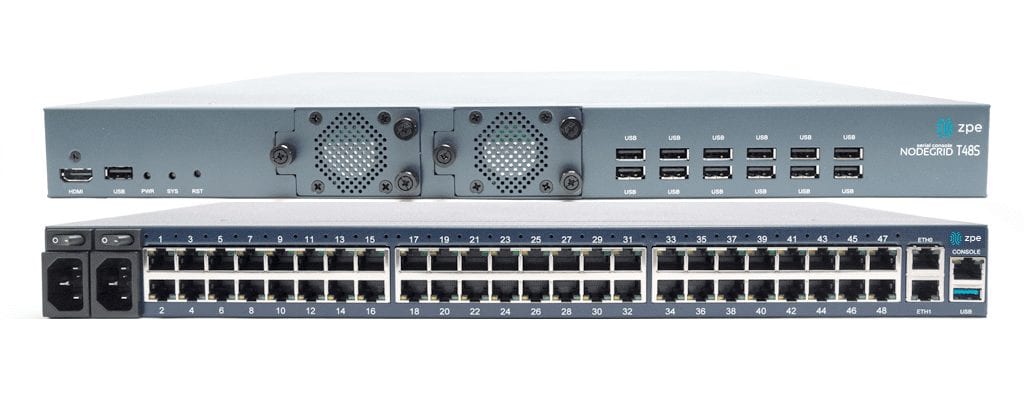
How Nodegrid Serial Console / Nodegrid Services Router can improve the Test Lab with Automation

Are you in a test lab that needs automation? Are you in a test lab that has automation, but you need to get more out of it? We can help.

This situation seems to be quite common from what we’ve seen. Lab managers either have an “automation” solution that’s limited in abilities or they don’t have automation at all. Here’s how it breaks down:


Test Lab Environments (without Automation)

Companies that still perform manual testing may face the following obstacles:

  • The testing process takes much longer to complete versus that of an automated solution (time is money, without automation in place, each test must be initiated manually, requiring staff on hand to execute)
  • Requires a highly technical staff to complete testing on time (Not just any staff can run testing, staff on hand has to be knowledgeable.)
  • Human Error – Human error is not a myth, it exists.. ex: Amazon AWS Outage of 2017 – A simple slip of the finger can result in a catastrophic situation. Testers may miss steps and are prone to committing errors or not catching configuration issues
  • Lack of analysis – Data stored for analysis in case of errors needs to be logged manually

Test Lab Environments (with Basic Automation)

A basic automation solution can speed up the process of testing, but it is not without its gripes. Here’s some of the issues that have been brought to our attention.

  • Legacy console servers do not handle multiple concurrent sessions – This reduces the # of devices and connections supported in testing
  • Serial ports cannot use high baud rate (such as 115200bps) in all ports. Users tend to experience slowdown in the console server as it starts to hang or freeze up as more and more sessions are established – You are limited in the amount of sessions before the solution ultimately crashes
  • Not full automation – Scripts need to be tweaked to accommodate to devices (Delays and pauses are necessary in order to see the command all the way through, if supported).
  • Script limitations – Some popular scripting languages are not supported in some offerings

Even though you have an automation solution in place, if it requires you to be there monitoring the execution of scripts and commands, is it really automation?


Test Lab Environments with ZPE’s Nodegrid Advanced Automation Solutions

What ZPE’s Nodegrid family of products brings you is automation without compromise. Nodegrid addresses the pain points common to test labs. Nodegrid’s value is in the ability to automate, test, and collect data without limits. Queue commands and scripts from beginning to end. If an automation solution doesn’t work the way you need it to, then is it really an automation solution?

  • Intel x86-64 bit server-like Linux OS allows for faster processing, docker applications, and new automation and DevOps tools.
  • Time savings – With ZPE you can push configurations, software/firmware upgrades, and tests in bulk
  • Supported scripting languages and protocols: python, javascript (node.js), bash, ruby, or perl.
  • Fully automate your test and configuration processes
  • 48 Ports @ 115200 – 20 concurrent ssh/telnet sessions per port in all 48 ports
  • 96 Ports @ 115200 – 10 concurrent ssh/telnet sessions per port in all 96 ports
  • Increased processing power = get more done faster + improved boot times
  • Hook to Reservation system so serial ports are not available for other users to access during the reserved period
  • Serial ports settings can be customized to have simple connection (no additional text information, no authentication)
  • Serial Data Logs captured and saved into local file or NFS file, and to Syslog servers, for testing auditing
  • Specific groups to access their own devices via group authorization permissions
  • Boot up times significantly faster (Average Nodegrid Boot Time: < 1:40min | Competition Boot Time: Over 3:00min)
  • Automate the entire process, from ZTP and initial setup to end configuration.

For more information regarding the Nodegrid family of products and how they can benefit your Test Lab environment with Automation, give us a call or send us an email – We’d love to hear from you.

Data Logging, Alert Notifications and Actionable Data

When you’re the one responsible for critical infrastructure assets within the data center, you’ve got to be quick to respond and readily available to take care of any issues that might surface.

What if something goes wrong?

Without Nodegrid’s Data Logging features, here’s how your day could go:

  • You only know of the issue after the fact. You’re made aware once someone has reported the issue.
  • Now you need to find out the location of the server – Where is the issue stemming from?
  • You need to look for the console access that is connected to the device
  • In case of power, you need to gain access to the PDU, enter those credentials (that you might have forgot), identify which outlet the device is plugged into, and then initiate the power cycle to that outlet.
  • You might not even know what happened to the device in the first place.

All these steps take time, time which is of the essence especially when it comes to critical infrastructure assets. Uptime is of the utmost importance.

This is why Nodegrid is trusted by some of the data center world’s largest companies.

Nodegrid’s Data Logging abilities allow you to collect a wide variety of data, such as key input, console messages and errors, and console usage.

Set actionable string alerts and notifications whenever a known problem occurs – Choose any or all of the following notification types: e-mail, text, syslog, or snmptrap.
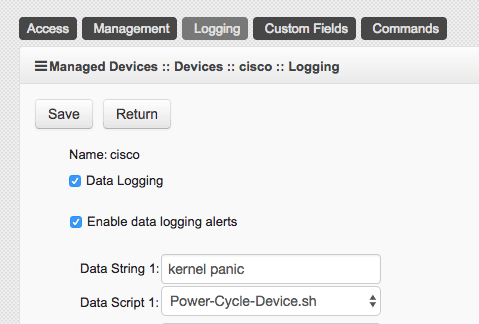
Nodegrid allows you to take actions based on string matches and console output. A recurring issue pops up, if its string matches, your selected script will be executed to alleviate the problem. Automate your fixes to save time and money.
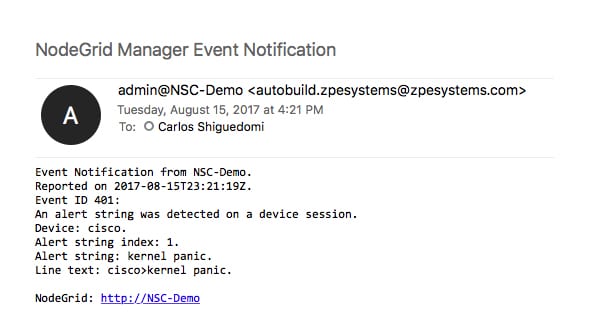
All this is done in a matter of seconds:

  • A problem happens, Nodegrid finds a string match and executes the repair script
  • You get a detailed notification, telling you which devices experienced a specific problem
  • Data log is also sent to you to further investigate the issue and check for anomalies.

Nodegrid’s 64-bit Linux OS is ready for your automation scripts, allowing for multiple language options such as Python, JavaScript on Node.js, Bash, and more…

If data logging, alert notifications, and actually doing something with that information through actionable data is something that’s important to you, contact a ZPE representative to find out how we can help you out.

CAPEX and OPEX… Are you Making the Right Considerations on Your Out-of-Band Expenditure?

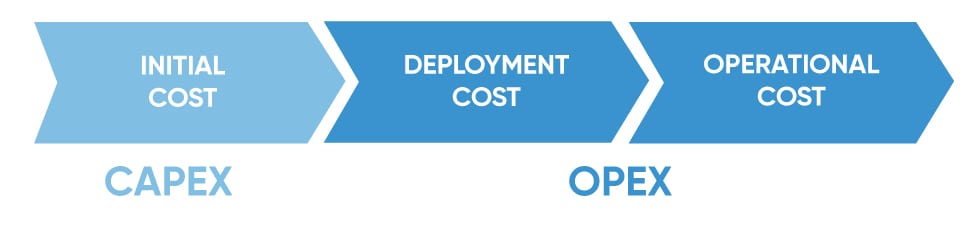
When considering your new infrastructure management solution, your organization’s primary focus may be on Capital Expenditure (CAPEX), which refers to the initial cost to deploy a solution. Rarely is Operational Expenditure (OPEX), the operational cost to maintain said solution part of the discussion, and it’s easy to see why.

While capital expenditure is a pre-determined amount, operational expenditure is a hidden cost and tougher to estimate. It is only until after the deployment, that organizations realize the true cost of a new solution.

Out-of-Band (OOB) solutions with low CAPEX are often based on purpose built hardware and limited in capabilities. While the initial one-time investment can be lower than alternative OOB solutions based on an open platform, over time the solution will prove to be more costly with a higher operational cost.

Consider the following factors when investing in your new management solution:

  • Time – How long will it take to implement and optimize the solution? How complicated is the process and will you have to allocate training time and resources to learn the tools, implement the solution, and integrate it into your infrastructure? If the solution is an open platform and behaves like a server, you should be able to run your DevOps tools seamlessly.
  • The Ability to Automate – What tasks can you automate using the solution? Limitations in functional automation can hinder scalability and require excess time and labor. Does the platform help or hinder the growth of your business?
  • Maintenance Costs – Now more than ever technology evolves at a faster rate. How quickly are you able to upgrade firmware and install bug fixes and patches? How much time and money will be devoted to maintain and keep the solutions up to date? What if an open platform solution could keep firmware current all by itself?
  • Configuration – Most infrastructure appliances support Zero Touch Provisioning (ZTP). What if ZTP could run seamlessly over IPv6/IPv4, and initialize your automation scripts with multiple language options (Python, JavaScript on Node.js, Bash) all while keeping your configuration current?
  • Avoiding Human Error – With scripting you can test once and deploy across the board, eliminating the human error aspect of configuration and setup. What if your open platform could auto-discover attached devices, auto-configure and just notify you?
  • Security Breaches – Will a purpose built solution be able to catch up with current security fixes? What if you could run an open infrastructure management platform that has the ability to utilize the same fixes as a modern x86-64 bit Linux OS?

Aggregated Cost

What it ultimately comes down to is not just initial solution cost, but the aggregated cost of acquiring, deploying and maintaining the solution during its lifetime. It is a delicate balance between CAPEX and OPEX that will determine your true savings.

There is less cost savings to be had if the solution being implemented utilizes time and resources inefficiently. A solution that balances CAPEX and OPEX and is simple to operate and maintain results in a higher return on investment.

A trend we’ve been hearing from customers making the switch to ZPE solutions is that their current solutions weren’t meeting their needs, and in actuality, ended up costing them more to own, operate, and maintain.

“The time to deploy ZPE units and get them production ready is much faster than what we’re used to. ZPE’s advanced Zero Touch Provisioning (ZTP) makes setup and keeping devices current a breeze.”

Data Center Engineer, Hyper-scale Cloud Computing Company

If you are considering infrastructure management solutions, contact a ZPE representative to discuss how taking operational expenditures into account can save your company money in the long run.

ZPE has developed automation scripts proven by large hyperscale customers. Ask for our sample code to experience our full ZTP capabilities.

The Case For Nodegrid Clustering

Background / Problem:

A fortune 500 organization reached out to ZPE with a problem many organizations face when growing. They had multiple data centers around the world and were looking to "upgrade" their sites. They needed an out-of-band management tool that would address the following requirements:

  • The solution must be able to integrate with their current networking devices.
  • The customer should be able to use the Out-of-Band management platform to see and evaluate their entire network infrastructure, and make HW upgrades/refreshes in sites of need
  • After the "upgrades," process, they wanted to be able to use the same singular tool for IT infrastructure management and monitoring

The Solution:

Nodegrid Manager – Search and 360° view with Cloud Clustering

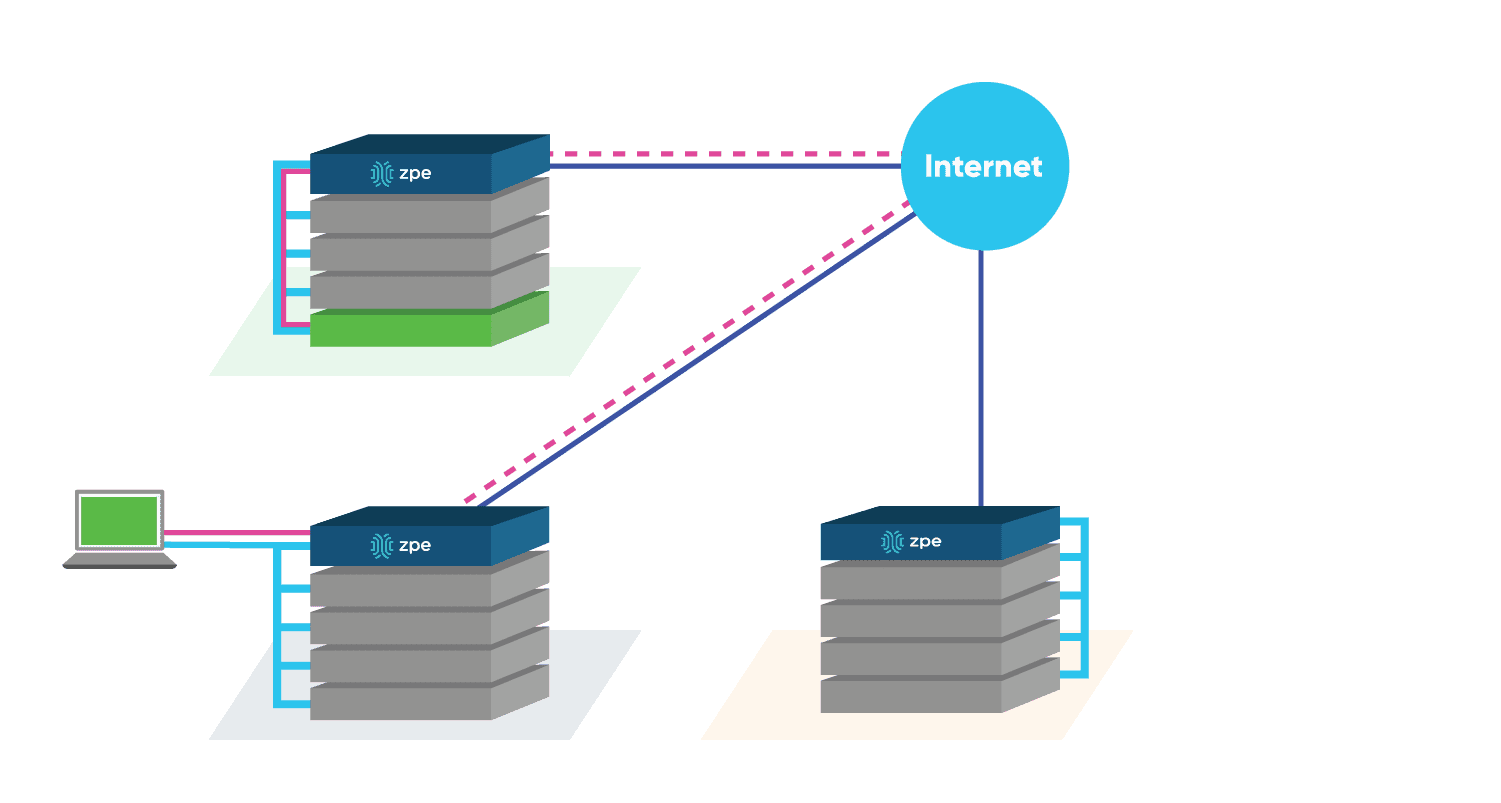
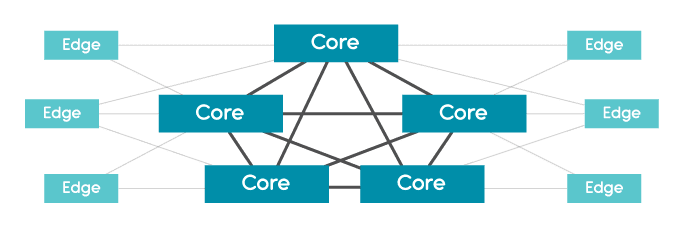
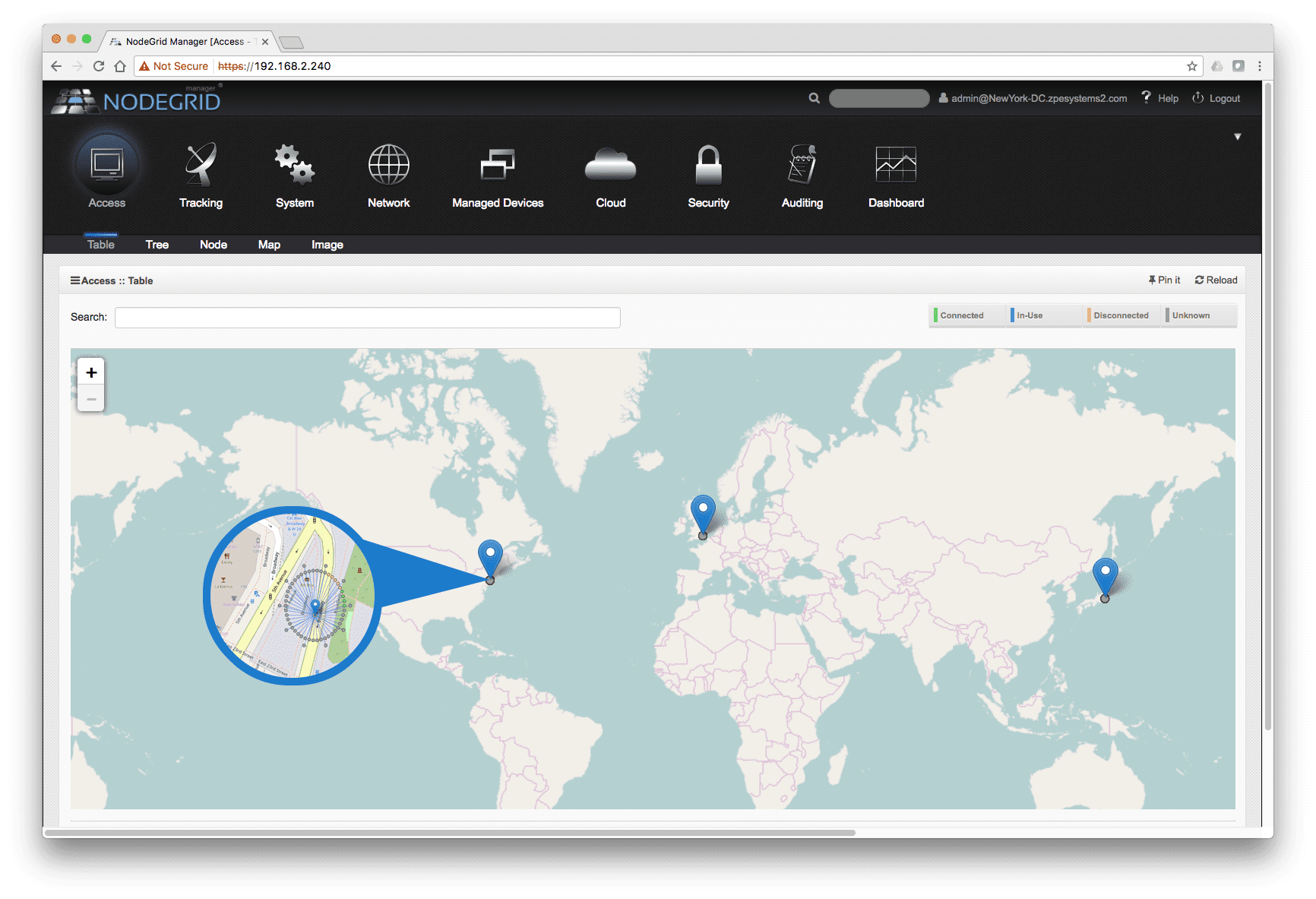
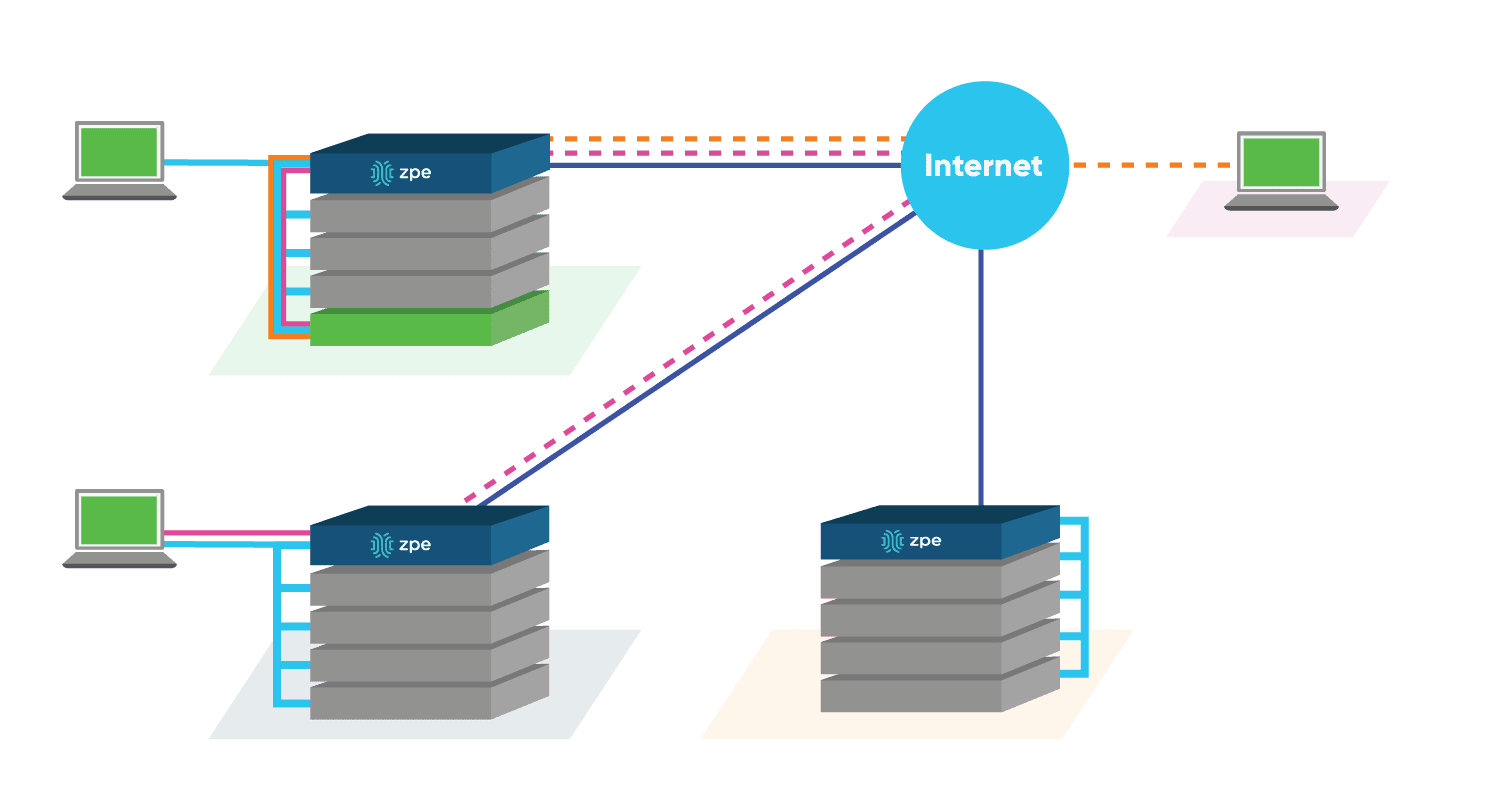
Clustering is a Nodegrid feature that establishes a secure and resilient connection among other Nodegrid units so that when Cloud Clustering is enabled, multiple systems can easily have a 360° view, manage and access all devices connected to the units. This can be done for data centers and remote locations clustered logically over IP or physically over a cascade port. Nodegrid makes cloud access management even easier with cloud asset search. By logging into any Nodegrid node, users can search using natural language for existing managed devices or recently discovered devices over the entire Nodegrid-managed enterprise network and cloud with a single interface.


Implementation:

    Visibility of Current Infrastructure
The first phase consisted of replacing their existing OOB (Out-of-Band) system with ZPE’s serial consoles. With ZPE’s T-Series auto-sensing capability and enhanced hostname detection, the organization did not need to replace existing cabling and neither add port alias manually. After connecting all of their IT and Network devices (routers, switches, firewalls, storage devices, PDUs, etc) and enabling Clustering, the SysAdmins/DevOps gained visibility of the entire IT and Network infrastructure. They could now see and access every device in their network from a single user interface. No longer needed to memorize individual device IP address.

    Upgrading
With a better understanding of the devices that made up their network infrastructure, the second phase consisted of eliminating and replacing old power and network hardware. With Nodegrid, a ZTP (Zero-Touch-Provisioning) and LLDP ready and product-agnostic platform, the team could focus on purchasing products that fit their environment without having to worry about compatibility with their new OOB solution. They could purchase from any vendor.

    Monitoring and Management Capabilities
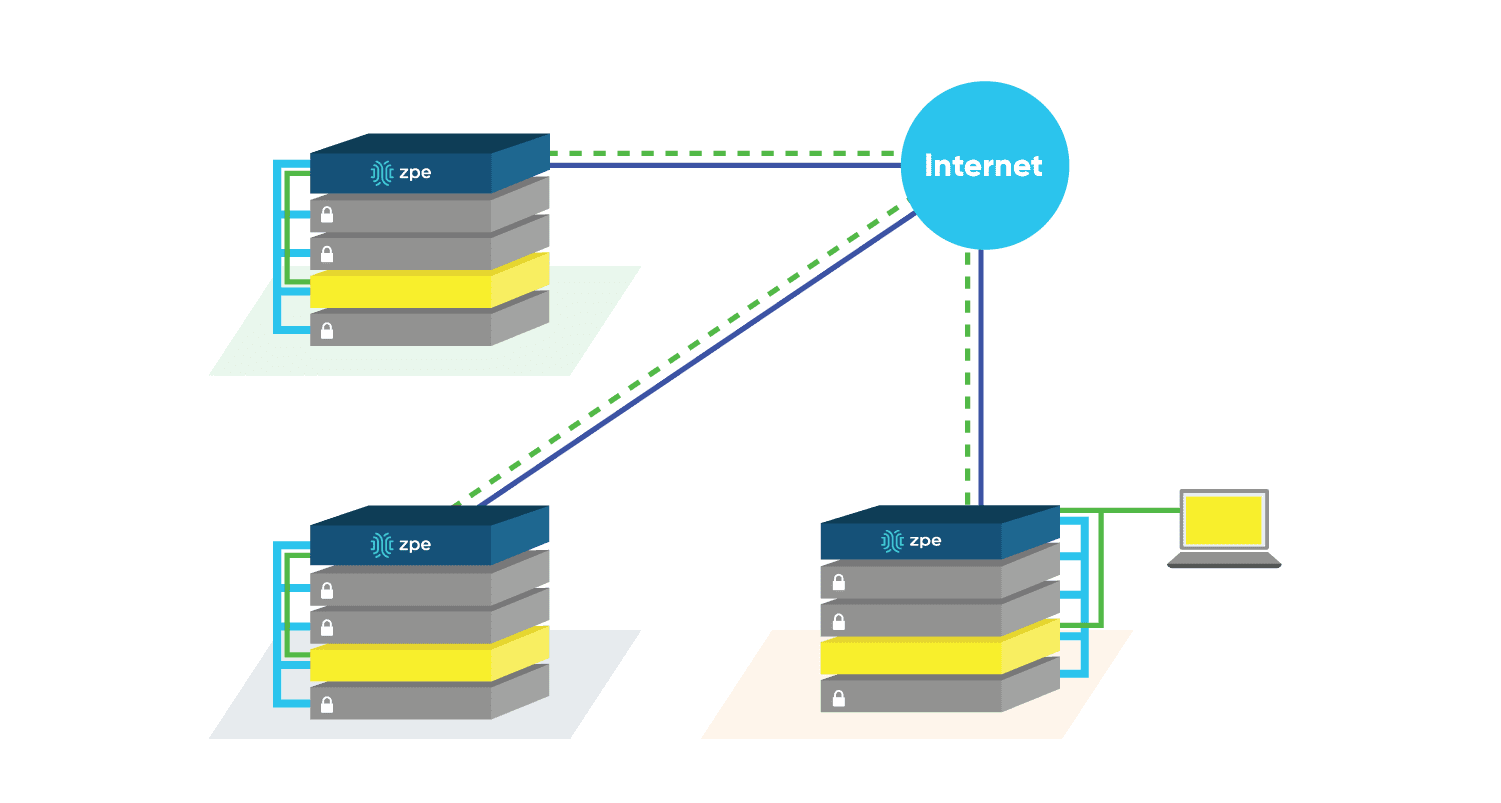
For the final phase, after each site had been upgraded, the team continued to use the Nodegrid platform to monitor and manage the new setup. The IT staff was divided into different teams, each in charge of a portion of the network; security, power, storage, etc. By setting up permission/privileges, each team could only access the target devices assigned to them, and at the same time, the Senior Network Engineer had access to the entire network.


Here is a list of 4 scenarios that helped our customer choose ZPE’s Nodegrid solution:

Scenario 1: Remote Access

The Sr. Network Engineer located in Cupertino needs to be able to see and manage all of the network devices. With Nodegrid Clustering, the engineer only needs to login once to any of the units in the cluster to have complete visibility of the network.

Scenario 2: Collaboration

Nodegrid Clustering facilitates the collaboration between engineers. Whether they are looking so solve an unknown issue or are working on a new software, Nodegrid allows up to 20 concurrent users to access the same device simultaneously. Although not recommended, each of those 20 users can have Read and Write privileges.

Scenario 3: Restricted Access

While Nodegrid can provide visibility to all the network devices, security best practices suggest some engineers/groups should only be able to access a specific set of them. Access can be granted to specific engineers or set for entire groups.

Scenario 4: Notifications/Alerts

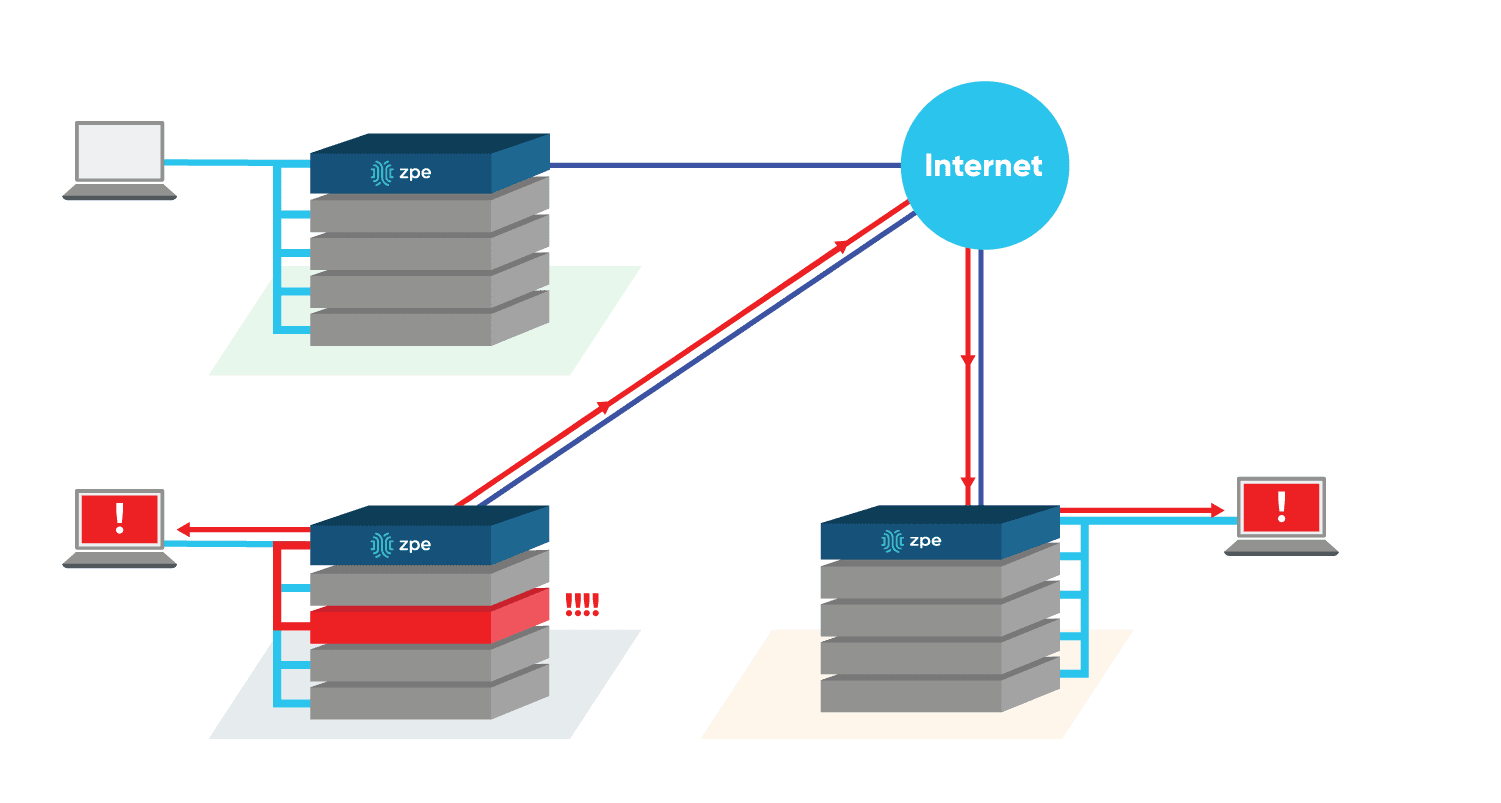
Engineers have the ability to set parameters and thresholds that will trigger alerts. ZPE units are always listening to the target devices for these user defined thresholds, and once they are reached a notification is sent to authorized engineers. Additionally, with our automation capabilities, engineers can program auto-correcting scripts that can run in our platform.


Test Drive Nodegrid to Experience Clustering Today

We are perfectly positioned to meet anything manufacturers can throw at us. We pioneered IT infrastructure access and control back in the day and we’re pioneering IT infrastructure access and control for today and the future. Check us out. You’ll be glad you did.

Schedule A Demo Today