
Providing Out-of-Band Connectivity to Mission-Critical IT Resources

How to Overcome 5 Challenges of Zero Trust Security
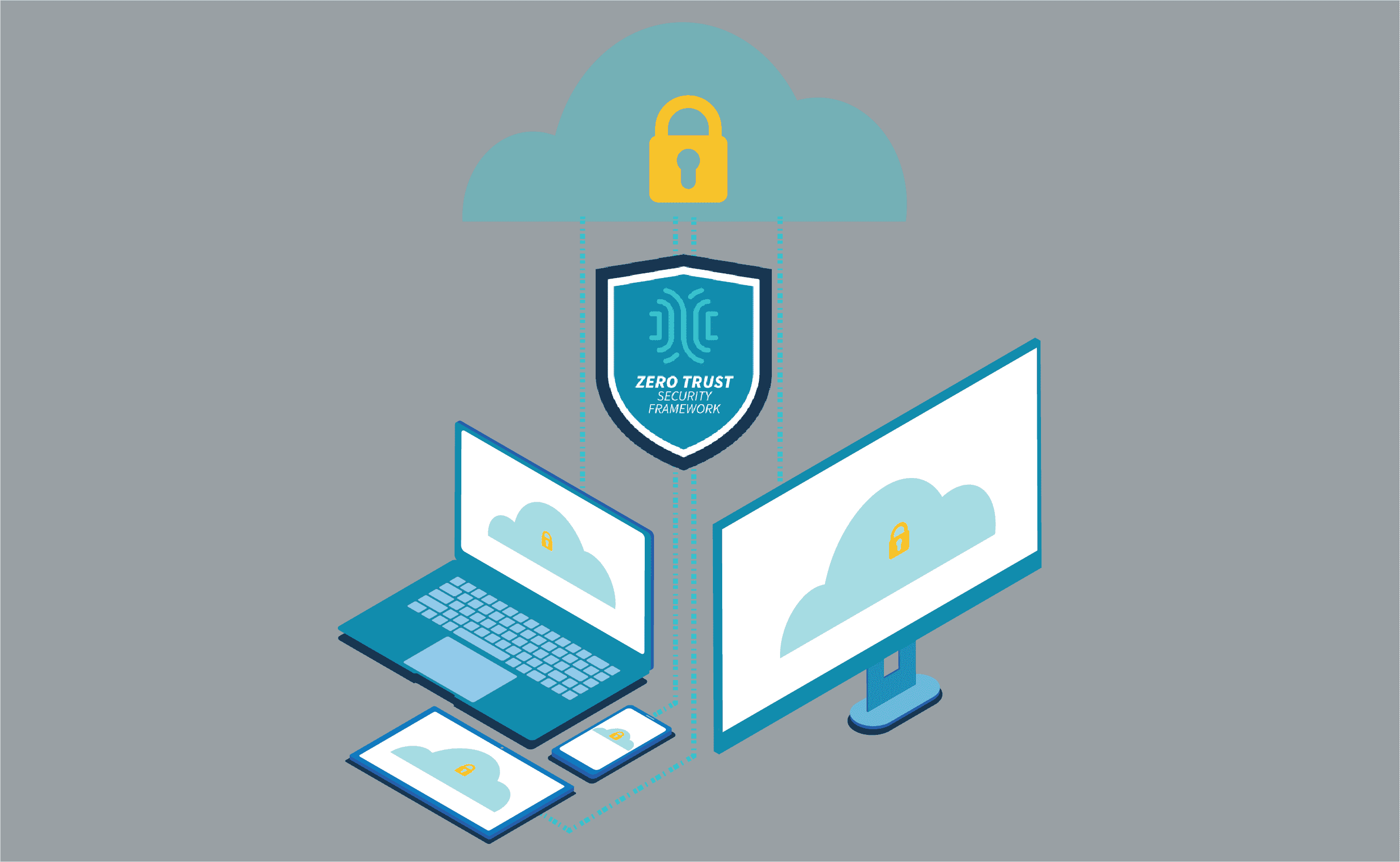
How to Overcome 5 Challenges of Zero Trust Security

Zero Trust Security protects your enterprise inside and out. By safeguarding connections with approaches like traffic segmentation and multi-factor authentication, you can ensure total network security. But implementing and maintaining a zero trust posture poses unique challenges that you must be ready to address.

In this post, we’ll cover five challenges of zero trust security and how to help your enterprise stay protected.

But first, here’s a recap about zero trust security.

Zero Trust Security: What is it, and why use it?

Zero trust security is a relatively new approach to protecting enterprise networks and data. Traditional methods follow a castle-and-moat structure, in which the enterprise is the castle and network security is the moat. When a user or device is granted access to the enterprise network (the castle), it is considered trusted and allowed past security (the moat). The problem with this is that it assumes everything that has access to the castle can be trusted, and also that threats only come from the outside.

It’s no secret that attacks are constantly evolving and can come from within an organization. Zero trust security was conceptualized to address vulnerabilities no matter where they may come from. It takes an ‘always verify, never trust’ approach to network security. This means that every user and device is always verified, regardless of whether they’ve had previously been granted access.

Because business is becoming more distributed, organizations are moving away from the castle-and-moat approach. Zero trust security is a potent and thorough security solution that addresses the need for total protection of global networks. For more about its advantages, read our other post about zero trust security.

Now let’s take a look at some major challenges that come with implementing this approach.

5 Challenges of Zero Trust Security

Zero Trust Security is not a turnkey solution

Implementing zero trust security does not mean deploying a single technology or solution. Instead, it’s a reimagining of your enterprise’s approach to network security. In order to achieve a zero trust environment, you need to take a holistic approach and start from the ground up. The biggest obstacle here is that you can be left with hidden gaps in your protection — especially if you’re replacing legacy security solutions.

It would be great if locking down your network was as simple as flipping a Zero Trust Security switch. But the reality is, you need to usher in a new security model. This means identifying users & devices, deploying monitoring tools, setting up access controls, and more. On top of this, you need secure hardware & software that keep your deployment and management efforts secure.

To overcome this obstacle, implement zero trust gradually. This helps you identify key areas that need immediate attention, and also helps you prevent gaps from going unnoticed or becoming significant vulnerabilities. This makes it easier to see and address issues as they arise, especially if you’re rolling back legacy solutions.

Zero Trust Security requires ongoing management

Some security solutions can be configured and deployed, and then left unmanaged for long periods of time. But because zero trust security is an approach (a mindset, if you will), it requires ongoing management to ensure ongoing protection.

Though it does provide hardened security across your distributed networks, zero trust security is not a ‘set it and forget it’ approach. Your business is constantly changing inside and out, whether it’s employees gaining different responsibilities, or adding new sites, staff, and customer accounts. Your network security requires ongoing administration to ensure that all of these activities are kept safe.

Imagine you recently adopted a zero trust model, but your newest deployment includes hardware with outdated & vulnerable firmware onboard. Or, one of your customers suffered a data breach and you suddenly need to protect their accounts from hackers. With zero trust, you need to make sure your devices are properly patched & secure, and you need to have monitoring tools in place to catch malicious activities.

To help with this challenge, it’s beneficial to implement routine maintenance tasks & checkups into your processes. This is where automation tools can come in handy to consistently check for firmware upgrades, or assist with security configuration changes. You can also use monitoring tools, alerts, and notifications to help you stay ahead of attacks.

Zero Trust Security can impact staff performance

Another challenge of zero trust security is the potential for losing productivity. In a way, this obstacle arises alongside the challenge of requiring ongoing management.

As you implement your zero trust posture and continue to manage it, you may unknowingly create issues with security settings. Imagine you adjust your firewall incorrectly or enter a typo into the CLI, which then inadvertently locks out an entire department of employees. Solving this problem may involve a quick fix, or it could take days. Meanwhile, your workers get set back and can’t perform optimally.

The best way to overcome this is, again, by gradually implementing your zero trust posture and routinely managing your solutions. As you make the transition away from your legacy systems, you can address setbacks like these as they come to you. You won’t have to deal with an array of issues all at once, and you can instead pinpoint specific areas that cause disruptions.

Zero Trust Security calls for secure hardware

Many purpose-built appliances come with some form of built-in safeguards. However, part of implementing a zero trust security framework involves securing your hardware. This means patching and updating your existing boxes, or deploying new devices altogether. Remember that if you don’t lock down your assets, including the physical appliances that make up your infrastructure, you remain open to attack.

When you deploy your hardware, there’s always a chance that it might get lost or stolen during shipment. Once it gets installed and set up, attacks could also come from on site, via additional hardware/software integrations, or over your network. The bottom line: you need devices that are secure inside & out.

Combat these vulnerabilities by choosing hardware with trusted CPUs, like those from Intel®, which make it easy to maintain system integrity. This means features like secure boot, signed OS, and trusted platform module that protect you at the lowest levels. Also, look out for features like GPS tracking and geofencing. These help you keep an eye on your devices during shipment, and allow only you to boot & provision once safely under your control.

Zero Trust Security requires flexible software

With security solutions spread across your networks, you run into challenges trying to manage it all. Every vendor has their unique tools and UIs, and there are different limitations in terms of features, capabilities, and integrations. Comprehensive management software goes a long way in giving you control of certain solutions. But you also need software that is flexible and can pull everything together under a simplified UI.

Consider everything that you need to manage, like user roles, access rights, firewall settings, device firmware, etc. Zero trust security is an all-encompassing approach that gives you more protection, but also more work. This is why it’s important to use software that is flexible and can accommodate third-party solutions, regardless of vendor.

One way to overcome this challenge is by using a complete tool like ZPE Cloud. This vendor-neutral cloud platform gives you secure remote access to both your solutions layer and your infrastructure layer — no matter which vendor solutions you deploy on your network. It also helps you connect seamlessly to third-party integrations like Palo Alto Panorama and Prisma Access. ZPE Cloud serves as a single gateway to keeping your network secure, whether you need to manage your next-gen virtual firewalls, or update device firmware with the latest security patches.

If you’d like to learn more, visit our Zero Trust Security page and see how you can deploy a secure network platform.
7 Reasons Why We Put Intel CPUs in the Nodegrid Serial Console

Intel® CPUs power many of the computers we use today. These include everything from personal desktops and laptops, to high performance computing clusters that aggregate power to solve major global issues. So when choosing a suitable processor to build into our Nodegrid Serial Console, Intel was the obvious choice. In this post, we’ll go over 7 reasons why we put Intel CPUs in the NSC.

But before we get into the details, let’s review some basics.

Besides Intel CPUs, What Else is Available?

There are mainly two types of CPUs, or processors, available today: x86 (such as Intel’s offerings) and ARM. Though they serve a variety of purposes and can have some overlapping applications, x86 processors are typically deployed when speed & power are main concerns. Meanwhile, ARM processors are used in implementations geared toward minimizing power consumption and maximizing battery life.

The way these types of processors work is based on their underlying instruction set. x86 CPUs take advantage of the Complex Instruction Set Computer (CISC), which is able to process complex instructions that are crammed into a single line. ARM-based CPUs, on the other hand, use the Reduced Instruction Set Computer (RISC), which processes simple instructions over a span of multiple lines.

As for the advantages, x86 processors are able to perform more tasks rapidly, while ARM processors are able to consume less power and maximize energy efficiency. The main drawbacks include more power consumption for the x86 CPU, and slower speeds for the ARM CPU.

This is why purpose-built appliances, such as modems & routers, typically employ an ARM-based processor, while highly demanding devices such as desktops & servers use an x86 CPU.

In a nutshell, this is why we chose the multi-core Intel CPU for the Nodegrid Serial Console. But here’s a more detailed breakdown of the reasons for our choice.

Performance is Key

The Nodegrid Serial Console is designed to maximize speed and capabilities. Using x86 Intel CPUs, we created the world’s fastest 1U serial console that doesn’t compromise on performance. This processor allows for more simultaneous operations, more users, and more input/output than ARM-based CPUs. In terms of real-world benefits, this blazing fast processor means quicker CPU cycles that help customers complete more tasks, reduce MTTR, and increase their ROI.

Commonality Helps Users and Developers

Many existing servers use x86-based CPUs. Naturally, we wanted Nodegrid to integrate seamlessly for both users and developers. The Intel-based processor promises a common platform that these users are already accustomed to. They don’t have to worry about application incompatibilities or slowdowns, nor do they have to spend time learning new systems. The x86 CPU provides a management and maintenance experience that users are familiar with, so they can maintain OS & application availability.

Customization Through a Common Dev Environment

Our Intel-based devices are a perfect platform to deploy custom solutions. The x86 CPU allows developers to benefit from a variety of readily-downloadable SDKs and environments. The Nodegrid Serial Console’s SDK comes with Yocto, which means customers always have the latest updates, packages, and DIY customization capabilities. No more waiting for third-party fixes or workarounds, because customers can create solutions that meet their unique requirements.

Docker

Because the x86 platform is capable of robust performance, Nodegrid allows users to leverage Docker containers and deploy virtualized solutions. With regards to Docker, the Nodegrid Serial Console is optimizable right out of the box so customers can get the most functionality out of a single device.

Availability of Security

When it comes to open networking, the Intel CPU is the industry standard, which means customers get security patches as soon as they’re available. They don’t have to be left vulnerable waiting for third-party kernel patches from other chip makers. With an x86-based device, customers remain safe with up-to-date security, and in some cases can even apply patches before official updates are available.

Peripheral Support Via Multiple Interfaces

Part of designing a more powerful serial console was having the ability to support a variety of peripherals. The Nodegrid Serial Console features USB 3.0 and USB 2.0 ports, allowing customers to connect an array of add-on devices. They’re no longer limited by a single-purpose appliance that comes with minimal additional ports. With the NSC, customers can extend the box’s functionality by adding cellular, Wi-Fi, storage, and other peripherals.

Greater Storage

With power and speed at the core of the Nodegrid Serial Console, we needed to incorporate enough drive space. We built the NSC with 32GB of storage, along with 4GB of RAM. Not only can it store plenty of data, but it also has a healthy amount of memory to accommodate running more apps and functions. And if 32GB isn’t enough, customers can connect external drives via USB for even more local storage capacity.

This list is made up of 7 compelling reasons why we chose x86 Intel CPUs for our devices. However, there’s an 8th reason that we love to share…

Cost Savings That We Pass to Customers

By choosing the readily-available x86 CPU, we pass powerful processing along with cost savings to customers every day. Because we think having the world’s best serial console shouldn’t be prohibitively expensive.

ZPE Systems is an Intel Network Builders Winners’ Circle Partner

Intel

Driving digital innovations and network transformation are visions we closely share with Intel. That’s why ZPE Systems has been recognized as a Winners’ Circle Member and Solution Plus Partner. Together, we offer go-to-market solutions that cultivate customer success and enrich our partner ecosystem with innovative networking technologies.

We partner with Intel to transform networking. See how we do the same with our other partners by visiting our Strategic Alliances page.

4 Critical Things to Know About Zero Trust Security

Zero trust security is not a new concept, however it has gained popularity in recent years. As companies become increasingly distributed, they must offer network access that’s flexible, without putting sensitive data at risk. This is where zero trust security comes in.

In this post, we’ll cover 4 critical things you should know about zero trust security, such as what it is, why companies use it, how it works, and more.

What is Zero Trust Security?

Zero trust security can be boiled down to a simple concept: always verify every user and device trying to access the network.

Traditional networking safeguards are based on the castle-and-moat architecture. This means that all users and devices within the network are deemed trustworthy and can access the resources they need. Those outside of the network (or moat) must be verified and trusted before gaining access to the network. One of the glaring problems with this approach is that it doesn’t consider the possibility of attacks coming from a trusted user/device within the network. This means that an attacker simply needs to hack into the network, and then there are few (if any) obstacles remaining in their way.

Zero trust reimagines security with the concept that organizations should not automatically trust anyone/anything trying to connect to their network. Instead, they should verify everyone and everything that tries to connect, including users/devices outside and inside of its perimeter. In other words, trust no one.

Where Did Zero Trust Security Come From?

The zero trust concept was first prototyped in the early 2000s. In 2010, John Kindervag coined the term ‘zero trust’ for the concept, and its adoption by Google a few years later increased the industry’s interest in the zero trust model.

This new security architecture came from the realization that the traditional castle-and-moat configuration was becoming increasingly vulnerable. Years ago, a typical organization’s data and sensitive information were kept in a central location. This made the network and its resources easy to protect, and also easy for IT staff to monitor for threats and address attacks.

Now, organizations are adopting technologies that offer greater networking capabilities for distributed access. These technologies include public and private clouds, third-party services, virtualized SD-WAN & firewall solutions, and more. Securing an entire network means putting in place multiple safeguards. The traditional architecture is now being replaced by the more robust yet nimble security setup of zero trust.

Why Are Companies Using Zero Trust Security?

One of the canonical goals of networking is to allow information to flow between computers, people, and organizations. Yet with information becoming more and more decentralized and relayed through various channels, risk is on the rise. And because traditional security architectures simply can’t provide omnipresent protection for data and communications, zero trust security is being adopted by organizations across the globe.

A major benefit of zero trust is that it provides hardened security, regardless of how distributed the network is. Whether a company serves a single contained network, or hundreds of branch locations distributed around the world, zero trust security offers peace of mind for every interaction. This means more thorough protection from outside and inside threats, because verification is needed — always.

This complements Secure Access Service Edge and SD-Perimeter implementations (more on those below), which companies use to offer more flexible networking and define least-privilege access rights. Used in conjunction with these configurations, zero trust security also eliminates the need for companies to backhaul traffic through their main security controls. This translates to fewer slowdowns and more availability, so companies can meet their business goals without their networks holding them back.

Real-world examples include scaling, working from home, and even securing data at HQ.

  • Setting up new locations comes with its own set of security risks. However, companies using a zero trust model can get granular control of who & what can access their network. This can help eliminate attacks from stolen equipment, devices, and credentials.
  • When setting up a Secure Access Service Edge (SASE) implementation, whether for faraway locations or remote & on-the-go workers, zero trust keeps networks & resources secure. It requires user identities and devices to be verified, eliminating many methods of attack.
  • When defining access rights using an SD-Perimeter approach, zero trust enables companies to make sure that access to resources is given only to appropriate personnel. This ensures data stays secure from malicious intent by actors outside or inside of the organization.
  • How Does Zero Trust Security Work?

    Zero trust security assumes that threats can come from anywhere, including from inside the organization. The big takeaway, however, is that zero trust is not a single new tool or technology. Instead, it uses a combination of existing tech and methodologies such as micro-segmentation, multi-factor authentication, and least-privilege access.

    A zero trust model works by segmenting parts of the network into small sections, each with their own security controls. In order to gain access to a segment, a user must verify their identity using multi-factor authentication (MFA). Once a user is verified, least-privilege access means they can use only the resources they need to perform their job. This is essentially a perimeter around what the user is allowed to access.

    Here’s a basic example: One segment contains SD-WAN and firewall controls. If Ryan is an admin responsible for SD-WAN management, and Priya is an admin responsible for firewall management, the company must define these perimeters respectively. Then, Ryan can be verified and granted access only to the SD-WAN tools, while Priya can be verified and granted access only to the firewall tools. If either user tries to gain access outside of their perimeter, they will be denied by their company’s zero trust security measures.

    Though it’s not a quick fix or turnkey solution, zero trust is transforming the ways organizations secure their networks. What’s more, the market is expanding with new solutions that offer increased granular control over access, using technologies like IP tracking, geo-fencing, and others. And using an open platform like Nodegrid, the possibilities are endless for organizations wishing to evolve their security and block threats from across the globe.

    Check out ZPE Systems’ full list of security partners that can help you achieve a zero trust model.