
Providing Out-of-Band Connectivity to Mission-Critical IT Resources

How ZPE Systems Improves Secure Access Service Edge

Secure Access Service Edge transforms edge networking. See how ZPE Systems — a leading innovator in network infrastructure management — introduces even more capabilities to this cloud-based solution.

What is Secure Access Service Edge?

Secure Access Service Edge, or SASE (‘sassy’), is a new concept that’s disrupting traditional edge networking. SASE combines networking and security services in the cloud, to deliver both wherever you need them. This means bringing safe access to every edge of your network, whether it’s to your most remote branch locations, or to on-the-go users traveling across the globe.

Jordan Baker
“SASE provides flexible, on-demand edge networking that keeps users protected no matter where they are…” – Jordan Baker, Sr. Technology Writer + IT Nerd

The Problem

Organizations are more distributed than ever, forcing you to backhaul traffic through your data center and main enterprise firewall. This leaves you dealing with several crippling issues, like:
  • Slowed speeds due to bottlenecking
  • Frequent delays from service-chaining latencies
  • Balancing connectivity vs security, especially at remote sites
  • Cumbersome scaling that requires loads of time & resources

The Solution

With SASE, you get a cloud-based solution that delivers safe and reliable access as close to users as possible. SASE combines network services such as SD-WAN, bandwidth aggregation, and NaaS with security solutions like FWaaS, Cloud SWG, and VPN. It delivers all these via an identity-driven, cloud-based model and allows users to connect from anywhere, while your main network can regain smooth operation. In short, SASE untethers your network edge so users can connect wherever they go:
  • Eliminate bottlenecking with agile security
  • Get fast service using tightly-coupled virtualized functions
  • Deliver reliable & secure access anywhere, thanks to the cloud
  • Scale on demand using built-in automation support
Why Use SASE?

Traditionally, scaling involves deploying complex stacks of networking and security solutions. Every device in your stack requires careful provisioning, which drags down a lot of your resources and complicates your ability to bring new locations online. But with SASE, you can deploy fewer devices thanks to a converged, cloud-based stack. Because your critical functions are no longer served by individual devices, you get the flexibility to scale on demand. To manage your network, SASE simplifies your job because it is a converged software stack in the cloud. You don’t need to deal with cumbersome, on-site management or a mishmash of loosely-coupled point solutions. Your IT staff can manage your network remotely because access is no longer bound to certain locations. Your SASE platform connects your network resources and allows you to access them all from one place.

ZPE Systems Gives You Even More Flexibility

ZPE Systems’ Nodegrid family of hardware and software provide you with an innovative SASE network management platform. Nodegrid features consolidated, all-in-one devices that reduce your stack and your hardware footprint. The patented x86 64-bit architecture lets you host virtualized applications as well. Instead of having to juggle third-party hosting solutions, you can deploy network functions directly on Nodegrid appliances. Nodegrid is also vendor neutral, giving you the freedom to tailor your solutions to your needs. You don’t have to compromise based on a specific vendor’s offerings. Instead, choose the combination of SD-WAN, firewall, cybersecurity, and other applications that suit you, no matter which vendors they’re from. The built-in Nodegrid software gives you an additional layer of convenience, providing a single interface that normalizes control of all your solutions. You can perform updates, maintenance, and other tasks across your network, all using one intuitive tool. To top it off, ZPE’s Nodegrid devices support automation using popular tools such as Ansible, Python, JSON, Bash, and others. You can streamline scaling, and even set up zero touch provisioning to automate every deployment. Nodegrid appliances are also modular so you can adapt more easily to your business’ changing needs. Remote out-of-band management capabilities enhance your visibility and control, while dual-cellular failover keeps you more resistant to outages and helps you maintain business continuity. Article originally featured in CIO Review

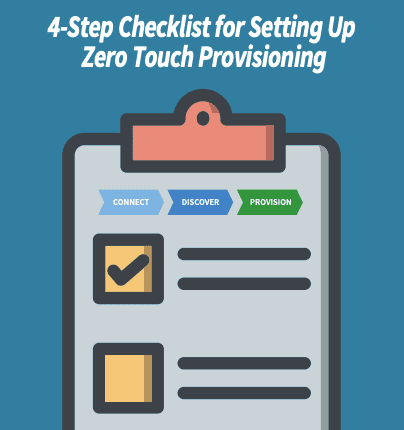
4-Step Checklist for Setting Up Zero Touch Provisioning

Zero Touch Provisioning (ZTP) makes deployment fast, easy, and automatic.

ZTP uses automation and scripting to eliminate expensive, time-consuming manual provisioning. Instead of spending days or weeks inputting configuration into the command line interface (CLI), ZTP only requires you to connect your devices, and then the network builds itself. Deploying new locations can be done in minutes, while your IT staff and resources remain committed to supporting other business needs.

If you’re ready for on-demand scaling and convenient deployments, set up zero touch provisioning for your network.Our engineering experts have carefully crafted this helpful checklist to get you started.


Download the Checklist

ZTP Checklist

What is Zero Touch Provisioning?

Learn the basics of Zero Touch Provisioning (ZTP) in this 2 1/2 minute video. Rene Neumann, EU Solutions Engineering Manager at ZPE Systems shares his IT and data center expertise to provide a high-level overview of ZTP.

  • What is ZTP?
  • What pain points does it address?
  • How does it benefit businesses?
  • How does it help system and network administrators?

A Closer Look: Zero Touch Provisioning Vs Manual Configurations

Our previous post about zero touch provisioning (ZTP) details the basics about what makes ZTP work. You need to have the proper scripting and automation tools, along with a well-designed workflow. These help you test and prepare configurations in a lab environment, and ultimately lead to deployments that are faster, consistent, and automatic. In this article, we’re going to take a closer look at zero touch provisioning to see how it compares to manual methods of deploying networks. But first, here’s a recap about ZTP:
  • What is it? — Zero touch provisioning automates network configuration tasks, so you can deploy new networks simply by connecting & booting your devices.
  • Why use it? — Scaling can be a chore. You need to coordinate so many devices and IT resources, and staff need to be on-site to tediously configure each appliance. ZTP eliminates all of this so you can scale on demand.
  • What are the benefits? — On the network side, ZTP eliminates the need for time-consuming, error-prone manual configurations. Using well-tested scripts, you can automate deployments with networks that build themselves quickly, consistently, and reliably. For business, this means a more nimble network edge that can keep up with growth. You get the security of shipping unconfigured devices, the cost savings of reduced on-site support, and the consistency of automation. Deploying takes minutes and gives you the peace of mind knowing that your new networks meet compliance standards.

Now, let’s take a look at common ways of provisioning that you’re probably familiar with, and how zero touch provisioning makes them obsolete.

Manual Provisioning

If you’re not familiar with zero touch provisioning, you know the hassle that comes with manually deploying networks. Once you acquire all of your physical network appliances and IT resources, you need to get them on-site at your new location. This involves coordinating shipments and staff travel plans, which oftentimes leads to waiting periods and expensive delays. Staying on track to meet your timelines can be a joke even before deployment begins. After tackling the logistical hurdle, the real work starts. Your on-site IT staff must connect to each device separately, and then make configurations using the command line interface (CLI).
  • This is time consuming — Connecting to each device requires staff to provide their credentials to gain access. Once they’re granted access, they must manually enter commands into the CLI, which can take minutes or even hours depending on the configuration. This needs to be repeated for each appliance until the entire stack is properly configured and the network can be deployed.
  • This leads to errors — Human error is a major contributor to network outages and downtime. Requiring manual input for each network appliance means more chances for mistakes. This could be an overlooked typo on the CLI, installation of an old and incorrect configuration file, or something as simple as mixing up port assignments.
  • This burdens your staff — Performing hundreds or even thousands of manual tasks for each deployment requires an extensive, on-site staff presence. Even with an experienced and highly-skilled team, setting up your network can take days’ worth of work and pulls employees away from more business-critical tasks.

Minimal Touch Provisioning

Different methods have been developed to address some of the drawbacks to manual configuration. One of these includes minimal touch provisioning (MTP), which is essentially a process improvement. MTP involves working with a pre-approved set of commands that can be easily pasted, either individually or as a batch, into the CLI. The advantage here is mostly in time savings, as simple copy/paste tasks involve significantly fewer keystrokes than manually entering every command. However, this minimal touch approach inherits some of the same drawbacks, and introduces its own.
  • This still requires on-site staff — MTP doesn’t reduce the need for on-site staff to configure your stacks. As with manual provisioning, setting up using MTP still requires teams to manually input configurations into the CLI. More important business activities must take a back seat while your engineers deploy each new location.
  • This still exposes you to errors — A minimal touch approach isn’t without human error. Your IT staff still need to connect separately to each device. And even though they have a predetermined set of commands at their disposal, simple mistakes can happen due to fatigue, forgetfulness, or improper keystrokes.
  • This requires extensive testing — MTP requires you to test your configuration in a lab environment before deploying to production networks. This helps you fix potential issues and develop configuration commands that are highly repeatable. However, the drawback is that this extensive work upfront doesn’t eliminate the manual work required for each deployment.

Zero Touch Provisioning

Zero touch provisioning makes the most of scripting and automation. ZTP virtually eliminates all of the issues that come with a manual or minimal touch approach, by combining the right tools with process improvements. There are no headaches involving shipping devices, coordinating staff, or keeping up with deployment schedules. Of course, preparing configurations requires thorough planning and testing upfront, but you’re left with a network that’s highly nimble and can scale right when you need it. Here are some reasons why it’s called “zero touch”:
  • Scripting and automation carry out all the tasks that are usually delegated to staff for manual input.
  • You only need to perform the simple physical tasks — just connect the power & network cables, boot your devices, and then the network builds itself.
  • You don’t need specialized staff on-site. All you need is someone to physically install your devices.
Zero touch provisioning also allows you to pinpoint and fix potential human errors in your lab environment. This way you can ensure that all of your commands and configuration files are correct before they’re pushed to your new networks.

What does Nodegrid bring to ZTP?

ZTP comes with several significant benefits for your networking capabilities and your business, from branch locations that can be deployed fast, to the cost savings that come with minimal on-site support. ZPE Systems’ Nodegrid adds even more to your zero touch toolkit so you can get even more from each deployment. Nodegrid features consolidated, all-in-one network appliances, which means a smaller stack that can handle every network function. You can get on location easier with fewer capital expenses, and reduced shipping costs and travel costs. On top of this, zero touch provisioning with Nodegrid allows you to push configurations to other devices. This includes devices from many vendors. As long as you properly test and configure your scripts, you can extend your zero touch provisioning capabilities simply by connecting devices to your Nodegrid appliances. After your initial deployment, your Nodegrid appliances can connect to ZPE Cloud for easy and convenient configuration management. You can eliminate the need to juggle files and updates. ZPE Cloud stores all your config files and supports automation, so you can push changes and make other adjustments automatically, and from the safety of the cloud.

Maintain Branch Deployments Using the Cloud

The cloud — it’s great for delivering services and applications that are crucial to your business. It can help your continuity efforts by providing SASE solutions where you need most, and it can also make deploying new locations easy with zero touch provisioning. But when it comes to out-of-band management, having cloud-based capabilities gives you even more power to efficiently maintain branch deployments.

Make Branch Deployments More Secure

When you’re setting up a new location, the cloud adds a layer of security not typical of common branch deployments. Normally, you need to preconfigure or pre-stage devices before shipping them to their final destination. This leaves your sensitive data vulnerable to being lost or stolen. Shipping unconfigured devices is one way to address this problem, but this means you’ll have to send specialized IT staff on-site to manually set up your appliances.

With the cloud, you can skirt both of these scenarios. Instead of risking sensitive info or dealing with extensive, on-site configuration, the cloud lets you provision remotely. This means that you can ship bare-metal or plain-vanilla devices, and fully configure them via the cloud only after they’ve safely reached the location.


Nodegrid Zero Touch Provisioning map

Control Access From a Central Location

Cloud-based maintenance allows you to control network access from a centralized location. You can implement appropriate security measures, adjust policy settings, and grant permissions only to authorized engineers and administrators. Even before you set up a new branch deployment, you can determine access rights for your IT personnel.

During and after deployment, your staff can remotely install, configure, and manage branch networks using the cloud. From the security of the NOC, your network personnel can perform definition, testing, and staging, and then deploy new locations when business is ready.

If you choose a comprehensive solution such as Nodegrid with ZPE Cloud, you can get secure access that’s more flexible. ZPE’s solution allows you to go without a VPN, and instead lets you securely connect via browser window or mobile app. You don’t have to be tethered to specific gateways or portals — simply gain access to your network from any device.


Perform Routine (and Non-Routine) Maintenance

With branch deployments, a cloud-based management platform simplifies maintenance across the board. Even if you’re using a comprehensive out-of-band solution, you might still be limited to performing routine tasks on-site. These can include installing patches, adjusting traffic settings, and making policy and configuration changes to keep your network optimized. And for non-routine tasks, such as troubleshooting outages or securing backdoor vulnerabilities, time-consuming work is needed at the physical location.

But with the cloud, you can work remotely to keep your infrastructure working properly. With a secure and isolated out-of-band connection, the cloud allows you to perform all your routine tasks off-site. You can reset passwords, update firmware, schedule maintenance intervals, and roll out configuration changes to locations no matter how isolated they are.

When you need to perform critical recovery and repair activities, you can also use the cloud. Troubleshoot remotely and deploy scripts for network health monitoring and self healing. With proper testing and preparation, the cloud allows you to streamline your maintenance operations for tasks large and small.


Discover How Nodegrid and ZPE Cloud Can Help

For out-of-band management of branch deployments, Nodegrid and ZPE Cloud deliver a secure, flexible solution. ZPE uses industry-leading protocols to connect your staff to remote locations. You can maintain branch networks with in-depth, SD-Branch visibility, and use session- and screen-sharing to collaborate in real time. ZPE Cloud supports zero touch provisioning and automation, so you can deploy and manage every branch with more efficiency. Read the complete tech brief to see how the cloud improves your network edge capabilities

Download the Tech Brief


