Providing Out-of-Band Connectivity to Mission-Critical IT Resources

3 Tips to Improve Edge Network Resilience

ZPE Systems and Palo Alto Networks

When it comes to improving edge network resilience, traditional WAN architectures can easily get in your way.

Suppose you’re setting up an electrical substation, cellular base station, or other distributed remote infrastructure to incorporate cloud-based networking. To deploy, you need to configure a slew of cloud-enabled devices, from IoT sensors, to routers, firewalls, SD-WAN boxes, and out-of-band and cellular failover appliances. The physical footprint alone is intimidating, and is rife with points of failure. On top of all this, you need the right management tools to ensure everything runs smoothly. You might need visibility on power grid sampling, application performance, or user experience, with management software that lets you troubleshoot individual components of your infrastructure.

It’s not just your network or your business riding on your shoulders — it’s people’s livelihoods, whether they rely on you for delivering essential utilities or keeping them connected to the world.

That’s why it’s so important to boost edge network resilience and shield your customers from outages. And it’s why ZPE Systems now hosts Palo Alto Networks’ Prisma SD-WAN offering. Read the full press release, and download the brief below for details.

But before you do, here are three tips to help you improve edge network resilience.

How to improve edge network resilience

1. Respond fast with out-of-band

It’s 8pm, and suddenly a surge of customer tickets crowds your support desk. You quickly scan the issues and realize that one of your towers is offline, causing an outage for many of your rural customers. One of your on-call technicians is standing by for dispatch, but the hour-long drive means your teams will be fielding complaints for at least 60 minutes. Meanwhile, customer satisfaction begins to drop and one star reviews pour into your online channels.

This is all too common with edge network support, and it highlights why out-of-band management can be a life saver. Instead of having to dispatch IT support technicians to establish a physical connection and allow HQ to remote-in for troubleshooting, what if you could respond instantly from anywhere? With out-of-band, you get an isolated management network that’s separate from your production network, and you can establish a connection using cellular, broadband, DSL, or even phone lines. This means you can quickly gain access to your infrastructure, and with an advanced out-of-band solution like Nodegrid, you can simply open your web browser to troubleshoot and resolve issues — whether you need to reboot a network switch, reconfigure a firewall, or analyze and adjust traffic flows.

No matter your deployment, out-of-band is essential to improving edge network resilience.

2. Stay connected with cellular backup

Part of boosting edge network resilience involves diversifying the types of connections at each location. But this doesn’t mean adding more layers of physical connections.

Although T1, T3, and MPLS links can serve as reliable backups, these physical connections most likely follow the same path as your main connection. So when a flood sends currents your way or a construction crew sinks a thousand-pound excavator bucket into your main line, chances are your physical backups will go down, too.

Backhoe digging a large trench, putting underground communication lines at risk.

If you have 5G/4G LTE cellular, you can keep your locations online through all this. Your cellular connections can serve as failover paths, but also provide reliable backup for out-of-band networks. Download the joint solutions brief below and see how Nodegrid’s failover helped a large oil and gas company eliminate the majority of their continuity issues at the edge.

3. Go vendor-neutral to centralize control

One of the biggest drawbacks to managing traditional WAN architecture is vendor lock-in. When you purchase one provider’s SD-WAN or security solution, you’re limited to using their unique management tools and integrating only pre-approved solutions (usually from them as well). This can make edge network resilience difficult to maintain, since you’ll have to learn several different systems, protocols, interfaces, commands, etc.

When you centralize control, however, you get access to all the tools you need, using a single gateway. The best platforms for this feature a vendor-neutral operating system and rich API library that can accommodate your custom and third-party integrations.

Imagine no longer needing to log in and out of every solution in your stack, and instead using single sign-on to gain access to your SD-WAN’s cloud controller, next-gen firewall, application performance monitoring app, and every part of your edge infrastructure. For a major digital security company, this meant cutting resolution times in half using a single tool that helped them provide continuous monitoring and achieve instant response times.

See how Palo Alto Networks and ZPE Systems boost edge network resilience

Prisma SD-WAN and Nodegrid help companies streamline deployment, configuration, and management of their edge networks. Download the brief for full details.

6 IT Solutions to Implement Right Now for More Effective Remote Work

ZPE Systems Blog Photo- Header

Many companies have found it difficult to adjust to remote work. In the face of drastic changes brought on by pandemics, natural disasters, and other challenges, untethering your workforce from the office can be a big ask. Your success relies on one crucial component: your network.

Keeping your enterprise connected – both internally and to customers – is the only way to maintain business continuity and customer satisfaction. Unfortunately, traditional networking solutions were built for the office. Not only does this slow down your transition to working remotely, but also makes everyday operations anything but efficient.

The good news is, our experts have pinpointed six IT solutions that will make your company more effective at remote work, using a network that accommodates distributed business better than ever.

ZPE Systems Blog Photo- Body Image

1. Give Network Staff Convenient Access With Advanced Out-of-Band

Out-of-band (OOB) management is not a new technology. But taking advantage of this tool has traditionally proven cumbersome and inefficient.

It’s not uncommon for businesses to treat their OOB network as an afterthought, something they might use once in a while when an update or fix is needed. Phone lines, modems, and dedicated OOB devices make management a chore, even for tasks like resetting passwords, rebooting devices, and other routine work.

Remote access via DSL or dial-up is too slow, which takes time, puts your security at risk, and forces you to juggle delicate admin protocols. Putting staff on site is another option, but also eats up time and binds specialized IT personnel to specific locations.

Fortunately, you can take advantage of advanced out-of-band, which lets you perform network management tasks from anywhere.

An advanced out-of-band solution gives you a secure management path that’s completely separate from all other networks. Not only do you stay protected from unwanted traffic and attacks, but you can also get blazing fast access to your management network via broadband connection.

This means that for issues large and small, you can slash response times and put your best people on the job – even if they’re across the globe. And if your main connection suffers an outage, you can remote-in to your out-of-band network via cellular failover backup.

Advanced out-of-band makes network management convenient and efficient.

2. Protect Business From Costly Downtime Thanks to Cellular Failover

If one of your critical locations suddenly goes offline, your business could lose up to thousands of dollars per hour. Restoring your main connection can take hours or days, while your employee and customer interactions come to a standstill. Business stops, and your reputation plummets alongside customer satisfaction.

However, cellular failover is a simple solution that can prevent all of this, so you can leave downtime in the past. When your main connection drops, your failover-equipped network automatically switches to 3G, 4G, or even 5G cellular to give employees and customers a seamless experience.

Capable cellular solutions give you freedom of choice, allowing you to determine which wireless carriers you use, as well as letting you take advantage of multiple backups. It’s like an insurance policy for your connectivity, with most cellular providers sporting over 99% reliability.

When you need to deploy a new location, cellular failover can even help you bring critical systems online – before your main connection is established. It’s a wireless solution that lets you scale on demand and helps you increase your business’ agility.

3. Keep Staff Connected Using Secure Access Service Edge

Accommodating remote work usually involves a slow, stringent process. You need to purchase and configure laptops and other equipment, create users and groups, and adjust other hardware- and network-specific settings. All of this just to allow staff to work away from the office.

ZPE Systems - SASE Image

On top of this, all traffic likely gets routed through your main enterprise firewall. This degrades performance and speed for every user, and can bring business operations to a grinding halt.

But Secure Access Service Edge, or SASE, is a transformative technology that does away with the traditional hassles of setting up for remote work, and instead puts networking and security into the cloud. This allows safe connectivity to be delivered close to users no matter where they are. And because SASE uses an identity-driven model, your employees don’t have to rely on special hardware. They can access your network using their smartphone, tablet, desktop, or other device.

SASE gives your employees flexible network access, and also frees your main enterprise connection for more business-critical traffic. You can deploy your SASE solution and get a network that keeps your staff connected.

4. Fully Optimize Using a Vendor-Neutral System

Typical networking solutions cause vendor lock-in. This is when you’re limited to choosing specific hardware and software products that are compatible only with each other. Vendor lock-in forces you to make sacrifices during implementation, so you end up with a solution that doesn’t entirely satisfy your requirements.

But with a vendor-neutral management platform, you can boost efficiency even on your existing network.

A vendor-neutral system means you don’t have to worry about over-buying or under-serving, and can instead connect the physical and virtual assets of your choice. You can optimize your network with SD-WAN, firewall, routing, and other solutions that perfectly suit your needs.

Some providers even offer a unified management tool that consolidates control of your network solutions, regardless of which vendors they’re from. Your IT staff no longer need to jump from one unique UI to another, because everything can be controlled under a simple management umbrella. You can update firmware, change traffic priorities, monitor devices, and more from one clean interface.

With a vendor-neutral system in place, you can turn your network into a powerful asset that supports your global enterprise.

5. Streamline with virtualization

You’re probably used to having dedicated, single-purpose devices for your network functions. Even if these deliver all the capabilities you need, you’ll inevitably find it difficult to scale and manage due to large stacks of hardware & software solutions.

But you can significantly reduce your physical stack and your management efforts by using virtualization.

With the right devices, you can consolidate and virtualize your network functions to streamline every part of infrastructure management.

And the more guest operating systems you can run, the better. With virtualization, you can host custom or third-party applications, so instead of deploying separate appliances for SD-WAN, routing, failover, and firewall functions, you can use fewer devices capable of handling it all. This means smaller stacks, tighter solution integrations, and easier management of network functions.

6. Use Automation to Take Work off Your Hands

You spend a lot of time and money just to keep your network running. Routine tasks and configuration management are some of your biggest challenges, simply because they pull critical resources away from more urgent business needs. Moreover, you’re left vulnerable to human error that can cause interruptions and downtime.

 This is where automation comes into play, which helps by doing some (or all) of the work for you.

For everything from routine fixes, to provisioning, to configuration updates and rollbacks, automation helps you achieve autonomous networking. Use your favorite tools like Ansible, Chef, and Python to create workflows that carry out themselves, and set up zero touch provisioning for push-button deployments. Automation is the only solution that helps you replicate and scale with consistency, so you can avoid costly errors while keeping specialized staff focused on the core of your business.

Take advantage of automation capabilities for more efficient and productive enterprise networking.

Remote work can be difficult to accommodate, especially when your business is distributed across the globe. But you can help your entire organization operate more effectively through networking.

At ZPE Systems, we’re leading the remote-work initiative with comprehensive offerings for all six of these IT solutions. From advanced out-of-band, to virtualized, vendor-neutral infrastructure and management, our hardware & software help your business work better from anywhere.

To take advantage of these solutions, get in touch today!

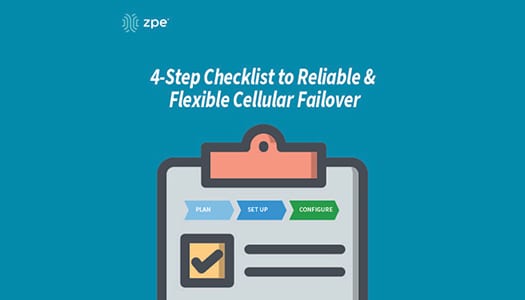
Your 4-step Checklist to Reliable & Flexible Cellular Failover

Downtime can cost $300,000 per hour. But there’s a simple way to safeguard your business from expensive outages, and that’s by using cellular failover.

When your T1, DSL, fiber, or cable connection is knocked out of service, failover automatically kicks in to securely connect you to your cellular provider. Your business doesn’t suffer crippling outages, and you can continue providing the level of service your customers expect.

If you’re ready to protect your organization with wireless backup, use this checklist as a guide to get started.

Cellular Failover Checklist

#1 Get a Plan with Your Service Provider

Because cellular failover works over 3G, 4G LTE, and 5G networks, you’ll need a data plan. Get in touch with your preferred wireless provider, and choose the plan that’s right for you. Consider things like data rates and usage limits, and the number of sites you’d like to cover.

With the appropriate plan, you’ll also need SIM cards for your failover devices.

Get backups for your backups

For even more resilience, the Nodegrid Services Router can be equipped with dual-SIM failover modules. It supports all major carriers, so you get total flexibility of choice.

#2 Set Up Your Failover Devices

Assemble and install the components of your failover devices, such as cables, adapters, and SIM cards. Physically install your appliances into their respective environments, and connect them to other crucial devices on your network.

#3 Configure Your Basic Settings

Log into your failover devices and configure their basic settings appropriately. This can include adjusting things like DHCP vs static IP address, access rights for protocols and services, and creating users and groups.

#4 Configure Your Failover Settings

With your basic settings configured, tailor your failover devices based on your environment’s needs. Though settings vary by vendor, look for and adjust things like interface priorities, idle check intervals, and data usage limits and alerts. Configuring these settings enables your network to efficiently use failover connectivity as needed, and then failback to your primary WAN link once it’s back online.

Get failover on demand

The Nodegrid Services Router features a 4G LTE cellular modem for on-demand failover, and can also serve as a WiFi access point.

With failover set up on your network, you can also scale quickly and deploy locations even before your main line is installed. From major retailers, to tech startups, companies around the world use cellular to rapidly set business into motion.

Want More With Your Failover?

Nodegrid delivers reliable cellular failover that also serves as a secure path for out-of-band (OOB) management. Deploy the Nodegrid Services Router for flexible wireless connectivity and remote management of everything on your network. Now’s the time to take advantage of this SD-Branch platform that offers in-depth visibility and control at the branch level.

Get in touch to discover robust failover with Nodegrid.

What is Cellular Failover?

Learn the basics of Cellular Failover in this 2 1/2 minute video. John Paul Kang, Solutions Engineer at ZPE Systems, shares his IT and data center expertise to provide a high-level overview of cellular failover.

  • What is Cellular Failover?
  • What problems does it address?
  • How does it benefit businesses?
  • How does it help system and network administrators?

Why Your Business Continuity Plan Needs Cellular Failover

Cellular failover sets a new standard in high availability. When your primary WAN connection goes down, this wireless option keeps you safe from expensive outages. Compared to traditional redundancy strategies, cellular comes with a few very crucial advantages for your business and your network IT staff.

But first, let’s see what cellular failover is and why your continuity plan needs to include it.

What is Cellular Failover?

Cellular failover essentially makes high availability possible through wireless carriers. Traditional redundancy strategies place secondary, tertiary, and other backup connections in the ground using land lines (T1, T3, MPLS, etc.), however these usually offer limited reliability. When your main line suffers an outage or disruption, it’s likely that your wired backups will, too.

Using cellular failover, your backup connection is provided over 3G, 4G LTE, and even 5G networks, instead of through physical connections in the ground.

Cellular Failover


Why Do You Need Cellular Failover?

Wired connections are expensive to add, and most of the time they follow the same path as your main line. This means that when something disrupts your primary connection — such as a nearby construction crew that accidentally digs through your line — your wired backups go down as well. Cellular failover offers backup connectivity wirelessly, so issues like this won’t affect your network.

Gartner estimates that downtime costs an average of $300K per hour. This can cripple your organization while you wait for a temporary or permanent fix to your wired solutions, which can take hours or days at a minimum. Most wireless carriers, on the other hand, provide network uptime of 99.5% or more, which means you don’t have to wait for cable repair or new lines to be trenched. The right cellular failover solution keeps you covered automatically and seamlessly.

Your business continuity plan should include cellular failover, because it:

  • Provides backup connectivity for your production network and your critical functions
  • Offers a reliable, isolated, and secure path for out-of-band management (OOB)

What Business Benefits Come With Cellular Failover?

Cellular failover offers more reliability and flexibility than wired options.

  • Stay disruption-proof: With cellular failover, you don’t have to wait for your main connection to come back online. When your primary link is unavailable, cellular failover automatically kicks in to handle your network traffic. And because many carriers have robust and reliable networks that operate for years without disruption, your business can keep going regardless of what happens to your underground connections.
  • Set up & scale fast: Deploying new locations often means waiting weeks for wired connections to be installed. On top of this, these wired connections can leave you with a single point of failure at each location (such as when a router or switch goes down). When you introduce wireless connectivity via cellular failover, you can deploy in hours or less without waiting for crews to install physical lines. This means your business can scale quickly, whether you’re setting up permanent branch locations or temporary kiosks.
  • Fix issues remotely: Cellular failover via ZPE’s Nodegrid allows your backup connection to also serve as an OOB path. If a network problem arises at one of your branch locations, such as a device becoming unresponsive, your IT staff can use your wireless redundancy path to access the network and resolve the device issue. You don’t have to spend time and money bringing in on-site support.

How Do Network IT Staff Benefit?

Because wireless connectivity can serve as an OOB management path, your network IT staff also benefit from having cellular failover at their disposal.

During outages, cellular failover allows your admins to maintain visibility and control of your network. Instead of having to go on-site to each location and physically connect to each device, your staff can remotely connect to monitor your network, troubleshoot issues, and make adjustments as needed. This helps streamline network management processes and tasks by offering a convenient access method to branch locations and remote sites.

When it comes to deployment, cellular failover not only helps you get sites online faster, but it also offers staff the peace of mind that comes with a more flexible, resilient link. Should issues arise during deployment, your wireless connection can kick in to help finish the job. If your scaling strategy takes advantage of methods like zero touch provisioning, you don’t have to wait for your primary link to be available. Cellular failover helps staff get sites up and running quickly, and gives them a secure pathway to manage your network before, during, and after each deployment.

Learn how to prepare for cellular failover.

How to Prepare for Cellular Failover

How to Prepare for Cellular Failover
It’s 3AM and you’ve just been woken up by the sound of your phone ringing. As you struggle to shake off the drowsiness, you start to feel that all too familiar wave of stress wash over you. A critical system at one of your remote branch locations is down. There’s also no network connectivity so your team is unable to remote in and troubleshoot the issue. To top that off, this site has no on-site team and the closest engineer is two hours away. 

We’ve all been there at one time or another, but with today’s modern technology do we really need to keep putting ourselves and our teams in this position? With the variety of out of band (OOB) management solutions available, local support for every remote office or branch location is a thing of the past. Engineers can connect to most equipment from anywhere around the world to diagnose and correct issues. This allows for true 24/7 access and support which drastically reduces costs and downtime. With the proper OOB solution, most issues can be corrected in minutes rather than hours. However, this can all be for naught if the local connection goes down and there’s no way to connect.


Not All OOB Solutions Are Created Equal 

When choosing the best solution for your business, you want to make sure that every scenario is accounted for. Cellular failover built into your OOB solution can eliminate the possibility of full lockout due to a network outage or configuration error. When properly deployed, a cellular connection leverages the power of local providers to allow for an always-up pathway to every device on your network. Systems administrators and engineers can use this backup connection to access your devices from anywhere regardless of the status of the local network, thus saving your business time and money.

ZPE Systems’ Nodegrid Family of Open Infrastructure Management™ Solutions address the critical needs of networking, in-band and out-of-band IT infrastructure. With flexible network interface options including dual cellular fail-over with dual SIM, a modern and secure Nodegrid OS, OOB management, cloud orchestration and add-on virtualized applications for SASE and SD-BRANCH, Nodegrid has it all. 

With ZPE Cloud™, you no longer need to get bogged down by provisioning or on-site support. Configure, deploy, & manage all your appliances from our secure cloud platform.

Thanks to dual cellular failover that supports all major carriers, you get strong backup when your network goes down. 4G/LTE connectivity means more reliability and uptime for your network and less stress for you and your team. 


Leveraging Cellular Connectivity for New Deployments

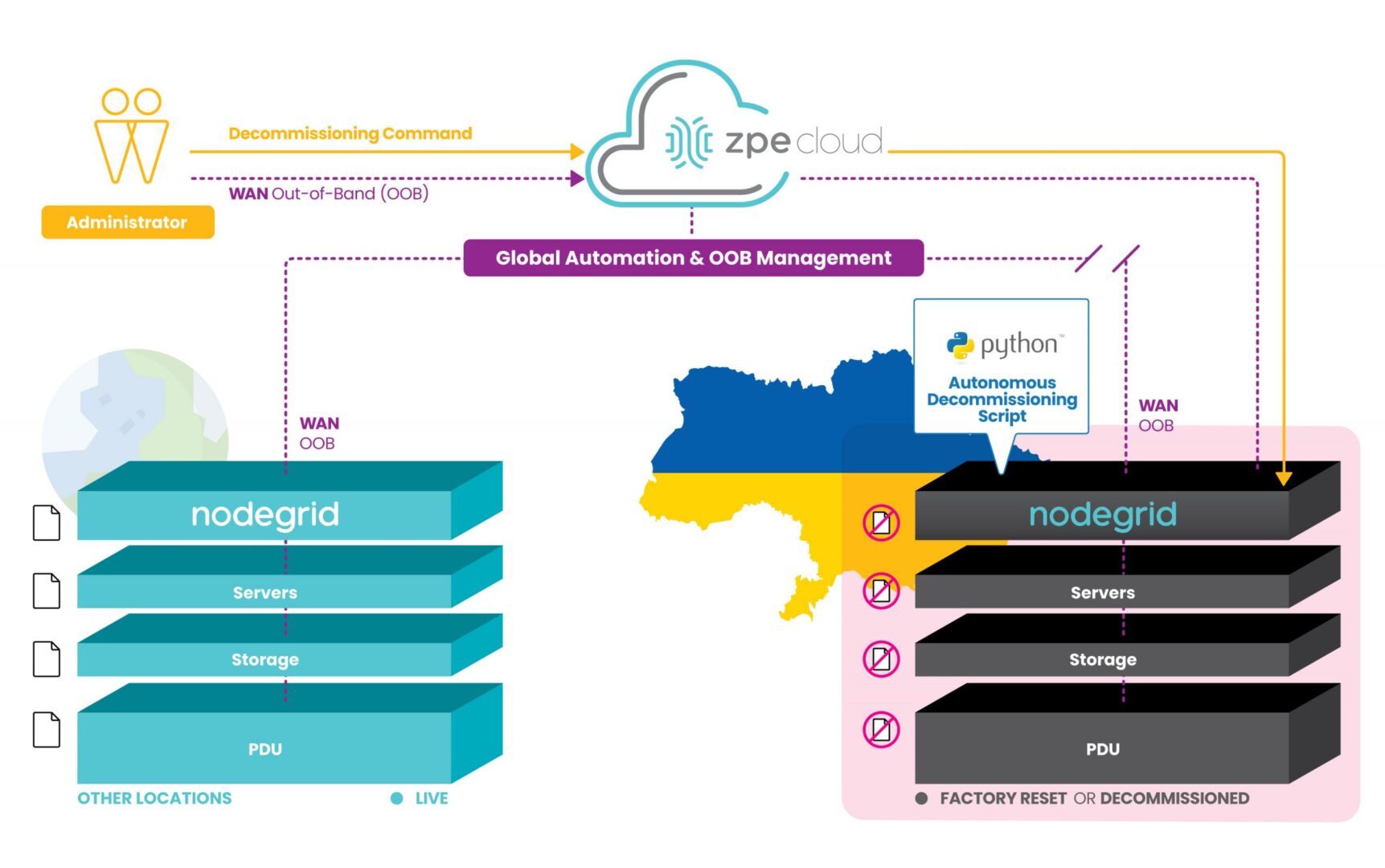
Take your deployment to the next level by leveraging Nodegrid’s built-in 4G/LTE cellular connectivity and Zero Touch Provisioning (ZTP). Deploy from anywhere via ZPE Cloud, even without having local connectivity configured. With Nodegrid, you can eliminate worry and reduce security concerns by shipping bare-metal devices that do not contain any sensitive data. Once your devices arrive, are racked and connected, simply use ZPE Cloud to download and run all of your automated scripts. Provisioning is automatic, consistent, and error free which save you time and money. 

Vendor Neutral

Nodegrid is also vendor neutral which allows you to add management capabilities to all your devices without the need to learn vendor-specific tools. All commands are normalized and available on one console.

Ready to Learn More?

Take a deeper dive into celluar failover with this free ebook: Your Complete Guide to Cellular Failover.

For more information on ZPE’s full product line, please visit our products page.Have a specific question or want to experience a live demonstration for yourself? Reach out to us via our Contact page. We’re here for you!