Providing Out-of-Band Connectivity to Mission-Critical IT Resources

Network Disaster Recovery Plan Checklist

shutterstock_309021146

Your organization may feel secure now, but a disaster could occur at any moment. For example, the war in Ukraine took the world by surprise and left many organizations scrambling to protect and recover critical infrastructure, applications, and data from Ukrainian facilities.

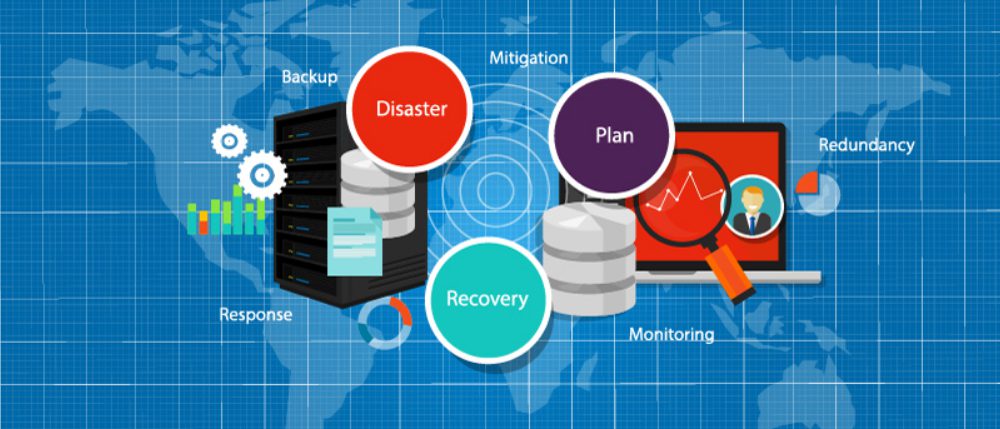
To ensure you’re ready to weather any crisis, you need a robust disaster recovery (DR) plan that accounts for many different scenarios and challenges. This blog provides a network disaster recovery plan checklist to help you establish protocols for protecting your systems, data, and business.

Your network disaster recovery plan checklist

Identify potential disasters

There’s no one-size-fits-all disaster recovery plan—recovering from ransomware is a much different process than recovering from a tornado. You need to determine what types of disasters are most likely to occur and assess each scenario’s individual risk to your facilities, systems, and data.

Network disaster recovery plan checklist:

  Make a list of disasters (natural, man-made, and otherwise) that could pose a threat to your organization.

  Briefly describe what each disaster would look like and how they would impact your company.

  Prioritize your list of disasters based on how likely they are to occur.

Establish the potential impact of a disaster

You should conduct what’s known as a business impact analysis to define how each of these disaster scenarios would impact your organization.

Network disaster recovery plan checklist:

  Determine which business processes, systems, and data are affected by each disaster scenario on your list.

★  Tip: Don’t forget your cloud and edge resources

  Outline precisely how operations will be disrupted by losing or disrupting critical business services.

  Analyze the impact on every aspect of your organization, including productivity, revenue, reputation, etc.

  Calculate the estimated cost of each disaster, both in terms of lost revenue and recovery costs.

Create recovery protocols

What steps do you need to take to recover from a disaster, and what technology will you use to do it? You should create specific recovery protocols for each high-priority disaster scenario on your list.

Network disaster recovery plan checklist:

  Make a detailed list of all recovery procedures and who is responsible for each.

  Make a list of all the technology that will be leveraged in a disaster (e.g., backup data solutions, network failover)

  Outline instructions for every step in every recovery procedure, including branching recovery paths in case one or more of your recovery systems is unavailable.

Set expectations and timelines

Once you know how you’ll recover from each potential disaster scenario, you need to determine the realistic timeline for recovery. This timeline should be based on data and information from the individual team members involved in recovery efforts, as well as the business impact analysis you performed earlier.

Network disaster recovery plan checklist:

  Define how long it would take to complete the recovery procedures for each disaster.

  Compare this to the business impact analysis showing the estimated cost of a disaster to see if your recovery protocols will work quickly enough to prevent unacceptable losses.

★  Tip: If your recovery protocols are too time-consuming, you may need to return to step 3 and re-evaluate your technologies and procedures.

Define individual roles and responsibilities

When disaster strikes, it’s crucial to take action immediately. This is only possible if everyone involved in disaster recovery knows their responsibilities clearly and who is in charge of decision-making.

Network disaster recovery plan checklist:

  Identify disaster recovery team members and determine how they should be contacted when there’s an emergency.

  List the stakeholders who must be kept updated on the recovery status.

  Assign a person (or team) responsible for monitoring the business impact of an ongoing disaster.

  Assign people at each site who will decide on evacuation or relocation of staff and assets.

  Identify the people who have access to secure systems and/or can grant access to others.

Establish lines of communication

Everyone in your organization needs to know who’s in charge of communicating vital information and how to get in touch with key members of the disaster recovery team. You should also identify a single person (or small team of people) responsible for communicating relevant updates to the public to ensure consistent messaging.

Network disaster recovery plan checklist:

  Determine how to communicate with the disaster recovery team (and the rest of the organization) if email and phones are down.

  Create a flowchart outlining who should be contacted in what order for each specific disaster scenario and recovery step.

  Identify a single point of contact responsible for disseminating critical information to staff.

  Make a list (in multiple locations to ensure constant availability) of vendor and support phone numbers to call in case of a cloud or service-related outage.

★  Tip: Also include the support numbers for all your recovery-related technology.

  Identify a single point of contact through which all information about your disaster will be disseminated to the public/customers.

Create a disaster recovery playbook

You should collect all of the information gathered and analyzed in the previous steps into a single playbook that will act as the source of truth for your disaster recovery efforts. This playbook should be made readily available to everyone involved in the disaster recovery plan and duplicated across redundant systems to ensure it’s accessible when a disaster occurs. Essential information from the playbook (such as points of contact) should be shared with everyone in your organization, even if they don’t have a role to play in recovery.

Test your plan regularly

How do you know your plan actually works? You need to test your plan after implementation and then test again on a regular basis. Conduct employee drills to make sure everyone involved knows what they need to do if a disaster occurs. Test your processes and technologies to make sure they still function correctly and that you can recover within the timeline outlined above. Regular testing will let you know if any processes, instructions, or contact points are outdated.

The challenge of network disaster recovery

Even with the most robust network disaster recovery plan, you’re likely to face some hurdles when it comes time to execute your protocols.

For example, what if a disaster occurs at a remote branch office or data center? If you lose network access to your remote infrastructure, do you have a way to remotely troubleshoot and recover, or do you need to lose time and money to truck rolls or local consultants?

How do you deploy replacement devices if remote hardware fails or is irreparably damaged? Do you have staff on-site who can install and configure new devices?  If you stage new equipment at HQ and then ship it to the remote site, what happens if a malicious actor intercepts the package?

Do you have a way to monitor your infrastructure centrally and orchestrate your disaster recovery efforts? Can that system dig its hooks into every network architecture component, including legacy systems?

How ZPE Systems empowers streamlined network disaster recovery

The Nodegrid solution from ZPE Systems helps you execute your disaster recovery plan while avoiding all the most common challenges. Remote out-of-band management gives you access to all your remote network infrastructure via a dedicated link so you can still view, troubleshoot, and recover systems during an outage.

Ultra-secure zero touch provisioning (ZTP) allows you to ship factory-default equipment to remote sites and deploy configurations in a matter of moments, so you can recover faster. Plus, the vendor-neutral ZPE Cloud management platform gives you complete control and visibility on your distributed network infrastructure so you can monitor for issues and implement recovery protocols from anywhere in the world.

Learn more about network disaster recovery:

★  Customer Strategies in Ukraine to Protect Privacy and IP
★  Data Center Environmental Monitoring: How to Stop Disaster Before It Strikes
★  3 Tips to Improve Edge Network Resilience

Execute your network disaster recovery plan checklist with the Nodegrid solution from ZPE Systems.

Get in contact with us or call 1-844-4ZPE-SYS for a free demo.

Contact Us

Branch-in-a-Box: Why All-in-One Devices Are the Future of Networking

shutterstock_588813473(1)

A branch network consists of many moving pieces that need to be remotely deployed, managed, and supported. That typically means separate devices for all the key functions like routing, switching, security, etc. However, as data and applications grow more distributed—especially due to the popularity of edge computing—it becomes harder for IT teams to keep up with the growing number of vendors and solutions at the branch. Branch-in-a-box seeks to solve that problem by delivering all your branch networking functions in an all-in-one device.

What is branch-in-a-box?

Branch-in-a-box consolidates an entire branch networking technology stack into one piece of hardware. A branch-in-a-box solution might include gateway routing, voice and data switching, firewall, Wi-Fi, and other crucial functionalities. Instead of learning, installing, managing, and troubleshooting five different boxes at each branch location, you only have to worry about one core device.

Next-generation branch-in-a-box solutions typically rely on the following branch networking technologies:

  • SD-WAN: Software-defined wide area networking, or SD-WAN, abstracts WAN management from the underlying MPLS, broadband, fiber, and cellular connection hardware. You can create intelligent routing policies to distribute and route WAN traffic for optimal network performance, with SD-WAN. SD-WAN intelligent routing also facilitates cloud-based edge security technologies like SSE (security service edge) and SASE (secure access service edge).
  • SD-Branch: The limitation of SD-WAN is that its capabilities generally end at the branch gateway. SD-Branch extends your software-defined networking functionality into the individual LANs so you can automatically manage and optimize traffic within the branch.
  • Compute: Some branch-in-a-box solutions also come with compute capabilities or modules. Meanign you can run guest operating systems—like VMs (virtual machines) and containers—without needing to install additional server hardware.
  • Out-of-Band: Out-of-band (OOB) separates your branch network’s management plane from the data plane so you can remotely manage and troubleshoot your branch infrastructure from a dedicated connection. With OOB, you get one unified control panel from which to remotely monitor and administer all your branch networking devices. OOB also provides an alternative path to your branch network, often over a cellular connection, so you don’t need to rely on the primary WAN link. You can troubleshoot and recover from outages remotely, reducing costly truck rolls.

SD-WAN optimizes traffic to and from the branch, ensuring optimal performance and productivity in all your remote locations. SD-Branch extends your reach into the individual branch LANs to give you more control over network routing and performance. Compute capabilities let you run VMs and containers without deploying additional servers. Finally, OOB ensures you always have access to your branch infrastructure, even during a WAN outage. A branch-in-a-box solution harnesses those technologies to give you control over a consolidated networking stack including routing, switching, firewall, and Wi-Fi capabilities.

Where did the concept of branch-in-a-box come from?

Let’s say the typical branch network relies on five boxes—a gateway router, a voice switch, a data switch, a wireless access point (AP), and a firewall. Five devices may not seem like a lot; and using a separate box for each branch networking job means you can, theoretically, choose the best-of-breed solution for each. If you only have one or two branch locations and a large, well-trained IT staff, then supporting multiple branch networking devices probably won’t be a problem.

But what happens when your business grows, and you need to scale up to 10 branches? And then 100 branches? And then 1,000? Suddenly, five best-of-breed devices turns into 5,000 individual boxes you need to purchase, configure, maintain, and troubleshoot.

Branch-in-a-box solves this problem by rolling-up all your crucial branch networking devices into one consolidated solution. This helps you save money on equipment, both in terms of the up-front costs and the recurring costs of licensing, software, and support. Device consolidation can also decrease the power consumption at your branches, saving you energy costs and reducing your carbon footprint. Deploying a branch-in-a-box is often faster and easier since you only need to ship and install one box instead of five.

Plus, an all-in-one branch networking solution reduces the overall complexity of your enterprise network by decreasing the number of devices and platforms that your engineers need to learn, manage, and support. That means your IT operations team can work more efficiently, spending less time on individual maintenance tasks and more time optimizing your branch networking. It also reduces the risk of configuration mistakes and other human errors that could potentially bring down your branches.

The challenge of branch-in-a-box

Of course, when you replace many different boxes with one solution, you run the risk of vendor lock-in. Suppose your branch-in-a-box solution runs in a closed ecosystem. In that case, it’s critical for that one box to truly cover every branch networking capability you need, because you won’t be able to extend its capabilities with third-party tools and devices. Plus, you’ll be forced to follow that vendor’s feature and support roadmap, which may diverge from your organization’s future goals and requirements.

To avoid these issues, it’s crucial to select a vendor-neutral branch-in-a-box that runs on an open platform, like Nodegrid.

Innovative and vendor-neutral branch networking

Nodegrid is a family of open-architecture, vendor-neutral networking solutions for branch, edge, and datacenter. All Nodegrid Services Routers consolidate multiple features and functionalities into one box so you can streamline your network infrastructure and reduce the complexity of your branches. For example, the Hive SR is a next-generation branch-in-a-box that can host many essential functions on one compact device, including:

Gateway routing

SD-WAN with AutoVPN

Wi-FI Access Point

5G/4G/LTE

Secure out-of-band access

Firewall

Nodegrid also simplifies branch network management by providing a centralized, vendor-neutral platform from which to monitor, control, and troubleshoot your global network. ZPE Cloud gives your team access to all Nodegrid-connected devices from anywhere in the world through a secure, cloud-based web portal. Or you can use the on-premises Nodegrid Manager to gain complete control over every aspect of your branch network.

Plus, Nodegrid devices like the Hive SR run on the Linux-based Nodegrid OS. This open architecture supports easy integrations with third-party solutions. That means you can extend the device’s capabilities to include automation, orchestration, SSE, and other functions, allowing Nodegrid to scale with your organization.

Nodegrid delivers branch-in-a-box solutions through all-in-one hardware, consolidated management, and a completely open and extensible platform that scales on-demand.

Contact ZPE Systems today to view a free demo of Nodegrid branch-in-a-box in action.

Contact Us

Top Data Center Infrastructure Management (DCIM) Trends of 2022

shutterstock_2075585047(1)

Data center infrastructure management (DCIM) keeps evolving to address enterprises’ changing goals, requirements, and concerns. We spoke with DCIM sales engineers to find out which pain points are on their customer’s minds, and which emerging technologies their enterprises are currently excited about:

  • Providing 24/7 remote access with a virtual presence.
  • Consolidating infrastructure for simpler management.
  • Strategically automating DCIM workflows and equipment.

This blog will discuss why enterprises implement these DCIM tools and technologies and provide the best advice about using them within your data center environment.

The Top 3 DCIM trends of 2022

Remote DCIM

The Covid-19 pandemic has accelerated the existing trend towards remote DCIM with minimal on-site staff. Many organizations are cutting budgets and downsizing their staffing, and many  of the people they keep on board are working remotely. If you don’t have subject matter experts physically at your data centers, you need to be able to deploy, manage, and troubleshoot your infrastructure remotely.

One way to ensure you have 24/7 remote access to your data center infrastructure is with out-of-band (OOB) management. OOB separates the network management plane from the data plane and provides a dedicated connection to your management device, which means you always have access to your infrastructure even if there’s an ISP outage. A complementary component to having a virtual presence  is environmental monitoring, which uses sensors to detect temperature, humidity, tampering, and other data center conditions.

When an on-site visit is unavoidable, remote DCIM helps you determine the root cause of the issue beforehand so you can ensure you already have the parts and tools you need to fix it. Doing so prevents your engineers from making multiple trips or wasting time diagnosing problems on-site. Remote DCIM not only allows you to efficiently monitor and manage data center infrastructure, but it also helps minimize the amount of time and money spent traveling to remote sites to troubleshoot and fix issues.

Consolidated solutions

One of the biggest challenges in DCIM is dealing with many different appliances, solutions, and vendors. This means engineers and technicians need to be trained in deploying, managing, and troubleshooting all these disparate solutions. Vendor lock-in may prevent all these systems from working together or integrating with a central DCIM tool, which means engineers have to jump from box to box to monitor issues or perform maintenance. Plus, there’s the hassle of license management, and different vendor contracts coming up for renewal at different times.

That’s why many organizations are moving towards consolidated DCIM solutions with all-in-one devices. Instead of looking for best-of-breed solutions for routing, out-of-band access, infrastructure management, server/compute, and other data center devices, you can get all of these functions rolled-up into a single box. An all-in-one data center solution is like the Swiss Army Knife of DCIM—it may not be the absolute best at any one feature, but you get all the tools you need in one device.

Another way that organizations overcome vendor lock-in and infrastructure complexity is through vendor-neutral DCIM platforms. With an open-architecture platform, you can integrate all your disparate devices and solutions into one centralized control panel. This increases the ease and efficiency of your engineers to manage your entire data center infrastructure.

All-in-one devices and vendor-neutral DCIM platforms both help reduce the complexity of your data center infrastructure, saving you time, money, and frustration.

DCIM automation

Many organizations are beginning or continuing their DCIM automation initiatives in 2022. Some examples of the data center management workflows that are frequently automated include:

  • Power load balancing and management
  • VM (virtual machine) deployment and management
  • Environmental monitoring and analysis
  • Network load balancing
  • Issue remediation

DCIM automation reduces the amount of time your engineers spend performing tedious, repeatable, and manual tasks. This, in turn, reduces the risk of human error, so you can ensure optimal performance and uptime in your data center.

Often, organizations make the mistake of automating the low-hanging fruit first (whichever tasks are easily automated by their chosen solution) rather than analyzing and prioritizing DCIM workflows based on what will help them achieve their specific business goals. This may not make DCIM any easier or more efficient for them in the long run. Other enterprises assume that DCIM automation is an all-or-nothing proposition that requires orchestration and highly complicated scripts and tooling. This leaves them feeling too intimidated to even begin their automation efforts.

DCIM automation doesn’t have to be difficult. Suppose you start with a complete understanding of your data center infrastructure and which workflows are most critical to your business. In that case, you can then automate them in the order that’s most beneficial to your team and your enterprise. And it doesn’t need to happen all at once—you can begin by creating a simple script to handle a single process, then move on to using technology like zero touch provisioning (ZTP) to automatically configure new data center devices. It is important to use DCIM devices and solutions that provide all the automation capabilities you need without locking you into a single vendor’s ecosystem or feature roadmap. This way, your automation initiatives can scale with you in exactly the way you need them to.

When you take the right approach, DCIM automation can help your organization run more efficiently to save time and resources.

In 2022, many enterprises are prioritizing remote DCIM solutions that give them a 24/7 virtual presence in their data center. They’re also consolidating their data center infrastructure with all-in-one solutions that provide centralized monitoring and management. Finally, organizations are looking for ways to automate DCIM workflows without adding to the complexity of their data center infrastructure and management.

Achieve your DCIM goals in 2022 with Nodegrid

Nodegrid is an innovative data center infrastructure management platform that can help you stay ahead of DCIM trends in 2022 and beyond.

shutterstock_2129974520(1)
The Nodegrid Serial Console delivers remote OOB management of up to 96 connected devices in a single 1U rack-mounted device, ensuring you have 24/7 access to monitor and manage your data center infrastructure. Nodegrid’s modular design means you can create a customized data center management solution with all the functionality you need in one box. You can also use Nodegrid’s environmental monitoring sensors to keep an eye on environmental conditions in your rack, even from thousands of miles away.

Any data center infrastructure connected to a Nodegrid box can be deployed, managed, and monitored from one consolidated software platform—Nodegrid Manager for fully on-premises deployments, or ZPE Cloud for hybrid and cloud-based infrastructure.

Finally, Nodegrid enables and simplifies DCIM automation through features like zero touch provisioning and network scripting support. With the vendor-neutral, Linux-based Nodegrid OS, you can automate and orchestrate your data center infrastructure without vendor lock-in hampering your efforts. Nodegrid allows you to create a completely customized automation architecture using third-party tools like Ansible, Docker, and RESTful.

Want to learn more about DCIM? Read our Q&A with a 20-year DCIM expert.

See how Nodegrid can help you take advantage of DCIM trends in 2022.

Contact ZPE Systems to view a free demo.

Contact Us

Automating Your Network Operations Does Not Have to Be Difficult

automating your network operations

The importance of network automation is clear—you can reduce human error, create more efficient workflows, and streamline operations. However, many enterprises delay their automation efforts because of how challenging the process can be.

Fortunately, automating your network operations does not have to be difficult if you start with a comprehensive plan and implement the right tools and solutions.


Best practices for automating your network operations

1. Automate what you need versus what you can

Start your automation journey by identifying and prioritizing the most beneficial workflows for your business to automate. It may seem easier to choose whatever automation tools are provided by your existing vendors and then try to make them work with your infrastructure. However, that could lead you to follow the automation path that’s best for your vendors, versus the path that’s best for your particular use cases and requirements.  Though the former approach may seem simpler in the short-term, it will reduce the overall success of your automation efforts and make it harder to achieve your goals.

You need a full understanding of all the components that make up your network infrastructure so you can accurately identify and prioritize which devices, processes, and applications to automate in which order. Then, you need to ensure your automation solution can get its hooks into every aspect of your infrastructure, including things like environmental monitoring sensors, PDUs (power distribution units), and other devices that may not be part of your initial orchestration framework. Automating your network operations based on what you need, versus what’s easiest, will ultimately save you time and effort in reaching your automation goals.

This ultimately means that every enterprise’s path to automation should look a little different. However, below are some recommendations for network operations, workflows, and tasks to automate.


2. Automate device provisioning

Device provisioning is often a time-consuming, tedious task, which makes it prone to human error—and a prime candidate for automation. There are a couple of common ways to automatically spin up new infrastructure, including:

Zero touch provisioning (ZTP): Devices enabled with ZTP automatically download and execute configurations over the network, allowing you to deploy routers, switches, console servers, and other appliances with very little human intervention. This is especially beneficial for remote infrastructure at colocation facilities, branch offices, warehouses, and other locations where you may not have IT staff available to install and configure devices on-site.

Infrastructure as Code (IaC): IaC uses software abstraction to separate infrastructure configurations from the underlying hardware. This allows you to write configurations as repeatable scripts that you can deploy and manage automatically. You can also use IaC orchestration tools like RedHat Ansible to store and automatically execute configuration scripts for all your infrastructure devices from one central control panel.

Automating the device provisioning process with ZTP and IaC will streamline your network operations by increasing the speed and accuracy with which you can spin up new resources.


3. Automate WAN and Branch management

Managing WAN (wide area network) and branch networks can be very challenging without automation. Often, you don’t have on-site staff to monitor and troubleshoot networking equipment. You also need to back-haul all remote traffic through your primary firewall to apply security policies and controls, which creates bottlenecks on the network and reduces productivity. Plus, every new site you add will further increase the complexity of your enterprise network.

One way to automate WAN and branch management is through software-defined wide area networking, or SD-WAN. SD-WAN decouples the WAN management plane from the underlying hardware and, similarly to IaC, abstracts it as software. This makes it easier to introduce automation to your WAN management. For example, you can use SD-WAN intelligent routing to separate cloud-destined traffic and divert to a cloud-based security stack such as Security Service Edge (SSE), reducing bottlenecks and improving performance. Automating your WAN and branch management through SD-WAN reduces the challenge of distributed network management.


4. Automate with NetDevOps

DevOps is a popular paradigm that combines software development and IT operations departments into one collaborative team to streamline software releases. NetDevOps takes this a step further by integrating network management into the equation. NetDevOps focuses on operationalizing processes by using a systematic approach to automating and orchestrating network management, development, and operations tasks.

NetDevOps automation uses technologies like IaC and SD-WAN but takes things a step further by integrating them with DevOps tools like code repositories, test automation, and CI/CD (continuous integration/continuous delivery). This allows your entire IT department to function together as one efficient unit, eliminating bottlenecks between teams and streamlining product releases.

  Want to learn more? Read What is NetDevOps? The Definitive Guide

Automating your network operations does not have to be difficult if you start with a robust plan that focuses on your organization’s unique environment, requirements, and capabilities. Often, enterprises start with automatic device provisioning because it’s a tedious and repeatable process. WAN and branch management is another good candidate for automation because it can have a large impact on overall network performance. Finally, for development-focused organizations, the NetDevOps methodology integrates DevOps tools and processes into network automation efforts to create more efficient software release cycles.


Automating your network operations is easier with the right solution

Not all network automation platforms offer the same capabilities, features, or level of control. For example, many solutions don’t allow integrations with popular IaC tools like Ansible, Chef, and Puppet. If your platform isn’t vendor-neutral, you’re going to find it challenging to create a fully-integrated NetDevOps environment using code repositories, IaC, and test automation. For true end-to-end automation, you need a platform that can get its hooks into every piece of your infrastructure, or else you’ll end up with a bloated patchwork of solutions that’s difficult to orchestrate and optimize.

ZPE Systems delivers a vendor-neutral network automation platform that doesn’t suffer from any of these limitations. Our Zero Pain Ecosystem can “say yes” to any device, system, or service you add to your network, ensuring you’re able to automate what you need, when you need it. With features like secure zero touch provisioning, SD-WAN, and even SD-Branch, you can automatically deploy and manage your infrastructure from behind one pane of glass. And, all ZPE solutions integrate with leading third-party automation tools, giving you end-to-end automation with consolidated, centralized orchestration.

Automating your network operations is easier with ZPE Systems. But don’t take our word for itsee our solution in action by requesting a free demo today.

Customer strategies in Ukraine to protect privacy and IP

ZPEUkraine (1)

How autonomous decommissioning via out-of-band has become essential to disaster recovery for edge deployments in uncertain geographies

To say there’s instability in Eastern Europe would be a drastic understatement. Russia continues its attacks on many fronts in Ukraine, displacing millions of Ukrainians who are now left with an uncertain future. Security is on everyone’s mind, and while many have answered the call to arms and stand ready with AK-74 in hand, others recognize that defending Ukraine involves shielding IT infrastructure and intellectual property from cyberattacks.

For this, some of ZPE Systems’ customers are using an unlikely defense: out-of-band management. Despite recent attacks using wiper malware and DDoS to take down government websites, organizations are able to use generation 3 out-of-band to decommission their sites in order to protect their data against adversaries who have boots on the ground.

In this post, we’ll examine the current issues surrounding compromised edge sites and what organizations are doing right now to shield their intellectual property (IP).

What’s at stake?

Many companies have critical IT infrastructure distributed across countries, regions, and continents. This infrastructure consists of networking gear and edge compute equipment, such as servers, switches, routers, and other end devices. These are responsible for connecting users and customers to essential services, processing and storing sensitive data, and running intellectual property such as proprietary operating systems, applications, and network certificates.

All of these are essential to supporting normal business operations and the customers they serve.

For example, telco companies rely on their infrastructure of cell tower sites, fiber cable lines, and their connected hardware and software to provide voice networks and Internet service. These companies run intellectual property within their infrastructure. In many cases, this intellectual property includes software that can cover a range of types and uses, from multi-protocol access proxies that enable IT admins to remotely manage edge network clusters, to analytics applications that track data usage for media delivery and customer experience optimization.

These companies are also responsible for handling sensitive data. For administrative purposes, billing, and compliance, these companies use devices that process and store personal identifying information for customers, including names, addresses, birth dates, etc.

All of this is what is at stake when faced with disaster. This is why it’s important to have the proper disaster recovery plan and tools in place, and mitigate the risk of losing sensitive information or having it fall into the wrong hands.

What disaster looks like

Every enterprise and government organization should assess their level of risk regarding equipment deployed at the edge. Risks can come from geographical and geopolitical factors — such as tornadoes or flooding during seasons of inclimate weather, or regional instability during times of international conflict.

Imagine you’re in charge of a corporate or government organization. One day you stop receiving pingbacks from your edge sites, and you suddenly find that you’re cut off from these locations.

There’s no network. There’s no access. And like many organizations currently struggling in Ukraine, you’re simply no longer in control of what happens to your data.

What do you do now?

Your sensitive user credentials, customer information, and intellectual property are in jeopardy, and possibly being stolen by adversaries.

Could you have prevented this?

Disaster recovery: Autonomous decommissioning to stop data theft

Part of an adequate disaster recovery plan involves having hermetic and autonomous operations, down to the device level. In the case that you need to go into disaster recovery mode, consider all of the information that needs to be wiped at your locations:

  • Servers need to be wiped
  • Disks and partitions need to be wiped
  • Disks need to be overwritten so data can’t be recovered
  • Switches and supporting infrastructure need their configurations wiped

The problem is that since you’re cut off and unable to remotely access this equipment, you can’t perform these tasks.

However, ZPE’s customers are currently using our programmable out-of-band infrastructure for this exact use case. It’s being called ‘autonomous decommissioning’, and it combines network automation with manual commands to essentially perform the inverse of launching network sites. This process is being used to protect IP and personal identifying information from falling into the wrong hands.

How does it work?

With our generation 3 serial consoles and services routers co-located at data center and critical edge locations, customers are able to connect all of their equipment to the out-of-band network. Receiving pingbacks at regular intervals from HQ signals that all is well at these sites.

Due to instability in the region, some sites are becoming compromised and cut off from HQ. When this happens, the infrastructure goes into disaster decommissioning mode, and ZPE’s devices serve as on-prem automation workers which help remote IT admins to begin wiping the entire infrastructure.

Autonomous decommissioning network diagram

These devices are hooked into every piece of equipment, and they’re able to receive automated scripts and manual commands from remote admins to push decommissioning tasks to all connected gear. The ZPE device is then able to have its own configuration wiped and returns to its initial ‘seed of life’ mode, in which it awaits further instructions until the connection is restored to HQ. Once this connection is restored, Nodegrid waits for instructions to rebuild the infrastructure following the immutable infrastructure framework.

This autonomous decommissioning prevents data from being stolen by adversaries. By wiping all data and returning to its seed-of-life state, it also keeps the environment’s configurations secure. That’s because the devices no longer contain any configuration information once they’ve been wiped, and configurations can only be restored once an authenticated connection is reestablished with HQ.

Check out a live demo at ONUG!

See how to automate without anxiety to combat cyberattacks. Join us Thursday, April 28 at 11:10am EST at ONUG for a live demo. Click here to register or get your free virtual pass.

HEAnet: providing network uptime for education


HEAnet logo

If there’s one sector that relies on network uptime more than ever before, it’s the education sector. For both in-person and virtual learning, students and staff connect to crucial resources around the world to share information. The infrastructure that enables this connectivity is critical, and in the country of Ireland, this infrastructure is deployed and maintained by HEAnet.

As the national education and research network, HEAnet is a provider who must adhere to stringent service levels in order to keep entire education communities online. But they recently faced a few major challenges as their out-of-band (OOB) management solution neared its end-of-life (EOL) date. This system was crucial to maintaining network uptime, as it gave engineers remote access to their 50+ nationwide locations. They needed to quickly roll out a new solution, but they were faced with a second challenge — limited staff.

It seemed HEAnet was stuck between a rock and a hard place. They would surely need to outsource the job, and that’s when they turned to Rahi, the world-renowned MSP who introduced them to ZPE Systems’ Nodegrid.

The rest is history, and for a deep dive into that lesson, download the full HEAnet case study below.

But before you do, here’s a quick refresher on critical infrastructure and why network uptime can be difficult to maintain.

Critical infrastructure and network uptime

Critical infrastructure is made up of the systems that connect sites to each other and to the rest of the world. The data center is an obvious example of where critical infrastructure is deployed. Points-of-presence (POPs) and colocations are other somewhat obvious examples. All of these house components, such as servers, switches, and routers, which are essential to handling data and traffic that organizations rely on.

Here are more examples of where critical infrastructure is commonly found:

  • Warehouses: servers, routers, and Wi-Fi access points help humans and their automated counterparts track inventories, fulfill orders, and communicate with vendors.
  • Manufacturing plants: operationalized technology like sensors and IoT devices collect data from gauges, robots, and machining equipment to ensure accurate measurements, maintain quality control, and streamline fabrication processes.
  • Cellular base stations: compute, storage, and failover devices process signals, store data, and provide backup connectivity for critical cell site components.

Organizations must maintain high levels of network uptime for their critical infrastructure, since it supports the lifeblood of everything they do. But this can be a challenge because these components are not always located within convenient reach of skilled engineers.

Why can network uptime be so challenging to maintain?

Maintaining network uptime can be challenging even for fully-staffed locations. This difficulty is amplified — quite dramatically — when organizations have to recover and maintain sites that are located far off the beaten path.

Imagine this: you’re responsible for monitoring and troubleshooting critical infrastructure for a network of college campuses in your region. One of your most remote sites, which serves more than one thousand students and faculty on any given day, experiences sudden disruptions and eventually goes offline. It’ll take close to four hours for you to put skilled staff on site to recover the network, which puts you at risk of breaching your SLA. You and your team are stressed out and scrambling, while students and teachers have no option but to cancel some or all of their activities.

Now imagine that you have a tool that allows you to respond instantly and restore the network before anyone even notices. That’s the kind of power you can achieve with a deep, robust out-of-band management solution, which is one of the tools HEAnet deployed to keep disruptions from reaching users.

There’s more that can go wrong, however. Your sites could suffer an ISP outage, leaving locations in the dark if they don’t employ any wireless backup connections. Or if your customer has a multi-vendor MSP solution that you’re part of, the other vendor’s components may be to blame, and you need a tool that can help you quickly diagnose the root cause.

Download the HEAnet case study

To see more challenges you might face when maintaining network uptime, download the HEAnet case study. You’ll also discover how Nodegrid gave them seamless backup connectivity and allowed a single Rahi engineer to deploy two sites in a single day. Get the case study now.