Enhancing IT Operations with AI and Out-of-Band (OOB) Management
You don’t really understand your infrastructure until it stops responding.
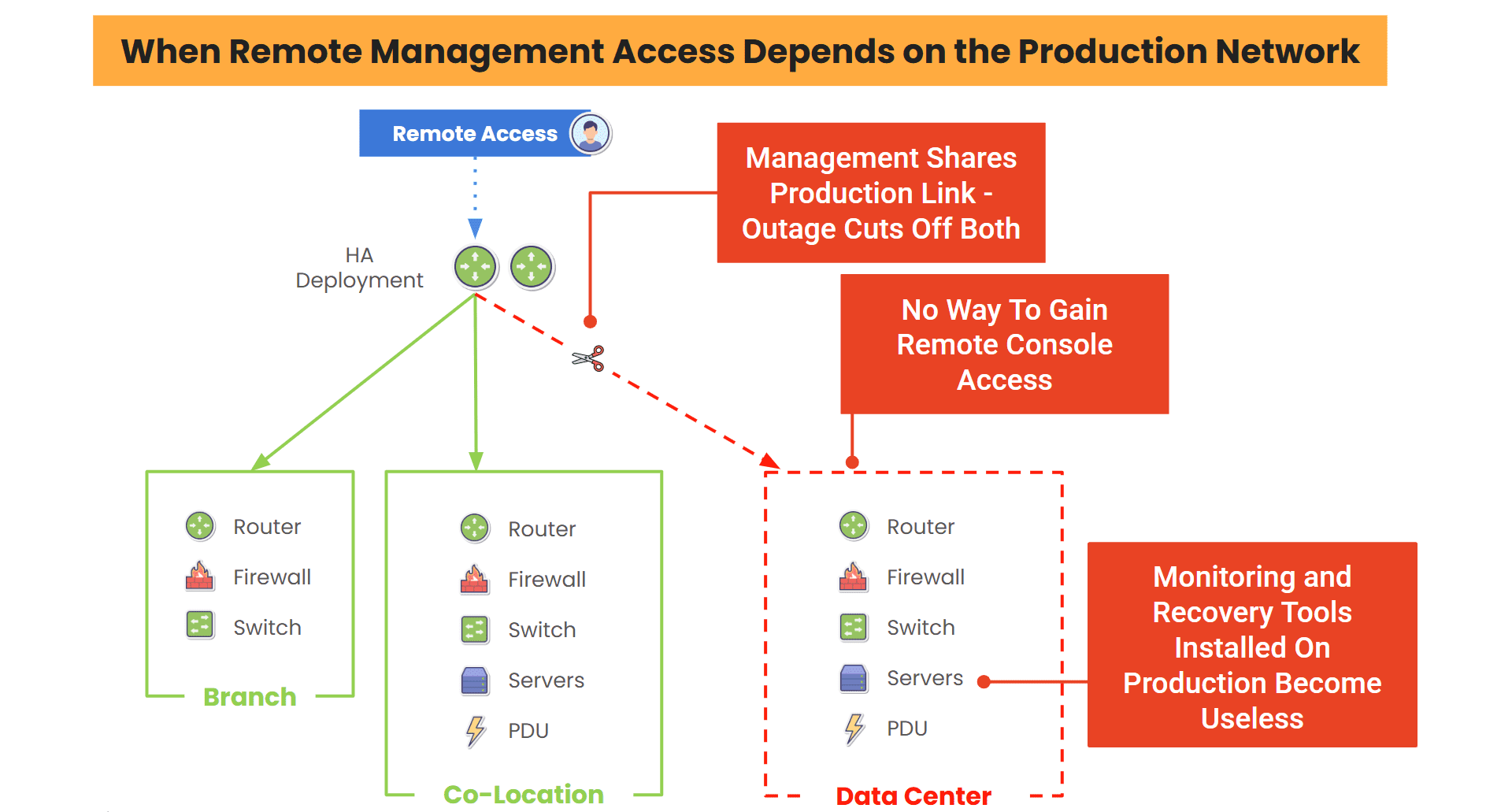
Not when dashboards are green or when alerts are quiet. But when you lose access to a core device, the network path disappears, and suddenly all your tools depend on the very thing that just failed.
That’s the moment most traditional IT operations fall apart.
Over time, I’ve realized that two things fundamentally change how you operate in those moments:
AI that helps you understand what’s happening, and Out-of-Band (OOB) access that lets you actually do something about it.
Put these together and they completely change how you operate.
The Reality of AI: Visibility Without Access is Useless
AI has made huge leaps in IT operations. It can analyze logs faster than any human, correlate events across systems, and let you know about issues you might not catch until it’s too late.
But there’s one big problem no one talks about enough: being able to see the problem isn’t the same as being able to fix the problem.
You can know exactly what failed and still be locked out of the device you need to fix.
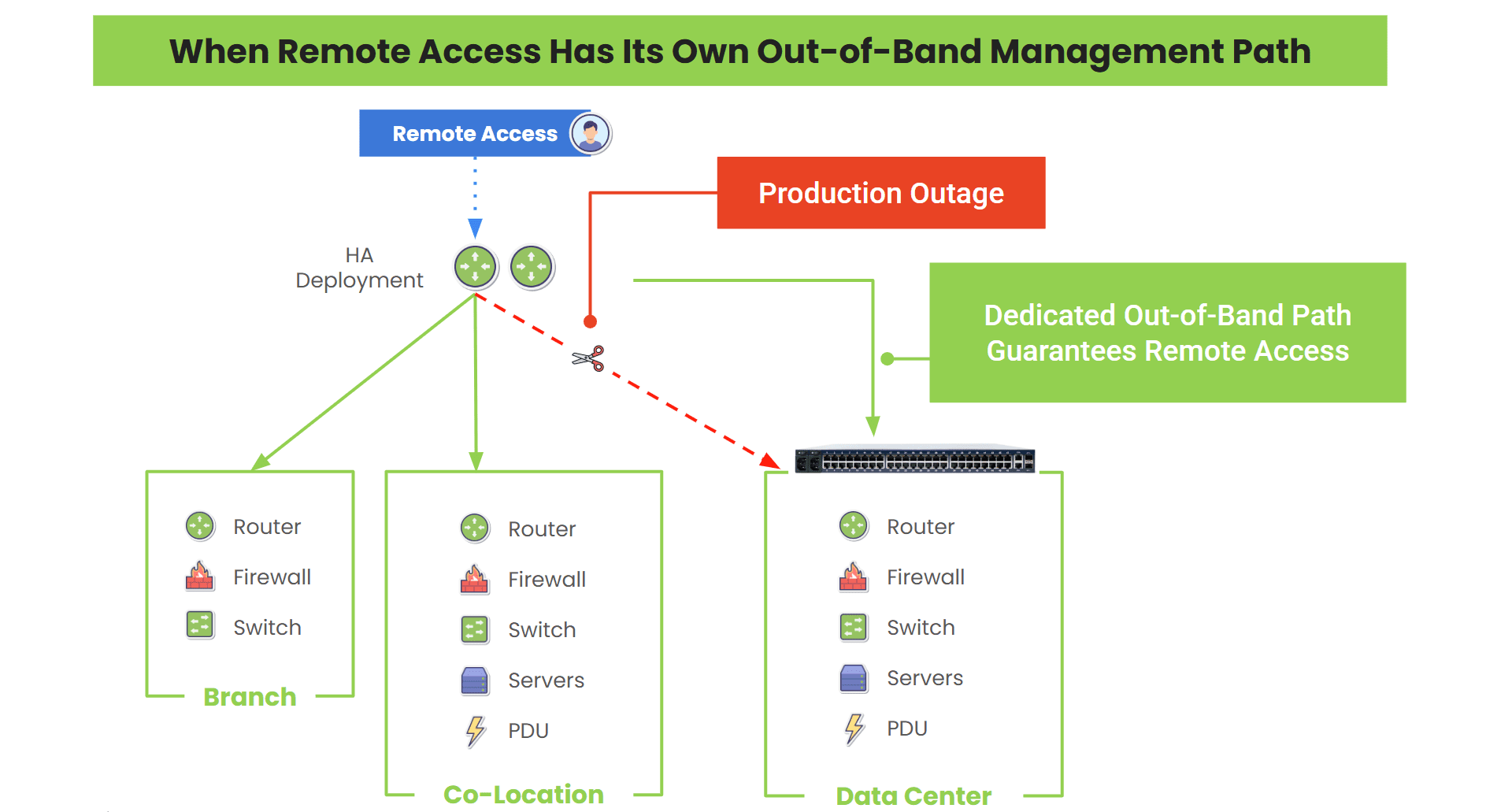
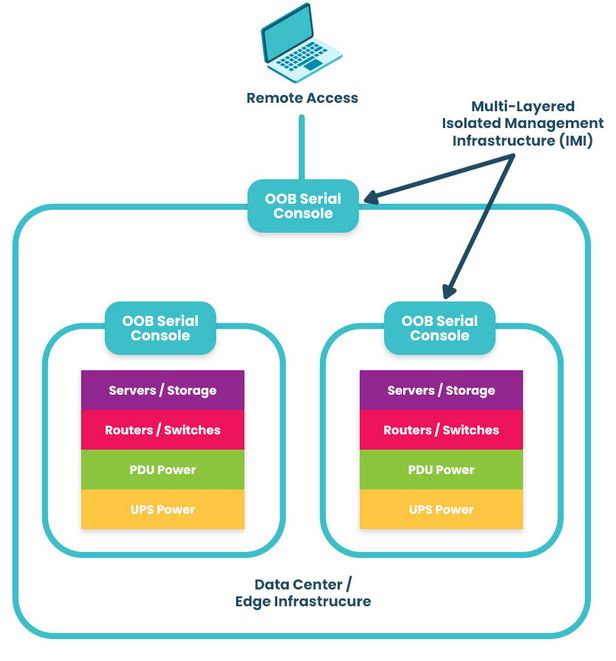
That’s where OOB comes in. OOB gives you a path that doesn’t depend on the production network. When everything else breaks, it’s the one door that still opens.
When you have both intelligence and access, you stop being stuck even when these worst-case scenarios happen.
Where AI Shows Up In My Work
In my role supporting IT infrastructure and network operations, the combination of AI and OOB directly improves how I manage incidents, maintain systems, and make sure everything keeps running.
1. When Something Breaks and You Don’t Have Time To Guess
Most incidents start with a lot of noise. Alerts pile up, metrics spike, and the systems all tell different stories.
AI helps cut through that noise and chaos. It highlights what’s abnormal, correlates signals, and points you in a direction that’s useful.
Then instead of trying to reach a device through a broken network path (or waiting for someone on-site), you can go straight in through the out-of-band path. You don’t have to put up with delays or workarounds. You see the issue and you act on it right away.
2. When The Network Is Down And That’s The Whole Problem
This is the scenario that exposes every weakness in traditional remote access. VPNs fail, jump hosts become unreachable, and monitoring tools go dark. Suddenly, you’re blind and locked out at the same time.
With OOB, that doesn’t happen. You still have direct access to your routers, switches, firewalls, and servers, because your management path isn’t tied to the outage. That means you can:
- Restart a frozen system
- Roll back a bad config
- Recover a device that would otherwise require a truck roll
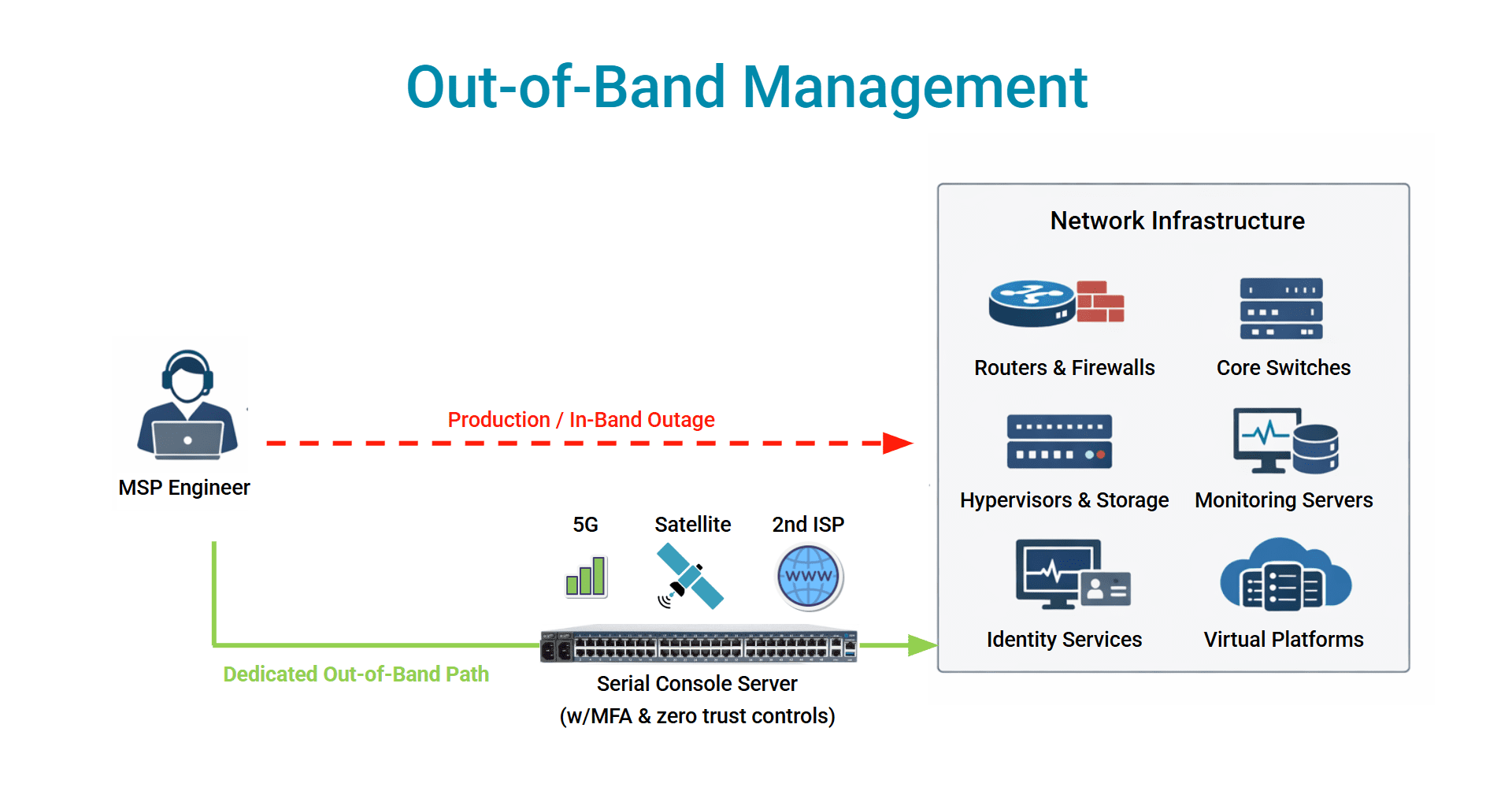
Now layer AI on top of that. Instead of reacting manually, you can trigger recovery actions based on known patterns. The system identifies the issue, and you either validate or let automation handle it.
You fix the issue within minutes instead of waiting hours to regain control.
3. When Alerts Become a Problem
Alerts become their own kind of outage. So many can come in, make too much noise, and become easy to ignore or shift way down on the priorities list.
AI helps pull the signals from the noise. It learns patterns, reduces false positives, and prioritizes what needs attention now. Combine this with OOB and it becomes actionable.
You’re getting alerts that matter now, and a way to immediately respond to them regardless of the network’s state. This changes how teams operate under pressure, especially when there’s so much noise that risks putting teams into a state of analysis paralysis.
4. When You See The Failure Coming
Some of the best outages are the ones that never happen.
AI is getting better at spotting early signals, like hardware behaving slightly off, configs drifting, and performance degrading in subtle ways. Little problems you wouldn’t normally catch until they turn into really big problems.
With OOB access, you don’t have to wait. You can step in early to:
- Validate configurations
- Apply patches
- Fix issues before they impact production
And you can do it without disrupting live traffic. The way you operate shifts from reactive to intentional.
5. When Security Incidents Get Complicated
Security events don’t follow clean paths. If a system is compromised, your primary network might not be trustworthy anymore. Access could be restricted or intentionally cut off.
That’s where OOB becomes your control point. You can isolate systems, investigate directly, and respond without relying on potentially compromised infrastructure.
AI helps detect the threat, while OOB gives you a way to contain it. Without these, response slows down and risk increases.
The Shift Most Teams Don’t Plan For
Teams like to assume their tools will be there when they need them. Why wouldn’t they be, right?
But outages don’t work like that. The very systems you depend on, like monitoring, remote access, and automation, rely on the same network that just failed. That’s the blind spot that AI and out-of-band solve.
- AI improves how you understand problems
- OOB ensures you’re never locked out of fixing them
When you combine the two, you stop operating in a reactive loop of:
Detect → Wait → Recover
And move toward:
Detect → Access → Resolve (immediately)
What You Can Do: Build Your OOB Network
After enough outages, you start to see that better tools don’t always make things better. It’s more about having tools that still work when everything else doesn’t. AI helps you see what’s happening faster and more clearly. OOB ensures you’re never cut off from the systems you need to fix.
Together, they make IT operations resilient in the moments that actually matter, and those are the ones people remember.
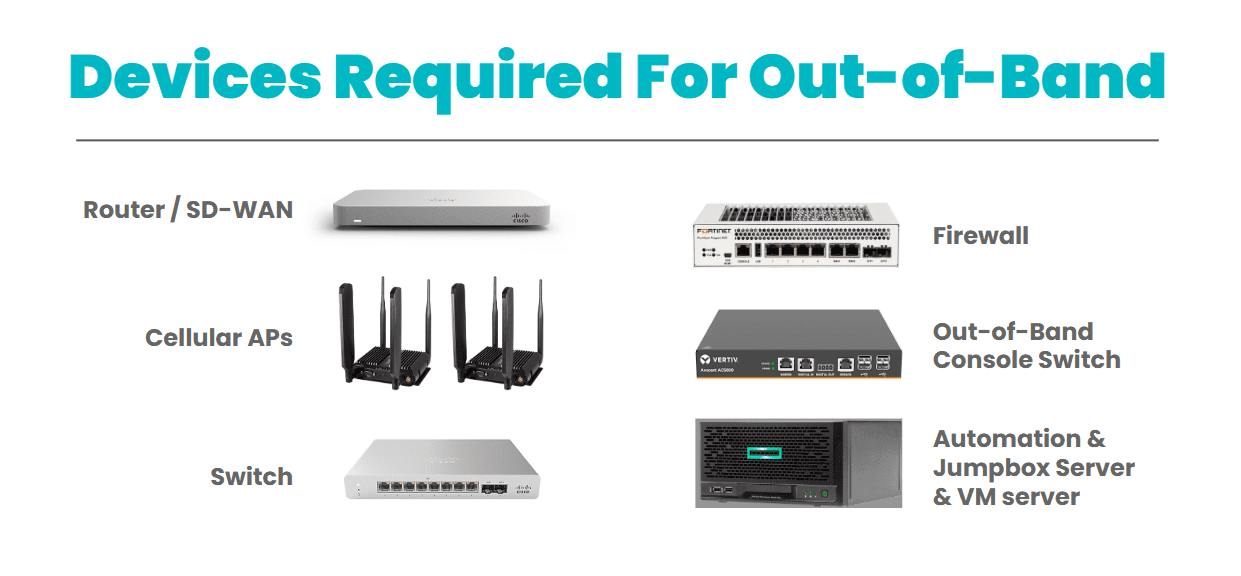
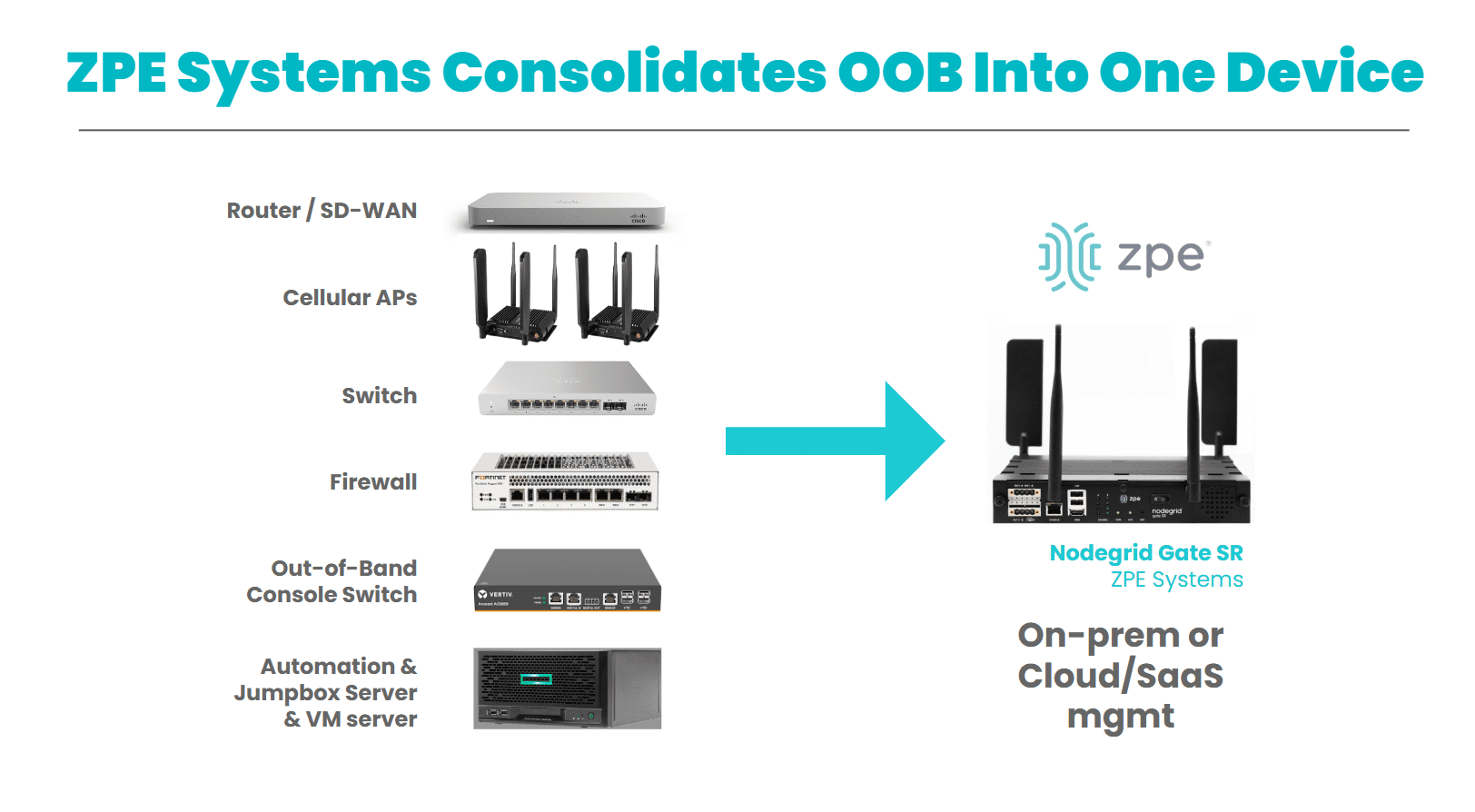
Here are some helpful resources to start building your out-of-band network.
Get In Touch With Us!
If your environment depends on high uptime, fast response, and remote visibility, Nodegrid is the solution that incorporates AI with out-of-band management.
Use the form below to contact us and let’s talk about your network resilience goals.