Providing Out-of-Band Connectivity to Mission-Critical IT Resources

How to Use a Cloud Managed Gateway Router to Optimize OT Automation
cloud managed gateway router

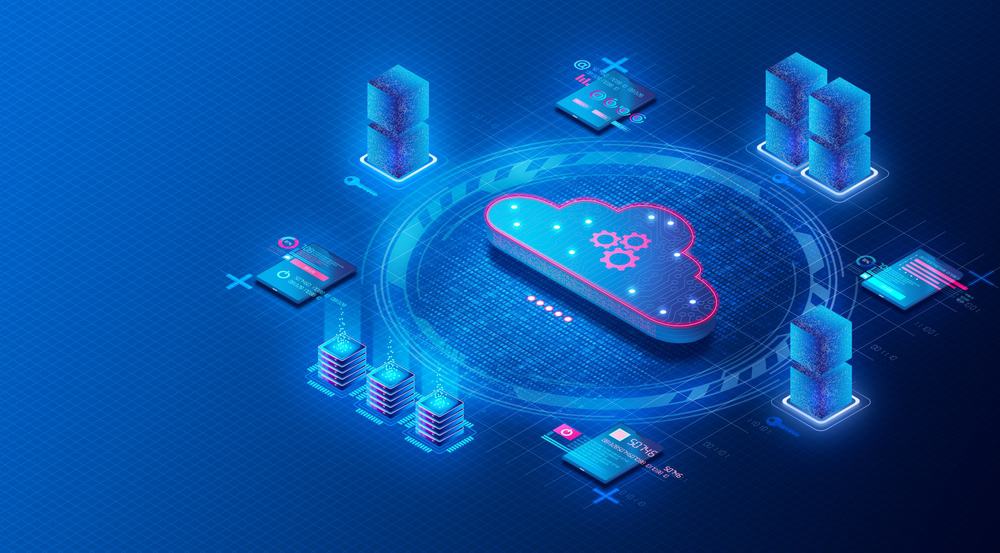
The right cloud managed gateway router simplifies edge network management and unlocks remote access to operational technology (OT). In this blog, we’ll explain what OT automation is, how to manage it with a gateway router, and what to look for in an ideal solution.

What is operational technology (OT)?

Operational technology, or OT, controls equipment interacting with the physical world. The term is used to differentiate these systems and devices from information technology (IT), focused on non-physical data computing.

OT manages the physical equipment used for industrial manufacturing, water and energy utilities, medical procedures, building management, and other physical processes.

Some examples of operational technology include:

  • Programmable logic controller (PLC) – Controls assembly lines, industrial machines, robotic devices, and other manufacturing processes.
  • Supervisory control and data acquisition (SCADA) – A control system for high-level supervision of industrial machines and processes, including PLCs.
  • Building management system (BMS) and Building automation system (BAS) – manage a building’s mechanical and electrical equipment such as lighting and HVAC.

OT facilitates industrial automation, by reducing manual intervention required to control and optimize physical technology. OT automation systems are traditionally isolated from IT networks, running on specialized industrial computers. However, modern OT systems are converging with IT to allow operators to manage them via network-connected PC or even from a cloud platform.

Using a cloud managed gateway router to optimize OT automation

Frequently, OT devices operate outside your main headquarters, in remote facilities such as factories, warehouses, data centers, and branch offices. In the past, that meant you needed operational technology installed at each location, with operators on-site to monitor OT automation computers. However, IT/OT convergence enables you to connect operational technology to edge network gateway routers, facilitating remote control via specialized software or a cloud-based application.

Gateway routers connect remote facilities to WAN or SD-WAN architectures, providing seamless and secure access to enterprise network resources. They also provide administrators with access to monitor and manage edge network routing and security. Some gateway routers also function as serial console routers, which means they can be used to directly manage the devices connected to them—including operational technology. A cloud managed gateway router with serial console capabilities gives administrators the ability to control remote networking and OT systems anywhere.

One of the issues with remote OT automation is that it may consist of several different systems and applications. For example, a managed service provider (MSP) may need to control HVAC, power distribution, security systems, and other infrastructure for many different clients using a variety of OT computers. They may even have some old analog gauges in place which they monitor with a cheap IoT camera.

Each of these disparate OT systems has its own application or cloud portal that operators must learn, configure, and manage, which is inefficient and creates risk of human error. A vendor-neutral cloud managed gateway router can solve this problem by bringing all your OT applications together under one unified platform.

What to look for in a cloud managed gateway router

Not all cloud managed gateway routers are optimized for OT automation. Let’s examine what an ideal solution looks like.

★ Hardware

The gateway router itself should use high quality hardware, and it should integrate with high quality operational technology hardware as well. You should secure the router hardware with features like cryptographic modules and geofencing to prevent tampering if the devices are stolen or intercepted in transit. A vendor neutral gateway router also needs to support various hardware connections such as RS-232, RJ-45, USB, and IPMI so you can ensure compatibility with your various OT systems, including analog and IoT solutions.

★ Operating System

The OS that runs on the cloud managed gateway router should be hardened and frequently patched to prevent hackers from exploiting vulnerabilities. The provider will update an ideal solution, so you don’t have to constantly stay abreast of all new security vulnerabilities or keep on top of the vendor’s patch schedule. A vendor neutral gateway router should run on an open, Linux-based OS to allow easy integrations with OT software.

★ Zero touch provisioning

Zero touch provisioning (ZTP) allows you to automatically deploy device configurations over a network connection. A cloud managed gateway router should have ZTP capabilities both for itself and for other connected devices. This eliminates the need for pre-staging so that you won’t risk a configured device falling into the wrong hands during shipping. It also reduces the need for engineers to travel on-site to install and configure new devices, saving time and money.

★ Connectivity

The gateway router’s primary job is to provide remote systems and users with a reliable connection to the enterprise network, ideally using SD-WAN technology. It should also provide a dedicated out-of-band (OOB) management connection, so administrators have reliable access to control and troubleshoot the remote network. An ideal solution includes high-speed failover via 4G/5G to ensure seamless connectivity for both administrators and end-users.

★ OOB provisioning and management

Provisioning and changing device configurations over the production network is risky. There’s always the chance that a configuration mistake could take the whole network offline. That’s another reason why a cloud managed gateway router should provide an OOB network connection, so you can deploy and modify device configurations without affecting the production network.

★ Orchestration

A cloud managed gateway router should provide orchestration so you can coordinate automated tasks and workflows across all your OT systems. This brings all OT applications together behind one pane of glass, facilitating efficient management and powerful optimization. End-to-end OT automation at the edge is only possible with a truly vendor-neutral gateway router that supports integrations with your choice of OT solutions, automation tools, and scripting languages.

A cloud managed gateway router with these features will empower efficient OT automation at the edge.

Why choose the Nodegrid cloud managed gateway router solution?

The Nodegrid line of cloud managed gateway routers delivers powerful edge network management optimized for operational technology automation. Features like secure zero touch provisioning and gen 3 OOB management support efficient and low-risk operational technology deployments while ensuring constant availability. Nodegrid’s vendor-neutral hardware, operating system, and cloud-based management platform can integrate all your OT solutions for true end-to-end orchestration.

Learn more about edge network orchestration:

→  Simplifying Network Edge Orchestration with a Single Platform
→  Edge Computing Trends to Expect in the Post-Covid World
→  Out-of-Band Is a Lifesaver for Critical Edge Networking. Here’s Why…

Learn more about the Nodegrid cloud managed gateway router.

Call 1-844-4ZPE-SYS or  Contact us online!

Contact Us

What Makes a Gen 3 Serial Console?

NSCPDDC

The Gen 3 serial console is the latest innovation in out-of-band management.
But what exactly is it, and where did it come from? In this post, we’ll briefly cover the basics of serial consoles and why you need them, and then dive into the evolving needs that brought about the Gen 3 serial console.

What is a serial console?

A serial console is a multi-port device that you connect to the console port of other devices. This allows you to gain management access to each device via one serial console, instead of having to individually connect to each separate device.

If you have a data center or other location with lots of IT equipment, a serial console is a must-have. It doesn’t just give you convenient access to your device stacks; the serial console is also a foundational component of out-of-band management. Out-of-band means having a completely separate network that you can use to manage your equipment, instead of having to rely on your main production network.

Why do you need out-of-band management?

Imagine relying on your production network to troubleshoot and manage your device stacks. This jeopardizes your security since it exposes you to any bad actors lurking on your network, and significantly increases this risk if directly connected to the Internet. Security risks aside, how are you going to remote-in to a server or router if your network suddenly goes offline?

With out-of-band, you have a management network that’s completely separate from your production network. This drastically shrinks or eliminates your exposure to threats, and also lets you access your assets even if there’s a main network outage. If a server needs to be rebuilt or a router needs to be power cycled, out-of-band lets you gain access through your serial console to perform these tasks independently of your production network.

Out-of-band has been around for a couple decades, and is now going through another evolution in which its requirements are changing. We’ll cover these evolving needs in the next sections, but here’s a quick breakdown to give you an idea:

ZPE – Serial Console Gen
Each generation requires a serial console that brings additional capabilities to network management. Now let’s take a look at these evolving needs, starting with Gen 1.
Gen1

Gen 1 Serial Console:
All About Remote Access

The main requirement of Gen 1 out-of-band was the need for remote access to infrastructure. Most vendors built a serial console to provide this simple connectivity.

Gen 1 serial consoles are suitable for gaining remote access to devices, but this is where the benefits begin to drop off substantially. That’s because they offer minimal scripting capabilities (if any at all), which means you’ll still spend plenty of time manually provisioning and troubleshooting your environments. When you want to automate fixes and repetitive work — like pushing firmware updates or configuration changes — this generation of serial console will leave you seriously underequipped. And when it comes to security measures and the growing need for Zero Trust Network Access (ZTNA), the Gen 1 simply lacks the internal components and open architecture required to enable Zero Trust controls.

The Takeaway:

Gen 1 serial consoles do a good job eliminating truck rolls and on-site troubleshooting. But if you’re looking to reduce your workload through automation or meet the latest requirements for Zero Trust Security, the Gen 1 won’t get you there.

Gen2

Gen 2 Serial Console:
More Automation, Less Hands-on Troubleshooting

With admins and engineers able to remotely access their infrastructure, it became natural to wonder, “What added features could make the job easier?” This brought about a new set of out-of-band requirements focused on automating troubleshooting, and the Gen 2 serial console was born.

The Gen 2 features the same remote access capabilities as its predecessor, but brings more value to troubleshooting by expanding the automation toolkit. This serial console generation enables scripting and automation for more than just basic tasks. For example, if your servers were manually installed and configured but you recently discovered a bug, the Gen 2 allows you to script a fix and automatically push a new bug-free configuration across the environment. On the more advanced side, you could automate provisioning, feature delivery, and device recovery — but only if you have the right amount of resources and tenacity at hand.

Although Gen 2 serial consoles offer more automation capabilities than Gen 1 devices, most vendors limit how far you can extend your automation. Many of these serial consoles feature closed architecture that integrates only with specific vendor devices or APIs, meaning your automation eventually stops at some point. They also require you to learn certain programming languages like Python, or support only a limited set of workflows or Ansible playbooks.

On top of this, many claim to have added security features, but this can give you a false sense of security. Some use the Trusted Platform Module (TPM) but don’t properly integrate it, leaving you without a secure root of trust that makes you vulnerable when implementing new hardware and software. Vendors also often stop supporting their devices after a few years, meaning you don’t get an updated OS or the latest security patches.  Because Out-of-Band devices have access to your entire production environment, an adversary can take over of our OOB also gives them access to your in-band systems and ultimately your business.  Therefore the correct security implementation is even more important requirement in OOB deployments as it has a major impact on business continuity. 

The Takeaway:

Gen 2 serial consoles help you with remote troubleshooting and can reduce some of your manual work through automation. But if you strive to maximize uptime, site reliability, and security, the Gen 2’s rigidity and vendor lock-in will only hold you back.

Gen3

Gen 3 Serial Console:
End-to-end Automation, Security, and Control

Many enterprises realize that Gen 2 serial consoles don’t provide the flexibility for them to automate what they need to. There’s growing business demand for availability (i.e. everything needs to work 99.999% of the time), and also more attack vectors that hackers can exploit. In short, the network simply needs to work — from installation through refresh. That’s why we worked with many enterprises and the world’s tech giants to gather the latest out-of-band requirements and create a blueprint for the Gen 3 serial console.

The Gen 3 serial console comes with beefed-up capabilities in remote access and automation, along with added layers of security that enable true ZTNA. Here’s how this serial console meets Gen 3 out-of-band requirements:

Full Pipeline Automation

The Gen 3 serial console helps you minimize human intervention using full pipeline automation. This can only be achieved using an open architecture and rich API libraries. With a Gen 3 serial console, you can automate deployments with Ansible, Chef, Puppet;  run own own tools in VM, Docker or Kubernetes; create complex workflows using any APIs you need; and interoperate with other systems in your enterprise ecosystem.  Gen 3 addresses the requirements for Immutable infrastructure and NetDevOps.

The Takeaway:

Gen 3 lets you automate what you need not just what you can, without vendor lock-in getting in your way. You can use your existing expertise along with human-readable commands, instead of having to learn new programming languages and skills. Faster response times and fewer failures makes it easier to achieve 99.999% availability or more.

Enterprise-grade Security

The same ZTNA principles need to apply to the OOB infrastructure both at HW, SW and management level.  Gen 3 system have enterprise-grade security features like UEFI secure boot, encrypted disk, properly implemented TPM 2.0 security, and ongoing swift patches. These give you a sturdy foundation on which to build your automation, so you can maintain a secure root of trust, segment your network, and integrate the variety of Zero Trust controls you need.

The Takeaway:

Gen 3 security seals backdoor vulnerabilities by checking the integrity of hardware and software that you integrate. Its open architecture also allows you to implement Zero Trust policy tools, Identity and Access Management solutions, and safeguards of your choice.

In-depth Remote Control

Gen 3 serial consoles enable out-of-band that gives you complete access to all connected equipment. This includes the typical servers, switches, and routers, but also PDUs, IPMI devices, environmental sensors, and other physical or virtual assets. The Gen 3 can host all the tools your automation needs for virtual remote presence and also serve as your crash cart when humans want to log in.  Centralized cloud management and out-of-box playbooks also helps Gen 3 enable true zero trust provisioning of entire environments.

The Takeaway:

Gen 3 enables remote out-of-band control of your entire infrastructure, as if you were physically at each location. And it serve as the right device for your automation journey by being the first device in the rack as the bootstrapping target, and also as your crash cart for automated or manual troubleshooting and management beyond Day 0.

Access our trade-in program and switch to Gen 3


Our trade-in program gives you money back for every device you trade in. If you have devices from Avocent, Cisco, Opengear, or other vendors, you can benefit from upgrading to Gen 3 through this program:

  • Get money back for every device you trade in
  • Improve uptime and cut workloads with Gen 3 out-of-band remote access and automation
  • Bonus: Get access to ZPE Cloud for intuitive, browser-based global fleet management

Watch agile networking in action with these Nodegrid demos

title_demoreel

Watch agile networking in action with these Nodegrid demos


ZPE® Systems Network Solutions Architect Rene Neumann shows you how easy it is to enable agile networking. See Nodegrid and ZPE Cloud first hand with our collection of demo videos. You’ll learn how to:


  • Use true zero touch for automatic deployments
  • Fully set up environments using rich orchestration
  • Remotely configure and manage edge workloads

Demo: Deploy Networks Fast with ZPE Cloud’s Zero Touch Provisioning

Demo: Fully Provision Edge Network Workloads with Nodegrid

Demo: Orchestrate Branch Network Devices Using Nodegrid

HEAnet: providing network uptime for education


HEAnet logo

If there’s one sector that relies on network uptime more than ever before, it’s the education sector. For both in-person and virtual learning, students and staff connect to crucial resources around the world to share information. The infrastructure that enables this connectivity is critical, and in the country of Ireland, this infrastructure is deployed and maintained by HEAnet.

As the national education and research network, HEAnet is a provider who must adhere to stringent service levels in order to keep entire education communities online. But they recently faced a few major challenges as their out-of-band (OOB) management solution neared its end-of-life (EOL) date. This system was crucial to maintaining network uptime, as it gave engineers remote access to their 50+ nationwide locations. They needed to quickly roll out a new solution, but they were faced with a second challenge — limited staff.

It seemed HEAnet was stuck between a rock and a hard place. They would surely need to outsource the job, and that’s when they turned to Rahi, the world-renowned MSP who introduced them to ZPE Systems’ Nodegrid.

The rest is history, and for a deep dive into that lesson, download the full HEAnet case study below.

But before you do, here’s a quick refresher on critical infrastructure and why network uptime can be difficult to maintain.

Critical infrastructure and network uptime

Critical infrastructure is made up of the systems that connect sites to each other and to the rest of the world. The data center is an obvious example of where critical infrastructure is deployed. Points-of-presence (POPs) and colocations are other somewhat obvious examples. All of these house components, such as servers, switches, and routers, which are essential to handling data and traffic that organizations rely on.

Here are more examples of where critical infrastructure is commonly found:

  • Warehouses: servers, routers, and Wi-Fi access points help humans and their automated counterparts track inventories, fulfill orders, and communicate with vendors.
  • Manufacturing plants: operationalized technology like sensors and IoT devices collect data from gauges, robots, and machining equipment to ensure accurate measurements, maintain quality control, and streamline fabrication processes.
  • Cellular base stations: compute, storage, and failover devices process signals, store data, and provide backup connectivity for critical cell site components.

Organizations must maintain high levels of network uptime for their critical infrastructure, since it supports the lifeblood of everything they do. But this can be a challenge because these components are not always located within convenient reach of skilled engineers.

Why can network uptime be so challenging to maintain?

Maintaining network uptime can be challenging even for fully-staffed locations. This difficulty is amplified — quite dramatically — when organizations have to recover and maintain sites that are located far off the beaten path.

Imagine this: you’re responsible for monitoring and troubleshooting critical infrastructure for a network of college campuses in your region. One of your most remote sites, which serves more than one thousand students and faculty on any given day, experiences sudden disruptions and eventually goes offline. It’ll take close to four hours for you to put skilled staff on site to recover the network, which puts you at risk of breaching your SLA. You and your team are stressed out and scrambling, while students and teachers have no option but to cancel some or all of their activities.

Now imagine that you have a tool that allows you to respond instantly and restore the network before anyone even notices. That’s the kind of power you can achieve with a deep, robust out-of-band management solution, which is one of the tools HEAnet deployed to keep disruptions from reaching users.

There’s more that can go wrong, however. Your sites could suffer an ISP outage, leaving locations in the dark if they don’t employ any wireless backup connections. Or if your customer has a multi-vendor MSP solution that you’re part of, the other vendor’s components may be to blame, and you need a tool that can help you quickly diagnose the root cause.

Download the HEAnet case study

To see more challenges you might face when maintaining network uptime, download the HEAnet case study. You’ll also discover how Nodegrid gave them seamless backup connectivity and allowed a single Rahi engineer to deploy two sites in a single day. Get the case study now.

Zero touch provisioning: 3 drawbacks you need to know

It’s Friday morning, and you’re bringing a new site online with zero touch provisioning. Your remote branch devices arrived the night before, and all you want the store manager to do is plug them in. A few minutes later, your job is finished and you’ve still got your entire day left. What are you going to do with all your free time?

This is the picture that’s commonly painted of zero touch provisioning. And why not? When compared to manual provisioning, zero touch brings drastic improvements and efficiency to deploying networks. Its biggest benefits include:

  • Helping you deploy sites fast, because it’s a plug ‘n play solution
  • Reducing manual work and errors, because it’s automatic
  • Supporting on-demand scaling without bogging down your resources

Business person using laptop connected to network users and services.

With zero touch, you don’t have to be on site for days or weeks manually configuring individual devices. You also shrink the risk of human error that can unwind all your deployment progress and force you to start over. And when it comes to scaling, it eliminates so many of the shipping costs and technician expenses, and instead lets you spin up new sites in a single day.

So what’s the problem with zero touch provisioning?

The trouble with zero touch provisioning is that it usually comes with hidden obstacles that vendors don’t tell you about. Zero touch promises to make deployments quick and easy, but these obstacles can eat up your time savings and make you vulnerable to attacks.

Here are 3 big drawbacks you need to know about zero touch provisioning.

Drawback: Zero touch provisioning is limited to one vendor

Imagine you’re on location setting up a plethora of devices from different vendors. You plug in your zero touch solution, but you still have to manually configure three other vendor devices that make up your stack. This is the first major drawback to zero touch provisioning.

For the most part, zero touch is limited to one vendor’s solutions and doesn’t extend to devices or solutions from other providers. This is usually to encourage purchasing multiple solutions from or standardizing on one vendor.

Why is this a drawback? This is just another approach to vendor lock-in. It limits your freedom when trying to leverage zero touch provisioning, which can be a major drawback especially in custom, multi-vendor environments. When you’re choosing a zero touch solution, consider how much of your stack it can actually automate and how much time you’ll still have to spend on manual provisioning.

Drawback: Zero touch provisioning isn’t secure

What happens if you set up your site with zero touch provisioning, only to discover that your network is already under attack? You wonder how it could have happened, but then you remember all of the preconfiguring required to make zero touch possible. This is another major drawback.

Most solutions do live up to the promise of being ‘zero touch,’ but only after you’ve performed extensive preconfiguring of your devices. This is a major security concern because you’re loading up your stack with sensitive information about your network. Recent reports show that ransomware claimed a victim every 10 seconds in 2020.

Why is this a drawback? With your network attack surface more distributed now, especially during the pandemic, it’s critical to minimize your exposure to threats. But having to preconfigure your devices for zero touch provisioning makes it easier for you to become a victim. Even if you can keep careful watch over your devices to ensure no physical attacks occur, hackers can easily exploit your systems through something like an open port that one of your employees forgot to close. In a nutshell, preconfiguring puts you at unnecessary risk.

Drawback: Zero touch provisioning limits orchestration

The ultimate goal of using zero touch provisioning is to add convenience to deployments and management. You want to save time and effort all around by eliminating manual work. But another major drawback to zero touch is that it puts a limit on how much and how many of your processes you can orchestrate.

Automation is when you can automate simple tasks, while orchestration is when you can automate entire processes and workloads. Most zero touch solutions allow you to implement a little bit of both automation and orchestration, but limit or simply lack support for orchestrating across devices and environments.

Why is this a drawback? The more manual work you have to perform, the less value you get out of zero touch provisioning. And most solutions require you to manually bootstrap VMs, activate service licenses, run Docker apps, and even update device firmware as new patches are released. Though zero touch might save you time and effort on initial setup, consider how these savings might evaporate in the long run.

Can you avoid these drawbacks?

Imagine you’re setting up a new network. Your environment is tailored specifically to your needs, which includes a custom-built monitoring application, Palo Alto NGFW, data thinning workloads, and a host of other solutions meant to optimize operations. And the best part is, you don’t have to worry about vendor lock-in, security gaps, or limited orchestration. All you need to do is plug in your devices, and the entire environment will build itself in just a matter of hours. Everything just works so you don’t have to.

That is what true zero touch provisioning feels like, and it’s something we’re passionate about at ZPE Systems. That’s why we’ve spent years building zero touch convenience features into our Nodegrid solutions. You don’t have to put up with these major drawbacks any longer.

Nodegrid’s zero touch provisioning extends across vendor solutions, even to devices that don’t support automation. This means that you can automate and push configurations to whatever you connect to Nodegrid — including legacy switches, routers, and other equipment.

Nodegrid’s zero touch provisioning also eliminates the need to preconfigure devices. ZPE Cloud serves as your repository for configuration files and allows you to remotely push these files to 100% factory-default devices. Physical attacks no longer pose a threat, while built-in security features and alerts automatically block and pinpoint attacks.

Because Nodegrid OS is Linux-based, it gives you the freedom to orchestrate across devices and environments, with a rich API library and your choice of tools like Ansible, Chef, Puppet, and REST. You can save time and effort on deployments and ongoing management. This means that you can implement a zero touch provisioning solution that automatically spins up VMs, deploys Docker containers, activates service licenses and configures service chaining, updates firmware, and carries out any number of workloads you need.

Get free resources to help you deploy zero touch provisioning

When you’re choosing a zero touch solution, carefully consider how these drawbacks will impact your deployment and management efforts. To help you, download The Definitive Guide to Zero Touch Provisioning, and when you’re ready to implement your solution, use our 4-Step Checklist for Setting Up Zero Touch Provisioning.

For regular updates to help you streamline enterprise networking, sign up for our newsletter using the form below.

3 Ways Your Critical Remote Infrastructure Is Costing You

It’s easy to imagine all the ways that downtime can throw a wrench into your critical remote infrastructure operations. Things like scaling, service outages, and tedious management are just part of the job. No matter how much these stand in the way of business, there’s not much that you can do about them, right?

Not quite. In this post, we’ll explore three reasons your complex critical remote infrastructure is costing you, and how Nodegrid is the simple solution that helps you save.

If you’re short on time, here’s a two-minute video explaining how you can cut through the complexity of managing your network.

Deploying critical remote infrastructure

You’re probably familiar with long deployment times for your critical remote infrastructure. Manually provisioning and setting up networks consumes a lot of time and resources. The obvious costs here are the staff wages and device shipping expenses; however, the not-so-obvious cost is the business opportunity that you miss. The longer it takes you to deploy, the longer your location goes without meeting demand or generating revenue.

How can you minimize this cost? By using zero touch provisioning.

Zero touch provisioning uses automation to automatically configure and build your networks. Instead of putting staff on site to manually set up each device in your stack, you can instruct even unskilled staff to simply plug in and boot your devices. Zero touch provisioning does the rest of the work and can bring you online in hours.

Not all zero touch provisioning is the same, though. Most vendors only allow you to use it for their devices or products, which means unless you standardize on their offerings, you’re going to be limited in terms of what systems and services you can automatically deploy. On top of this, you still need to pre-configure devices and put sensitive info at risk, as well as perform manual orchestration and firmware updates.

This is where Nodegrid sets itself apart. Because it features the vendor-neutral Nodegrid OS, it allows you to use your choice of automation tools as well as build custom scripts to orchestrate across devices and environments. This means you can use true zero touch provisioning that extends to every part of your infrastructure — from configuring end devices from different vendors, to bootstrapping VMs, activating service licenses, and setting up your entire network. It offers airtight security as well, because you can completely provision bare-metal devices via ZPE Cloud.

When it comes to your critical remote infrastructure, Nodegrid is your go-to solution for fast, complete, and secure network deployments.

Keeping critical remote infrastructure online

How often does your critical remote infrastructure go offline? When it does, you can suffer losses at a rate of $5,000 or more per minute, according to Gartner. And this only covers the monetary portion. You also need to consider the reputation damage, degradation of trust, and decreased customer satisfaction that result from sudden outages.

If you’re familiar with redundant solutions, you know that these can be a life saver — but on the other hand, they come with two times the number of solutions that you need to purchase, deploy, and manage.

You typically need to deploy two boxes for each function you wish to add redundancy to, and connect them in a high availability configuration. In other words, two firewalls, two routers, two SD-WAN boxes, etc. All this means the initial and ongoing burden of redundancy can be…off-putting.

However, Nodegrid devices feature a powerful hypervisor that allows you to deploy virtualized network functions (VNFs). The onboard, multi-core Intel CPU and Linux-based Nodegrid OS provide you with enough resources to spin up VMs, guest operating systems, applications, and Docker containers directly on Nodegrid appliances. Instead of spending tons of money on more devices that clutter your infrastructure and management efforts, you can host firewalls, virtual routers, SD-WAN solutions, and custom and third-party solutions on one box. You can easily shrink a redundant setup of six devices into two Nodegrid boxes.

Beyond covering your network services with redundancy, Nodegrid also gives you built-in 5G/4G LTE connectivity available via two and four SIM cards, respectively. You don’t have to worry about a main line outage taking down an entire office or store location. Nodegrid automatically switches to your backup cellular connections, so you can keep critical remote infrastructure online and operations running.

Responding to critical remote infrastructure problems

It can be difficult to manage critical remote infrastructure because it’s, well, remote. You may have store locations that are very far away from any skilled IT staff. Or you may operate in an industry such as utilities or oil and gas, where you have critical components distributed across power grids or offshore drilling platforms.

Unless you have a robust remote management tool in place, you’re losing time and money responding to problems. This also means the user experience suffers and is difficult to optimize.

For your business, the losses can start to pile up even before an issue is reported. Your efforts are pulled into managing and dispatching IT teams for on-site support, while users and customers put up with poor network performance or even complete outages.

But when you use Nodegrid and ZPE Cloud, you gain in-depth management capabilities that allow you to fully support your network from a distance. You can save significantly on operational costs by reducing or eliminating the need to roll support trucks. That’s because ZPE Cloud gives you a complete view of your distributed infrastructure, and gives you convenient remote access to manage all your solutions. Use your browser to securely connect without a VPN. You can instantly troubleshoot issues and even reboot devices from thousands of miles away.

Want more tactics to help you reduce downtime?

Watch our free webinar to see how you can cut downtime 50% or more using a Fortune 500 strategy.