Providing Out-of-Band Connectivity to Mission-Critical IT Resources

Home » EdgeOps » Page 5

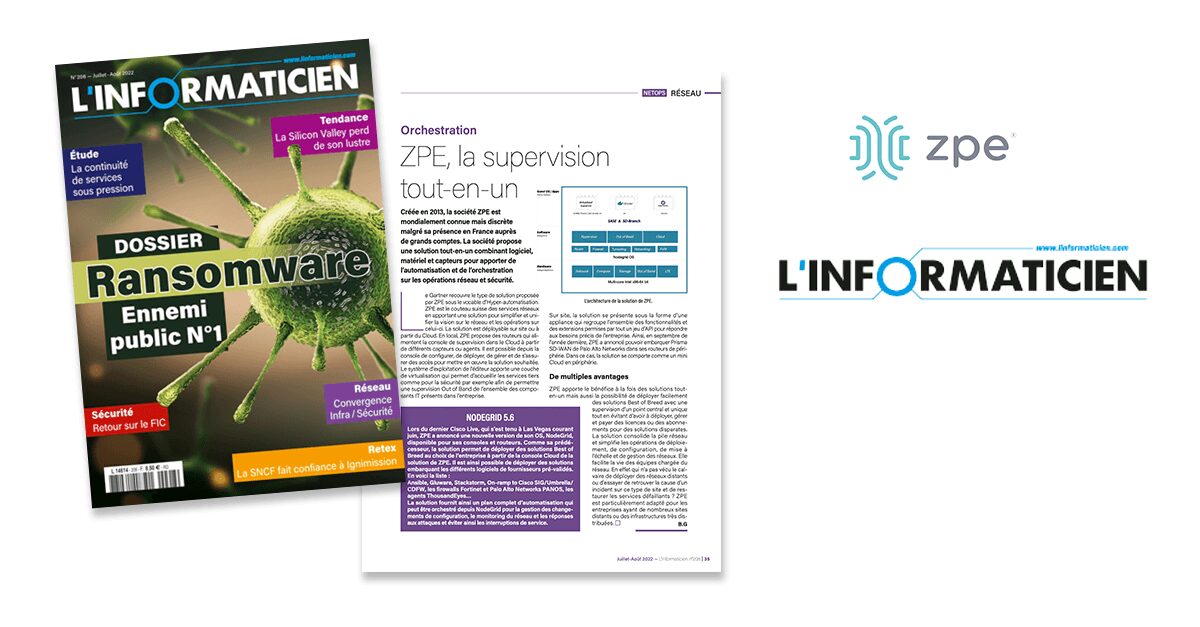
ZPE Systems Featured in L’Informaticien Magazine

L’Informaticien and ZPE Systems

ZPE Systems is featured in L’Informaticien Magazine, a France-based publication with a wide audience. Read the English translation here, and check out the original source content with the links at the bottom. Be sure to follow us on LinkedIn and Twitter for more updates about our global presence.

ZPE, All-in-one Supervision

Founded in 2013, ZPE Systems is world famous but discreet despite its presence in France with large accounts. The company offers an all-in-one solution combining software, equipment and sensors to provide automation and orchestration on network operations and security.

Gartner covers the type of solution offered by ZPE under the term of Hyperautomation. ZPE is the Swiss army knife of network services by providing a solution to simplify and unify the vision of the network and the operations on this one. The solution can be deployed on site or from the Cloud. Locally, ZPE offers routers that supply the supervision console in the Cloud from different sensors or agents. It is possible from the console to configure, deploy, manage, and ensure access to implement the desired solution. The publisher’s operating system brings a layer of virtualization which makes it possible to accommodate third-party services such as for security, for example, in order to allow Out-of-Band supervision of all the IT components present in the company. On site, the solution comes in the form of an appliance which brings together all the functionalities and extensions allowed by a whole set of APIs to meet specific business needs. Thus, in September of last year, ZPE announced that it could ship Palo Alto Networks Prisma SD-WAN in its edge routers. In this case, the solution behaves like a mini Cloud at the edge.

Multiple advantages

ZPE brings the benefit of both all-in-one solutions but also the ability to easily deploy best-of-breed solutions with a supervision from a central and unique point, while avoiding the need to deploy, manage, and pay for licenses or subscriptions for disparate solutions. The solution consolidates the network stack and simplifies the operations of deployment, configuration, updating network scale and management. This makes life easier for the teams in charge of the network. Who has not experienced the ordeal of deploying remote networks or to try to find the cause of an incident on this type of site and to restore the faulty services? ZPE is particularly suitable for companies with many sites or highly distributed infrastructures

Nodegrid 5.6

During the last Cisco Live, held in Las Vegas during June, ZPE announced a new version of its Nodegrid OS available for its consoles and routers. Like its predecessor, the solution makes it possible to deploy best-of-breed at the choice of the company from the Cloud console of the ZPE solution. It is thus possible to deploy solutions embedding the various software from pre-validated suppliers.

Here is the list:

  • Ansible
  • Gluware
  • Stackstorm
  • On-ramp to Cisco SIG/Umbrella/CDFW, Fortinet, Palo Alto Networks’ PANOS firewalls, ThousandEyes agents

The solution thus provides a complete automation plan that can be orchestrated from Nodegrid for configuration change management, network monitoring and response to attacks and thus avoid service interruptions.

LInformaticien

Actualizing Edge Computing Benefits in Your Enterprise

Edge Computing Benefits
Edge computing is poised as the next critical technology to propel a business into the future. Edge computing delivers greater speed and reliability by decentralizing enterprise resources and placing them closer to their employees, partners, and/or customers. However, some unique challenges are involved in managing and securing this kind of highly-distributed network architecture. In this blog, we’ll explain how to overcome these hurdles so you can actualize edge computing benefits in your enterprise.

Edge computing benefits, challenges, and solutions

Edge computing involves moving critical resources and digital workflows out of the centralized data center and closer to the people and devices who use them. Edge computing often occurs in remote locations far from the main data center, such as manufacturing plants in developing nations, oil rigs in the deep ocean, or hospitals in rural areas. Edge computing places the processing power needed for applications and analytics closer to these remote endpoints, which provides the following benefits.

Main edge computing benefits

  • Reduced latency: Users and devices in remote locations are physically and logically closer to the resources they need, reducing latency and improving performance.
  • ★ Increased bandwidth: Less remote traffic is routed through the centralized data center, so more bandwidth is available to the edge locations and the main enterprise.
  • ★ Simplified compliance: Individual locations may have different regulatory requirements, and edge computing allows you to store and process data locally, making it easier to ensure compliance.

Edge computing challenges

On its face, edge computing seems relatively simple—all you have to do is install some servers and GPUs in a remote, edge location. However, the edge’s very nature creates challenges you can’t ignore. Many edge locations do feel like the edge of the world. They may be hard to reach, have inhospitable weather conditions, or even sit in an active warzone. Deploying engineers for equipment installations, troubleshooting, or even simple maintenance is complex. It also means you’re not guaranteed to have a reliable internet connection to access and manage edge resources. Remote edge technology is also harder to monitor, which increases the risk of tampering by malicious actors. Plus, extreme weather or collateral damage from warfare could physically damage your infrastructure. These factors could cause you to lose expensive equipment and valuable data.

Edge computing solutions

To actualize edge computing benefits in your enterprise, you need to anticipate the above challenges by implementing the following solutions:

  • Out-of-band (OOB) management OOB management provides an alternative path to your critical remote infrastructure when the primary network is down. An OOB management solution for edge computing uses a high-speed wireless connection (such as 4G/5G cellular) which is less likely to be affected by extreme weather or the destruction of underground infrastructure.
  • SD-WAN SD-WAN (or software-defined wide area networking) provides a resilient connection between your edge computing resources and enterprise network. SD-WAN helps ensure constant availability at the edge by using intelligent routing that automatically redirects traffic to available resources during an outage.
  • Automation Automation makes it easier to deploy and manage infrastructure at the edge. For example, Zero Touch Provisioning allows administrators to automatically deploy device configurations over the WAN, reducing the need for on-site technicians.
  • Virtual presence A virtual presence allows you to monitor your edge infrastructure’s condition remotely. For instance, environmental monitoring sensors provide data on temperature, humidity, and airflow so you can prevent damage to your valuable equipment. Proximity and tampering sensors can also alert you if an unauthorized individual attempts to access your hardware.
  • Security You must implement local security when you move compute resources to the edge. For example, an edge firewall will enable traffic inspection and intrusion detection without the need to route all edge traffic through the security stack in your central data center. Often, it’s easiest to run security applications as a VM on an edge system.

OOB management, SD-WAN, automation, a virtual presence, and edge security are critical for the success of edge computing. However, that doesn’t mean you must buy five new solutions for each edge location. Ideally, you’ll use a consolidated edge networking solution that rolls up all the functionality you need in one compact device. This will allow you to easily deploy and manage your edge computing resources while reducing your technology footprint in remote locations where space and budgets may be limited.

Unlock edge computing benefits with Nodegrid

Every edge computing use case is different. You may have several small data centers worldwide with dozens of racks. Or, you might have many nano data centers, each with a single device running all your edge compute applications. No matter what your edge architecture looks like, ZPE Systems has a solution to help you unlock edge computing benefits. For example, the Nodegrid Net Services Router (NSR) is a compact, all-in-one edge networking solution that’s customizable to your requirements. With swappable modules for OOB management, 5G/4G cellular, storage, and compute, you can run an entire edge computing deployment from one device. Nodegrid’s vendor-neutral platform supports integrations with your choice of third-party automation, orchestration, and security providers. Or, you can host applications for automation, SD-WAN, security, and more on a single device. You can even run VMs directly from your NSR to further streamline your edge operations. Plus, you can connect Nodegrid’s environmental monitoring sensors to any Nodegrid device. You can maintain visibility on your critical remote infrastructure with sensors for temperature, humidity, proximity, airflow, smoke, and particulates.

Want to learn more about computing benefits with Nodegrid?

Nodegrid is a consolidated, all-in-one device, so you can enable edge computing benefits without buying many separate solutions. Contact us today or call 1-844-4ZPE-SYS for a free demo.
Request a Demo Today

What Is Hybrid Cloud Infrastructure: Expectations vs. Reality

what is hybrid cloud infrastructure

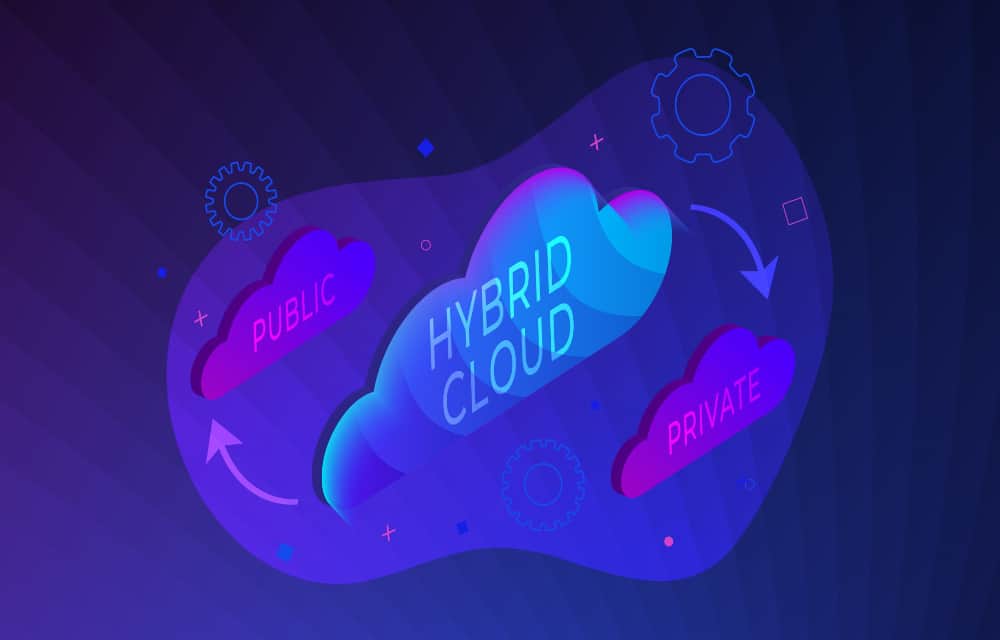
Hybrid cloud deployments allow you to combine the best features of public cloud, private cloud, and on-premises infrastructure. But what exactly goes into hybrid cloud infrastructure, and how is it achieved? In this blog, we’ll compare the expectations of a hybrid cloud to the realities of implementation and provide advice on overcoming these challenges.

What is hybrid cloud infrastructure?

Hybrid cloud infrastructure involves using a combination of public cloud, private cloud, and on-premises data center environments. True hybrid cloud architecture allows you to move workloads back and forth among these environments safely and securely.

  • A public cloud is what most people think of when they hear cloud computing. Public cloud services are decoupled from the underlying infrastructure and delivered as a web-based application or platform. The actual compute resources are shared amongst many other customers. Examples of a public cloud include Microsoft 365 and Google Apps.
  • Private cloud infrastructure is owned and managed by a third-party provider, but other customers do not share the hardware you use. You rent dedicated storage and compute resources, but have no physical access to or control over the infrastructure. Examples of a private cloud include Microsoft Azure and Amazon Virtual Private Cloud (VPC).
  • An on-premises data center is a data center that your organization has complete control over. It may or may not be on the same premises as your headquarters office. Not all hybrid cloud infrastructures include on-premises environments—only public and private clouds are required.

The public cloud offers many benefits for enterprises, such as scalability and cost savings. However, organizations frequently need greater control over certain data and resources. For example, any company working with healthcare information, or providing services to the federal government, must follow strict privacy and security regulations. That’s why many organizations opt to keep some of their resources in on-premises data centers or private clouds.

That said, keeping these resources isolated from your public cloud services, applications, and data is not always feasible. There’s a need for interoperability and orchestration of workloads among mixed architectures. In a hybrid cloud infrastructure, there is a virtual service that acts as a managed “bridge” between different environments. This allows you to move workloads, applications, data, and other resources around as needed to ensure peak performance without compromising security.

Hybrid cloud infrastructure: expectations vs. reality

The expectation for hybrid cloud infrastructure is that all of your systems, services, and applications will work together seamlessly. Your data and other resources will be portable, so you can move them from one cloud to another without compatibility issues or other headaches. Most importantly, you’ll have a centralized, web-based platform to orchestrate workloads across your heterogenous environment. The reality of hybrid cloud, however, is often much more complicated.

Vendor lock-in

One major hurdle to implementing a hybrid network environment is closed ecosystems. Vendor lock-in can prevent your legacy on-premises solutions from interoperating with cloud hardware and software, and vice-versa. Data and applications designed for traditional infrastructure may be incompatible with cloud platforms. And not only do these systems all need to communicate and work together, but you also need an orchestration platform that can dig its hooks into disparate vendor solutions and control them equally.

Issues with vendor interoperability could force you to rebuild your entire stack just to enable hybrid orchestration. To get around this expensive and time-consuming challenge, you need a hybrid cloud infrastructure orchestration platform that’s based on an open architecture for true vendor neutrality. This will allow you to manage workloads across cloud and legacy environments without replacing the systems and software already in place.

Infrastructure complexity

Hybrid cloud infrastructure reduces the number of physical servers and storage devices you’re responsible for, so you might assume this will reduce the complexity of your network operations. This isn’t necessarily the case. The virtual and physical hardware responsibility is shifted to the cloud vendor, but your team will still need to know how to configure, monitor, and maintain all your cloud services.

In a hybrid cloud infrastructure, there are often many different platforms from different vendors. That means you need people who are experts in all these systems. Plus, you’ll also need a more complex network architecture to support a seamless hybrid cloud environment. That often means purchasing more boxes from more vendors, which your team must also learn to configure and maintain.

One way to reduce the complexity of your hybrid cloud infrastructure is by consolidating your networking stack. For example, you can use high-density serial console switches that provide out-of-band (OOB) management interfaces, network failover, environmental monitoring, and network switching. Similarly, you can look for modular, multi-function devices that allow you to create a custom box that includes all the specific hardware and functionality you need.This will reduce the number of devices in your rack and provide administrators with a single platform to manage all this functionality.

Spiraling costs

Cloud services are often less expensive to deploy and scale than on-premises infrastructure. Instead of a large up-front cost to purchase and install new hardware solutions, you typically pay a smaller recurring fee. When you need more resources, you simply upgrade your services for additional cost without needing to buy and configure more hardware.

The issue is that these recurring fees can begin to snowball over time, especially if you keep increasing your contract. Many cloud services often come in bundles or packages, meaning you can’t just pick and choose the functionality you need a la carte. So, you could end up paying for features you don’t even need.

Plus, you’ll incur additional costs if you need to rebuild part or all of your on-premises stack to enable hybrid cloud orchestration. The same goes for the networking technology that’s required for hybrid integrations. These expenses can be reduced by following the advice above—using a completely vendor-neutral hybrid cloud orchestration platform. Plus, consolidating and streamlining your infrastructure in as many ways as possible, such as with the hardware itself, but also with the software and management layers. For example, an OS allows you to easily/seamlessly integrate many different solutions, and a management platform allows you to manage everything from a normalized UI—rather than having to spend money on many different specialists.

Implementing a hybrid cloud infrastructure is often more challenging than organizations expect. However, by using vendor-neutral solutions and consolidating your tech stack, you can avoid vendor lock-in, reduce the complexity of your infrastructure, and keep costs in check.

Ready to simplify hybrid cloud infrastructure?

The Nodegrid infrastructure management solution from ZPE Systems enables true hybrid cloud orchestration. Nodegrid’s open architecture and vendor-neutral hardware can get its hooks into all your legacy, on-premises, and cloud solutions, so you have total control over your hybrid environment. With the ZPE Cloud management platform, you can monitor and orchestrate your entire infrastructure from behind one pane of glass.

Plus, Nodegrid’s consolidated networking hardware can help you reduce the complexity of your tech stack while still delivering all the features and functionality you need. Some of the world’s biggest tech companies are benefiting from this, by using Nodegrid to deploy and manage their hybrid infrastructures.

What is hybrid cloud infrastructure, and how can Nodegrid help you achieve it? 

Contact ZPE Systems to learn more.
Contact Us

How to Use a Cloud Managed Gateway Router to Optimize OT Automation

cloud managed gateway router

The right cloud managed gateway router simplifies edge network management and unlocks remote access to operational technology (OT). In this blog, we’ll explain what OT automation is, how to manage it with a gateway router, and what to look for in an ideal solution.

What is operational technology (OT)?

Operational technology, or OT, controls equipment interacting with the physical world. The term is used to differentiate these systems and devices from information technology (IT), focused on non-physical data computing.

OT manages the physical equipment used for industrial manufacturing, water and energy utilities, medical procedures, building management, and other physical processes.

Some examples of operational technology include:

  • Programmable logic controller (PLC) – Controls assembly lines, industrial machines, robotic devices, and other manufacturing processes.
  • Supervisory control and data acquisition (SCADA) – A control system for high-level supervision of industrial machines and processes, including PLCs.
  • Building management system (BMS) and Building automation system (BAS) – manage a building’s mechanical and electrical equipment such as lighting and HVAC.

OT facilitates industrial automation, by reducing manual intervention required to control and optimize physical technology. OT automation systems are traditionally isolated from IT networks, running on specialized industrial computers. However, modern OT systems are converging with IT to allow operators to manage them via network-connected PC or even from a cloud platform.

Using a cloud managed gateway router to optimize OT automation

Frequently, OT devices operate outside your main headquarters, in remote facilities such as factories, warehouses, data centers, and branch offices. In the past, that meant you needed operational technology installed at each location, with operators on-site to monitor OT automation computers. However, IT/OT convergence enables you to connect operational technology to edge network gateway routers, facilitating remote control via specialized software or a cloud-based application.

Gateway routers connect remote facilities to WAN or SD-WAN architectures, providing seamless and secure access to enterprise network resources. They also provide administrators with access to monitor and manage edge network routing and security. Some gateway routers also function as serial console routers, which means they can be used to directly manage the devices connected to them—including operational technology. A cloud managed gateway router with serial console capabilities gives administrators the ability to control remote networking and OT systems anywhere.

One of the issues with remote OT automation is that it may consist of several different systems and applications. For example, a managed service provider (MSP) may need to control HVAC, power distribution, security systems, and other infrastructure for many different clients using a variety of OT computers. They may even have some old analog gauges in place which they monitor with a cheap IoT camera.

Each of these disparate OT systems has its own application or cloud portal that operators must learn, configure, and manage, which is inefficient and creates risk of human error. A vendor-neutral cloud managed gateway router can solve this problem by bringing all your OT applications together under one unified platform.

What to look for in a cloud managed gateway router

Not all cloud managed gateway routers are optimized for OT automation. Let’s examine what an ideal solution looks like.

 Hardware

The gateway router itself should use high quality hardware, and it should integrate with high quality operational technology hardware as well. You should secure the router hardware with features like cryptographic modules and geofencing to prevent tampering if the devices are stolen or intercepted in transit. A vendor neutral gateway router also needs to support various hardware connections such as RS-232, RJ-45, USB, and IPMI so you can ensure compatibility with your various OT systems, including analog and IoT solutions.

 Operating System

The OS that runs on the cloud managed gateway router should be hardened and frequently patched to prevent hackers from exploiting vulnerabilities. The provider will update an ideal solution, so you don’t have to constantly stay abreast of all new security vulnerabilities or keep on top of the vendor’s patch schedule. A vendor neutral gateway router should run on an open, Linux-based OS to allow easy integrations with OT software.

 Zero touch provisioning

Zero touch provisioning (ZTP) allows you to automatically deploy device configurations over a network connection. A cloud managed gateway router should have ZTP capabilities both for itself and for other connected devices. This eliminates the need for pre-staging so that you won’t risk a configured device falling into the wrong hands during shipping. It also reduces the need for engineers to travel on-site to install and configure new devices, saving time and money.

 Connectivity

The gateway router’s primary job is to provide remote systems and users with a reliable connection to the enterprise network, ideally using SD-WAN technology. It should also provide a dedicated out-of-band (OOB) management connection, so administrators have reliable access to control and troubleshoot the remote network. An ideal solution includes high-speed failover via 4G/5G to ensure seamless connectivity for both administrators and end-users.

OOB provisioning and management

Provisioning and changing device configurations over the production network is risky. There’s always the chance that a configuration mistake could take the whole network offline. That’s another reason why a cloud managed gateway router should provide an OOB network connection, so you can deploy and modify device configurations without affecting the production network.

 Orchestration

A cloud managed gateway router should provide orchestration so you can coordinate automated tasks and workflows across all your OT systems. This brings all OT applications together behind one pane of glass, facilitating efficient management and powerful optimization. End-to-end OT automation at the edge is only possible with a truly vendor-neutral gateway router that supports integrations with your choice of OT solutions, automation tools, and scripting languages.

A cloud managed gateway router with these features will empower efficient OT automation at the edge.

Why choose the Nodegrid cloud managed gateway router solution?

The Nodegrid line of cloud managed gateway routers delivers powerful edge network management optimized for operational technology automation. Features like secure zero touch provisioning and gen 3 OOB management support efficient and low-risk operational technology deployments while ensuring constant availability. Nodegrid’s vendor-neutral hardware, operating system, and cloud-based management platform can integrate all your OT solutions for true end-to-end orchestration.

Learn more about edge network orchestration:

→  Simplifying Network Edge Orchestration with a Single Platform
→  Edge Computing Trends to Expect in the Post-Covid World
→  Out-of-Band Is a Lifesaver for Critical Edge Networking. Here’s Why…

Learn more about the Nodegrid cloud managed gateway router.

Call 1-844-4ZPE-SYS or  Contact us online!

Contact Us

Network Disaster Recovery Plan Checklist

shutterstock_309021146

Your organization may feel secure now, but a disaster could occur at any moment. For example, the war in Ukraine took the world by surprise and left many organizations scrambling to protect and recover critical infrastructure, applications, and data from Ukrainian facilities.

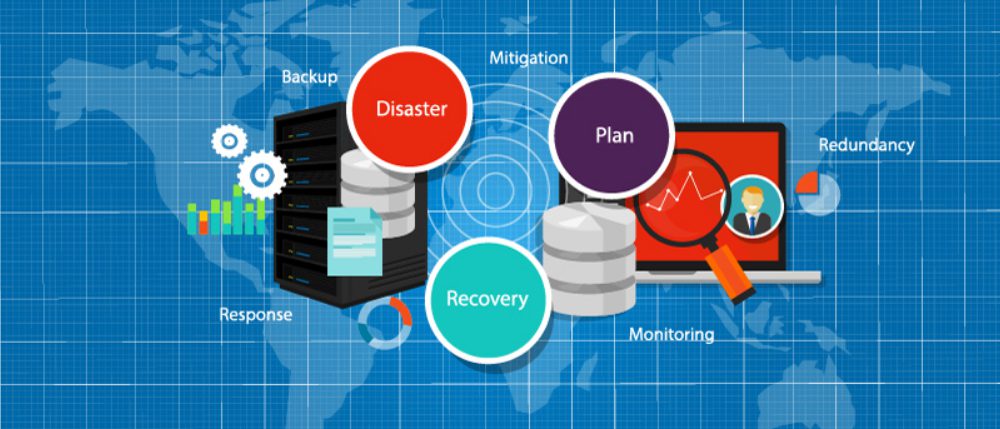
To ensure you’re ready to weather any crisis, you need a robust disaster recovery (DR) plan that accounts for many different scenarios and challenges. This blog provides a network disaster recovery plan checklist to help you establish protocols for protecting your systems, data, and business.

Your network disaster recovery plan checklist

Identify potential disasters

There’s no one-size-fits-all disaster recovery plan—recovering from ransomware is a much different process than recovering from a tornado. You need to determine what types of disasters are most likely to occur and assess each scenario’s individual risk to your facilities, systems, and data.

Network disaster recovery plan checklist:

  Make a list of disasters (natural, man-made, and otherwise) that could pose a threat to your organization.

  Briefly describe what each disaster would look like and how they would impact your company.

  Prioritize your list of disasters based on how likely they are to occur.

Establish the potential impact of a disaster

You should conduct what’s known as a business impact analysis to define how each of these disaster scenarios would impact your organization.

Network disaster recovery plan checklist:

  Determine which business processes, systems, and data are affected by each disaster scenario on your list.

★  Tip: Don’t forget your cloud and edge resources

  Outline precisely how operations will be disrupted by losing or disrupting critical business services.

  Analyze the impact on every aspect of your organization, including productivity, revenue, reputation, etc.

  Calculate the estimated cost of each disaster, both in terms of lost revenue and recovery costs.

Create recovery protocols

What steps do you need to take to recover from a disaster, and what technology will you use to do it? You should create specific recovery protocols for each high-priority disaster scenario on your list.

Network disaster recovery plan checklist:

  Make a detailed list of all recovery procedures and who is responsible for each.

  Make a list of all the technology that will be leveraged in a disaster (e.g., backup data solutions, network failover)

  Outline instructions for every step in every recovery procedure, including branching recovery paths in case one or more of your recovery systems is unavailable.

Set expectations and timelines

Once you know how you’ll recover from each potential disaster scenario, you need to determine the realistic timeline for recovery. This timeline should be based on data and information from the individual team members involved in recovery efforts, as well as the business impact analysis you performed earlier.

Network disaster recovery plan checklist:

  Define how long it would take to complete the recovery procedures for each disaster.

  Compare this to the business impact analysis showing the estimated cost of a disaster to see if your recovery protocols will work quickly enough to prevent unacceptable losses.

★  Tip: If your recovery protocols are too time-consuming, you may need to return to step 3 and re-evaluate your technologies and procedures.

Define individual roles and responsibilities

When disaster strikes, it’s crucial to take action immediately. This is only possible if everyone involved in disaster recovery knows their responsibilities clearly and who is in charge of decision-making.

Network disaster recovery plan checklist:

  Identify disaster recovery team members and determine how they should be contacted when there’s an emergency.

  List the stakeholders who must be kept updated on the recovery status.

  Assign a person (or team) responsible for monitoring the business impact of an ongoing disaster.

  Assign people at each site who will decide on evacuation or relocation of staff and assets.

  Identify the people who have access to secure systems and/or can grant access to others.

Establish lines of communication

Everyone in your organization needs to know who’s in charge of communicating vital information and how to get in touch with key members of the disaster recovery team. You should also identify a single person (or small team of people) responsible for communicating relevant updates to the public to ensure consistent messaging.

Network disaster recovery plan checklist:

  Determine how to communicate with the disaster recovery team (and the rest of the organization) if email and phones are down.

  Create a flowchart outlining who should be contacted in what order for each specific disaster scenario and recovery step.

  Identify a single point of contact responsible for disseminating critical information to staff.

  Make a list (in multiple locations to ensure constant availability) of vendor and support phone numbers to call in case of a cloud or service-related outage.

★  Tip: Also include the support numbers for all your recovery-related technology.

  Identify a single point of contact through which all information about your disaster will be disseminated to the public/customers.

Create a disaster recovery playbook

You should collect all of the information gathered and analyzed in the previous steps into a single playbook that will act as the source of truth for your disaster recovery efforts. This playbook should be made readily available to everyone involved in the disaster recovery plan and duplicated across redundant systems to ensure it’s accessible when a disaster occurs. Essential information from the playbook (such as points of contact) should be shared with everyone in your organization, even if they don’t have a role to play in recovery.

Test your plan regularly

How do you know your plan actually works? You need to test your plan after implementation and then test again on a regular basis. Conduct employee drills to make sure everyone involved knows what they need to do if a disaster occurs. Test your processes and technologies to make sure they still function correctly and that you can recover within the timeline outlined above. Regular testing will let you know if any processes, instructions, or contact points are outdated.

The challenge of network disaster recovery

Even with the most robust network disaster recovery plan, you’re likely to face some hurdles when it comes time to execute your protocols.

For example, what if a disaster occurs at a remote branch office or data center? If you lose network access to your remote infrastructure, do you have a way to remotely troubleshoot and recover, or do you need to lose time and money to truck rolls or local consultants?

How do you deploy replacement devices if remote hardware fails or is irreparably damaged? Do you have staff on-site who can install and configure new devices?  If you stage new equipment at HQ and then ship it to the remote site, what happens if a malicious actor intercepts the package?

Do you have a way to monitor your infrastructure centrally and orchestrate your disaster recovery efforts? Can that system dig its hooks into every network architecture component, including legacy systems?

How ZPE Systems empowers streamlined network disaster recovery

The Nodegrid solution from ZPE Systems helps you execute your disaster recovery plan while avoiding all the most common challenges. Remote out-of-band management gives you access to all your remote network infrastructure via a dedicated link so you can still view, troubleshoot, and recover systems during an outage.

Ultra-secure zero touch provisioning (ZTP) allows you to ship factory-default equipment to remote sites and deploy configurations in a matter of moments, so you can recover faster. Plus, the vendor-neutral ZPE Cloud management platform gives you complete control and visibility on your distributed network infrastructure so you can monitor for issues and implement recovery protocols from anywhere in the world.

Learn more about network disaster recovery:

★  Customer Strategies in Ukraine to Protect Privacy and IP
★  Data Center Environmental Monitoring: How to Stop Disaster Before It Strikes
★  3 Tips to Improve Edge Network Resilience

Execute your network disaster recovery plan checklist with the Nodegrid solution from ZPE Systems.

Get in contact with us or call 1-844-4ZPE-SYS for a free demo.

Contact Us

NetOps vs. NetDevOps vs. SecOps vs. EdgeOps: Your Guide to Navigating the Networking Terms

Communication,Technology,For,Internet,Business.,Global,World,Network,And,Telecommunication
NetDevOps, SecOps, and EdgeOps are crucial components of a holistic and integrated approach to network infrastructure. However, the way each practice works to achieve this objective is not immediately apparent, and understanding this paradigm can be vital to a successful implementation.

This article helps to clarify those dynamics by explaining what each concept does and how they complement each other.

What is NetDevOps?

NetDevOps refers to the convergence of DevOps and networking. It is a practice that encourages communication and collaboration between network architects and operators to automate manual and traditional network processes.

One way NetDevOps achieves automation is via software-defined networking (SDN), which supplies and configures network appliances such as routers and switches. SDN enables businesses to control network behavior through code, allowing users to replicate processes across hardware.

SDN and other automation methodologies facilitate NetDevOps collaboration by enabling multiple people to concurrently work on the same systems, appliances, and applications. In a traditional IT environment, infrastructure configuration, testing, and deployment tasks take place in a sequential fashion, which leaves some team members waiting around for their turn to contribute. In a NetDevOps environment, you can deploy entire configurations to many devices at the same time with SDN, trigger automatic tests to run at certain benchmarks, and automatically integrate necessary software with just a few button clicks. Every member of the NetDevOps team collaborates nearly simultaneously to achieve the same objective.

The goal of NetDevOps is to foster a culture and environment in which network design, tests, and deployment happen quickly and reliably.

NetOps vs. NetDevOps

You may be more familiar with the term NetOps than NetDevOps, though they mean essentially the same thing. The NetOps methodology also applies DevOps principles to enterprise network management, such as collaboration and automation. The word NetOps de-emphasizes the software development (Dev) aspect of IT operations, but NetOps still involves abstracting networking functions as code with SDN and automation. For that reason, NetDevOps is becoming a more popular term for this methodology in modern IT environments.

What are NetDevOps roles in the integration process?

Let’s break down each integration process in NetDevOps and its primary goals.

Breaking down communication silos

The primary goal of NetDevOps is to improve efficiency by fostering team collaboration and communication. More specifically, it allows teams to be more pragmatic and efficient when faced with an issue, including distributing tools throughout the IT infrastructure. Once the enterprise establishes a collaborative architecture, silos are eliminated and teams benefit from more effective communication.

Reducing manual intervention with SDN

Manually revising network infrastructure is time-consuming and prone to human error. To address these inefficiencies and ensure that automation scripts are error-free, SDN employs certain DevOps practices, such as continuous integration (CI) and continuous deployment (CD). These scripts can be re-deployed on numerous servers, rolled back, and made available to all teams.

Promoting network automation

The command-line interface (CLI) performs network operations manually, device by device. Network automation can better connect networking with IT operations and tools, allowing for more agile network workflow. It also helps automate the management, testing, and deployment of virtual and physical devices inside a network. With network automation, enterprises benefit from quicker service start, less human error, and more effective wireless management.

What is SecOps?

Security operations (SecOps) is a partnership between security and IT operations teams similar to DevOps’ role as a collaboration between development and operations teams. It helps organizations automate critical security tasks and meet performance goals without compromising on security.

SecOps follows a set of security operations center (SOC) practices, processes, and tools, such as governance, risk, and compliance (GRC) systems and security information and event management (SIEM). Integration of these security measures occurs atypically early in the software development life cycle (SDLC), which is known as “shifting left”.

In a typical SDLC—which includes product design, development, testing, and deployment—security comes at the latter life cycle stages, sometimes after testing. However, SecOps introduces security measures much earlier in the life cycle, providing better safeguards as the product development progresses.

For example, a typical SDLC looks something like this:

  • Step 1: Planning – You determine the requirements for the software’s functionality
  • Step 2: Design – You model the look and functionality of the software
  • Step 3: Development – Your dev team writes the software code
  • Step 4: Testing – Your QA team tests the code to ensure it functions correctly
  • Step 5: Security – Your security team integrates security monitoring and protection measures
  • Step 6: Deployment – You release the software to production

Security is almost an afterthought, occurring right before deployment. Often, this can lead to friction between teams – most business units want to release the software as soon as possible, but security integration may cause delays.

A SecOps SDLC looks more like this:

  • Step 1: Planning – While you determine the requirements for the software itself, you also plan the architecture for the secure development and production servers you’ll deploy to support the software.
  • Step 2: Design – Development and design teams model the software, and security and ops teams stand up secure development environments.
  • Step 3: Development – As developers write software code and upload it to the repository, automatic security checks run to test for vulnerabilities
  • Step 4: Testing – On a secure testing server, the QA team runs functional and performance tests while the security team runs additional vulnerability and security integration tests
  • Step 5: Deployment – You release the secure software to a secure production environment

Not only does SecOps prioritize security to better fortify your software, but it also streamlines the SDLC, removing an entire step from the process. SecOps empowers you to release secure, high-quality software faster.

How does SecOps complement NetDevOps?

While NetDevOps facilitates work process automation, SecOps provides the security to make those things happen safely, safeguarding NetDevOps practices from cyberattacks.

In other words, SecOps acts as a bodyguard for NetDevOps. Two primary examples are as follows:

Securing critical data center infrastructure

Both SecOps and NetDevOps promote open collaboration between security, networking, and operations teams, especially when it comes to infrastructure management and monitoring.

In traditional IT environments, separate monitoring and management tasks are siloed in different departments, with security, operations, and networking teams all working with different software and solutions on different pieces of your infrastructure. SecOps instead brings all teams together, working within the same monitoring, incident response, and infrastructure management systems. This gives your key SecOps and NetDevOps engineers a holistic view of your environment, allowing them to collaborate and ensure your infrastructure is fully protected.

Securing continuous delivery and continuous deployment (CI/CD) pipelines

SecOps processes ensure that CI/CD pipelines (as discussed earlier) emphasize both security and speed. SecOps teams use CI security techniques to provide a secure codebase and in CD to automate security-related tasks.

For example, one of the cornerstones of the CI/CD methodologies is automated testing (for functionality, performance, and integration) which runs continuously throughout the SDLC. With SecOps processes, you can also add automated security testing at key stages in your CI/CD pipeline. That means security issues can be found and remediated as early as possible, allowing you to release your software faster.

By combining SecOps and CI/CD processes, teams and technology may work together to protect the network and codebase while avoiding bottlenecks. SecOps teams can then leverage automation to minimize application and service outages and expedite security audits.

What is EdgeOps?

EdgeOps is a quasi-DevOps approach adapted to the internet of things (IoT)/edge environment for managing and overseeing the project development lifecycle. It addresses edge computing’s difficulties, considers the features of edge-computing solutions, and utilizes deployment methods adapted to the edge environment.

A single unified dashboard can follow the progress of a project that involves multiple technologies, tools, and experts. Independent work streams or pipelines can simultaneously manage activity from several teams or organizations. EdgeOps can process, analyze, and orchestrate large volumes of machine data and events at microsecond transactions.

How does EdgeOps enhance NetDevOps?

EdgeOps is, at its essence, the application of NetDevOps principles to the edge-to-cloud continuum. Examples are as follows:

Improving data processing

By maximizing the efficiency of their manufacturing equipment, chipmakers can enhance the yield and quality of their semiconductor production processes. EdgeOps helps enterprises boost productivity and efficiency through artificial intelligence across critical areas of the infrastructure.

Promoting cost-efficient and timely data transfers

The EdgeOps platform enables real-time data ingestion, processing, and analysis by operating at the equipment source. It can therefore address data security problems and the increased cost and timing of edge-to-cloud data transport.

Allowing for scalability

Companies no longer need to develop centralized, private data centers to expand data collecting and processing. Building, maintaining, and replacing these hubs during expansion can be cost-prohibitive.

Instead, organizations can quickly and cost-effectively scale their edge network reach by combining privately-owned servers with regional edge computing data centers. EdgeOps flexibility allows companies to adapt swiftly to changing markets and scale their data and revise requirements more efficiently as they grow.

The future impact of NetOps, NetDevOps, SecOps, and EdgeOps

Secure, cloud-based automation and IoT will have increasingly significant global implications moving forward. The collaborative and agile nature of these three Ops will play an essential role in this transformation.

While each provides a different piece to the network integration puzzle, all focus on improving communication and promoting efficiency. Better automated processes, shorter feedback loops, and shared responsibilities are due to their interlace.

Want more information about how these practices help promote a seamless network infrastructure integration?

Contact ZPE Systems and get started today!

Contact Us