Providing Out-of-Band Connectivity to Mission-Critical IT Resources

Network Automation Tools To Offset the Tech Talent Shortage

network automation tools
As enterprise networks grow more complex, there’s a rising need for highly-specialized engineers to implement and maintain these complicated architectures. However, due to the Covid-19 pandemic, a global recession, and other world events beyond an organization’s control, it can be very difficult to recruit and retain these specialists. In fact, many companies are currently relying on smaller IT teams than usual to manage their vital network infrastructure. According to Gartner research, the tech talent shortage is one of the biggest barriers to the adoption of emerging technology like network automation.

However, network automation tools can actually help understaffed organizations ensure the continued availability and performance of enterprise networks by streamlining workflows and reducing manual intervention. In this blog, we’ll discuss how four different types of network automation tools can be used to solve major problems caused by the tech talent shortage.

Problem Solution
You lack the staff required to efficiently deploy, monitor, and manage network configurations. Automated network configuration management solutions like SolarWinds Network Configuration Manager (NCM) and Micro Focus Network Automation Software.
You need to extend DevOps automation to networking without purchasing additional solutions or hiring network automation experts. DevOps configuration management solutions that can be used for server and network automation like RedHat Ansible and Puppet.
You want to improve network reliability and performance while reducing management complexity. Software-defined networking (SDN) and software-defined wide area networking (SD-WAN) solutions like Palo Alto Prisma and Cisco Meraki.
You lack full-coverage network security, so you’re unsure where your vulnerabilities are or how efficiently you can respond to incidents. Network security automation solutions like Palo Alto’s Next-Generation Firewall (NGFW) and Datadog AIOps security and monitoring.


To learn more about using automation technology to ensure network resilience, click here to download the Network Automation Blueprint from ZPE Systems.


Network automation tools to offset the tech talent shortage

The following categories of network automation tools are designed to simplify network management workflows to ensure optimal performance and 24/7 availability.

Automated network configuration management

Network configuration management refers to the ongoing process of creating, deploying, and maintaining configurations for network devices and logic. Some of the tasks involved in network configuration management include device discovery, provisioning, and software and firmware updates. In addition, network configurations are monitored to ensure they don’t drift away from documented standards (configuration shift), and if needed, unauthorized changes are rolled back. This reduces the risk that an undocumented configuration tweak will introduce an unnoticed security vulnerability (such as the recent Fortinet authentication bypass exploit) and ensures consistent quality across the entire network architecture.

However, manual network configuration management is complicated and time-consuming, especially when so many network operations teams are overworked and understaffed. An automated network configuration management solution handles many of these tasks without the need for human intervention. Admins can create network configuration policies and playbooks which are used to automatically deploy new devices and update network dependencies, saving time and reducing human error. In addition, automated configuration management uses these policies to continuously monitor for and correct configuration drift. In the case of the Fortinet CVE, for example, automatic configuration management could have helped teams instantly roll back to the last known good config to close the vulnerability.

Examples of network automation tools for network configuration management include SolarWinds Network Configuration Manager and Micro Focus Network Automation.

DevOps IaC configuration management

Many organizations have adopted the DevOps methodology, which seeks to dissolve the barriers between the software development and IT operations teams to improve efficiency. On the Ops side, this often involves a practice called IaC, or Infrastructure as Code. IaC uses software code and machine-readable definition files to automatically provision servers and manage configurations. IaC enables Ops teams to spin up resources at the velocity required for fast-paced DevOps software projects. It also means that infrastructure configuration code can be stored, managed, and deployed from the same platform as software code, facilitating easy collaboration between developers and sysadmins.

With the recession forcing many IT teams to downsize, organizations are looking for ways to extend the efficiency provided by DevOps automation tools to the networking side of the house without purchasing additional solutions. Plus, many network admins lack the expertise required to operate network automation solutions, and the tech talent shortage makes recruiting such specialized engineers difficult. Luckily, some IaC configuration management tools like RedHat Ansible and Puppet can also be used for network configurations, which helps teams automate without any special programming skills.

That also means admins can deploy, monitor, and manage configurations for network devices and systems across the entire architecture from a single platform, saving money and reducing operational complexity. This convergence of DevOps and network management is known as NetDevOps or NetOps, and it’s empowering organizations to improve efficiency even during the recession and talent shortage.

Software-defined networking and SD-WAN

Enterprise networks are typically highly distributed and very complex. An organization could have 500 branch offices around the world, each of which uses slightly different networking hardware and software solutions. Each of these vendor solutions might have its own management platform for admins to configure, manage, and continuously monitor. Things grow more challenging when an organization uses a hybrid cloud infrastructure, which requires WAN (wide area networking) orchestration across multiple public and private clouds. This complexity makes it challenging for overworked network administrators to maintain optimal performance and 24/7 availability.

Software-defined networking (SDN) and software-defined wide area networking (SD-WAN) help to reduce the complexity of enterprise networks by abstracting network configurations and workflows as software code that’s decoupled from the underlying hardware. Codifying network configurations makes it easier to use technology like automated configuration management, which reduces the burden on overworked admins and reduces human error. SDN and SD-WAN also facilitate the use of centralized network orchestration platforms, which give admins a single pane of glass from which to control the entire network architecture.

This holistic coverage makes it possible for small teams to efficiently monitor and manage large, complex networks, reducing the risk of fatigue, human error, or negligence affecting performance. Plus, SDN and SD-WAN solutions employ automation to continuously monitor and adjust routing configurations as needed to ensure optimal performance. That means these solutions are often able to detect and remediate issues with latency and site availability much faster than a human admin could, ensuring optimal performance and reliability.

Examples of SDN and SD-WAN solutions include Cisco Meraki SDN and Palo Alto Prisma SD-WAN.

Network security automation

With the quantity, sophistication, and cost of cybersecurity attacks rising every year, network security is more important than ever. According to the Sophos State of Ransomware 2022 survey, 66% of organizations were hit by ransomware, a massive increase from 2020 in which only 37% of organizations were attacked.

However, the tech talent shortage and ongoing recession have left many organizations with gaps that increase both the risk that a breach will occur and the time it will take to recover. For example, IBM estimated in 2021 that unpatched vulnerabilities accounted for at least one-third of all data breaches. However, staying on top of patch management for large, diverse, and distributed network infrastructures is difficult when teams are overworked and understaffed.

Plus, when networking and security teams are spread so thin, it can take them much longer to detect a breach that has already occurred, even if the hacker is actively exfiltrating data or changing system configurations. Remediation is also slowed down by the need to manually investigate logs, isolate affected systems, and implement fixes.

Network security automation can help bridge these gaps by reducing the need for human analysts to perform the more tedious and repetitive – but highly vital – tasks involved in ongoing cybersecurity management. Automated security solutions use technology like AIOps and machine learning to manage software and firmware updates, analyze network traffic for threats, and even perform remediation steps like quarantining infected systems and blocking compromised accounts.

Popular examples of network security automation tools include Palo Alto Network’s Next Generation Firewall (NGFW) and Datadog AIOps Security and Monitoring.

Using a vendor-neutral platform to deploy network automation tools

The goal of automation is to make it easier for network admins to maintain and optimize the enterprise network. However, if admins need to learn, configure, deploy, and manage a bunch of additional automation solutions, you could end up increasing the complexity of their jobs rather than reducing it.

The Nodegrid platform can help by directly hosting all of the network automation tools listed above, reducing the need for additional hardware to manage. Deploying Nodegrid boxes in all your data centers and remote sites gives you the ability to extend automation to every corner of your network and manage it all from behind a single pane of glass. Hosting your network automation on a vendor-neutral platform like Nodegrid gives your team an easy way to orchestrate automated workflows across your entire enterprise architecture.

Network automation tools help to bridge the gaps caused by the tech talent shortage, ensuring the reliability and resilience of enterprise networks. To get step-by-step instructions for how to implement the network automation solutions mentioned above, click here to download the Network Automation Blueprint from ZPE Systems.

Ready to learn more?

To learn more about deploying network automation tools with Nodegrid, contact ZPE Systems today.

Contact Us

The Importance of Remote Site Monitoring for Network Resilience

remote site monitoring

Enterprise networks are huge and complex, with infrastructure hosted in many different facilities across a wide geographic area. Though most network infrastructure isn’t housed in the same location as the core business, it’s still vital to the business’s continual operation. Remote site monitoring gives network admins a virtual presence in remote sites like data centers, manufacturing facilities, electrical substations, water treatment plants, and oil pipelines.

Most organizations already have some form of remote infrastructure monitoring, but traditional solutions come with major limitations that make it difficult for networking teams to maintain 24/7 uptime. In this blog, we’ll discuss the importance of remote site monitoring, analyze the limitations of traditional solutions, and explain how the ideal remote monitoring platform improves network resilience.

The importance of remote site monitoring

Many organizations have reduced their IT staff due to the economic recession, leaving networking and infrastructure teams stretched too thin. When there aren’t enough eyes on remote infrastructure, enterprise networks are more vulnerable to breaches, hardware failures, and other major causes of network outages. With the average cost of downtime rising above $100k in 2022, and cyberattacks causing major disruptions to oil pipelines in recent years, this is a problem that’s too expensive to ignore.

The limitations of traditional remote site monitoring solutions

Many organizations rely on remote site monitoring solutions that are fragmented and vendor-specific. Admins have to log in to one platform to view monitoring data for a remote site’s wireless access points, for example, and a different platform to monitor IoT devices in the warehouse. These complex and repetitive tasks can lead to fatigue and negligence, especially for overworked and understaffed networking teams. At an even higher level, this makes it difficult to see the relationships between different systems and solutions or get a complete picture of the overall health of the enterprise network.

Another limitation of traditional solutions is that they’re often affected by the same issues as the infrastructure they’re monitoring. For example, if the LAN goes down in a remote office and the on-premises security appliance can’t get an IP address, then admins won’t be able to remotely access that appliance to view the monitoring logs. This can significantly delay or even prevent remote diagnostic and recovery efforts, leading to expensive truck rolls.

The problem gets even worse if the remote site is inaccessible due to natural disasters, conflicts, or other external factors. Network teams need a way to get eyes on the problem, diagnose the root cause, and deploy fixes without physically seeing or touching the affected infrastructure.

The ideal remote site monitoring solution

To avoid these limitations and ensure network resilience, the ideal remote site monitoring solution should consider the following factors:

Vendor-neutral and centralized

A vendor-neutral monitoring platform can collect and analyze logs from every component of your infrastructure. This gives admins complete coverage, so nothing falls between the cracks.

Another benefit of vendor neutrality is that it enables unified, centralized monitoring. That means networking teams only need to log in to a single portal to observe the entire distributed enterprise architecture.

Out-of-band

Deploying remote site monitoring on an out-of-band (OOB) network means that it won’t rely on production LAN, WAN, or ISP infrastructure. This ensures that admins always have access to vital monitoring data even during an outage, making it easier to remotely diagnose the issue.

Plus, using an OOB management solution for monitoring improves network resilience even further by giving admins a direct connection to remote infrastructure that doesn’t require an IP address. That means they can still access and fix remote devices during an outage.

Automated

Automated monitoring solutions help to ensure that admins are quickly notified of potential issues and that possible remediation steps are taken even if nobody is available right away. Some solutions can, for example, automatically refresh DHCP on a device that lost its IP address or re-direct traffic to a secondary resource when the primary server stops responding.

Automated monitoring solutions help to reduce the workload on understaffed networking teams without sacrificing resilience.

Building network resilience with ZPE Systems

A centralized, vendor-neutral remote site monitoring solution with out-of-band management and automation support helps to ensure network resilience even when IT staff is reduced or remote sites become inaccessible. The Network Automation Blueprint from ZPE Systems provides a reference architecture for achieving network resilience with OOB, automation, monitoring, and more.

Ready to learn more?

To learn more about remote site monitoring and network resilience, contact ZPE Systems today.

Contact Us

Vapor IO: Re-architecting the Internet

ZPE Systems – Vapor IO thumbnail

Automating edge deployments & lights-out management for Vapor® IO

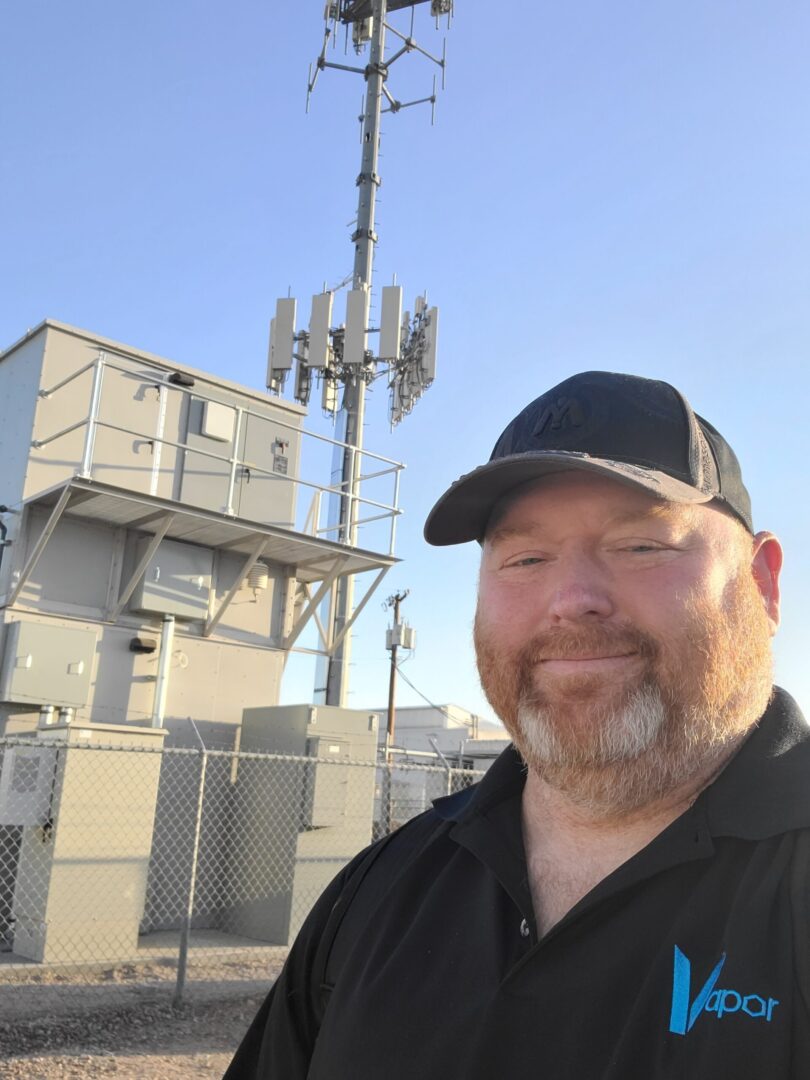
Vapor IO provides autonomous network and data center infrastructure at the network edge. Their goal is to re-architect the traditional Internet into a distributed, ubiquitous, edge-to-edge web that serves end users with SLA-backed routing, up to twelve-nines reliability, 100-microsecond latency, and terabits-per-second bandwidth.

With 36 (and counting) major U.S. markets, and their recent expansion into Barcelona, Spain, Vapor IO needs to run operations as lean as possible. However, as they continued to scale, the complexity of their own management infrastructure stood in the way of achieving this goal.

See why they required eight hours of setup time at each site, and discover which Nodegrid technologies helped significantly streamline not only new installations, but operations and overhead as well. Download the case study for full details.

Problems and Gaps

Vapor IO’s ultimate goal for operations is to deploy lights-out data centers all over the world and minimize the number of staff required to maintain these sites. Crucial to this goal is having the ability to collect billions of data points at each location, which allows teams to monitor and control physical and virtual devices. But their existing management infrastructure was complex and outdated, and consisted of:

  • Cellular modem with third-party
  • Subscription out-of-band router
  • Out-of-band switch
  • Out-of-band serial console
  • Out-of-band laptop/compute node
20221216_113845

One of the company’s core values is to further business goals by making constructive changes and avoiding unnecessary complexity. This management infrastructure only added complexity and would require additional staff to maintain it. To solve this, Vapor IO would have to be proactive in closing several significant gaps:

  • Each edge data center required at least five separate management devices that were not integrated together. Deployments required a skilled technician to be on site for an entire workday. This time sink would multiply in direct correlation to the total number of new sites to deploy.
  • The ability to lease rackspace directly translates to revenue. But each site required Vapor IO to use at least 5RU for its own devices. As demand increased, this dead space would translate to millions in lost revenue, on top of additional power and cooling costs.
  • Having disparate solutions not only increased the total points of failure, but also meant more devices to manage. This increased the likelihood of failures/outages that would require truck rolls, and also increased the ongoing operational workload required to keep many management devices running.
  • A multi-vendor environment meant added overhead and rigidity that complicated procurement, project planning, and development of new designs. This made it difficult to adapt to different use cases and customer requirements.

Solution

Vapor IO deployed the modular Nodegrid Net SR. This appliance provided the capabilities they needed to automate deployments and support lights-out management. The LTE module allows staff to remotely connect to sites and bring resources online, while the SFP module allows each site to connect to their nationwide fiber backbone.

Frank Basso

“Nodegrid keeps our costs down and extends everyone’s capabilities. The automation lets our support teams do specialized jobs, so our engineers can devote more time to delivering customer value.” — Frank Basso, EVP of Operations, Vapor IO

What To Look For in an Environment Monitoring System

environment monitoring system

Environmental conditions – such as temperature, humidity, and air quality – have a significant impact on the performance and lifespan of electronic equipment. Data center network infrastructure, automated industrial machines, and other expensive and business-critical devices typically require a specific range of conditions in order to avoid failure. However, they’re frequently installed in remote or hard-to-access locations with little human interaction, which can make it difficult to monitor and maintain the environment.

An environment monitoring system gives operators the ability to view the conditions in remote facilities in real time without leaving the office. That means organizations can proactively address environmental concerns before remote equipment fails, preventing business interruption and extending the lifetime of expensive machinery.

Want to see an environment monitoring system in action?
Request a
free demo of the Nodegrid platform from ZPE Systems.

Why you need an environment monitoring system

Enterprise networks are large and highly distributed; critical infrastructure is hosted in remote data centers, branch offices, manufacturing sites, and other locations with little-to-no IT support presence such as remote oil pipelines, offshore oil rigs, and satellites. That means network administrators can’t physically see if a device has been tampered with, hear if the fans are running too hard, or feel that the network closet is too humid. Without a way to remotely monitor for environmental risks, organizations often don’t know there’s a problem until it’s brought a critical device offline.

An environment monitoring system uses a variety of sensors to collect data on the temperature, humidity, air quality, and other conditions in remote environments. These sensors report back to the monitoring software, giving administrators the ability to see and respond to changes. In essence, environmental monitoring provides network teams with a virtual presence in the remote facilities that house critical infrastructure.

Environment monitoring sensors are also used in conjunction with SCADA (supervisory control and data acquisition) systems that manage high-level machine automation. SCADA computers are operational technology (OT) controllers that are often used to control automated processes in dangerous and hard-to-reach environments such as water treatment plants, oil and gas pipelines, and even the International Space Station. Some environment monitoring systems can integrate with SCADA solutions to enable real-time data collection on conditions underwater, inside pipelines, and in other environments that humans can’t safely access.

What to look for in an environment monitoring system

A robust environment monitoring system should include the following features:

Cloud management

Since environment monitoring sensors are typically deployed in remote and hard-to-reach areas, it’s important to consider that operators may not access the monitoring system from the same LAN. In addition, an environmental emergency could occur at any time, including in the middle of the night or while an admin is on vacation. Cloud management access ensures that network teams can monitor and respond to environmental threats quickly and from anywhere in the world.

Enterprise-grade security

However, if the monitoring system is accessible from the public internet, it must be protected by enterprise-grade security features to mitigate the possibility of a breach. Even with an entirely on-premises system, steps must be taken to prevent a malicious actor from gaining access to sensitive and proprietary data from the monitoring platform. A secure environment monitoring system supports advanced authentication methods like RADIUS, integrates with SAML 2.0 solutions for SSO (single sign-on) and 2FA (two-factor authentication), and includes additional security features like data encryption and secure boot.

Vendor freedom

The administrators and operators who manage remote equipment have a lot of tasks and responsibilities. Business requirements are growing more complex every day, while the Covid-19 pandemic and recession cutbacks are forcing everyone to do more with fewer resources and staff. A vendor-neutral environment monitoring system can easily integrate with other hardware and software solutions, providing a single unified platform for admins to log in to. This simplifies remote management and ensures comprehensive coverage, reducing the risk of issues slipping between the cracks.

Plus, a vendor-neutral monitoring system supports the use of third-party and custom automation solutions. That means administrators can use the automation and orchestration tools they’re most comfortable with to automate management and remediation tasks. Not only does this make their jobs easier by reducing manual workflows but also ensures that environmental issues are addressed quickly, even when a human technician is unavailable. When a critical device is overheating, fast remediation times often make the difference between a minor performance hiccup and a complete network or plant outage.

Out-of-band management

Sometimes, even with the most robust environment monitoring solution, a device will still fail and need to be recovered. However, if that device failure brings down the LAN, the environmental sensors and on-premises monitoring system won’t be reachable on the main network. That means administrators won’t be able to see which device failed or what environmental conditions caused that failure, let alone fix the problem, without dispatching an expensive and time-consuming truck roll.

Out-of-band (OOB) management uses serial consoles with redundant network interfaces to provide continuous management access to remote equipment. An OOB serial console directly connects to remote devices including environmental sensors, SCADA computers, and servers. Administrators can then remotely access the serial console via a dedicated internet connection (often cellular LTE) and monitor, manage, and orchestrate all connected devices without relying on the primary ISP or LAN connection.

Using OOB management in conjunction with environment monitoring allows administrators to continue viewing and troubleshooting remote devices even when the network is offline, reducing the need for on-site repairs. If remote troubleshooting reveals that a problem must be fixed in person, technicians can be dispatched with the exact tools and parts they need, decreasing the risk of further delays and speeding up the time to recovery.

Key features of an environment monitoring system
  • Cloud management portal that admins can access from anywhere in the world
  • Enterprise-grade security features like SSO, 2FA, and secure boot
  • Vendor-neutral platform that supports easy integrations and automation
  • OOB management to ensure 24/7 access and reduce recovery times

Why choose the Nodegrid environment monitoring system

Nodegrid rolls up environment monitoring, out-of-band management, and end-to-end infrastructure automation in a single platform. Nodegrid’s environmental sensors collect valuable data on conditions in your rack, with the ability to monitor for physical tampering, temperature, humidity, smoke, airflow, and dust & particulates. Connecting these USB sensors to a Nodegrid serial console or integrated branch gateway router gives you a powerful environment monitoring system with fast, reliable, and secure OOB management.

The Nodegrid platform provides complete vendor freedom, with the ability to directly host third-party solutions such as Docker containers, security solutions, and automation playbooks. This gives administrators a single pane of glass from which to manage every aspect of the network architecture. They can use Nodegrid to orchestrate automated workflows, view environmental and security monitoring data, deploy and maintain infrastructure, and so much more.

Nodegrid’s vendor-neutral hardware and software allow you to create a fully integrated and highly customized platform containing all the tools and solutions you need to monitor, manage, orchestrate, and troubleshoot remote devices.

Ready to learn more?

To learn more about Nodegrid’s environment monitoring system, contact ZPE Systems today.

Contact Us

LTE Failover vs. LTE Out-of-Band

lte failover

What is LTE failover?

LTE failover uses a cellular data connection – such as 4G or 5G – to provide backup internet access in the event that the primary connection goes down. Since LTE uses cellular infrastructure, it’s often unaffected by events that may cause a wired ISP network to go down, such as natural disasters, construction accidents, and power outages. When the cellular failover router detects that the primary internet connection is offline, it automatically takes over to ensure continuous network availability. The goal of LTE failover is to provide reliable, 24/7 internet access for production network resources and users. An automated failover solution reduces the impact of ISP outages by allowing businesses to continue operating as usual with a seamless experience for end users.

What is LTE out-of-band?

LTE out-of-band (OOB) management, on the other hand, uses a cellular data connection to provide continuous management access to remote network infrastructure. Cellular OOB solutions typically use serial consoles (i.e., console servers, serial switches, or serial routers) to directly connect to production network infrastructure such as servers, PDUs, and storage devices. Administrators remotely access these serial consoles using a dedicated cellular interface, and can then manage and orchestrate all connected infrastructure without relying on the primary ISP or LAN connection. The goal of LTE out-of-band is to ensure that administrators have high-speed, 24/7 access to remote network infrastructure even if there’s an ISP, WAN, or LAN outage. With LTE OOB, organizations can recover from outages faster and without dispatching costly truck rolls. Plus, engineers can employ resource-intensive automation and orchestration workflows on the dedicated OOB network without impacting the performance or reliability of the production network.

Comparing LTE failover vs. LTE out-of-band


LTE Failover LTE Out-of-Band
  • Ensures continuous internet access for data, resources, workflows, and users on the production network
  • Often installed as a secondary network interface on the primary gateway router
  • Could be a separate router installed in the same rack as the primary gateway router
  • Only works when the production LAN infrastructure is still functional
  • Ensures continuous management access to production network infrastructure on a dedicated OOB network
  • Typically uses serial consoles to provide direct access to network devices via their serial ports
  • Admins connect using cellular interfaces on the serial console
  • Does not rely on production LAN infrastructure

LTE failover is essentially just a secondary internet connection that automatically kicks on when the primary internet goes down. It ensures that production network processes and workflows can continue functioning during ISP outages. However, LTE failover does not provide business continuity in the event of a LAN outage, for example when there’s an equipment failure, configuration error, or traffic bottleneck in the data center. When enterprise infrastructure issues bring down the network in a remote business site like a colocation data center or branch office, organizations need a way to remotely fix the issue, which is where LTE out-of-band comes into play. Since OOB serial consoles directly connect to the serial ports of network devices, administrators can still remotely access those devices without an IP address. This gives network teams the ability to remotely assess, diagnose, and fix many issues without dispatching anyone onsite, decreasing recovery time and reducing the cost of outages. While LTE failover is designed to provide seamless internet access in the event of an ISP outage, LTE out-of-band ensures continuous management and orchestration access to remote infrastructure even when there’s a LAN failure. These two technologies work together to improve the resiliency of enterprise networks, making them valuable components of business continuity and disaster recovery strategies.

Using LTE and automation for network resiliency

A resilient network continues to function when the unexpected occurs – whether it’s a hurricane taking down the ISP network, a firmware update crashing a critical remote device, or a global recession forcing a reduction in support staff. In addition to LTE failover and out-of-band management, automation is crucial to network resiliency because it reduces the amount of human intervention that’s required to maintain and troubleshoot enterprise networks and infrastructure.

Ready to learn more?

To learn more about the role of LTE failover, OOB management, and automation in building a more resilient enterprise network, download the Network Automation Blueprint from ZPE Systems.

Contact Us