Providing Out-of-Band Connectivity to Mission-Critical IT Resources

Why You Need a Next-Gen OOB Console Server

oob console server

An OOB (out-of-band) console server is a fundamental data center tool that allows you to view, manage, and troubleshoot critical remote infrastructure on a dedicated network connection.

While the functionality of generation 1 console servers is limited, generation 2 models evolved to include features like automation and security. Now, as more enterprises embrace NetDevOps, there’s a need for greater automation and orchestration, which is why next-generation or generation 3 console servers are emerging.

In this post, we’ll discuss the advantages of a next-gen OOB console server and how these devices address the challenges and limitations of previous generations.

The importance of an OOB console server

An out-of-band console server may also be referred to as a serial console, serial console server, or serial console switch. There are also OOB serial console routers which include gateway routing functionality for small branch offices and use cases for edge data centers.

OOB console servers are tools fundamental for data center infrastructure management; they connect to all your remote network devices and give you the ability to control them on a dedicated management network remotely. This network is completely separate from the WAN circuit and internal LAN, and is accessed typically via cellular, dial-up, or DSL modem.

Out-of-band data center access is crucial for a few key reasons:

  1. It provides 24/7 remote access to your critical data center infrastructure even if your WAN link goes down, allowing you to troubleshoot and recover without expensive truck rolls.
  2. You can still view and manage remote devices even if malicious actors compromise your production network or data center infrastructure without exposing yourself.
  3. Conducting resource-intensive network orchestration on a dedicated management plane reduces the performance impact on your production network and end-users.

Why do you need a next-gen OOB console server?

As modern enterprise networks have grown more complex and distributed, so have network and data center management workflows. This complexity makes it harder for engineers to efficiently manage their workloads and increases the risk of human error, especially with multi-vendor and hybrid network infrastructures.

These pain points led to the evolution of automated network management tools and solutions. Automation increases the speed and efficiency with which network administrators can provision, monitor, and optimize an infrastructure while reducing the risk of human error. Gen 2 OOB console servers have automation capabilities and scripting support that help fill the gap for data center management. Plus, Gen 2 serial consoles automate tasks like infrastructure provisioning (via zero touch provisioning, or ZTP) and basic troubleshooting (such as refreshing DNS or power-cycling) to reduce the amount of tedious manual work.

However, the needs and pain points of modern enterprises continue to evolve. It’s not enough to use individual, disparate scripts and solutions to automate specific tasks or workloads, especially to achieve NetOps or NetDevOps transformation. Gen 2 OOB console servers offer some automation support, but typically limit you to a particular vendor ecosystem or API library. Since enterprise networks consist of many different vendor solutions and devices, this rigidity leaves you with gaps in your automation coverage.

That’s why a new generation of console servers is rising to meet this challenge. Next-gen OOB console servers, also known as Gen 3, promise to deliver end-to-end automation and NetDevOps data center orchestration.

What to look for in a next-gen OOB console server

For an OOB console server to be truly next-gen, it must be able to dig its automation hooks into every device and solution in your rack. That means it needs to be vendor-neutral and include support for legacy systems not originally designed for automation.

In addition, a next-gen OOB serial console switch should support integrations with the third-party automation and orchestration tools of your choosing. That means both the hardware and software need to be vendor-neutral.

A next-gen console server should also provide high-speed OOB access and failover. Many Gen 1 and Gen 2 solutions use dial-up or 3G cellular connections, which can be slow and unreliable. Plus, 3G will be phased out (in the United States) by the end of this year. This leads to frustration when engineers try to troubleshoot and restore remote data center infrastructure as quickly as possible, and also hampers automation and orchestration efforts.

Another issue to consider is scalability. A next-gen OOB console server needs to provide enough managed ports for you to grow your data center infrastructure without needing to upgrade your management device continuously. You can even get modular serial consoles that allow you to expand or swap out port configurations as needed.

Last but not least, your next-gen console server needs to include and support advanced security controls. Imagine installing a preconfigured device that has unknowingly been infected. This could be like installing a trojan horse into your infrastructure. A next-gen OOB console server should include enterprise-grade security features and integrate with zero trust security controls and policies.

Orchestrating critical data center infrastructure with a next-gen OOB console server

Next-gen or Gen 3 OOB console servers deliver end-to-end automation and orchestration capabilities, so you can efficiently control complex data center infrastructure. A next-gen solution includes vendor-neutral hardware and software, high-speed OOB access and failover, the ability to scale up or down as needed, and enterprise security features and functionality.

The Nodegrid next-gen OOB console server solution from ZPE Systems delivers true end-to-end automation for critical data center infrastructure. Nodegrid’s vendor-neutral hardware and software can control all your vendor solutions, so there are no barriers to automating anything and everything. For example, Nodegrid zero touch provisioning (ZTP) can extend to all connected devices, allowing you to deploy remote data center infrastructure with the push of a button.

The Nodegrid Serial Console S Series can even control legacy and mixed environments, so you can upgrade your data center infrastructure at your own pace without losing automation capabilities. The open architecture, Linux-based Nodegrid OS supports integrations with third-party automation solutions so you can create a customized orchestration platform that suits your enterprise’s unique use cases and staff skillsets.

Nodegrid delivers high-speed remote out-of-band access and failover via two dual-SIM high-speed 4G/5G/LTE slots, plus you can upgrade to 5G without having to do a forklift upgrade. With up to 96 managed ports in a streamlined 1U rack-mounted device, the Nodegrid Serial Console Plus can handle enterprise-scale deployments or scale with you as you grow. The Nodegrid next-gen OOB console server also keeps management and orchestration secure, with onboard security features like UEFI secure boot, properly integrated TPM 2.0 security, encrypted solid-state disks, and geofencing.

The Nodegrid Serial Console from ZPE Systems is a true next-gen OOB console server. It delivers end-to-end automation, high-speed OOB access and failover, scalable port configurations, and enterprise-grade zero trust security features.

Learn more about OOB console servers:

★  Comparing the Best Console Servers for Data Centers in 2022
★  Out-of-Band Network Management: Fundamental Principles & Use Cases
★  How to Choose Secure Out-of-Band Management

See the Nodegrid OOB console server at work.

Call 1-844-4ZPE-SYS to request a demo. 

Watch A Demo

HEAnet: providing network uptime for education


HEAnet logo

If there’s one sector that relies on network uptime more than ever before, it’s the education sector. For both in-person and virtual learning, students and staff connect to crucial resources around the world to share information. The infrastructure that enables this connectivity is critical, and in the country of Ireland, this infrastructure is deployed and maintained by HEAnet.

As the national education and research network, HEAnet is a provider who must adhere to stringent service levels in order to keep entire education communities online. But they recently faced a few major challenges as their out-of-band (OOB) management solution neared its end-of-life (EOL) date. This system was crucial to maintaining network uptime, as it gave engineers remote access to their 50+ nationwide locations. They needed to quickly roll out a new solution, but they were faced with a second challenge — limited staff.

It seemed HEAnet was stuck between a rock and a hard place. They would surely need to outsource the job, and that’s when they turned to Rahi, the world-renowned MSP who introduced them to ZPE Systems’ Nodegrid.

The rest is history, and for a deep dive into that lesson, download the full HEAnet case study below.

But before you do, here’s a quick refresher on critical infrastructure and why network uptime can be difficult to maintain.

Critical infrastructure and network uptime

Critical infrastructure is made up of the systems that connect sites to each other and to the rest of the world. The data center is an obvious example of where critical infrastructure is deployed. Points-of-presence (POPs) and colocations are other somewhat obvious examples. All of these house components, such as servers, switches, and routers, which are essential to handling data and traffic that organizations rely on.

Here are more examples of where critical infrastructure is commonly found:

  • Warehouses: servers, routers, and Wi-Fi access points help humans and their automated counterparts track inventories, fulfill orders, and communicate with vendors.
  • Manufacturing plants: operationalized technology like sensors and IoT devices collect data from gauges, robots, and machining equipment to ensure accurate measurements, maintain quality control, and streamline fabrication processes.
  • Cellular base stations: compute, storage, and failover devices process signals, store data, and provide backup connectivity for critical cell site components.

Organizations must maintain high levels of network uptime for their critical infrastructure, since it supports the lifeblood of everything they do. But this can be a challenge because these components are not always located within convenient reach of skilled engineers.

Why can network uptime be so challenging to maintain?

Maintaining network uptime can be challenging even for fully-staffed locations. This difficulty is amplified — quite dramatically — when organizations have to recover and maintain sites that are located far off the beaten path.

Imagine this: you’re responsible for monitoring and troubleshooting critical infrastructure for a network of college campuses in your region. One of your most remote sites, which serves more than one thousand students and faculty on any given day, experiences sudden disruptions and eventually goes offline. It’ll take close to four hours for you to put skilled staff on site to recover the network, which puts you at risk of breaching your SLA. You and your team are stressed out and scrambling, while students and teachers have no option but to cancel some or all of their activities.

Now imagine that you have a tool that allows you to respond instantly and restore the network before anyone even notices. That’s the kind of power you can achieve with a deep, robust out-of-band management solution, which is one of the tools HEAnet deployed to keep disruptions from reaching users.

There’s more that can go wrong, however. Your sites could suffer an ISP outage, leaving locations in the dark if they don’t employ any wireless backup connections. Or if your customer has a multi-vendor MSP solution that you’re part of, the other vendor’s components may be to blame, and you need a tool that can help you quickly diagnose the root cause.

Download the HEAnet case study

To see more challenges you might face when maintaining network uptime, download the HEAnet case study. You’ll also discover how Nodegrid gave them seamless backup connectivity and allowed a single Rahi engineer to deploy two sites in a single day. Get the case study now.

3 Tips to Improve Edge Network Resilience

ZPE Systems and Palo Alto Networks

When it comes to improving edge network resilience, traditional WAN architectures can easily get in your way.

Suppose you’re setting up an electrical substation, cellular base station, or other distributed remote infrastructure to incorporate cloud-based networking. To deploy, you need to configure a slew of cloud-enabled devices, from IoT sensors, to routers, firewalls, SD-WAN boxes, and out-of-band and cellular failover appliances. The physical footprint alone is intimidating, and is rife with points of failure. On top of all this, you need the right management tools to ensure everything runs smoothly. You might need visibility on power grid sampling, application performance, or user experience, with management software that lets you troubleshoot individual components of your infrastructure.

It’s not just your network or your business riding on your shoulders — it’s people’s livelihoods, whether they rely on you for delivering essential utilities or keeping them connected to the world.

That’s why it’s so important to boost edge network resilience and shield your customers from outages. And it’s why ZPE Systems now hosts Palo Alto Networks’ Prisma SD-WAN offering. Read the full press release, and download the brief below for details.

But before you do, here are three tips to help you improve edge network resilience.

How to improve edge network resilience

1. Respond fast with out-of-band

It’s 8pm, and suddenly a surge of customer tickets crowds your support desk. You quickly scan the issues and realize that one of your towers is offline, causing an outage for many of your rural customers. One of your on-call technicians is standing by for dispatch, but the hour-long drive means your teams will be fielding complaints for at least 60 minutes. Meanwhile, customer satisfaction begins to drop and one star reviews pour into your online channels.

This is all too common with edge network support, and it highlights why out-of-band management can be a life saver. Instead of having to dispatch IT support technicians to establish a physical connection and allow HQ to remote-in for troubleshooting, what if you could respond instantly from anywhere? With out-of-band, you get an isolated management network that’s separate from your production network, and you can establish a connection using cellular, broadband, DSL, or even phone lines. This means you can quickly gain access to your infrastructure, and with an advanced out-of-band solution like Nodegrid, you can simply open your web browser to troubleshoot and resolve issues — whether you need to reboot a network switch, reconfigure a firewall, or analyze and adjust traffic flows.

No matter your deployment, out-of-band is essential to improving edge network resilience.

2. Stay connected with cellular backup

Part of boosting edge network resilience involves diversifying the types of connections at each location. But this doesn’t mean adding more layers of physical connections.

Although T1, T3, and MPLS links can serve as reliable backups, these physical connections most likely follow the same path as your main connection. So when a flood sends currents your way or a construction crew sinks a thousand-pound excavator bucket into your main line, chances are your physical backups will go down, too.

Backhoe digging a large trench, putting underground communication lines at risk.

If you have 5G/4G LTE cellular, you can keep your locations online through all this. Your cellular connections can serve as failover paths, but also provide reliable backup for out-of-band networks. Download the joint solutions brief below and see how Nodegrid’s failover helped a large oil and gas company eliminate the majority of their continuity issues at the edge.

3. Go vendor-neutral to centralize control

One of the biggest drawbacks to managing traditional WAN architecture is vendor lock-in. When you purchase one provider’s SD-WAN or security solution, you’re limited to using their unique management tools and integrating only pre-approved solutions (usually from them as well). This can make edge network resilience difficult to maintain, since you’ll have to learn several different systems, protocols, interfaces, commands, etc.

When you centralize control, however, you get access to all the tools you need, using a single gateway. The best platforms for this feature a vendor-neutral operating system and rich API library that can accommodate your custom and third-party integrations.

Imagine no longer needing to log in and out of every solution in your stack, and instead using single sign-on to gain access to your SD-WAN’s cloud controller, next-gen firewall, application performance monitoring app, and every part of your edge infrastructure. For a major digital security company, this meant cutting resolution times in half using a single tool that helped them provide continuous monitoring and achieve instant response times.

See how Palo Alto Networks and ZPE Systems boost edge network resilience

Prisma SD-WAN and Nodegrid help companies streamline deployment, configuration, and management of their edge networks. Download the brief for full details.

6 IT Solutions to Implement Right Now for More Effective Remote Work

ZPE Systems Blog Photo- Header

Many companies have found it difficult to adjust to remote work. In the face of drastic changes brought on by pandemics, natural disasters, and other challenges, untethering your workforce from the office can be a big ask. Your success relies on one crucial component: your network.

Keeping your enterprise connected – both internally and to customers – is the only way to maintain business continuity and customer satisfaction. Unfortunately, traditional networking solutions were built for the office. Not only does this slow down your transition to working remotely, but also makes everyday operations anything but efficient.

The good news is, our experts have pinpointed six IT solutions that will make your company more effective at remote work, using a network that accommodates distributed business better than ever.

ZPE Systems Blog Photo- Body Image

1. Give Network Staff Convenient Access With Advanced Out-of-Band

Out-of-band (OOB) management is not a new technology. But taking advantage of this tool has traditionally proven cumbersome and inefficient.

It’s not uncommon for businesses to treat their OOB network as an afterthought, something they might use once in a while when an update or fix is needed. Phone lines, modems, and dedicated OOB devices make management a chore, even for tasks like resetting passwords, rebooting devices, and other routine work.

Remote access via DSL or dial-up is too slow, which takes time, puts your security at risk, and forces you to juggle delicate admin protocols. Putting staff on site is another option, but also eats up time and binds specialized IT personnel to specific locations.

Fortunately, you can take advantage of advanced out-of-band, which lets you perform network management tasks from anywhere.

An advanced out-of-band solution gives you a secure management path that’s completely separate from all other networks. Not only do you stay protected from unwanted traffic and attacks, but you can also get blazing fast access to your management network via broadband connection.

This means that for issues large and small, you can slash response times and put your best people on the job – even if they’re across the globe. And if your main connection suffers an outage, you can remote-in to your out-of-band network via cellular failover backup.

Advanced out-of-band makes network management convenient and efficient.

2. Protect Business From Costly Downtime Thanks to Cellular Failover

If one of your critical locations suddenly goes offline, your business could lose up to thousands of dollars per hour. Restoring your main connection can take hours or days, while your employee and customer interactions come to a standstill. Business stops, and your reputation plummets alongside customer satisfaction.

However, cellular failover is a simple solution that can prevent all of this, so you can leave downtime in the past. When your main connection drops, your failover-equipped network automatically switches to 3G, 4G, or even 5G cellular to give employees and customers a seamless experience.

Capable cellular solutions give you freedom of choice, allowing you to determine which wireless carriers you use, as well as letting you take advantage of multiple backups. It’s like an insurance policy for your connectivity, with most cellular providers sporting over 99% reliability.

When you need to deploy a new location, cellular failover can even help you bring critical systems online – before your main connection is established. It’s a wireless solution that lets you scale on demand and helps you increase your business’ agility.

3. Keep Staff Connected Using Secure Access Service Edge

Accommodating remote work usually involves a slow, stringent process. You need to purchase and configure laptops and other equipment, create users and groups, and adjust other hardware- and network-specific settings. All of this just to allow staff to work away from the office.

ZPE Systems - SASE Image

On top of this, all traffic likely gets routed through your main enterprise firewall. This degrades performance and speed for every user, and can bring business operations to a grinding halt.

But Secure Access Service Edge, or SASE, is a transformative technology that does away with the traditional hassles of setting up for remote work, and instead puts networking and security into the cloud. This allows safe connectivity to be delivered close to users no matter where they are. And because SASE uses an identity-driven model, your employees don’t have to rely on special hardware. They can access your network using their smartphone, tablet, desktop, or other device.

SASE gives your employees flexible network access, and also frees your main enterprise connection for more business-critical traffic. You can deploy your SASE solution and get a network that keeps your staff connected.

4. Fully Optimize Using a Vendor-Neutral System

Typical networking solutions cause vendor lock-in. This is when you’re limited to choosing specific hardware and software products that are compatible only with each other. Vendor lock-in forces you to make sacrifices during implementation, so you end up with a solution that doesn’t entirely satisfy your requirements.

But with a vendor-neutral management platform, you can boost efficiency even on your existing network.

A vendor-neutral system means you don’t have to worry about over-buying or under-serving, and can instead connect the physical and virtual assets of your choice. You can optimize your network with SD-WAN, firewall, routing, and other solutions that perfectly suit your needs.

Some providers even offer a unified management tool that consolidates control of your network solutions, regardless of which vendors they’re from. Your IT staff no longer need to jump from one unique UI to another, because everything can be controlled under a simple management umbrella. You can update firmware, change traffic priorities, monitor devices, and more from one clean interface.

With a vendor-neutral system in place, you can turn your network into a powerful asset that supports your global enterprise.

5. Streamline with virtualization

You’re probably used to having dedicated, single-purpose devices for your network functions. Even if these deliver all the capabilities you need, you’ll inevitably find it difficult to scale and manage due to large stacks of hardware & software solutions.

But you can significantly reduce your physical stack and your management efforts by using virtualization.

With the right devices, you can consolidate and virtualize your network functions to streamline every part of infrastructure management.

And the more guest operating systems you can run, the better. With virtualization, you can host custom or third-party applications, so instead of deploying separate appliances for SD-WAN, routing, failover, and firewall functions, you can use fewer devices capable of handling it all. This means smaller stacks, tighter solution integrations, and easier management of network functions.

6. Use Automation to Take Work off Your Hands

You spend a lot of time and money just to keep your network running. Routine tasks and configuration management are some of your biggest challenges, simply because they pull critical resources away from more urgent business needs. Moreover, you’re left vulnerable to human error that can cause interruptions and downtime.

 This is where automation comes into play, which helps by doing some (or all) of the work for you.

For everything from routine fixes, to provisioning, to configuration updates and rollbacks, automation helps you achieve autonomous networking. Use your favorite tools like Ansible, Chef, and Python to create workflows that carry out themselves, and set up zero touch provisioning for push-button deployments. Automation is the only solution that helps you replicate and scale with consistency, so you can avoid costly errors while keeping specialized staff focused on the core of your business.

Take advantage of automation capabilities for more efficient and productive enterprise networking.

Remote work can be difficult to accommodate, especially when your business is distributed across the globe. But you can help your entire organization operate more effectively through networking.

At ZPE Systems, we’re leading the remote-work initiative with comprehensive offerings for all six of these IT solutions. From advanced out-of-band, to virtualized, vendor-neutral infrastructure and management, our hardware & software help your business work better from anywhere.

To take advantage of these solutions, get in touch today!

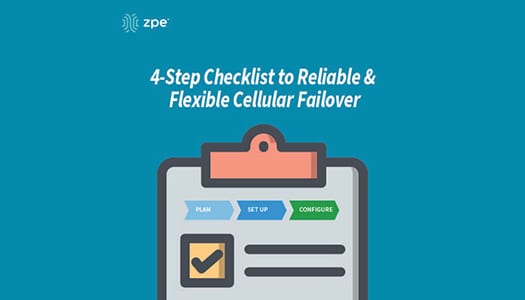
Your 4-step Checklist to Reliable & Flexible Cellular Failover

Downtime can cost $300,000 per hour. But there’s a simple way to safeguard your business from expensive outages, and that’s by using cellular failover.

When your T1, DSL, fiber, or cable connection is knocked out of service, failover automatically kicks in to securely connect you to your cellular provider. Your business doesn’t suffer crippling outages, and you can continue providing the level of service your customers expect.

If you’re ready to protect your organization with wireless backup, use this checklist as a guide to get started.

Cellular Failover Checklist

#1 Get a Plan with Your Service Provider

Because cellular failover works over 3G, 4G LTE, and 5G networks, you’ll need a data plan. Get in touch with your preferred wireless provider, and choose the plan that’s right for you. Consider things like data rates and usage limits, and the number of sites you’d like to cover.

With the appropriate plan, you’ll also need SIM cards for your failover devices.

Get backups for your backups

For even more resilience, the Nodegrid Services Router can be equipped with dual-SIM failover modules. It supports all major carriers, so you get total flexibility of choice.

#2 Set Up Your Failover Devices

Assemble and install the components of your failover devices, such as cables, adapters, and SIM cards. Physically install your appliances into their respective environments, and connect them to other crucial devices on your network.

#3 Configure Your Basic Settings

Log into your failover devices and configure their basic settings appropriately. This can include adjusting things like DHCP vs static IP address, access rights for protocols and services, and creating users and groups.

#4 Configure Your Failover Settings

With your basic settings configured, tailor your failover devices based on your environment’s needs. Though settings vary by vendor, look for and adjust things like interface priorities, idle check intervals, and data usage limits and alerts. Configuring these settings enables your network to efficiently use failover connectivity as needed, and then failback to your primary WAN link once it’s back online.

Get failover on demand

The Nodegrid Services Router features a 4G LTE cellular modem for on-demand failover, and can also serve as a WiFi access point.

With failover set up on your network, you can also scale quickly and deploy locations even before your main line is installed. From major retailers, to tech startups, companies around the world use cellular to rapidly set business into motion.

Want More With Your Failover?

Nodegrid delivers reliable cellular failover that also serves as a secure path for out-of-band (OOB) management. Deploy the Nodegrid Services Router for flexible wireless connectivity and remote management of everything on your network. Now’s the time to take advantage of this SD-Branch platform that offers in-depth visibility and control at the branch level.

Get in touch to discover robust failover with Nodegrid.

What is Cellular Failover?

Learn the basics of Cellular Failover in this 2 1/2 minute video. John Paul Kang, Solutions Engineer at ZPE Systems, shares his IT and data center expertise to provide a high-level overview of cellular failover.

  • What is Cellular Failover?
  • What problems does it address?
  • How does it benefit businesses?
  • How does it help system and network administrators?