Retail organizations must constantly adapt to meet changing customer expectations, mitigate external economic forces, and stay ahead of the competition. Technologies like the Internet of Things (IoT), artificial intelligence (AI), and other forms of automation help companies improve the customer experience and deliver products at the pace demanded in the age of one-click shopping and two-day shipping. However, connecting individual retail locations to applications in the cloud or centralized data center increases network latency, security risks, and bandwidth utilization costs.
Edge computing mitigates many of these challenges by decentralizing cloud and data center resources and distributing them at the network’s “edges,” where most retail operations take place. Running applications and processing data at the edge enables real-time analysis and insights and ensures that systems remain operational even if Internet access is disrupted by an ISP outage or natural disaster. This blog describes five potential edge computing use cases in retail and provides more information about the benefits of edge computing for the retail industry.
5 Edge computing use cases in retail
.
1. Security video analysis
Security cameras are crucial to loss prevention, but constantly monitoring video surveillance feeds is tedious and difficult for even the most experienced personnel. AI-powered video surveillance systems use machine learning to analyze video feeds and detect suspicious activity with greater vigilance and accuracy. Edge computing enhances AI surveillance by allowing solutions to analyze video feeds in real-time, potentially catching shoplifters in the act and preventing inventory shrinkage.
2. Localized, real-time insights
Retailers have a brief window to meet a customer’s needs before they get frustrated and look elsewhere, especially in a brick-and-mortar store. A retail store can use an edge computing application to learn about customer behavior and purchasing activity in real-time. For example, they can use this information to rotate the products featured on aisle endcaps to meet changing demand, or staff additional personnel in high-traffic departments at certain times of day. Stores can also place QR codes on shelves that customers scan if a product is out of stock, immediately alerting a nearby representative to provide assistance.
3. Enhanced inventory management
Effective inventory management is challenging even for the most experienced retail managers, but ordering too much or too little product can significantly affect sales. Edge computing applications can improve inventory efficiency by making ordering recommendations based on observed purchasing patterns combined with real-time stocking updates as products are purchased or returned. Retailers can use this information to reduce carrying costs for unsold merchandise while preventing out-of-stocks, improving overall profit margins. .
Using IoT devices to monitor and control building functions such as HVAC, lighting, doors, power, and security can help retail organizations reduce the need for on-site facilities personnel, and make more efficient use of their time. Data analysis software helps automatically optimize these systems for efficiency while ensuring a comfortable customer experience. Running this software at the edge allows automated processes to respond to changing conditions in real-time, for example, lowering the A/C temperature or routing more power to refrigerated cases during a heatwave.
5. Warehouse automation
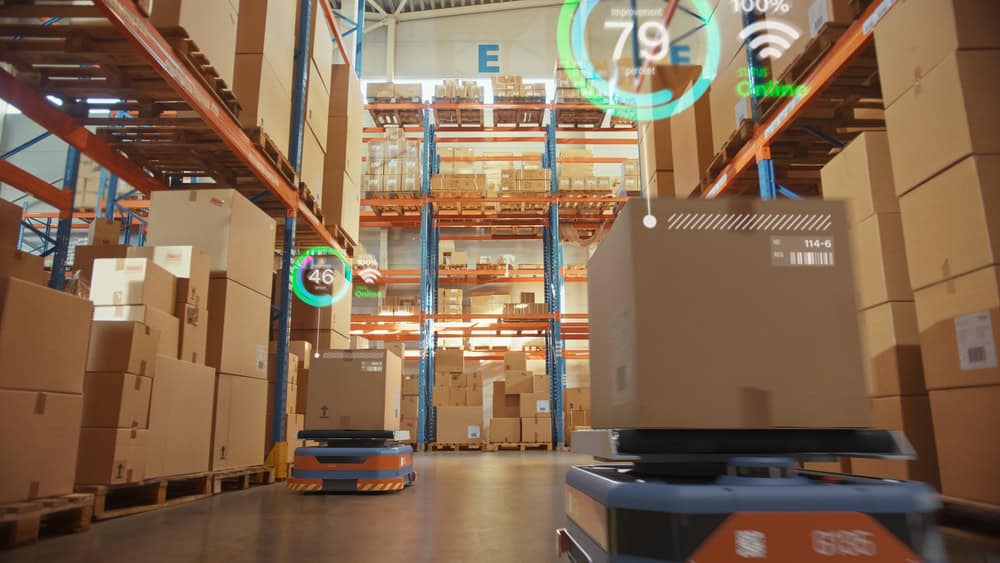
The retail industry uses warehouse automation systems to improve the speed and efficiency at which goods are delivered to stores or directly to users. These systems include automated storage and retrieval systems, robotic pickers and transporters, and automated sortation systems. Companies can use edge computing applications to monitor, control, and maintain warehouse automation systems with minimal latency. These applications also remain operational even if the site loses internet access, improving resilience.
Edge computing decreases the number of network hops between devices and the applications they rely on, reducing latency and improving the speed and reliability of retail technology at the edge.
Real-time insights
Edge computing can analyze data in real-time and provide actionable insights to improve the customer experience before a sale is lost or reduce waste before monthly targets are missed.
Improved resilience
Edge computing applications can continue functioning even if the site loses Internet or WAN access, enabling continuous operations and reducing the costs of network downtime.
Risk mitigation
Keeping sensitive internal data like personnel records, sales numbers, and customer loyalty information on the local network mitigates the risk of interception and distributes the attack surface.
Edge computing can also help retail companies lower their operational costs at each site by reducing bandwidth utilization on expensive MPLS links and decreasing expenses for cloud data storage and computing. Another way to lower costs is by using consolidated, vendor-neutral solutions to run, connect, and secure edge applications and workloads.
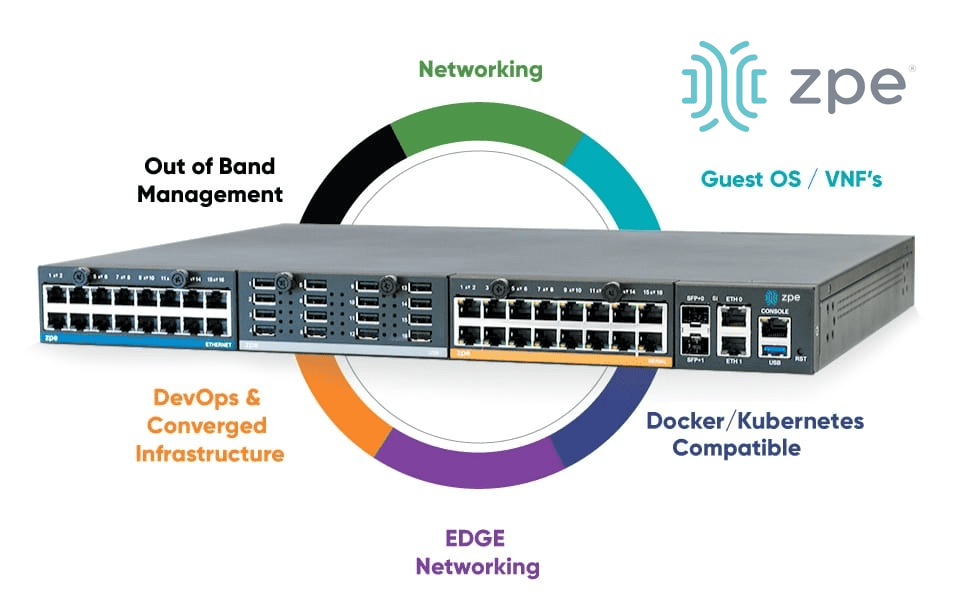
For example, the Nodegrid Gate SR integrated branch services router delivers an entire stack of edge networking, infrastructure management, and computing technologies in a single, streamlined device. The open, Linux-based Nodegrid OS supports VMs and Docker containers for third-party edge computing applications, security solutions, and more. The Gate SR is also available with an Nvidia Jetson Nano card that’s optimized for AI workloads to help retail organizations reduce the hardware overhead costs of deploying artificial intelligence at the edge.
Consolidated edge computing with Nodegrid
Nodegrid’s flexible, scalable platform adapts to all edge computing use cases in retail. Watch a demo to see Nodegrid’s retail network solutions in action.
The healthcare industry enthusiastically adopted Internet of Things (IoT) technology to improve diagnostics, health monitoring, and overall patient outcomes. The data generated by healthcare IoT devices is processed and used by sophisticated data analytics and artificial intelligence applications, which traditionally live in the cloud or a centralized data center. Transmitting all this sensitive data back and forth is inefficient and increases the risk of interception or compliance violations.
Edge computing deploys data analytics applications and computing resources around the edges of the network, where much of the most valuable data is created. This significantly reduces latency and mitigates many security and compliance risks. In a healthcare setting, edge computing enables real-time medical insights and interventions while keeping HIPAA-regulated data within the local security perimeter. This blog describes six potential edge computing use cases in healthcare that take advantage of the speed and security of an edge computing architecture.
6 Edge computing use cases in healthcare
Edge computing use cases for EMS
Mobile emergency medical services (EMS) teams need to make split-second decisions regarding patient health without the benefit of a doctorate and, often, with spotty Internet connections preventing access to online drug interaction guides and other tools. Installing edge computing resources on cellular edge routers gives EMS units real-time health analysis capabilities as well as a reliable connection for research and communications. Potential use cases include: .
Use cases
Description
1. Real-time health analysis en route
Edge computing applications can analyze data from health monitors in real-time and access available medical records to help medics prevent allergic reactions and harmful medication interactions while administering treatment.
2. Prepping the ER with patient health insights
Some edge computing devices use 5G/4G cellular to livestream patient data to the receiving hospital, so ER staff can make the necessary arrangements and begin the proper treatment as soon as the patient arrives.
Edge computing use cases in hospitals & clinics
Hospitals and clinics use IoT devices to monitor vitals, dispense medications, perform diagnostic tests, and much more. Sending all this data to the cloud or data center takes time, delaying test results or preventing early intervention in a health crisis, especially in rural locations with slow or spotty Internet access. Deploying applications and computing resources on the same local network enables faster analysis and real-time alerts. Potential use cases include: .
Use cases
Description
3. AI-powered diagnostic analysis
Edge computing allows healthcare teams to use AI-powered tools to analyze imaging scans and other test results without latency or delays, even in remote clinics with limited Internet infrastructure.
4. Real-time patient monitoring alerts
Edge computing applications can analyze data from in-room monitoring devices like pulse oximeters and body thermometers in real-time, spotting early warning signs of medical stress and alerting staff before serious complications arise.
Edge computing use cases for wearable medical devices
Wearable medical devices give patients and their caregivers greater control over health outcomes. With edge computing, health data analysis software can run directly on the wearable device, providing real-time results even without an Internet connection. Potential use cases include: .
Use cases
Description
5. Continuous health monitoring
An edge-native application running on a system-on-chip (SoC) in a wearable insulin pump can analyze levels in real-time and provide recommendations on how to correct imbalances before they become dangerous.
6. Real-time emergency alerts
Edge computing software running on an implanted heart-rate monitor can give a patient real-time alerts when activity falls outside of an established baseline, and, in case of emergency, use cellular and ATT FirstNet connections to notify medical staff.
The benefits of edge computing for healthcare
Using edge computing in a healthcare setting as described in the use cases above can help organizations:
Improve patient care in remote settings, where a lack of infrastructure limits the ability to use cloud-based technology solutions.
Process and analyze patient health data faster and more reliably, leading to earlier interventions.
Increase efficiency by assisting understaffed medical teams with diagnostics, patient monitoring, and communications.
Mitigate security and compliance risks by keeping health data within the local security perimeter.
Edge computing can also help healthcare organizations lower their operational costs at the edge by reducing bandwidth utilization and cloud data storage expenses. Another way to reduce costs is by using consolidated, vendor-neutral solutions to host, connect, and secure edge applications and workloads.
For example, the Nodegrid Gate SR is an integrated branch services router that delivers an entire stack of edge networking, infrastructure management, and computing technologies in a single, streamlined device. Nodegrid’s open, Linux-based OS supports VMs and Docker containers for third-party edge applications, security solutions, and more. Plus, an onboard Nvidia Jetson Nano card is optimized for AI workloads at the edge, significantly reducing the hardware overhead costs of using artificial intelligence at remote healthcare sites. Nodegrid’s flexible, scalable platform adapts to all edge computing use cases in healthcare, future-proofing your edge architecture.
Streamline your edge deployment with Nodegrid
The vendor-neutral Nodegrid platform consolidates an entire edge technology stack into a unified, streamlined solution. Watch a demo to see Nodegrid’s healthcare network solutions in action.
On July 19, 2024, CrowdStrike, a leading cybersecurity firm renowned for its advanced endpoint protection and threat intelligence solutions, experienced a significant outage that disrupted operations for many of its clients. This outage, triggered by a software upgrade, resulted in crashes for Windows PCs, creating a wave of operational challenges for banks, airports, enterprises, and organizations worldwide. This blog post explores what transpired during this incident, what caused the outage, and the broader implications for the cybersecurity industry.
What happened?
The incident began on the morning of July 19, 2024, when numerous CrowdStrike customers started reporting issues with their Windows PCs. Users experienced the BSOD (blue screen of death), which is when Windows crashes and renders devices unusable. As the day went on, it became evident that the problem was widespread and directly linked to a recent software upgrade deployed by CrowdStrike.
Timeline of Events
Initial Reports: Early in the day, airports, hospitals, and critical infrastructure operators began experiencing unexplained crashes on their Windows PCs. The issue was quickly reported to CrowdStrike’s support team.
Incident Acknowledgement: CrowdStrike acknowledged the issue via their social media channels and direct communications with affected clients, confirming that they were investigating the cause of the crashes.
Root Cause Analysis: CrowdStrike’s engineering team worked diligently to identify the root cause of the problem. They soon determined that a software upgrade released the previous night was responsible for the crashes.
Mitigation Efforts: Upon isolating the faulty software update, CrowdStrike issued guidance on how to roll back the update and provided patches to fix the issue.
What caused the CrowdStrike outage?
The root cause of the outage was a software upgrade intended to enhance the functionality and security of CrowdStrike’s Falcon sensor endpoint protection platform. However, this upgrade contained a bug that conflicted with certain configurations of Windows PCs, leading to system crashes. Several factors contributed to the incident:
Insufficient Testing: The software update did not undergo adequate testing across all possible configurations of Windows PCs. This oversight meant that the bug was not detected before the update was deployed to customers.
Complex Interdependencies: The incident highlights the complex interdependencies between software components and operating systems. Even minor changes can have unforeseen impacts on system stability.
Rapid Deployment: In the cybersecurity industry, quick responses to emerging threats are crucial. However, the pressure to deploy updates rapidly can sometimes lead to insufficient testing and quality assurance processes.
We need to remember one important fact: whether software is written by humans or AI, there will be mistakes in coding and testing. When an issue slips through the cracks, the customer lab is the last resort to catch it. Usually, this can be done with a controlled rollout, where the IT team first upgrades their lab equipment, performs further testing, puts in place a rollback plan, and pushes the update to a less critical site. But in a cloud-connected SaaS world, the customer is no longer in control. That’s why they sign waivers stating that if such an incident occurs, the company that caused the problem is not liable. Experts are saying the only way to address this challenge is to have an infrastructure that’s designed, deployed, and operated for resilience. We discuss this architecture further down in this article.
How to recover from the CrowdStrike outage
CrowdStrike gives two options for recovering:
Option 1: Reboot in Safe Mode – Reboot the affected device in Safe Mode, locate and delete the file “C-00000291*.sys”, and then restart the device.
Option 2: Re-image – Download and configure the recovery utility to create a new Windows image, add this image to a USB drive, and then insert this USB drive into the target device. The utility will automatically find and delete the file that’s causing the crash.
The biggest obstacle that is costing organizations a lot of time and money is that with either of these recovery methods, IT staff need to be physically present to work on each affected device. They need to go one by one manually remediating via Safe Mode or physically inserting the USB drive. What makes this more difficult is that many organizations use physical and software/management security controls to limit access. Locked device cabinets slow down physical access to devices, and things like role-based access policies and disk encryption can make Safe Mode unusable. Because this outage is affecting more than 8.5 million computers, this kind of work won’t scale efficiently. That’s why organizations are turning to Isolated Management Infrastructure (IMI) and the Isolated Recovery Environment (IRE).
How IMI and IRE help you recover faster
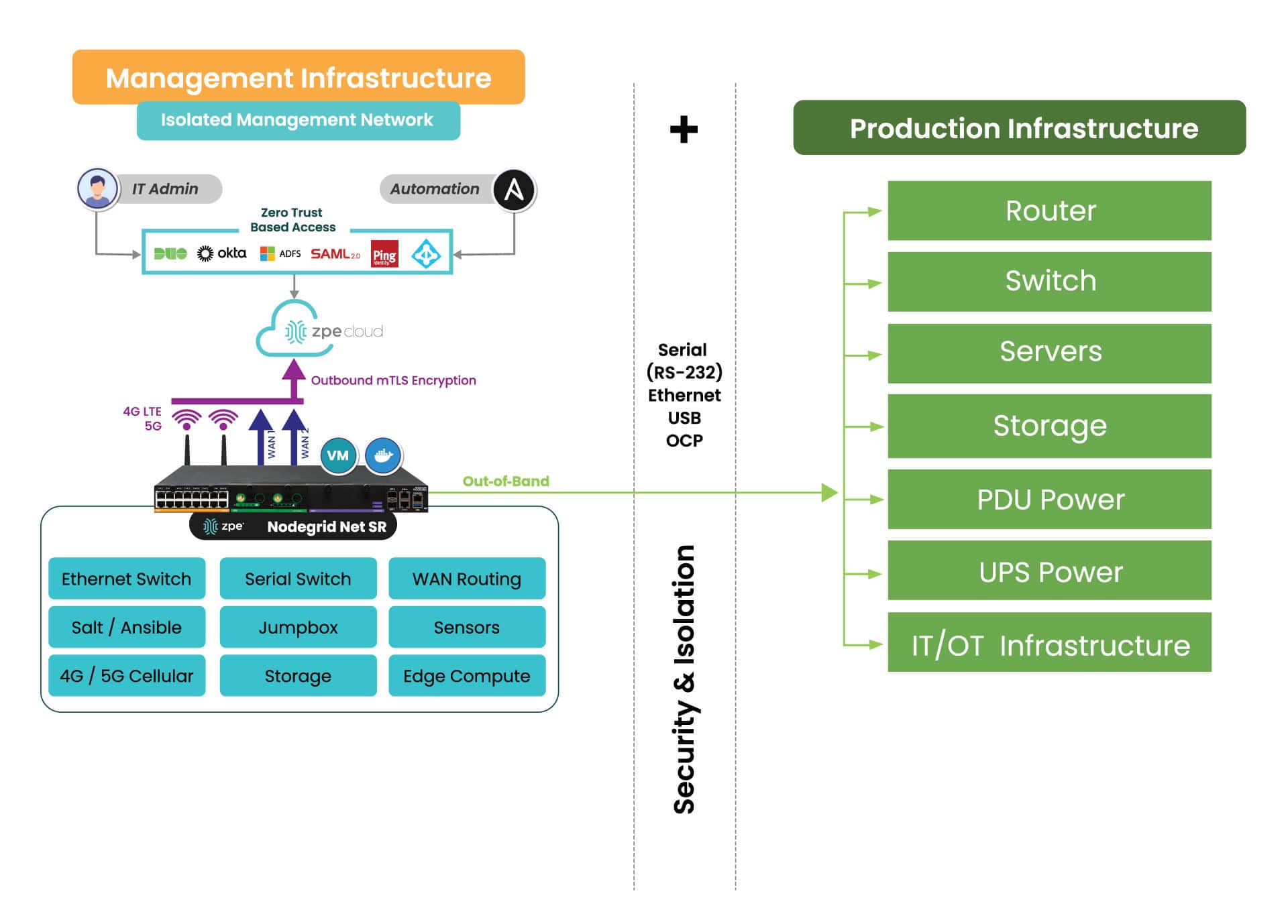
IMI is a dedicated control plane network that’s meant for administration and recovery of IT systems, including Windows PCs affected by the CrowdStrike outage. It uses the concept of out-of-band management, where you deploy a management device that is connected to dedicated management ports of your IT infrastructure (e.g., serial ports, IPMI ports, and other ethernet management ports). IMI also allows you to deploy recovery services for your digital estate that is immutable and near-line when recovery needs to take place.
IMI does not rely at all on the production assets, as it has its own dedicated remote access via WAN links like 4G/5G, and can contain and encrypt recovery keys and tools with zero trust.
IMI gives teams remote, low-level access to devices so they can recover their systems remotely without the need to visit sites. Organizations that employ IMI are able to revert back to a golden image through automation, or deploy bootable tools to all the computers at the site to rescue them without data loss.
The dedicated out-of-band access to serial/IPMI and management ports gives automation software the same abilities as if a physical crash cart was pulled up to the servers. ZPE Systems’ Nodegrid (now a brand of Legrand) enables this architecture as explained next. Using Nodegrid and ZPE Cloud, teams can use either option to recoverfrom the CrowdStrike outage:
Option 1: Reboot in Pre-Execution Environment Software – Nodegrid gives low-level network access to connected Windows as if teams were sitting directly in front of the affected device. This means they can remote-in, reboot to a network image, remote into the booted image, delete the faulty file, and restart the system.
Option 2: Re-image – ZPE Cloud serves as a file repository and orchestration engine. Teams can upload their working Windows image, and then automatically push this across their global fleet of affected devices. This option speeds up recovery times exponentially.
Option 3: – Run Windows Deployment server on the IMI device at the location and re-image servers and workstations if a good backup of the data has been located. This backup can be made available through the IMI after the initial image has been deployed. The IMI can provide dedicated secure access to the InTune services in your M365 cloud, and the backups do not have to transit the entire internet for all workstations at the time, speeding up recovery many times over.
All of these options can be performed at scale or even automated. Server recovery with large backups, although it may take a couple of hours, can be delivered locally and tracked for performance and consistency.
But what about the risk of making mistakes when you have to repeat these tasks? Won’t this cause more damage and data loss?
Any team can make a mistake repeating these recovery tasks over a large footprint, and cause further damage or loss of data, slowing the recovery further. Automated recovery through the IMI addresses this, and can provide reliable recording and reporting to ensure that the restoration is complete and trusted.
What does IMI look like?
Here’s a simplified view of Isolated Management Infrastructure. You can see that ZPE’s Nodegrid device is needed, which sits beside production infrastructure and provides the platform for hosting all the tools necessary for fast recovery.
What you need to deploy IMI for recovery:
Out-of-band appliance with serial, USB, ethernet interfaces (e.g., ZPE’s Nodegrid Net SR)
Switchable PDU: Legrand Server Tech or Raritan PDU
Windows PXE Boot image
Here’s the order of operations for a faster CrowdStrike outage recovery:
Option 1 – Recover
IMI deployed with a ZPE Nodegrid device that will start Pre-Execution Environment (PXE) which are Windows boot images that the Nodegrid will push to the computers when they boot up
Send recovery keys from Intune to IMI remote storage over ZPE Cloud’s zero trust platform easily available in cloud or air-gapped through Nodegrid Manager
Enable PXE service (automated across entire enterprise) and define the PXE recovery image
Use serial or IP control of power to the computers, or if possible Intel vPro or IPMI capable machines, to reboot all machines
All machines will boot and check in to a control tower for PXE, or be made available to remote into using stored passwords on the PXE environment, Windows AD, or other Privileged Access Management (PAM)
Delete Files
Reboot
Option 2 – Lean re-image
IMI deployed with a Windows Pre-Execution boot image running PXE service
Enable access to cloud and Azure Intune to the IMI remote storage for the local image for the PC
Enable PXE service (automated across entire enterprise) and define the PXE recovery image
Use serial or IP control of power to the computers, or if possible, Intel vPro or IPMI capable machines, to reboot all machines
Machines will boot and check in to Intune either through the IMI or through normal Internet access and finish imaging
Once the machine completes the InTune tasks, InTune will signal backups to come down to the machines. If these backups are offsite, they can be staged on the IMI through backup software running on a virtual machine located on the IMI appliance to speed up recovery and not impede the Internet connection at the remote site
Pre-stage backups onto local storage, push recovery from the virtual machine on the IMI
Option 3 – Windows controlled re-image
Windows Deployment Server (WDS) installed as a virtual machine running on the IMI appliance (offline to prevent issues or online but under a slowed deployment cycle in case there was an issue)
Send recovery keys from Intune to IMI remote storage over a zero trust interface in cloud or air-gapped
Use serial or IP control of power to the computers, or if possible, Intel vPro or IPMI capable machines, to reboot all machines
Machines will boot and check in to the WDS for re-imaging
Machines will boot and check in to Intune either through the IMI or through normal Internet access and finish imaging
Once the machine completes the InTune tasks, InTune will signal backups to come down to the machines. If these backups are offsite, they can be staged on the IMI through backup software running on a virtual machine located on the IMI appliance to speed up recovery and not impede the Internet connection at the remote site
Pre-stage backups onto local storage, push recovery from the virtual machine on the IMI
Deploy IMI to avoid the next outage
Get in touch for help choosing the right size IMI deployment for your organization. Nodegrid and ZPE Cloud are the drop-in solution to recovering from outages, with plenty of device options to fit any budget and environment size. Contact ZPE Sales now or download the blueprint to help you begin implementing IMI.
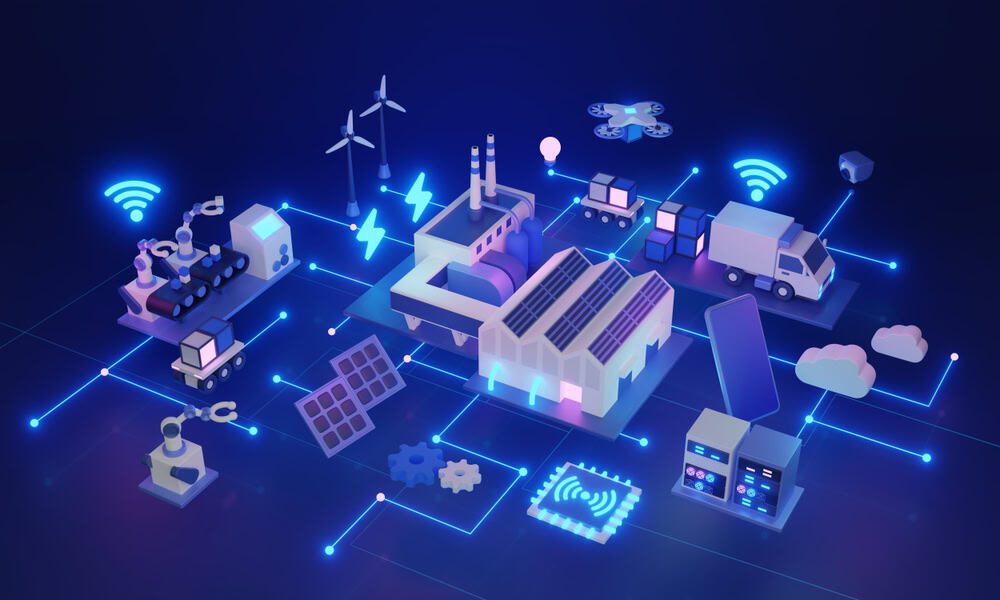
Edge computing delivers data processing and analysis capabilities to the network’s “edge,” at remote sites like branch offices, warehouses, retail stores, and manufacturing plants. It involves deploying computing resources and lightweight applications very near the devices that generate data, reducing the distance and number of network hops between them. In doing so, edge computing reduces latency and bandwidth costs while mitigating risk, enhancing edge resilience, and enabling real-time insights. This blog discusses the five biggest benefits of edge computing, providing examples and additional resources for companies beginning their edge journey. .
5 benefits of edge computing
Edge Computing:
Description
Reduces latency
Leveraging data at the edge reduces network hops and latency to improve speed and performance.
Mitigates risk
Keeping data on-site at distributed edge locations reduces the chances of interception and limits the blast radius of breaches.
Lowers bandwidth costs
Reducing edge data transmissions over expensive MPLS lines helps keep branch costs low.
Enhances edge resilience
Analyzing data on-site ensures that edge operations can continue uninterrupted during ISP outages and natural disasters.
Enables real-time insights
Eliminating off-site processing allows companies to use and extract value from data as soon as it’s generated.
1. Reduces latency
Edge computing leverages data on the same local network as the devices that generate it, cutting down on edge data transmissions over the WAN or Internet. Reducing the number of network hops between devices and applications significantly decreases latency, improving the speed and performance of business intelligence apps, AIOps, equipment health analytics, and other solutions that use edge data.
Some edge applications run on the devices themselves, completely eliminating network hops and facilitating real-time, lag-free analysis. For example, an AI-powered surveillance application installed on an IoT security camera at a walk-up ATM can analyze video feeds in real-time and alert security personnel to suspicious activity as it occurs.
Edge computing mitigates security and compliance risks by distributing an organization’s sensitive data and reducing off-site transmission. Large, centralized data stores in the cloud or data center are prime targets for cybercriminals because the sheer volume of data involved increases the chances of finding something valuable. Decentralizing data in much smaller edge storage solutions makes it harder for hackers to find the most sensitive information and also limits how much data they can access at one time.
Keeping data at the edge also reduces the chances of interception in transit to cloud or data center storage. Plus, unlike in the cloud, an organization maintains complete control over who and what has access to sensitive data, aiding in compliance with regulations like the GDPR and PCI DSS 4.0. .
Many organizations use MPLS (multi-protocol label switching) links to securely connect edge sites to the enterprise network. MPLS bandwidth is much more expensive than regular Internet lines, which makes transmitting edge data to centralized data processing applications extremely costly. Plus, it can take months to provision MPLS at a new site, delaying launches and driving up overhead expenses.
Edge computing significantly reduces MPLS bandwidth utilization by running data-hungry applications on the local network, reserving the WAN for other essential traffic. Combining edge computing with SD-WAN (software-defined wide area networking) and SASE (secure access service edge) technologies can markedly decrease the reliance on MPLS links, allowing organizations to accelerate branch openings and see faster edge ROIs. .
Since edge computing applications run on the same LAN as the devices generating data, they can continue to function even if the site loses Internet access due to an ISP outage, natural disaster, or other adverse event. This also allows uninterrupted edge operations in locations with inconsistent (or no) Internet coverage, like offshore oil rigs, agricultural sites, and health clinics in isolated rural communities. Edge computing ensures that organizations don’t miss any vital health or safety alerts and facilitates technological innovation using AI and other data analytics tools in challenging environments..
.
Sending data from the edge to a cloud or on-premises data lake for processing, transformation, and ingestion by analytics or AI/ML tools takes time, preventing companies from acting on insights at the moment when they’re most useful. Edge computing applications start using data as soon as it’s generated, so organizations can extract value from it right away. For example, a retail store can use edge computing to gain actionable insights on purchasing activity and customer behavior in real-time, so they can move in-demand products to aisle endcaps or staff extra cashiers as needed. .
To learn more about the potential uses of edge computing technology, read Edge Computing Examples.
Simplify your edge computing deployment with Nodegrid
The best way to achieve the benefits of edge computing described above without increasing management complexity or hardware overhead is to use consolidated, vendor-neutral solutions to host, connect, and secure edge workloads. For example, the Nodegrid Gate SR from ZPE Systems delivers an entire stack of edge networking and infrastructure management technologies in a single, streamlined device. The open, Linux-based Nodegrid OS supports VMs and containers for third-party applications, with an Nvidia Jetson Nano card capable of running AI workloads alongside non-AI data analytics for ultimate efficiency.
Improve your edge computing deployment with Nodegrid
Nodegrid consolidates edge computing deployments to improve operational efficiency without sacrificing performance or functionality. Schedule a free demo to see Nodegrid in action.
The Cisco ISR 4431 is an enterprise branch services router from Cisco’s Integrated Services Router product line. The ISR 4431 integrates with the Cisco DNA infrastructure management platform and the Catalyst SD-WAN (software-defined wide area networking) solution. Its modular design also makes the ISR 4431 extensible with Cisco’s Network Interface Modules (NIMs) to add storage, Ethernet switching, out-of-band (OOB) console server management, and other capabilities.
Cisco announced end-of-sale and end-of-life (EOL) dates for select ISR 4400-series models, including the ISR 4431. Its Cisco-recommended replacement option is the Catalyst C8300, which offers some improvements over the ISR but still suffers from some management, automation, and scaling limitations. However, there are other options on the market that fill these gaps with secure, vendor-neutral, all-in-one branch networking solutions. This guide compares Cisco ISR 4431 EOL replacement options and discusses the advanced features and capabilities offered by Cisco alternatives.
Click here for a list of ISR 4431 EOL products and replacement SKUs. .
Upcoming Cisco ISR 4431 EOL dates
November 6, 2024 – End of routine failure analysis, end of new service attachment
August 31, 2025 – End of software maintenance releases and bug fixes
February 5, 2028 – End of service contract renewal
The Cisco ISR 4431 suffers from numerous limitations, such as its large physical size and closed ecosystem. Cisco’s recommended replacement option, the Catalyst C8300, has the same problems.
Both devices are 2RU, making them too large to easily install in cramped branches and edge computing sites that may not have a dedicated IT space. Both the ISR 4431 and the Catalyst C8300 are closed platforms, only supporting integrations with Cisco’s third-party partners like ThousandEyes. This prevents teams from utilizing all the security, automation, and monitoring solutions they’re most familiar with (or that work best for their specific use case), increasing the difficulty and complexity of branch network operations. Cisco’s OOB management modules and DNA software are also mostly limited to controlling other Cisco devices, leaving administrators with critical coverage gaps or multiple management solutions to deal with. Overall, these limitations reduce the efficiency, resilience, and scalability of branch network operations.
The Nodegrid Net SR (NSR)
The Nodegrid platform from ZPE Systems addresses many of Cisco’s limitations with vendor-neutral branch services routers (SRs). The Nodegrid Net Services Router (NSR) is a 1RU replacement for Cisco ISR 4431 EOL devices and features advanced branch networking capabilities.
Want to see how Nodegrid stacks up against Cisco’s ISR 4431 EOL replacement options? Click here to download the services routers comparative matrix.
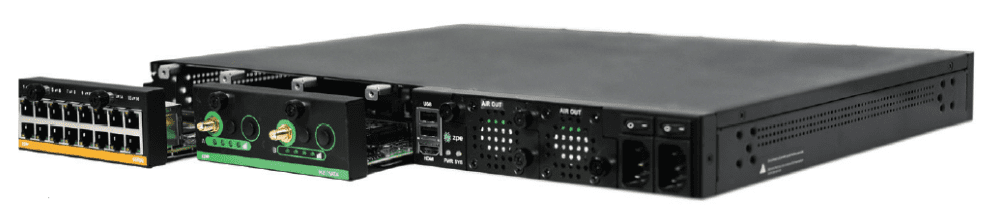
The NSR provides branch gateway routing and switching, vendor-neutral VNF (virtual network function) hosting, and out-of-band management in a single, 1RU device. The NSR’s expansion modules add capabilities like PoE+, cellular/Wi-Fi, edge compute, and additional serial console management ports.
Nodegrid solutions are vendor-neutral, supporting Guest OS and Docker containers for third-party software. Teams can use their favorite tools for monitoring, automation, and security, and even extend these capabilities to legacy and mixed-vendor infrastructure. Organizations can use Nodegrid to create a custom-tailored, all-in-one branch networking solution with all the apps and services needed to deploy, manage, troubleshoot, and recover branch operations. Plus, Nodegrid creates an isolated management plane where teams can recover from ransomware, deploy resource-intensive automated workflows, and ensure 24/7 branch operations, improving resilience and supporting efficient scaling.
Ready to replace your Cisco ISR 4431 EOL products?
The Nodegrid platform delivers vendor-neutral branch network management for improved efficiency, resilience, and scalability. See our Cisco ISR 4431 EOL replacement SKUs below or contact ZPE Systems for help choosing the right Nodegrid solution for your business.
Explore our full products and services package to replace your Cisco ISR 4431
We know that replacing EOL devices takes a lot of effort. That’s why ZPE now offers a complete package of budget-friendly products and engineering services. Visit our page to see how we make it easy to replace discontinued devices like the Cisco ISR 4431.
Edge computing moves computing resources and data processing applications out of the centralized data center or cloud, deploying them at the edges of the network and allowing companies to use their edge data in real-time. An explosion in edge data generated by Internet of Things (IoT) sensors, automated operational technology (OT), and other remote devices has created a high demand for edge computing solutions. A recent report from Grand View Research valued the edge computing market size at $16.45 billion in 2023 and predicted it to grow at a compound annual growth rate (CAGR) of 37.9% by 2030.
The current edge computing landscape comprises solutions focused on individual use cases, lacking interoperability and central orchestration. The future of edge computing, as described by leading analysts at Gartner, depends on unifying the edge computing ecosystem with comprehensive strategies and centralized, vendor-neutral management and orchestration. This future relies on edge-native applications that integrate seamlessly with upstream resources, remote management, and orchestration while still being able to operate independently.
Where is edge computing now?
Many organizations already use edge computing technology to solve individual problems or handle specific workloads. For example, a manufacturing department may deploy an edge computing application to analyze log data and provide predictive maintenance recommendations for a single type of machine or assembly line. A single company may have a dozen or more disjointed edge computing solutions in use throughout the network, creating visibility and management headaches for IT teams. This piecemeal approach to edge computing results in what Gartner calls “edge sprawl”: many disparate solutions deployed without centralized control, security, or visibility. Edge sprawl increases management complexity and risk while decreasing operational efficiency, creating significant roadblocks for digital transformation initiatives.
Additionally, many organizations misunderstand edge computing by thinking it’s just about moving computing resources as close to the edge as possible to collect data. In reality, the true potential of the edge involves using edge data in real-time, gaining “cloud-in-a-box” capability that works in concert with the network’s upstream resources.
Anticipating the future of edge computing
At Gartner’s 2023 IT Infrastructure Operations & Cloud Strategies Conference, edge technology experts predicted that, by 2025, enterprises will create and process more than 50% of their data outside the centralized data center or cloud. Surging edge data volume will accelerate the challenges caused by a lack of strategy or orchestration.
Gartner’s 6 Edge Computing Challenges
Lack of extensibility
Many purpose-built edge computing solutions can’t adapt as use cases change or expand as the business scales, limiting agility and preventing efficient growth.
Inability to extract value from edge data
Much of the valuable data generated by edge sensors and devices gets left on the table, so to speak, because companies lack the resources needed to run all their data analytics and AI apps at the edge and are stuck simply collecting data rather than being able to do much with it.
Data storage constraints
Edge computing deployments are often smaller and have more data storage constraints than large data centers and cloud deployments, but quickly distinguishing between valuable data and destroyable junk is difficult with edge resources.
Knowledge debt from edge-native apps
Edge-native applications are designed for edge computing architectures from the ground up. Edge containers are similar to cloud-native apps, but clustering and cluster management work much differently, creating what’s known as “knowledge debt” and straining IT teams.
Lack of security controls, policies, & visibility
Edge deployments often lack many of the security features used in data centers, and sometimes other departments install edge computing solutions without onboarding them with IT for the application of security policies and monitoring agents, adding risk and increasing the attack surface.
Inability to remotely orchestrate, monitor, & troubleshoot
When equipment failures, configuration errors, or breaches take down edge networks, remote teams are often cut-off and unable to troubleshoot or recover without traveling on-site or paying for managed services, increasing the duration and cost of the outage. Current edge solutions are novel and don’t connect to or integrate with the full networking stack.
At the Gartner conference, analyst Thomas Bittman gave multiple presentations echoing his advice from the Building an Edge Computing Strategy report published earlier in the year. In preparing for the future of edge computing, Bittman urges companies to proactively develop a comprehensive edge computing strategy encompassing all potential use cases and addressing the challenges described above. His recommendations include:
Enabling extensibility by utilizing vendor-neutral platforms that allow for expansion and integration, which supports growth and agility at the edge.
Looking for opportunities to deploy artificial intelligence, data analytics, and machine learning alongside edge computing units, for example, with system-on-chip technology or all-in-one edge networking and computing devices.
Anticipating data storage and governance challenges at the edge by defining clear policies and deploying AI/ML data management solutions that dynamically determine data value.
Reducing knowledge debt by utilizing vendor-neutral platforms that support familiar container and cluster management technologies (like Docker and Kubernetes).
Securing the edge with a multi-layered defense, including hardware security, frequent patches, zero-trust policies, strong authentication, network micro-segmentation, and comprehensive security monitoring.
Bittman’s recommended edge computing strategy uses the central EMO as a hub for all the technologies, processes, and workflows involved in operating and supporting the edge. This strategy will prepare companies for the future of edge computing and support efficient, agile growth and innovation.
Enter the future of edge computing with Nodegrid
Nodegrid is a vendor-neutral edge management and orchestration platform from ZPE Systems. Nodegrid easily interoperates with your choice of edge solutions and can directly run third-party AI, ML, data analytics, and data governance applications to help you extract more value from your edge data. The open, Linux-based Nodegrid OS can also host Docker containers and edge-native applications to reduce hardware overhead and knowledge debt.
Nodegrid devices protect your edge management interfaces with hardware security features like TPM and geofencing, support for strong authentication like 2FA, and integrations with leading zero-trust providers like Okta and PING. The Nodegrid OS and ZPE Cloud are Synopsys-validated to address security at every stage of the SDLC. Plus, you can run third-party security solutions for SASE, next-generation firewalls, and more.
Nodegrid edge networking solutions use out-of-band technology to give teams 24/7 remote visibility, management, and troubleshooting access to edge deployments. It freely interoperates with third-party solutions for infrastructure automation, monitoring, and recovery to support network resilience and operational efficiency. Nodegrid is like a cloud-in-a-box solution, incorporating edge computing and the full networking stack. Nodegrid’s edge management and orchestration platform provides single-pane-of-glass visibility, control, and resilience while supporting future edge growth.
Use Nodegrid for your Gartner-approved edge computing strategy
The Nodegrid EMO platform helps you anticipate the future of edge computing with vendor-neutral, single-pane-of-glass visibility and control. Watch a free Nodegrid demo to learn more.
ZPE Systems delivers innovative solutions to simplify infrastructure managment at the datacenter, branch, and edge.
Learn how our Zero Pain Ecosystem can solve your biggest network orchestration pain points.