Providing Out-of-Band Connectivity to Mission-Critical IT Resources

Zero Touch Deployment Cheat Sheet

A zero touch deployment cheat sheet is visualized as a literal cheat sheet used by a student during an exam

Zero touch deployment is meant to make admins’ lives easier by automatically provisioning new devices. However, many teams find the reality of zero touch deployment much more frustrating than manual device configurations. For example, zero touch deployment isn’t always compatible with legacy systems, can be difficult to scale, and is often error-prone and difficult to remotely troubleshoot. This post provides a “cheat sheet” of solutions to the most common zero touch deployment challenges to help organizations streamline their automatic device provisioning.

Zero touch deployment cheat sheet

Zero touch deployment – also known as zero touch provisioning (ZTP) – uses software scripts or definition files to automatically configure new devices. The goal is for a team to be able to ship a new-in-box device to a remote branch where a non-technical user can plug in the device’s power and network cables, at which point the device automatically downloads its configuration from a centralized repository via the branch DHCP server.

In practice, however, there are a variety of common issues that force admins to intervene in the “zero touch” deployment. This guide discusses these challenges and advises how to overcome them to achieve truly zero touch deployments.

Zero touch deployment challenge: The solution:
Legacy systems don’t have native support for zero touch Extending zero touch to legacy systems using a vendor-neutral platform
Deployment errors result in costly truck-rolls Recovering from errors remotely with Gen 3 out-of-band (OOB) management
Securing remote deployments causes firewall bottlenecks Moving security to the edge with Zero trust gateways and Secure Access Service Edge (SASE)
Automating deployments at scale increases management complexity Maintaining control through centralized, vendor-neutral orchestration with version control

Extend zero touch to legacy systems with a vendor-neutral platform

Challenge Solution

While many new systems and networking solutions support zero touch deployment, sometimes there’s still a need to repurpose or reconfigure legacy systems that don’t come with native ZTP support.

Pre-staging these devices before shipping them to the branch is a security risk because the system could be intercepted in transit; plus, they’re likely already deployed at remote sites and need to be reconfigured in place. Without a way to extend zero touch deployment capabilities to those legacy systems, companies often have to pay for admins to travel to remote branches, negating any cost savings they were hoping to gain from reusing older devices.

One way to extend zero touch to legacy systems is with a vendor-neutral management platform. For example, a vendor-neutral serial console switch with auto-sensing ports can connect to modern and legacy infrastructure solutions in a heterogeneous branch deployment so they can all be managed from a single place.

From that unified management platform, admins can write and deploy configuration scripts to connected devices, including legacy systems that don’t support zero touch. Technically, this isn’t zero touch deployment because the system doesn’t automatically download and run its configuration file, but it’s still a way to turn an on-site, manual process into one that’s remotely activated and mostly automated.

Recover from deployment errors with Gen 3 OOB management

Challenge Solution

A new branch deployment almost never goes completely according to plan, and this is especially true when teams are using zero touch for the first time, or aren’t completely comfortable with software-defined infrastructure and networking. In the best-case scenario, when there’s a configuration error, the zero touch deployment aborts, and an admin is able to correct the problem and restart the process.

However, sometimes the deployment hiccup causes the device to hang, freeze, or get stuck in a reboot cycle. Or, even worse, an unnoticed error in the configuration could allow the deployment to finish successfully but then go on to affect other production dependencies and bring the entire branch network down. Either way, organizations must again deal with the expenses involved in sending a tech out to troubleshoot and fix the problem.

The best way to ensure continuous access to remote infrastructure is with out-of-band (OOB) management. An OOB solution, such as a serial console or all-in-one branch gateway, connects to the management ports on infrastructure devices so admins can remotely monitor and control every device from a single place without IP addresses.

This creates a separate (out-of-band) network that’s dedicated to management and troubleshooting, making it possible for teams to remotely recover devices that have failed the zero touch deployment process or brought down production LAN dependencies. Plus, the OOB gateway uses independent, redundant network interfaces to ensure admins still have remote access even if the production WAN or ISP link goes down.

To ensure full OOB management coverage of a heterogenous, mixed-vendor environment, the out-of-band solution should be completely vendor-neutral. An open OOB device also supports integrations with third-party solutions for automation, orchestration, and security. This kind of out-of-band platform is known as Gen 3 OOB. Gen 3 OOB management ensures that teams can remotely recover from zero touch deployment errors no matter what device is affected or how the production network is impacted.

Secure remote deployments with zero trust gateways and SASE

Challenge Solution

Organizations need to secure all devices at all remote sites using consistent policies and security controls. However, for smaller branches and IoT sites, it usually isn’t cost-effective to deploy a security appliance in each location.

Plus, adding more firewalls also adds more management complexity. That means traffic is usually backhauled through the main data center firewall, creating bottlenecks and causing network latency for the entire enterprise.

Using zero trust gateways and cloud-based security services, companies can move security to the branch without the cost and complexity of additional firewalls. An all-in-one, zero trust gateway solution combines SD-WAN, gateway routing, and OOB management in a single device. It also supports zero trust authentication technologies like SAML 2.0 and 2FA. A zero trust gateway also needs to support network micro-segmentation, which will allow the use of highly specific security policies and targeted security controls. Plus, by enabling software-defined wide area networking (SD-WAN), a zero trust gateway facilitates the use of SASE.

Secure Access Service Edge (SASE) is a cloud-based service that combines several enterprise security solutions into a single platform. Zero trust gateways use SD-WAN’s intelligent routing capabilities to detect branch traffic that’s destined for the cloud or web. This traffic is directed through the SASE stack for firewall inspection and security policy application, allowing it to bypass the main security appliance entirely. SASE helps reduce the load on the enterprise firewall, reducing bottlenecks and improving performance without sacrificing security.

Scale zero touch deployments with centralized orchestration

Challenge Solution
Zero touch deployments occur (at least in theory) without any admin intervention, but they still need to be monitored for failures. Keeping track of a handful of automatic deployments may seem easy enough, but as the number and frequency increases, it becomes more challenging. This is especially true when companies kick off large-scale expansions, deploying dozens of devices at once, all of which could be plugged in at any time to begin the automated provisioning process. Plus, different devices need different configuration files, and admins need a way to work together without overwriting each other’s code or duplicating each other’s efforts. A vendor-neutral orchestration platform provides a central hub for network and infrastructure automation across the entire enterprise. This platform uses the serial consoles and OOB gateways in each remote location to gain control over all the connected devices, so network teams can monitor and deploy all their zero touch configurations from one place. An orchestration platform is the single source of truth for all automation, so it needs to support version control. This ensures that admins can see who created or changed a configuration file and revert to a previous version when there’s a mistake.

Simplifying zero touch deployment with Nodegrid

Zero touch deployment can be a hassle, but using vendor-neutral management systems, Gen 3 OOB management, zero trust gateways, and centralized orchestration can help organizations overcome the most common hurdles. For example, a vendor-neutral Nodegrid branch gateway deployed at each remote site helps you extend automation to legacy systems, provides fast and reliable out-of-band access to recover from issues, enables zero trust security & SASE, and gives you unified orchestration through the Nodegrid Manager (on premises) and ZPE Cloud software.

Ready to learn more about zero touch deployment?

Nodegrid has a solution for every zero touch deployment challenge. Schedule a demo to see how Nodegrid’s vendor-neutral platform can simplify zero touch deployment for your enterprise.


Contact Us

Network Automation Tools To Offset the Tech Talent Shortage

network automation tools
As enterprise networks grow more complex, there’s a rising need for highly-specialized engineers to implement and maintain these complicated architectures. However, due to the Covid-19 pandemic, a global recession, and other world events beyond an organization’s control, it can be very difficult to recruit and retain these specialists. In fact, many companies are currently relying on smaller IT teams than usual to manage their vital network infrastructure. According to Gartner research, the tech talent shortage is one of the biggest barriers to the adoption of emerging technology like network automation.

However, network automation tools can actually help understaffed organizations ensure the continued availability and performance of enterprise networks by streamlining workflows and reducing manual intervention. In this blog, we’ll discuss how four different types of network automation tools can be used to solve major problems caused by the tech talent shortage.

Problem Solution
You lack the staff required to efficiently deploy, monitor, and manage network configurations. Automated network configuration management solutions like SolarWinds Network Configuration Manager (NCM) and Micro Focus Network Automation Software.
You need to extend DevOps automation to networking without purchasing additional solutions or hiring network automation experts. DevOps configuration management solutions that can be used for server and network automation like RedHat Ansible and Puppet.
You want to improve network reliability and performance while reducing management complexity. Software-defined networking (SDN) and software-defined wide area networking (SD-WAN) solutions like Palo Alto Prisma and Cisco Meraki.
You lack full-coverage network security, so you’re unsure where your vulnerabilities are or how efficiently you can respond to incidents. Network security automation solutions like Palo Alto’s Next-Generation Firewall (NGFW) and Datadog AIOps security and monitoring.


To learn more about using automation technology to ensure network resilience, click here to download the Network Automation Blueprint from ZPE Systems.


Network automation tools to offset the tech talent shortage

The following categories of network automation tools are designed to simplify network management workflows to ensure optimal performance and 24/7 availability.

Automated network configuration management

Network configuration management refers to the ongoing process of creating, deploying, and maintaining configurations for network devices and logic. Some of the tasks involved in network configuration management include device discovery, provisioning, and software and firmware updates. In addition, network configurations are monitored to ensure they don’t drift away from documented standards (configuration shift), and if needed, unauthorized changes are rolled back. This reduces the risk that an undocumented configuration tweak will introduce an unnoticed security vulnerability (such as the recent Fortinet authentication bypass exploit) and ensures consistent quality across the entire network architecture.

However, manual network configuration management is complicated and time-consuming, especially when so many network operations teams are overworked and understaffed. An automated network configuration management solution handles many of these tasks without the need for human intervention. Admins can create network configuration policies and playbooks which are used to automatically deploy new devices and update network dependencies, saving time and reducing human error. In addition, automated configuration management uses these policies to continuously monitor for and correct configuration drift. In the case of the Fortinet CVE, for example, automatic configuration management could have helped teams instantly roll back to the last known good config to close the vulnerability.

Examples of network automation tools for network configuration management include SolarWinds Network Configuration Manager and Micro Focus Network Automation.

DevOps IaC configuration management

Many organizations have adopted the DevOps methodology, which seeks to dissolve the barriers between the software development and IT operations teams to improve efficiency. On the Ops side, this often involves a practice called IaC, or Infrastructure as Code. IaC uses software code and machine-readable definition files to automatically provision servers and manage configurations. IaC enables Ops teams to spin up resources at the velocity required for fast-paced DevOps software projects. It also means that infrastructure configuration code can be stored, managed, and deployed from the same platform as software code, facilitating easy collaboration between developers and sysadmins.

With the recession forcing many IT teams to downsize, organizations are looking for ways to extend the efficiency provided by DevOps automation tools to the networking side of the house without purchasing additional solutions. Plus, many network admins lack the expertise required to operate network automation solutions, and the tech talent shortage makes recruiting such specialized engineers difficult. Luckily, some IaC configuration management tools like RedHat Ansible and Puppet can also be used for network configurations, which helps teams automate without any special programming skills.

That also means admins can deploy, monitor, and manage configurations for network devices and systems across the entire architecture from a single platform, saving money and reducing operational complexity. This convergence of DevOps and network management is known as NetDevOps or NetOps, and it’s empowering organizations to improve efficiency even during the recession and talent shortage.

Software-defined networking and SD-WAN

Enterprise networks are typically highly distributed and very complex. An organization could have 500 branch offices around the world, each of which uses slightly different networking hardware and software solutions. Each of these vendor solutions might have its own management platform for admins to configure, manage, and continuously monitor. Things grow more challenging when an organization uses a hybrid cloud infrastructure, which requires WAN (wide area networking) orchestration across multiple public and private clouds. This complexity makes it challenging for overworked network administrators to maintain optimal performance and 24/7 availability.

Software-defined networking (SDN) and software-defined wide area networking (SD-WAN) help to reduce the complexity of enterprise networks by abstracting network configurations and workflows as software code that’s decoupled from the underlying hardware. Codifying network configurations makes it easier to use technology like automated configuration management, which reduces the burden on overworked admins and reduces human error. SDN and SD-WAN also facilitate the use of centralized network orchestration platforms, which give admins a single pane of glass from which to control the entire network architecture.

This holistic coverage makes it possible for small teams to efficiently monitor and manage large, complex networks, reducing the risk of fatigue, human error, or negligence affecting performance. Plus, SDN and SD-WAN solutions employ automation to continuously monitor and adjust routing configurations as needed to ensure optimal performance. That means these solutions are often able to detect and remediate issues with latency and site availability much faster than a human admin could, ensuring optimal performance and reliability.

Examples of SDN and SD-WAN solutions include Cisco Meraki SDN and Palo Alto Prisma SD-WAN.

Network security automation

With the quantity, sophistication, and cost of cybersecurity attacks rising every year, network security is more important than ever. According to the Sophos State of Ransomware 2022 survey, 66% of organizations were hit by ransomware, a massive increase from 2020 in which only 37% of organizations were attacked.

However, the tech talent shortage and ongoing recession have left many organizations with gaps that increase both the risk that a breach will occur and the time it will take to recover. For example, IBM estimated in 2021 that unpatched vulnerabilities accounted for at least one-third of all data breaches. However, staying on top of patch management for large, diverse, and distributed network infrastructures is difficult when teams are overworked and understaffed.

Plus, when networking and security teams are spread so thin, it can take them much longer to detect a breach that has already occurred, even if the hacker is actively exfiltrating data or changing system configurations. Remediation is also slowed down by the need to manually investigate logs, isolate affected systems, and implement fixes.

Network security automation can help bridge these gaps by reducing the need for human analysts to perform the more tedious and repetitive – but highly vital – tasks involved in ongoing cybersecurity management. Automated security solutions use technology like AIOps and machine learning to manage software and firmware updates, analyze network traffic for threats, and even perform remediation steps like quarantining infected systems and blocking compromised accounts.

Popular examples of network security automation tools include Palo Alto Network’s Next Generation Firewall (NGFW) and Datadog AIOps Security and Monitoring.

Using a vendor-neutral platform to deploy network automation tools

The goal of automation is to make it easier for network admins to maintain and optimize the enterprise network. However, if admins need to learn, configure, deploy, and manage a bunch of additional automation solutions, you could end up increasing the complexity of their jobs rather than reducing it.

The Nodegrid platform can help by directly hosting all of the network automation tools listed above, reducing the need for additional hardware to manage. Deploying Nodegrid boxes in all your data centers and remote sites gives you the ability to extend automation to every corner of your network and manage it all from behind a single pane of glass. Hosting your network automation on a vendor-neutral platform like Nodegrid gives your team an easy way to orchestrate automated workflows across your entire enterprise architecture.

Network automation tools help to bridge the gaps caused by the tech talent shortage, ensuring the reliability and resilience of enterprise networks. To get step-by-step instructions for how to implement the network automation solutions mentioned above, click here to download the Network Automation Blueprint from ZPE Systems.

Ready to learn more?

To learn more about deploying network automation tools with Nodegrid, contact ZPE Systems today.

Contact Us

Vapor IO: Re-architecting the Internet

ZPE Systems – Vapor IO thumbnail

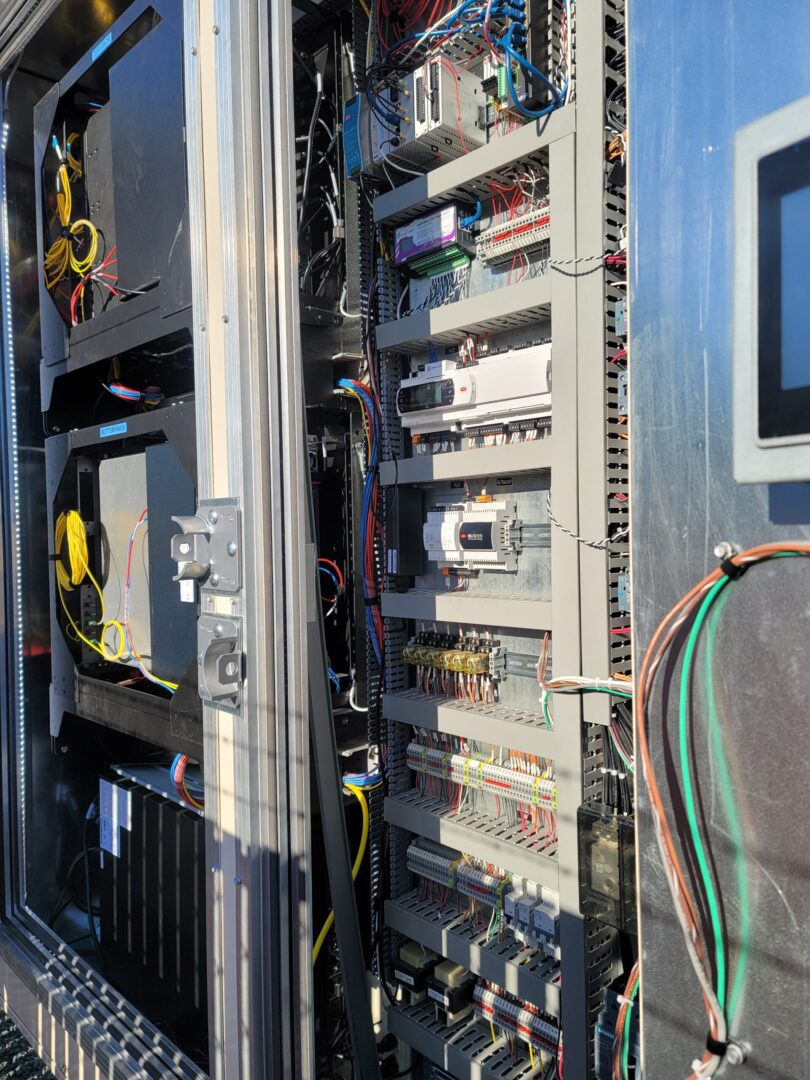
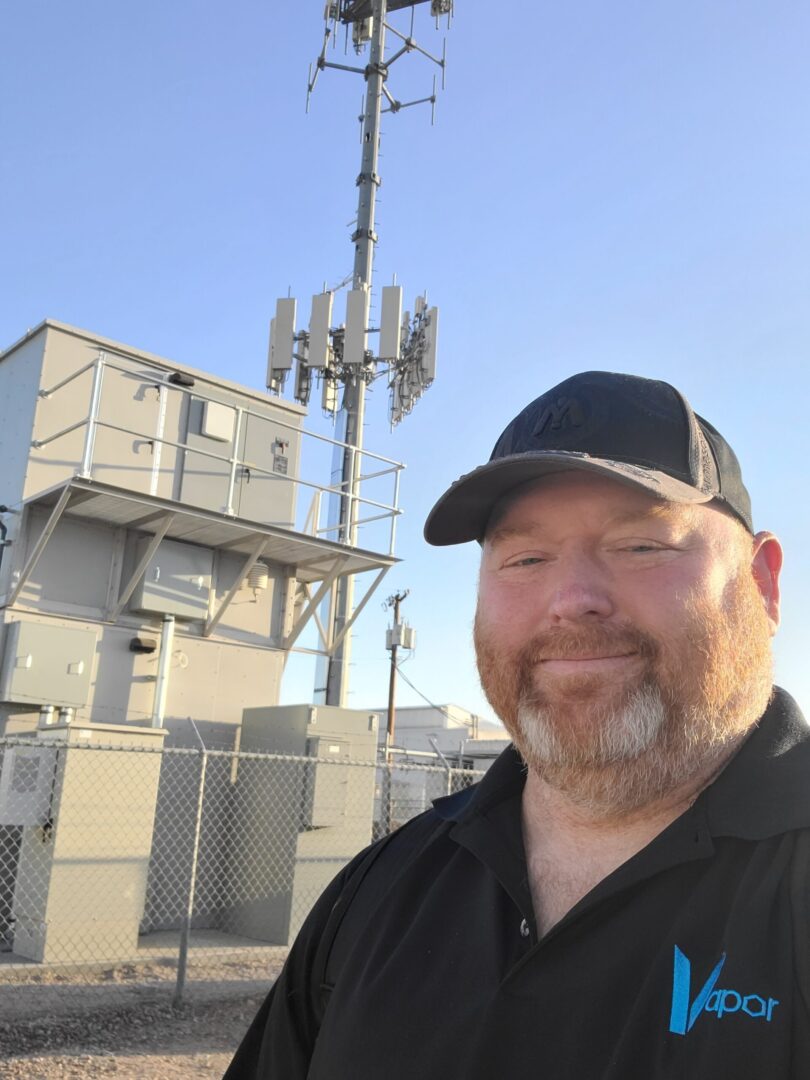
Automating edge deployments & lights-out management for Vapor® IO

Vapor IO provides autonomous network and data center infrastructure at the network edge. Their goal is to re-architect the traditional Internet into a distributed, ubiquitous, edge-to-edge web that serves end users with SLA-backed routing, up to twelve-nines reliability, 100-microsecond latency, and terabits-per-second bandwidth.

With 36 (and counting) major U.S. markets, and their recent expansion into Barcelona, Spain, Vapor IO needs to run operations as lean as possible. However, as they continued to scale, the complexity of their own management infrastructure stood in the way of achieving this goal.

See why they required eight hours of setup time at each site, and discover which Nodegrid technologies helped significantly streamline not only new installations, but operations and overhead as well. Download the case study for full details.

Problems and Gaps

Vapor IO’s ultimate goal for operations is to deploy lights-out data centers all over the world and minimize the number of staff required to maintain these sites. Crucial to this goal is having the ability to collect billions of data points at each location, which allows teams to monitor and control physical and virtual devices. But their existing management infrastructure was complex and outdated, and consisted of:

  • Cellular modem with third-party
  • Subscription out-of-band router
  • Out-of-band switch
  • Out-of-band serial console
  • Out-of-band laptop/compute node
20221216_113845

One of the company’s core values is to further business goals by making constructive changes and avoiding unnecessary complexity. This management infrastructure only added complexity and would require additional staff to maintain it. To solve this, Vapor IO would have to be proactive in closing several significant gaps:

  • Each edge data center required at least five separate management devices that were not integrated together. Deployments required a skilled technician to be on site for an entire workday. This time sink would multiply in direct correlation to the total number of new sites to deploy.
  • The ability to lease rackspace directly translates to revenue. But each site required Vapor IO to use at least 5RU for its own devices. As demand increased, this dead space would translate to millions in lost revenue, on top of additional power and cooling costs.
  • Having disparate solutions not only increased the total points of failure, but also meant more devices to manage. This increased the likelihood of failures/outages that would require truck rolls, and also increased the ongoing operational workload required to keep many management devices running.
  • A multi-vendor environment meant added overhead and rigidity that complicated procurement, project planning, and development of new designs. This made it difficult to adapt to different use cases and customer requirements.

Solution

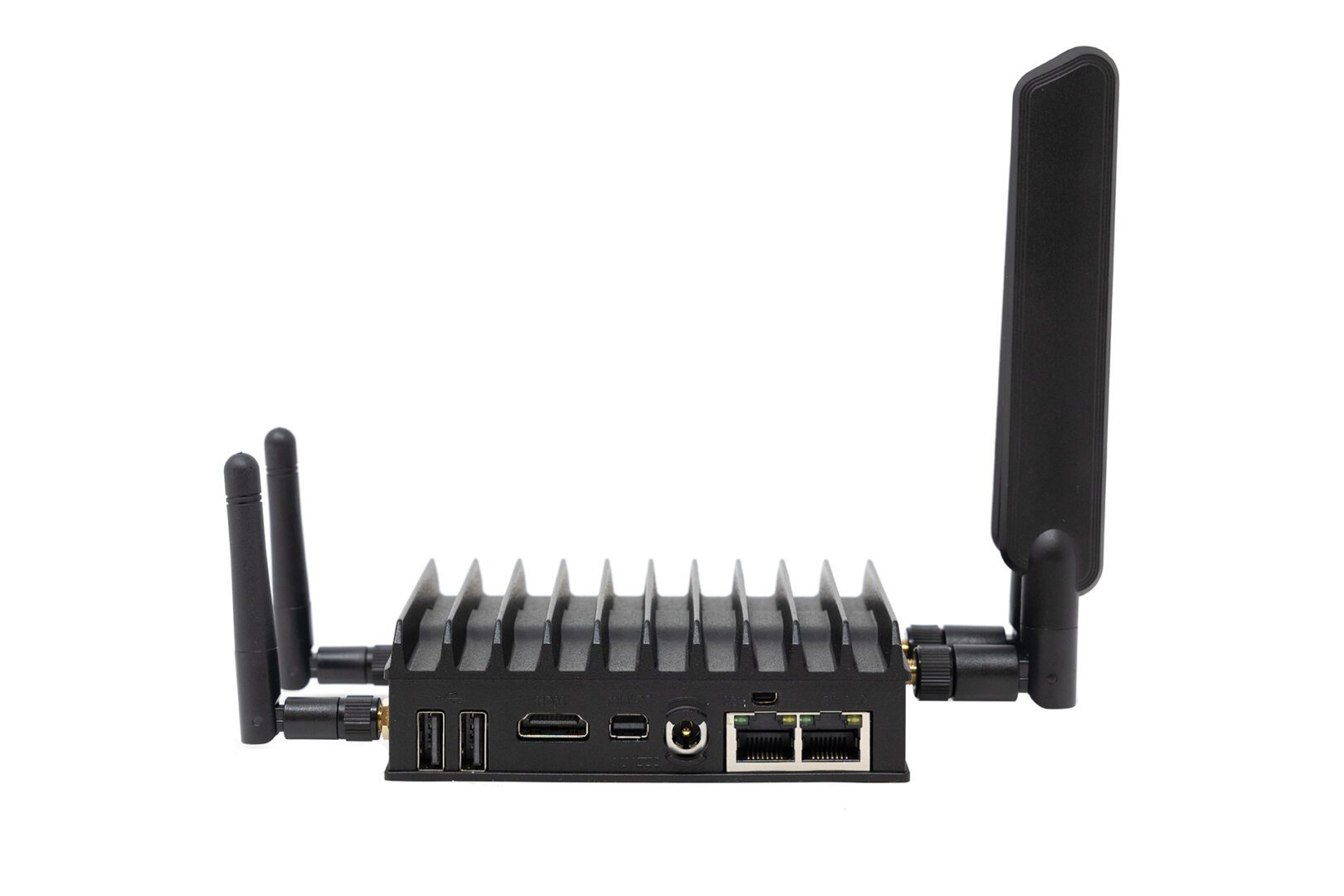
Vapor IO deployed the modular Nodegrid Net SR. This appliance provided the capabilities they needed to automate deployments and support lights-out management. The LTE module allows staff to remotely connect to sites and bring resources online, while the SFP module allows each site to connect to their nationwide fiber backbone.

Frank Basso

“Nodegrid keeps our costs down and extends everyone’s capabilities. The automation lets our support teams do specialized jobs, so our engineers can devote more time to delivering customer value.” — Frank Basso, EVP of Operations, Vapor IO

Building an IoT Device Management System

shutterstock_1350962531(1)(1)

Internet of Things (IoT) devices are integral components of many modern businesses. In 2020, there were almost 9 billion active IoT devices—that number is predicted to exceed 25 billion by 2030. Effectively deploying, monitoring, and managing all of these devices in an enterprise environment requires powerful, centralized orchestration using an IoT device management system. This post discusses the best practices and key considerations to keep in mind when planning, designing, and building your IoT device management system.

What is an IoT device management system?

An IoT device management system provides a unified platform from which to manage all of the IoT devices in use by an organization. Many of these devices operate with little-to-no human interaction, in remote sites that may be difficult or even dangerous to access for routine maintenance. For example, IoT sensors are used inside oil pipelines to monitor crucial metrics like flow, pressure, and temperature. In addition, one organization may need to employ dozens or hundreds of different IoT devices to handle specific functions. These devices often come from different vendors, with separate management platforms, patch schedules, and configuration schemes. This results in a lot of management complexity for the IT teams responsible for provisioning, maintaining, and troubleshooting all of these devices, creating the need for an IoT device management system. The goal of such a solution is to bring all of the tasks involved in IoT device management under one roof, including:


  • → Onboarding:
    Bringing new IoT devices onto the network with the proper credentials and security policies
  • → Configuration: Provisioning new IoT devices with the necessary settings
  • → Maintenance: Updating firmware and applying security patches in a timely manner
  • → Security: Applying enterprise security policies to all IoT devices on the network
  • → Diagnostics: Collecting and analyzing logs to help identify and fix IoT device issues
  • → End-of-life management: Decommissioning EOL devices so they don’t create a security risk by remaining online and unpatched
Nodegrid is a vendor-agnostic IoT device management system that enables end-to-end automation and reliable OOB management access. To see Nodegrid in action, schedule a free demo.

Best practices for building an IoT device management system

Here are some best practices and key considerations to keep in mind when planning, designing, and building your IoT device management system.

Avoid closed ecosystems

There are off-the-shelf software solutions for IoT device management that are designed to work within a single vendor’s ecosystem. While they may offer some support for third-party devices, they generally work best if you’re already operating within that vendor’s environment. For example, AWS IoT Device Management works with third-party IoT devices but requires an existing AWS infrastructure to use it effectively. These types of solutions will usually include a library of features and supported integrations, but you may not be able to integrate your preferred scripting languages, open-source tools, or other third-party components. A vendor-neutral, or vendor-agnostic, IoT device management system does not suffer from these limitations. In addition to the ability to hook into multi-vendor IoT devices, these platforms also allow you to use your choice of third-party software and scripts. A vendor-neutral solution gives you the freedom to build a truly bespoke IoT device management system that makes use of your team’s existing skills, preferred tools, and custom innovations.

Ensure 24/7 remote management access

One of the benefits of IoT devices is they can be deployed anywhere. However, maintaining continuous access to devices in remote and hard-to-reach environments can prove challenging. Natural disasters, LAN failures, ISP outages, political instability, and global pandemics can all occur with little-to-no warning, leaving organizations cut off from their critical remote IoT devices and infrastructure. Out-of-band (OOB) management solves this problem by providing an alternative path to remote network infrastructure. For example, an IoT device management system can use OOB serial consoles to create a management network that’s dedicated to the orchestration, maintenance, and troubleshooting of production network equipment. These serial consoles have multiple redundant network interfaces (e.g., 5G cellular, Fiber, and Wi-Fi) so admins can remotely access the IoT device management system even when the remote site loses its main internet connection. This ensures that organizations can recover from remote network failures faster, continue internal operations during ISP outages, and maintain continuous access to their IoT devices.

Protect IoT infrastructure with Zero Trust Security

IoT device management systems help ensure the security of remote IoT devices by simplifying tasks like firmware updates and vulnerability patch deployment. However, the IoT device management platform itself is a potential target for malicious actors hoping to gain complete control over an organization’s IoT infrastructure. That’s why organizations must protect their IoT device management system using Zero Trust Security. Zero Trust Security follows the principle of “never trust, always verify” by requiring all users, systems, and devices to continuously prove their trustworthiness as they access the network and enterprise resources. It also requires the consistent application of enterprise security policies and controls to every system and application that connects to the network, including the IoT device management system. That means, for example, that you should use technology such as two-factor authentication (2FA) and identity and access management (IAM) to control access and prevent compromised accounts from gaining control.

  • ☆ Bonus tip: Zero Trust Security is easier to apply if you use a vendor-neutral IoT device management system that supports integrations with third-party security solutions like next-generation firewalls (NGFWs) and Secure Access Service Edge (SASE). This will also ensure that Zero Trust controls are in place to protect the OOB management network from unauthorized access.

However, it’s important to acknowledge that there’s currently no way to completely prevent a breach from occurring. According to the Sophos State of Ransomware 2022 survey, 66% of organizations were hit by ransomware in 2021 alone, and that number is only expected to trend upwards over time. That’s why another critical aspect of Zero Trust Security for IoT device management is building a resilient network architecture with automation tools that reduce the MTTR (mean time to recovery) when—and not if—a breach occurs. Learn more about how to implement such an architecture with ZPE’s network automation blueprint.

Building an IoT device management system with Nodegrid

An IoT device management system is meant to simplify and streamline the management of remote, hard-to-reach, and complex IoT devices and infrastructure. Vendor-neutral systems allow you to customize your platform with the third-party tools and solutions that work best for your team and your organization’s use case. Out-of-band (OOB) management ensures that IT teams have reliable, 24/7 access to remote IoT systems. Finally, Zero Trust Security protects the IoT device management system and all connected devices from malicious attacks. The Nodegrid platform from ZPE Systems is a completely vendor-agnostic IoT device management system supported by Gen 3 OOB serial consoles like the Nodegrid Serial Console Plus (NSCP) and all-in-one edge gateway routers like the Mini Services Router (MSR). Nodegrid supports integrations with your choice of custom scripts, automation tools, and security solutions so you can build a bespoke IoT device management system that addresses your organization’s unique challenges and use cases.

Ready to learn more about the Nodegrid IoT device management system?

Contact ZPE Systems today to learn more about the Nodegrid IoT device management system, contact ZPE Systems today. Contact Us

What To Look for In a Cloud Edge Gateway Solution

Mini-SR-Rear
Gartner predicts that by 2029 more than 15 billion IoT devices will connect to enterprise infrastructure. Many of these devices will operate outside of the centralized enterprise network, in satellite offices, manufacturing facilities, retail stores, and other remote locations. These remote – or edge – IoT devices need a secure and reliable way to connect to cloud resources and applications.

A cloud edge gateway is a hardware or software solution used to connect edge devices to the cloud. Some edge gateways are also routers that connect the edge location’s network to the WAN (wide area network) or SD-WAN (software-defined wide area network). In addition, many cloud edge gateway solutions also provide management access to connected devices, so administrators can remotely monitor and control edge infrastructure.

Some popular use cases for cloud edge gateways include:

  • Retail stores: Cloud edge gateways give retail stores a fast and secure connection for POS (point of sale) terminals, credit card readers, and security cameras.
  • Remote health facilities: Hospitals and clinics in remote areas use cloud edge gateways to securely and reliably transmit health data from IoT medical devices.
  • Police/emergency response vehicles: Cloud edge gateways enable secure data transmission from police, fire, and EMS vehicles to cloud applications.

In this blog post, we’ll discuss the key characteristics and components of a robust, secure, and reliable cloud edge gateway solution.

What to look for in a cloud edge gateway

Vendor neutrality

In a decentralized network with many remote locations, network solutions like edge gateways are often chosen based on which vendor offered the best deal or had the most compelling sales pitch at the time a new site was opening. This creates a heterogeneous network architecture, with each vendor offering their own platform from which to monitor and manage their solutions. With so many platforms to learn and keep track of, it becomes very challenging for admins to keep networks operating at peak efficiency.

A vendor-neutral cloud edge gateway solution reduces management complexity by seamlessly integrating with the existing edge infrastructure. For example, Nodegrid Services Routers can run other vendors’ software, so admins can keep using the management platform they’re most comfortable with. Or, admins can use the ZPE Cloud network orchestration platform to manage any other vendor solution that’s connected to a Nodegrid device.

Vendor-neutral cloud edge gateways give organizations the freedom to continue expanding to new locations without worrying about integration issues. Vendor neutrality also reduces headaches for network administrators so they can focus on improving efficiency and optimizing performance.

High-speed cellular failover and out-of-band management

Edge IoT devices are used for critical operations, which means they need 24/7 connectivity. Cellular failover provides a secondary internet connection that’s independent of wired network infrastructure. A cloud edge gateway with cellular failover ensures that IoT devices have uninterrupted access to the cloud even if the primary ISP connection goes down. The best solution supports high-speed 4G/5G cellular to reduce the performance impact of failover, as well as providing dual-SIM slots for redundancy.

In addition, admins need management access to edge infrastructure and IoT devices that are independent of both the WAN and the LAN (local area network), so if something like a firmware update causes the local network to go down, they can repair the issue without needing to dispatch an expensive truck roll. Out-of-band (OOB) management uses a secondary network interface (like a 5G cellular SIM) to create an OOB network that’s dedicated to management and troubleshooting. An edge gateway with OOB management ensures that admins have 24/7 high-speed access to remote infrastructure so they can recover from problems faster and reduce downtime.

Secure hardware and software

The security threats to enterprise networks are ceaseless and growing more sophisticated by the day. Many IoT devices and edge locations operate with little-to-no human intervention, which means breaches could go undetected for a long time. In addition, it can be difficult to stay on top of patch schedules or remotely install security updates on so many devices in so many locations, which can leave edge networks vulnerable to attack.

The right cloud edge gateway comes with robust hardware security features like BIOS protection, encrypted disks, and geofencing that prevent malicious actors from using a stolen gateway to hijack edge networks. Its management software should also include Zero Trust security features like SAML 2.0 integration, selectable cryptographic protocols and cipher suite levels, and two-factor authentication (2FA). With a vendor-neutral solution like Nodegrid, admins can even use the cloud edge gateway to push out security updates to connected devices using the ZPE Cloud management platform.

Automation support

It’s growing more difficult for people to simultaneously manage the complex network infrastructures required for modern business operations while ensuring peak performance and 24/7 availability. Network automation solutions help decrease the burden on overworked admins and can improve the performance and reliability of edge networks.

Many edge gateways include some automation features as part of their management software. However, these tend to be limited to baked-in workflows, meaning admins may not be able to use custom scripts or third-party playbooks. The best cloud edge gateway has vendor-neutral automation support so admins can use their choice of automation solutions. For example, Nodegrid edge gateways can directly host automation playbooks from all the major platforms including Ansible and Puppet. Nodegrid also supports custom scripting and third-party integrations for even greater flexibility.

The best cloud edge gateway solution is vendor-neutral, uses high-speed cellular for failover and OOB management, follows Zero Trust best practices to keep the infrastructure secure, and supports all of the major automation tools and scripting languages. With the edge gateway market still being somewhat new, there’s really only one solution that checks all these boxes: the Nodegrid family of cloud edge gateway routers.

Why choose the Nodegrid cloud edge gateway solution?

There are six Nodegrid Services Router models to choose from based on your deployment size, networking requirements, and use case. For example, the Mini SR delivers versatile edge networking capabilities in a device approximately the size of an iPhone, which is perfect for mobile emergency response units or retail branches where space is at a premium.

For larger deployments, such as an edge compute data center or Smart Building system, the Net SR provides a modular solution with options for additional serial console ports, disk space, compute, PoE, and more.

Nodegrid’s vendor-neutral platform is extensible and capable of directly hosting other vendor solutions for automation, security, and other networking functions. Cellular failover and high-speed OOB are delivered via dual- or quad-SIM cellular slots with 5G/4G LTE support. Nodegrid devices are protected by secure hardware features, SAML 2.0 and 2FA support, and advanced authentication, plus the OS is kept up-to-date with frequent patches. Nodegrid is also the only cloud edge gateway with full support for all the top automation and IaC (infrastructure as code) solutions, including Ansible, Chef, and Puppet.

Ready to learn more about the Nodegrid cloud edge gateway solution?

Contact ZPE Systems today to learn more about the Nodegrid cloud edge gateway solution.

Contact Us

Implementing a Network Modernization Strategy for Large-Scale Organizations

Two engineers plan a network modernization strategy from a platform overlooking racks of data center infrastructurea
The COVID-19 pandemic forced many large-scale organizations to decentralize their business operations to enable remote work, which shined a spotlight on how outdated their enterprise networks are. As other world events like wars, a recession, and virus resurgences continue to impact business, organizations must modernize their network infrastructure if they want to survive. However, their survival is also contingent on their ability to meet SLAs and maintain 24/7 availability, so it’s crucial to minimize the disruption caused by infrastructure upgrades. This blog provides advice to large-scale organizations on how to implement a network modernization strategy that minimizes disruptions while leaving room for future growth and innovation.

The importance of network modernization

Network infrastructure updates are expensive and can be disruptive, leaving many large companies wondering if the payoff is worth the risks. However, when COVID-19 struck, these organizations were left scrambling to replace their outdated and insecure VPN solutions with more robust remote connectivity technology. Similarly, in the current recession, enterprises that put off network modernization in the past are now finding themselves without the remote management and orchestration capabilities they need to keep their infrastructure running optimally with reduced staff. Even without the looming threat of major world disruptions, outdated network infrastructure poses a risk to large-scale organizations. Obsolete devices are no longer patched by the vendor, which means any vulnerabilities that exist will remain open for hackers to exploit. Older equipment is also more likely to break, and may not be supported by the provider, making it more difficult and expensive to recover from a failure. Plus, outdated infrastructure hampers an enterprise’s ability to innovate with new technologies to stay competitive in the market. Upgrading network infrastructure is expensive, time-consuming, and requires careful planning to prevent business interruption. However, investing in network modernization now will save you from more costly disruptions in the future.

A network modernization strategy for large-scale organizations

Enterprises need to carefully plan their path to network modernization to ensure they can meet their customer SLAs by avoiding outages and performance degradation. Here are some tips for implementing a network modernization strategy that minimizes disruption while leaving room for future growth.

Bridge the gap with a vendor-agnostic platform

To ensure a smooth upgrade process, organizations will gradually upgrade their infrastructure by replacing individual solutions one at a time. There’s typically an extended window of time in which there are both legacy and modern devices that need to be monitored, managed, and supported. This creates additional complexity for administrators who need to learn how to use the new solutions, integrate them with the existing infrastructure, and ensure there’s little-to-no impact on end users. It’s especially challenging when they need to use different management platforms to access and control each solution. That’s why it’s important to implement a vendor-agnostic network management platform that supports legacy and multi-vendor solutions. A vendor-agnostic platform gives administrators a single pane of glass from which to control the entire heterogeneous network architecture, simplifying day-to-day management and allowing them to focus on optimizing performance and implementing future upgrades. Plus, a unified platform makes it possible to extend new technological capabilities (like remote OOB management and automation) to older infrastructure, accelerating network modernization efforts.

Reduce downtime with remote out-of-band management

Any experienced admin knows that installations and updates are risky procedures. Even with the best-laid plan, errors can occur that prevent new systems from coming online, cause integration issues with existing infrastructure, or even take down dependent network services. The risk is even greater when the upgrades occur remotely without any technicians on-site to power cycle devices or reconfigure systems offline. What if there’s an outage or severe disruption, but COVID lockdowns or natural disasters prevent staff from entering these locations? Remote out-of-band (OOB) management creates an alternative path that admins use to access remote infrastructure. It creates an out-of-band network that’s dedicated to infrastructure management and orchestration and that doesn’t rely on the availability of the production network. That means administrators can access and troubleshoot offline devices remotely, reducing the duration and impact of downtime. Remote OOB management makes it safer for large-scale organizations to implement a network modernization strategy and ensures the continued stability and availability of enterprise infrastructure.

Streamline deployments with automation

Even when new infrastructure deployments run smoothly, they take considerable time and effort on the part of network administrators. Large, global organizations have complex and highly distributed network architectures with thousands of moving parts that need to be upgraded or replaced. Just configuring and installing all of these new solutions can add significant delays to the network modernization process. Plus, configuring so many devices is tedious and prone to human error, causing more delays as admins troubleshoot and fix deployment failures. For example, a typo in an IP address on one device could prevent dependent services from deploying correctly, forcing teams to retrace their steps and waste time identifying the error. Automation is the key to streamlining device deployments and reducing configuration errors. For example, Zero Touch Provisioning (ZTP) allows admins to provision new devices automatically over the network using definition files. These files can be reused as many times as needed to deploy many identical solutions across the enterprise network, significantly reducing the time and effort required to modernize infrastructure. Plus, configuration files can be tested pre-deployment to ensure there are no errors or security vulnerabilities. Vendor-agnostic network management platforms, OOB management, and automation are crucial components of a smooth network modernization strategy. Implementing this strategy is easier if you choose a management solution that integrates all these capabilities into a single, unified platform.

Make Nodegrid a part of your network modernization strategy

The Nodegrid platform from ZPE Systems delivers vendor-agnostic control, Gen 3 OOB management, and end-to-end network automation capabilities in a single box. Nodegrid has helped large-scale organizations like the Internet Association of Australia update their network infrastructure without disrupting business. Nodegrid serial consoles support both legacy and modern Cisco pinouts, allowing them to dig their hooks into any device in your network infrastructure. That means you can use the ZPE Cloud solution to extend automation and orchestration to your entire heterogeneous architecture, supercharging your network modernization efforts. Nodegrid uses high-speed OOB interfaces (e.g., 5G/4G cellular) to provide admins with a fast and reliable connection for remote upgrades, management, and orchestration. Nodegrid allows you to power cycle devices, enter BIOS menus, manage power load distribution, and more from anywhere in the world with an internet connection. This makes it easier and safer for large-scale organizations to remotely upgrade their network infrastructure and ensures continuous management availability to prevent downtime in the future. The vendor-agnostic Nodegrid platform also allows you to extend automation features like ZTP to both legacy and modern solutions in your network infrastructure. Nodegrid supports integrations with your choice of third-party automation tools, or you can use Nodegrid hardware to directly host custom scripts and automation apps. This both streamlines the network modernization process and gives you the ability to grow and evolve your network with emerging automation technologies like AIOps. Nodegrid streamlines network modernization strategies by providing vendor-agnostic management, remote OOB management, and end-to-end automation support in a single platform. 

Want to learn more about Nodegrid’s role in enterprise?

To learn more about Nodegrid’s role in an enterprise network modernization strategy, contact ZPE Systems today. Contact Us