Providing Out-of-Band Connectivity to Mission-Critical IT Resources

Opengear EOL: IM7200 Alternative Options

Opengear alternatives

The Opengear IM7200 is a line of out-of-band (OOB) serial consoles, also known as terminal servers, console servers, serial console servers, serial console routers, and serial console switches. The Infrastructure Manager (IM) solution provides consolidated remote management of data center infrastructure. The IM7200 is EOL as of the 31st of March, 2023, with an end-of-sale date of the 30th of September 2023 – click here to see a full list of affected product SKUs. In this blog, we’ll discuss replacement options for the IM7200, including Opengear alternatives that deliver unlimited automation capabilities and complete vendor freedom.


Table of contents:

Opengear IM7200 overview

The Opengear IM7200 is a line of serial console solutions that provide out-of-band (OOB) management for 8-48 devices. It’s designed to give administrators a dedicated control plane from which to access and manage remote infrastructure in data centers and large IT deployments.

With the IM7200 now EOL, Opengear recommends migrating to the OM2200 series. Let’s take a look at the features, specifications, and limitations of the Opengear OM2200 before discussing some alternative options.


Looking for replacement options for other discontinued serial consoles and branch routers? Try:

Opengear migration options: OM2200

The Opengear OM2200 Operations Manager console server solution provides OOB management for up to 48 devices over serial and/or Ethernet. OOB and failover use dual fiber ports, with an optional LTE-A Pro cellular module available. One of the OM2200’s biggest strengths is its power management capabilities, uniquely supporting over 100 power vendors’ equipment.

The OM series is Opengear’s line of NetOps console servers, which means they support Opengear’s automation modules as well as Python scripts and Docker container deployments. However, Zero Touch Provisioning (ZTP) and RESTful APIs are locked behind an upgraded version of Opengear’s Lighthouse software. In addition, the OM2200 is what’s known as a 2nd generation or “Gen 2” serial console, which means it isn’t vendor-neutral and can’t integrate or host third-party applications for automation or security.

Opengear OM2200 Features & Tech Specs

Notable Serial Console Features

• SSH direct to consoles

• Keystroke logging

• Alert on cable disconnects

• Text pattern match

• Multiple concurrent sessions

• Automatic device name discovery

OOB Managed Interfaces

• 16, 32, 48 ports

Hardware

• AMD X86, 64-bit CPU

• 8 GB DRAM

• 64 GB SSD

Automation

• Opengear NetOps modules

• Docker

• Python

• Perl and bash support

• Ruby

Automation for End Devices

• Can run playbooks

• Python

• Lighthouse

Guest OS

• Docker support

Power Management

• Monitor UPS battery status

• Automate routine maintenance and load testing

• Control PDU outlets via serial, USB, and Ethernet

• Enforce remote power permissions and map managed consoles to outlets

• Minimize MTTR with out-of-band power control

• Uniquely supports over 100 power vendors’ equipment

Hardware Security

• TPM 2.0

• Embedded firewall

Form Factor

Fixed 1RU


Opengear OM2200 limitations

The OM2200 is a good Gen 2 serial console switch that offers some major improvements over the IM7200, but it still falls short of delivering Gen 3 OOB console server functionality in the following ways.

  • Vendor lock-in: The X86 CPU and Linux-based OS makes the OM2200 programmable and extensible, but Opengear’s Lighthouse management software is not truly vendor-neutral. That means your third-party integration capabilities will be limited to specific supported solutions. If you have a hybrid, distributed, or multi-vendor infrastructure, this limitation could leave gaps in your management and orchestration coverage.
  • Limited automation: The OM2200 improves upon the 7200 by supporting Opengear NetOps modules and allowing scripting and ZTP within the Lighthouse Automation edition. However, this automation only extends to certain supported end-devices, which means you’ll either need to stay within Opengear’s ecosystem, or manually provision and deploy the rest of your infrastructure.
  • Lack of security: The OM2200 includes TPM 2.0 security, SAML 2.0 support, and an embedded firewall. However, it does not include additional hardware security like geofencing, BIOS protection, or UEFI secure boot. This increases the risk that a stolen serial console could be used by cybercriminals to breach your OOB management network.


Both the Opengear IM7200 and OM2200 are Gen 2 serial console servers, which means they provide OOB management access as well as some automation functionality to simplify individual network management workflows. However, due to vendor lock-in and minimal hardware security, the OM series falls short of the end-to-end automation and security required for a Gen 3 serial console solution.

Opengear alternative options from ZPE Systems

Another migration option for EOL Opengear console servers is the Nodegrid solution from ZPE Systems. This Gen 3 OOB management platform includes a wide range of serial console servers and integrated branch services routers to choose from, with the Nodegrid Serial Console Plus (NSCP), the Nodegrid Serial Console S Series, and the Noderid Net Services Router (NSR) serving as direct replacements for the IM7200.

Nodegrid Serial Console Plus (NSCP)

The high-density Nodegrid Serial Console Plus comes in 16, 32, 48, and 96 serial RJ45 port configurations as well as providing 2 USB 3.0 ports for a total of 98 managed devices on a single 1RU solution. That means a single NSCP could replace up to 12 Opengear IM7200 serial consoles, saving on hardware costs and optimizing rack space.

Nodegrid Serial Console S Series

The Nodegrid S series, which comes in 16, 32, or 48-port configurations, uses auto-sensing ports to provide seamless management of modern, legacy, and mixed-vendor infrastructure. The S Series RS232 serial console switch is the perfect legacy modernization platform because it allows you to extend automation to end devices that otherwise wouldn’t support it.

Nodegrid Net Services Router (NSR)

The Nodegrid Net Services Router (NSR) is an all-in-one branch networking solution that delivers OOB, SD-WAN, and more in a single box. The NSR has a modular design that lets you customize your solution with extra terminal server capabilities, storage, processing power, or GbE Ethernet ports.

All Nodegrid devices are secured with on-board features like BIOS protection, geofencing, TPM 2.0, and UEFI Secure Boot. An embedded firewall provides additional functionality like multi-site IPSec VPN, advanced authentication, and 2FA and SAML 2.0.

Nodegrid’s hardware can also directly host VMs, Docker containers, and third-party security and automation applications. Plus, the Linux-based Nodegrid OS supports NetOps automation and orchestration via integrations with tools like Docker, Chef, Puppet, and Ansible. In addition, ZPE’s management software, which is available as an on-premises or web-based solution, provides vendor-neutral visibility and orchestration of all your data center and cloud infrastructure behind one pane of glass.

Nodegrid features & tech specs


Nodegrid NSCP

Nodegrid S Series

Nodegrid NSR

Notable Serial Console Features

• SSH direct to consoles

• Keystroke logging

• Logging to ZPE Cloud, NFS, Local

• Alert on cable disconnects

• Text pattern match with scriptable actions

• Multiple concurrent sessions

• Automatic device name discovery

• Session sharing for collaboration

• IP address per serial port

• Secure session logout enforcement

• Power control hotkey on serial port

• Configurable icon per serial port

• SSH direct to consoles

• Keystroke logging

• Logging to ZPE Cloud, NFS, Local

• Alert on cable disconnects

• Text pattern match with scriptable actions

• Multiple concurrent sessions

• Automatic device name discovery

• Session sharing for collaboration

• IP address per serial port

• Secure session logout enforcement

• Power control hotkey on serial port

• Configurable icon per serial port

• SSH direct to consoles

• Keystroke logging

• Logging to ZPE Cloud, NFS, Local

• Alert on cable disconnects

• Text pattern match with scriptable actions

• Multiple concurrent sessions

• Automatic device name discovery

• Session sharing for collaboration

• IP address per serial port

• Secure session logout enforcement

• Power control hotkey on serial port

• Configurable icon per serial port

OOB Managed Interfaces

• 16, 32, 48, 96 ports (1RU)

• 16, 32, 48 ports

• Up to 5 x 16-port RJ-45 Serial modules

Hardware

• Intel X86, 64-bit CPU optimized for running VMs and automation tools

• Dual-SIM 5G/4G/LTE, Wi-Fi, and V.02 modem for OOB/Failover

• Intel X86, 64-bit CPU optimized for running VMs and automation tools

• Dual-SIM 5G/4G/LTE, Wi-Fi, and V.02 modem for OOB/Failover

• Intel X86, 64-bit CPU optimized for running VMs and automation tools

• Dual-SIM 5G/4G/LTE, Wi-Fi, and V.02 modem for OOB/Failover

Automation

• ZPE Cloud

• Chef

• Docker

• Puppet

• Python

• Ruby

• ShellScript

• Node.js JavaScript

• Red Hat Ansible

• KVM Hypervisor

• ZPE Cloud

• Chef

• Docker

• Puppet

• Python

• Ruby

• ShellScript

• Node.js JavaScript

• Red Hat Ansible

• KVM Hypervisor

• ZPE Cloud

• Chef

• Docker

• Puppet

• Python

• Ruby

• ShellScript

• Node.js JavaScript

• Red Hat Ansible

• KVM Hypervisor

Automation for End Devices

• ZPE Cloud

• Chef

• Docker

• Puppet

• Python

• Ruby

• ShellScript

• Node.js JavaScript

• Red Hat Ansible

• KVM Hypervisor

• ZPE Cloud

• Chef

• Docker

• Puppet

• Python

• Ruby

• ShellScript

• Node.js JavaScript

• Red Hat Ansible

• KVM Hypervisor

• ZPE Cloud

• Chef

• Docker

• Puppet

• Python

• Ruby

• ShellScript

• Node.js JavaScript

• Red Hat Ansible

• KVM Hypervisor

Guest OS

• VMs, Docker, Kubernetes, LXC

• VMs, Docker, Kubernetes, LXC

• VMs, Docker, Kubernetes, LXC

Power Management

• Supports major power strips manufacturers

• Power management integrated with serial session (escape sequence in the serial session or power buttons in web serial session)

• Power control of VMs

• Access rights for users & user groups

• Supports major power strips manufacturers

• Power management integrated with serial session (escape sequence in the serial session or power buttons in web serial session)

• Power control of VMs

• Access rights for users & user groups

• Supports major power strips manufacturers

• Power management integrated with serial session (escape sequence in the serial session or power buttons in web serial session)

• Power control of VMs

• Access rights for users & user groups

Hardware Security

• TPM 2.0

• Encrypted solid-state disk

• UEFI BIOS with protection

• Secure Boot (signed OS

• Geofencing

• TPM 2.0

• Encrypted solid-state disk

• UEFI BIOS with protection

• Secure Boot (signed OS

• Geofencing

• TPM 2.0

• Encrypted solid-state disk

• UEFI BIOS with protection

• Secure Boot (signed OS

• Geofencing

Form Factor

Fixed 1RU

Fixed 1RU

Modular 1RU

The Nodegrid Gen 3 serial console solution is an Opengear alternative that serves as a direct replacement for the IM7200 while delivering enhanced automation capabilities and complete vendor freedom.

Watch a free Nodegrid demo to see a Gen 3 console server solution in action.

Watch the Video

Opengear IM7200 migration SKUs:

Opengear IM7200 EOL SKU

In Scope Features

ZPE Replacement Product

IM7208-2-DAC

IM7208-2-DDC

8 Serial ports, OOB management

Fixed Form Factor:

ZPE-NSCP-T16R-STND-DAC

ZPE-NSC-T16S-STND-DAC

ZPE-NSCP-T16R-STND-DDC

ZPE-NSC-T16S-STND-DDC


Modular Form Factor:

ZPE-NSR-816-DAC with 1 x 16 port serial module 1 x ZPE-NSR-16SRL-EXPN

ZPE-NSR-816-DDC with 1 x 16 port serial module 1 x ZPE-NSR-16SRL-EXPN

IM7216-2-DAC

IM7216-2-DDC

16 Serial ports, OOB management

Fixed Form Factor:

ZPE-NSCP-T16R-STND-DAC

ZPE-NSC-T16S-STND-DAC

ZPE-NSCP-T16R-STND-DDC

ZPE-NSC-T16S-STND-DDC


Modular Form Factor:

ZPE-NSR-816-DAC with 1 x 16 port serial module 1 x ZPE-NSR-16SRL-EXPN

ZPE-NSR-816-DDC with 1 x 16 port serial module 1 x ZPE-NSR-16SRL-EXPN

IM7232-2-DAC

IM7232-2-DDC

32 Serial ports, OOB management

Fixed Form Factor:

ZPE-NSCP-T32R-STND-DAC

ZPE-NSC-T32S-STND-DAC

ZPE-NSCP-T32R-STND-DDC

ZPE-NSC-T32S-STND-DDC


Modular Form Factor:

ZPE-NSR-816-DAC with 2 x 16 port serial module 2 x ZPE-NSR-16SRL-EXPN

ZPE-NSR-816-DDC with 2 x 16 port serial module 2 x ZPE-NSR-16SRL-EXPN

IM7248-2-DAC

IM7248-2-DDC

48 Serial ports, OOB management

Fixed Form Factor:

ZPE-NSCP-T48R-STND-DAC

ZPE-NSC-T48S-STND-DAC

ZPE-NSCP-T48R-STND-DDC

ZPE-NSC-T48S-STND-DDC


Modular Form Factor:

ZPE-NSR-816-DAC with 3 x 16 port serial module 3 x ZPE-NSR-16SRL-EXPN

ZPE-NSR-816-DDC with 3 x 16 port serial module 3 x ZPE-NSR-16SRL-EXPN

96 port not available in IM or OM series

96 Serial ports, OOB management

ZPE-NSCP-T96R-STND-DAC

ZPE-NSCP-T96R-STND-DDC

Ready to replace your EOL Opengear IM7200 with a Gen 3 out-of-band serial console solution?

Call ZPE Systems today at 1-844-4ZPE-SYS for a special trade-in promotion.
Contact Us

Out-of-Band Recovery Kit – ZPE Systems at Cisco Live 2023

Webinars & Presentations

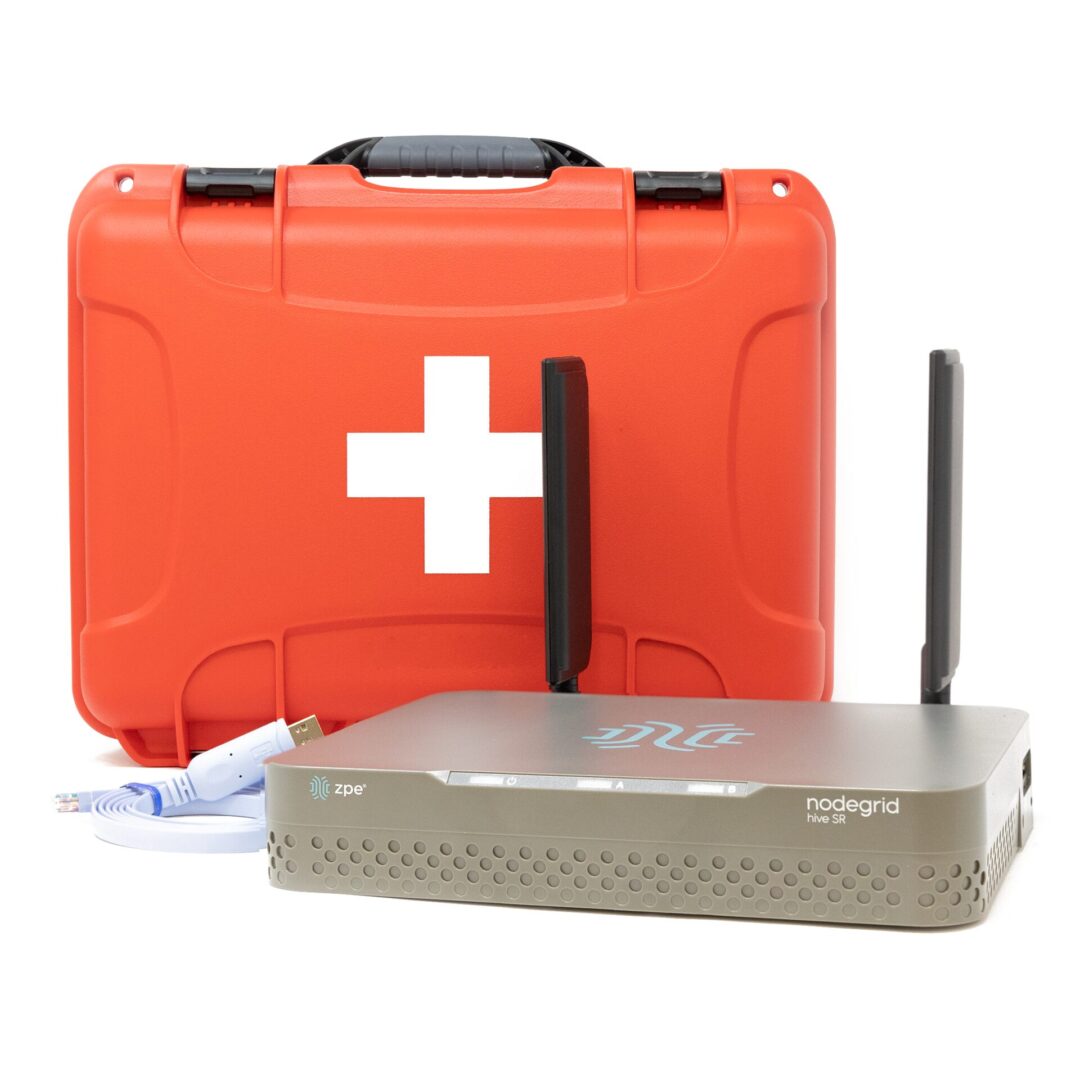
Out-of-Band Recovery Kit

Keep SD-WAN & Critical Infrastructure Operations Running

In this 90-second clip, Koroush Saraf shows how the Out-of-Band Recovery Kit keeps critical IT running. Deploy this versatile kit fast and instantly recover from outages using automation.

Discover the full problem and solution with our recent blog post, De-fusing Cisco SD-WAN Time-bomb.


Get your Out-of-Band Recovery Kit

HSR-KIT

Fill out the form to get your recovery kit!

ZPE Systems delivers innovative solutions to simplify infrastructure managment at the datacenter, branch, and edge.

Learn how our Zero Pain Ecosystem can solve your biggest network orchestration pain points.

Watch a Demo Contact Us

Video Wall

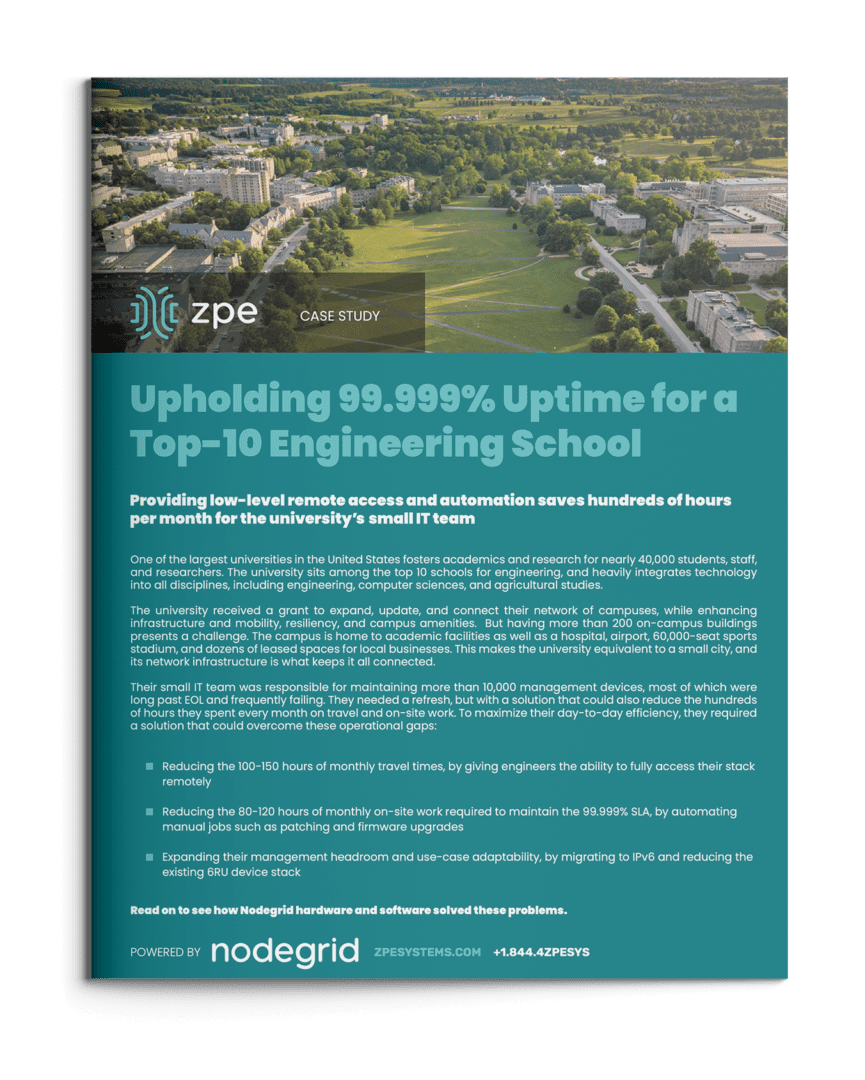
99.999% Uptime for a Top-10 Engineering School

Providing low-level remote access and automation saves hundreds of hours per month for the university’s small IT team

One of the largest universities in the United States fosters academics and research for nearly 40,000 students, staff, and researchers. The university sits among the top 10 schools for engineering, and heavily integrates technology into all disciplines, including engineering, computer sciences, and agricultural studies.

The university received a grant to expand, update, and connect their network of campuses, while enhancing infrastructure and mobility, resiliency, and campus amenities.  But having more than 200 on-campus buildings presents a challenge. The campus is home to academic facilities as well as a hospital, airport, 60,000-seat sports stadium, and dozens of leased spaces for local businesses. This makes the university equivalent to a small city, and its network infrastructure is what keeps it all connected.

Their small IT team was responsible for maintaining more than 10,000 management devices, most of which were long past EOL and frequently failing. They needed a refresh, but with a solution that could also reduce the hundreds of hours they spent every month on travel and on-site work. To maximize their day-to-day efficiency, they required a solution that could overcome these operational gaps:

  • Reducing the 100-150 hours of monthly travel times, by giving engineers the ability to fully access their stack remotely
  • Reducing the 80-120 hours of monthly on-site work required to maintain the 99.999% SLA, by automating manual jobs such as patching and firmware upgrades
  • Expanding their management headroom and use-case adaptability, by migrating to IPv6 and reducing the existing 6RU device stack

Download the full case study to see how ZPE’s Nodegrid hardware and software solved these problems.

EngineeringSchoolCover

Download the full case study

Problems and Gaps

The university is one of the largest in the United States. It sits among the nation’s top 50 schools for research expenditures, and heavily integrates technology into all disciplines, including engineering. Its main campus is home to more than 200 buildings that sit on over 2,500 acres of land. The campus is essentially a small city, and the university’s network infrastructure keeps it all connected.

This network infrastructure, however, was well beyond EOL and in disrepair. But rather than simply upgrade to newer devices, the university’s small IT team wanted to improve the overall quality of life well into the future. This meant addressing three gaps:

  • Inefficient management at scale — Each engineer spent an average of ten hours per month on travel alone, just to traverse the campus’ wide footprint and get to each MDF/IDF closet.
  • Too much focus on ops — The aging infrastructure was on the brink of collapse and required each engineer to spend eight hours per month in on-site work, just to keep devices running.
  • Too many devices — The infrastructure includes roughly 10,000 devices to manage, which was exhausting IP on their limited IPv4 network and too rigid to fit in tight spaces, like their remote farm closets and research labs.

Solution

The university deployed the full lineup of Nodegrid devices, including the Nodegrid Serial Console, Nodegrid Services Routers, and Nodegrid Manager. These allowed them to overcome all three gaps using remote management, automation, and consolidated functionality, to save engineers hundreds of hours every month. Download the full case study to see the complete solution and benefits.

Need Help Replacing End-of-Life Gear?

Check out our complete products and services package to make your EOL transition seamless. Choose from a variety of Synopsys-validated devices, get a generous trade-in discount, and let our engineers install and configure into your environment. Click below to explore this offer and more customer case studies.

Putting Operations on Autopilot – ZPE Presents at Cisco Live 2023

Webinars & Presentations

Putting Operations on Autopilot

How to Build Network Infrastructure for Automation and AI

Watch the story of Frank Basso, EVP of Ops at Vapor IO, who’s re-architecting the internet to make it faster and more reliable. See how he used network automation best practices to:

  • Shrink 8-hour deployment times
  • Consolidate 5RU of devices
  • Achieve full lights-out management

Take this story with you and download the slides now


Get Ready for Cisco Live 2024 and Our New Product Reveal

Join us at booth 5581 during Cisco Live 2024. Jen joins us again to present Generation 3 out-of-band and more customer success stories. You’ll also get to watch as we reveal our latest out-of-band product that makes it easy to deploy network resilience best practices recommended by CISA and the NSA.

Get details about this, our exclusive suite party, our Playstation 5 giveaway, and more when you visit our Cisco Live 2024 page


Get the story from Frank himself

Listen to Frank tell his story first-hand on the Packet Pushers podcast.

Putting Operations on Autopilot – ZPE Presents at Cisco Live 2023

ZPE Systems delivers innovative solutions to simplify infrastructure managment at the datacenter, branch, and edge.

Learn how our Zero Pain Ecosystem can solve your biggest network orchestration pain points.

Watch a Demo Contact Us

Video Wall

Network Automation Cost Savings Calculator

automation cost savings calculator
Many organizations feel continuous financial pressure to cut costs and streamline operations due to economic factors like the ongoing threat of a recession and global supply chain interruptions. Network automation can help companies across all industries save money during lean financial times. A recent Cisco and ACG Research study found that network automation can reduce OPEX by 55% by streamlining workflows such as device provisioning and service ticket management. Though they aren’t mentioned in the study, additional savings are generated by using automation to avoid outages and accelerate recovery efforts.

This post discusses how to save money through automation and provides a network automation cost savings calculator for a more customized estimate of your potential ROI.


Table of contents

How network automation provides cost savings

Network automation reduces costs by streamlining operations, preventing outages, and aiding in backup and recovery workflows.

Network automation saves money by solving problems

Problem: High OPEX

Solution: Automation tackles repetitive tasks like new installs and ticketing operations, which helps you generate revenue sooner and reduce the time and resources spent on maintaining operations.

Problem: Too many outages

Solution: Automation allows teams to be proactive by leveraging critical data to identify potential problems before they cause outages, freeing them from the typical break/fix approach.

Problem: Slow recovery

Solution: Automation speeds up processes like backups, snapshotting, and device re-imaging, which makes networks more resilient by accelerating recovery from outages and ransomware.

Reduces OPEX

The focus of the Cisco/ACG study was the economic benefits of streamlining network operations through automation. For example, the OPEX (operational expenditure) involved in spinning up a new branch is too high because deployments require so much work, time, and staff. Using automation to provision and deploy new resources can significantly reduce the time it takes to spin up a new branch, which means the site could start generating revenue much sooner. Using automation to monitor device health and environmental conditions could extend the life expectancy of critical (and expensive) equipment while reducing the number of on-site staff needed to maintain that equipment.

Network automation reduces OPEX by increasing the efficiency of repetitive or tedious tasks like new installs, incident management, and device monitoring. Crucially, automation does so without reducing the quality of service for end users and often only improves the speed, reliability, and overall experience.

Prevents outages

Network downtime is an expense that cash-strapped businesses can’t afford to bear. According to a recent ITIC survey, a single hour of downtime costs most organizations (91%) over $300,000 in lost business, with 44% of enterprises reporting outage costs exceeding $1 million. However, preventing downtime is difficult when most network teams are caught in a reactive break/fix cycle because they lack the staffing, resources, and technology required to maintain visibility and identify issues before they occur.

Network automation solves this problem using advanced machine learning algorithms to analyze monitoring data and identify potential issues before they cause outages. For example, AIOps (artificial intelligence for IT operations) solutions provide real-time analysis of infrastructure, network, and security logs. AIOps is adept at recognizing patterns and detecting anomalies in data so that it can identify issues before they affect the performance or reliability of the network.

Accelerates recovery

While network automation helps to reduce downtime, it can’t eliminate outages altogether. When outages do occur, recovery is often a long, drawn-out process involving a lot of manual work, during which time revenue and customer faith may be lost. Network resilience is the ability to quickly recover from ransomware, equipment failures, and other causes of downtime with as little impact as possible on end users and business revenue. Automation speeds up recovery efforts in a few critical ways:

  • Streamlined backups – Automation makes performing regular backups and snapshots easier, reducing the risk of gaps or inaccuracies.
  • Reduced imaging delays – Automatic provisioning ensures that clean systems are spun up quickly so that business can resume as soon as possible.
  • Faster failover – Automatic network failover and routing technologies can reroute traffic around downed nodes before a human admin has time to respond, providing a more seamless end-user experience.

Network automation is a direct source of cost savings because it reduces OPEX without negatively impacting the business or customer experience. Automation also indirectly saves money by helping organizations avoid outages through proactive monitoring and maintenance. In addition, network automation technologies make businesses more resilient by speeding up recovery efforts when breaches and failures do occur.

Network automation cost savings calculator

ZPE Systems provides network and infrastructure automation solutions for any use case, pain point, or technological need. ZPE’s vendor-neutral platform allows you to extend automation to every device on your network, including legacy and mixed-vendor solutions, so that you can achieve true end-to-end automation (a.k.a. hyperautomation). For a customized estimation of how much money you can save by automating your network operations with ZPE Systems, check out our network automation cost savings calculator.

Ready to Learn More?

For help with the network automation cost savings calculator or to learn more about automating your network operations, contact ZPE Systems today.

Contact Us