Providing Out-of-Band Connectivity to Mission-Critical IT Resources

CIOs: 3 Boardroom Questions to Survive Winter Recession & Lockdowns

Winter is Approaching
The Dow recently posted decreases of 1,300 and 1,000 points within weeks of each other. Companies including Apple, Google, and Netflix have slowed hiring this year or outright cut staff. For CIOs, the message is clear: Winter is coming, and so is a recession.

We all know that company revenue is directly tied to IT infrastructure and the digital services it provides. In the simplest terms: network down, revenue down. So when economic downturns lead to hiring freezes and increasing workloads for IT, CIOs need to figure out how to ‘do more with less’ in order to maintain service levels. The reality is that we’d still expect IT to fulfill our support tickets even during the zombie apocalypse.

Today, business leaders are gearing up for the possibility of such challenges looming larger on the horizon, not to mention the potential for more covid lockdowns and other disruptions. No matter the reason, the expectation remains the same – keep networks reliable and secure.

Business leaders are uncertain about the coming winter

Business leaders are growing uncertain about the coming winter months because of the potential for more major operational shakeups, like those that occurred at the start of the coronavirus pandemic in 2020. This uncertainty stems from two looming possibilities:

As CIO, your peers will ask how you plan to increase top line revenue despite the winter recession, limited staff numbers, and potential lockdowns. This means you’ll need solid answers to three critical questions that will come up at your next board meeting.

3 Questions to Help CIOs Survive the Winter Recession

If we need to freeze hiring, can we continue to fulfill SLAs for internal & external digital services?

The IT workload has grown exponentially since infrastructure moved from centralized to decentralized. There’s just too much infrastructure scattered in so many data centers, colocations, and branch offices — from servers and routers, to branch gateways, remote sensors, smart building infrastructure, user experience monitoring applications, and firewalls. On top of this, pushing workloads to edge compute and 5G will inevitably lead to more micro and nano data centers that need to be maintained. Your IT teams are already struggling to keep up with everyday operations like configuration management, troubleshooting, and recovering down equipment. Now imagine how much stress they’ll endure if they’re unable to get additional help due to hiring freezes or pandemic lockdowns.

If staff can no longer physically access equipment, can we maintain IT availability?

As we saw at the beginning of the Covid pandemic, companies scrambled to find ways to accommodate normal operations while shifting staff to a fully digital workplace. But many companies were unprepared and are still struggling to adapt. In fact in 2021, IT organizations reported that their highest priority was to improve digital work for employees, but 66% said they didn’t have the capabilities to support the needs of remote and hybrid work. IT organizations must be prepared to accommodate flexible work well into the future, but this typically means employing a mix of local smart hands, third party service providers, and remote management solutions that significantly inflate operating costs. Despite any potential lockdowns, physical access can already be challenging when equipment resides at remote locations that are costly, inconvenient, or downright dangerous to access.

Will we be able to stay in compliance and keep up with security patches?

Many security breaches occur not because patches don’t exist, but because installing these patches might lead to unforeseen breakages. Some IT teams still run software that’s years old and several major revisions outdated. Meanwhile, these teams can only hope that vulnerabilities won’t be exploited and lead to business incurring regulatory fines or penalties. In a nutshell, systems go unpatched and grow more vulnerable as time goes on, because teams are afraid to risk breakages that they can’t easily recover from. This problem will only worsen when hiring is put on hold and physical site access is restricted.

Big tech has it figured out

Big tech companies have thrived on recessions and often come out stronger. How? Because they understand that they must empower their IT organizations during economic downturn. According to Gartner, there’s no better way to do this than to invest in digital transformation. But exactly what digital investments do these companies make? As CIO, you have such a large and distributed IT organization to wrap your arms around, that it’s difficult to define the practical steps you need to take. When answering these three key questions, your IT and executive teams will need to know: “How do you plan to accomplish this?”

Use big tech’s secret: The Network Automation Blueprint 

The network automation blueprint is made up of four major building blocks that create a management network design pattern to accommodate hyperautomation. These building blocks are:

  • IT/OT production infrastructure: This includes servers, switches, routers, and common production equipment.
  • Automation infrastructure: This is a truly independent network that enables automation to reach the production infrastructure in an out-of-band fashion.  Customers call this the double-ring network. This layer often uses a combination of serial console and Ethernet connections, and also includes staging jump boxes, local storage, TFTP source of truth, and version control systems.
  • Orchestration and automation systems: This is where the desired outcome and playbooks are sourced from. The key is that the orchestration reaches the production systems through the independent out-of-band network to achieve the desired outcome.
  • AI Ops infrastructure: This layer receives rich information from observability platforms to make reactive and predictive decisions at scale. Using machine learning and artificial intelligence, this layer learns the network’s normal behaviors and pushes changes through the orchestration and automation layer.

This blueprint is the reference architecture validated to successfully implement Gartner’s definition of hyperautomation, as well as meet the Open Networking User Group (ONUG) Orchestration and Automation recommendations. This blueprint gives you the necessary layers to confidently answer the three questions that will come up during your boardroom meeting, and outlines the practical steps required to achieve IT resilience. Here’s how it answers these questions:

If we need to freeze hiring, can we continue providing reliable IT services?

By separating the automation infrastructure from the production network, teams can build hyperautomated environments while having a safe way to recover from errors. Despite having limited staff and/or a virtual workforce, teams can develop their automation pipelines to reduce workloads and meet SLAs.

If staff can no longer physically access equipment, can we maintain IT availability?

With the network automation blueprint, teams get a management network design pattern that ties into all of their solutions. This means they get a full virtual presence to manage SD-WAN, firewalls, switches, servers, routers, and their entire stack. The blueprint also calls for running automation locally so workloads can be carried out despite connectivity problems. These allow teams to maintain their sites and availability across distributed architectures.

Will we be able to stay in compliance and keep up with security patches?

Automating via out-of-band means teams no longer need anxiety about the dreaded Friday night upgrade. Instead of running outdated software and configurations because “if it ain’t broke, don’t fix it,” teams can ensure the integrity of updates before pushing them live. This allows them to take advantage of the latest software releases, close security gaps, and maintain compliance.

Meeting customer expectations for always-on digital services is a major challenge for any enterprise. That’s why it’s important for CIOs to empower their teams with hyperautomation and automate as many processes as possible. The network automation blueprint gives you the reference architecture that’s been validated by big tech as the safe way to build hyperautomated environments. This blueprint is now available just in time to help organizations prepare for the looming winter recession.
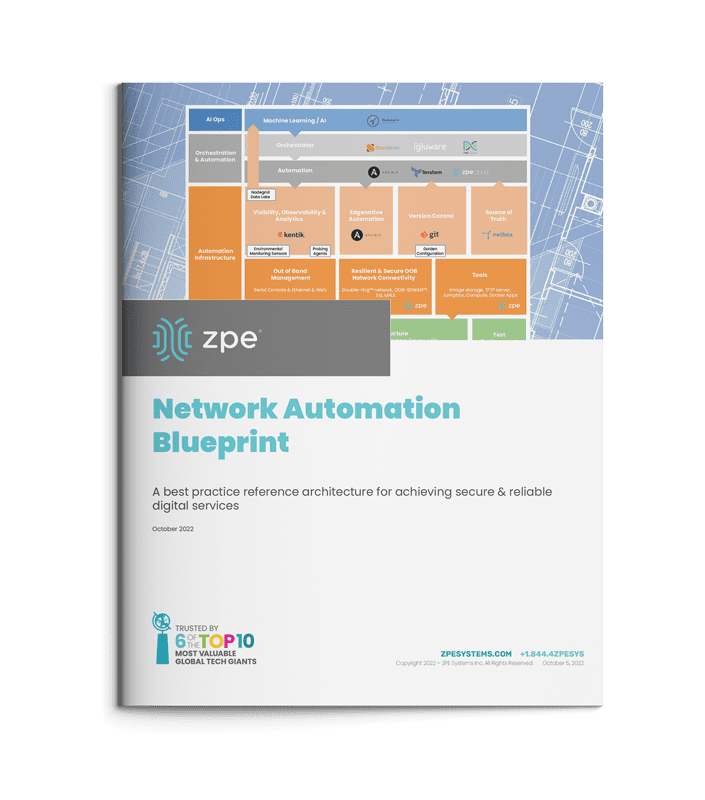
Blueprint

Get the Network Automation Blueprint now

Now is the time to prepare for winter, and you can start laying the groundwork for hyperautomation. Click the button below to download the network automation blueprint. You’ll see the same network architecture used by Big Tech, now tailored to help any size company provide reliable digital services.


 

Opengear CM7100 Alternative Options

Opengear CM Alternative Options

The Opengear CM series console servers provide out-of-band (OOB) management of data center infrastructure so that network administrators can access and control remote equipment from one centralized interface. Like other OOB serial consoles, the CM series gives admins an alternative path to remote infrastructure that doesn’t rely on the production LAN, WAN, or ISP network.

The CM7100 series is EOL as of the 31st of March, 2023, with an end-of-sale date of the 30th of September 2023 – click here to see a full list of affected product SKUs.

Opengear’s recommended replacement is the CM8100. Like the 7100, this is a traditional console server solution, which means it has gaps in its OOB capabilities due to vendor lock-in, limited automation support, and a lack of hardware security.

In this blog, we’ll discuss Opengear’s replacement solution as well as Opengear alternatives that deliver greater availability, functionality, and security.

Disclaimer: This comparison was written by a 3rd party in collaboration with ZPE Systems using data gathered from publicly available data sheets and admin guides, as of 4/28/2023.

Please email us if you have corrections or edits, or want to review additional attributes: Matrix@zpesystems.com

Table of Contents

Opengear CM7100 overview

The Opengear CM7100 is a line of OOB console servers for data centers and large enterprise deployments. The CM7100 comes with 16, 32, 48, or 96 managed RJ45 serial ports and dual USB 2.0 managed console ports. OOB management and network failover are provided via dual LAN ports or dual LAN/SFP ports.

The CM7100 is primarily used in data center deployments to provide centralized remote control and OOB access. With the CM7100 now EOL, Opengear recommends migrating to the CM8100 series. Let’s take a look at the features, specifications, and limitations of the Opengear CM8100 before discussing some alternative options.

Looking for replacement options for other discontinued serial consoles and branch routers? Try:


Opengear replacement options: CM8100

The CM8100 is Opengear’s newest console server for large data center and enterprise deployments. The CM8100 comes with 16, 32, or 48 managed serial ports and 2 managed USB ports in a 1RU form factor, or up to 96 ports in 2RU. Like the other CM models, the 8100 does not come with cellular or WI-Fi options, so it provides OOB and failover on dual Ethernet/SFP interfaces.

All CM models use Opengear’s Smart OOBTM, which includes automatic port discovery and VLAN support. However, the CM series does not support cellular access for OOB or failover. Further automation capabilities include zero-touch provisioning (ZTP), Opengear NetOps modules, and support for Ruby, Perl, and Bash.

On the security side, the CM8100 offers IPSec & OpenVPN, Secure Shell (SSHv2), Trusted Platform Module 2.0 (TPM 2.0), and advanced authentication via TACACS+, Kerberos, RADIUS, and more. However, none of the CM models support SAML 2.0, which makes it difficult to implement Zero Trust principles on the OOB management network.

Opengear CM8100 Features & Tech Specs

Notable Serial Console Features

• SSH direct to consoles

• Keystroke logging

• Multiple concurrent sessions

• Automatic device name discovery

OOB Managed Interfaces

• 16, 32, 48 ports (1RU)

• 96 ports (2RU)

Hardware

• 1.6 GHz Dual-Core ARM Cortex-A9 SoC CPU

• Dual Ethernet for OOB/Failover

Automation

• Opengear NetOps modules

• API access

• Docker support

• Python

• Perl and bash support

• ZTP

• SNMP-Standard MIBs

Automation for End Devices

ZTP

Guest OS

• Docker support

Power Management

• Control PDU outlets via serial, USB, and Ethernet

• Supports 100+ power vendors’ equipment

Hardware Security

• TPM 2.0

• Embedded firewall

Form Factor

Fixed 1RU or 2RU

Opengear CM limitations

While the CM8100 offers some improvements over the CM7100, it still falls short of delivering Gen 3 OOB console server functionality in the following ways.

The Opengear CM solution suffers from:

OOB inflexibility

While the CM7100 and CM8100 both provide OOB management access and network failover, they’re only available via dual Ethernet/SFP interfaces. None of the CM-series console servers come with options for cellular, Wi-Fi, or dial-up modem access. That means something like a regional network outage or data center LAN issue could potentially cut off access to both the OOB and production network.

Vendor lock-in

The Linux-based OS is programmable and extensible, but Opengear’s Lighthouse management software is not truly vendor-neutral. That means your hardware and software integration capabilities will be limited to specific supported solutions. For enterprises with hybrid, distributed, and multi-vendor infrastructures, this limitation could leave gaps in management and orchestration coverage. 

Limited automation

The CM8100 offers more automation capabilities than the 7100, but there are still limitations. For example, Lighthouse is required for ZTP and other automation capabilities, but it only extends to certain supported end-devices, which means you’ll need to manually configure, provision, and deploy the rest of your infrastructure–or stay within Opengear’s ecosystem, which limits your vendor freedom.

Lack of security

Opengear added embedded TPM 2.0 security to the new CM8100 line to make the hardware more secure. However, the CM series does not include additional hardware security like geofencing, BIOS protection, or UEFI secure boot. This increases the risk that a stolen or compromised console server could be used to provide cybercriminals with unrestricted access to your OOB management network.

Both the Opengear CM7100 and CM8100 are 2nd generation serial console servers. That means they provide OOB management access as well as some automation functionality to simplify individual network management workflows. However, due to a lack of alternative OOB/failover interfaces, vendor lock-in, limited automation integrations, and minimal hardware security, the CM series falls short of the end-to-end automation and security required for a Gen 3 OOB solution.

CM7100 migration options from ZPE Systems

The Nodegrid solution from ZPE Systems is the world’s first Gen 3 OOB management platform. With a wide range of serial console servers and integrated branch services routers to choose from, three models in particular serve as direct replacements for the EOL Opengear CM7100: the Nodegrid Serial Console Plus (NSCP), the Nodegrid Serial Console S Series, and the Nodegrid Net Services Router (NSR).

Nodegrid Serial Console Plus (NSCP)

The high-density Nodegrid Serial Console Plus comes in 16, 32, 48, and 96 serial RJ45 port configurations as well as providing 2 USB 3.0 ports for a total of 98 managed devices on a single 1RU device. That makes the NSCP a direct replacement for 96-port CM7100 devices – to get the same number of ports on the CM8100, you’ll need a 2RU device that uses more rack space.

Nodegrid Serial Console S Series

The Nodegrid S series, which comes in 16, 32, or 48-port configurations, uses auto-sensing ports to provide seamless management of modern, legacy, and mixed-vendor infrastructure. The S Series serial console switch is the perfect legacy modernization solution because it allows you to extend automation to end devices that otherwise wouldn’t support it.

Nodegrid Net Services Router (NSR)

The Nodegrid Net Services Router is an all-in-one branch network solution that delivers out-of-band management, SD-WAN capabilities, and more in a single box. The NSR has a modular design so you can add extra terminal server capabilities, more storage or processing power, or extra GbE Ethernet ports to create a completely customized solution.

All Nodegrid boxes deliver OOB access and network failover via built-in 5G/4G LTE cellular and Wi-Fi, so you get 24/7 availability even during LAN and ISP outages. These devices run the open, Linux-based Nodegrid OS with full support for integrated NetDevOps automation solutions like Ansible, Chef, Docker, and Puppet. Nodegrid provides a separate control plane for OOB and automation, making it the ideal solution for a wide variety of business use cases, including

  • Extending automation to any environment or device
  • Enabling Zero Trust Network Access (ZTNA)
  • Increasing OOB & failover flexibility
  • Helping organizations become AI-ready

In addition, the vendor-neutral, web-based ZPE Cloud orchestration solution can dig its hooks into any Nodegrid-connected infrastructure, regardless of vendor, location, or private cloud provider. This gives you a single pane of glass from which to monitor and manage your on-premises, remote, and/or cloud-based infrastructure. Nodegrid’s vendor-agnostic platform enables true end-to-end automation and hyperautomation of enterprise networks.

Plus, Nodegrid includes robust hardware security features like BIOS protection, TPM 2.0, geofencing, and UEFI Secure Boot. The embedded, stateful firewall provides functionality such as multi-site IPSec VPN, advanced authentication, selectable cryptographic protocols and cyber suite levels, and Zero Trust 2FA and SAML 2.0.


Nodegrid NSCP

Nodegrid S Series

Nodegrid NSR

Notable Serial Console Features

• SSH direct to consoles

• Keystroke logging

• Logging to ZPE Cloud, NFS, Local

• Alert on cable disconnects

• Text pattern match with scriptable actions

• Multiple concurrent sessions

• Automatic device name discovery

• Session sharing for collaboration

• IP address per serial port

• Secure session logout enforcement

• Power control hotkey on serial port

• Configurable icon per serial port

• SSH direct to consoles

• Keystroke logging

• Logging to ZPE Cloud, NFS, Local

• Alert on cable disconnects

• Text pattern match with scriptable actions

• Multiple concurrent sessions

• Automatic device name discovery

• Session sharing for collaboration

• IP address per serial port

• Secure session logout enforcement

• Power control hotkey on serial port

• Configurable icon per serial port

• SSH direct to consoles

• Keystroke logging

• Logging to ZPE Cloud, NFS, Local

• Alert on cable disconnects

• Text pattern match with scriptable actions

• Multiple concurrent sessions

• Automatic device name discovery

• Session sharing for collaboration

• IP address per serial port

• Secure session logout enforcement

• Power control hotkey on serial port

• Configurable icon per serial port

OOB Managed Interfaces

• 16, 32, 48, 96 ports (1RU)

• 16, 32, 48 ports

• Up to 5 x 16-port RJ-45 Serial modules

Hardware

• Intel X86, 64-bit CPU optimized for running VMs and automation tools

• Dual-SIM 5G/4G/LTE, Wi-Fi, and V.02 modem for OOB/Failover

• Intel X86, 64-bit CPU optimized for running VMs and automation tools

• Dual-SIM 5G/4G/LTE, Wi-Fi, and V.02 modem for OOB/Failover

• Intel X86, 64-bit CPU optimized for running VMs and automation tools

• Dual-SIM 5G/4G/LTE, Wi-Fi, and V.02 modem for OOB/Failover

Automation

• ZPE Cloud

• Chef

• Docker

• Puppet

• Python

• Ruby

• ShellScript

• Node.js JavaScript

• Redhat Ansible

• KVM Hypervisor

• ZPE Cloud

• Chef

• Docker

• Puppet

• Python

• Ruby

• ShellScript

• Node.js JavaScript

• Redhat Ansible

• KVM Hypervisor

• ZPE Cloud

• Chef

• Docker

• Puppet

• Python

• Ruby

• ShellScript

• Node.js JavaScript

• Redhat Ansible

• KVM Hypervisor

Automation for End Devices

• ZPE Cloud

• Chef

• Docker

• Puppet

• Python

• Ruby

• ShellScript

• Node.js JavaScript

• Redhat Ansible

• KVM Hypervisor

• ZPE Cloud

• Chef

• Docker

• Puppet

• Python

• Ruby

• ShellScript

• Node.js JavaScript

• Redhat Ansible

• KVM Hypervisor

• ZPE Cloud

• Chef

• Docker

• Puppet

• Python

• Ruby

• ShellScript

• Node.js JavaScript

• Redhat Ansible

• KVM Hypervisor

Guest OS

• VMs, Docker, Kubernetes, LXC

• VMs, Docker, Kubernetes, LXC

• VMs, Docker, Kubernetes, LXC

Power Management

• Supports major power strips manufacturers

• Power management integrated with serial session (escape sequence in the serial session or power buttons in web serial session)

• Power control of VMs

• Access rights for users & user groups

• Supports major power strips manufacturers

• Power management integrated with serial session (escape sequence in the serial session or power buttons in web serial session)

• Power control of VMs

• Access rights for users & user groups

• Supports major power strips manufacturers

• Power management integrated with serial session (escape sequence in the serial session or power buttons in web serial session)

• Power control of VMs

• Access rights for users & user groups

Hardware Security

• TPM 2.0

• Encrypted solid-state disk

• UEFI BIOS with protection

• Secure Boot (signed OS

• Geofencing

• TPM 2.0

• Encrypted solid-state disk

• UEFI BIOS with protection

• Secure Boot (signed OS

• Geofencing

• TPM 2.0

• Encrypted solid-state disk

• UEFI BIOS with protection

• Secure Boot (signed OS

• Geofencing

Form Factor

Fixed 1RU

Fixed 1RU

Modular 1RU

The Nodegrid Gen 3 OOB solution is an Opengear alternative that delivers 24/7 availability, end-to-end automation, Zero Trust Security, and complete vendor freedom.

Watch a free Nodegrid demo to see a Gen 3 OOB serial console solution in action. Watch Now

Opengear CM7100 migration SKUs:

Opengear CM7100 EOL SKU

In Scope Features

ZPE Replacement Product

CM7116-2-SAC

CM7116-2-DAC

16 Serial ports, OOB management

Fixed Form Factor:

ZPE-NSCP-T16R-STND-SAC

ZPE-NSC-T16S-STND-SAC

ZPE-NSCP-T16R-STND-DAC

ZPE-NSC-T16S-STND-DAC

Modular Form Factor:

ZPE-NSR-816-DAC with 1 x 16 port serial module 1 x ZPE-NSR-16SRL-EXPN

CM7132-2-DAC

32 Serial ports, OOB management

Fixed Form Factor:

ZPE-NSCP-T32R-STND-DAC

ZPE-NSC-T32S-STND-DAC

Modular Form Factor:

ZPE-NSR-816-DAC with 2 x 16 port serial module 2 x ZPE-NSR-16SRL-EXPN

CM7148-2-SAC

CM7148-2-DAC

48 Serial ports, OOB management

Fixed Form Factor:

ZPE-NSCP-T48R-STND-SAC

ZPE-NSC-T48S-STND-SAC

ZPE-NSCP-T48R-STND-DAC

ZPE-NSC-T48S-STND-DAC

Modular Form Factor:

ZPE-NSR-816-DAC with 3 x 16 port serial module 3 x ZPE-NSR-16SRL-EXPN

CM7196A-2-DAC

96 Serial ports, OOB management

ZPE-NSCP-T96R-STND-DAC

Ready to replace your EOL Opengear CM7100 with a Gen 3 out-of-band serial console solution?

Call ZPE Systems today at 1-844-4ZPE-SYS for a special trade-in promotion. Contact US

Opengear Alternatives: Replacing the ACM7000 Resilience Gateway

OpenGearAlternatives
A gateway router is a crucial device for connecting remote IT deployments—such as retail stores, branch offices, or edge data centers—to the primary enterprise network. In this blog, we’ll review Opengear’s ACM line of gateway routers and explain their key features and limitations. In addition, we’ll discuss some Opengear alternatives that provide greater customization, control, and functionality.

The Opengear ACM7000 Resilience Gateway

The Opengear ACM7000 is a compact form-factor network gateway and console server for small remote and edge deployments. The ACM7000 integrates with Opengear’s Lighthouse software for centralized management and some automation capabilities. Out-of-band management is provided via the Smart OOBTM feature, with failover to an embedded 4G LTE cellular modem or an optional dial-up PSTN modem.

The Opengear ACM7000 combines gateway routing features with terminal server capabilities, enabling you to reduce the number of devices in your small remote deployments. The ACM7000 comes with 4-8 Cisco pinout serial ports and 4 USB 2.0 console ports, as well as 2 Digital I/O (DIO) ports and 2 High Voltage Digital Outputs (HVDO). Gateway router features include a stateful firewall, DHCP server, DDNS, and IP filtering.

The ACM7000’s auto-response feature allows you to write custom scripts that are triggered by specific events such as power failures, environmental sensor alarms, or network outages. These scripts can alert administrators to problems and in some cases remediate issues without human intervention.

Opengear ACM7000 key features

  • Smart OOBTM management
  • Centralized management through Opengear Lighthouse
  • Integrations with Nagios NSCA & NRPE
  • Link Layer Discovery Protocol (LLDP) automatic device discovery
  • Failover to embedded 4G LTE cellular modem
  • SSL and IPsec VPN
  • Stateful firewall with IP filtering and port forwarding
  • Automatic monitoring, detection, and recovery from equipment faults

Opengear ACM7000 limitations

The Opengear ACM7000 is what’s known as a 2nd generation, or Gen 2, OOB device. That means it provides reliable out-of-band management access and some automation capabilities for individual tasks and workflows. However, the ACM’s automation is limited to a handful of supported integrations, specific scripting languages, and Lighthouse playbooks.

Some additional automation functionality—such as end-device zero-touch provisioning (ZTP)—is only available through upgraded versions of Opengear’s Lighthouse management software. This makes it challenging to fully automate and orchestrate remote network infrastructure, which is crucial for NetDevOps transformation.

In addition, the ACM7000 only goes part of the way towards consolidating your remote network infrastructure. It combines gateway routing and OOB terminal server capabilities, with an option to add a 4-port Ethernet switch in the 7004-5 models. The Opengear ACM does not include built-in functionality for SD-WAN (software-defined wide area networking), though it has the ability to work with third-party SD-WAN architectures. It also doesn’t support hosting for applications, VMs, or containers, which means you’ll need additional hardware for things like edge computing and next-generation firewall (NGFW) software hosting.

To get full end-to-end automation of remote and edge network deployments while consolidating your tech stack and reducing operational complexity, you need a Gen 3 OOB gateway like the Nodegrid line of services routers from ZPE Systems.

Opengear alternatives: Nodegrid Services Routers

Nodegrid Services Routers, or SRs, are vendor-neutral, all-in-one branch networking solutions. Nodegrid delivers secure out-of-band management access via your choice of high-speed 5G/4G LTE cellular, Wi-Fi, and/or dial-up modem. Nodegrid hardware runs on the Linux-based, x86-64bit Nodegrid OS to ensure easy integrations with third-party software, including automation and orchestration tools like Puppet, Chef, Ansible, and RESTful APIs. Plus, the ZPE Cloud management platform provides centralized, web-based management of your multi-vendor environments.

Nodegrid’s vendor-agnostic platform enables true NetDevOps hyperautomation, which is the ability to fully automate every task and workflow without compromise. That means more efficient management of remote, edge, and branch locations.

Plus, Nodegrid SRs are complete branch-in-a-box solutions, rolling up all your remote network technology into one compact device. For example, the Nodegrid Hive SR is a multi-function box that delivers gateway routing, SD-WAN, Wi-Fi, secure OOB, end-device ZTP, and VM/container/VNF (virtual network functions) hosting for small edge and branch deployments. Another option for more customized and scalable functionality is the modular Nodegrid Net SR (or NSR), which allows you to extend your solution with expansion modules for additional serial, Ethernet, USB, PoE+, and SFP ports as well as storage and compute modules.

Nodegrid Services Routers key features

  • Strong out-of-band management integration
  • Extensible applications with virtualization and containers
  • Zero Touch Provisioning (ZTP) over the WAN for fast and easy remote setup
  • Centralized, vendor-neutral management through ZPE Cloud and Nodegrid Manager solutions
  • Modern, open-architecture x86-64bit Linux Kernel with fast security patching
  • Failover to 5G/4G/LTE and Wi-Fi
  • SSL VPN & Secure Tunnel
  • DHCP server with extra IP addresses for remote site, or replace current router altogether
  • Embedded firewall with IP packet and security filtering, IP forwarding support
  • Selectable encrypted cryptographic protocols & cyber suite levels
  • Power control and monitoring to get alerts on device health and solve problems automatically
  • Orchestration support via Puppet, Chef, Ansible, RESTful

Nodegrid SR models and use cases

  • Nodegrid Net SR (NSR): Scalable and customizable for any use case, including data center and large branch deployments
  • Nodegrid Bold SR: Versatile all-in-one networking and terminal server functionality at edge and branch locations
  • Nodegrid Gate SR: Up to 10 types of managed interfaces for enhanced flexibility in branch and edge deployments
  • Nodegrid Hive SR: Branch-in-a-box capabilities in a compact device for distributed branch and edge sites

Nodegrid SRs are an alternative to Opengear ACM7000 gateways for organizations that need vendor freedom, end-to-end remote network automation, and consolidated technology stacks. With the Nodegrid solution, you get a unified network automation and orchestration platform from which to deploy, monitor, and control your distributed network architecture.

Learn more about remote, branch, and edge networking:

→   How to Choose the Best Branch Office Connectivity Solution for Your Network
→   Why Out-of-Band Remote Access is Critical for Branch Networking
→   Simplifying Network Edge Orchestration With a Single Platform
→   How to Use a Cloud Managed Gateway Router to Optimize OT Automation

Still curious about Opengear alternatives?

To see Opengear alternatives in action, contact ZPE Systems to watch a Nodegrid demo.

Request a Demo Today

Opengear ACM7000 product SKUs

Product SKU Description
ACM7004-2-L 4 serial Cisco Straight pinout, ext power, dual 1 GbE Ethernet, Global 4G LTE-A Pro cellular, 2 DIO and 2 output ports
ACM7004-2-LMP 4 serial Cisco Straight pinout, ext power, dual 1 GbE Ethernet, 4G LTE-A Pro cellular, 2 DIO and 2 output ports
ACM7004-5-L 4 serial Cisco Straight pinout, ext power, 1 GbE Ethernet or fiber SFP, 4 port GbE switch, Global 4G LTE-A Pro cellular, dual SIM, 2 DIO and 2 output ports, global power adapter
ACM7004-5-LMP 4 serial Cisco Straight pinout, ext power, 1 GbE Ethernet or fiber SFP, 4 port GbE switch, 4G LTE-A Pro cellular, dual SIM, 2 DIO and 2 output ports, global power adapter
ACM7008-2-L 8 serial Cisco Straight pinout, ext power, dual 1 GbE Ethernet, Global 4G LTE-A Pro cellular, 2 DIO and 2 output ports, global power adapter
ACM7008-2-LMP 8 serial Cisco Straight pinout, ext power, dual 1 GbE Ethernet, 4G LTE cellular, dual SIM, 2 DIO and 2 output ports, global power adapter
ACM7004-2 4 serial Cisco Straight pinout, ext power, dual 1 GbE Ethernet, 4 USB console ports, 2 DIO and 2 output ports, global power adapter
ACM7004-2-M 4 serial Cisco Straight pinout, ext power, dual 1 GbE Ethernet, 4 USB console ports, PSTN modem, 2 DIO and 2 output ports
ACM7004-5 4 serial Cisco Straight pinout, ext power, 1 GbE Ethernet or fiber SFP, 4 port GbE switch, 2 DIO and 2 output ports, global power adapter
ACM7008-2 8 serial Cisco Straight pinout, ext power, dual 1 GbE Ethernet, 4 USB console ports, 2 DIO and 2 output ports, global power adapter
ACM7008-2M 8 serial Cisco Straight pinout, ext power, dual 1 GbE Ethernet or fiber SFP, 4 USB console ports, PSTN modem, 2 DIO and 2 output ports, global power adapter


Nodegrid Net Services Router (NSR) product SKUs

Product SKU Description
NSR-TOP1-DAC 1 RS-232 serial, 1 USB 3.0 console port, 2 USB 2.0 console ports, dual 1GbE Ethernet, dual SFP+ Ethernet, 1 HDMI port, on-board switch, 5 slots, dual AC power
NSR-BASE-DAC 1 RS-232 serial, 1 USB 3.0 console port, 2 USB 2.0 console ports, dual 1GbE Ethernet, dual SFP+ Ethernet, 1 HDMI port, on-board switch, 5 slots, dual AC power
NSR-LITE-DAC 1 RS-232 serial, 1 USB 3.0 console port, 2 USB 2.0 console ports, dual 1GbE Ethernet, dual SFP+ Ethernet, 1 HDMI port, 5 slots, dual AC power
NSR-TOP1-SAC 1 RS-232 serial, 1 USB 3.0 console port, 2 USB 2.0 console ports, dual 1GbE Ethernet, dual SFP+ Ethernet, 1 HDMI port, on-board switch, 5 slots, single AC power
NSR-TOP1-SAC-POE 1 RS-232 serial, 1 USB 3.0 console port, 2 USB 2.0 console ports, dual 1GbE Ethernet, dual SFP+ Ethernet, 1 HDMI port, on-board switch, 5 slots, single AC and PoE power
NSR-BASE-SAC-POE 1 RS-232 serial, 1 USB 3.0 console port, 2 USB 2.0 console ports, dual 1GbE Ethernet, dual SFP+ Ethernet, 1 HDMI port, on-board switch, 5 slots, single AC and PoE power
NSR-16ETH-EXPN NSR 16 port 1GbE Ethernet expansion card
NSR-8ETH-POE-EXPN NSR 8 port 1GbE Ethernet with PoE+ expansion card
NSR-16SRL-EXPN NSR 16 port RJ45 Serial Rolled expansion card
NSR-16USB-EXPN NSR 16 port USB Type A expansion card
NSR-8SFP-EXPN NSR 8 port 1GbE SFP expansion card
NSR-16SFP-EXPN NSR 16 port 1GbE SFP expansion card
NSR-DISK-EXPN NSR Storage expansion card
NSR-COMP-EXPN NSR Compute 4-core, 8GB DDR4, 32GB SATA expansion card
NSR-M2-EXPN NSR M.2 / SATA expansion card
NSR-COVER Accessory: NSR Cover Plate
M2-WIFI Accessory: M.2 Wi-Fi
M2-CELL Accessory: M.2 Cellular – Dual SIM
M2-S064 Accessory: M.2 SATA 64GB
M2-S128 Accessory: M.2 SATA 128GB


Nodegrid Gate SR product SKUs

Product SKU Description
GSR-T8-BASE 8 RJ45 serial rolled, 1 GbE Ethernet, 2 SFP+, 4 GbE Ethernet with built-in switch, 4 PoE+ GbE Ethernet with built-in switch, 2 GPIO ports, 1 digital out port, 1 relay port, 2 USB 3.0 Type A, 2 USB 2.0 Type A, 1 HDMI port, 32GB iSLC SATADOM
GSR-T8-UPG1 8 RJ45 serial rolled, 1 GbE Ethernet, 2 SFP+, 4 GbE Ethernet with built-in switch, 4 PoE+ GbE Ethernet with built-in switch, 2 GPIO ports, 1 digital out port, 1 relay port, 2 USB 3.0 Type A, 2 USB 2.0 Type A, 1 HDMI port, 128GB iSLC SATADOM
GSR-PSU Accessory: 54VDC external 100-240 VAC, 50/60 Hz power adapter
PCI-WIFI-B Accessory: Mini PCI Wi-Fi
M2-CELL-C Accessory: M.2 Cellular 4G/LTE with dual-SIM
GSR-SATA Accessory: SATA Storage Expansion Kit (HDD/SDD not included)


Nodegrid Hive SR product SKUs

Product SKU Description
HSR-N8-BASE 1 RS-232 serial, 1 mini-USB console port, ext power, dual 1GbE Ethernet or SFP/vDSL, dual 10 Gbps cages for PON or SFP+, 4 10/100/1000/2.5 Gbps RJ45 with VLAN support, +12 VDC PSU w/regional AC cord options
CST-GEN-HSR-S 1 RS-232 serial, 1 mini-USB console port, ext power, dual 1GbE Ethernet or SFP/vDSL, dual 10 Gbps cages for PON or SFP+, 4 10/100/1000/2.5 Gbps RJ45 with VLAN support, +12 VDC PSU w/regional AC cord options, M.2 NVMe 128 GB SSD
CST-GEN-HSR-SW4G 1 RS-232 serial, 1 mini-USB console port, ext power, dual 1GbE Ethernet or SFP/vDSL, dual 10 Gbps cages for PON or SFP+, 4 10/100/1000/2.5 Gbps RJ45 with VLAN support, +12 VDC PSU w/regional AC cord options, M.2 NVMe 128 GB SSD, M.2 802.11ax Wi-Fi 6 dual-band, M.2 dual-SIM 4G LTE cellular
CST-GEN-HSR-4G 1 RS-232 serial, 1 mini-USB console port, ext power, dual 1GbE Ethernet or SFP/vDSL, dual 10 Gbps cages for PON or SFP+, 4 10/100/1000/2.5 Gbps RJ45 with VLAN support, +12 VDC PSU w/regional AC cord options, M.2 dual-SIM 4G LTE cellular
CST-GEN-HSR-5G 1 RS-232 serial, 1 mini-USB console port, ext power, dual 1GbE Ethernet or SFP/vDSL, dual 10 Gbps cages for PON or SFP+, 4 10/100/1000/2.5 Gbps RJ45 with VLAN support, +12 VDC PSU w/regional AC cord options, M.2 5G cellular
HSR-PSU Accessory: 12VDC external 100-240 VAC, 50/60 Hz power adapter
HSR-WMNT Accessory: HSR wall mounting kit


Nodegrid Link SR product SKUs

Product SKU Description
LSR-T1-Base 1 RJ45 serial rolled, 1 GbE SFP, 1 GbE Ethernet with PoE in, 2 GPIO ports, 2 digital out ports, 2 USB 2.0 Type A, 1 VGA port, 16GB SATADOM
LSR-T1-UPG1 1 RJ45 serial rolled, 1 GbE SFP, 1 GbE Ethernet with PoE in, 2 GPIO ports, 2 digital out ports, 2 USB 2.0 Type A, 1 VGA port, 128GB SATADOM
LSR-PSU Accessory: 12VDC external 100-240 VAC, 50/60 Hz power adapter
PCI-WIFI-B Accessory: Mini PCI Wi-Fi
M2-CELL-B Accessory: M.2 Cellular 4G/LTE with dual-SIM
LSR-SATA SATA Storage Expansion Kit (HDD/SDD not included)


How Enterprise Network Security Software has Evolved for the Edge

Enterprise Network Security Software.

Modern enterprise networks are no longer contained to a single building or LAN. They’re highly distributed, with branch offices, remote employees, and global data centers that communicate and work together. That’s why traditional enterprise network security software—designed for on-premises infrastructure and castle-and-moat protection strategies—often struggles to secure the edge.

The challenge of traditional enterprise network security software at the edge

For years, enterprise network security followed the castle-and-moat approach. All the enterprise’s valuable systems and data are kept on the internal network (a.k.a. the castle), and a firewall creates a security perimeter (a.k.a. the moat) around those resources. This is easier to do when everything is housed in the same location. This becomes challenging (if not impossible) when those resources are spread across large geographical and logical distances.

For example, organizations may have a hard time extending their enterprise security policies to users, devices, and applications that aren’t on the main network. That goes beyond remote workers to also include cloud platforms and remote edge data centers. Some teams overcome this challenge by creating separate policies, but then they’re left with the logistical nightmare of updating and maintaining these policies across many different systems and locations. Due to errors or negligence, inconsistent security policies can leave gaps in your network security coverage.

In addition, traditional network security requires all remote traffic to be backhauled through the main firewall for inspection, creating a network bottleneck. That means all network requests worldwide must travel to the central data center, even if the traffic is ultimately destined for remote or cloud resources. This added network load can cause latency, timeouts, and other performance issues for the entire enterprise.

Challenges like these led to the evolution of enterprise network security software for edge deployments.

How enterprise network security software has evolved for the edge

Edge computing is all about moving resources closer to the users, systems, and applications that need them. Enterprise network security software for the edge does the same thing—it places security policies and controls in the cloud or small regional data centers, so remote systems and users don’t need to be routed back to the central network. The leading solution for edge security is Security Service Edge, or SSE.

SSE rolls up multiple security technologies into one integrated, cloud-based platform. Traffic from the edge is routed through the SSE security stack using SD-WAN (software-defined wide area networking). If that traffic is bound for cloud- or web-based resources, it’s allowed to bypass the central network entirely. Zero Trust Network Access (ZTNA) ensures safe and secure access if the traffic is destined for resources on the enterprise network.

Let’s discuss the specific technology that makes SSE the best solution for edge network security.

Zero Trust Network Access (ZTNA)

Zero Trust Network Access allows remote users and systems to access resources on the enterprise network, similar to a VPN. ZTNA is more secure than VPNs because it only gives users access to one specific resource at a time. They cannot jump around the network without re-authenticating and re-verifying trust. That means the lateral movement of a compromised account is limited, with malicious actors needing to re-verify their identity repeatedly, increasing their chances of getting caught.

ZTNA gives edge users and devices seamless access to the enterprise resources they need while reducing the risk of remote connections. It allows you to apply zero trust security principles to your network’s edge to ensure consistent security across your enterprise.

Firewall as a Service (FWaaS)

Firewall as a Service delivers network firewall capabilities as a cloud-based service. Incoming and outgoing edge traffic is routed through the FWaaS instead of the physical firewall in the data center, reducing the load on the enterprise network. FWaaS solutions for SSE typically include features like:

  • ❖URL/IP filtering
  • ❖Intrusion detection and prevention
  • ❖Network monitoring
  • ❖Deep packet inspection (DPI)

A Firewall as a Service is entirely cloud-based, which means you don’t need to deploy any additional hardware to edge locations. This also makes FWaaS easily scalable, allowing you to protect new branch offices or add additional features with the click of a button. FWaaS delivers powerful firewall functionality to the edge without expensive hardware or network bottlenecks.

Cloud Access Security Broker (CASB)

A Cloud Access Security Broker allows you to extend your enterprise security policies to cloud resources and traffic. The CASB acts as a gatekeeper between your enterprise network and the cloud, enforcing zero trust policies on any traffic flowing between the two. In an SSE solution, the CASB performs many functions, such as:

  • Analyzing the behavior of users and entities to determine if they’re trustworthy before allowing access to cloud resources. This is also known as User and Entity Behavior Analytics, or UEBA.
  • Using firewall and antivirus technology to detect malicious software (malware) and block it from entering the enterprise network
  • Using enterprise data governance policies to prevent data exfiltration, which is known as Data Loss Prevention (DLP).
  • Discovering, identifying, and analyzing all the enterprise’s cloud resources to determine relative risk. This is known as Cloud Discovery.

The CASB is what an SSE solution uses to extend your enterprise security policies to remote and cloud-based systems. This allows you to maintain precise and consistent zero trust policies across your distributed infrastructure, so your edge doesn’t become a weakness in your defense strategy.

SSE is powerful because it combines a complete security stack into one cloud-based service. That means you don’t have to force your edge resources into the perimeter created by traditional enterprise network security software.

Connecting your edge to SSE solutions

There’s still one critical component that’s missing: the technology that connects your edge resources and traffic to the SSE stack in the cloud. The most reliable and efficient on-ramp to an SSE solution is SD-WAN technology. SD-WAN creates a virtual overlay network on top of your WAN hardware, which enables automation and orchestration of remote, edge traffic management. SD-WAN uses intelligent routing to automatically separate edge traffic destined for the cloud, allowing it to bypass your firewall and flow through your SSE stack instead.

For example, the Nodegrid SD-WAN solution from ZPE Systems allows seamless integrations with SSE solutions. Placing Nodegrid Services Routers in your edge locations creates an access on-ramp to SSE and provides powerful branch networking functionality.

Learn more about securing your edge with SSE:

Top Security Service Edge Use Cases & Benefits for Enterprises
Security Service Edge (SSE) Implementation Guide for Enterprises
SSE Magic Quadrant: Key Takeaways of the 2022 Report

Want to learn more about network security software?

Watch a free demo of Nodegrid in action to see for yourself how enterprise network security software has evolved for the edge. Or get in contact with us!

Contact us!

Actualizing Edge Computing Benefits in Your Enterprise

Edge Computing Benefits
Edge computing is poised as the next critical technology to propel a business into the future. Edge computing delivers greater speed and reliability by decentralizing enterprise resources and placing them closer to their employees, partners, and/or customers. However, some unique challenges are involved in managing and securing this kind of highly-distributed network architecture. In this blog, we’ll explain how to overcome these hurdles so you can actualize edge computing benefits in your enterprise.

Edge computing benefits, challenges, and solutions

Edge computing involves moving critical resources and digital workflows out of the centralized data center and closer to the people and devices who use them. Edge computing often occurs in remote locations far from the main data center, such as manufacturing plants in developing nations, oil rigs in the deep ocean, or hospitals in rural areas. Edge computing places the processing power needed for applications and analytics closer to these remote endpoints, which provides the following benefits.

Main edge computing benefits

  • Reduced latency: Users and devices in remote locations are physically and logically closer to the resources they need, reducing latency and improving performance.
  • ★ Increased bandwidth: Less remote traffic is routed through the centralized data center, so more bandwidth is available to the edge locations and the main enterprise.
  • ★ Simplified compliance: Individual locations may have different regulatory requirements, and edge computing allows you to store and process data locally, making it easier to ensure compliance.

Edge computing challenges

On its face, edge computing seems relatively simple—all you have to do is install some servers and GPUs in a remote, edge location. However, the edge’s very nature creates challenges you can’t ignore. Many edge locations do feel like the edge of the world. They may be hard to reach, have inhospitable weather conditions, or even sit in an active warzone. Deploying engineers for equipment installations, troubleshooting, or even simple maintenance is complex. It also means you’re not guaranteed to have a reliable internet connection to access and manage edge resources. Remote edge technology is also harder to monitor, which increases the risk of tampering by malicious actors. Plus, extreme weather or collateral damage from warfare could physically damage your infrastructure. These factors could cause you to lose expensive equipment and valuable data.

Edge computing solutions

To actualize edge computing benefits in your enterprise, you need to anticipate the above challenges by implementing the following solutions:

  • Out-of-band (OOB) management OOB management provides an alternative path to your critical remote infrastructure when the primary network is down. An OOB management solution for edge computing uses a high-speed wireless connection (such as 4G/5G cellular) which is less likely to be affected by extreme weather or the destruction of underground infrastructure.
  • SD-WAN SD-WAN (or software-defined wide area networking) provides a resilient connection between your edge computing resources and enterprise network. SD-WAN helps ensure constant availability at the edge by using intelligent routing that automatically redirects traffic to available resources during an outage.
  • Automation Automation makes it easier to deploy and manage infrastructure at the edge. For example, Zero Touch Provisioning allows administrators to automatically deploy device configurations over the WAN, reducing the need for on-site technicians.
  • Virtual presence A virtual presence allows you to monitor your edge infrastructure’s condition remotely. For instance, environmental monitoring sensors provide data on temperature, humidity, and airflow so you can prevent damage to your valuable equipment. Proximity and tampering sensors can also alert you if an unauthorized individual attempts to access your hardware.
  • Security You must implement local security when you move compute resources to the edge. For example, an edge firewall will enable traffic inspection and intrusion detection without the need to route all edge traffic through the security stack in your central data center. Often, it’s easiest to run security applications as a VM on an edge system.

OOB management, SD-WAN, automation, a virtual presence, and edge security are critical for the success of edge computing. However, that doesn’t mean you must buy five new solutions for each edge location. Ideally, you’ll use a consolidated edge networking solution that rolls up all the functionality you need in one compact device. This will allow you to easily deploy and manage your edge computing resources while reducing your technology footprint in remote locations where space and budgets may be limited.

Unlock edge computing benefits with Nodegrid

Every edge computing use case is different. You may have several small data centers worldwide with dozens of racks. Or, you might have many nano data centers, each with a single device running all your edge compute applications. No matter what your edge architecture looks like, ZPE Systems has a solution to help you unlock edge computing benefits. For example, the Nodegrid Net Services Router (NSR) is a compact, all-in-one edge networking solution that’s customizable to your requirements. With swappable modules for OOB management, 5G/4G cellular, storage, and compute, you can run an entire edge computing deployment from one device. Nodegrid’s vendor-neutral platform supports integrations with your choice of third-party automation, orchestration, and security providers. Or, you can host applications for automation, SD-WAN, security, and more on a single device. You can even run VMs directly from your NSR to further streamline your edge operations. Plus, you can connect Nodegrid’s environmental monitoring sensors to any Nodegrid device. You can maintain visibility on your critical remote infrastructure with sensors for temperature, humidity, proximity, airflow, smoke, and particulates.

Want to learn more about computing benefits with Nodegrid?

Nodegrid is a consolidated, all-in-one device, so you can enable edge computing benefits without buying many separate solutions. Contact us today or call 1-844-4ZPE-SYS for a free demo.
Request a Demo Today