Providing Out-of-Band Connectivity to Mission-Critical IT Resources

Cisco ISR 4431 EOL Replacement Guide

NSR with ZPE Logo

The Cisco ISR 4431 is an enterprise branch services router from Cisco’s Integrated Services Router product line. The ISR 4431 integrates with the Cisco DNA infrastructure management platform and the Catalyst SD-WAN (software-defined wide area networking) solution. Its modular design also makes the ISR 4431 extensible with Cisco’s Network Interface Modules (NIMs) to add storage, Ethernet switching, out-of-band (OOB) console server management, and other capabilities.

Cisco announced end-of-sale and end-of-life (EOL) dates for select ISR 4400-series models, including the ISR 4431. Its Cisco-recommended replacement option is the Catalyst C8300, which offers some improvements over the ISR but still suffers from some management, automation, and scaling limitations. However, there are other options on the market that fill these gaps with secure, vendor-neutral, all-in-one branch networking solutions. This guide compares Cisco ISR 4431 EOL replacement options and discusses the advanced features and capabilities offered by Cisco alternatives.

Click here for a list of ISR 4431 EOL products and replacement SKUs.
.

Upcoming Cisco ISR 4431 EOL dates

  • November 6, 2024 – End of routine failure analysis, end of new service attachment
  • August 31, 2025 – End of software maintenance releases and bug fixes
  • February 5, 2028 – End of service contract renewal
  • November 30, 2028 – Last date of support

Looking to replace a different Cisco EOL model? Read our guides Cisco ISR EOL Replacement Options and Cisco 4351 EOL Replacement Guide.

Cisco ISR 4431 EOL replacement options

Cisco ISR 4431 (EOL)

Cisco Catalyst C8300

Nodegrid NSR

Out-of-band (OOB) management

Gen 1 OOB

Gen 2 OOB

Gen 3 OOB

Extensibility

Integrates with Cisco partners only

Integrates with Cisco partners only

Supports virtualization, containers, and integrations

Automation

• Policy-based automation

• Cloud-based automated device provisioning (ZTP)

• Automated deployment of network services (Cisco DNA)

• Policy-based automation

• Cloud-based automated device provisioning (ZTP)

• Automated deployment of network services (Cisco DNA)

• Zero Touch Provisioning (ZTP) via LAN/DHCP, WAN/ZPE Cloud, USB

• Auto-discovery via network scan and custom probes

• Integrated orchestration and automation:

  ◦ Puppet

  ◦ Chef

  ◦ Ansible

  ◦ RESTful

  ◦ ZPE Cloud

  ◦ Nodegrid Manager

Security

• Intrusion prevention

• Cisco Umbrella Branch

• Encrypted traffic analytics

• IPSec tunnels

• DMVPN

• FlexVPN

• GETVPN

• Content filtering

• NAT

• Zone-based firewall

• Intrusion prevention

• Cisco Umbrella Branch

• Encrypted traffic analytics

• IPSec tunnels

• DMVPN

• FlexVPN

• GETVPN

• Content filtering

• NAT

• Zone-based firewall

• Edgified, hardened device with BIOS protection, TPM 2.0, UEFI Secure Boot, Signed OS, Self-Encrypted Disk (SED), Geofencing

• X.509 SSH certificate support, 4096-bit encryption keys

• Selectable cryptographic protocols for SSH and HTTPS (TLSv1.3)

• SSL VPN (Client and Server)

• IPSec, Wireguard, support for multi-sites

• Local, AD/LDAP, RADIUS, TACACS+, and Kerberos authentication

• SAML support via Duo, OKTA, Ping Identity

• Local, backup-user authentication support

• User-access lists per port

• Fine grain and role-based access control (RBAC)

• Firewall - IP packet and security filtering, IP forwarding support

• Two-factor authentication (2FA) with RSA and Duo

Hardware Services

• Serial console ports

• USB console ports

• IP management ports

• Voice functionality

• Compute module

• Serial console ports

• USB console ports

• Voice functionality

• Serial console ports

• USB console ports

• IP management ports

• PDU management

• IPMI device management

• (Optional) Compute module

• (Optional) Storage module

Network services

• Cisco SD-WAN software

• WAN optimization

• AppNAV

• Application visibility and control

• Multicast

• Overlay Transport Virtualization (OTV)

• Ethernet VPN (EVPNoMPLS)

• IPv6 support

• Cisco SD-WAN software

• WAN optimization

• AppNAV

• Application visibility and control

• Multicast

• Overlay Transport Virtualization (OTV)

• Ethernet VPN (EVPNoMPLS)

• IPv6 support

• IPv4 / IPv6 Support

• Embedded Layer 2 Switching

• VLAN

• Layer 3 Routing

• BGP

• OSFP

• RIP

• QoS

• DHCP (Client and Server)

Operating System

Cisco IOS

Cisco IOS

Nodegrid OS

CPU

Multi-Core processor

Multi-Core processor

Intel x86-64 Multi-Core

Storage

4GB-8GB Flash memory

16GB M.2 SSD storage

32GB FLASH (mSATA SSD) (Upgradeable) Self-Encrypted Drive (SED)

RAM

4GB-8GB DRAM

8GB DRAM

8GB DDR DRAM (Upgradeable)

Size

2RU

2RU

1RU

The Cisco Catalyst C8300

The Cisco ISR 4431 suffers from numerous limitations, such as its large physical size and closed ecosystem. Cisco’s recommended replacement option, the Catalyst C8300, has the same problems.

Both devices are 2RU, making them too large to easily install in cramped branches and edge computing sites that may not have a dedicated IT space. Both the ISR 4431 and the Catalyst C8300 are closed platforms, only supporting integrations with Cisco’s third-party partners like ThousandEyes. This prevents teams from utilizing all the security, automation, and monitoring solutions they’re most familiar with (or that work best for their specific use case), increasing the difficulty and complexity of branch network operations. Cisco’s OOB management modules and DNA software are also mostly limited to controlling other Cisco devices, leaving administrators with critical coverage gaps or multiple management solutions to deal with. Overall, these limitations reduce the efficiency, resilience, and scalability of branch network operations.

The Nodegrid Net SR (NSR)

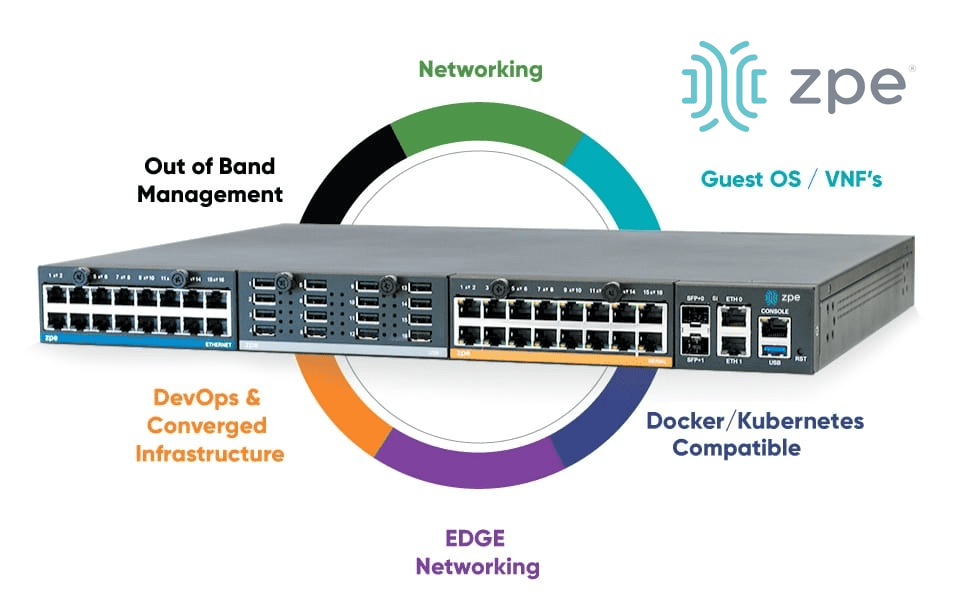
The Nodegrid platform from ZPE Systems addresses many of Cisco’s limitations with vendor-neutral branch services routers (SRs). The Nodegrid Net Services Router (NSR) is a 1RU replacement for Cisco ISR 4431 EOL devices and features advanced branch networking capabilities.

Want to see how Nodegrid stacks up against Cisco’s ISR 4431 EOL replacement options? Click here to download the services routers comparative matrix.

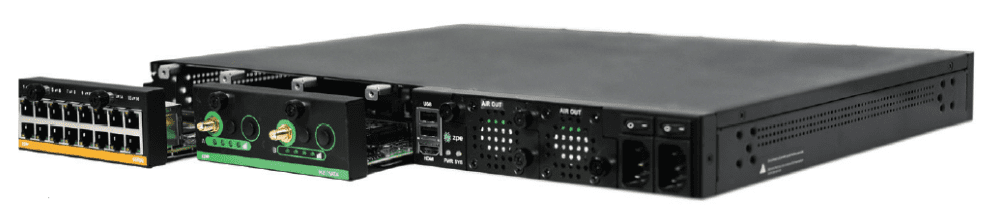
The NSR provides branch gateway routing and switching, vendor-neutral VNF (virtual network function) hosting, and out-of-band management in a single, 1RU device. The NSR’s expansion modules add capabilities like PoE+, cellular/Wi-Fi, edge compute, and additional serial console management ports.

Nodegrid solutions are vendor-neutral, supporting Guest OS and Docker containers for third-party software. Teams can use their favorite tools for monitoring, automation, and security, and even extend these capabilities to legacy and mixed-vendor infrastructure. Organizations can use Nodegrid to create a custom-tailored, all-in-one branch networking solution with all the apps and services needed to deploy, manage, troubleshoot, and recover branch operations. Plus, Nodegrid creates an isolated management plane where teams can recover from ransomware, deploy resource-intensive automated workflows, and ensure 24/7 branch operations, improving resilience and supporting efficient scaling.

Ready to replace your Cisco ISR 4431 EOL products?

The Nodegrid platform delivers vendor-neutral branch network management for improved efficiency, resilience, and scalability. See our Cisco ISR 4431 EOL replacement SKUs below or contact ZPE Systems for help choosing the right Nodegrid solution for your business.

Explore our full products and services package to replace your Cisco ISR 4431

We know that replacing EOL devices takes a lot of effort. That’s why ZPE now offers a complete package of budget-friendly products and engineering services. Visit our page to see how we make it easy to replace discontinued devices like the Cisco ISR 4431.

Cisco ISR 4431 replacement SKUs

Cisco ISR 4431 EOL Product SKUs

In-Scope Features

Nodegrid Replacement Product SKUs

ISR4431-AX/K9

ISR4431-AXV/K9

ISR4431-DNA

ISR4431-PM20

ISR4431-SEC/K0

ISR4431-V/K9

ISR4431-VSEC/K9

ISR4431/K9

Serial Console Module, Routing, 16 serial ports

ZPE-NSR-816-DAC with 1 x 16 port serial module 1 x ZPE-NSR-16SRL-EXPN


ISR4431-AX/K9

ISR4431-AXV/K9

ISR4431-DNA

ISR4431-PM20

ISR4431-SEC/K0

ISR4431-V/K9

ISR4431-VSEC/K9

ISR4431/K9

Serial Console Module, Routing, 32 serial ports

ZPE-NSR-816-DAC with 2 x 16 port serial module 2 x ZPE-NSR-16SRL-EXPN

ISR4431-AX/K9

ISR4431-AXV/K9

ISR4431-DNA

ISR4431-PM20

ISR4431-SEC/K0

ISR4431-V/K9

ISR4431-VSEC/K9

ISR4431/K9

Serial Console Module, Routing, 48 serial ports

ZPE-NSR-816-DAC with 3 x 16 port serial module 3 x ZPE-NSR-16SRL-EXPN

ISR4431-AX/K9

ISR4431-AXV/K9

ISR4431-DNA

ISR4431-PM20

ISR4431-SEC/K0

ISR4431-V/K9

ISR4431-VSEC/K9

ISR4431/K9

Serial Console Module, Routing, 60 serial ports

ZPE-NSR-816-DAC with 4 x 16 port serial module 4 x ZPE-NSR-16SRL-EXPN

80 serial port option – no Cisco equivalent

Serial Console Module, Routing, 80 serial ports

ZPE-NSR-816-DAC with 5 x 16 port serial module 5 x ZPE-NSR-16SRL-EXPN

The Future of Edge Computing

The Future of Edge Computing
Edge computing moves computing resources and data processing applications out of the centralized data center or cloud, deploying them at the edges of the network and allowing companies to use their edge data in real-time. An explosion in edge data generated by Internet of Things (IoT) sensors, automated operational technology (OT), and other remote devices has created a high demand for edge computing solutions. A recent report from Grand View Research valued the edge computing market size at $16.45 billion in 2023 and predicted it to grow at a compound annual growth rate (CAGR) of 37.9% by 2030.

The current edge computing landscape comprises solutions focused on individual use cases,  lacking interoperability and central orchestration. The future of edge computing, as described by leading analysts at Gartner, depends on unifying the edge computing ecosystem with comprehensive strategies and centralized, vendor-neutral management and orchestration. This future relies on edge-native applications that integrate seamlessly with upstream resources, remote management, and orchestration while still being able to operate independently.

Where is edge computing now?

Many organizations already use edge computing technology to solve individual problems or handle specific workloads. For example, a manufacturing department may deploy an edge computing application to analyze log data and provide predictive maintenance recommendations for a single type of machine or assembly line. A single company may have a dozen or more disjointed edge computing solutions in use throughout the network, creating visibility and management headaches for IT teams. This piecemeal approach to edge computing results in what Gartner calls “edge sprawl”: many disparate solutions deployed without centralized control, security, or visibility. Edge sprawl increases management complexity and risk while decreasing operational efficiency, creating significant roadblocks for digital transformation initiatives.

Additionally, many organizations misunderstand edge computing by thinking it’s just about moving computing resources as close to the edge as possible to collect data. In reality, the true potential of the edge involves using edge data in real-time, gaining “cloud-in-a-box” capability that works in concert with the network’s upstream resources.

Anticipating the future of edge computing

At Gartner’s 2023 IT Infrastructure Operations & Cloud Strategies Conference, edge technology experts predicted that, by 2025, enterprises will create and process more than 50% of their data outside the centralized data center or cloud. Surging edge data volume will accelerate the challenges caused by a lack of strategy or orchestration.

Gartner’s 6 Edge Computing Challenges

Lack of extensibility

Many purpose-built edge computing solutions can’t adapt as use cases change or expand as the business scales, limiting agility and preventing efficient growth.

Inability to extract value from edge data

Much of the valuable data generated by edge sensors and devices gets left on the table, so to speak, because companies lack the resources needed to run all their data analytics and AI apps at the edge and are stuck simply collecting data rather than being able to do much with it.

Data storage constraints

Edge computing deployments are often smaller and have more data storage constraints than large data centers and cloud deployments, but quickly distinguishing between valuable data and destroyable junk is difficult with edge resources.

Knowledge debt from edge-native apps

Edge-native applications are designed for edge computing architectures from the ground up. Edge containers are similar to cloud-native apps, but clustering and cluster management work much differently, creating what’s known as “knowledge debt” and straining IT teams.

Lack of security controls, policies, & visibility

Edge deployments often lack many of the security features used in data centers, and sometimes other departments install edge computing solutions without onboarding them with IT for the application of security policies and monitoring agents, adding risk and increasing the attack surface.

Inability to remotely orchestrate, monitor, & troubleshoot

When equipment failures, configuration errors, or breaches take down edge networks, remote teams are often cut-off and unable to troubleshoot or recover without traveling on-site or paying for managed services, increasing the duration and cost of the outage. Current edge solutions are novel and don’t connect to or integrate with the full networking stack.

At the Gartner conference, analyst Thomas Bittman gave multiple presentations echoing his advice from the Building an Edge Computing Strategy report published earlier in the year. In preparing for the future of edge computing, Bittman urges companies to proactively develop a comprehensive edge computing strategy encompassing all potential use cases and addressing the challenges described above. His recommendations include:

  • Enabling extensibility by utilizing vendor-neutral platforms that allow for expansion and integration, which supports growth and agility at the edge.
  • Looking for opportunities to deploy artificial intelligence, data analytics, and machine learning alongside edge computing units, for example, with system-on-chip technology or all-in-one edge networking and computing devices.
  • Anticipating data storage and governance challenges at the edge by defining clear policies and deploying AI/ML data management solutions that dynamically determine data value.
  • Reducing knowledge debt by utilizing vendor-neutral platforms that support familiar container and cluster management technologies (like Docker and Kubernetes).
  • Securing the edge with a multi-layered defense, including hardware security, frequent patches, zero-trust policies, strong authentication, network micro-segmentation, and comprehensive security monitoring.
  • Centralizing edge management and orchestration (EMO) with a vendor-neutral platform that unifies control, supports environmental monitoring, and uses out-of-band (OOB) management while interoperating with automated edge management workflows (such as zero-touch provisioning and infrastructure configuration management).

Bittman’s recommended edge computing strategy uses the central EMO as a hub for all the technologies, processes, and workflows involved in operating and supporting the edge. This strategy will prepare companies for the future of edge computing and support efficient, agile growth and innovation.

Enter the future of edge computing with Nodegrid

Nodegrid is a vendor-neutral edge management and orchestration platform from ZPE Systems. Nodegrid easily interoperates with your choice of edge solutions and can directly run third-party AI, ML, data analytics, and data governance applications to help you extract more value from your edge data. The open, Linux-based Nodegrid OS can also host Docker containers and edge-native applications to reduce hardware overhead and knowledge debt.

Nodegrid devices protect your edge management interfaces with hardware security features like TPM and geofencing, support for strong authentication like 2FA, and integrations with leading zero-trust providers like Okta and PING. The Nodegrid OS and ZPE Cloud are Synopsys-validated to address security at every stage of the SDLC. Plus, you can run third-party security solutions for SASE, next-generation firewalls, and more.

Nodegrid edge networking solutions use out-of-band technology to give teams 24/7 remote visibility, management, and troubleshooting access to edge deployments. It freely interoperates with third-party solutions for infrastructure automation, monitoring, and recovery to support network resilience and operational efficiency. Nodegrid is like a cloud-in-a-box solution, incorporating edge computing and the full networking stack. Nodegrid’s edge management and orchestration platform provides single-pane-of-glass visibility, control, and resilience while supporting future edge growth.

Use Nodegrid for your Gartner-approved edge computing strategy

The Nodegrid EMO platform helps you anticipate the future of edge computing with vendor-neutral, single-pane-of-glass visibility and control. Watch a free Nodegrid demo to learn more.

Request a Demo

Zero Trust Edge Solutions: Continuing the Zero Trust Journey

A glowing shield with a 0 on it overlays a glowing map of the world to represent zero trust at the edge.

The zero trust security methodology follows the principle of “never trust, always verify,” which assumes that any account or device could be compromised and should be forced to continuously establish trustworthiness. This sounds like an extreme approach, but with the frequency of high-profile data breaches and ransomware attacks steadily increasing, security teams must pivot their approach away from prevention and toward damage mitigation and recovery. Zero trust security limits the lateral movement of compromised accounts on the network by establishing micro-perimeters around network resources that continually assess an account’s behavior for suspicious activity.

Organizations also must extend zero trust security policies and controls to remote business sites at their network’s edges, such as branches, Internet of Things (IoT) deployments, and home offices. Zero trust edge solutions are software platforms that provide networking, access, and security capabilities designed specifically for the edge. This guide explains what zero trust edge solutions do and the challenges involved in using them before discussing how to build a unified ZTE platform.

What are zero trust edge solutions?

A zero trust edge solution combines edge-centric security functionality with remote access and networking capabilities. ZTE’s core feature is zero trust network access (ZTNA), which securely connects remote users to enterprise applications and resources, similar to a VPN. ZTNA is more secure than VPNs because it only allows users to authenticate to one resource at a time and prevents them from seeing or accessing anything else until they re-establish their identity and credentials. ZTE’s other features and capabilities vary depending on the vendor and deployment type. ZTE solutions come in three different forms:

  • As a service: Companies can purchase ZTE functionality as a cloud-based, vendor-managed service. Remote users connect to regional points of presence (POPs) to reach the ZTE stack in the cloud before being routed to enterprise resources. This deployment style is easier to deploy for organizations with lots of users in the field but few (if any) physical edge locations to host security or networking solutions.
    .
  • With SD-WAN: Some ZTE providers combine zero-trust features with software-defined wide area networking (SD-WAN) capabilities. SD-WAN creates a virtual network overlay that’s decoupled from the underlying WAN infrastructure, enabling centralized control and automation. Packaging ZTE and SD-WAN together helps organizations consolidate their tech stack at physical edge sites like branches, warehouses, and manufacturing plants while still offering ZTNA to work-from-home and field employees.
    .
  • Build your own: Since there are very few mature ZTE providers on the market, and it can be difficult to find pre-made solutions with all the features needed for complex, distributed edge networks, many teams opt to build their own platform by combining tools from multiple vendors. Typically, these organizations have physical branches with existing WAN infrastructure that they use as regional POPs to host ZTNA and other security solutions.

Why build your own ZTE solution?

If pre-made solutions exist, why would companies go through the hassle of creating their own zero trust edge platform? Presently, there aren’t any “complete” ZTE solutions that offer full, zero-trust protection for branches and other physical edge sites.

For example, many ZTE platforms don’t protect management ports on the control plane, leaving critical edge infrastructure like servers, switches, and power distribution units (PDUs) exposed to cybercriminals. Additionally, branch ZTE solutions rely upon production network infrastructure, so if there’s an outage or ransomware attack, remote management teams are completely cut off from troubleshooting and recovery. These solutions also lack helpful edge networking features like fleet management and automation, and their closed ecosystems limit the ability to extend their capabilities.

Building your own zero trust edge platform allows you to combine all the security, networking, and management functionality you need to get full security coverage and streamline branch operations. The key to creating a robust and efficient ZTE solution is starting with a vendor-neutral platform that can unify the entire security architecture.

How Nodegrid simplifies ZTE

Nodegrid edge networking solutions from ZPE Systems provide the perfect vendor-neutral platform for integrated zero trust edge deployments. All-in-one edge gateway routers deliver a full stack of branch networking capabilities, including out-of-band (OOB) management. OOB creates a dedicated control plane on an isolated network so remote teams have continuous access to manage, troubleshoot, and repair edge infrastructure.

Nodegrid protects the management interfaces on the OOB network with robust, zero trust security processes and controls. For example, the encryption keys for each Nodegrid device are destroyed after provisioning so that only the public key is accessible when needed for authentication to our cloud. Nodegrid devices also use the Trusted Platform Module (TPM) as a hardware security module to prevent cybercriminals from tampering with the configuration or storage.

Our platform runs on the Linux-based, x86 Nodegrid OS, which supports VMs and Docker containers for third-party applications. That means you can deploy ZTNA, SD-WAN, and other zero trust edge solutions without purchasing or managing additional hardware at each branch. Nodegrid’s OOB and failover functionality ensure those security and access solutions remain operational during ISP outages, ransomware attacks, and other disruptions. Teams can also run their favorite tools for automation, troubleshooting, and recovery on the Nodegrid platform, streamlining edge operations and ensuring their toolbox is available on the OOB network. Nodegrid also simplifies fleet management with true zero-touch provisioning to securely and automatically deploy configurations at edge business sites.

Want to unify your zero trust edge solutions with Nodegrid?

Nodegrid provides a robust, vendor-neutral platform to unify and extend your zero trust edge capabilities. Request a free demo to see Nodegrid in action. Watch Demo

IT Automation vs Orchestration: What’s the Difference?

it-automation-vs-orchestration

IT automation and orchestration are two important concepts in the field of information technology that are often used interchangeably but are actually quite different. IT automation focuses on individual tasks, whereas orchestration encompasses multiple tasks or even entire workflows. Each approach produces different results and helps teams meet different goals. They also have their own benefits and challenges that must be considered. This guide compares IT automation vs orchestration to clear up misconceptions and help organizations choose the right approach to streamlining their IT operations.

IT Automation vs Orchestration: What’s the Difference?

IT Automation vs Orchestration

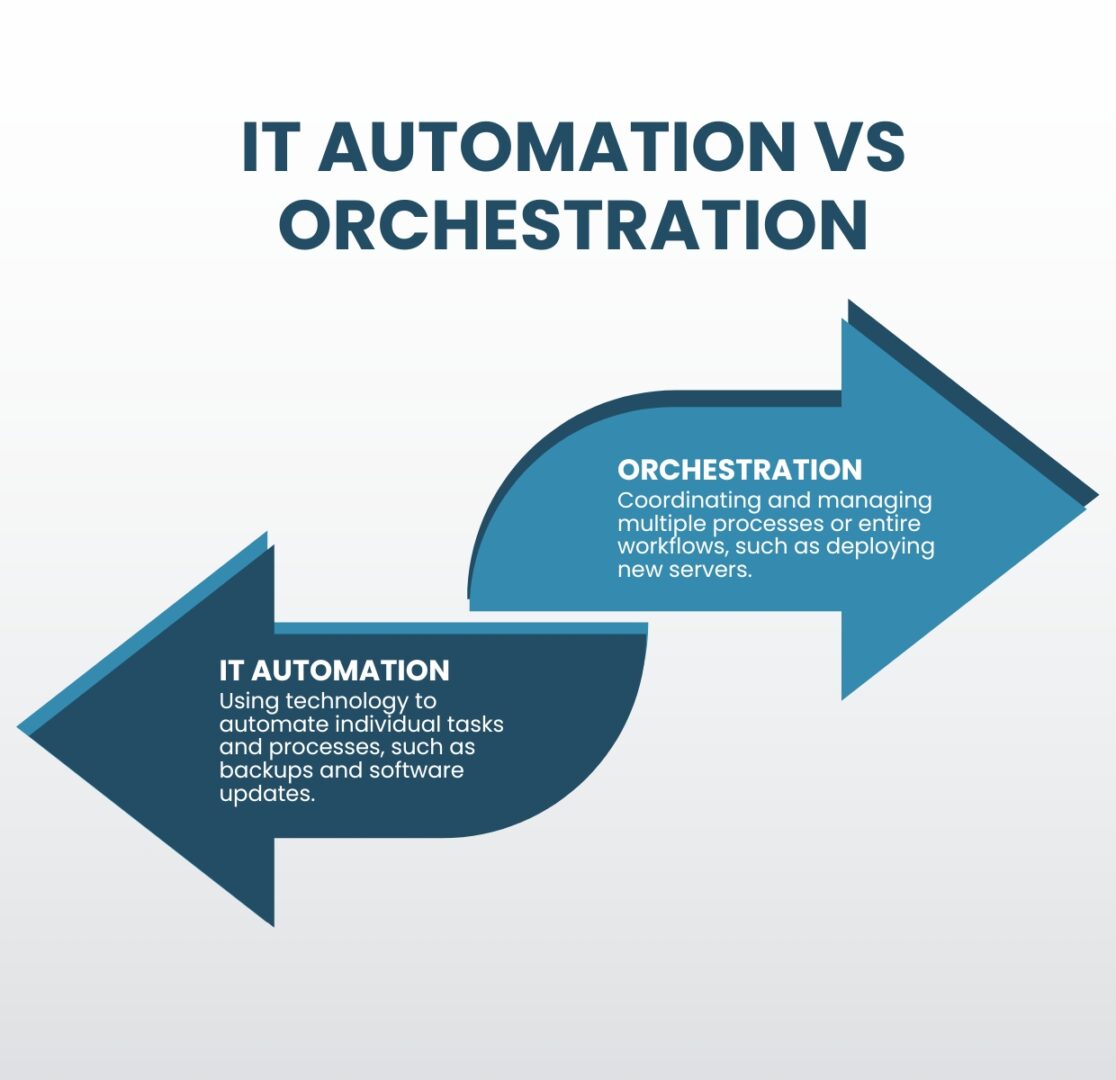
IT automation refers to the use of technology to automate repetitive tasks and processes, including things like automated backups, software updates, and monitoring systems. The goal of IT automation is to free up time and resources for IT professionals by automating routine tasks, allowing them to focus on more strategic initiatives.

Orchestration, on the other hand, is the coordination and management of multiple processes or entire workflows. This can include things like configuring and deploying new servers, managing network connections, and monitoring the performance of many different systems. The goal of orchestration is to improve the overall efficiency of IT operations, reducing costs and enabling greater scalability.

The benefits of IT automation vs orchestration

Benefits of IT Automation vs Orchestration

IT Automation

  • Saves time
  • Reduces human error
  • Improves compliance

Orchestration

  • Increases operational efficiency
  • Improves network scalability
  • Ensures IT system reliability

One of the main benefits of IT automation is that it can save time and resources for IT professionals. By automating routine tasks, IT teams can focus on more strategic initiatives and projects. Additionally, automation helps reduce human error and increases the accuracy, speed, and efficiency of tasks. Automation also improves compliance, as automated processes are less prone to human negligence and are easier to audit.

Orchestration, on the other hand, helps improve the overall efficiency and effectiveness of IT operations. By automating the coordination and management of multiple tasks, orchestration helps ensure that different systems and processes work together seamlessly. Additionally, orchestration helps improve the scalability and reliability of IT systems by ensuring different components are configured and deployed correctly.

The challenges of IT automation and orchestration

IT Automation and Orchestration Challenges

IT Complexity

Teams can’t effectively automate IT operations unless they thoroughly understand all the tasks, systems, and workflows comprising a highly complex network.

Automation Skills Gap

A high demand for automation engineers makes it difficult and expensive to recruit, train, and retain qualified IT automation and orchestration professionals.

Supporting Infrastructure

Effective automation and orchestration deployments require a robust underlying infrastructure of specialized hardware and software solutions.

One of the main challenges of automation and orchestration is the complexity of IT systems. As organizations rely more heavily on specialized technology and grow both in size and in number of business sites, IT systems become increasingly complex and difficult to manage. Automation and orchestration help reduce complexity by automating routine tasks and coordinating the management of different systems. However, teams must understand those tasks and systems well enough to know how to automate them effectively; otherwise, mistakes will proliferate or there will be gaps in automated workflows.

Another IT automation and orchestration challenge is the need for skilled professionals to deploy and manage these solutions. As automation and orchestration become more prevalent, the demand for skilled professionals has increased, making it harder (and more expensive) to recruit and retain qualified automation engineers. The alternative is for organizations to spend time and resources training existing IT staff to work with automation and orchestration.

Additionally, organizations need to invest in the technology and infrastructure necessary to support automation and orchestration. Some examples of these automation infrastructure components include:

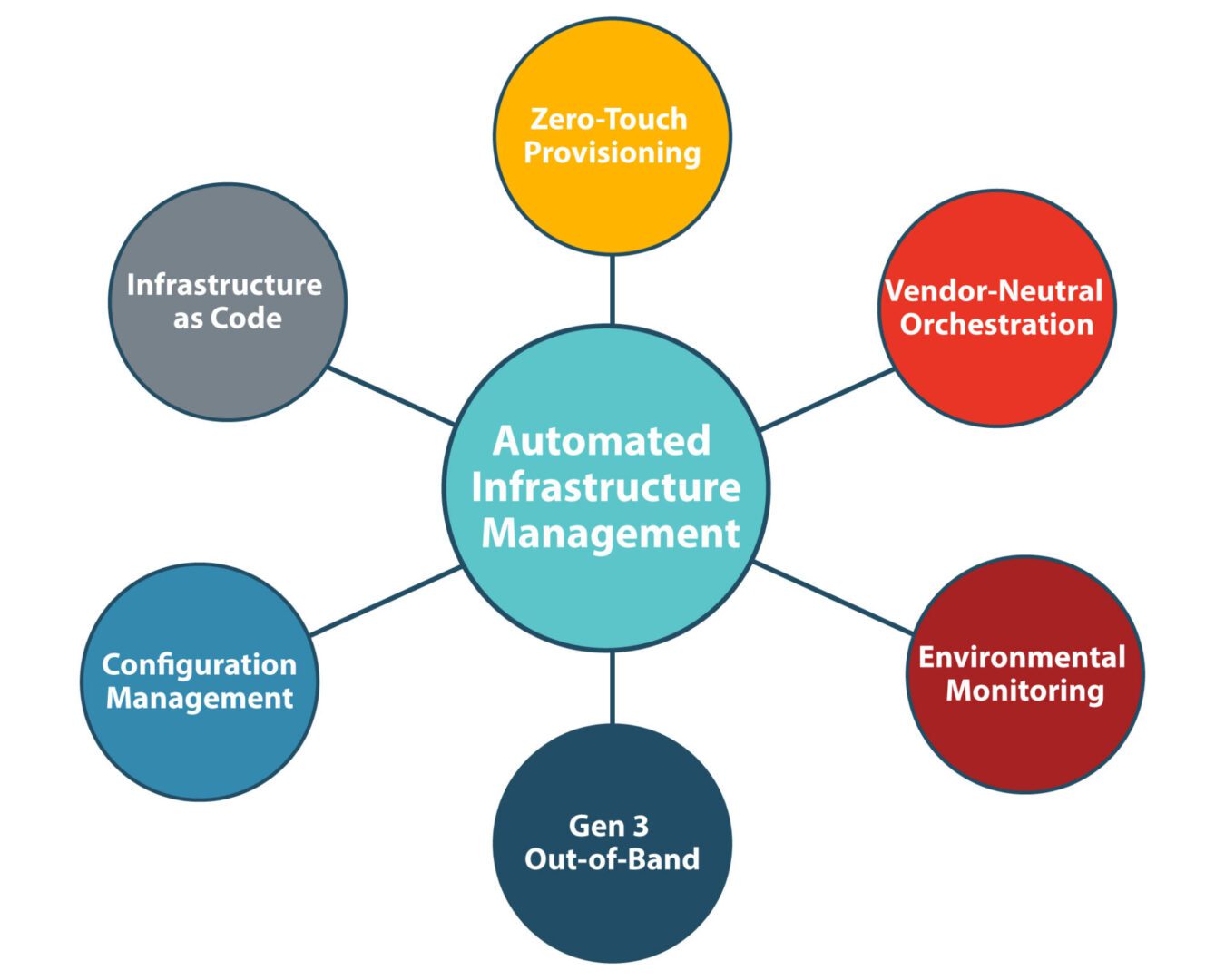
  • Gen 3 out-of-band (OOB) serial consoles, which allow teams to deploy third-party automation on an OOB network that doesn’t rely on production infrastructure, improving security and resilience. Gen 3 OOB also moves bandwidth-hogging orchestration workflows off the production network, which reduces latency for better performance.
  • Software-defined networking, which virtualizes the control and management processes and abstracts them from underlying LAN and WAN hardware. SDN, SD-WAN, and SD-Branch technologies enable a high degree of automation for networking workflows such as load balancing, application-aware routing, and failover.
  • Infrastructure as Code (IaC), which turns infrastructure configurations into software code. IaC enables the use of version control, zero-touch deployments, automatic configuration management, automated security testing, and other tools and processes that support automation and improve network resilience.
  • Orchestrator software, which controls all of the automated workflows on a network. The orchestrator is the central hub for teams to create, deploy, monitor, and troubleshoot automated workflows and infrastructure.
  • AIOps, or artificial intelligence for IT operations, which analyzes all the logs and data pulled from automated infrastructure devices and security appliances. AIOps provides predictive maintenance insights, automatic root-cause analysis (RCA), enhanced threat detection, and other functionality to help support a complex, automated network infrastructure.

Tips for overcoming IT automation and orchestration challenges

While every organization will face unique IT automation and orchestration hurdles, there are two basic tips to help simplify any deployment. Using consolidated network hardware and vendor-neutral platforms can help reduce the complexity of network infrastructure, the need to hire additional staff, and the cost to deploy automation infrastructure.

  • Consolidated network hardware, such as all-in-one branch/edge gateway routers, significantly reduces the number of devices deployed at each business site. Fewer devices to automate means less complexity, and organizations save money on deployment costs like hardware overhead and automation license seats.
  • Vendor-neutral platforms, such as the Nodegrid infrastructure management platform from ZPE Systems, allow teams to use the automation and orchestration tools they’re most comfortable with regardless of provider, reducing the skills gap. Open platforms ensure seamless interoperability between all the various automated components to decrease management complexity. Vendor-neutral hardware also allows organizations to run software from multiple vendors on a single device, enabling even greater network consolidation to reduce the complexity and cost of automated infrastructure deployments.

Choosing IT automation vs orchestration

IT automation and orchestration are interconnected concepts that are frequently, but incorrectly, used interchangeably. Automation focuses on individual tasks, while orchestration manages multiple tasks and entire workflows. Both automation and orchestration can help improve the efficiency and effectiveness of IT operations, but they have their unique benefits and challenges. Organizations must carefully consider their IT systems and needs when deciding which approach to use.

IT automation vs orchestration simplified

The network automation experts at ZPE Systems have helped Big Tech brands like Amazon and Uber improve operational efficiency and resilience with IT automation and orchestration. Learn how to use these best practices to streamline your IT operations by downloading our Network Automation Blueprint.

Download the Blueprint

Edge Computing Requirements

Edge computing requirements displayed in a digital interface wheel.

The Internet of Things (IoT) and remote work capabilities have allowed many organizations to conduct critical business operations at the enterprise network’s edges. Wearable medical sensors, automated industrial machinery, self-service kiosks, and other edge devices must transmit data to and from software applications, machine learning training systems, and data warehouses in centralized data centers or the cloud. Those transmissions eat up valuable MPLS bandwidth and are attractive targets for cybercriminals.

Edge computing involves moving data processing systems and applications closer to the devices that generate the data at the network’s edges. Edge computing can reduce WAN traffic to save on bandwidth costs and improve latency. It can also reduce the attack surface by keeping edge data on the local network or, in some cases, on the same device.

Running powerful data analytics and artificial intelligence applications outside the data center creates specific challenges. For example, space is usually limited at the edge, and devices might be outdoors where power and climate control are more complex. This guide discusses the edge computing requirements for hardware, networking, availability, security, and visibility to address these concerns.

Edge computing requirements

The primary requirements for edge computing are:

1. Compute

As the name implies, edge computing requires enough computing power to run the applications that process edge data. The three primary concerns are:

  • Processing power: CPUs (central processing units), GPUs (graphics processing units), or SoCs (systems on chips)
  • Memory: RAM (random access memory)
  • Storage: SSDs (solid state drives), SCM (storage class memory), or Flash memory
  • Coprocessors: Supplemental processing power needed for specific tasks, such as DPUs (data processing units) for AI

The specific edge computing requirements for each will vary, as it’s essential to match the available compute resources with the needs of the edge applications.

2. Small, ruggedized chassis

Space is often quite limited in edge sites, and devices may not be treated as delicately as they would be in a data center. Edge computing devices must be small enough to squeeze into tight spaces and rugged enough to handle the conditions they’ll be deployed in. For example, smart cities connect public infrastructure and services using IoT and networking devices installed in roadside cabinets, on top of streetlights, and in other challenging deployment sites. Edge computing devices in other applications might be subject to constant vibrations from industrial machinery, the humidity of an offshore oil rig, or even the vacuum of outer space.

3. Power

In some cases, edge deployments can use the same PDUs (power distribution units) and UPSes (uninterruptible power supplies) as a data center deployment. Non-traditional implementations, which might be outdoors, underground, or underwater, may require energy-efficient edge computing devices using alternative power sources like batteries or solar.

4. Wired & wireless connectivity

Edge computing systems must have both wired and wireless network connectivity options because organizations might deploy them somewhere without access to an Ethernet wall jack. Cellular connectivity via 4G/5G adds more flexibility and ideally provides network failover/out-of-band capabilities.

5. Out-of-band (OOB) management

Many edge deployment sites don’t have any IT staff on hand, so teams manage the devices and infrastructure remotely. If something happens to take down the network, such as an equipment failure or ransomware attack, IT is completely cut off and must dispatch a costly and time-consuming truck roll to recover. Out-of-band (OOB) management creates an alternative path to remote systems that doesn’t rely on any production infrastructure, ensuring teams have continuous access to edge computing sites even during outages.

6. Security

Edge computing reduces some security risks but can create new ones. Security teams carefully monitor and control data center solutions, but systems at the edge are often left out. Edge-centric security platforms such as SSE (Security Service Edge) help by applying enterprise Zero Trust policies and controls to edge applications, devices, and users. Edge security solutions often need hardware to host agent-based software, which should be factored into edge computing requirements and budgets. Additionally, edge devices should have secure Roots of Trust (RoTs) that provide cryptographic functions, key management, and other features that harden device security.

7. Visibility

Because of a lack of IT presence at the edge, it’s often difficult to catch problems like high humidity, overheating fans, or physical tampering until they affect the performance or availability of edge computing systems. This leads to a break/fix approach to edge management, where teams spend all their time fixing issues after they occur rather than focusing on improvements and innovations. Teams need visibility into environmental conditions, device health, and security at the edge to fix issues before they cause outages or breaches.

Streamlining edge computing requirements

An edge computing deployment designed around these seven requirements will be more cost-effective while avoiding some of the biggest edge hurdles. Another way to streamline edge deployments is with consolidated, vendor-neutral devices that combine core networking and computing capabilities with the ability to integrate and unify third-party edge solutions. For example, the Nodegrid platform from ZPE Systems delivers computing power, wired & wireless connectivity, OOB management, environmental monitoring, and more in a single, small device. ZPE’s integrated edge routers use the open, Linux-based Nodegrid OS capable of running Guest OSes and Docker containers for your choice of third-party AI/ML, data analytics, SSE, and more. Nodegrid also allows you to extend automated control to the edge with Gen 3 out-of-band management for greater efficiency and resilience.

Want to learn more about how Nodegrid makes edge computing easier and more cost-effective?

To learn more about consolidating your edge computing requirements with the vendor-neutral Nodegrid platform, schedule a free demo!

Request a Demo

IT Infrastructure Management Best Practices

A small team uses IT infrastructure management best practices to manage an enterprise network

A single hour of downtime costs organizations more than $300,000 in lost business, making network and service reliability critical to revenue. The biggest challenge facing IT infrastructure teams is ensuring network resilience, which is the ability to continue operating and delivering services during equipment failures, ransomware attacks, and other emergencies. This guide discusses IT infrastructure management best practices for creating and maintaining more resilient enterprise networks.
.

What is IT infrastructure management? It’s a collection of all the workflows involved in deploying and maintaining an organization’s network infrastructure. 

IT infrastructure management best practices

The following IT infrastructure management best practices help improve network resilience while streamlining operations. Click the links on the left for a more detailed look at the technologies and processes involved with each.

Isolated Management Infrastructure (IMI)

• Protects management interfaces in case attackers hack the production network

• Ensures continuous access using OOB (out-of-band) management

• Provides a safe environment to fight through and recover from ransomware

Network and Infrastructure Automation

• Reduces the risk of human error in network configurations and workflows

• Enables faster deployments so new business sites generate revenue sooner

• Accelerates recovery by automating device provisioning and deployment

• Allows small IT infrastructure teams to effectively manage enterprise networks

Vendor-Neutral Platforms

• Reduces technical debt by allowing the use of familiar tools

• Extends OOB, automation, AIOps, etc. to legacy/mixed-vendor infrastructure

• Consolidates network infrastructure to reduce complexity and human error

• Eliminates device sprawl and the need to sacrifice features

AIOps

• Improves security detection to defend against novel attacks

• Provides insights and recommendations to improve network health for a better end-user experience

• Accelerates incident resolution with automatic triaging and root-cause analysis (RCA)

Isolated management infrastructure (IMI)

Management interfaces provide the crucial path to monitoring and controlling critical infrastructure, like servers and switches, as well as crown-jewel digital assets like intellectual property (IP). If management interfaces are exposed to the internet or rely on the production network, attackers can easily hijack your critical infrastructure, access valuable resources, and take down the entire network. This is why CISA released a binding directive that instructs organizations to move management interfaces to a separate network, a practice known as isolated management infrastructure (IMI).

The best practice for building an IMI is to use Gen 3 out-of-band (OOB) serial consoles, which unify the management of all connected devices and ensure continuous remote access via alternative network interfaces (such as 4G/5G cellular). OOB management gives IT teams a lifeline to troubleshoot and recover remote infrastructure during equipment failures and outages on the production network. The key is to ensure that OOB serial consoles are fully isolated from production and can run the applications, tools, and services needed to fight through a ransomware attack or outage without taking critical infrastructure offline for extended periods. This essentially allows you to instantly create a virtual War Room for coordinated recovery efforts to get you back online in a matter of hours instead of days or weeks. A diagram showing a multi-layered isolated management infrastructure. An IMI using out-of-band serial consoles also provides a safe environment to recover from ransomware attacks. The pervasive nature of ransomware and its tendency to re-infect cleaned systems mean it can take companies between 1 and 6 months to fully recover from an attack, with costs and revenue losses mounting with every day of downtime. The best practice is to use OOB serial consoles to create an isolated recovery environment (IRE) where teams can restore and rebuild without risking reinfection.
.

Network and infrastructure automation

As enterprise network architectures grow more complex to support technologies like microservices applications, edge computing, and artificial intelligence, teams find it increasingly difficult to manually monitor and manage all the moving parts. Complexity increases the risk of configuration mistakes, which cause up to 35% of cybersecurity incidents. Network and infrastructure automation handles many tedious, repetitive tasks prone to human error, improving resilience and giving admins more time to focus on revenue-generating projects.

Additionally, automated device provisioning tools like zero-touch provisioning (ZTP) and configuration management tools like RedHat Ansible make it easier for teams to recover critical infrastructure after a failure or attack. Network and infrastructure automation help organizations reduce the duration of outages and allow small IT infrastructure teams to manage large enterprise networks effectively, improving resilience and reducing costs.

For an in-depth look at network and infrastructure automation, read the Best Network Automation Tools and What to Use Them For

Vendor-neutral platforms

Most enterprise networks bring together devices and solutions from many providers, and they often don’t interoperate easily. This box-based approach creates vendor lock-in and technical debt by preventing admins from using the tools or scripting languages they’re familiar with, and it makes a fragmented, complex architecture of management solutions that are difficult to operate efficiently. Organizations also end up compromising on features, ending up with a lot of stuff they don’t need and too little of what they do need.

A vendor-neutral IT infrastructure management platform allows teams to unify all their workflows and solutions. It integrates your administrators’ favorite tools to reduce technical debt and provides a centralized place to deploy, orchestrate, and monitor the entire network. It also extends technologies like OOB, automation, and AIOps to otherwise unsupported legacy and mixed-vendor solutions. Such a platform is revolutionary in the same way smartphones were – instead of needing a separate calculator, watch, pager, phone, etc., everything was combined in a single device. A vendor-neutral management platform allows you to run all the apps, services, and tools you need without buying a bunch of extra hardware. It’s a crucial IT infrastructure management best practice for resilience because it consolidates and unifies network architectures to reduce complexity and prevent human error.

Learn more about the benefits of a vendor-neutral IT infrastructure management platform by reading How To Ensure Network Scalability, Reliability, and Security With a Single Platform

AIOps

AIOps applies artificial intelligence technologies to IT operations to maximize resilience and efficiency. Some AIOps use cases include:

  • Security detection: AIOps security monitoring solutions are better at catching novel attacks (those using methods never encountered or documented before) than traditional, signature-based detection methods that rely on a database of known attack vectors.
  • Data analysis: AIOps can analyze all the gigabytes of logs generated by network infrastructure and provide health visualizations and recommendations for preventing potential issues or optimizing performance.
  • Root-cause analysis (RCA): Ingesting infrastructure logs allows AIOps to identify problems on the network, perform root-cause analysis to determine the source of the issues, and create & prioritize service incidents to accelerate remediation.

AIOps is often thought of as “intelligent automation” because, while most automation follows a predetermined script or playbook of actions, AIOps can make decisions on-the-fly in response to analyzed data. AIOps and automation work together to reduce management complexity and improve network resilience.

Want to find out more about using AIOps and automation to create a more resilient network? Read Using AIOps and Machine Learning To Manage Automated Network Infrastructure

IT infrastructure management best practices for maximum resilience

Network resilience is one of the top IT infrastructure management challenges facing modern enterprises. These IT infrastructure management best practices ensure resilience by isolating management infrastructure from attackers, reducing the risk of human error during configurations and other tedious workflows, breaking vendor lock-in to decrease network complexity, and applying artificial intelligence to the defense and maintenance of critical infrastructure.

Need help getting started with these practices and technologies? ZPE Systems can help simplify IT infrastructure management with the vendor-neutral Nodegrid platform. Nodegrid’s OOB serial consoles and integrated branch routers allow you to build an isolated management infrastructure that supports your choice of third-party solutions for automation, AIOps, and more.

Want to learn how to make IT infrastructure management easier with Nodegrid?

To learn more about implementing IT infrastructure management best practices for resilience with Nodegrid, download our Network Automation Blueprint

Request a Demo