Providing Out-of-Band Connectivity to Mission-Critical IT Resources

The Importance of Out-of-Band Data Center Connectivity

The importance of data center connectivity is illustrated with overlapping digital globes superimposed over racks of data center equipment

Data center connectivity is more crucial than ever. Data, applications, and digital services power every aspect of business, which means your infrastructure needs to be available 24/7. However, according to the Uptime Institute’s 2022 Outage Analysis report, outages are still a frequent problem for enterprises and data centers, and the financial consequences of the resulting business interruptions are staggering.

One of the best tools for maintaining data center connectivity is remote out-of-band (OOB) management. OOB management creates an alternative path to remote infrastructure on a dedicated management network. An OOB management solution uses serial consoles and data center infrastructure management (DCIM) software to give administrators the ability to monitor and control remote data center infrastructure. With OOB, you can recover from outages faster and regain control over remote data center infrastructure even when the main network is down.

The importance of out-of-band data center connectivity

The first major takeaway from the Uptime Institute report is that outage rates have remained high over recent years. Twenty percent of responding organizations experienced a serious outage in the last three years, which is slightly higher than in the 2021 report. It was noted that 80% of data centers reported an outage of some kind (with varying severity), which hasn’t changed much since previous reports. The implication here is that businesses and data centers are both still struggling to maintain the 24/7 availability expected by their customers. Let’s dig deeper into the causes and effects of data center outages and discuss how out-of-band management can help.

  1. Network issues are the biggest cause of downtime
    According to the 2022 report, networking problems were the single largest cause of outages over the last three years. These issues are frequently due to the complexity of distributed and software-defined network architectures, especially in cloud or hybrid cloud deployments.Out-of-band data center connectivity solutions use serial consoles which directly connect to other data center devices using the serial port. That means administrators can access and manage those devices without needing to use their IP addresses. So, if a configuration mistake causes the production LAN to go down, administrators can still remotely fix the problem, shortening the duration of the outage. And, since OOB serial consoles provide a secondary network interface—often an LTE cellular modem—you’ll still have remote access even if human error brings down the WAN or SD-WAN architecture.
    .
  2. Power failures are another leading cause of outages
    Respondents reported that 43% of significant outages—ones that resulted in business interruption and financial loss—were caused by power issues. Many of those incidents were due to uninterruptible power supply (UPS) failures.As part of a data center infrastructure management (DCIM) solution, an OOB serial console gives administrators the ability to remotely monitor and manage UPS devices in the rack. Admins get alerts when devices aren’t performing efficiently or begin to show signs of imminent failure. That means organizations can proactively schedule repairs or deploy replacements before a power outage occurs.
    .
  3. Out-of-band data center connectivity shortens recovery time
    One of the most alarming statistics from the report is the percentage of public outages lasting more than 24 hours. In 2017, just 8% of outages lasted longer than a day, but that increased to nearly 30% in 2021.Out-of-band data center connectivity can significantly reduce the time to recovery by ensuring administrators always have remote access to data center infrastructure. That means your organization will waste less time waiting for on-site managed services to arrive or for in-house technicians to travel to the data center. As soon as DCIM monitoring alerts them to an issue, admins can begin diagnosing and fixing the problem from their remote desktop.
    .
  4. Outages are more expensive than ever
    Over 60% of reported outages resulted in at least $100,000 in losses, an increase of 21% since 2019. The number of outages costing more than $1 million also increased by 4%.OOB management gives teams the ability to remotely troubleshoot and recover from many issues, so you don’t need to pay for truck rolls or on-site managed services. If remote troubleshooting reveals that the problem requires an on-site fix, technicians can go in already knowing the source of the issue and with all the necessary tools to repair it. Either way, your organization saves time and money.

Out-of-band data center connectivity gives organizations reliable access to remote infrastructure even during a network outage. OOB serial consoles also provide visibility into the health and performance of critical data center devices like UPSs, so you can proactively address issues and prevent downtime from occurring. Through 24/7 remote access, monitoring, and management, you can reduce the incidence, duration, cost, and impact of data center downtime.

Gen 3 OOB data center connectivity with Nodegrid

The Nodegrid Serial Console Plus (NSCP) is a Gen 3 out-of-band data center connectivity solution that delivers reliable and blazing-fast remote access to up to 96 data center devices from a single 1U rack-mounted box. Nodegrid’s vendor-neutral OOB DCIM platform supports integrations with your choice of infrastructure solutions and automation tools, giving you total and efficient control over your data center infrastructure.

Ready to learn more about out-of-band data center connectivity?

To learn more about out-of-band data center connectivity with Nodegrid, contact ZPE Systems today.
Contact Us

What Is uCPE, and How Does It Benefit Enterprise Customers?

ucpe

uCPE stands for universal Customer Premises Equipment. A uCPE box is a general purpose networking device used to run virtual network functions, or VNFs. VNFs are essentially software versions of network devices such as routers, switches, and firewalls. That means you can consolidate an entire networking tech stack into a single uCPE box, saving money and reducing management complexity.

Despite the promise of uCPE, the technology has been slow to catch on. In this article, we’ll explore the reasons for the lack of popularity of early uCPE before discussing how newer generations overcome these issues to deliver cost savings, simplified management, and other benefits to enterprise customers.

The shortcomings of gen 1 uCPE

Early uCPE devices were generally provided by telecoms and ISPs to host their specific networking software. Customers didn’t get to choose the software or virtualization solutions—they had to use whatever the vendor gave them. That meant enterprises didn’t have the flexibility to swap out VNFs and software to get the specific features or pricing they wanted, and they couldn’t continue using existing solutions that they really liked.

However, the larger issue was that the virtualization technology itself was ahead of its time. Many organizations still didn’t have use cases that justified the business disruption and expense of swapping out networking infrastructure with virtualized solutions. Plus, software-based networking was so new that many network administrators and engineers didn’t have the skills and experience needed to configure, deploy, and manage fully virtualized tech stacks.

Due to these limitations, enterprises showed minimal interest in uCPE for a long time, leading many to believe that the technology would die out entirely. Instead, forward-thinking hardware and software vendors continued to improve uCPE technology to overcome these shortcomings. In addition, enterprises have been pushing their computing and business operations out to remote locations at the network edge, resulting in the rapid adoption of SD-WAN (software-based wide-area networking) solutions for distributed network management. A greater interest in software-based networking technology, and a need for hardware capable of running that software, has led to a renewed enthusiasm for uCPE.

The next evolution of uCPE

The current generation of uCPE focuses on delivering a truly universal, vendor-neutral platform from which to host, manage, and troubleshoot an entire consolidated tech stack. This is provided in two parts:

  1. The device itself, which runs on an open, Linux-based operating system and supports multiple pinout standards.
  2. An orchestration platform which consolidates the monitoring and management of all uCPE solutions behind a single pane of glass.

Through its a vendor-agnostic hardware, software, and orchestration platform, uCPE benefits enterprise customers in numerous ways, including:

Vendor freedom

Next-gen uCPE devices are capable of hosting any software or virtualization solution from any vendor. This gives enterprise customers the ability to shop around for the best features and pricing for their particular use case. If customers already have a software-based networking solution that works well for them, they can simply migrate it to the uCPE with minimal hassle.

Tech consolidation

A single uCPE box can take the place of an entire rack of networking equipment, reducing the number of devices to install, license, and maintain. This is especially vital for organizations that want to expand their operations to branch offices, edge data centers, and even hard-to-reach locations like oil rigs and research stations. Tech consolidation reduces the time and expense required to deploy remote infrastructure.

Centralized management

The current generation of uCPE includes an orchestration platform capable of observing and controlling the entire distributed network of uCPE boxes and connected infrastructure. Enterprises can deploy hundreds or even thousands of uCPE boxes to locations all over the globe, but they only need to log in to one platform to manage them all. uCPE gives organizations the ability to orchestrate network functions, monitor remote infrastructure, and troubleshoot and respond to issues from behind a single pane of glass, which results in simplified and optimized network management.

SD-WAN capabilities

As organizations have sped up their SD-WAN adoption plans in response to the rise of remote work, edge computing, and distributed network management, the need for universal networking hardware has also quickly increased. Next-gen uCPE devices are the perfect hosts for SD-WAN software solutions because they allow for easy integration with the underlying WAN infrastructure, which run as VNFs on the same box. That means enterprises don’t need to invest in new SD-WAN-capable routers and gateways for each remote site. Plus, with a uCPE orchestration platform, it is easier to view and control the entire SD-WAN architecture. 

To take advantage of the benefits promised by uCPE technology, you need to ensure that you choose a platform that’s truly vendor-neutral to support your choice of SD-WAN and VNF solutions. The hardware also needs to be powerful enough to run your entire edge networking stack from a single box.

Universal network management with Nodegrid

Nodegrid is a next-gen uCPE platform that delivers universal infrastructure orchestration for enterprise customers. Nodegrid’s flexible hardware and open OS give you the freedom to bring your choice of networking devices, SD-WAN solutions, and VNFs. Nodegrid devices are built with CPU and memory headroom and expansive storage options so you can run your entire branch from a single box. Plus, the ZPE Cloud infrastructure orchestration platform gives you complete control over your distributed network, including third-party automation playbooks and workflows.

Ready to learn more?

To learn more about Nodegrid next-gen uCPE, contact ZPE Systems today.

Contact Us

Actualizing Edge Computing Benefits in Your Enterprise

Edge Computing Benefits
Edge computing is poised as the next critical technology to propel a business into the future. Edge computing delivers greater speed and reliability by decentralizing enterprise resources and placing them closer to their employees, partners, and/or customers. However, some unique challenges are involved in managing and securing this kind of highly-distributed network architecture. In this blog, we’ll explain how to overcome these hurdles so you can actualize edge computing benefits in your enterprise.

Edge computing benefits, challenges, and solutions

Edge computing involves moving critical resources and digital workflows out of the centralized data center and closer to the people and devices who use them. Edge computing often occurs in remote locations far from the main data center, such as manufacturing plants in developing nations, oil rigs in the deep ocean, or hospitals in rural areas. Edge computing places the processing power needed for applications and analytics closer to these remote endpoints, which provides the following benefits.

Main edge computing benefits

  • Reduced latency: Users and devices in remote locations are physically and logically closer to the resources they need, reducing latency and improving performance.
  • ★ Increased bandwidth: Less remote traffic is routed through the centralized data center, so more bandwidth is available to the edge locations and the main enterprise.
  • ★ Simplified compliance: Individual locations may have different regulatory requirements, and edge computing allows you to store and process data locally, making it easier to ensure compliance.

Edge computing challenges

On its face, edge computing seems relatively simple—all you have to do is install some servers and GPUs in a remote, edge location. However, the edge’s very nature creates challenges you can’t ignore. Many edge locations do feel like the edge of the world. They may be hard to reach, have inhospitable weather conditions, or even sit in an active warzone. Deploying engineers for equipment installations, troubleshooting, or even simple maintenance is complex. It also means you’re not guaranteed to have a reliable internet connection to access and manage edge resources. Remote edge technology is also harder to monitor, which increases the risk of tampering by malicious actors. Plus, extreme weather or collateral damage from warfare could physically damage your infrastructure. These factors could cause you to lose expensive equipment and valuable data.

Edge computing solutions

To actualize edge computing benefits in your enterprise, you need to anticipate the above challenges by implementing the following solutions:

  • Out-of-band (OOB) management OOB management provides an alternative path to your critical remote infrastructure when the primary network is down. An OOB management solution for edge computing uses a high-speed wireless connection (such as 4G/5G cellular) which is less likely to be affected by extreme weather or the destruction of underground infrastructure.
  • SD-WAN SD-WAN (or software-defined wide area networking) provides a resilient connection between your edge computing resources and enterprise network. SD-WAN helps ensure constant availability at the edge by using intelligent routing that automatically redirects traffic to available resources during an outage.
  • Automation Automation makes it easier to deploy and manage infrastructure at the edge. For example, Zero Touch Provisioning allows administrators to automatically deploy device configurations over the WAN, reducing the need for on-site technicians.
  • Virtual presence A virtual presence allows you to monitor your edge infrastructure’s condition remotely. For instance, environmental monitoring sensors provide data on temperature, humidity, and airflow so you can prevent damage to your valuable equipment. Proximity and tampering sensors can also alert you if an unauthorized individual attempts to access your hardware.
  • Security You must implement local security when you move compute resources to the edge. For example, an edge firewall will enable traffic inspection and intrusion detection without the need to route all edge traffic through the security stack in your central data center. Often, it’s easiest to run security applications as a VM on an edge system.

OOB management, SD-WAN, automation, a virtual presence, and edge security are critical for the success of edge computing. However, that doesn’t mean you must buy five new solutions for each edge location. Ideally, you’ll use a consolidated edge networking solution that rolls up all the functionality you need in one compact device. This will allow you to easily deploy and manage your edge computing resources while reducing your technology footprint in remote locations where space and budgets may be limited.

Unlock edge computing benefits with Nodegrid

Every edge computing use case is different. You may have several small data centers worldwide with dozens of racks. Or, you might have many nano data centers, each with a single device running all your edge compute applications. No matter what your edge architecture looks like, ZPE Systems has a solution to help you unlock edge computing benefits. For example, the Nodegrid Net Services Router (NSR) is a compact, all-in-one edge networking solution that’s customizable to your requirements. With swappable modules for OOB management, 5G/4G cellular, storage, and compute, you can run an entire edge computing deployment from one device. Nodegrid’s vendor-neutral platform supports integrations with your choice of third-party automation, orchestration, and security providers. Or, you can host applications for automation, SD-WAN, security, and more on a single device. You can even run VMs directly from your NSR to further streamline your edge operations. Plus, you can connect Nodegrid’s environmental monitoring sensors to any Nodegrid device. You can maintain visibility on your critical remote infrastructure with sensors for temperature, humidity, proximity, airflow, smoke, and particulates.

Want to learn more about computing benefits with Nodegrid?

Nodegrid is a consolidated, all-in-one device, so you can enable edge computing benefits without buying many separate solutions. Contact us today or call 1-844-4ZPE-SYS for a free demo.
Request a Demo Today

Part 1: Immutable Infrastructure: Challenges Your Company Needs to Be Aware of

shutterstock_1299826528

Immutable infrastructure refers to the critical network resources and systems that make up your infrastructure and that are never updated, changed, or fixed in any way—they stay exactly the same. If something needs to be modified, the entire system or device is replaced by a new one. While this approach has many advantages for organizations, there are still some immutable infrastructure challenges you’ll need to overcome.

Mutable vs immutable infrastructure

Traditional infrastructure deployments are mutable and continuously change in place. Sysadmins and network engineers will constantly deploy patches, modify configurations, and install new software on systems and devices while they’re actively in use. The benefit of this approach is that you don’t need to create entirely new server instances or network deployments every time you want to change something.

However, mutable infrastructure does create some risk. For example, what if you deploy a patch that breaks a core function? What if some new code introduces a security vulnerability to the system? How about if an in-place upgrade fails halfway through and you end up with an unplanned version of the configuration? With mutable infrastructure, you’re stuck troubleshooting the issues and attempting to deploy fixes on systems and devices actively in use.

On the other hand, immutable infrastructure is frequently copied, deleted, and recreated without making changes to the systems currently in use. Configurations are abstracted as software code and managed from a centralized location that’s physically and logically separate from the target infrastructure. This code can be copied and deployed to many different targets as frequently as necessary. The environments themselves are virtualized (and often containerized) which creates an additional abstraction layer from the underlying hardware. This also makes it possible to copy, delete, and recreate instances as needed.

When an infrastructure as code (IaC) or software-defined networking (SDN) configuration needs to be updated, a new version of the code is written, deployed to a new instance, and tested to ensure functionality and security. Then, traffic is redirected to the new instance and the the old one is simply deleted. If a virtualized or containerized environment fails, or is compromised by a hacker, you can delete it and replace it with an exact copy with minimum hassle.

Immutable infrastructure is becoming popular among DevOps and NetDevOps organizations that use IaC and SDN to integrate resource provisioning directly into the software development pipeline. While this approach has clear advantages—including security improvement, IT complexity and failure decrement, and easier troubleshooting than mutable infrastructure—there are also some immutable infrastructure challenges.

Immutable infrastructure challenges

The immutable infrastructure paradigm was initially conceptualized for hyperscale and enterprise data center deployments. It relies on software-defined technology stacks and orchestration solutions that automate deployment and provisioning. The challenge comes when you need to venture outside of this ideal deployment, as is the case for many organizations.

Modern enterprise networks are shifting away from massive, centralized data centers because modern enterprises are themselves less centralized than they used to be. As operations become more globalized and remote, distributed workforces evolve the norm, and enterprises deploy infrastructure closer to the network edge. Edge network infrastructure is deployed to small local data centers, branch offices, remote warehouses, and other distributed locations. Often, these smaller deployments rely on hardware-based appliances, servers, and legacy equipment.

This creates some significant challenges when you try to shift to immutable infrastructure, including:

  1. Extending the software-defined network automation and orchestration to remote locations outside your enterprise network.
  2. Bringing the orchestrator’s hooks into all of your disparate legacy hardware solutions.
  3. Finding a way to apply immutable principles to this mutable hardware-based infrastructure.

Solving immutable infrastructure challenges

Immutable infrastructure requires centralized orchestration of software-defined technology, so you need to apply SDN to WAN architecture to bring immutable to the edge. This is called SD-WAN, or software-defined wide area network. SD-WAN decouples the management of your WAN from the underlying hardware, so you can use orchestration to control distributed WAN architecture.

However, SD-WAN only gets you to the perimeter of your edge networks. To use immutable infrastructure effectively, you also need to extend the orchestrator’s reach into the branch and edge LANs. You can achieve this through SD-Branch technology, which gives you software-defined control over the internal networking infrastructure of remote architectures.

The second goal is to ensure that your orchestration solution can see and control every piece of your edge architecture, even legacy systems not designed with automation in mind. The SD-WAN/SD-Branch gateways and console servers you install at the edge need to support legacy pinouts and integrate with third-party hardware and software. If the edge connectivity solution can’t say yes to every component of your distributed network infrastructure, you’ll have gaps in the software-defined orchestration coverage.

The third task is to turn mutable hardware into immutable infrastructure, which you can accomplish through virtualization. In the same way that a single physical server can be turned into many different virtual machines, you can use network functions virtualization (NFV) to turn physical networking appliances into virtualized solutions. NFV creates an abstraction layer that separates the underlying hardware’s routing, switching, load-balancing, and other management functions. This allows your orchestrator to manage these functions automatically and create, copy, delete, and recreate network configurations at will without worrying about the mutable hardware.

The tricky thing about solving each of these challenges is that you need a truly vendor-neutral solution to make it all work. For example, if you have different branch gateways in different locations, you need to ensure that the SD-WAN/SD-Branch platform will integrate with all of them. Otherwise, you’ll need to manage multiple software-defined technology stacks, or you’ll lose the ability to apply immutable principles consistently across your entire distributed network.

The network functions virtualization platform also needs to support all of your disparate vendor hardware and legacy architecture; otherwise, you won’t be able to turn all mutable infrastructure into virtualized, immutable solutions. Plus, the orchestrator needs to integrate with your NFV platform as well as all edge hardware and software, to have full coverage.

Many immutable infrastructure solutions fall short of true vendor-neutrality. That means, to use them effectively, you have to upgrade your edge infrastructure hardware and software to compatible versions. This is an expensive and time-consuming endeavor and one that creates a massive roadblock for globally distributed enterprises hoping to adopt immutable principles.

Nodegrid brings immutable infrastructure to edge networks

ZPE Systems can help you bring immutable infrastructure to your edge networks with the vendor-neutral Nodegrid platform. Nodegrid’s powerful, all-in-one branch gateways give you the best of both worlds: you can use our powerful SD-WAN and SD-Branch technology or directly host your choice of third-party software-defined networking solutions. The modular design of the Nodegrid Net Services Router (NSR) also gives you added capabilities like edge compute, terminal server, NetDevOps, and more.

The vendor-neutral ZPE Cloud orchestration platform can say yes to every component of your distributed network architecture, including legacy hardware appliances and systems. ZPE Cloud gives you complete control over your mutable hardware, making it possible to apply software-defined orchestration to even the smallest branch deployments.

Plus, all Nodegrid devices run on the vendor-neutral, Linux-based Nodegrid OS with support for NFV. You can use Nodegrid OS to virtualize every piece of the edge networking stack, turning mutable branch hardware into immutable, automated solutions.

Learn how Nodegrid can solve your immutable infrastructure problems.

Call 1-844-4ZPE-SYS to see a demo.

Contact Us

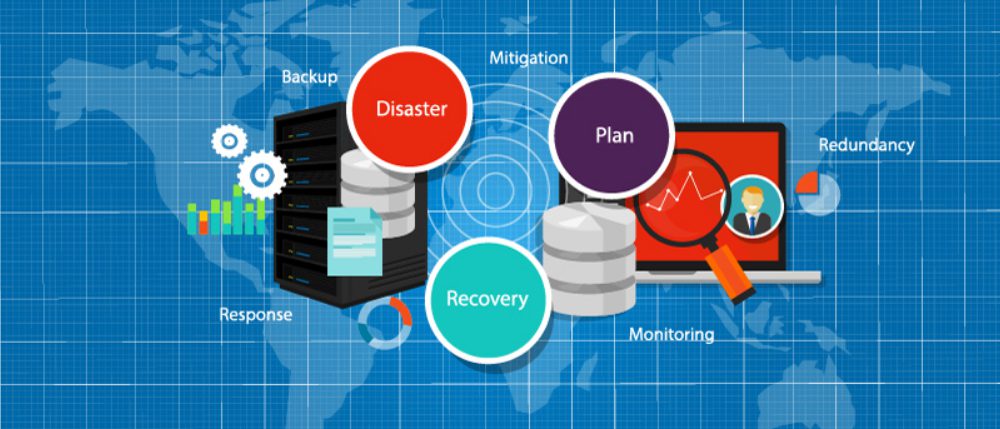
Network Disaster Recovery Plan Checklist

shutterstock_309021146

Your organization may feel secure now, but a disaster could occur at any moment. For example, the war in Ukraine took the world by surprise and left many organizations scrambling to protect and recover critical infrastructure, applications, and data from Ukrainian facilities.

To ensure you’re ready to weather any crisis, you need a robust disaster recovery (DR) plan that accounts for many different scenarios and challenges. This blog provides a network disaster recovery plan checklist to help you establish protocols for protecting your systems, data, and business.

Your network disaster recovery plan checklist

Identify potential disasters

There’s no one-size-fits-all disaster recovery plan—recovering from ransomware is a much different process than recovering from a tornado. You need to determine what types of disasters are most likely to occur and assess each scenario’s individual risk to your facilities, systems, and data.

Network disaster recovery plan checklist:

  Make a list of disasters (natural, man-made, and otherwise) that could pose a threat to your organization.

  Briefly describe what each disaster would look like and how they would impact your company.

  Prioritize your list of disasters based on how likely they are to occur.

Establish the potential impact of a disaster

You should conduct what’s known as a business impact analysis to define how each of these disaster scenarios would impact your organization.

Network disaster recovery plan checklist:

  Determine which business processes, systems, and data are affected by each disaster scenario on your list.

★  Tip: Don’t forget your cloud and edge resources

  Outline precisely how operations will be disrupted by losing or disrupting critical business services.

  Analyze the impact on every aspect of your organization, including productivity, revenue, reputation, etc.

  Calculate the estimated cost of each disaster, both in terms of lost revenue and recovery costs.

Create recovery protocols

What steps do you need to take to recover from a disaster, and what technology will you use to do it? You should create specific recovery protocols for each high-priority disaster scenario on your list.

Network disaster recovery plan checklist:

  Make a detailed list of all recovery procedures and who is responsible for each.

  Make a list of all the technology that will be leveraged in a disaster (e.g., backup data solutions, network failover)

  Outline instructions for every step in every recovery procedure, including branching recovery paths in case one or more of your recovery systems is unavailable.

Set expectations and timelines

Once you know how you’ll recover from each potential disaster scenario, you need to determine the realistic timeline for recovery. This timeline should be based on data and information from the individual team members involved in recovery efforts, as well as the business impact analysis you performed earlier.

Network disaster recovery plan checklist:

  Define how long it would take to complete the recovery procedures for each disaster.

  Compare this to the business impact analysis showing the estimated cost of a disaster to see if your recovery protocols will work quickly enough to prevent unacceptable losses.

★  Tip: If your recovery protocols are too time-consuming, you may need to return to step 3 and re-evaluate your technologies and procedures.

Define individual roles and responsibilities

When disaster strikes, it’s crucial to take action immediately. This is only possible if everyone involved in disaster recovery knows their responsibilities clearly and who is in charge of decision-making.

Network disaster recovery plan checklist:

  Identify disaster recovery team members and determine how they should be contacted when there’s an emergency.

  List the stakeholders who must be kept updated on the recovery status.

  Assign a person (or team) responsible for monitoring the business impact of an ongoing disaster.

  Assign people at each site who will decide on evacuation or relocation of staff and assets.

  Identify the people who have access to secure systems and/or can grant access to others.

Establish lines of communication

Everyone in your organization needs to know who’s in charge of communicating vital information and how to get in touch with key members of the disaster recovery team. You should also identify a single person (or small team of people) responsible for communicating relevant updates to the public to ensure consistent messaging.

Network disaster recovery plan checklist:

  Determine how to communicate with the disaster recovery team (and the rest of the organization) if email and phones are down.

  Create a flowchart outlining who should be contacted in what order for each specific disaster scenario and recovery step.

  Identify a single point of contact responsible for disseminating critical information to staff.

  Make a list (in multiple locations to ensure constant availability) of vendor and support phone numbers to call in case of a cloud or service-related outage.

★  Tip: Also include the support numbers for all your recovery-related technology.

  Identify a single point of contact through which all information about your disaster will be disseminated to the public/customers.

Create a disaster recovery playbook

You should collect all of the information gathered and analyzed in the previous steps into a single playbook that will act as the source of truth for your disaster recovery efforts. This playbook should be made readily available to everyone involved in the disaster recovery plan and duplicated across redundant systems to ensure it’s accessible when a disaster occurs. Essential information from the playbook (such as points of contact) should be shared with everyone in your organization, even if they don’t have a role to play in recovery.

Test your plan regularly

How do you know your plan actually works? You need to test your plan after implementation and then test again on a regular basis. Conduct employee drills to make sure everyone involved knows what they need to do if a disaster occurs. Test your processes and technologies to make sure they still function correctly and that you can recover within the timeline outlined above. Regular testing will let you know if any processes, instructions, or contact points are outdated.

The challenge of network disaster recovery

Even with the most robust network disaster recovery plan, you’re likely to face some hurdles when it comes time to execute your protocols.

For example, what if a disaster occurs at a remote branch office or data center? If you lose network access to your remote infrastructure, do you have a way to remotely troubleshoot and recover, or do you need to lose time and money to truck rolls or local consultants?

How do you deploy replacement devices if remote hardware fails or is irreparably damaged? Do you have staff on-site who can install and configure new devices?  If you stage new equipment at HQ and then ship it to the remote site, what happens if a malicious actor intercepts the package?

Do you have a way to monitor your infrastructure centrally and orchestrate your disaster recovery efforts? Can that system dig its hooks into every network architecture component, including legacy systems?

How ZPE Systems empowers streamlined network disaster recovery

The Nodegrid solution from ZPE Systems helps you execute your disaster recovery plan while avoiding all the most common challenges. Remote out-of-band management gives you access to all your remote network infrastructure via a dedicated link so you can still view, troubleshoot, and recover systems during an outage.

Ultra-secure zero touch provisioning (ZTP) allows you to ship factory-default equipment to remote sites and deploy configurations in a matter of moments, so you can recover faster. Plus, the vendor-neutral ZPE Cloud management platform gives you complete control and visibility on your distributed network infrastructure so you can monitor for issues and implement recovery protocols from anywhere in the world.

Learn more about network disaster recovery:

★  Customer Strategies in Ukraine to Protect Privacy and IP
★  Data Center Environmental Monitoring: How to Stop Disaster Before It Strikes
★  3 Tips to Improve Edge Network Resilience

Execute your network disaster recovery plan checklist with the Nodegrid solution from ZPE Systems.

Get in contact with us or call 1-844-4ZPE-SYS for a free demo.

Contact Us

Orchestrating Hybrid Network Environments: Challenges, Solutions, and Best Practices

shutterstock_699701578(1)

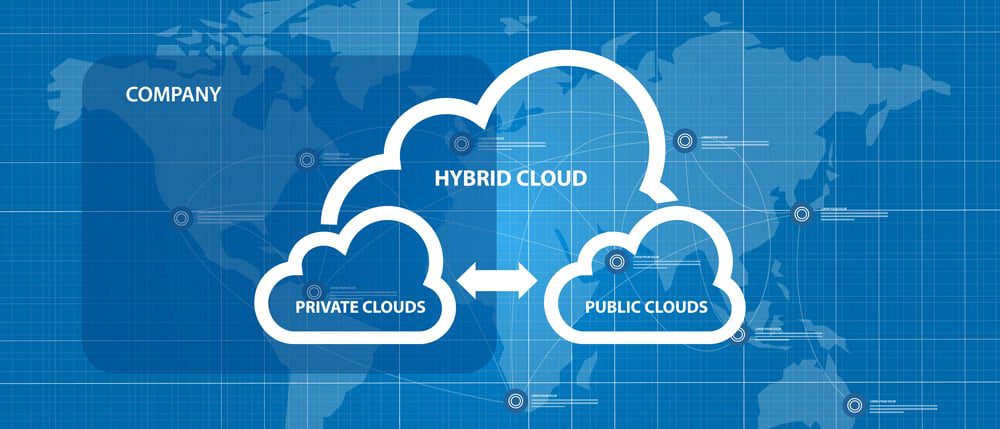
A hybrid network environment combines infrastructure from a public cloud with a private cloud and/or on-premises deployment. Your compute, storage, and service resources are distributed across multiple locations and platforms and connected via WAN (wide area network).

A hybrid network deployment aims to create a single, unified environment of workloads and resources that you can easily move around as needed for failover or performance optimization. However, accomplishing this goal in such a complex network architecture while avoiding vendor lock-in and maintaining consistent security is very challenging.

This blog discusses the challenge of orchestrating hybrid network environments as well as the solutions to help you overcome these difficulties.

The challenge of orchestrating hybrid network environments

To efficiently manage and utilize a hybrid network environment, you’ll need to overcome three major hurdles, including:

Vendor lock-in

A hybrid network environment generally includes devices, platforms, and services from multiple vendors in multiple locations. Often, these solutions are designed to work in closed ecosystems, meaning they don’t integrate well with other vendors’ platforms. This makes it challenging to connect cloud and on-premises resources and create a unified hybrid environment. It also creates difficulties with implementing third-party automation and centralized orchestration.

Complexity

Hybrid network environments are more complex than legacy networks because critical infrastructure is distributed both physically and logically. This requires comprehensive monitoring and reporting of devices, traffic, and user activity in locations to which you have minimal access. It also requires more sophisticated networking to ensure end-users have seamless access to applications and resources. Without automation and centralized orchestration, monitoring and controlling network routing, infrastructure, and security across a hybrid environment is challenging.

Security

To keep your entire hybrid network environment secure, you need to apply enterprise security policies consistently across your on-premises, data center, and cloud infrastructure. This consistency is difficult to achieve in the cloud because legacy security controls aren’t always compatible with cloud infrastructure. Often, that means you need to implement separate policies and solutions for your on-premises and cloud resources. However, without a way to centrally manage your hybrid security architecture, this increases the likelihood of mistakes and configuration drift between cloud and legacy policies. It also adds complexity to hybrid network orchestration and takes you further away from your goal of creating a unified environment.

Often, organizations try to implement a separate set of security policies and controls for their cloud infrastructure. However, this increases the likelihood of mistakes and configuration drift between cloud and legacy policies. It also adds complexity to hybrid network orchestration and takes you further away from your goal of creating a unified environment.

Each of these challenges stems from a hybrid network environment consisting of multiple solutions from multiple vendors in multiple locations. The solution, then, is to reduce complexity by implementing a single, centralized orchestration platform that gives you visibility and control over your entire hybrid environment.

How to orchestrate hybrid network environments with a single platform

To ensure that your hybrid network orchestration platform will address these key challenges, you should look for the following characteristics:

Vendor neutral or vendor agnostic

Your hybrid network orchestration platform needs to be able to dig its hooks into every device, application, and vendor solution in your environment. That means it needs to be vendor neutral or vendor agnostic. This will give you centralized visibility into and control over your entire hybrid network. Vendor neutral orchestration also facilitates third-party automation, which helps reduce the risk of human error and creates a more streamlined NetDevOps environment.

Centralized, cloud-based control

This vendor neutral orchestration platform should roll up all your critical network management, monitoring, and automation functionality so your engineers can oversee your entire environment from behind one pane of glass. This centralized control panel should live in the cloud, so you can access your monitoring and orchestration from anywhere in the world without a VPN. A cloud-based orchestration platform ensures your engineers have access to view and troubleshoot your network even if an ISP or hosting provider suffers from an outage.

Integrated security

Securing your hybrid network might require upgrading pieces of your existing security architecture—such as identity and access management (IAM)—with solutions extending across both on-premises and cloud infrastructures. Other aspects of security (like firewalling) will likely require different solutions for on-premises and cloud, primarily because of the limitations of legacy systems when it comes to protecting cloud resources.

In addition, using cloud-based security solutions—such as Security Service Edge (SSE)—allows you to intelligently route remote, cloud-destined traffic from your branch and edge locations. This removes the need to backhaul traffic through your on-premises firewall, reducing network bottlenecks and optimizing performance.

Of course, to efficiently manage so many security solutions, you need centralized orchestration with vendor neutral security integrations with your IAM, SSE, on-premises firewall, and other security controls. This allows you to apply consistent security policies across your hybrid environment, which is critical for security best practices like zero trust. It also ensures that you can see a complete overview of your hybrid network security from one place, reducing the risk of an issue or alert falling between the cracks.

Using a single, vendor-neutral orchestration platform simplifies hybrid network management by providing a unified control panel to oversee your entire environment. A vendor neutral solution also enables third-party integrations with automation and security solutions to further reduce the complexity of hybrid network orchestration. The right hybrid network orchestration platform will allow you to create a unified environment that’s fast, reliable, and secure.

For example, the Nodegrid network management solution from ZPE Systems delivers orchestration control over hybrid network environments with complete vendor freedom. Nodegrid hardware runs on the open, Linux-based Nodegrid OS, allowing it to “say yes” to every vendor solution and platform in your hybrid architecture. ZPE Cloud provides a centralized, cloud-based platform so you can monitor and orchestrate your hybrid infrastructure from anywhere in the world.

The Nodegrid platform supports integrations with third-party automation solutions like Chef, Ansible, and RESTful so you can reduce manual interventions and increase efficiency. Plus, Nodegrid works seamlessly with leading IAM, zero trust, SSE, and other security providers, giving you a single pane of glass from which to orchestrate every piece of your hybrid network environment.

Learn more about orchestrating hybrid network environments

★    Benefits of SD-WAN for Hybrid Cloud Infrastructure
★    Why Choose Nodegrid as Your Data Center Orchestration Tool
★    Simplifying Network Edge Orchestration With a Single Platform

Orchestrating hybrid network environments is easier with Nodegrid.

Contact ZPE Systems to view a free demo.

Contact Us