Providing Out-of-Band Connectivity to Mission-Critical IT Resources

Home » Archives for February 2022

Why Out-of-Band Remote Access is Critical for Branch Networking

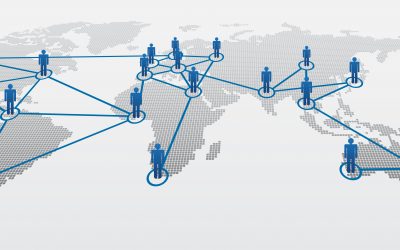
Social,Network,Illustration

Branch locations—retail stores, shipping warehouses, and satellite offices—present a big network management challenge to the engineers supporting them. Traditional remote network management requires a WAN link to each branch, but what happens if that link goes down? Out-of-band remote access, also known as OOB, solves this problem by separating the network management plane from the data plane, and giving you a dedicated alternate connection to your remote infrastructure.

Why out-of-band remote access is critical for branch networking

To illustrate the importance of out-of-band remote access, let’s walk through a few branch networking scenarios that many IT professionals encounter during their careers.

Scenario 1: Your network and systems are suddenly offline

You’re an on-call network engineer working for a retail company headquartered in Seattle, WA. At 3 a.m., you receive a phone call from the Tampa, FL branch saying their network and all systems are entirely offline. Their store opens in a few hours. How do you determine and fix the root cause from the other side of the country?

Without OOB remote access, you’re left with a few options. You and the store manager could walk through some basic diagnostic troubleshooting over the phone. Still, unless they’re savvy with technology, you’re unlikely to progress very far with this method. You could pay for a local tech to work on it, but unless you already have a consultant on retainer, it could take hours or even days to schedule the service. As a last resort, you could fly across the country at a high cost to your company, both in terms of travel expenses and the hours of lost revenue while the branch is waiting for you to arrive and fix the problem. In conclusion, without remote OOB, any approach you take will be very costly and time-consuming.

Scenario 2: A virus is quickly spreading across your network

You’re a SOC (security operations center) engineer working in the home office of a national logistics company. You receive an alert that a warehouse computer across the country is infected with a Trojan virus, and it’s quickly spreading across the branch network. How do you isolate that branch network and remove the virus?

Taking the branch offline is crucial to prevent the virus from jumping to the enterprise network and spreading even further. However, once you lose WAN access, you’ll be unable to remove the virus or assess and mitigate the damage it caused. Your options in this scenario are even more limited due to the severity of the issue. You can’t walk someone through this process over the phone, and if you’re going to hire an outsider, it needs to be a trusted partner with security expertise. More likely, you’re looking at a truck roll, which again means travel time and expenses. To put it in a nutshell, all of these options mean more time for the virus to infect more of your network and compromise your business on a grander scale.

Scenario 3: You learn about a security vulnerability in your switch’s firmware

Your company has a satellite office in an isolated, rural location with only a skeleton crew of essential staff on-site, which is currently unavailable when the update needs to occur. You learn about a security vulnerability in their switch’s firmware, so you need to update the BIOS. How do you access the BIOS menu and power cycle the switch across a WAN connection?

Often, a switch must be managed from an HTTP or HTTPS session in a web browser. However, you need to power cycle the device and get into the menu before the switch fully boots up to access the BIOS menu. Plus, once the update is complete, the device will automatically power off, and then you’ll be unable to remotely turn it back on. It’s hard to justify the expense of a truck roll for such a simple procedure, but you also can’t leave the device exposed to potential threats. Without OOB, you’re more likely to delay critical updates and security patches, which increases the chances of a hacker finding and exploiting vulnerabilities to breach your enterprise network.

In each of these scenarios, you could save time, money, and trust with out-of-band remote access.

OOB lets you remotely diagnose, troubleshoot, and fix issues with your critical branch infrastructure through a dedicated cellular connection. You’ll have access even if your ISP has an outage, or if you need to temporarily sever the WAN link. You can also use OOB to manage powered down devices, simplifying BIOS updates and other essential maintenance. That’s why out-of-band remote access is critical to branch networking.

However, not all out-of-band solutions provide the same level of control, flexibility, and security. For instance, some OOB products only work within that vendor’s ecosystem, which means you can’t manage any of your other appliances or solutions, or you’re locked into their products and features.

You may also find branch network automation a challenge with your OOB solution—often, the appliances themselves have limited automation capabilities, and are challenging to integrate with third-party orchestration platforms. Plus, many OOB devices lack essential security features like single sign-on (SSO), multi factor authentication (MFA), and zero trust security, which could leave your branches exposed to potential threats and negatively impact your reputation and customer trust.

See how Nodegrid out-of-band remote access can simplify your branch network management

Nodegrid is a 3rd-gen out-of-band management solution, meaning you get reliable remote access to your branch networks without any of the limitations of a typical OOB product.

In the Nodegrid demo, you’ll see how the open, x86 Nodegrid OS makes it easy to integrate all of your Linux-based solutions for complete control and flexibility. We’ll also demonstrate how Nodegrid OOB delivers true end-to-end network automation and orchestration capabilities, with support for Ansible, Puppet, Chef, RESTful APIs, and more. Plus, all Nodegrid solutions are designed with security at the forefront, including zero trust security, SSO, MFA, and advanced authentication with unlimited fallback methods.

Learn more about out-of-band remote access for branch networking.

Visit our OOB learning center or request a free demo of the Nodegrid out-of-band solution.

Watch A Demo

Nodegrid OS Version 5.4 New Features

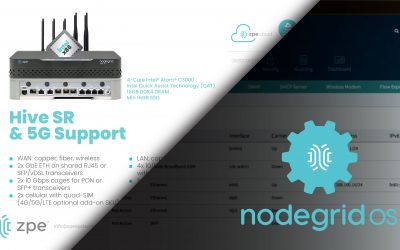
See the new features in Nodegrid OS v5.4

Watch this video to see the new features in the latest release of Nodegrid OS, version 5.4. Sales Engineering Manager Rene Neumann shows you how to use the newest features, and gives you a look at Nodegrid OS’s added support for:

  • Nodegrid Hive SR
  • Out-of-band and gateway profiles
  • Software & security updates
  • Gen 3 out-of-band improvements
  • Networking, ZPE Cloud, & SD-WAN improvements

Watch the walkthrough now. If you have questions or would like a deeper dive, reach out to techdemo@zpesystems.com.

Data Center Environmental Risks & Practical Solutions That Can Save You Millions

shutterstock_548312899

Today, many businesses are completely unable to operate without their data center infrastructure, so data center downtime is getting more and more expensive. According to Uptime Institute’s 2021 Global Data Center Survey, over 60% of respondents lost more than $100,000 to downtime, with 15% reporting losses of over $1 million.

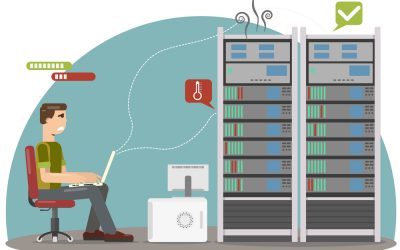
While there are many causes of downtime, one factor you can’t afford to overlook is data center environmental risks. In this blog, we’ll describe some of the most significant environmental risks in your data center, as well as the practical solutions that can save you millions.


Data center environmental risks you need to be aware of

The biggest data center environmental risks include:

Temperature

There is an optimal temperature range at which your data center devices work best. According to the American Society of Heating, Refrigerating, and Air-Conditioning Engineers (ASHRAE), the recommended temperature range for your data center is between 64° and 81° F (or 18° to 27° C). When the ambient temperature rises above that range, your equipment runs the risk of overheating, which can cause permanent damage to your expensive appliances.

Humidity

ASHRAE recommends keeping data center humidity around 50%, with a minimum of 20% and a maximum of 80%. If the air in your data center grows too humid, moisture may collect on the internal components of your appliances and cause corrosion, shorts, or other failures. Unfortunately, the air conditioning systems that keep your data center cool also contribute to ambient humidity, increasing your risk. On the other hand, if humidity gets too low, you run the risk of electrostatic discharge (ESD) damaging your equipment. In addition to humidity, you’re also at risk of moisture from water leaks, fire suppression systems, spills, and other sources damaging your data center equipment.

Fire

Data center fires are relatively rare, but they can still be catastrophic when they do occur. For example, a fire at a French data center resulted in an estimated $122 million in losses. A fire could directly burn your equipment, raise the ambient temperature beyond acceptable limits, or activate automatic fire suppression controls that damage your devices.

Power failure

Managing power flows, and loads is a massive aspect of data center infrastructure management (DCIM). Though universal power supplies offer protection against short-term outages and power surges, a long-term loss of power could eventually bring down critical systems and appliances. For example, a power outage at one of Amazon’s data centers affected major clients like Slack and Hulu.

Physical security

Most data centers provide some level of physical protection against unauthorized access, such as biometric door locks and CCTV cameras. However, suppose someone is able to get past those measures—perhaps because they’re authorized to enter the facility for other reasons—they could potentially tamper with your equipment, either damaging it or trying to breach your network.

Air quality

Any particulates in the air could potentially damage your data center infrastructure. For example, gaseous contaminants and ground-level ozone can cause oxidation on internal components, and dust can clog up vents and lead to overheating.

Practical solutions for the biggest data center environmental risks

The first and most obvious solution to prevent these data center environmental risks is an environmental monitoring solution. This usually involves a series of sensors that detect and report on conditions within your rack, connected to a terminal console server or gateway router that reports back to your monitoring team at HQ.

One limitation of many environmental monitoring systems is maintaining your virtual presence in the data center even if there’s an outage. If your main ISP connection to the data center goes down, for instance, you need eyes and ears on the situation to ensure it’s not a symptom of a larger problem (such as a power outage or fire). The answer to this problem is remote out-of-band (OOB) management. OOB gives you a dedicated network connection to your critical remote infrastructure – such as your environmental monitoring solution – so you have an alternate path in case of an outage.

Another challenge is that many environmental monitoring systems are designed for on-premises architectures, meaning you need to be on the enterprise network—either directly or via VPN—to manage the solution. To address that limitation, you should look for a cloud-based platform that gives your engineers access to these critical sensors and alerts from anywhere in the world.

Finally, your environmental sensors will collect a lot of data. You can set up automatic alarms and alerts to notify you when there’s an issue. But, if you want to identify opportunities to optimize your data center infrastructure, you need more sophisticated data analysis and visualizations. For instance, you might use this data to create more efficient power control maps.

Environmental monitoring is the bare minimum required to detect and prevent data center environmental risks. However, a robust environmental monitoring solution will also provide cloud-based control from anywhere in the world, remote OOB management for uninterrupted access, and sophisticated data analysis tools so you can optimize your data center operations.


Addressing data center environmental risks with a comprehensive solution

The Nodegrid solution from ZPE Systems addresses data center environmental monitoring with a comprehensive range of environmental sensors, including temperature and humidity, smoke, airflow, dry contact, dust and particulate, and more. When you connect your environmental sensors to a Nodegrid device in your data center, you get secure, 3rd-generation OOB access through a high-speed 4G/5G cellular connection.

You can monitor and control your sensors from anywhere in the world through ZPE Cloud, a vendor-neutral, cloud-based infrastructure management portal. ZPE Cloud includes comprehensive alerts and data visualizations, and you can dig into your data even deeper through Nodegrid Data Lake. Nodegrid is a complete solution for preventing, monitoring, fixing, and learning from your data center environmental risks.

Address your biggest data center environmental risks with the Nodegrid solution.

Learn more about how data center environmental monitoring can stop disaster before it strikes, or contact ZPE Systems today.

Contact Us

What Makes a Gen 3 Serial Console?

NSCPDDC

The Gen 3 serial console is the latest innovation in out-of-band management.
But what exactly is it, and where did it come from? In this post, we’ll briefly cover the basics of serial consoles and why you need them, and then dive into the evolving needs that brought about the Gen 3 serial console.

What is a serial console?

A serial console is a multi-port device that you connect to the console port of other devices. This allows you to gain management access to each device via one serial console, instead of having to individually connect to each separate device.

If you have a data center or other location with lots of IT equipment, a serial console is a must-have. It doesn’t just give you convenient access to your device stacks; the serial console is also a foundational component of out-of-band management. Out-of-band means having a completely separate network that you can use to manage your equipment, instead of having to rely on your main production network.

Why do you need out-of-band management?

Imagine relying on your production network to troubleshoot and manage your device stacks. This jeopardizes your security since it exposes you to any bad actors lurking on your network, and significantly increases this risk if directly connected to the Internet. Security risks aside, how are you going to remote-in to a server or router if your network suddenly goes offline?

With out-of-band, you have a management network that’s completely separate from your production network. This drastically shrinks or eliminates your exposure to threats, and also lets you access your assets even if there’s a main network outage. If a server needs to be rebuilt or a router needs to be power cycled, out-of-band lets you gain access through your serial console to perform these tasks independently of your production network.

Out-of-band has been around for a couple decades, and is now going through another evolution in which its requirements are changing. We’ll cover these evolving needs in the next sections, but here’s a quick breakdown to give you an idea:

ZPE – Serial Console Gen
Each generation requires a serial console that brings additional capabilities to network management. Now let’s take a look at these evolving needs, starting with Gen 1.
Gen1

Gen 1 Serial Console:
All About Remote Access

The main requirement of Gen 1 out-of-band was the need for remote access to infrastructure. Most vendors built a serial console to provide this simple connectivity.

Gen 1 serial consoles are suitable for gaining remote access to devices, but this is where the benefits begin to drop off substantially. That’s because they offer minimal scripting capabilities (if any at all), which means you’ll still spend plenty of time manually provisioning and troubleshooting your environments. When you want to automate fixes and repetitive work — like pushing firmware updates or configuration changes — this generation of serial console will leave you seriously underequipped. And when it comes to security measures and the growing need for Zero Trust Network Access (ZTNA), the Gen 1 simply lacks the internal components and open architecture required to enable Zero Trust controls.

The Takeaway:

Gen 1 serial consoles do a good job eliminating truck rolls and on-site troubleshooting. But if you’re looking to reduce your workload through automation or meet the latest requirements for Zero Trust Security, the Gen 1 won’t get you there.

Gen2

Gen 2 Serial Console:
More Automation, Less Hands-on Troubleshooting

With admins and engineers able to remotely access their infrastructure, it became natural to wonder, “What added features could make the job easier?” This brought about a new set of out-of-band requirements focused on automating troubleshooting, and the Gen 2 serial console was born.

The Gen 2 features the same remote access capabilities as its predecessor, but brings more value to troubleshooting by expanding the automation toolkit. This serial console generation enables scripting and automation for more than just basic tasks. For example, if your servers were manually installed and configured but you recently discovered a bug, the Gen 2 allows you to script a fix and automatically push a new bug-free configuration across the environment. On the more advanced side, you could automate provisioning, feature delivery, and device recovery — but only if you have the right amount of resources and tenacity at hand.

Although Gen 2 serial consoles offer more automation capabilities than Gen 1 devices, most vendors limit how far you can extend your automation. Many of these serial consoles feature closed architecture that integrates only with specific vendor devices or APIs, meaning your automation eventually stops at some point. They also require you to learn certain programming languages like Python, or support only a limited set of workflows or Ansible playbooks.

On top of this, many claim to have added security features, but this can give you a false sense of security. Some use the Trusted Platform Module (TPM) but don’t properly integrate it, leaving you without a secure root of trust that makes you vulnerable when implementing new hardware and software. Vendors also often stop supporting their devices after a few years, meaning you don’t get an updated OS or the latest security patches.  Because Out-of-Band devices have access to your entire production environment, an adversary can take over of our OOB also gives them access to your in-band systems and ultimately your business.  Therefore the correct security implementation is even more important requirement in OOB deployments as it has a major impact on business continuity. 

The Takeaway:

Gen 2 serial consoles help you with remote troubleshooting and can reduce some of your manual work through automation. But if you strive to maximize uptime, site reliability, and security, the Gen 2’s rigidity and vendor lock-in will only hold you back.

Gen3

Gen 3 Serial Console:
End-to-end Automation, Security, and Control

Many enterprises realize that Gen 2 serial consoles don’t provide the flexibility for them to automate what they need to. There’s growing business demand for availability (i.e. everything needs to work 99.999% of the time), and also more attack vectors that hackers can exploit. In short, the network simply needs to work — from installation through refresh. That’s why we worked with many enterprises and the world’s tech giants to gather the latest out-of-band requirements and create a blueprint for the Gen 3 serial console.

The Gen 3 serial console comes with beefed-up capabilities in remote access and automation, along with added layers of security that enable true ZTNA. Here’s how this serial console meets Gen 3 out-of-band requirements:

Full Pipeline Automation

The Gen 3 serial console helps you minimize human intervention using full pipeline automation. This can only be achieved using an open architecture and rich API libraries. With a Gen 3 serial console, you can automate deployments with Ansible, Chef, Puppet;  run own own tools in VM, Docker or Kubernetes; create complex workflows using any APIs you need; and interoperate with other systems in your enterprise ecosystem.  Gen 3 addresses the requirements for Immutable infrastructure and NetDevOps.

The Takeaway:

Gen 3 lets you automate what you need not just what you can, without vendor lock-in getting in your way. You can use your existing expertise along with human-readable commands, instead of having to learn new programming languages and skills. Faster response times and fewer failures makes it easier to achieve 99.999% availability or more.

Enterprise-grade Security

The same ZTNA principles need to apply to the OOB infrastructure both at HW, SW and management level.  Gen 3 system have enterprise-grade security features like UEFI secure boot, encrypted disk, properly implemented TPM 2.0 security, and ongoing swift patches. These give you a sturdy foundation on which to build your automation, so you can maintain a secure root of trust, segment your network, and integrate the variety of Zero Trust controls you need.

The Takeaway:

Gen 3 security seals backdoor vulnerabilities by checking the integrity of hardware and software that you integrate. Its open architecture also allows you to implement Zero Trust policy tools, Identity and Access Management solutions, and safeguards of your choice.

In-depth Remote Control

Gen 3 serial consoles enable out-of-band that gives you complete access to all connected equipment. This includes the typical servers, switches, and routers, but also PDUs, IPMI devices, environmental sensors, and other physical or virtual assets. The Gen 3 can host all the tools your automation needs for virtual remote presence and also serve as your crash cart when humans want to log in.  Centralized cloud management and out-of-box playbooks also helps Gen 3 enable true zero trust provisioning of entire environments.

The Takeaway:

Gen 3 enables remote out-of-band control of your entire infrastructure, as if you were physically at each location. And it serve as the right device for your automation journey by being the first device in the rack as the bootstrapping target, and also as your crash cart for automated or manual troubleshooting and management beyond Day 0.

Access our trade-in program and switch to Gen 3


Our trade-in program gives you money back for every device you trade in. If you have devices from Avocent, Cisco, Opengear, or other vendors, you can benefit from upgrading to Gen 3 through this program:

  • Get money back for every device you trade in
  • Improve uptime and cut workloads with Gen 3 out-of-band remote access and automation
  • Bonus: Get access to ZPE Cloud for intuitive, browser-based global fleet management

Benefits of SD-WAN for Hybrid Cloud Infrastructure

Cloud,Computing,Digital,Information,Data,Center,Technology.,Computer,Information,Storage.
Hybrid cloud—using a combination of public and private clouds to host your data, applications, and services—is one of the most popular enterprise infrastructure models. According to Flexera’s 2021 State of the Cloud Report, 82% of enterprises have a hybrid cloud infrastructure. However, the hybrid model comes with some unique networking challenges, including:

  • Orchestrating WAN (wide area networking) connections across multiple clouds
  • Optimizing network performance between sites
  • Securing WAN connections without impacting performance or productivity

SD-WAN, or software-defined wide area networking, addresses many of the inherent challenges of hybrid cloud computing. SD-WAN separates the control and management processes from your underlying WAN hardware and virtualizes them as software or script-based configurations that you can easily and automatically deploy.

SD-WAN is usually a cloud-based service that provides centralized orchestration and management, so you can control your entire WAN architecture (including hybrid cloud, multi-cloud, and branch office infrastructure) from behind one pane of glass.

Let’s examine the benefits of SD-WAN for hybrid cloud infrastructure by discussing how SD-WAN addresses the biggest challenges you face in a hybrid cloud environment.

Benefits of SD-WAN for hybrid cloud infrastructure


1. Orchestrate WAN infrastructure across clouds

SD-WAN addresses the challenge of orchestrating WAN connections across a hybrid cloud architecture by virtualizing control and management processes and separating them out from the underlying infrastructure.

Often, your different clouds will also have different levels of administrative authority, meaning your administrator user role may not give you the same level of control over networking on each platform. In addition, your disparate providers may offer varying degrees of visibility into your WAN connections to their service. Plus, you may need to use multiple types of WAN circuits (MPLS, broadband, LTE, etc.) to reach your different clouds. This can make it challenging to employ network automation (much less orchestration) because you have to tailor your scripts and configurations to each WAN link to accommodate these inconsistencies.

With SD-WAN, you get complete control and visibility over your entire WAN architecture, across all your public and private clouds, from one cloud-based platform. Since your management processes are decoupled from the underlying hardware, you can manage all your WAN circuits from one location regardless of type. This decoupling, or abstraction, also means you’re not reliant on vendor-provided tools for managing and monitoring your WAN connections to their service.

In addition, you can apply consistent, role-based access policies to all your WAN connections, so your network administrators have the same level of control across your entire environment. SD-WAN facilitates orchestration by giving you comprehensive and consistent control over your hybrid cloud WAN infrastructure.

SD-WAN provides centralized, vendor-neutral orchestration of WAN deployment, lifecycle management, performance optimization, and issue remediation so you can efficiently manage your hybrid cloud infrastructure.

2. Optimize network performance between sites

Another common issue with hybrid cloud infrastructures is maintaining the speed and performance of WAN connections between your enterprise and your public and private cloud providers, even though you may be using completely different circuits or appliances. SD-WAN overcomes this issue in multiple ways.

  • First, SD-WAN gives you full visibility into every part of your WAN architecture, which means you can monitor performance across your entire hybrid cloud infrastructure to ensure consistent speed and availability at every site.
  • Second, SD-WAN uses network optimization features like application awareness and guaranteed minimum bandwidth to optimize connections to your most critical applications and services automatically.
  • Third, SD-WAN provides an on-ramp to SASE, or Security Access Service Edge. SASE gives you a way to separate out your remote, cloud-destined traffic from your branch locations or work-from-home employees and route it through a separate, secure connection directly to the public or private cloud resource. SASE with SD-WAN eliminates the need to backhaul this network traffic through a firewall on your enterprise network, reducing bottlenecks and improving network performance for remote and on-premises systems.
  • Fourth, and most importantly, SD-WAN offers true hybrid cloud WAN orchestration, which means much of the work of optimizing your network performance between sites happens automatically. Your network engineers don’t need to manually monitor, troubleshoot, and optimize WAN traffic because your SD-WAN solution does all of this in a faster, more precise, and ultimately more efficient way.

SD-WAN offers the ability to monitor and maintain WAN performance through automation, and provides an on-ramp to cloud-focused security and networking solutions like SASE. In this way, SD-WAN makes it possible to orchestrate and optimize network performance between your clouds.

3. Provide secure and efficient connections to hybrid cloud services

As mentioned above, SD-WAN provides an on-ramp to SASE, which applies advanced security features to remote, cloud-destined traffic, so you don’t have to backhaul it through your main data center.

SASE takes an entire cloud security technology stack—including things like firewall as a service (FWaaS), cloud access security broker (CASB), and zero trust network access (ZTNA)—and rolls it up into a single cloud-based service or platform. SASE uses SD-WAN technology to separate out the WAN traffic destined for other cloud locations, and then routes it through this cloud security platform before sending it to its intended destination. This allows you to apply enterprise security policies and controls to your remote, cloud-destined traffic, keeping both your users and hybrid cloud services more secure.

SD-WAN provides the application-aware routing that’s necessary to intelligently detect and route this remote, cloud-destined traffic through your SASE security stack. That’s how SD-WAN provides your remote and branch office users with secure and efficient connections to your hybrid cloud services.

SD-WAN improves WAN technology by abstracting the management and control functions as software, giving you a central platform to orchestrate your entire WAN architecture. The benefits of using SD-WAN for hybrid cloud infrastructures involve solving three of the biggest challenges inherent in this type of deployment—orchestrating across multiple WAN circuits and clouds, optimizing network traffic between sites, and securing these connections without impacting performance.

Deploy SD-WAN in your hybrid cloud infrastructure

SD-WAN technology provides many benefits in hybrid cloud infrastructure, but you need to choose the right solution to manage and orchestrate your architecture. For instance, ZPE Cloud offers one centralized platform to manage your entire hybrid cloud infrastructure. In addition to a secure, intuitive SD-WAN orchestration solution, ZPE Cloud integrates with top SASE providers like Palo Alto Networks so you can consolidate your hybrid cloud infrastructure management behind one pane of glass.

Unlock the benefits of SD-WAN for hybrid cloud infrastructure with ZPE Cloud.

Contact us today or request a free demo.

Contact Us