Providing Out-of-Band Connectivity to Mission-Critical IT Resources

Home » Archives for May 2022

Supply Chain Security Risk Management Best Practices

supply chain security risk management

A supply chain attack is when cybercriminals breach your network by compromising an outside vendor or partner. Often, these attacks exploit a weak link in your trusted ecosystem of third-party software, hardware, and integrations. A hacker will, for example, use a compromised vendor service account—one using the same username and password across many different client systems—to infiltrate all the third-party networks with privileged access for the vendor.

Several high-profile incidents like the SolarWinds attack and the Microsoft Exchange exploit illustrated how even the largest and most respected firms can introduce risk to your supply chain. In this post, we’ll use these examples to highlight the security challenges posed by supply chain attacks before providing supply chain security risk management best practices and solutions to protect your enterprise.

Supply chain security risk management challenges

→  SolarWinds attack uses trusted infrastructure monitoring software to compromise customer systems

In early 2020, an advanced persistent threat infiltrated a SolarWinds update server—It was a highly sophisticated group of hackers allegedly acting on behalf of a foreign state. The hackers injected malicious code into new builds of SolarWinds’ Orion platform, which thousands of customers use to monitor their critical IT infrastructure. These infected updates were unknowingly pushed out to over 18,000 customers, creating 18,000 backdoors for hackers to breach.

Once the compromised software was installed on target networks—including U.S. government agencies like the Department of Homeland Security and tech giants like Microsoft—attackers used these backdoors to steal identities and tokens to impersonate real users. Then, they were able to sidestep multi-factor authentication and spread laterally within affected networks, causing untold damage in their wake.

The full fallout and consequences of the SolarWinds attack are still unfolding more than two years later. This supply chain attack was devastating since they used the exploited software to monitor network infrastructure. That means hackers had privileged access to the most sensitive, vulnerable, and critical systems on affected networks. In addition, the advanced persistent threat used sophisticated techniques to bypass MFA and impersonate authorized users, making it extraordinarily difficult to track and prevent their movements.

The SolarWinds attack proved a few critical things about supply chain security:

  1. The infected software could contaminate customer systems, meaning intrusion prevention and anti-malware software weren’t advanced enough to detect the malicious code.
  2. The hackers were sophisticated enough to bypass MFA and other advanced authentication technologies, showing that these measures alone aren’t sufficient to prevent accounts from being compromised.
  3. The hackers were able to use those compromised accounts to freely move around on breached networks, illustrating the need for internal defenses and trust verification.


→  Microsoft Exchange attack exploits vulnerabilities on legacy on-premises systems

In early 2021, hackers used multiple zero day exploits to attack the on-premises version of Microsoft Exchange. They compromised servers at over 30,000 organizations in the United States, accessing email accounts and installing web shell malware. They used this malware to remotely access server functions and jump to other connected systems. In addition, hackers could use compromised email accounts as conduits to infect other organizations. They would look for a high-value contact in a compromised account’s contact list (for example, an executive at a major financial firm) and then send phishing messages and infected attachments to that target, extending their reach even further.

One of the reasons this attack was so successful is because hackers targeted on-premises Exchange implementations on legacy systems. Many organizations that still use legacy Exchange servers are less technically-savvy than those that jumped to the cloud. They may not have a large team of specialist admins and security engineers monitoring servers and applying regular updates to legacy systems. That made it easier for hackers to exploit unpatched vulnerabilities, and gave them more time to execute their endgame (infecting higher-value targets at connected organizations) before being detected.

So, what lessons have we learned from these two incidents, and how can we apply them to supply chain security risk management?

Supply chain security risk management best practices

These high-profile events illustrated a few key challenges:

  1. Many signature-based intrusion detection and security monitoring solutions aren’t sophisticated enough to detect zero-day exploits and novel malware.
  2. Cybercriminals can outsmart MFA and other advanced authentication methods, so they must be layered with other security controls.
  3. Organizations must not neglect internal defenses (including trust re-verification and network segmentation) because they’re crucial for preventing the spread of infections and compromised accounts.
  4. Organizations must have a plan for adequately monitoring, patching, and controlling legacy systems on their enterprise network.

Zero trust security

Zero trust security is a supply chain security risk management best practice due to its guiding principle of “never trust, always verify.” Zero trust creates a multi-layered defense of highly specific security policies and controls that focus on preventing breaches and limiting their damage once they’ve already occurred.

Next-generation firewalls (or NGFWs) use advanced machine learning and artificial intelligence technology to monitor network traffic for threats. Rather than relying on a signature database of known threats (which can’t account for zero-day exploits and novel malware), they use deep learning and other AI technology to analyze traffic with greater accuracy. NGFWs also enable network microsegmentation and may even include UEBA.

Microsegmentation is the zero trust practice of grouping systems and resources into small logical network segments. Microsegmentation allows you to create highly specific micro-perimeters of security policies and controls around each network segment. This ensures that all network resources are accounted for and adequately protected, and also allows you to reverify an account’s trust as they move from microsegment to microsegment.

User and Entity Behavior Analytics (or UEBA) technology monitors the behavior of entities (accounts, devices, applications, etc.) on your network. It uses machine learning to establish baselines of normal behavior, allowing it to analyze entity activity in real-time contextually. If an account or device behaves suspiciously, UEBA can block access, alert security, and/or force that entity to re-establish trust before letting it access another microsegment.

Even if the malicious code injected into the SolarWinds Orion updates made it past your NGFW’s initial defenses, zero trust security tools and practices will limit the attacker’s movement inside your enterprise network. Microsegmentation, aided by technology such as UEBA, would force a compromised account to re-establish trust before accessing additional resources while alerting security personnel to a potential breach.

Legacy modernization

Sounds scary and expensive, but it’s a critical process for securing on-premises and hybrid network environments. Obviously, the best-case scenario would be to replace your existing out-of-date hardware with newer systems or to migrate all your legacy services to the cloud, but that’s not realistic for many organizations. A more cost-effective way to modernize legacy systems is centralized infrastructure management, monitoring, and orchestration.

An infrastructure management platform that can hook into all your legacy, on-premises, data center, and cloud systems will help you ensure your entire architecture is always patched and secure. Your engineers won’t have to jump from box to box or switch between on-premises and cloud monitoring systems, increasing the efficiency they can maintain and control every piece of your infrastructure. Legacy modernization with unified infrastructure orchestration would have enabled engineers to patch on-premises Exchange vulnerabilities and detect the signs of a breach much faster.

Zero trust security and legacy modernization would have reduced the impact of these supply chain attacks and are critical for preventing similar events from occurring in the future. ZPE Systems can help you implement supply chain security risk management best practices through our Nodegrid family of secure infrastructure management solutions.

All Nodegrid hardware and software are protected by the Zero Trust Security Framework Foundation, with features like secure boot, geofencing, and up-to-date OS kernels and encryption modules. Nodegrid is vendor-neutral and supports integrations with your choice of NGFW and security software. Plus, Nodegrid supports legacy pinouts, so you can connect your on-premises infrastructure to the Nodegrid Manager or ZPE Cloud network orchestration solutions.

Learn more about supply chain security risk management best practices:

→   What Are the Key Zero Trust Security Principles?
→   The Importance of Micro-Segmentation for Zero Trust Networks
→   Data Center Modernization Strategy: How to Streamline Your Legacy Environment

Learn how Nodegrid supports supply chain security risk management best practices.

Call 1-844-4ZPE-SYS or contact us to view a demo.

Contact Us

Why You Need a Next-Gen OOB Console Server

oob console server

An OOB (out-of-band) console server is a fundamental data center tool that allows you to view, manage, and troubleshoot critical remote infrastructure on a dedicated network connection.

While the functionality of generation 1 console servers is limited, generation 2 models evolved to include features like automation and security. Now, as more enterprises embrace NetDevOps, there’s a need for greater automation and orchestration, which is why next-generation or generation 3 console servers are emerging.

In this post, we’ll discuss the advantages of a next-gen OOB console server and how these devices address the challenges and limitations of previous generations.

The importance of an OOB console server

An out-of-band console server may also be referred to as a serial console, serial console server, or serial console switch. There are also OOB serial console routers which include gateway routing functionality for small branch offices and use cases for edge data centers.

OOB console servers are tools fundamental for data center infrastructure management; they connect to all your remote network devices and give you the ability to control them on a dedicated management network remotely. This network is completely separate from the WAN circuit and internal LAN, and is accessed typically via cellular, dial-up, or DSL modem.

Out-of-band data center access is crucial for a few key reasons:

  1. It provides 24/7 remote access to your critical data center infrastructure even if your WAN link goes down, allowing you to troubleshoot and recover without expensive truck rolls.
  2. You can still view and manage remote devices even if malicious actors compromise your production network or data center infrastructure without exposing yourself.
  3. Conducting resource-intensive network orchestration on a dedicated management plane reduces the performance impact on your production network and end-users.

Why do you need a next-gen OOB console server?

As modern enterprise networks have grown more complex and distributed, so have network and data center management workflows. This complexity makes it harder for engineers to efficiently manage their workloads and increases the risk of human error, especially with multi-vendor and hybrid network infrastructures.

These pain points led to the evolution of automated network management tools and solutions. Automation increases the speed and efficiency with which network administrators can provision, monitor, and optimize an infrastructure while reducing the risk of human error. Gen 2 OOB console servers have automation capabilities and scripting support that help fill the gap for data center management. Plus, Gen 2 serial consoles automate tasks like infrastructure provisioning (via zero touch provisioning, or ZTP) and basic troubleshooting (such as refreshing DNS or power-cycling) to reduce the amount of tedious manual work.

However, the needs and pain points of modern enterprises continue to evolve. It’s not enough to use individual, disparate scripts and solutions to automate specific tasks or workloads, especially to achieve NetOps or NetDevOps transformation. Gen 2 OOB console servers offer some automation support, but typically limit you to a particular vendor ecosystem or API library. Since enterprise networks consist of many different vendor solutions and devices, this rigidity leaves you with gaps in your automation coverage.

That’s why a new generation of console servers is rising to meet this challenge. Next-gen OOB console servers, also known as Gen 3, promise to deliver end-to-end automation and NetDevOps data center orchestration.

What to look for in a next-gen OOB console server

For an OOB console server to be truly next-gen, it must be able to dig its automation hooks into every device and solution in your rack. That means it needs to be vendor-neutral and include support for legacy systems not originally designed for automation.

In addition, a next-gen OOB serial console switch should support integrations with the third-party automation and orchestration tools of your choosing. That means both the hardware and software need to be vendor-neutral.

A next-gen console server should also provide high-speed OOB access and failover. Many Gen 1 and Gen 2 solutions use dial-up or 3G cellular connections, which can be slow and unreliable. Plus, 3G will be phased out (in the United States) by the end of this year. This leads to frustration when engineers try to troubleshoot and restore remote data center infrastructure as quickly as possible, and also hampers automation and orchestration efforts.

Another issue to consider is scalability. A next-gen OOB console server needs to provide enough managed ports for you to grow your data center infrastructure without needing to upgrade your management device continuously. You can even get modular serial consoles that allow you to expand or swap out port configurations as needed.

Last but not least, your next-gen console server needs to include and support advanced security controls. Imagine installing a preconfigured device that has unknowingly been infected. This could be like installing a trojan horse into your infrastructure. A next-gen OOB console server should include enterprise-grade security features and integrate with zero trust security controls and policies.

Orchestrating critical data center infrastructure with a next-gen OOB console server

Next-gen or Gen 3 OOB console servers deliver end-to-end automation and orchestration capabilities, so you can efficiently control complex data center infrastructure. A next-gen solution includes vendor-neutral hardware and software, high-speed OOB access and failover, the ability to scale up or down as needed, and enterprise security features and functionality.

The Nodegrid next-gen OOB console server solution from ZPE Systems delivers true end-to-end automation for critical data center infrastructure. Nodegrid’s vendor-neutral hardware and software can control all your vendor solutions, so there are no barriers to automating anything and everything. For example, Nodegrid zero touch provisioning (ZTP) can extend to all connected devices, allowing you to deploy remote data center infrastructure with the push of a button.

The Nodegrid Serial Console S Series can even control legacy and mixed environments, so you can upgrade your data center infrastructure at your own pace without losing automation capabilities. The open architecture, Linux-based Nodegrid OS supports integrations with third-party automation solutions so you can create a customized orchestration platform that suits your enterprise’s unique use cases and staff skillsets.

Nodegrid delivers high-speed remote out-of-band access and failover via two dual-SIM high-speed 4G/5G/LTE slots, plus you can upgrade to 5G without having to do a forklift upgrade. With up to 96 managed ports in a streamlined 1U rack-mounted device, the Nodegrid Serial Console Plus can handle enterprise-scale deployments or scale with you as you grow. The Nodegrid next-gen OOB console server also keeps management and orchestration secure, with onboard security features like UEFI secure boot, properly integrated TPM 2.0 security, encrypted solid-state disks, and geofencing.

The Nodegrid Serial Console from ZPE Systems is a true next-gen OOB console server. It delivers end-to-end automation, high-speed OOB access and failover, scalable port configurations, and enterprise-grade zero trust security features.

Learn more about OOB console servers:

★  Comparing the Best Console Servers for Data Centers in 2022
★  Out-of-Band Network Management: Fundamental Principles & Use Cases
★  How to Choose Secure Out-of-Band Management

See the Nodegrid OOB console server at work.

Call 1-844-4ZPE-SYS to request a demo

Watch A Demo

Network Disaster Recovery Plan Checklist

shutterstock_309021146

Your organization may feel secure now, but a disaster could occur at any moment. For example, the war in Ukraine took the world by surprise and left many organizations scrambling to protect and recover critical infrastructure, applications, and data from Ukrainian facilities.

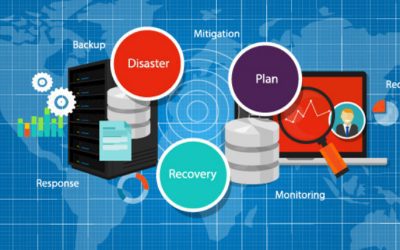
To ensure you’re ready to weather any crisis, you need a robust disaster recovery (DR) plan that accounts for many different scenarios and challenges. This blog provides a network disaster recovery plan checklist to help you establish protocols for protecting your systems, data, and business.

Your network disaster recovery plan checklist

Identify potential disasters

There’s no one-size-fits-all disaster recovery plan—recovering from ransomware is a much different process than recovering from a tornado. You need to determine what types of disasters are most likely to occur and assess each scenario’s individual risk to your facilities, systems, and data.

Network disaster recovery plan checklist:

  Make a list of disasters (natural, man-made, and otherwise) that could pose a threat to your organization.

  Briefly describe what each disaster would look like and how they would impact your company.

  Prioritize your list of disasters based on how likely they are to occur.

Establish the potential impact of a disaster

You should conduct what’s known as a business impact analysis to define how each of these disaster scenarios would impact your organization.

Network disaster recovery plan checklist:

  Determine which business processes, systems, and data are affected by each disaster scenario on your list.

★  Tip: Don’t forget your cloud and edge resources

  Outline precisely how operations will be disrupted by losing or disrupting critical business services.

  Analyze the impact on every aspect of your organization, including productivity, revenue, reputation, etc.

  Calculate the estimated cost of each disaster, both in terms of lost revenue and recovery costs.

Create recovery protocols

What steps do you need to take to recover from a disaster, and what technology will you use to do it? You should create specific recovery protocols for each high-priority disaster scenario on your list.

Network disaster recovery plan checklist:

  Make a detailed list of all recovery procedures and who is responsible for each.

  Make a list of all the technology that will be leveraged in a disaster (e.g., backup data solutions, network failover)

  Outline instructions for every step in every recovery procedure, including branching recovery paths in case one or more of your recovery systems is unavailable.

Set expectations and timelines

Once you know how you’ll recover from each potential disaster scenario, you need to determine the realistic timeline for recovery. This timeline should be based on data and information from the individual team members involved in recovery efforts, as well as the business impact analysis you performed earlier.

Network disaster recovery plan checklist:

  Define how long it would take to complete the recovery procedures for each disaster.

  Compare this to the business impact analysis showing the estimated cost of a disaster to see if your recovery protocols will work quickly enough to prevent unacceptable losses.

★  Tip: If your recovery protocols are too time-consuming, you may need to return to step 3 and re-evaluate your technologies and procedures.

Define individual roles and responsibilities

When disaster strikes, it’s crucial to take action immediately. This is only possible if everyone involved in disaster recovery knows their responsibilities clearly and who is in charge of decision-making.

Network disaster recovery plan checklist:

  Identify disaster recovery team members and determine how they should be contacted when there’s an emergency.

  List the stakeholders who must be kept updated on the recovery status.

  Assign a person (or team) responsible for monitoring the business impact of an ongoing disaster.

  Assign people at each site who will decide on evacuation or relocation of staff and assets.

  Identify the people who have access to secure systems and/or can grant access to others.

Establish lines of communication

Everyone in your organization needs to know who’s in charge of communicating vital information and how to get in touch with key members of the disaster recovery team. You should also identify a single person (or small team of people) responsible for communicating relevant updates to the public to ensure consistent messaging.

Network disaster recovery plan checklist:

  Determine how to communicate with the disaster recovery team (and the rest of the organization) if email and phones are down.

  Create a flowchart outlining who should be contacted in what order for each specific disaster scenario and recovery step.

  Identify a single point of contact responsible for disseminating critical information to staff.

  Make a list (in multiple locations to ensure constant availability) of vendor and support phone numbers to call in case of a cloud or service-related outage.

★  Tip: Also include the support numbers for all your recovery-related technology.

  Identify a single point of contact through which all information about your disaster will be disseminated to the public/customers.

Create a disaster recovery playbook

You should collect all of the information gathered and analyzed in the previous steps into a single playbook that will act as the source of truth for your disaster recovery efforts. This playbook should be made readily available to everyone involved in the disaster recovery plan and duplicated across redundant systems to ensure it’s accessible when a disaster occurs. Essential information from the playbook (such as points of contact) should be shared with everyone in your organization, even if they don’t have a role to play in recovery.

Test your plan regularly

How do you know your plan actually works? You need to test your plan after implementation and then test again on a regular basis. Conduct employee drills to make sure everyone involved knows what they need to do if a disaster occurs. Test your processes and technologies to make sure they still function correctly and that you can recover within the timeline outlined above. Regular testing will let you know if any processes, instructions, or contact points are outdated.

The challenge of network disaster recovery

Even with the most robust network disaster recovery plan, you’re likely to face some hurdles when it comes time to execute your protocols.

For example, what if a disaster occurs at a remote branch office or data center? If you lose network access to your remote infrastructure, do you have a way to remotely troubleshoot and recover, or do you need to lose time and money to truck rolls or local consultants?

How do you deploy replacement devices if remote hardware fails or is irreparably damaged? Do you have staff on-site who can install and configure new devices?  If you stage new equipment at HQ and then ship it to the remote site, what happens if a malicious actor intercepts the package?

Do you have a way to monitor your infrastructure centrally and orchestrate your disaster recovery efforts? Can that system dig its hooks into every network architecture component, including legacy systems?

How ZPE Systems empowers streamlined network disaster recovery

The Nodegrid solution from ZPE Systems helps you execute your disaster recovery plan while avoiding all the most common challenges. Remote out-of-band management gives you access to all your remote network infrastructure via a dedicated link so you can still view, troubleshoot, and recover systems during an outage.

Ultra-secure zero touch provisioning (ZTP) allows you to ship factory-default equipment to remote sites and deploy configurations in a matter of moments, so you can recover faster. Plus, the vendor-neutral ZPE Cloud management platform gives you complete control and visibility on your distributed network infrastructure so you can monitor for issues and implement recovery protocols from anywhere in the world.

Learn more about network disaster recovery:

★  Customer Strategies in Ukraine to Protect Privacy and IP
★  Data Center Environmental Monitoring: How to Stop Disaster Before It Strikes
★  3 Tips to Improve Edge Network Resilience

Execute your network disaster recovery plan checklist with the Nodegrid solution from ZPE Systems.

Get in contact with us or call 1-844-4ZPE-SYS for a free demo.

Contact Us

What does 2001: A Space Odyssey have to do with network automation?

HAL

“I’m sorry, Dave, I’m afraid I can’t do that.”

Those nine words couldn’t possibly be related to network automation. Or could they?

Uttered famously by fictional supercomputer HAL 9000 in the 1968 Stanley Kubrick film 2001: A Space Odyssey, those words might have coincidentally foreshadowed the challenges (and fears) faced by modern network engineers. And it all has to do with automation.

Network automation — as crucial as it is to network resilience — is a daunting task, and it’s no wonder why IT professionals are reluctant to adopt it. One typo, one wrong command, or one coding error is all it takes to lose control of your network. In the movie, it was poor instructions in the HAL machine (e.g. your network) that gave way to a catastrophic sequence of events. Despite the computer’s explicit intentions to be a helpful asset, its actions proved counterintuitive and led to the demise of Discovery One’s entire crew (e.g. your job).

So what does any of this have to do with network automation?

With a little help from the movie, this post will cover:

  • The biggest threat to network resilience
  • Why automation makes network admins anxious
  • How the right tools overcome this anxiety


The biggest threat to network resilience

It’s no secret that human error is the biggest threat to network resilience. In fact, the Uptime Institute reports that as many as 75% of data center outages are caused by human error.

Errors can come from any number of causes. These include anything from minor typos, to significant configuration shifts. With a sprawling number of network sites and devices, it can become incredibly difficult even for experienced IT teams to manually maintain their infrastructure.

This is exactly why companies adopt automation. Rather than manage individually unique devices or environments, automation allows teams to focus on processes and achieve their desired goals.

For technical teams, automation reduces the risk of errors, shrinks their workload, and improves scaling, all of which play a part in increasing resilience. This plays into the business case for automation, which revolves around decreasing outages and revenue losses.

The bottom line: Automation comes with plenty of benefits. So why aren’t more IT teams jumping to automate their networks?


Why network automation scares IT teams

The movie predicted that by the year 2001, we’d all be reaping the benefits of space travel and advanced technology. One of these technologies was the HAL 9000 supercomputer, described in the movie as being “fool-proof” and “incapable of error”. But as anyone knows, a computer designed and instructed by humans is never incapable of error — and that’s exactly why network automation scares IT teams.

Dave Bowman becomes frustrated with HAL 9000

In the movie, the five-man space crew aboard the ship Discovery One is on a mission to Jupiter. The ship is mostly controlled by HAL, the 9000-series supercomputer. HAL observes the crew using glowing red lenses built into the walls and consoles in the ship. HAL takes direct commands from the crew when a door needs to be opened, a communication broadcasted, an EVA (extravehicular activity) pod launched, etc.

The crew has a brief discussion with HAL regarding a similar computer’s malfunction, which HAL then concludes is the result of human error. After this, HAL experiences his own malfunction, which leads to the gradual breakdown of his helpfulness to the crew. HAL sends Frank Poole to his death, locks Dave Bowman out of the ship, and cuts life support measures to the remaining crew who were in cryosleep.

Automation presents such a dichotomy between asset and liability. On one hand, it’s capable of advancing us into our wildest dreams where we can accomplish incredible feats with little effort. On the other hand, a simple human error is all it takes to turn the same automated machine against us, making it capable of tearing down everything we’ve worked for and uprooting life as we know it.

For network engineers, automating IT can mean less downtime, more revenues, and job promotions. But it can also mean catastrophic outages, millions in losses, and a lengthy job search.

Frank Poole floats away from his EVA pod

Simply put, network automation can be unforgiving, much like losing control of your ship in deep space.


How to overcome network automation anxiety

In the movie, Bowman has no option for stopping HAL other than manually pulling the plug. It’s a tedious and dangerous process, but it’s the only way Bowman can contain the damage caused by his artificial counterpart.

Bowman pulls the plug on HAL 9000

This is the same scenario that plays out in IT, albeit with much less drama, when something goes wrong in the automation chain. So how do you overcome this scenario? Can you even overcome it? The big tech companies can, but that’s only because they have the money and resources for it, right?

The reality is, many companies attempt to automate but inevitably fail because they don’t have the proper infrastructure in place. This is the differentiator — tech giants have focused their attention on implementing the right infrastructure over the past decade, and it’s why they’re able to successfully automate for more resilience.

The secret: their infrastructure has a safety net built into it. Their environments are forgiving. So when things don’t go as planned, whether due to mistakes or rogue machines, they have a lifeline that brings them back to safety.


How the Network Automation Blueprint brings you back to safety

The Network Automation Blueprint is key to overcoming automation anxiety. This architecture incorporates out-of-band management as well as dedicated orchestration and automation infrastructure. These allow you to test workflows and configurations for integrity before pushing them live. They also help you build an isolated recovery environment, which you can use to undo mistakes, such as if you unknowingly upgrade to a vulnerable configuration.

This architecture has been developed in direct collaboration with tech giants, and was recently validated by ONUG’s Hyperautomation Working Group.

Blueprint Automation cover

For more details about this architecture, the ‘undo’ feature, and how they let teams automate without losing control, download the Network Automation Blueprint now.

Orchestrating Hybrid Network Environments: Challenges, Solutions, and Best Practices

shutterstock_699701578(1)

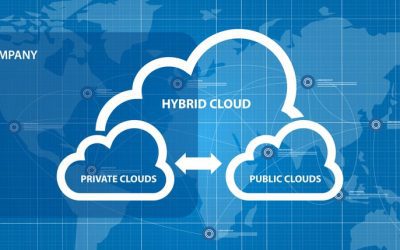
A hybrid network environment combines infrastructure from a public cloud with a private cloud and/or on-premises deployment. Your compute, storage, and service resources are distributed across multiple locations and platforms and connected via WAN (wide area network).

A hybrid network deployment aims to create a single, unified environment of workloads and resources that you can easily move around as needed for failover or performance optimization. However, accomplishing this goal in such a complex network architecture while avoiding vendor lock-in and maintaining consistent security is very challenging.

This blog discusses the challenge of orchestrating hybrid network environments as well as the solutions to help you overcome these difficulties.

The challenge of orchestrating hybrid network environments

To efficiently manage and utilize a hybrid network environment, you’ll need to overcome three major hurdles, including:

Vendor lock-in

A hybrid network environment generally includes devices, platforms, and services from multiple vendors in multiple locations. Often, these solutions are designed to work in closed ecosystems, meaning they don’t integrate well with other vendors’ platforms. This makes it challenging to connect cloud and on-premises resources and create a unified hybrid environment. It also creates difficulties with implementing third-party automation and centralized orchestration.

Complexity

Hybrid network environments are more complex than legacy networks because critical infrastructure is distributed both physically and logically. This requires comprehensive monitoring and reporting of devices, traffic, and user activity in locations to which you have minimal access. It also requires more sophisticated networking to ensure end-users have seamless access to applications and resources. Without automation and centralized orchestration, monitoring and controlling network routing, infrastructure, and security across a hybrid environment is challenging.

Security

To keep your entire hybrid network environment secure, you need to apply enterprise security policies consistently across your on-premises, data center, and cloud infrastructure. This consistency is difficult to achieve in the cloud because legacy security controls aren’t always compatible with cloud infrastructure. Often, that means you need to implement separate policies and solutions for your on-premises and cloud resources. However, without a way to centrally manage your hybrid security architecture, this increases the likelihood of mistakes and configuration drift between cloud and legacy policies. It also adds complexity to hybrid network orchestration and takes you further away from your goal of creating a unified environment.

Often, organizations try to implement a separate set of security policies and controls for their cloud infrastructure. However, this increases the likelihood of mistakes and configuration drift between cloud and legacy policies. It also adds complexity to hybrid network orchestration and takes you further away from your goal of creating a unified environment.

Each of these challenges stems from a hybrid network environment consisting of multiple solutions from multiple vendors in multiple locations. The solution, then, is to reduce complexity by implementing a single, centralized orchestration platform that gives you visibility and control over your entire hybrid environment.

How to orchestrate hybrid network environments with a single platform

To ensure that your hybrid network orchestration platform will address these key challenges, you should look for the following characteristics:

Vendor neutral or vendor agnostic

Your hybrid network orchestration platform needs to be able to dig its hooks into every device, application, and vendor solution in your environment. That means it needs to be vendor neutral or vendor agnostic. This will give you centralized visibility into and control over your entire hybrid network. Vendor neutral orchestration also facilitates third-party automation, which helps reduce the risk of human error and creates a more streamlined NetDevOps environment.

Centralized, cloud-based control

This vendor neutral orchestration platform should roll up all your critical network management, monitoring, and automation functionality so your engineers can oversee your entire environment from behind one pane of glass. This centralized control panel should live in the cloud, so you can access your monitoring and orchestration from anywhere in the world without a VPN. A cloud-based orchestration platform ensures your engineers have access to view and troubleshoot your network even if an ISP or hosting provider suffers from an outage.

Integrated security

Securing your hybrid network might require upgrading pieces of your existing security architecture—such as identity and access management (IAM)—with solutions extending across both on-premises and cloud infrastructures. Other aspects of security (like firewalling) will likely require different solutions for on-premises and cloud, primarily because of the limitations of legacy systems when it comes to protecting cloud resources.

In addition, using cloud-based security solutions—such as Security Service Edge (SSE)—allows you to intelligently route remote, cloud-destined traffic from your branch and edge locations. This removes the need to backhaul traffic through your on-premises firewall, reducing network bottlenecks and optimizing performance.

Of course, to efficiently manage so many security solutions, you need centralized orchestration with vendor neutral security integrations with your IAM, SSE, on-premises firewall, and other security controls. This allows you to apply consistent security policies across your hybrid environment, which is critical for security best practices like zero trust. It also ensures that you can see a complete overview of your hybrid network security from one place, reducing the risk of an issue or alert falling between the cracks.

Using a single, vendor-neutral orchestration platform simplifies hybrid network management by providing a unified control panel to oversee your entire environment. A vendor neutral solution also enables third-party integrations with automation and security solutions to further reduce the complexity of hybrid network orchestration. The right hybrid network orchestration platform will allow you to create a unified environment that’s fast, reliable, and secure.

For example, the Nodegrid network management solution from ZPE Systems delivers orchestration control over hybrid network environments with complete vendor freedom. Nodegrid hardware runs on the open, Linux-based Nodegrid OS, allowing it to “say yes” to every vendor solution and platform in your hybrid architecture. ZPE Cloud provides a centralized, cloud-based platform so you can monitor and orchestrate your hybrid infrastructure from anywhere in the world.

The Nodegrid platform supports integrations with third-party automation solutions like Chef, Ansible, and RESTful so you can reduce manual interventions and increase efficiency. Plus, Nodegrid works seamlessly with leading IAM, zero trust, SSE, and other security providers, giving you a single pane of glass from which to orchestrate every piece of your hybrid network environment.

Learn more about orchestrating hybrid network environments

★    Benefits of SD-WAN for Hybrid Cloud Infrastructure
★    Why Choose Nodegrid as Your Data Center Orchestration Tool
★    Simplifying Network Edge Orchestration With a Single Platform

Orchestrating hybrid network environments is easier with Nodegrid.

Contact ZPE Systems to view a free demo.

Contact Us