Providing Out-of-Band Connectivity to Mission-Critical IT Resources

Home » Archives for August 2020

Better Application Hosting & Guest OS

Better Application Hosting & Guest OS

As your business continues to expand, your infrastructure needs to adapt and grow to keep up with increases in demand. Rack space in your data centers comes at a premium with little to no additional room for unnecessary equipment. Cooling and power costs must also be considered whenever any additional equipment is needed. This creates a delicate balancing act between function, need, and cost that requires decision makers to think carefully before approving any new deployments.
Branch Locations

Branch locations also add to the puzzle as most will need at least some hardware to be located on site in order to support basic business operations. The more branch locations you have, the more hardware is required, along with all of the cost associated with maintaining it. In some situations, your new branch location may not even have a pre-built server room. This can lead to additional construction costs to create one, or you may need to make use of a storage room that does not have independent cooling available. In this case, you may be greatly limited to how much hardware you can reasonably accommodate without worrying about overheating. 


Virtualization Technology

Fortunately, virtualization technology is growing rapidly and can address many of the issues that companies are facing in today’s ever evolving market. With virtualization, you are able to run more applications using substantially less hardware. This leads to a significant reduction in capital spending on hardware, as well reduced power consumption and cooling costs. For branch locations without dedicated server rooms, you can now worry less about rack space and overheating issues and focus more on critical tasks.

While virtualization can offer great solutions to many key issues that companies today are facing, it is not without its own set of challenges. Even if several virtual instances are running on a single piece or hardware, that hardware must still be managed. With remote branch locations, this may offer an additional challenge as there may not be a dedicated team on site. On top of this, virtual machines are managed differently than physical hardware which can add an additional layer of complexity to the entire infrastructure.  There is also an increased need for managing network infrastructure like switches, routers, firewalls or even storage hardware. System admins are forced to use multiple methods of managing a growing proliferation of device types, protocols and brands.


Choice Matters

Selecting the proper solution to suit your business needs is critical. ZPE Systems Nodegrid solution offers a best in class “Open Infrastructure Management Solution™” for in-band and out-of-band access and control of Network, Compute, Storage and Power Devices in both physical and virtual IT Infrastructures. The NodeGrid® platform easily consolidates, organizes, and simplifies the need for a complete and highly secure remote access and control solution.

ZPE’s Nodegrid SR family of Open Infrastructure Management Solutions have been tested to work with a full suite of Virtualized Network Function (VNF) Applications including Darktrace, 128 Technology, Palo Alto Networks, Ubuntu, HP, SAP, Fortinet, and more. You can see the full list of prevalidated virtual applications here.


Ready to Learn More?

For more information on ZPE’s full product line, please visit our products page.

Have a specific question or want to experience a live demonstration for yourself? Reach out to us via our contact page. We’re here for you!
ZPE Systems Announces Integration with Palo Alto Networks to Provide Enhanced Network Security


ZPE Systems + Palo Alto Networks

Fremont, CA, August 21, 2020 – Today, ZPE Systems, Inc., a leading solutions provider for network infrastructure management solutions, announced an integration with Palo Alto Networks to provide enhanced networking, out-of-band management and security capabilities to branch locations for customers, including those with very remote locations.

The integration combines ZPE Systems’ Nodegrid hardware and management software with Palo Alto Networks VM-Series virtual firewalls. ZPE Systems’ Nodegrid platform with Palo Alto Networks VM-Series allows enterprises to consolidate and customize their network infrastructure, while safeguarding their traffic with the advanced security of a virtual firewall. Customers benefit from flexible, reliable network management and connectivity, along with proven protection for in-band and out-of-band paths. 

ZPE Systems’ Nodegrid Services Router (NSR) solutions come in a variety of form factors for various applications, resulting in a network stack that’s easy to deploy, scale and manage even in isolated and obscure locations. These NSR solutions provide additional value thanks to reliable backup connections via 4G LTE cellular failover, which give redundancy to connected devices while improving rapid response and Mean Time to Innocence (MTI).

According to ZPE Systems’ CEO and Co-Founder Arnaldo Zimmermann, “Together, Palo Alto Networks virtual’ firewalls and our Nodegrid SR solutions give customers a secure and streamlined infrastructure, with centralized management that puts everything in one place — firewalls, servers, routers and even power controls.”

“With this integration, customers can extend their network security with VM-Series and add our SD-WAN and IoT Security subscriptions that can be managed from a single interface, plus deploy Wi-Fi with ZPE Systems’ NSR solution,” said Mukesh Gupta, Vice President of Product Management, VM Series at Palo Alto Networks. “This enables organizations to have universal customer premises equipment capabilities, known as uCPE, to help protect their branch locations.”

About ZPE Systems, Inc.

ZPE Systems is rethinking the way networks are built and managed by providing software-defined, vendor-neutral infrastructure management and networking solutions.

ZPE Systems’ Nodegrid® platform consolidates, organizes, and simplifies the need for a complete remote access and control solution; Nodegrid solutions address the OOB management needs of the data center, unifies edge networking environments, manages converged infrastructure and provides intelligent automation. ZPE’s smart, consolidated IT management solutions reduce downtime, deliver OPEX savings, and extend the reach of IT workforces.

ZPE’s global headquarters is located in Fremont, California with offices throughout the US and globally in Ireland, India, Brazil and Japan.

ZPE Systems, the ZPE logo and Nodegrid are registered trademarks of ZPE Systems, Inc.

To learn more, visit www.zpesystems.com

Secure Access Service Edge: What It Is, Why It Matters

Secure Access Service Edge (SASE): It’s one of those new-ish IT acronyms that many folks have heard about, but far fewer have actually used or really even understand it. But if you have remote and branch office (ROBO) infrastructure as part of your operations, you will need to know about it—and sooner rather than later.

 As its name implies, it helps secure your network edge. But SASE provides much more than secure connectivity and remote access—it also provides add-ons to edge devices that can bring hyper converged infrastructure (HCI) capabilities to branch offices. 

Edge computing lifts the lid on local computing capabilities, and can support local data acquisition, filtering, and clean-up before sending data into the cloud or data center location for further aggregation and analysis. This is particularly useful for locations where large volumes of data may be collected at the edge.


Cloud Safety

SASE provides networking and security to ROBO locations via the cloud. SASE is identity-driven and supports all edge locations. Users can identify themselves at the edge, and establish proper credentials and access controls before they access WAN or Internet connections. This helps give users safe, reliable access to the organization’s network no matter where they might be located.

Tech Brief 8 SASE + OOBM

SASE also addresses important needs for more secure, flexible connectivity in the field. Traditional networking is neither designed nor built to accommodate a widely distributed staff base. Nor is it well-adapted to cope with a plethora of BYOD devices (personal computers, laptops, notebooks, tablets, and smartphones), any or all of which may be used to access corporate resources such as email, collaboration tools, tele- or video-conferencing, and so forth. Too often, this puts remote workers at a disadvantage, encumbered with slow, restricted network access with less-than-industrial strength security.

 Without SASE, organizations must backhaul traffic through their main network’s firewall. This creates a bottleneck that bogs down productivity with reduced speeds, frequent delays, and occasional interruptions of service. Remote connections may be more open to threats, owing to thinner, less comprehensive security measures.

 Simply put, legacy solutions limit networks to specific locations and devices. Until recently, adding agility or extra capability meant adding to an already complex stack of applications and devices. In stark contrast, SASE beats legacy solutions because it lets employees connect from anywhere. It also protects those employees (and your organization) through its robust security capabilities delivered via the cloud.


 Location Freedom

Instead of forcing staff to expend extra effort to work remotely, SASE packs everything they need into the cloud. Because the cloud is accessible anywhere there’s an Internet link, workers need not remain tethered to a specific workstation or a custom-configured laptop. Instead, they can use any device to enjoy secure access to the physical and cloud resources that SASE provides.

Whereas remote legacy solutions require a lot of setup, such as installing proper laptop software, adjusting network settings, establishing reliable VPN links, and more, SASE lets staff authenticate locally and seamlessly pick up the software, services, and configurations they need.

SASE offers comprehensive control and flexibility through its converged software stack for everything from SD-WAN and traffic management, to firewall and security. It also eliminates any need for discrete or loosely coupled point solutions that take extra time and money to learn, buy, and maintain.

Instead, SASE lets organizations control all networking and security functions through a single, consistent console. Also, access is no longer bound to specific locations, so IT staff can manage the entire network from wherever they happen to be—even across the globe.


SASE Flexibility and Power

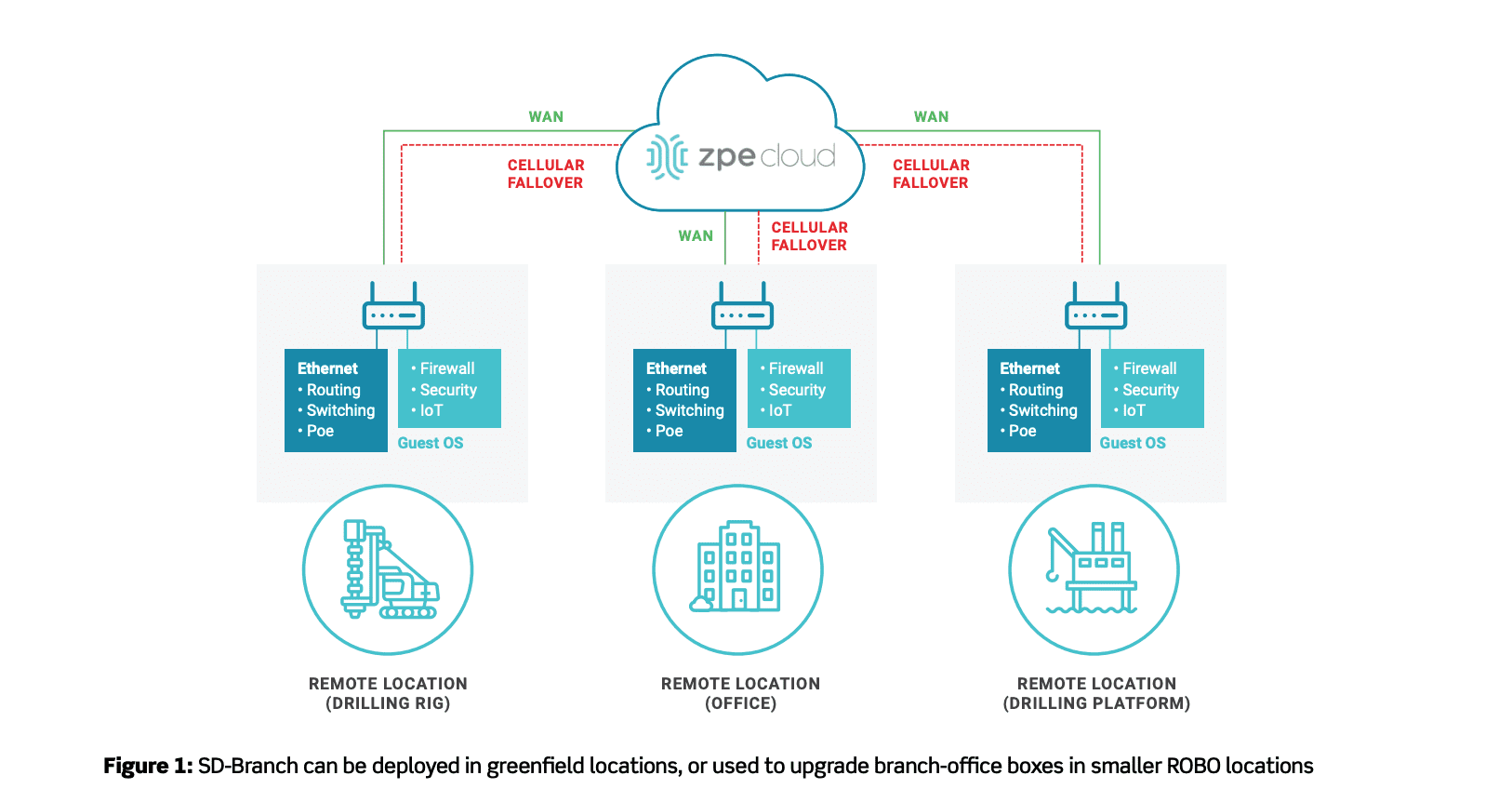
Not all SASE solutions are created equal, so exercise care when researching vendors. ZPE Nodegrid supports a comprehensive SASE platform you can deploy to the network edge, for more flexibility and edge computing power. Nodegrid’s patented 64-bit architecture supports guest OS runtime environments. In turn, those guest OSes support virtualized applications, so organizations can deploy them directly on Nodegrid SR devices.

Thus, organizations can craft and tailor network security solutions by deploying WAN accelerators (which have both central office and branch office components), additional firewalls, anti-malware and content filtering solutions, and more. In addition, Nodegrid’s modularity means that organizations can customize solutions for specific branch or remote office requirements with very little added effort and expense.


Nodegrid: Your Ready-to-Run SASE Platform

ZPE Nodegrid allows organizations to take advantage of flexible, secure ROBO connectivity and capability. Organizations can add applications and services to properly equipped Nodegrid SR devices in the branch to support IoT, data acquisition and analysis, local services and applications, enhanced security, and more.

Nodegrid’s built-in automation also helps to streamline deployment and scaling. This makes SASE easy to set up and use across an entire organization, including HQ, data center, and ROBO locations. With its 4G/LTE failover (5G solutions are on the way) and OOBM, organizations gain in-depth control over SD-WAN, security, and third-party applications and services. Nodegrid offers complete flexibility to your organization’s network. Learn more in our latest tech brief: Branch Out-of-Band Management is Deployed. Now what?


Download the Tech Brief


Transform Enterprise Network Operations With Application Hosting & Guest OS

Application hosting and guest OS are transforming enterprise network operations. With the ability to globally distribute software via the cloud and take advantage of applications regardless of operating system requirements, application hosting and guest OS deliver major benefits to NetOps teams. Here’s a more detailed look at what they are, how they help business, and how they’re made better by Nodegrid.

Application Hosting and Guest OS

What Are Application Hosting and Guest OS?

Application hosting is essentially putting your apps in the cloud (think SaaS). Instead of having applications installed locally on each device, you can host them on a server. This way, you can virtualize your enterprise applications and have them delivered to clients throughout your organization.

Because virtualization requires virtual machines (VMs) to run in your environment, guest OS becomes a key component in application hosting. Guest OS is the software that is installed and running on a VM, and it’s this software that dictates what applications can run on that VM.

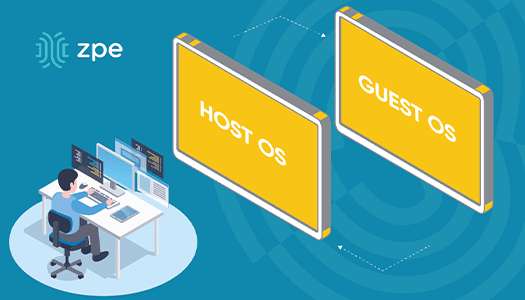
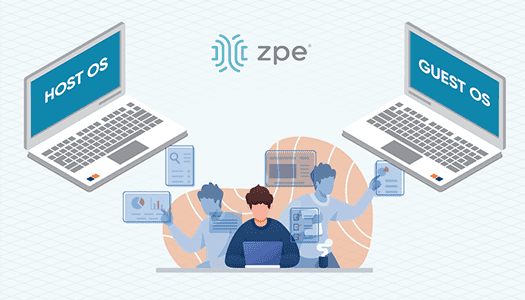
Here’s another way to look at it using an example: you want to use three separate applications on a device, but your device’s operating system, or host OS, is compatible with only one of the applications. The two others require Windows Server 2012. You don’t have to do without, because on the device you can deploy a VM using Windows Server 2012 as the guest OS, which then allows you to take advantage of the remaining applications.


What Issues Do They Address?

You’re probably used to juggling network infrastructure solutions throughout your organization. It takes time and resources to deploy, manage, and maintain physical devices at each location. The same goes for all of your applications – installing, updating or rolling back, and troubleshooting can add to your management headaches.

  • It can take days or weeks to get a new service up and running
  • Having localized applications bogs you down with on-site support
  • Your edge network suffers from inconsistencies, leaving you open to security threats and disruptions

Application hosting and guest OS drastically uncomplicate how you manage your infrastructure, by eliminating these issues.

  • You can deploy and distribute applications on demand
  • You can make applications available globally and manage them remotely
  • Your edge network is standardized, with the latest application updates and fixes keeping you safe

You don’t have to worry about the problems or interruptions that can occur from, say, having different software versions across your network. Application hosting and guest OS let you deliver a consistent experience no matter how distributed your infrastructure might be.


How Do Application Hosting & Guest OS Help Business?

The business benefits of application hosting and guest OS can be summed up with one word: savings.

For starters, you save space and resources at each location, which helps you slash CAPEX and OPEX costs. When deploying, you no longer need to spend time and money on many pieces of hardware, or put together a hodgepodge stack that sacrifices on capabilities. You can instead deploy consolidated devices running all the OSes and applications you need, for a network that’s flexible and adaptable. And because ongoing maintenance can be performed remotely, you don’t need to put support staff on-site.

You also increase uptime, because having a virtual presence allows you to respond fast from anywhere.

Your network staff benefit from easier deployment and maintenance. To bring a site online, they don’t have to manually install and configure every device and app. Instead, they can take advantage of zero touch provisioning, which builds the network itself and helps make applications available quickly. To maintain and manage the network environment, your staff have a virtual presence that lets them update apps, install patches, or troubleshoot as needed — without having to commute to the location and physically connect to devices. Application hosting and guest OS also simplify integrations within your network, and they boost security by centralizing your authentication processes.


How Does Nodegrid Make Them Better?

ZPE’s Nodegrid hardware and software allow you to host applications and guest OSes, putting both layers in one place for simplified management. Not only can you easily perform app installations and maintenance, but you can also troubleshoot any issues should you have problems with the guest OS layer.

Nodegrid also makes it easier to deploy your own tools and utilities. If you’ve developed custom applications, whether for added security, better traffic routing, or faster kickoff configuring, you can deploy them directly on Nodegrid devices. You don’t have to find third-party hosting providers, and can instead use Nodegrid to get your private cloud and applications running in no time.

Consolidated appliances support automation and containerization using common tools like Puppet, Chef, Docker, and Kubernetes. These devices and capabilities deliver a vendor-agnostic system to help you free up rack space and streamline your NetOps workload. Since your network functions can also be hosted on a single Nodegrid device, you no longer need to separately maintain additional IP addresses, either.

For the ultimate in uptime and accessibility, Nodegrid provides you with a secure out-of-band management path. This allows you to remotely manage guest OSes and applications across your network, without having to put teams on-site. This secure OOB network is also accessible via 4G/LTE cellular failover. Should any main-line outages or disruptions occur, you can keep your network running and continue to manage your applications no matter where you are.

Keep up with the latest in application hosting, zero touch provisioning, and more networking innovations from ZPE. Visit our blog page for tons of free resources to help turn your network into a powerful asset.

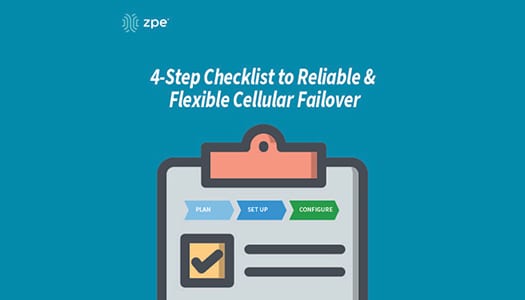
Your 4-step Checklist to Reliable & Flexible Cellular Failover

Downtime can cost $300,000 per hour. But there’s a simple way to safeguard your business from expensive outages, and that’s by using cellular failover.

When your T1, DSL, fiber, or cable connection is knocked out of service, failover automatically kicks in to securely connect you to your cellular provider. Your business doesn’t suffer crippling outages, and you can continue providing the level of service your customers expect.

If you’re ready to protect your organization with wireless backup, use this checklist as a guide to get started.

Cellular Failover Checklist

#1 Get a Plan with Your Service Provider

Because cellular failover works over 3G, 4G LTE, and 5G networks, you’ll need a data plan. Get in touch with your preferred wireless provider, and choose the plan that’s right for you. Consider things like data rates and usage limits, and the number of sites you’d like to cover.

With the appropriate plan, you’ll also need SIM cards for your failover devices.

Get backups for your backups

For even more resilience, the Nodegrid Services Router can be equipped with dual-SIM failover modules. It supports all major carriers, so you get total flexibility of choice.

#2 Set Up Your Failover Devices

Assemble and install the components of your failover devices, such as cables, adapters, and SIM cards. Physically install your appliances into their respective environments, and connect them to other crucial devices on your network.

#3 Configure Your Basic Settings

Log into your failover devices and configure their basic settings appropriately. This can include adjusting things like DHCP vs static IP address, access rights for protocols and services, and creating users and groups.

#4 Configure Your Failover Settings

With your basic settings configured, tailor your failover devices based on your environment’s needs. Though settings vary by vendor, look for and adjust things like interface priorities, idle check intervals, and data usage limits and alerts. Configuring these settings enables your network to efficiently use failover connectivity as needed, and then failback to your primary WAN link once it’s back online.

Get failover on demand

The Nodegrid Services Router features a 4G LTE cellular modem for on-demand failover, and can also serve as a WiFi access point.

With failover set up on your network, you can also scale quickly and deploy locations even before your main line is installed. From major retailers, to tech startups, companies around the world use cellular to rapidly set business into motion.

Want More With Your Failover?

Nodegrid delivers reliable cellular failover that also serves as a secure path for out-of-band (OOB) management. Deploy the Nodegrid Services Router for flexible wireless connectivity and remote management of everything on your network. Now’s the time to take advantage of this SD-Branch platform that offers in-depth visibility and control at the branch level.

Get in touch to discover robust failover with Nodegrid.