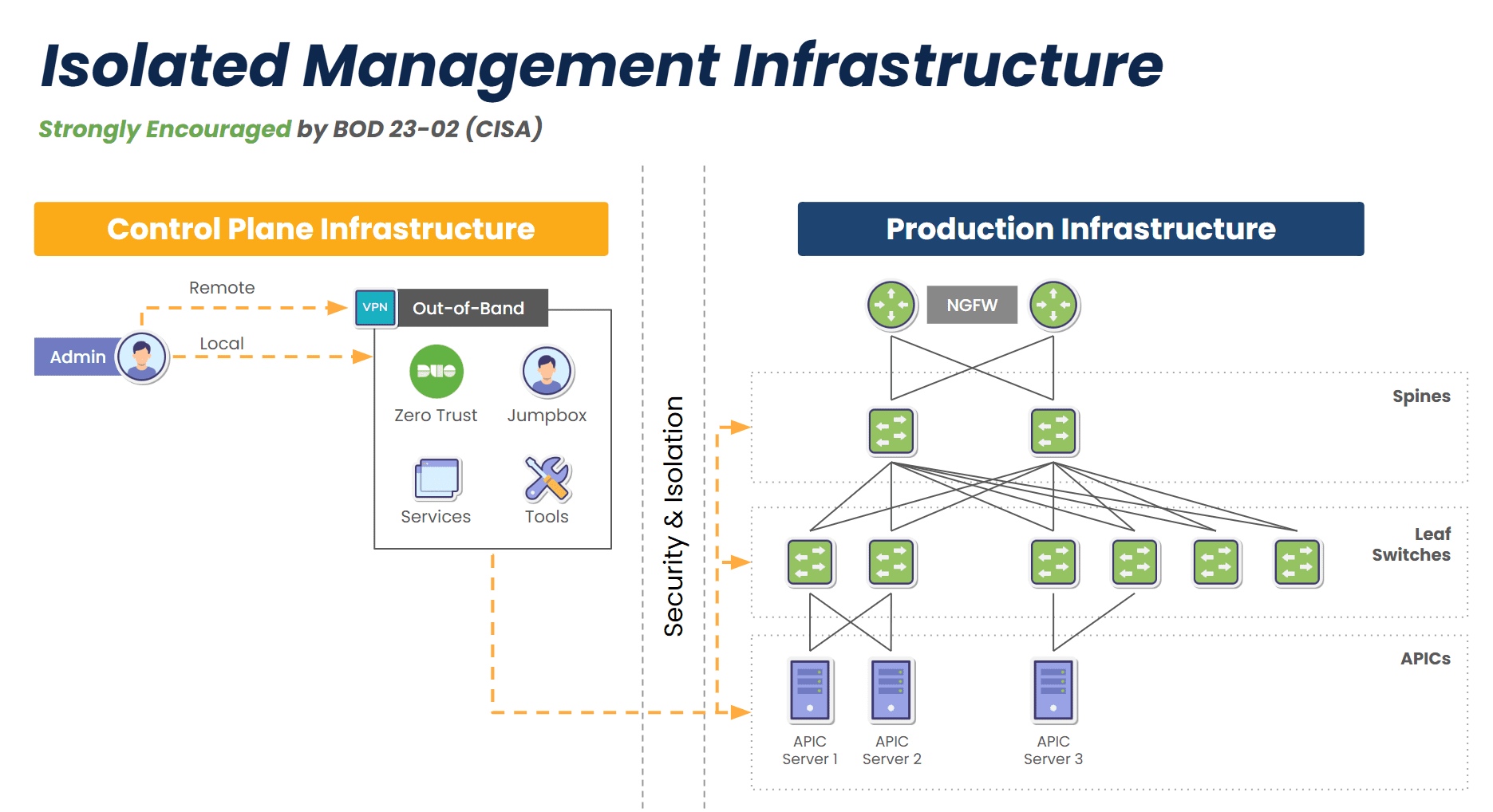
Providing Out-of-Band Connectivity to Mission-Critical IT Resources

Lantronix G520: Alternative Options

The G520 is a series of cellular gateways from Lantronix designed for industrial Internet of Things (IIoT), security, and transport use cases. While it provides redundant networking capabilities, it lacks critical resilience features such as out-of-band management (OOBM). This guide explains where the G520 falls short and why it matters before describing alternative options that deliver multi-functional IIoT capabilities and network resilience.

Why consider Lantronix G520 alternatives?

The Lantronix G520 is a cellular gateway that provides network connectivity, failover, and load balancing for IoT devices. However, it lacks serial console management capabilities, which means you need a separate device for remote management and OOBM. Out-of-band management is a crucial technology that separates the network control plane from the data plane to prevent breaches of management interfaces. OOBM also improves resilience by using a dedicated network (like cellular LTE) that gives remote teams a lifeline to recover from equipment failures, network outages, and breaches.

Percepxion G520

G520 gateways are managed with the Percepxion cloud platform, while cellular data plans and VPN security are managed separately with the cloud-based Connectivity Services software. These software solutions cannot be extended with third-party integrations, so teams must manage two separate Lantronix platforms and use separate software for monitoring, security, etc. Closed software also prevents teams from utilizing third-party automation and orchestration and creates a lot of management complexity, increasing the risk of human error and reducing operational efficiency.

G520 hardware also lacks extensibility due to an ARM architecture and tiny 256MB Flash storage. This essentially makes it a single-purpose device, with organizations needing to deploy additional appliances to run edge workloads, security applications, and other third-party software. There’s another IIoT gateway solution that combines edge networking capabilities with OOBM, the ability to run or integrate third-party applications, and a unified, extensible cloud management platform that extends automation and orchestration to all the devices in your deployment.

Nodegrid alternatives for the G520

Nodegrid is a line of vendor-neutral, edge networking solutions from ZPE Systems. The closest alternative to the Lantronix G520 is the Nodegrid Mini Services Router (or Mini SR)

Nodegrid Mini SR vs. Lantronix G520


Nodegrid Mini SR

Lantronix G520

CPU

x86-64bit Intel Processor

600 MHz ARM-based CPU 

Guest OS

1

0

Docker Apps

1-2

0

Storage

16GB SED

256MB Flash

Wi-Fi

Yes

Yes

Cloud Management

ZPE Cloud

Lantronix Percepxion, Connectivity Services

Cellular 

Dual-SIM

Dual-SIM

Serial

Via USB

No

Network

2 x 1Gb ETH

1 x 10/100 ETH

The Mini SR is a compact, fanless edge gateway small enough to be easily installed in any industrial environment. In addition to gateway, networking, and failover capabilities, the Mini SR provides OOBM for all connected devices, turning it into an IoT device management solution. Nodegrid’s OOBM completely isolates IoT management interfaces and ensures they’re remotely available 24/7 even during ISP outages and ransomware infections.

Mini-SR-Rear

The Mini SR and all connected devices are managed with ZPE Cloud, an intuitive platform that’s easily extensible with third-party integrations for infrastructure automation, edge security, SCADA software, and much more. The best part is that ZPE Cloud is a unified solution that gives administrators a single-pane-of-glass management experience for convenience and efficiency. 

Mini-SR-Diagram-980×748

The Mini SR and all other Nodegrid hardware solutions run on the vendor-neutral, Linux-based Nodegrid OS and come with robust Intel architectures. As a result, they can host Guest OS and even Docker containers for third-party applications, reducing the need for additional hardware appliances in cramped industrial environments. The Mini SR is an all-in-one solution that reduces edge expenses and complexity while improving resilience and operational efficiency.

Other Nodegrid alternatives for the Lantronix G520

Depending on your use case, you may have other reasons to consider G520 alternatives, such as the need for a complete serial console management solution, or the desire to run artificial intelligence (AI) workflows at the edge without deploying expensive single-purpose GPUs. Luckily, the Nodegrid line has solutions for every edge use case and pain point.

Comparing Nodegrid SRs

Nodegrid Mini SR Nodegrid Gate SR Nodegrid Hive SR Nodegrid Link SR Nodegrid Bold SR Nodegrid Net SR
Potential Use Cases Edge IoT, IIoT, OT, and IoMD (Internet of Medical Devices) deployments Branch service delivery and AI Distributed branch and edge sites like manufacturing plants Branch, IoT, and M2M (Machine-to-Machine) deployments Branch and edge deployments like telecom, retail, and oil & gas Large branches, edge data centers
CPU x86-64bit Intel Processor x86-64bit Intel Processor x86-64bit Intel Processor x86-64bit Intel Processor x86-64bit Intel Processor x86-64bit Intel Processor
Guest OS 1 1-3 1-2 1 1 1-6
Docker Apps 1-2 1-4 1-3 1-2 1-2 1-4
Storage 16GB SED 32GB – 128GB 16GB – 128GB 16GB – 128GB 32GB – 128GB 32GB – 128GB
Secondary Additional Storage Up to 4TB Up to 4TB Up to 4TB Up to 4TB Up to 4TB
PoE+ Output Yes Yes
Wi-Fi Yes Yes Yes Yes Yes Yes
ZPE Cloud Support Yes Yes Yes Yes Yes Yes
Cellular (Dual-SIM) 1 1-2 1-2 1 1-2 1-4
Serial Via USB 8 8 1 8 16-80
Network 2 x 1Gb ETH 2 x SFP+, 5 x Gb ETH, 4 x 1Gb ETH PoE+ 2x GbE ETH, 2x 10 Gbps, 4x 10/100/1000/2.5 Gbps RJ-45 1 x Gb ETH 1 x SFP 5 x Gb ETH 2 1Gb ETH, 2 SFP+, Multiple Cards
GPIO 2 DIO, 1 OUT, 1 Relay 2 DIO, 2 OUT
Power Single Single or Redundant Single Single Single Single or Redundant
Data Sheet Download Download Download Download Download Download

Get a complete IIoT solution with Nodegrid

The Nodegrid Mini SR improves upon the Lantronix G520 by consolidating edge networking capabilities and offering a vendor-neutral platform to host and integrate all your third-party applications. Schedule a demo to see Nodegrid in action!

Edge Computing Platforms: Insights from Gartner’s 2024 Market Guide

Interlocking cogwheels containing icons of various edge computing examples are displayed in front of racks of servers

Edge computing allows organizations to process data close to where it’s generated, such as in retail stores, industrial sites, and smart cities, with the goal of improving operational efficiency and reducing latency. However, edge computing requires a platform that can support the necessary software, management, and networking infrastructure. Let’s explore the 2024 Gartner Market Guide for Edge Computing, which highlights the drivers of edge computing and offers guidance for organizations considering edge strategies.

What is an Edge Computing Platform (ECP)?

Edge computing moves data processing close to where it’s generated. For bank branches, manufacturing plants, hospitals, and others, edge computing delivers benefits like reduced latency, faster response times, and lower bandwidth costs. An Edge Computing Platform (ECP) provides the foundation of infrastructure, management, and cloud integration that enable edge computing. The goal of having an ECP is to allow many edge locations to be efficiently operated and scaled with minimal, if any, human touch or physical infrastructure changes.

Before we describe ECPs in detail, it’s important to first understand why edge computing is becoming increasingly critical to IT and what challenges arise as a result.

What’s Driving Edge Computing, and What Are the Challenges?

Here are the five drivers of edge computing described in Gartner’s report, along with the challenges that arise from each:

1. Edge Diversity

Every industry has its unique edge computing requirements. For example, manufacturing often needs low-latency processing to ensure real-time control over production, while retail might focus on real-time data insights to deliver hyper-personalized customer experiences.

Challenge: Edge computing solutions are usually deployed to address an immediate need, without taking into account the potential for future changes. This makes it difficult to adapt to diverse and evolving use cases.

2. Ongoing Digital Transformation

Gartner predicts that by 2029, 30% of enterprises will rely on edge computing. Digital transformation is catalyzing its adoption, while use cases will continue to evolve based on emerging technologies and business strategies.

Challenge: This rapid transformation means environments will continue to become more complex as edge computing evolves. This complexity makes it difficult to integrate, manage, and secure the various solutions required for edge computing.

3. Data Growth

The amount of data generated at the edge is increasing exponentially due to digitalization. Initially, this data was often underutilized (referred to as the “dark edge”), but businesses are now shifting towards a more connected and intelligent edge, where data is processed and acted upon in real time.

Challenge: Enormous volumes of data make it difficult to efficiently manage data flows and support real-time processing without overwhelming the network or infrastructure.

4. Business-Led Requirements

Automation, predictive maintenance, and hyper-personalized experiences are key business drivers pushing the adoption of edge solutions across industries.

Challenge: Meeting business requirements poses challenges in terms of ensuring scalability, interoperability, and adaptability.

5. Technology Focus

Emerging technologies such as AI/ML are increasingly deployed at the edge for low-latency processing, which is particularly useful in manufacturing, defense, and other sectors that require real-time analytics and autonomous systems.

Challenge: AI and ML make it difficult for organizations to determine how to strike a balance between computing power and infrastructure costs, without sacrificing security.

What Features Do Edge Computing Platforms Need to Have?

To address these challenges, here’s a brief look at three core features that ECPs need to have according to Gartner’s Market Guide:

  1. Edge Software Infrastructure: Support for edge-native workloads and infrastructure, including containers and VMs. The platform must be secure by design.
  2. Edge Management and Orchestration: Centralized management for the full software stack, including orchestration for app onboarding, fleet deployments, data storage, and regular updates/rollbacks.
  3. Cloud Integration and Networking: Seamless connection between edge and cloud to ensure smooth data flow and scalability, with support for upstream and downstream networking.

A simple diagram showing the computing and networking capabilities that can be delivered via Edge Management and Orchestration.

Image: A simple diagram showing the computing and networking capabilities that can be delivered via Edge Management and Orchestration.

  1.  

How ZPE Systems’ Nodegrid Platform Addresses Edge Computing Challenges

ZPE Systems’ Nodegrid is a Secure Service Delivery Platform that meets these needs. Nodegrid covers all three feature categories outlined in Gartner’s report, allowing organizations to host and manage edge computing via one platform. Not only is Nodegrid the industry’s most secure management infrastructure, but it also features a vendor-neutral OS, hypervisor, and multi-core Intel CPU to support necessary containers, VMs, and workloads at the edge. Nodegrid follows isolated management best practices that enable end-to-end orchestration and safe updates/rollbacks of global device fleets. Nodegrid integrates with all major cloud providers, and also features a variety of uplink types, including 5G, Starlink, and fiber, to address use cases ranging from setting up out-of-band access, to architecting Passive Optical Networking.

Here’s how Nodegrid addresses the five edge computing challenges:

1. Edge Diversity: Adapting to Industry-Specific Needs

Nodegrid is built to handle diverse requirements, with a flexible architecture that supports containerized applications and virtual machines. This architecture enables organizations to tailor the platform to their edge computing needs, whether for handling automated workflows in a factory or data-driven customer experiences in retail.

2. Ongoing Digital Transformation: Supporting Continuous Growth

Nodegrid supports ongoing digital transformation by providing zero-touch orchestration and management, allowing for remote deployment and centralized control of edge devices. This enables teams to perform initial setup of all infrastructure and services required for their edge computing use cases. Nodegrid’s remote access and automation provide a secure platform for keeping infrastructure up-to-date and optimized without the need for on-site staff. This helps organizations move much of their focus away from operations (“keeping the lights on”), and instead gives them the agility to scale their edge infrastructure to meet their business goals.

3. Data Growth: Enabling Real-Time Data Processing

Nodegrid addresses the challenge of exponential data growth by providing local processing capabilities, enabling edge devices to analyze and act on data without relying on the cloud. This not only reduces latency but also enhances decision-making in time-sensitive environments. For instance, Nodegrid can handle the high volumes of data generated by sensors and machines in a manufacturing plant, providing instant feedback for closed-loop automation and improving operational efficiency.

4. Business-Led Requirements: Tailored Solutions for Industry Demands

Nodegrid’s hardware and software are designed to be adaptable, allowing businesses to scale across different industries and use cases. In manufacturing, Nodegrid supports automated workflows and predictive maintenance, ensuring equipment operates efficiently. In retail, it powers hyperpersonalization, enabling businesses to offer tailored customer experiences through edge-driven insights. The vendor-neutral Nodegrid OS integrates with existing and new infrastructure, and the Net SR is a modular appliance that allows for hot-swapping of serial, Ethernet, computing, storage, and other capabilities. Organizations using Nodegrid can adapt to evolving use cases without having to do any heavy lifting of their infrastructure.

5. Technology Focus: Supporting Advanced AI/ML Applications

Emerging technologies such as AI/ML require robust edge platforms that can handle complex workloads with low-latency processing. Nodegrid excels in environments where real-time analytics and autonomous systems are crucial, offering high-performance infrastructure designed to support these advanced use cases. Whether processing data for AI-driven decision-making in defense or enabling real-time analytics in industrial environments, Nodegrid provides the computing power and scalability needed for AI/ML models to operate efficiently at the edge.

Read Gartner’s Market Guide for Edge Computing Platforms

As businesses continue to deploy edge computing solutions to manage increasing data, reduce latency, and drive innovation, selecting the right platform becomes critical. The 2024 Gartner Market Guide for Edge Computing Platforms provides valuable insights into the trends and challenges of edge deployments, emphasizing the need for scalability, zero-touch management, and support for evolving workloads.

Click below to download the report.

Get a Demo of Nodegrid’s Secure Service Delivery

Our engineers are ready to walk you through the software infrastructure, edge management and orchestration, and cloud integration capabilities of Nodegrid. Use the form to set up a call and get a hands-on demo of this Secure Service Delivery Platform.

Network Virtualization Platforms: Benefits & Best Practices

Network Virtualization Platforms: Benefits & Best Practices

Simulated network virtualization platforms overlaying physical network infrastructure.

Network virtualization decouples network functions, services, and workflows from the underlying hardware infrastructure and delivers them as software. In the same way that server virtualization makes data centers more scalable and cost-effective, network virtualization helps companies streamline network deployment and management while reducing hardware expenses.

This guide describes several types of network virtualization platforms before discussing the benefits of virtualization and the best practices for improving efficiency, scalability, and ROI.

What do network virtualization platforms do?

There are three forms of network virtualization that are achieved with different types of platforms. These include:

Type of Virtualization Description Examples of Platforms
Virtual Local Area Networking (VLAN) Creates an abstraction layer over physical local networking infrastructure so the company can segment the network into multiple virtual networks without installing additional hardware.

SolarWinds Network Configuration Manager

ManageEngine Network Configuration Manager

Software-Defined Networking (SDN) Decouples network routing and control functions from the actual data packets so that IT teams can deploy and orchestrate workflows across multiple devices and VLANs from one centralized platform.

Meraki

Juniper

Network Functions Virtualization (NFV) Separates network functions like routing, switching, and load balancing from the underlying hardware so teams can deploy them as virtual machines (VMs) and use fewer physical devices.

Red Hat OpenStack

VMware vCloud NFV

While network virtualization is primarily concerned with software, it still requires a physical network infrastructure to serve as the foundation for the abstraction layer (just like server virtualization still requires hardware in the data center or cloud to run hypervisor software). Additionally, the virtualization software itself needs storage or compute resources to run, either on a server/hypervisor or built-in to a networking device like a router or switch. Sometimes, this hardware is also referred to as a network virtualization platform.

The benefits of network virtualization

Virtualizing network services and workflows with VLANs, SDN, and NFVs can help companies:

  • Improve operational efficiency with automation. Network virtualization enables the use of scripts, playbooks, and software to automate workflows and configurations. Network automation boosts productivity so teams can get more work done with fewer resources.
  • Accelerate network deployments and scaling. Legacy deployments involve configuring and installing dedicated boxes for each function. Virtualized network functions and configurations can be deployed in minutes and infinitely copied to get new sites up and running in a fraction of the time.
  • Reduce network infrastructure costs. Decoupling network functions, services, and workflows from the underlying hardware means you can run multiple functions from once device, saving money and space.
  • Strengthen network security. Virtualization makes it easier to micro-segment the network and implement precise, targeted Zero-Trust security controls to protect sensitive and valuable assets.

Network virtualization platform best practices

Following these best practices when selecting and implementing network virtualization platforms can help companies achieve the benefits described above while reducing hassle.

Vendor neutrality

Ensuring that the virtualization software works with the underlying hardware is critical. The struggle is that many organizations use devices from multiple vendors, which makes interoperability a challenge. Rather than using different virtualization platforms for each vendor, or replacing perfectly good devices with ones that are all from the same vendor, it’s much easier and more cost-effective to use virtualization software that interoperates with any networking hardware. This type of software is called ‘vendor neutral.’

To improve efficiency even more, companies can use vendor-neutral networking hardware to host their virtualization software. Doing so eliminates the need for a dedicated server, allowing SDN software and virtualized network functions (VNFs) to run directly from a serial console or router that’s already in use. This significantly consolidates deployments, which saves  money and reduces the amount of space needed This can be a lifesaver in branch offices, retail stores, manufacturing sites, and other locations with limited space.

A diagram showing how multiple VNFs can run on a single vendor-neutral platform.

Virtualizing the WAN

We’ve mostly discussed virtualization in a local networking context, but it can also be extended to the WAN (wide area network). For example, SD-WAN (software-defined wide area networking) streamlines and automates the management of WAN infrastructure and workflows. WAN gateway routing functions can also be virtualized as VNFs that are deployed and controlled independently of the physical WAN gateway, significantly accelerating new branch launches.

Unifying network orchestration

The best way to maximize network management efficiency is to consolidate the orchestration of all virtualization with a single, vendor-neutral platform. For example, the Nodegrid solution from ZPE Systems uses vendor-neutral hardware and software to give networking teams a single platform to host, deploy, monitor, and control all virtualized workflows and devices. Nodegrid streamlines network virtualization with:

  • An open, x86-64bit Linux-based architecture that can run other vendors’ software, VNFs, and even Docker containers to eliminate the need for dedicated virtualization appliances.
  • Multi-functional hardware devices that combine gateway routing, switching, out-of-band serial console management, and more to further consolidate network deployments.
  • Vendor-neutral orchestration software, available in on-premises or cloud form, that provides unified control over both physical and virtual infrastructure across all deployment sites for a convenient management experience.

Want to see vendor-neutral network orchestration in action?

Nodegrid unifies network virtualization platforms and workflows to boost productivity while reducing infrastructure costs. Schedule a free demo to experience the benefits of vendor-neutral network orchestration firsthand.

Schedule a Demo

PDU Remote Management

PDU Remote Management

The Hive SR PDU remote management solution from ZPE Systems.

PDUs (power distribution units) and busways are critical network infrastructure devices that control and optimize how power flows to equipment like servers, routers, firewalls, and switches. They’re difficult to manage remotely, so configuring and updating new devices or fixing problems typically requires tedious, on-site work. This difficulty is magnified in complex, distributed networks with hundreds of individual power devices that must be managed one at a time. What’s needed is a PDU remote management solution that unifies control over distributed devices. It should also streamline infrastructure management with an open architecture that supports third-party power software and automation.

The problem: PDU management is cumbersome for large, distributed networks

PDUs and busways are deployed across remote and distributed locations beyond the central data center, including edge computing sites, automated manufacturing plants, and colocations. They typically aren’t network-connected and do not come with up-to-date firmware at deployment time, requiring on-site technicians for maintenance. Upgrading and managing thousands of PDUs and busways requires hundreds of work hours from on-site IT teams who must manually connect to each unit.

The current solution: PDU remote management with jump boxes or serial consoles

Since most PDUs and busways can’t connect to the network, the only way to remotely manage them is to physically connect them via serial (a.k.a., RS-232) cable to a device that can be remotely accessed, such as an Intel NUC jump box or a serial console.

Unfortunately, jump boxes usually aren’t set up to manage more than one serial connection at a time, so they only solve the remote access problem without providing any centralized management of multiple PDUs or multiple sites. Jump boxes are often deployed without antivirus or other security software installed and with insecure, unpatched operating systems containing potential vulnerabilities, leaving branch networks exposed.

On the other hand, serial consoles can manage multiple serial devices at once and provide remote access, but they often don’t integrate with PDU/busway software and only support a few chosen vendors, which limits their control capabilities and may prevent remote firmware updates. They’re also usually single-purpose devices that take up valuable rack space in remote sites with limited real estate and don’t interoperate with third-party software for automation, monitoring, and security.

The Hive SR + ZPE Cloud: A next-gen PDU remote management solution

The ZPE Cloud and Nodegrid Hive SR solutions for PDU remote management.
The Hive SR is an integrated branch services router from the Nodegrid family of vendor-neutral infrastructure management solutions offered by ZPE Systems. The Hive automatically discovers power devices and provides secure remote access, eliminating the need to manage PDUs and busways on-site. The ZPE Cloud management platform gives IT teams centralized control over power devices and other infrastructure at all distributed locations so they can update or roll-back firmware, configure and power-cycle equipment, and see monitoring alerts.

The ZPE Cloud PDU remote management solution from ZPE Systems.

In addition to integrated branch networking capabilities like gateway routing, switching, firewall, Wi-Fi access point, 5G/4G cellular WAN failover, and centralized infrastructure control, the Hive SR and ZPE Cloud also deliver vendor-neutral out-of-band (OOB) management. ZPE’s Gen 3 OOB solution creates an isolated management network that doesn’t rely on production resources and, as such, remains remotely accessible during major outages, ransomware infections, and other adverse events. This gives IT teams a lifeline to perform remote recovery actions, including rolling-back PDU firmware updates, power-cycling hung devices, and rebuilding infected systems, without the time and expense of an on-site visit.

A diagram showing how the Nodegrid Hive SR can be deployed for PDU remote management.

The Hive and ZPE Cloud have open architectures that can host or integrate other vendors’ software for PDU/busway management, NetOps automation, zero-trust and SASE security, and more. Administrators get a single, unified, cloud-based platform to orchestrate both automated and manual workflows for PDUs, busways, and any other Nodegrid-connected infrastructure at all distributed business sites. Plus, all ZPE solutions are frequently patched and protected by industry-leading security features to defend your critical branch infrastructure.


Download our Automated PDU Provisioning and Configuration solution guide to learn more about vendor-neutral PDU remote management with Nodegrid devices like the Hive SR.
Download

Download our Centralized IT Infrastructure Management and Orchestration solution guide to learn how ZPE Cloud can improve your operational efficiency and resilience.
Download

3 Reasons to Use Starlink for Out-of-Band (and How to Set it Up)

ZPE Systems and Starlink setup guide

Most organizations rely on critical IT in order to serve their essential business functions. A reliable method to maintain critical IT is to use dedicated out-of-band (OOB) management networks, which traditionally have relied on plain old telephone service (POTS) lines or dedicated telephony circuits for remote access. However, these traditional links come with high costs, lots of complexity, and slow performance, which make them difficult to deploy and maintain.

Enter Starlink, a satellite-based Internet service that offers a cost-effective and scalable alternative for out-of-band remote access. This post discusses how Starlink solves these common problems and gives you a free guide that walks you through the setup process.


Problem: POTS and Telephony Lines Are Expensive

For decades, IT professionals have relied on POTS and telephony lines for OOB management, mainly because these lines remain operational even when the primary data network goes down. A major problem is that POTS lines are increasingly expensive to install and maintain, particularly in remote or rural areas. Additionally, 4G/5G LTE options aren’t always available due to coverage limitations or large enough data plans. The shift towards VoIP (Voice over IP) and digital communications has made POTS lines even less relevant, with many service providers phasing out support. This leaves businesses with fewer options and higher costs for maintaining these legacy systems.

Solution: Starlink is Cost-Effective

Starlink offers a much more cost-effective solution. You can use off-the-shelf routers to set up an OOB management network for a fraction of the cost of traditional methods. Starlink also has a relatively low monthly subscription fee and straightforward pricing model, which make it easy to budget and plan IT expenditures. If components fail or break, you can typically repair or replace them yourself to get back up and running quickly.

An image of a Starlink dish

Figure 1: Starlink requires only a dish, router, and few other components, making it a cost-effective alternative to expensive POTS lines.

Problem: Traditional Lines Are Difficult To Scale

Traditional POTS-based systems are notoriously difficult to scale, often requiring significant infrastructure investments and complex configurations. Copper wiring is expensive to install and maintain, and as more connections come online, switching systems must be upgraded. On top of this, POTS lines are being phased out, which means there are fewer resources being devoted to scaling and maintaining them.

Solution: Starlink is Simple to Set Up and Scale

Starlink entirely eliminates the need for telephony lines, and is a simple and scalable solution for OOB remote access. You can find the full list of components in our setup guide below, but with a Starlink terminal, compatible router, and minimal configuration, you can scale your OOB network wherever you have Starlink coverage. This ease-of-use extends to day-to-day management as well. Starlink’s satellite service offers global coverage, meaning you can manage your network devices, servers, and other critical infrastructure from virtually anywhere in the world.

The setup process for Starlink includes simple instructions that you can follow on your smartphone

Figure 2: Starlink comes with a straightforward out-of-box experience and step-by-step instructions. You can set up an out-of-band network in about one hour.

Problem: POTS Lines Lack Performance

POTS is designed primarily for voice communication and offers extremely limited bandwidth. It can’t support modern data services (such as video or high-speed internet) efficiently. As out-of-band management advances with data and video monitoring capabilities (such as AI computer vision), POTS infrastructure just doesn’t have the bandwidth to keep up.

Solution: Starlink Meets Modern Performance Requirements

Starlink provides high-speed internet, at speeds that typically range from 50 to 200Mbps. The connection handles much larger volumes of data than POTS lines are capable of, and Starlink’s low-Earth orbit satellites reduce latency to as low at 25ms compared to the typical 150ms of POTS lines. Out-of-band using Starlink means that IT teams can manage more systems and data, and have a more responsive experience, whether they’re managing edge routers across their bank branches or monitoring the cooling systems in their distributed colocations.

Image of the Starlink speed test performed on a smartphone

Figure 3: Starlink provides high-speed connectivity, with speeds ranging from 50 to 200Mbps.

Get Started With Starlink Using Our Setup Guide

We created this step-by-step walkthrough that shows how to set up Starlink for out-of-band. It instructs how to connect the components according to a wiring diagram, configure your ZPE Nodegrid hardware, and test your connection performance using free tools. Read it now using the button below.

Get Starlink Setup Guide

Starlink setup guide

What is Passive Optical Networking?

What is Passive Optical Networking (PON)?

Passive optical networking (PON) is a high-speed broadband technology that enables the delivery of multiple services over a single fiber optic cable. XGS-PON – 10G Symmetrical PON –  offers speeds of up to 10 Gbps downstream and 10 Gbps upstream (hence the term ‘symmetrical’), making it ideal for applications such as video streaming, online gaming, and cloud computing.


What Problems Does PON Solve for Out-of-Band Management?

PON addresses the issue of efficiency in terms of both uplink costs and bandwidth usage. Traditional POTS lines and dedicated circuits rely on legacy infrastructure that requires regular maintenance. This infrastructure must scale as more out-of-band devices are added to the network, which increases costs and energy consumption. On top of this, using a 10G uplink for a serial console’s 10K traffic is like throwing away 99% of that high bandwidth. Per Gartner’s Market Guide for Optical Transport Systems report (Published 20 November 2023) the best way to “lower cost and energy per transported bit” is by using technologies such as passive optical networking.

Because PON uses passive optical splitters that have no moving parts or powered components between the central hub and end users, PON is much more efficient for deploying serial consoles close to target assets. These out-of-band devices can be deployed in large quantities and close to the network edge, with up to 256 devices sharing one uplink. This reduces cabling and power requirements, and is ideal for MSP and campus operators, where there are many out-of-band devices distributed over long distances. 


More About PON: GPON and XGS-PON Technologies

Passive Optical Networking (PON) leverages time-division multiplexing (TDM) and different wavelengths of light to transmit and receive data on a single fiber strand. This allows efficient communication among up to 256 devices over a single fiber. Initially developed for fiber-to-the-home (FTTH) deployments, PON technology has evolved to facilitate the addition of network nodes with minimal infrastructure changes. GPON (gigabit-capable PON) and XGS-PON use different frequencies for upstream and downstream data transmission. The upstream headend, known as the Optical Line Terminal (OLT), manages and coordinates the time slots allocated to downstream Optical Network Units (ONUs) for data transmission.


GPON and XGS-PON Support on ZPE Systems’ Nodegrid SR Gateway

ZPE Systems’ Nodegrid SR appliances, which are used as out-of-band access nodes or complete branch gateways, now support GPON and XGS-PON technology (patent pending) via SFP and SFP+ ports. The Nodegrid SR family is offered in multiple form factors to be right-sized for deployments in branch offices, factories, smart buildings, and industrial environments (such as for SCADA).

Having support for GPON and XGS-PON means network engineers now have a flexible choice of high-speed uplink technologies. This versatility makes the Nodegrid SR gateway suitable for edge deployments, where it can establish an OOBI-WAN™ (out-of-band infrastructure WAN) link, and for data centers, where it enhances uplink efficiency. Given the low bandwidth requirements of serial console and out-of-band communications, PON technology is well-suited for these applications. A single fiber strand can be shared among hundreds of out-of-band and serial console devices using passive optical splitters. Organizations can deploy out-of-band devices close to the racks and edges of the network in a cost- and energy-efficient manner. Additionally, ZPE devices support ONU SFPs compatible with third-party OLT headends, ensuring broad interoperability and integration.


Benefits of Using XGS-PON with ZPE Systems’ Nodegrid SR Gateway

The benefits of using XGS-PON with ZPE Systems’ Nodegrid SR gateway include:

  • High-Speed Connectivity: XGS-PON delivers symmetrical speeds of up to 10 Gbps, making it ideal for high-bandwidth applications like video streaming, online gaming, and cloud computing. This ensures consistent and high-quality service for end-users.
  • Cost-Effectiveness: Deploying XGS-PON is a cost-effective solution for delivering high-speed broadband services, especially in scenarios where upgrading existing infrastructure may be challenging.
  • Scalability: The Nodegrid SR Gateway, acting as an ONU, can connect up to 256 serial consoles through a single fiber strand. PON’s use of asymmetric wavelengths and TDM enables multiple devices to share the same fiber strand efficiently. Optical splitters, which require no external power, facilitate the sharing of fiber between multiple ONUs, which makes scaling much more cost and energy efficient.
  • Reliability: The Nodegrid SR gateway is proven by service providers worldwide. Its robust design and compatibility with various network configurations make it a reliable choice for delivering high-quality broadband services.

A network diagram showing a PON Uplink on Nodegrid SR Gateway

Figure 1: ZPE Nodegrid SR gateway with XGS-PON ONU support


XGS-PON Enhances Efficiency of Out-of-Band

XGS-PON is a significant advancement over traditional, copper-based uplinks. The integration of XGS-PON support in the ZPE Systems Nodegrid SR Gateway allows network architects to deploy a dedicated out-of-band ring that is not only high-speed but also cost-effective, energy-efficient, and capable of covering longer distances. PON technology, with its ability to handle the lower data rates of out-of-band transmissions, is an ideal uplink medium for serial console transmission. The combination of XGS-PON and the Nodegrid SR Gateway provides a powerful and flexible solution for modern network infrastructure.

Be one of the first to try PON on the Nodegrid SR Gateway

Set up a demo for a deeper dive into PON use cases and how it can benefit your organization.

Schedule a demo