Providing Out-of-Band Connectivity to Mission-Critical IT Resources

Upgrade Network Infrastructure With Minimal Business Interruption

upgrade network infrastructure

Outdated network infrastructure poses a significant risk to the security and continuity of business operations. According to NTT’s “2020 Global Network Insights Report,” obsolete devices contain nearly twice as many security vulnerabilities as currently supported solutions. Outdated network hardware is also more likely to fail, and the ability to recover from a failure is severely hampered by a lack of vendor support. However, network upgrades can be highly disruptive, so many organizations delay network upgrades to avoid business interruption. They don’t realize that their outdated devices are like ticking time bombs that could bring down their network at any moment. In this post, we’ll provide advice that helps answer the question: How do I upgrade network infrastructure without disrupting business operations?

Why and when to upgrade network infrastructure

Obsolete network infrastructure no longer receives updates and security patches from the vendor. That means any vulnerabilities that exist on the device will remain open, giving cybercriminals time to find and exploit them. In addition, older network solutions often lack the advanced security features like SSO and MFA, which are required for Zero Trust.

Even supported legacy devices suffer from limitations that can prevent a business from achieving its technological goals. For instance, legacy devices may not support automation, making it difficult to achieve NetDevOps transformation. Plus, as enterprise networks grow more distributed, there’s a need for solutions that support SD-WAN and SD-Branch technology.

Sometimes the solutions themselves aren’t terribly outdated, it’s just that business requirements have changed in such a way that the existing infrastructure can’t support. For example, an organization may migrate some applications and systems to the cloud, so they need networking solutions that support hybrid environments. In addition, the mix of old and new devices and cloud and on-premises resources increases management complexity and prevents teams from effectively leveraging network orchestration.

Obsolete devices, outdated security, limited automation support, and changing business requirements are all important reasons to upgrade network infrastructure. However, these upgrades must be approached with a thoughtful strategy to reduce the impact on the performance and availability of business resources.

How to upgrade network infrastructure with minimal business interruption

Vendor agnostic platforms are the key to smooth network infrastructure upgrades. Vendor agnostic (a.k.a. vendor neutral) network management platforms support integrations with all or most viable and established network solutions, including legacy devices.

Vendor-neutral management devices, such as the Nodegrid Serial Console, support both legacy and modern Cisco pinouts. That means Nodegrid provides a single, unified platform from which to manage all the outdated devices you already have as well as any new solutions you add to your infrastructure. This reduces management complexity for network administrators, giving them more time to focus on optimizing performance and planning future network upgrades.
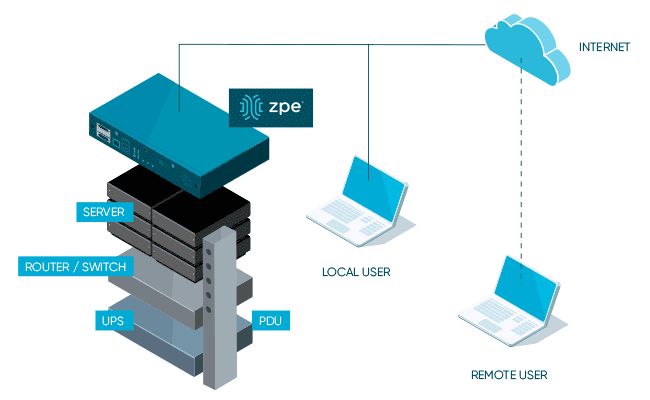
Additionally, a vendor-neutral network orchestration platform can use that management device to extend modern automation and orchestration to legacy hardware. A truly vendor-agnostic platform, such as Nodegrid Manager (for on-premises and private cloud deployments) or ZPE Cloud (for public cloud and hybrid deployments) can run third-party automation playbooks and custom Python scripts. This gives network administrators the unprecedented ability to implement a fully-automated NetOps environment even while still rolling out infrastructure upgrades.

The final piece of the puzzle is vendor-neutral Zero Touch Provisioning (ZTP). ZTP gives you the ability to deploy new devices efficiently and securely in remote data centers, branch offices, and edge compute sites. ZTP devices are provisioned automatically over the network, reducing the need for onsite deployments or pre-staging. A vendor-neutral ZTP solution like Nodegrid can extend ZTP to other vendors’ devices so you can quickly deploy upgraded infrastructure.

Nodegrid delivers vendor-neutral management, orchestration, and ZTP so you can upgrade network infrastructure with minimal business interruption.

Need Help Upgrading Your Network Infrastructure?

Contact ZPE Systems to learn how to upgrade your network infrastructure with Nodegrid.
Contact Us

How To Keep Colocation Data Center Pricing in Check

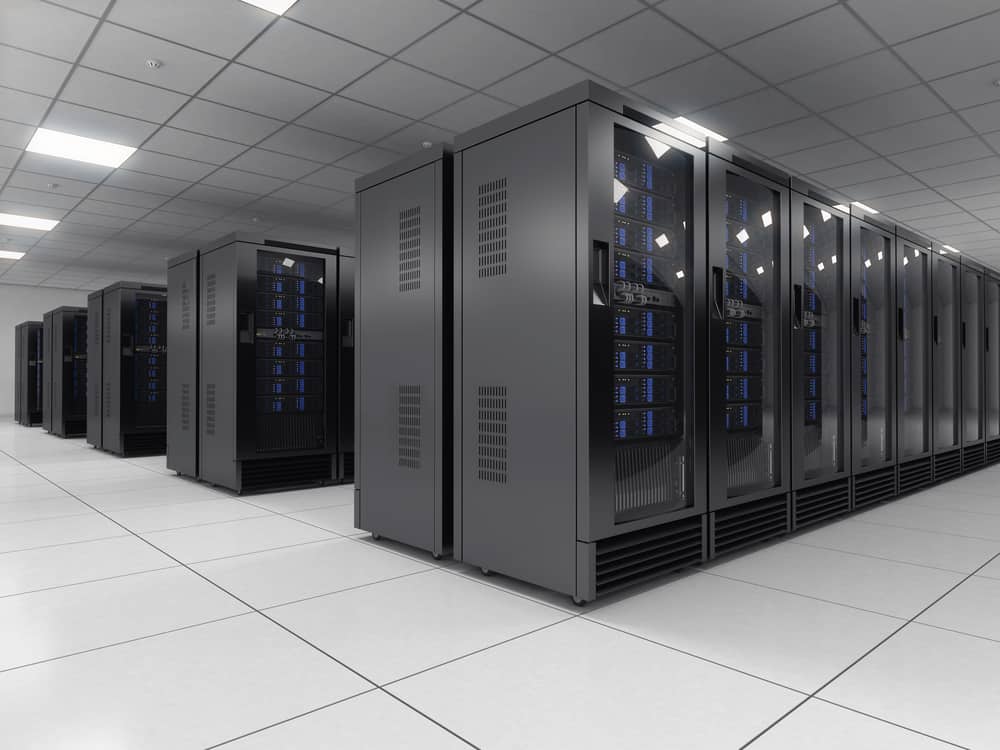
Rows of data center racks in a colocation facility take up a lot of space, which contributes to colocation data center pricing.

With inflation and supply chain issues causing hardware prices to surge, and a winter recession looming on the horizon, every organization is looking for ways to cut technology costs. Though colocation hosting is often much less expensive than building and maintaining an on-premises data center, factors like physical space usage, power and bandwidth consumption, and remote support can cause your monthly colo bill to spiral out of control. This blog examines some of the most common reasons for colocation data center pricing increases and offers advice on how to keep these costs in check.

Colocation data center pricing considerations

First, here are four common factors that could cause your colocation data center pricing to increase.

1. Physical space

One of the major elements determining colocation pricing is the amount of physical space being rented. Some facilities charge by the rack unit and others by square footage (i.e., how much floor space is taken up by your racks). Costs for colocation space are typically calculated based on your portion of the facility’s operating expenses, which include things like physical security, building maintenance, and energy for cooling.

2. Power consumption

Power usage also heavily affects colocation data center pricing. While some facilities offer flat-rate power pricing, it’s more common to see pricing based on kilowatt usage. The price of data center power usage depends on many factors, such as electricity costs in the region, how energy-efficient the facility is, and how much energy it takes to cool your equipment.

3. Bandwidth consumption

Bandwidth is another usage-based expense that affects data center pricing. Organizations usually purchase bandwidth from the ISP, not directly from the facility, although some data centers do offer colo packages that also include internet access and bandwidth. That means that bandwidth pricing varies significantly from organization to organization.

4. Remote hands

Though colocation data centers handle many aspects of building and facility maintenance, customers are typically responsible for deploying and maintaining their own equipment. Most organizations do so via remote DCIM (data center infrastructure management) solutions, so they do not need to maintain a physical presence in the colocation facility. However, sometimes hardware failures or other issues make remote troubleshooting impossible, so they need to use on-site managed services, sometimes referred to as “remote hands.” Some colocation facilities include an allotted time for remote hands services in their pricing, but more often this is an added fee that’s paid for as needed.

There are many other factors contributing to the cost of colocation data center hosting—such as the location of the facility, the cost of your hardware, and the uptime promised by the provider. However, these four factors are relatively easy for you to change and control without needing to completely overhaul your infrastructure or move to a different facility.

Four ways to keep colocation data center pricing in check

Now, let’s discuss how to decrease your physical footprint, lower your power and bandwidth consumption, and minimize your reliance on managed support services.

Consolidated devices

Replacing bulky, outdated, single-purpose hardware with consolidated, high-density devices is a great way to reduce your colocation data center footprint without sacrificing functionality or performance. For example, the Nodegrid Serial Console Plus (NSCP) provides out-of-band management, routing, and switching for up to 96 devices in a single, 1U rackmount appliance. The NSCP helps reduce the number of serial consoles, KVM switches, or jump boxes in your colocation data center, allowing you to save money or use the extra space for new equipment.

Another option is the Nodegrid Net Services Router (NSR), a modular appliance that can replace up to six other devices in your rack. The NSR provides routing and switching with network failover and out-of-band management, with expansion modules for Docker & Kubernetes container hosting, Guest OS & VNF hosting, and more. The NSR is an ideal solution for small colocation deployments because it can reduce the number of computing and storage devices in your rack. For example, the NSR can reduce your footprint from 4U to 1U, allowing you to cut costs and reduce the complexity of your remote infrastructure.

Remote DCIM power management

As mentioned above, most organizations use remote DCIM solutions to manage colocation infrastructure. Power management is an important aspect of remote DCIM for keeping colocation data center costs in check. Remote DCIM power management allows you to visualize power consumption, both at the individual device level and at a big-picture level. If you can see where you’re using power inefficiently, you can correct the problem (for instance, by replacing a faulty UPS or simply redistributing the load) before costs spiral out of control.

For power cost savings, you should use remote management DCIM that supports automation, such as Nodegrid Manager. This vendor-neutral platform allows seamless integrations with third-party or self-developed automation tools and scripts. That means you can use Nodegrid to automatically monitor for and correct inefficient power load distribution to ensure consistent usage and prevent overage fees. Plus, Nodegrid supports end-to-end automation for all your network and infrastructure management workflows, helping to reduce the overall manual workload for your administrators.

Software-defined networking

Traditionally, administrators set and monitor bandwidth usage by accessing the CLI (command line interface) or GUI (graphical user interface) on individual, hardware-based network devices like switches and routers. For complex and distributed network architectures using many switches in many locations (including remote colocation facilities), manual bandwidth control is so time-consuming and inefficient that organizations end up with a “set it and forget it” approach. That means bandwidth usage is free to fluctuate as much as it wants within certain thresholds, and organizations just eat the overage costs.

Software-defined networking, or SDN, decouples network routing and management workflows from the underlying hardware. This allows organizations to centrally control and automate their entire network architecture, which includes bandwidth management for remote colocation infrastructure. Centralized SDN management gives administrators a single interface from which to control all the networking devices and workflows, so they don’t need to jump from device to device to monitor and manage bandwidth usage.

The application of SDN technology to WAN management is known as SD-WAN, and when that extends into the remote LAN it’s known as SD-Branch. SDN, SD-WAN, and SD-Branch technology use intelligent routing to ensure efficient bandwidth usage and network load balancing. That means you can keep your colocation data center bandwidth costs in check while significantly reducing the amount of work involved for your network administrators.

Out-of-band management

Out-of-band management, or OOBM, separates your management network from your production network, allowing you to remotely manage, troubleshoot, and orchestrate your colocation data center infrastructure on a dedicated connection. This has numerous benefits, including:

  • Resource-intensive network orchestration workflows won’t affect the bandwidth or performance of the production network.
  • Administrators can still access remote infrastructure even if the primary ISP link goes down.
  • Administrators gain the ability to remotely troubleshoot even when a hardware failure or configuration mistake causes a production network outage.

OOBM can help reduce your reliance on colocation data center managed services because your administrators have an alternative path to critical infrastructure even during an outage. A Gen 3 OOB solution like Nodegrid can further reduce your colocation data center pricing in several ways:

  1. OOB management is built into all Nodegrid devices, so you don’t need to purchase any additional hardware (or rent additional rack space) to enable out-of-band management.
  2. Nodegrid OOB integrates with the vendor-agnostic Nodegrid Manager platform, which means you’ll have reliable 24/7 remote access to monitor and orchestrate power load distribution to ensure cost-efficiency.
  3. Nodegrid OOB devices can directly host your software-defined networking, SD-WAN, and SD-Branch solutions so you don’t need to purchase additional hardware. You can also integrate SDN, SD-WAN, and SD-Branch software with the Nodegrid Manager platform for unified control.

The Nodegrid solution from ZPE Systems can help you keep colocation data center pricing in check through consolidated devices, remote DCIM orchestration, software-defined networking support, and Gen 3 out-of-band management.

Want to find out more about reducing colocation data center pricing with Nodegrid?

Contact ZPE Systems today!

3 Gaps That Will Leave IT Teams Scrambling This Winter

Winter is Looming – Wolf Howling

Today’s IT teams must maintain a growing infrastructure of on-prem and cloud solutions. These range from physical routers, out-of-band devices, and firewalls, to Zero Trust Security solutions, micro-segmentation tools, and network automation integrations. Despite an abundance of physical and virtual solutions meant to help keep digital services online, many organizations face an overwhelming number of tasks just to sustain everyday operations. 

With the rising risk of recession, organizations will be forced to cut back on resources including staff, training, and tools. This will only worsen the existing challenges teams face in their efforts to maintain their distributed infrastructure. 

In this blog, we’ll explore three gaps that will leave IT teams scrambling this winter, and show you several practical approaches to cope during recession. 

Gap 1: Lack of staff

IT teams have been historically understaffed, and most people can remember at least one significant tech worker hiring campaign from the past decade. Today’s CIOs may in fact be facing the biggest talent gap since 2008. For example, in the cybersecurity sector alone, the 2021 (ISC)2 Cybersecurity Workforce Study reported that despite adding 700,000 cybersecurity professionals to the workforce in 2021, there’s still a gap of more than 2.7 million workers globally, 377,000 of which are needed in the United States. 

Trained staff are a must for managing an organization’s distributed sites, especially as team silos disappear and workers are required to have a breadth of skills. Business leaders increasingly need people who are proficient in networking and programming, so they can maintain normal operations while progressing their digital transformation initiatives such as hyperautomation. It’s a challenge that often comes down to hiring new talent or increasing the skills of existing employees, and both of these approaches require plenty of time and money. 

This issue will only worsen with the coming recession as companies begin to tighten their belts and slash budgets. Major brands have already shed thousands of workers this year, leaving IT teams to make due with existing staff numbers or even reduced headcounts. In the simplest terms, the coming recession will leave companies much less willing or able to invest in staff. 

Gap 2: Lack of tools to reduce workloads

Today’s infrastructure incorporates solutions from many different vendors, but the problem is these often come with their own unique tools that are meant to serve only a specific function. Managing SD-WAN, SASE, ZTNA, orchestration, and out-of-band solutions means jumping between disparate tools, many of which lack integration with one another. This complexity leaves operational teams stuck in a reactionary break/fix posture trying to climb mountains of never-ending support tickets. 

To address this challenge, many Big Tech companies empower their IT teams through digital transformation initiatives, such as using automation to achieve a proactive approach. But this requires additional investments in upskilling staff and acquiring adequate automation infrastructure/tools. For many organizations, a lack of money and resources makes this difficult during normal economic conditions, and will only become exacerbated with the coming recession. IT teams will continue scrambling with their inflated workloads.

Gap 3: Lack of trust in automation

Automation can greatly reduce the risk of human error (and subsequent outages) by handling simple workloads, such as device provisioning and firmware updates. However, companies that do have the resources to implement automation also recognize its limitations. Automation solutions that aren’t optimized leave IT teams with mundane tasks like managing, scheduling, and restarting bots. But to even reach this level of automation requires training staff who typically don’t have a background in programming or development. 

These teams will be unfamiliar with NetOps/DevOps concepts. In order to develop essential automation practices, these employees will need to learn through trial and error. This is a problem because most organizations lack the proper automation infrastructure and tools that allow their IT teams to recover from mistakes. Operational teams in charge of keeping infrastructure running often fear automation for this exact reason — if they make one error, there’s the potential that it will bring down the network, lead to unhappy customers, and cost them their job. 


BlueprintPDF

Close these gaps with the Network Automation Blueprint

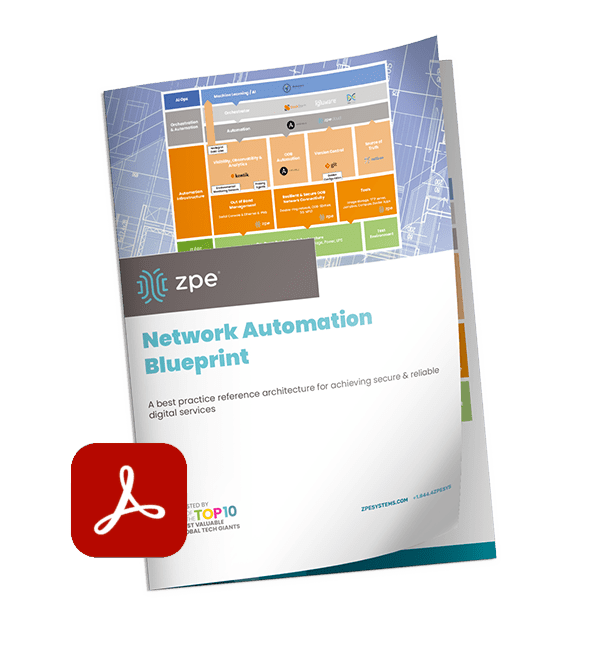
You can close these gaps for good using out-of-band, jump boxes, and tools you already have. After years of working directly with tech giants, we’ve created a best practice reference architecture any company can use to automate their network. This Network Automation Blueprint has been proven by global enterprises to increase capabilities and reduce workloads through trustworthy automation.

How SASE Technology Defends Your Network Edge

SASE technology can offer you defense for your network edge

Secure Access Service Edge, or SASE, is a cloud-based service that combines software-defined wide area networking (SD-WAN) with critical network security technologies like CASB, ZTNA, SWG, and FWaaS. SASE technology connects remote, branch office, and edge computing resources directly to web and cloud services, reducing the load on the main firewall while extending enterprise security policies and controls to protect this traffic. In this article, we’ll dive into the specific technology that SASE uses to defend your network edge.

How SASE technology defends your network edge

SASE protects network edge traffic by rolling up an entire network security technology stack into a single, cloud-delivered service. The key security components of a SASE solution include CASB, ZTNA, SWG, and FWaaS.

CASB

A cloud access security broker, or CASB, is a software service that sits between your main enterprise network and your cloud-based infrastructure. A CASB allows you to extend your enterprise security policies to the traffic flowing between your WAN and the cloud so you can ensure consistent protection. A CASB is actually a collection of multiple security technologies, such as:

  • User and Entity Behavior Analytics (UEBA) – Monitors the behavior of users and devices on the network to detect suspicious activity and enforce security policies.
  • Cloud application discovery – Identifies all cloud applications and services in use by the organization and analyzes relative risk levels.
  • Data Loss Prevention (DLP) – Applies data governance policies to prevent the exfiltration of sensitive and proprietary information.
  • Adaptive access control – Uses session context (e.g., originating location, time, behavior) to determine whether to grant access.
  • Malware detection – Scans traffic between the enterprise and the cloud to detect and block viruses and other malware.

ZTNA

Zero trust network access, or ZTNA, connects remote users and devices to enterprise network resources, similar to a VPN. Unlike a VPN, however, ZTNA creates a direct connection to the specific resources requested by the user, rather than granting full access to the network. This prevents remote users from seeing or interacting with any network resources outside of the specific service they’ve explicitly authenticated to.

ZTNA follows the zero trust motto of “never trust, always verify.” It uses technologies like context and role-based identity verification and two-factor authentication (2FA) to prevent unauthorized access. And, since users need to re-authenticate to every enterprise resource, ZTNA is able to prevent malicious actors from discovering valuable systems and data or moving laterally on the enterprise network.

SWG

A secure web gateway, or SWG, is a service that sits between your enterprise network and the public internet. All web-destined traffic passes through the SWG, where enterprise web filtering and application control policies are applied. Traditionally, an SWG is a hardware device that sits in the data center, which means all remote, branch, and edge traffic needs to be backhauled through a single appliance. As part of a SASE solution, an SWG sits in the cloud instead, so remote traffic doesn’t need to pass through the data center. This improves overall network performance, reduces or eliminates bottlenecks, and ensures consistent application of acceptable use policies and application security controls.

FWaaS

Firewall-as-a-Service, or FWaaS, delivers next-generation firewall technology as a cloud-based service. That means remote and cloud-destined traffic can bypass the firewall in your data center, reducing bottlenecks and performance issues. At the same time, FWaaS provides the same level of security and protection as an NGFW, including features like URL filtering, intrusion detection and prevention, and deep packet inspection (DPI). FWaaS gives SASE solutions the ability to protect remote, edge, and cloud-destined traffic with the same policies and controls as the main enterprise network to ensure consistent security and optimal performance.

SASE technology uses CASB, ZTNA, SWG, and FWaaS to defend your network edge. However, you still need a way to direct remote, branch office, and edge traffic to your SASE security stack. That’s where SD-WAN technology comes in.

Accessing SASE technology with SD-WAN

While it’s possible to use standard WAN architectures to connect to SASE technology, the most reliable and efficient way to access SASE is with SD-WAN. SD-WAN uses software abstraction to create a virtual overlay management network on top of your WAN hardware. This virtual management network enables the use of automation and orchestration to manage the remote network traffic.

In a SASE deployment, SD-WAN uses intelligent routing to separate all remote traffic that’s destined for the cloud. Instead of backhauling this traffic through the enterprise firewall, SD-WAN routes it through the SASE technology stack, significantly reducing the load on your data center infrastructure. This improves network and application performance for your entire enterprise without sacrificing security.

SD-WAN solutions may sit on top of traditional WAN infrastructure, or they may replace that hardware entirely, using SD-WAN routers provided by the vendor. However, rather than investing in specialized vendor hardware, an even better approach is to use vendor-neutral network management devices that can host or integrate with every piece of your SASE and SD-WAN technology stack.

For example, the Nodegrid line of vendor-neutral serial consoles and network edge routers are the perfect on-ramp for your SASE solution. Nodegrid can directly host or integrate with third-party SD-WAN solutions like Palo Alto Networks’ Prisma SD-WAN, or you can use ZPE Cloud’s SD-WAN app. Nodegrid also supports seamless integrations with your choice of SASE provider, giving you a unified, centralized SD-WAN and SASE orchestration platform.

SASE learning center:

★   Understanding Key SASE Components & Benefits
★   SASE Implementation: A Step-by-Step Guide for Businesses
★   The SASE Model: Key Use Cases & Benefits

Want to find out more about accessing SASE technology with Nodegrid SD-WAN?

Contact ZPE Systems today!

Creating the Future of Network Automation

The future of network automation will offer more security and adaptability
The future of network management will focus heavily on automation. While many organizations already employ network automation in some form or another, full implementation still lags far behind other areas of IT such as development and infrastructure (server) management.

The current network automation landscape

Currently, network automation focuses on individual tasks and suffers from several limitations that prevent networking teams from using it effectively.

Automating individual network administration workflows

Typical network automation solutions are designed to solve specific challenges by automating individual tasks or workflows. For example, network automation tools, such as Zero Touch Provisioning (ZTP), allow administrators to automatically deploy new device configurations over the network. Automatic device configurations both speed up the provisioning process and decrease the risk of human error.

ZTP automates one individual workflow to solve a specific problem, but it does not eliminate the need for human intervention. Someone still needs to create the configuration script, monitor for deployment errors, and, if necessary, manually troubleshoot failures and other issues. With any network administration workflow, the more a human gets involved in the process, the higher the chances of mistakes, which increases the risk of an outage. Currently, most network solutions don’t allow for enough automation to remove the human element entirely.

Lagging behind infrastructure and software automation

Thanks in part to the popularity of the DevOps methodology, automation has made great leaps forward in the realms of IT infrastructure management, software development, and software testing. For example, technologies like immutable infrastructure and Infrastructure as Code (IaC) make it possible to automate almost every aspect of deploying, managing, scaling, monitoring, and troubleshooting servers and development environments. However, on the networking side of operations, automation is still lagging behind.

There are a few reasons for this delay. First, network architectures still tend to rely on legacy, hardware-based solutions which may not support software-defined networking, immutable principles, or automation paradigms. Second, there’s a network automation skills gap, which means network engineers and administrators don’t have the training or experience needed to work with software-defined networking code and other automation technologies. And third, many network solutions are still closed ecosystems which makes it difficult or impossible to integrate third-party automation and orchestration tools.

The future of network automation will be focused on reducing human intervention, extending virtualization to legacy devices, bridging the network automation skills gap, and eliminating vendor lock-in.

Looking into the future of network automation

In the future, network automation solutions will need to address the above challenges to keep up with the speed, performance, and reliability required for modern business operations. Creating the future of network automation will involve network hyperautomation, legacy modernization, low-code network automation, and vendor agnostic solutions.

Network hyperautomation

Hyperautomation is the practice of automating all (or most) network management workflows to eliminate human intervention. That means every workflow and process needed to achieve a certain outcome is automated, including error correction and other troubleshooting if a particular step fails. Hyperautomation is only achievable with an orchestration platform, which essentially automates your automation. A network orchestration platform gives you a centralized, big-picture overview of your entire network architecture and every automated workflow. This allows you to monitor your hyperautomation processes and, if necessary, manually intervene to fix problems or update workflows. Hyperautomation significantly reduces manual work, which decreases the chances of human error.

Legacy modernization

Obviously, the easiest way to modernize your infrastructure is to simply replace all your legacy hardware with virtualized, cloud-based solutions, but this is unrealistic for most organizations. It’s much less expensive, time-consuming, and disruptive to slowly upgrade your infrastructure over time, but that means you need a way to integrate automated processes with your legacy hardware. A legacy modernization solution (such as ZPE’s Nodegrid Serial Console R-Series) acts as a bridge between your old network hardware and your modern network automation platform.

These solutions directly connect to both your legacy hardware and your upgraded infrastructure, which allows you to manage both from a unified control panel. They also integrate with modern network orchestration platforms, so you can extend automation technology like software-defined networking and hyperautomation playbooks to your legacy devices. This will make it possible to increase your network automation efforts to stay ahead of evolving business requirements and DevOps initiatives.

Low-code network automation

Network automation typically involves software abstraction, which means turning configurations and workflows into software code. Unfortunately, many network administrators and engineers lack programming experience (beyond CLI scripts), which prevents organizations from moving forward with network automation initiatives.

Low-code network automation seeks to bridge the skills gap by reducing the need for manual coding. Low code solutions hide most of the underlying programming behind GUIs (graphical user interfaces) which administrators use to create and manipulate software-defined networking code and automation playbooks. At the same time, engineers who do have programming experience can still access that underlying code to supplement the capabilities of the GUI for more advanced workflows.

Low-code solutions represent a way into the future of network automation for organizations that currently suffer from a lack of resources and expertise. This future is made possible thanks to low code network automation pioneers like Gluware and Anuta ATOM.

Vendor-agnostic solutions

The future of network automation is vendor agnostic (also known as vendor neutral). Current network solutions with closed ecosystems provide some built-in automation capabilities but make it difficult to integrate third-party automation scripts, low code tools, and orchestration platforms. A vendor-agnostic network solution includes open hardware, Linux-based operating systems, and an orchestration platform that supports integrations with your choice of third-party tools and software. Vendor-agnostic solutions make it possible to automate and orchestrate your entire network from one centralized control panel without any gaps in coverage.

Vendor-agnostic platforms also give you the freedom to adopt new network automation solutions without needing to purchase additional proprietary hardware to host them. For instance, AIOps is an emerging technology which uses advanced artificial intelligence algorithms to detect, prevent, and even predict new cybersecurity threats. This network automation technology is better at identifying novel malware and advanced persistent threats than traditional intrusion prevention systems because AI is able to extrapolate and predict new risks based on past data, even if it hasn’t seen that particular attack method before. A vendor-agnostic network platform can host or integrate with third-party AIOps solutions and other cutting edge technology so your organization can stay ahead of the curve.

Creating the future of network automation with ZPE Systems

In the future, network automation will evolve into hyperautomation, legacy devices will be brought under the same management umbrella as modern solutions, low code automation will bridge the skills gap, and vendor-agnostic platforms will make it possible to automate and orchestrate an entire network architecture from one centralized control panel. Luckily, you can create this future now with the help of ZPE Systems.

ZPE’s Nodegrid is a holistic network orchestration platform that helps you overcome network automation challenges with forward-thinking solutions. ZPE Cloud unifies the management of your entire network architecture behind one pane of glass, so you have a complete overview of and control over all your automation. Nodegrid’s vendor-agnostic hardware and software support seamless integrations with your choice of third-party automation workflows, legacy devices, and low-code tools. With Nodegrid, you can accelerate your network automation efforts now and stay ahead of future automation trends.

Network automation learning center:

→   Automating Your Network Operations Does Not Have to Be Difficult
→   Network Automation Best Practices to Implement in 2022
→   The Importance of NetDevOps Automation for Modern Networks

Want to know more about how Nodegrid can create the future of network automation?

Contact ZPE Systems today!

Contact ZPE Systems

Data Center Management Best Practices for NetDevOps Transformation

data center management best practices

The goal of NetDevOps is to take the collaborative, highly efficient processes that work so well in DevOps environments and apply them to networking workflows. The result is a fast, tightly integrated pipeline that delivers high-performance software and services. One of the keys to successful NetDevOps transformation is efficient management of data center and colocation infrastructure, using technologies like Infrastructure as Code (IaC), automation, orchestration, and environmental monitoring. Let’s discuss how these data center management best practices contribute to NetDevOps.

Data center management best practices for NetDevOps transformation

These best practices will help you manage your data center infrastructure more efficiently, and they enable the application of DevOps principles and practices.

Infrastructure as Code/Network as Code

Often, one of the biggest bottlenecks in a software development pipeline is resource provisioning. Spinning up new VMs or nodes with manual configurations is time-consuming, leaving developers sitting around waiting for new environments before they can begin working. Infrastructure as Code, or IaC, aims to streamline the provisioning process by turning all infrastructure configurations into software code. IaC configurations are stored in a centralized repository and can be deployed over and over again, which saves time and ensures consistent configurations across systems—like development, test, and production environments.

Network as Code uses the same technology to manage network device configurations, such as routers and switches. Probably the most commonly used Network as Code technology is zero touch provisioning (ZTP), which deploys device configuration files over the network and executes them automatically. This enables efficient and remote deployments and updates of large-scale and hyperscale data center networks.

Turning data center configurations into software code makes it easier to integrate these workflows into a DevOps pipeline. It also ensures that networking and operations teams can provision new infrastructure at the velocity needed for fast-paced DevOps release cycles.  

Vendor-neutral automation

Automation is one of the foundational principles of NetDevOps because it speeds up processes while reducing the risk of human error. In the data center, automation tools and scripts are used for device configurations, network and power load balancing, system backups, vulnerability scanning, and more. The challenge is in ensuring all these automated components are compatible with your data center infrastructure, especially in multi-vendor, hybrid, and hyperscale environments.

That’s why vendor-neutrality is a major data center management best practice. Using vendor-neutral hardware will make it easier to deploy your choice of automation tools without modifying your scripts for each device. Even better, a vendor-neutral DCIM (data center infrastructure management) solution provides a unified interface from which to create and deploy automation tools while being able to dig its hooks into every component of your data center infrastructure.

Orchestration

Even in a vendor-neutral environment, keeping track of all your automation workflows can be challenging. Data center orchestration is sometimes defined as “automating your automation,” because it reduces the need for administrators to manually execute automated scripts and workflows. This makes automation even more efficient and reduces the workload for administrators, giving them more time to work on new technology initiatives that bring more business value.

Orchestration solutions can also react to situations in real-time, often much faster than human beings are capable of. For example, DCIM orchestration can monitor for usage spikes and perform automatic load balancing before a network administrator has even had time to read the alert message. Data center orchestration makes it easier to maintain optimal performance and respond to changing network conditions.

Environmental monitoring

The environmental conditions in a data center can have a huge impact on the performance and lifetime of your equipment. However, if your infrastructure is housed in remote colocation facilities, you may not have staff on-site to physically monitor things like temperature, humidity, and air quality. Data center environmental risks can cause system shutdowns, performance issues, and equipment failure, so you need a virtual presence to detect and mitigate these threats.

Environmental monitoring systems use sensors to collect data on temperature, humidity, power, airflow, and other important conditions in the rack. Administrators receive automatic alerts when conditions exceed optimal levels, so they can act quickly to remediate the problem. In addition, some systems include analytics and automated playbooks that make it even easier to optimize data center performance. Environmental monitoring ensures that administrators can keep data center infrastructure performing optimally to support NetDevOps pipelines and services.

How Nodegrid empowers data center management best practices

The Nodegrid DCIM orchestration solution delivers everything you need to follow data center management best practices and achieve NetDevOps transformation. Nodegrid’s vendor-neutral hardware and software can directly host your choice of Infrastructure as Code and Network as Code scripts and supports integrations with any third-party automation solution. ZPE Cloud provides centralized DCIM orchestration that unifies all your automation behind one pane of glass, with the ability to “say yes” to any vendor’s hardware. Plus, with Nodegrid’s cloud-managed environmental sensors, you can keep your infrastructure running at peak efficiency to power your NetDevOps transformation.

Learn more about data center management:

→   Top Data Center Infrastructure Management (DCIM) Trends of 2022
→   Data Center Modernization Strategy: How to Streamline Your Legacy Environment
→   Why Choose Nodegrid as Your Data Center Orchestration Tool

Want to find out more about how Nodegrid can help you with these data center management best practices?

Contact ZPE Systems today!

Contact Us