Providing Out-of-Band Connectivity to Mission-Critical IT Resources

Best Network Performance Monitoring Tools

Best Network Performance Monitoring Tools
Network performance monitoring tools provide visibility into the health and efficiency of networks and their underlying infrastructure of devices and software. Some platforms focus entirely on collecting and analyzing logs from various sources on the network, while others provide additional management capabilities that let you control, change, and troubleshoot network infrastructure. Choosing the right solution requires a thoughtful consideration of factors such as the cost, scalability, and interoperability of the software, as well as your team’s experience and abilities. This guide compares three of the best network performance monitoring tools by analyzing these critical factors before providing advice on the most scalable and cost-effective way to deploy your solutions.

Comparing best network performance monitoring tools

Platform

Key Features

SolarWinds Network Performance Monitor (NPM)

  • Network device, performance, and fault monitoring

  • Deep packet inspection and analysis

  • LAN and WAN monitoring

  • Automatic network discovery, mapping, and monitoring

  • Network availability monitoring

  • Network diagnostics

  • Network path analysis

  • Network performance testing

  • SNMP monitoring

  • Wi-Fi analysis

Kentik

  • Network telemetry dashboards

  • Multi-vendor network monitoring

  • Cloud, edge, and hybrid cloud monitoring

  • SaaS application performance & uptime monitoring

  • Intelligent automated alerts

  • SNMP, traffic flow, VPC, host agent, and synthetic monitoring

  • Multi-cloud performance monitoring

  • Kubernetes workload monitoring

  • SD-WAN monitoring

  • Network security monitoring

  • Network map visualizations

  • QoE monitoring

ThousandEyes

  • Network availability and performance testing

  • WAN performance monitoring

  • Cisco SD-WAN monitoring and optimization

  • Browser session monitoring

  • Network path visibility

  • User Wi-Fi connectivity monitoring

  • VPN mapping and monitoring

  • Cross-layer data visualizations

Disclaimer: This comparison was written by a 3rd party in collaboration with ZPE Systems using data gathered from publicly available data sheets and admin guides, as of 10/20/2023. Please email us if you have corrections or edits, or want to review additional attributes: Matrix@zpesystems.com

SolarWinds Network Performance Monitor (NPM)

The Network Performance Monitor (NPM) is part of the SolarWinds Orion platform of integrated products. This mature and richly featured monitoring software is delivered as a cloud-based service and can observe SaaS (software as a service), cloud, hybrid cloud, and on-premises infrastructure. With advanced features like deep packet inspection (DPI), WAN optimization monitoring, automatic network mapping, and automated diagnostic tools, SolarWinds NPM is meant to be a complete, enterprise-grade observability solution. As part of the Orion platform, it’s also extensible with other products from the SolarWinds ecosystem, such as a Network Configuration Manager. As an enterprise solution, SolarWinds NPM comes with a high price tag that grows even larger as additional monitoring agents are added, limiting the scalability. Another important factor to consider is that SolarWinds recently suffered a high-profile hack that compromised thousands of customers, so there are security risks involved in trusting the Orion supply chain. Additionally, despite a large library of integrations, SolarWinds is a closed ecosystem that doesn’t work well with 3rd-party tools or custom scripts.​

Pros

Cons

  • Supports SaaS, cloud, and on-premises networks
  • Includes advanced monitoring features like DPI
  • Part of a large ecosystem of observability and management solutions
  • Pricing is expensive and limits scalability
  • Recently suffered a high-profile breach that impacted thousands of customers
  • Closed ecosystem may not support your 3rd-party tools

Kentik

Kentik is an end-to-end network observability platform for cloud, multi-cloud, hybrid cloud, SaaS, and data center infrastructure. In addition to network performance monitoring, the platform includes monitoring solutions for SaaS application performance and SD-WAN performance. Other observability features include SaaS uptime monitoring, AI-driven insights and alerts, network security monitoring, and QoE (Quality of Experience) monitoring. Kentik also recently launched a Kubernetes network monitoring solution called Kentik Kube that provides end-to-end cluster visibility. Overall, Kentik is a powerful network observability platform that includes many of its most innovative features in its “Essentials” and “Pro” pricing packages, providing a lot of bang for your buck. The downside is that you can’t subscribe to features individually and must purchase a whole package, meaning you could end up paying for features you don’t need. Because Kentik is not a large vendor, its customer service may be slow to respond in some cases. Additionally, although Kentik does have a large library of integrations, it is not a vendor-neutral platform.

Pros

Cons

  • Supports cloud, multi-cloud, hybrid cloud, SaaS, and data center infrastructure
  • Includes many advanced features and solutions at no additional cost
  • Provides AI-driven network insights and intelligent alerts
  • Products aren’t available a la carte
  • Customer service and technical support can be slow to respond
  • Isn’t entirely vendor-neutral

ThousandEyes

ThousandEyes is a digital experience monitoring platform primarily focused on network and application synthetic testing, end-user performance monitoring, and ISP Internet monitoring for SaaS, cloud, and on-premises networks. Additionally, ThousandEyes is part of the Cisco family and can be used to monitor and optimize Cisco SD-WAN architectures. Across its family of observability products, ThousandEyes includes features like wireless network visibility, SaaS performance visualizations, cloud application outage detection, and SD-WAN performance forecasting. The major advantage of the ThousandEyes platform is that it provides true end-to-end visibility of the entire service delivery chain, including end-user device performance and third-party provider availability. One downside is the endpoint agent-based monitoring solution requires on-premises VMs to run, which can be cumbersome to maintain and limits scalability. The pricing is expensive compared to similar solutions, and you may have to combine products to get all the features you need. Additionally, ThousandEyes is not a vendor-neutral platform and has a relatively small library of integrations.

Pros

Cons

  • Supports SaaS, cloud, and on-premises networks
  • Works with Cisco DNA software for SD-WAN monitoring
  • Provides end-to-end visibility of the entire service delivery chain
  • Agent-based monitoring requires on-premises VMs, limiting scalability
  • Pricing is expensive compared to similar solutions
  • Limited integrations, preventing interoperability

Conclusion

Each of the solutions on this list has advantages that make it well-suited to certain environments, as well as limitations to consider. Solarwinds NPM is part of a large ecosystem of observability and management solutions that includes advanced features like DPI, but it’s suffering from a major security incident and has a closed ecosystem. Kentik packs a lot of innovative, AI-driven monitoring capabilities into its platform offerings, but its pricing tiers are inflexible, and it doesn’t have the large, enterprise-grade support team of its larger competitors. ThousandEyes provides end-to-end visibility of the entire service delivery chain and works seamlessly with Cisco DNA software, but it has a steep learning curve and a limited library of integrations.

How to run the best network performance monitoring tools

Most network performance monitoring tools – even cloud-based SaaS offerings – communicate with endpoint agents using software deployed on VMs (virtual machines) running on-premises in each business location. Running these VMs on fully provisioned servers or PCs is expensive, but deploying them on NUCs is highly insecure, especially as organizations scale out with distributed branches and edge computing sites. What’s needed is a consolidated hardware solution that combines critical branch, edge, and data center networking functionality with vendor-neutral VM and application hosting, such as the Nodegrid platform from ZPE Systems. Nodegrid’s serial switches and network edge routers run the open, Linux-based Nodegrid OS, which can host your choice of third-party software – including Docker containers – for network performance monitoring, SD-WAN, security, automation, and more. Nodegrid’s versatile, modular hardware solutions also provide out-of-band (OOB) management access to critical remote infrastructure and monitoring solutions, giving teams a lifeline to recover from outages and ransomware attacks. Nodegrid uses innovative, enterprise-grade security features like Secure Boot, self-encrypted disk, and two-factor authentication (2FA), and its onboard software is frequently patched for vulnerabilities to defend against a breach. Deploying Nodegrid at each business site consolidates your network to reduce hardware overhead, streamlining management and enabling easy scalability.

Deploy the best network performance monitoring tools with Nodegrid

Reach out to ZPE Systems to see a demo of how the best network performance monitoring tools run on the Nodegrid platform.
Contact Us

OOB Network Management Software Tools

ZPE – Comparison-2(1)

Network management software tools enable administrators to provision, monitor, and maintain networks and network infrastructure without manually touching each individual device or service. We’ve previously covered the best network management software for both cloud-based and hardware-based networks. This post dives deeper into the hardware-based network management tools deployed in on-premises or private cloud environments via serial consoles (a.k.a. console servers, serial console servers, serial console routers, or serial switches).

These network management software tools provide out-of-band (OOB) management access to connected network infrastructure in data centers and remote sites. Serial consoles directly interface with network systems and devices, creating an isolated management network that doesn’t depend on the production LAN, WAN, or ISP. OOB management ensures continuous remote access even during major outages, so teams can troubleshoot and recover branch offices, edge computing sites, and other remote environments without costly truck rolls or managed service support. OOB console servers also unify management of all connected infrastructure, giving administrators a single platform to monitor, control, and automate the entire distributed network architecture.

Looking for a new out-of-band network management device? Read our guide:

Comparing the Best Out-of-Band Management Devices

We compare offerings from the four best OOB network management software tool providers and discuss the features, advantages, and disadvantages of each to help network teams make the best choice for their environment.

The best OOB network management software tools

Platform

Key Features

ZPE Systems Nodegrid Manager/ZPE Cloud

  • 5G/4G LTE, Wi-Fi, POTS, or fiber OOB and failover support

  • On-premises or cloud-based software options

  • Robust hardware and software security including 2FA and SAML 2.0

  • x86 CPU and Linux-based Nodegrid OS support Guest OS and Docker containers

  • Vendor-neutral software integrates with third-party tools like Ansible, Chef, Python, and Ruby

  • Extends ZTP and other automation to legacy and mixed-vendor infrastructure

  • OOB support over IPMI, ILO, DRAC, CIMC, vSerial, and KVM

  • Device auto-discovery via network scan and custom probes

  • Power management integrated with serial session

  • Supports full range of environmental monitoring sensors

Vertiv Avocent DSView

  • 4G LTE OOB and failover support

  • HTML5 KVM and Serial viewers

  • Telnet/PuTTY serial interfaces

  • Session log, report, and archive

  • Data Center Zone definitions

  • ZTP, SOAP API, Python, Perl, PDU, and UPS automation

  • Schedule and on-demand firmware management

  • Web secure 2048 SSL certificate

  • Two-factor authentication (2FA)

PerleVIEW

  • 4G LTE, Wi-Fi, POTS, or fiber OOB and failover support

  • Health monitoring and event handling

  • Integrates with SNMP NMS

  • Automated device discovery

  • Device CLI scripting

  • Configuration backup, firmware, and change management

  • Single sign-on for in-band connections

  • Device PING tool

  • Audit trail log

Opengear Lighthouse

  • 4G LTE or fiber for OOB and failover

  •  x86 processor can run Guest OSes and automation

  • Supports over 100 power vendors’ equipment

  •  Automatic port discovery

  • Lighthouse playbooks for streamlined automation

  • Integrated SAML and AAA authentication

  • Opengear NetOps modules support Bash, Docker, Pearl, Python, and Ruby

  • SSH direct to consoles

  • Keystroke logging 

Disclaimer: This comparison was written by a 3rd party in collaboration with ZPE Systems using data gathered from publicly available data sheets and admin guides, as of 10/13/2023. Please email us if you have corrections or edits, or want to review additional attributes: Matrix@zpesystems.com

ZPE Systems Nodegrid Manager/ZPE Cloud

ZPE Systems offers two network management software tools based on their Nodegrid line of serial consoles and integrated edge routers. Nodegrid Manager is on-premises software, and ZPE Cloud is a cloud-based tool, but both provide out-of-band management access to on-premises infrastructure in data centers, branches, private clouds, and other remote sites. Nodegrid hardware offers a variety of connectivity options for OOB, failover, and WAN, including Wi-Fi and 5G. Nodegrid also supports a full range of environmental monitoring sensors for greater control over conditions in remote deployments.

Nodegrid solutions are protected by robust hardware and software security features, including UEFI Secure Boot, an embedded firewall with selectable cryptographic protocols, and 2FA and SAML 2.0 authentication. The x86 CPU architecture and Linux-based OS support Guest OSes and Docker containers, so Nodegrid boxes can directly host third-party software for security, automation, orchestration. Both Nodegrid Manager and ZPE Cloud are also completely vendor-neutral, supporting third-party automation scripts and tools including RedHat Ansible, Chef, Python, Ruby, and more. Nodegrid can even extend ZTP and other automation to legacy infrastructure that otherwise wouldn’t support it.

Nodegrid’s open platform essentially makes it a customizable network management multi-tool that’s capable of consolidating many different software solutions and network services. The primary limitation to this vendor-neutrality is that some other providers may require the purchase of additional licenses to run their tools on the Nodegrid platform.

For a real-world example of Nodegrid’s ability to streamline network management, read our case study, Vapor IO: Re-architecting the Internet.
.

Pros

Cons

  • 5G/4G LTE, Wi-Fi, POTS, or fiber OOB and failover support

  • On-premises or cloud-based software options

  • Robust hardware and software security including 2FA and SAML 2.0

  • x86 CPU and Linux-based OS support Guest OS and Docker containers

  • Vendor-neutral software integrates with third-party tools like Ansible, Chef, Python, and Ruby

  • Extends ZTP and other automation to legacy and mixed-vendor infrastructure 

  • Other vendors may require additional licenses to run VNFs and other tools on Nodegrid

Vertiv Avocent DSView

The DSViewTM network management software works with Vertiv Avocent out-of-band serial consoles, the ACS 800 and ACS 8000, which use 4G LTE cellular for out-of-band management and failover. Like the other options on this list, DSView consolidates the management of connected network infrastructure in a single web-based platform. In addition to serial port control, this software also provides keyboard/video/mouse (KVM) and MIB-based (Management Information Base) controls. It also supports environmental monitoring via sensors, but ACS8000 serial console servers only come with one sensor port – and the ACS800 doesn’t have one at all.

DSView management software includes automation support for Zero Touch Provisioning (ZTP), SOAP API, Python, and Perl scripts, and automated PDU (power distribution unit) and UPS (uninterruptible power supply) management. It also provides console event logging and notifications, such as “dying gasp” alarms when systems unexpectedly lose power. However, the software is not extensible with third-party automation or orchestration integrations, and the ACS800 and ACS8000 serial console hardware solutions run on an ARM CPU architecture that can’t support VMs or Docker.
.

Pros

Cons

  • 4G LTE OOB and failover support
  • Environmental monitoring sensor support
  • ZTP, SOAP API, Python, Perl, PDU, and UPS automation
  • Serial, KVM, and MIB-based controls
  • FIPS 410-2 cryptography and 2FA security
  • No support for third-party automation or orchestration
  • Doesn’t run VMs or Docker containers
  • Serial console lacks an embedded firewall

PerleVIEW

PerleVIEW network management software tools are based on Perle’s IOLAN SCG & SCR OOB console servers. The platform includes automated device discovery, automatic event handling, device scripting, ZTP, and collection of device statistics and health statuses. Perle focuses on meeting the FCAPS network management framework created by the International Organization for Standardization (ISO). FCAPS standards for Fault management, Configuration, Administration, Performance management, and Security management, and PerleVIEW’s features target each of these areas. For example, fault management is streamlined through automated event handling with customizable alerts and SNMP probes.

However, the software does not support any third-party integrations, limiting its automation and security capabilities. Aside from automated device discovery and event handling, PerleVIEW doesn’t offer any automation for end devices. It also doesn’t support two-factor authentication (2FA), and only supports single sign-on (SSO) for in-band connections.
.

Pros

Cons

  • 4G LTE, Wi-Fi, POTS, or fiber OOB and failover support
  • Automated device discovery, event handling, health and device log collection, and device scripting
  • Integrates with SNMP NMS (network management station)
  • Single sign-on for in-band connections only
  • Follows FCAPS standards
  • No support for third-party automation or orchestration
  • Doesn’t run VMs or Docker containers
  • Lacks support for environmental monitoring sensors

Opengear Lighthouse

Lighthouse is a network management platform that works with Opengear console servers, such as the OM2200 Operations Manager and the CM8100. The base version of Lighthouse provides out-of-band management access, integrated SAML and AAA authentication, and integrations with third-party notification and alert systems. Lighthouse supports over 100 power vendors’ equipment to streamline PDU and UPS management, and the x86 processor can run Guest OSes and automation.

With additional licenses, Lighthouse software is extensible with Opengear NetOps modules that provide greater automation capabilities with support for Bash, Docker, Pearl, Python, and Ruby. The upgraded Automation edition also includes ZTP for end devices and RESTful APIs. Beyond that, however, automation and orchestration abilities are limited because Lighthouse isn’t vendor-neutral, and Opengear has a limited ecosystem of integrations.
.

Pros

Cons

  • 4G LTE or fiber for OOB and failover
  • Integrated SAML and AAA authentication
  • Supports over 100 power vendors’ equipment
  • x86 processor can run Guest OSes and automation
  • Opengear NetOps modules and ZTP available for automation
  • Only upgraded Automation edition supports ZTP for end devices
  • NetOps modules require additional licenses
  • Limited integration ecosystem

Key takeaways

All four options on this list provide out-of-band (OOB) access to remote network infrastructure, giving teams a lifeline in case of production failures or outages. Vertiv Avocent’s DSView software provides some automation capabilities and environmental monitoring, but doesn’t support third-party automation, VMs, or Docker containers. PerleVIEW focuses on meeting FCAPS network management standards but has very limited automation and security capabilities. Opengear Lighthouse is extensible with NetOps modules and other automation features, but they require additional licenses or fees, and you’re limited to Opengear’s ecosystem of integrations.

ZPE Systems offers Nodegrid Manager as an on-premises application or ZPE Cloud as a cloud-based tool. Both options use vendor-neutral hardware and software to create an open platform you can customize with your favorite third-party apps and integrations. ZPE’s OOB network management software tools enable end-to-end automation over a highly secure and reliable out-of-band control plane for a more resilient network infrastructure.


Deploy the best OOB network management software tools with ZPE Systems

Reach out to ZPE to learn how to build a resilient network with Nodegrid OOB network management software tools. Contact Us

ISP Network Architecture

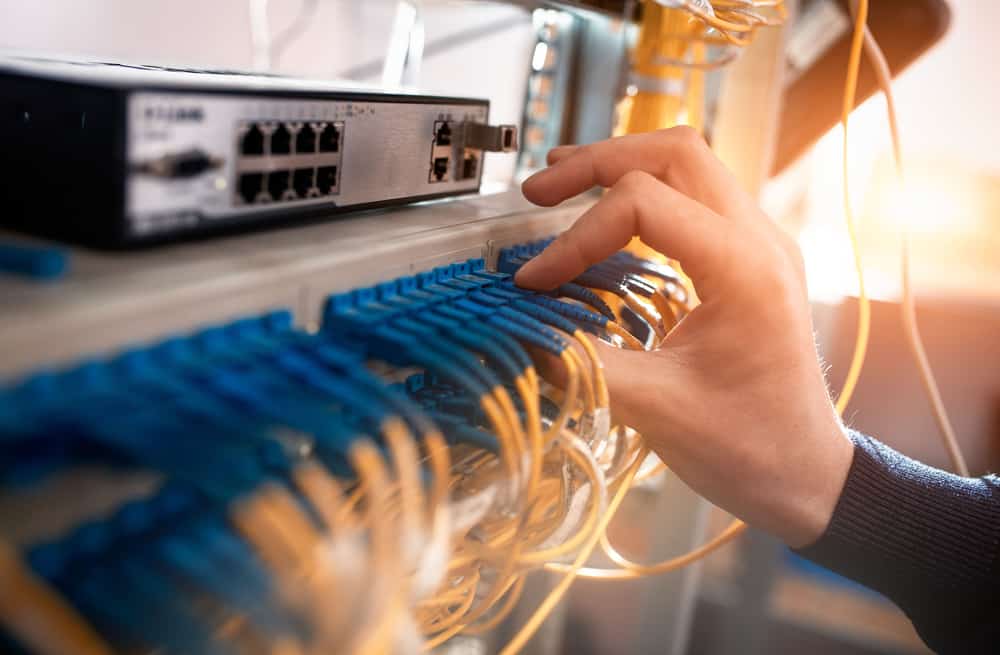
An engineer installs fiber optic patch cables at a customer site that’s part of an ISP network architecture.
Internet service providers (ISPs) are the backbone of modern society, responsible for connecting businesses, services, and people to the Internet and to each other. ISP networks are vast, distributed, and complex, making them challenging to manage effectively. However, failing to do so has major consequences. For example, in July of 2022, Rogers Communications in Canada suffered a network system failure after a maintenance update, causing an outage that lasted more than 15 hours and took down emergency services and other critical infrastructure.

An ISP network architecture must be designed for resilience to prevent major incidents from occurring that affect consumers, communities, and the provider’s reputation. But significant challenges stand in the way, including a reliance on legacy infrastructure, and an inability to troubleshoot and recover failed gear remotely. This post discusses why these challenges exist and what ISPs can do to overcome them.

ISP network architecture challenges

Many ISP networks lack resilience because providers are failing to adapt to a rapidly changing landscape. With networks growing larger and more complex every day, new technologies like AI (artificial intelligence) and software-defined networking are needed to manage infrastructure efficiently and deliver innovative services. Additionally, providers get stuck in a break-fix cycle that leaves teams struggling to maintain service level agreements or focus on innovation. Let’s look at the causes of these challenges and discuss how to build more resilient ISP network architectures.

Legacy infrastructure creates technical debt and hampers growth

The challenge:

The solution:

Reliance on legacy systems creates technical debt and prevents ISPs from implementing new technologies

Vendor-neutral platforms like Gen 3 serial consoles extend automation, software-defined networking, and other advanced technologies to legacy infrastructure until it can be replaced.

Internet service providers often have a network architecture that’s a mix of new and legacy infrastructure. However, engineers with the experience to support older solutions are no longer working in the field, either because they’ve been promoted to leadership positions or retired. When legacy hardware fails, inexperienced engineers need time to overcome this skills gap, and ISPs may even need to bring in consultants. This increases the cost of failures, creating what’s known as “technical debt” – when a solution is more expensive to support than the value it brings to the organization.

In addition, ISPs can improve network resilience and provide better service to customers, by adopting new technologies like AI, 5G, software-defined networking (SDN), and Network as a Service (NaaS). But legacy hardware hampers the ability to adopt these technologies. For example, NaaS abstracts the need for MPLS circuits and customer-premises gear, making architectures more cost-effective and improving the customer experience. NaaS brings SDN concepts like programmable networking and API-based operations to WAN & LAN services, hybrid cloud, Private Network Interconnect, and internet exchange points. It optimizes resource allocation by considering network and computing resources as a unified whole and attempts to automate as much as possible. The trouble is, ISPs struggle to implement NaaS and other beneficial new technologies because their legacy hardware simply can’t support it.

Solution: Legacy modernization with a vendor-neutral platform

The ideal solution is to replace legacy infrastructure with modern hardware and software that supports the latest technologies. But for many ISPs, an overhaul like this is too costly and intensive. The next-best option is to bridge the gap with a vendor-neutral network modernization platform that extends automation, AI, and 5G connectivity to otherwise unsupported systems.

For example, serial consoles (also known as terminal servers, console servers, and serial console switches) provide remote management access to network infrastructure. The newest generation of these devices, known as Gen 3, are vendor-neutral by design so that they can control third-party and legacy hardware. Through a combination of built-in features and integrations, Gen 3 serial consoles can use technology like zero-touch provisioning (ZTP), AIOps, and automated configuration management to control connected hardware that otherwise wouldn’t support it. Some solutions, such as the Nodegrid platform from ZPE Systems, can even directly host SDN and NaaS software from other vendors, so ISPs can start implementing network improvements right away while they gradually replace their outdated infrastructure.

Physical infrastructure is difficult to manage and troubleshoot remotely

The challenge:

The solution:

ISP network admins can’t respond to changing environmental conditions or recover failed hardware remotely

Environmental monitoring connected to an out-of-band (OOB) management solution ensures continuous remote access on a dedicated, isolated network that enables fast and cost-effective recovery.

ISP network architectures involve a great deal of physical infrastructure, which is often deployed in remote edge sites and customer premises. Even with software- or service-based network solutions, hardware is needed to host that software, and the physical environment for that hardware is often less than ideal. Drastic weather changes, power outages, and other unexpected scenarios can happen without notice and rapidly bring down an ISP network. These events often cut off remote management access as well, making troubleshooting and recovery difficult, time-consuming, and expensive. In fact, supporting this physical infrastructure often consumes so much time and effort that it prevents ISPs from focusing on delivering better services and software to their customers.

Solution: Out-of-band management with environmental monitoring

The first part of the solution involves monitoring the environment that houses remote, physical infrastructure. An environmental monitoring system uses sensors to detect changes in airflow, temperature, humidity, and other conditions that affect the operation of network hardware. These sensors give ISPs a virtual presence in edge deployments and customer sites so they can quickly respond to changing conditions before systems overheat or circuitry corrodes.

The second part involves providing management teams with reliable remote access to physical infrastructure that won’t go down if there’s a production network outage. Out-of-band (OOB) management solutions use serial consoles with dedicated network interfaces used just for management access. This creates a parallel, out-of-band network that’s completely isolated from production network services and infrastructure. Additionally, many serial consoles use cellular connectivity via 4G or 5G to OOB access, providing a wireless lifeline to connect, troubleshoot, and restore remote infrastructure. OOB management allows ISPs to troubleshoot and recover failed hardware remotely, even during total network outages, so they can get services back up and running faster and less expensively.

The environmental monitoring system should run on the OOB network so remote admins can continue to monitor conditions while they recover failed hardware. The out-of-band management solution also needs to be vendor-neutral so ISPs can deploy third-party automation, AI, and NaaS on the OOB network. For example, Nodegrid Gen 3 serial consoles provide OOB, environmental monitoring, and a vendor-neutral platform to host third-party software at the edge. Nodegrid even enables fully automated responses to changing environmental conditions in those edge environments before admins are aware of a problem.

To learn more about building a resilient, automated network infrastructure with Nodegrid, download the Network Automation Blueprint.

Download Now

ISP network architecture resilience with Nodegrid

ISP network architectures must be resilient, meaning service providers must find a way to bridge the gap between legacy and modern systems while ensuring continuous remote access to manage, troubleshoot, and recover hardware at the edge. The Nodegrid ISP network infrastructure solution  from ZPE Systems is a vendor-neutral, Gen 3 platform that delivers legacy modernization, environmental monitoring, out-of-band management, and much more.

Nodegrid delivers ISP network architecture resilience in a single platform

Request a free demo to see Nodegrid ISP network architecture solutions in action.

Watch a Demo

Edge Management and Orchestration

shutterstock_2264235201(1)

Organizations prioritizing digital transformation by adopting IoT (Internet of Things) technologies generate and process an unprecedented amount of data. Traditionally, the systems used to process that data live in a centralized data center or the cloud. However, IoT devices are often deployed around the edges of the enterprise in remote sites like retail stores, manufacturing plants, and oil rigs. Transferring so much data back and forth creates a lot of latency and uses valuable bandwidth. Edge computing solves this problem by moving processing units closer to the sources that generate the data.

IBM estimates there are over 15 billion edge devices already in use. While edge computing has rapidly become a vital component of digital transformation, many organizations focus on individual use cases and lack a cohesive edge computing strategy. According to a recent Gartner report, the result is what’s known as “edge sprawl”: many individual edge computing solutions deployed all over the enterprise without any centralized control or visibility. Organizations with disjointed edge computing deployments are less efficient and more likely to hit roadblocks that stifle digital transformation.

The report provides guidance on building an edge computing strategy to combat sprawl, and the foundation of that strategy is edge management and orchestration (EMO). Below, this post summarizes the key findings from the Gartner report and discusses some of the biggest edge computing challenges before explaining how to solve them with a centralized EMO platform.

Key findings from the Gartner report

Many organizations already use edge computing technology for specific projects and use cases – they have an individual problem to solve, so they deploy an individual solution. Since the stakeholders in these projects usually aren’t architects, they aren’t building their own edge computing machines or writing software for them. Typically, these customers buy pre-assembled solutions or as-a-service offerings that meet their specific needs.

However, a piecemeal approach to edge computing projects leaves organizations with disjointed technologies and processes, contributing to edge sprawl and shadow IT. Teams can’t efficiently manage or secure all the edge computing projects occurring in the enterprise without centralized control and visibility. Gartner urges I&O (infrastructure & operations) leaders to take a more proactive approach by developing a comprehensive edge computing strategy encompassing all use cases and addressing the most common challenges.

Edge computing challenges

Gartner identifies six major edge computing challenges to focus on when developing an edge computing strategy:

Gartner’s 6 edge computing challenges to overcome

Enabling extensibility so edge computing solutions are adaptable to the changing needs of the business.

Extracting value from edge data with business analytics, AIOps, and machine learning training.

Governing edge data to meet storage constraints without losing valuable data in the process.

Supporting edge-native applications using specialized containers and clustering without increasing the technical debt.

Securing the edge when computing nodes are highly distributed in environments without data center security mechanisms.

Edge management and orchestration that supports business resilience requirements and improves operational efficiency.

Let’s discuss these challenges and their solutions in greater depth.

  • Enabling extensibility – Many organizations deploy purpose-built edge computing solutions for their specific use case and can’t adapt when workloads change or grow.  The goal is to attempt to predict future workloads based on planned initiatives and create an edge computing strategy that leaves room for that growth. However, no one can really predict the future, so the strategy should account for unknowns by utilizing common, vendor-neutral technologies that allow for expansion and integration.
  • Extracting value from edge data – The generation of so much IoT and sensor data gives organizations the opportunity to extract additional value in the form of business insights, predictive analysis, and machine learning training. Quickly extracting that value is challenging when most data analysis and AI applications still live in the cloud. To effectively harness edge data, organizations should look for ways to deploy artificial intelligence training and data analytics solutions alongside edge computing units.
  • Governing edge data – Edge computing deployments often have more significant data storage constraints than central data centers, so quickly distinguishing between valuable data and destroyable junk is critical to edge ROIs. With so much data being generated, it’s often challenging to make this determination on the fly, so it’s important to address data governance during the planning process. There are automated data governance solutions that can help, but these must be carefully configured and managed to avoid data loss.
  • Supporting edge-native applications – Edge applications aren’t just data center apps lifted and shifted to the edge; they’re designed for edge computing from the bottom up. Like cloud-native software, edge apps often use containers, but clustering and cluster management are different beasts outside the cloud data center. The goal is to deploy platforms that support edge-native applications without increasing the technical debt, which means they should use familiar container management technologies (like Docker) and interoperate with existing systems (like OT applications and VMs).
  • Securing the edge – Edge deployments are highly distributed in locations that may lack many physical security features in a traditional data center, such as guarded entries and biometric locks, which adds risk and increases the attack surface. Organizations must protect edge computing nodes with a multi-layered defense that includes hardware security (such as TPM), frequent patches, zero-trust policies, strong authentication (e.g., RADIUS and 2FA), and network micro-segmentation.
  • Edge management and orchestration – Moving computing out of the climate-controlled data center creates environmental and power challenges that are difficult to mitigate without an on-site technical staff to monitor and respond. When equipment failure, configuration errors, or breaches take down the network, remote teams struggle to meet resilience requirements to keep business operations running 24/7. The sheer number and distribution area of edge computing units make them challenging to manage efficiently, increasing the likelihood of mistakes, issues, or threat indicators slipping between the cracks. Addressing this challenge requires centralized edge management and orchestration (EMO) with environmental monitoring and out-of-band (OOB) connectivity.

    A centralized EMO platform gives administrators a single-pane-of-glass view of all edge deployments and the supporting infrastructure, streamlining management workflows and serving as the control panel for automation, security, data governance, cluster management, and more. The EMO must integrate with the technologies used to automate edge management workflows, such as zero-touch provisioning (ZTP) and configuration management (e.g., Ansible or Chef), to help improve efficiency while reducing the risk of human error. Integrating environmental sensors will help remote technicians monitor heat, humidity, airflow, and other conditions affecting critical edge equipment’s performance and lifespan. Finally, remote teams need OOB access to edge infrastructure and computing nodes, so the EMO should use out-of-band serial console technology that provides a dedicated network path that doesn’t rely on production resources.

Gartner recommends focusing your edge computing strategy on overcoming the most significant risks, challenges, and roadblocks. An edge management and orchestration (EMO) platform is the backbone of a comprehensive edge computing strategy because it serves as the hub for all the processes, workflows, and solutions used to solve those problems.

Edge management and orchestration (EMO) with Nodegrid

Nodegrid is a vendor-neutral edge management and orchestration (EMO) platform from ZPE Systems. Nodegrid uses Gen 3 out-of-band technology that provides 24/7 remote management access to edge deployments while freely interoperating with third-party applications for automation, security, container management, and more. Nodegrid environmental sensors give teams a complete view of temperature, humidity, airflow, and other factors from anywhere in the world and provide robust logging to support data-driven analytics.

The open, Linux-based Nodegrid OS supports direct hosting of containers and edge-native applications, reducing the hardware overhead at each edge deployment. You can also run your ML training, AIOps, data governance, or data analytics applications from the same box to extract more value from your edge data without contributing to sprawl.

In addition to hardware security features like TPM and geofencing, Nodegrid supports strong authentication like 2FA, integrates with leading zero-trust providers like Okta and PING, and can run third-party next-generation firewall (NGFW) software to streamline deployments further.

The Nodegrid platform brings all the components of your edge computing strategy under one management umbrella and rolls it up with additional core networking and infrastructure management features. Nodegrid consolidates edge deployments and streamlines edge management and orchestration, providing a foundation for a Gartner-approved edge computing strategy.

Want to learn more about how Nodegrid can help you overcome your biggest edge computing challenges?

Contact ZPE Systems for a free demo of the Nodegrid edge management and orchestration platform.

Contact Us

IT Infrastructure Management Challenges

Stop,Falling.,Save,Falling,Economy,Business,Vector,Illustration.

Modern IT infrastructure management is defined by the struggle to keep an increasingly complex architecture of critical business services running 24/7 without interruption. According to a recent report from Siemens, a single hour of unplanned downtime could cost businesses anywhere from $39,000 to $2 million. The ability to maintain continuous business operations and recover from outages with minimal disruption is known as network resilience, and it should be the top priority for any organization. Infrastructure teams face numerous challenges on their path to creating resilience, including management complexity, cybersecurity threats, vendor lock-in, bloated tech stacks, and poorly supported legacy devices. This post analyzes the top 5 IT infrastructure management challenges while providing potential solutions and additional resources.

Table of Contents

The top 5 IT infrastructure management challenges & solutions:

1. Challenge: Increasing complexity

As organizations evolve their capabilities and service offerings with advanced technology like artificial intelligence (AI), the supporting infrastructure grows more complex. For example, microservice applications are extremely agile and allow software teams to deliver advanced, high-performance products very quickly and efficiently. Building and maintaining the containerized environments, network logic, and security architecture to host and support those applications is difficult and prone to human error. A lot of human error occurs during tedious, repetitive tasks like device security configurations. These mistakes are the cause of up to 35% of cybersecurity incidents, so minimizing human error is critical to network resilience.

Solution: Network automation

Tedious IT infrastructure and network management workflows are perfect candidates for automation. For example, zero touch provisioning (ZTP) turns network device configurations into software code, allowing admins to pre-write configuration files that can be tested and verified before deployment. Teams can ship factory-condition devices to remote data centers and branches, where a non-expert plugs the device into power and networking. As soon as the device connects to DHCP, it downloads its ZTP configuration file and automatically configures itself. ZTP significantly reduces human intervention in the deployment process, which minimizes the risk of errors. Devices with accurate security configurations are less likely to contain vulnerabilities. In addition, automating tasks like patch management will further reduce vulnerabilities, improving network resilience.

Back to Top

To learn how ZTP and automated deployments can shrink deployment times, download this Vapor IO case study.

Download Now

2. Challenge: Ransomware

Ransomware attacks on businesses are so frequent that many organizations consider them inevitable, and Gartner calls ransomware the modern disaster. Standard ransomware takes over the network and encrypts all of an organization’s data until the ransom is paid, bringing operations to a screeching halt. Newer attacks, such as the Cl0p MOVEit breach currently affecting Shell and other major energy companies, use randomware tactics to harvest sensitive data for ransom. Ransomware attacks often start with social engineering tactics that are difficult to prevent with security technology alone. Once the network is infected, ransomware is nearly impossible to stop and difficult to recover from without reinfecting backup data and systems. While there are many other types of cybersecurity threats, ransomware’s frequency and business impact make it one of the biggest IT infrastructure management challenges.

Solution: Isolated management infrastructure

Network micro-segmentation, Zero Trust security policies, advanced authentication methods, and other security controls help prevent some attacks and can limit the blast radius of others. However, there’s no way to ensure 100% protection, so organizations should focus instead on building a comprehensive recovery architecture to decrease downtime and reduce the risk of reinfection. This can be done using something called Isolated Management Infrastructure (IMI). An isolated management infrastructure using out-of-band (OOB) serial consoles gives teams a dedicated control plane that’s separate from the production network. This creates an isolated recovery environment where they can rebuild systems, restore data, and perform security validation without the risk of reinfection undoing their efforts. It also takes management interfaces off the production network as mandated by a recent CISA binding directive. An IMI improves resilience by speeding up recovery times so business can resume faster.

Back to Top

For more help building ransomware resilience, download our 3 Steps to Ransomware Recovery whitepaper.

Download Now

3. Challenge: Lack of integration & vendor freedom

Most IT infrastructure is a mix of features and services provided by different vendors, each with its own software and interface used to manage them. Some IT infrastructure management teams compromise on features, security, redundancy, etc., to stay in their vendor’s ecosystem, which makes it difficult to build a custom-fit network. Many teams opt instead to manage each vendor solution separately with little interoperability. This lack of integration makes centralized orchestration especially challenging. A fragmented view of networks and infrastructure makes it difficult to spot systemic issues or signs of compromise. Managing solutions individually is inefficient and tedious, which increases the risk of human error. In fact, organizations wait an average of 205 days to patch systems because they’re afraid an update will break their operations. Vendor lock-in is a significant hurdle on the path to network resilience.

Solution: Vendor-neutral platforms

Flexibility and agility are key here; enterprises need to adopt a network infrastructure that can accommodate their exact needs and adapt when those needs change. Teams also need centralized orchestration of the entire multi-vendor architecture. This requires a vendor-neutral infrastructure management platform that can dig its hooks into any solution on your network. For example, OOB serial consoles running open, Linux-based operating systems offer unified management of mixed-vendor infrastructure. Some solutions can even host third-party software for SASE, NGFWs, and other network and security services. Administrators get a single centralized management platform that provides 360-degree visibility and control, improving security coverage and reducing human error. This OOB platform also creates the isolated management infrastructure described above. The IMI itself is a vendor-neutral platform that allows for safe management, including applying patches and deploying automation. This platform also provides an “undo button” in case mistakes are made. That way, teams don’t need to be afraid of breaking their own systems while applying necessary updates.

Back to Top

4. Challenge: Overwhelming tech stacks

IT managers working with an enterprise network have a massive variety of equipment and software to work with to make their networks function efficiently. These solutions often include, but are not limited to,

  • Servers, switches, and routers
  • Out-of-band management hardware
  • Firewalls and other security solutions
  • Data backup and configuration devices
  • Cellular failover boxes

Each new solution added to the network must be secured, monitored, maintained, and patched. Keeping track of vulnerabilities and patch schedules for so many devices and applications is challenging, but unpatched infrastructure is risky to network security and resilience. All these moving parts are potential points of failure, so keeping them functioning and optimally performing is critical. Still, it’s difficult to be proactive about maintenance with so many disparate solutions to keep track of.

Solution: Consolidated infrastructure

There are three ways to overcome this IT infrastructure management challenge. In the previous section, we discussed how a vendor-neutral platform streamlines the management of multi-vendor devices, which also helps infrastructure teams stay on top of patch schedules and maintenance. Before that, we mentioned automation as a way to reduce complexity, but it also helps reduce maintenance workloads. For example, automated infrastructure monitoring solutions keep track of software versioning information and alert teams when vendors announce vulnerabilities or release patches. Some solutions also employ machine learning and artificial intelligence to analyze monitoring data, predict potential issues, and suggest optimal maintenance schedules. The third method uses converged infrastructure solutions that combine many different functions in a single device or platform. For example, you can deploy an integrated branch router that rolls up network functions, out-of-band management, security, and cellular failover in a single box. Some vendor-neutral solutions let you host third-party software as well, so you can add application delivery, SASE, configuration management, and more.

A 3-pronged approach to simplifying tech stacks
  1. Vendor-neutral management platforms
  2. Automated infrastructure monitoring & maintenance
  3. Converged infrastructure solutions

This three-pronged approach to infrastructure management helps streamline the tech stack to improve network performance and resilience.

Back to Top

5. Challenge: Legacy infrastructure

As providers modernize and upgrade their service offerings, older devices fall out of support. These “legacy devices” are outdated and incapable of integrating with modern software by themselves. As a result, they slow down workflows and inhibit automation efforts. Legacy devices pose significant security risks since the vendor no longer patches new vulnerabilities. Despite their inherent flaws, enterprises insist on using legacy systems, citing staff familiarity, high replacement costs, and potential service disruptions as reasons for keeping them around. For example, 53% of healthcare devices still operate on Windows 7, which Microsoft no longer supports. Unless those devices are updated, they cannot be properly secured.

Solution: Legacy modernization platforms

When replacing legacy devices is impossible, the next best option is to bring them on board your modern IT management platform. For example, some serial consoles use auto-sensing ports to automatically detect legacy devices and integrate them under the same management umbrella as newer systems. A vendor-neutral legacy modernization platform like Nodegrid can even push automation to older devices that otherwise wouldn’t be supported. This reduces the friction created by older infrastructure, so administrators can incorporate them into their automated workflows. Nodegrid also extends security coverage – including modern Zero Trust solutions and automated security monitoring – to legacy devices to ensure there are no gaps. Legacy modernization with the Nodegrid platform improves network resilience without the disruption of an infrastructure upgrade.

Back to Top

Solving IT infrastructure management challenges with ZPE Systems

All the biggest IT infrastructure management challenges revolve around network resilience. Automation, security solutions, vendor-neutral platforms, and legacy modernization help reduce the frequency of outages, but for true resilience, organizations must be able to recover from the outages that do occur and get services up and running as quickly and possible to minimize the impact of downtime on revenue and reputation. An isolated management infrastructure using Gen 3 out-of-band serial consoles provides a dedicated control plane for troubleshooting and recovery operations. For example, using Nodegrid OOB management solutions from ZPE Systems, teams get 24/7 access to remote infrastructure even during network outages and ransomware attacks. This OOB network provides a safe environment to restore and rebuild systems, applications, and data without the risk of reinfection. Nodegrid is a vendor-neutral infrastructure orchestration platform that brings all your mixed-vendor and legacy systems together under a single management umbrella. Nodegrid’s Linux-based OS extends automation and security coverage to outdated equipment to streamline workflows and provide a 360-degree view of the entire architecture.

Need more help to overcome Solving IT infrastructure?

To learn more about how the Nodegrid platform solves your IT infrastructure management challenges, contact ZPE Systems today. Contact Us

Cisco 2900 EOL: Replacement Options

cisco 2900 eol

The Cisco ISR 2900 series of branch routers went EOS (end-of-sale) on the 9th of December 2017, and Cisco concluded support on the 31st of December 2022. In this guide, we’ll compare migration options for the Cisco ISR 2900 EOL models to help you select a solution that supports your business use case, deployment size, and future growth.

Disclaimer: This comparison was written by a third party in collaboration with ZPE Systems using data gathered from publicly available data sheets and admin guides, as of 5/12/2023. Please email us if you have corrections or edits, or want to review additional attributes: Matrix@zpesystems.com


Table of Contents

Cisco ISR 2900 overview

The Cisco ISR 2900 is a line of enterprise gateway routers designed for branch and edge networking. It’s a modular solution that can be expanded with optional Network Interface Modules (NIMs) and Service Modules (SMs) for more functionality. There are two primary use cases for the 2900:

Converged branch networking – The ISR 2900 easily integrates with Cisco’s SD-WAN, SD-Branch, cloud security, and DNA network management software, can be extended with optional modules for added hardware capabilities, and supports NFV (network functions virtualization) for all-in-one branch networking.

Out-of-band (OOB) management – Using serial port modules, the ISR 2900 turns into an out-of-band (OOB) serial console solution that provides remote management access to the control plane of branch infrastructure.

The ISR 2900 is officially EOL as of the 31st of December 2022. The EOL models include all 2901, 2911, 2921, and 2951 ISR product SKUs.

Looking for replacement options for your other Cisco ISR EOL products? Read our guide to Cisco ISR EOL Replacement Options.


Cisco 2900 EOL replacement options

The discontinuation of the Cisco 2900 has left many organizations looking for migration options. Let’s compare two direct replacements from Cisco before discussing alternative options that deliver better branch management capabilities and greater opportunities for automation.

Cisco ISR 1100

Cisco ISR 1100 is a series of enterprise branch routers, though in this comparison we’re only looking at the models that support SD-WAN and thus serve as direct replacements for the discontinued 2900 models. The capabilities of the 1100 series vary, mostly because only some of the models are modular. For example, the fixed form-factor 1100-4G/4G LTE models have cellular functionality but offer fewer networking and security features. Conversely, the 1161X-8P and 112x-8P models are modular and can be extended with optional modules (like cellular for the 1161X or terminal server ports for the 112x-8P).

Even with these expansions, the compact ISR 1100s are best suited for smaller deployments in branch offices or small, provider-managed edge data centers. If your organization uses the ISR 2900 for converged branch networking, the 1100s are the closest Cisco replacement, though it supports OOB serial modules as well.

Cisco Catalyst C8300

The Cisco Catalyst C8300 series is a modular branch and edge networking solution, though due to its large size, it’s sometimes used as a primary on-premises gateway router. There are four models to choose from – two 2RU units with 2 SM and 2 NIM slots, and two 1RU units with 1 SM and 1 NIM slot. Each chassis comes with 6 embedded Layer3 Ethernet ports (1 Gbps and/or 10 Gbps) as well as a console port and USB port. All other port configurations and capabilities come via Cisco expansion modules, including options for 5G/4G cellular.

The Catalyst C8300 is a big, robust solution that’s designed for medium to large deployments such as campuses, colocation sites, and AI/machine learning data centers. The C8300 is primarily a converged branch networking solution like the ISR 1100 series, but it provides OOB management with optional serial cards.

Cisco 2900 replacement option comparison table


Cisco ISR 2900 (EOL)

Cisco ISR 1100

Cisco Catalyst 8300

Nodegrid Net SR

Nodegrid Serial Console Plus

Form Factor

1-2 RU

Desktop-1RU

1-2 RU

1 RU

1 RU

Max IPsec Throughput

Not defined

Up to 18.8 Gbps

Up to 18.8 Gbps

600 Mbps – 1.2 Gbps

600Mbps

Total Onboard WAN or LAN 10/100/1000 Ports

2-3

4-6

4-6

2

2

Total Onboard WAN or LAN 10Gbps Ports

0

0

0-2

2

2

WAN Ports

2-3

0-6

2-6

1+, configurable

0-4

LAN Ports

2-3

0-6

2-6

4-84

0-4

Slots

2-3

0-1

2-4

5

0

Default Memory

512 MB

4 GB

8 GB

8 GB

4 GB

Max Memory

2 GB

8 GB

32 GB

64 GB

16 GB

Compute

UCS-E Card

On-board, Compute card

On-board

OOB Capabilities

Requires Serial Card

Requires Serial Card

Requires Serial Card

Included

Included

Environmental Monitoring

N/A

N/A

N/A

Included

Included

For users looking for a Cisco solution to replace their EOL ISR 2900, the ISR 1100 series and Catalyst C8300 are the closest direct replacements. However, both product lines suffer from a major limitation – they aren’t vendor-neutral.

While Cisco routers integrate with some third-party partners, they do not support custom or third-party applications for automation and orchestration, which limits you to the automation offered by Cisco’s software. This lack of open integrations increases the chances that a Cisco solution won’t be able to hook into all the hardware and software components of a distributed and multi-vendor network architecture.

For example, if you utilize different SD-WAN and next-generation firewall (NGFW) vendors at some of your remote sites, Cisco’s automation may not extend to these devices. That means you’ll need to send out technicians to all remote sites (which could number in the dozens or hundreds) just to set up these services when you otherwise could have deployed them automatically.

Want to learn more about breaking free of locked ecosystems? Read The Benefits of Vendor Agnostic Platforms in Network Management

When network solutions like the Cisco 2900 go EOL, it’s the perfect opportunity to look for alternative options that provide the functionality you need without locking you into an ecosystem or limiting your automation capabilities.

Cisco 2900 direct replacement options from ZPE Systems

ZPE Systems provides a line of vendor-neutral solutions for branch and edge networking called Nodegrid. The Nodegrid Net Services Router (NSR) and Nodegrid Serial Console Plus (NSCP) serve as direct replacements for Cisco 2900 EOL products.

Nodegrid Net Services Router (NSR)

The Nodegrid NSR is a modular branch networking solution that you can customize to increase your terminal server ports, storage space, processing power, or switch ports. The NSR delivers converged branch networking capabilities like SD-WAN, SD-Branch, and NFVs, plus it can host your choice of custom and third-party applications for automation, security, and more.

While the NSR is the perfect converged branch solution to replace the Cisco ISR 2900, it also provides 3rd generation (or Gen 3) OOB management. That means Nodegrid’s OOB network is completely vendor-neutral and can extend automation capabilities to all your legacy and mixed-vendor infrastructure for efficient deployments, management, and orchestration.

Want to see the Nodegrid converged branch networking solution in action? Watch a Demo

Nodegrid Serial Console Plus (NSCP)

The NSCP is a robust, scalable branch networking and out-of-band serial console solution. The NSCP comes in 16-, 32-, 48-, and 96-port models, so you can choose the solution that’s right-sized to your deployment and use case. Plus, you can get built-in 5G/4G LTE and Wi-Fi options for failover and out-of-band.

Like the NSR, the NSCP is also an open platform that can run your choice of software to expand your capabilities and reduce your tech stack. Like the NSR, the NSCP delivers Gen 3 OOB management of all connected infrastructure, enabling true end-to-end automation in data centers, branches, and other remote sites. The NSCP is the perfect replacement for enterprises utilizing the Cisco 2900 for out-of-band management, though it also provides converged branch networking capabilities at any scale.

All Nodegrid devices run the open, Linux-based Nodegrid OS which can host your choice of third-party or custom applications, freeing you from vendor lock-in. You can even integrate infrastructure orchestration tools like Puppet, Chef, and Ansible to extend automation to end devices, regardless of vendor. This is what makes Nodegrid the world’s first Gen 3 branch networking solution.

Want to see how Nodegrid stacks up against Cisco’s replacement options? Click here to download the services routers comparative matrix.

Global support and supply chain

Leaving a trusted ecosystem behind to adopt alternative options can be risky, so it’s important to find a vendor that offers the support you need to make the transition and keep your operations running smoothly. ZPE Systems offers global product support using the “follow the sun” model, which means you get support when you need it, regardless of your timezone. You also won’t have to worry about supply chain issues causing stock shortages – ZPE supplies hyperscalers in 10K+ units per quarter and has great, consistent supply chain control.

Need to replace your Cisco 2900 EOL?

To learn more about replacing your Cisco 2900 EOL solution with the vendor-neutral Nodegrid platform and our shipping in as little as two weeks, contact ZPE Systems today. Contact Us

Cisco 2900 EOL product tables with migration SKUs

Cisco 2900 EOL Model

In Scope Features

Replacement Product (modular form factor)

Cisco ISR 2901

Cisco ISR 2911

Cisco ISR 2921

Cisco ISR 2951

Serial Console Module, Routing, 16 serial ports

ZPE-NSR-816-DAC with 1 x 16 port serial module 1 x ZPE-NSR-16SRL-EXPN

Cisco ISR 2901

Cisco ISR 2911

Cisco ISR 2921

Cisco ISR 2951

Serial Console Module, Routing, 32 serial ports

ZPE-NSR-816-DAC with 2×16 port serial module 2x ZPE-NSR-16SRL-EXPN

Cisco ISR 2901

Cisco ISR 2911

Cisco ISR 2921

Cisco ISR 2951

Serial Console Module, Routing, 48 serial ports

ZPE-NSR-816-DAC with 3×16 port serial module 3x ZPE-NSR-16SRL-EXPN

Cisco ISR 2901

Cisco ISR 2911

Cisco ISR 2921

Cisco ISR 2951

Serial Console Module, Routing, 60 serial ports

ZPE-NSR-816-DAC with 4×16 port serial module 4x ZPE-NSR-16SRL-EXPN

80 serial port option – no Cisco equivalent

Serial Console Module, Routing, 80 serial ports

ZPE-NSR-816-DAC with 5×16 port serial module 5x ZPE-NSR-16SRL-EXPN


Cisco 2900 EOL Model

In Scope Features

Replacement Product (fixed form factor)

Cisco ISR 2901

Cisco ISR 2911

Cisco ISR 2921

Cisco ISR 2951

Serial Console Module, Routing, 16 serial ports

ZPE-NSCP-T16R-STND-DAC

Cisco ISR 2901

Cisco ISR 2911

Cisco ISR 2921

Cisco ISR 2951

Serial Console Module, Routing, 32 serial ports

ZPE-NSCP-T32R-STND-DAC

Cisco ISR 2901

Cisco ISR 2911

Cisco ISR 2921

Cisco ISR 2951

Serial Console Module, Routing, 48 serial ports

ZPE-NSCP-T48R-STND-DAC

96 serial port option – no Cisco equivalent

Serial Console Module, Routing, 96 serial ports

ZPE-NSCP-T96R-STND-DAC

Want to see how Nodegrid compares to other serial console solutions?