Providing Out-of-Band Connectivity to Mission-Critical IT Resources

ISP Network Architecture
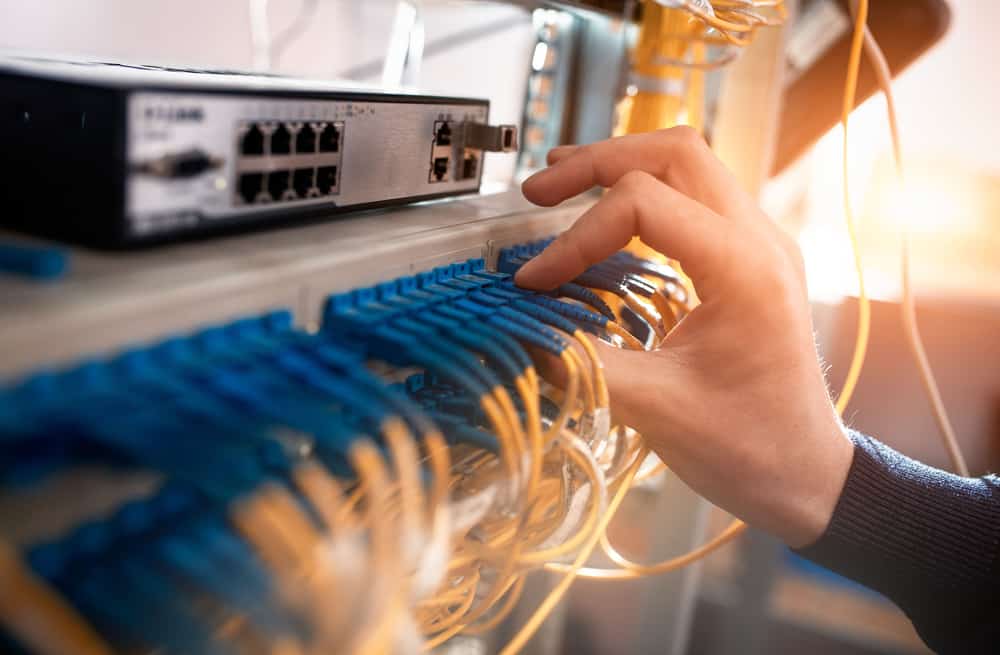
An engineer installs fiber optic patch cables at a customer site that’s part of an ISP network architecture.
Internet service providers (ISPs) are the backbone of modern society, responsible for connecting businesses, services, and people to the Internet and to each other. ISP networks are vast, distributed, and complex, making them challenging to manage effectively. However, failing to do so has major consequences. For example, in July of 2022, Rogers Communications in Canada suffered a network system failure after a maintenance update, causing an outage that lasted more than 15 hours and took down emergency services and other critical infrastructure.

An ISP network architecture must be designed for resilience to prevent major incidents from occurring that affect consumers, communities, and the provider’s reputation. But significant challenges stand in the way, including a reliance on legacy infrastructure, and an inability to troubleshoot and recover failed gear remotely. This post discusses why these challenges exist and what ISPs can do to overcome them.

ISP network architecture challenges

Many ISP networks lack resilience because providers are failing to adapt to a rapidly changing landscape. With networks growing larger and more complex every day, new technologies like AI (artificial intelligence) and software-defined networking are needed to manage infrastructure efficiently and deliver innovative services. Additionally, providers get stuck in a break-fix cycle that leaves teams struggling to maintain service level agreements or focus on innovation. Let’s look at the causes of these challenges and discuss how to build more resilient ISP network architectures.

Legacy infrastructure creates technical debt and hampers growth

The challenge:

The solution:

Reliance on legacy systems creates technical debt and prevents ISPs from implementing new technologies

Vendor-neutral platforms like Gen 3 serial consoles extend automation, software-defined networking, and other advanced technologies to legacy infrastructure until it can be replaced.

Internet service providers often have a network architecture that’s a mix of new and legacy infrastructure. However, engineers with the experience to support older solutions are no longer working in the field, either because they’ve been promoted to leadership positions or retired. When legacy hardware fails, inexperienced engineers need time to overcome this skills gap, and ISPs may even need to bring in consultants. This increases the cost of failures, creating what’s known as “technical debt” – when a solution is more expensive to support than the value it brings to the organization.

In addition, ISPs can improve network resilience and provide better service to customers, by adopting new technologies like AI, 5G, software-defined networking (SDN), and Network as a Service (NaaS). But legacy hardware hampers the ability to adopt these technologies. For example, NaaS abstracts the need for MPLS circuits and customer-premises gear, making architectures more cost-effective and improving the customer experience. NaaS brings SDN concepts like programmable networking and API-based operations to WAN & LAN services, hybrid cloud, Private Network Interconnect, and internet exchange points. It optimizes resource allocation by considering network and computing resources as a unified whole and attempts to automate as much as possible. The trouble is, ISPs struggle to implement NaaS and other beneficial new technologies because their legacy hardware simply can’t support it.

Solution: Legacy modernization with a vendor-neutral platform

The ideal solution is to replace legacy infrastructure with modern hardware and software that supports the latest technologies. But for many ISPs, an overhaul like this is too costly and intensive. The next-best option is to bridge the gap with a vendor-neutral network modernization platform that extends automation, AI, and 5G connectivity to otherwise unsupported systems.

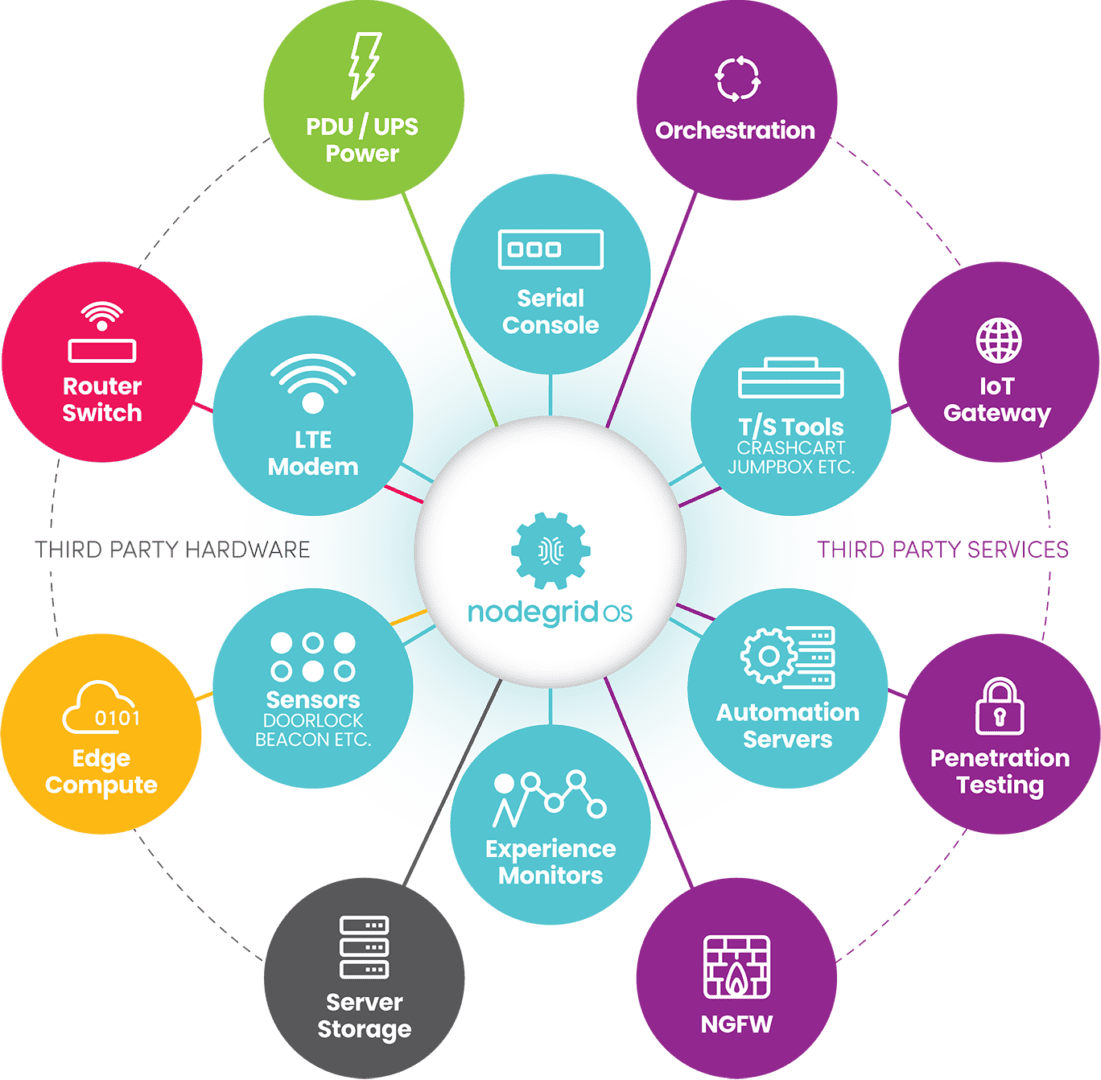
For example, serial consoles (also known as terminal servers, console servers, and serial console switches) provide remote management access to network infrastructure. The newest generation of these devices, known as Gen 3, are vendor-neutral by design so that they can control third-party and legacy hardware. Through a combination of built-in features and integrations, Gen 3 serial consoles can use technology like zero-touch provisioning (ZTP), AIOps, and automated configuration management to control connected hardware that otherwise wouldn’t support it. Some solutions, such as the Nodegrid platform from ZPE Systems, can even directly host SDN and NaaS software from other vendors, so ISPs can start implementing network improvements right away while they gradually replace their outdated infrastructure.

Physical infrastructure is difficult to manage and troubleshoot remotely

The challenge:

The solution:

ISP network admins can’t respond to changing environmental conditions or recover failed hardware remotely

Environmental monitoring connected to an out-of-band (OOB) management solution ensures continuous remote access on a dedicated, isolated network that enables fast and cost-effective recovery.

ISP network architectures involve a great deal of physical infrastructure, which is often deployed in remote edge sites and customer premises. Even with software- or service-based network solutions, hardware is needed to host that software, and the physical environment for that hardware is often less than ideal. Drastic weather changes, power outages, and other unexpected scenarios can happen without notice and rapidly bring down an ISP network. These events often cut off remote management access as well, making troubleshooting and recovery difficult, time-consuming, and expensive. In fact, supporting this physical infrastructure often consumes so much time and effort that it prevents ISPs from focusing on delivering better services and software to their customers.

Solution: Out-of-band management with environmental monitoring

The first part of the solution involves monitoring the environment that houses remote, physical infrastructure. An environmental monitoring system uses sensors to detect changes in airflow, temperature, humidity, and other conditions that affect the operation of network hardware. These sensors give ISPs a virtual presence in edge deployments and customer sites so they can quickly respond to changing conditions before systems overheat or circuitry corrodes.

The second part involves providing management teams with reliable remote access to physical infrastructure that won’t go down if there’s a production network outage. Out-of-band (OOB) management solutions use serial consoles with dedicated network interfaces used just for management access. This creates a parallel, out-of-band network that’s completely isolated from production network services and infrastructure. Additionally, many serial consoles use cellular connectivity via 4G or 5G to OOB access, providing a wireless lifeline to connect, troubleshoot, and restore remote infrastructure. OOB management allows ISPs to troubleshoot and recover failed hardware remotely, even during total network outages, so they can get services back up and running faster and less expensively.

The environmental monitoring system should run on the OOB network so remote admins can continue to monitor conditions while they recover failed hardware. The out-of-band management solution also needs to be vendor-neutral so ISPs can deploy third-party automation, AI, and NaaS on the OOB network. For example, Nodegrid Gen 3 serial consoles provide OOB, environmental monitoring, and a vendor-neutral platform to host third-party software at the edge. Nodegrid even enables fully automated responses to changing environmental conditions in those edge environments before admins are aware of a problem.

To learn more about building a resilient, automated network infrastructure with Nodegrid, download the Network Automation Blueprint.

Download Now

ISP network architecture resilience with Nodegrid

ISP network architectures must be resilient, meaning service providers must find a way to bridge the gap between legacy and modern systems while ensuring continuous remote access to manage, troubleshoot, and recover hardware at the edge. The Nodegrid ISP network infrastructure solution  from ZPE Systems is a vendor-neutral, Gen 3 platform that delivers legacy modernization, environmental monitoring, out-of-band management, and much more.

Nodegrid delivers ISP network architecture resilience in a single platform

Request a free demo to see Nodegrid ISP network architecture solutions in action.
Watch a Demo

Intel NUC Use Cases

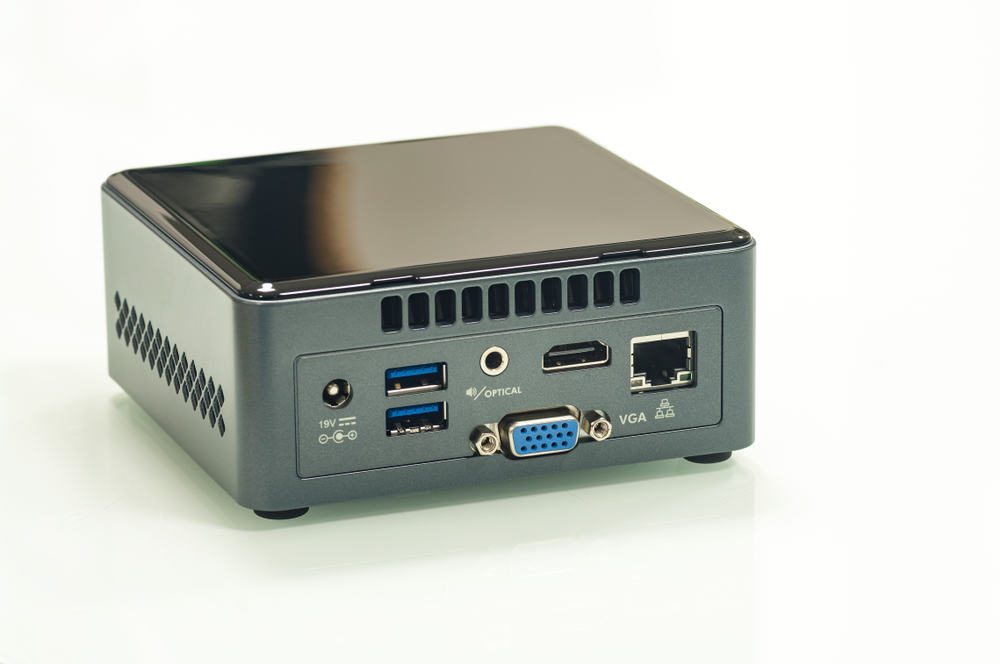
A mini-PC similar to an Intel NUC.

The Intel NUC, or “Next Unit of Computing,” is a small, appliance-like minicomputer that’s widely used across a variety of industries and applications. They’re tiny and relatively inexpensive, so you’ll often find them inside IoT devices and ruggedized cases. They’re also frequently deployed as jump boxes or service delivery appliances. However, Intel NUCs create added security risks, technical debt, and management headaches. Plus, Intel recently announced the discontinuation of all NUC product lines. This post describes some of the most common Intel NUC use cases, explains the security and management issues that caused its discontinuation, and provides superior replacement options.

Table of Contents

  1. Intel NUC use cases
  2. Intel NUC EOL products
  3. Why is Intel EOL-ing the NUC?
  4. Intel NUC replacement options from ZPE Systems
  5. Nodegrid product comparison
  6. Intel NUC replacement SKUs

Intel NUC use cases

While Intel NUCs have a dedicated fanbase among home enthusiasts, they’re primarily used by professional IT teams. Some popular Intel NUC use cases include:

  • Reducing carbon footprints: As investors place more importance on an organization’s environmental, social, and governance (ESG) practices, it becomes necessary to improve sustainability and reduce greenhouse gas emissions. Replacing inefficient PC towers with Intel NUCs can help reduce carbon footprints and improve ESG ratings.
  • Security and surveillance systems: An Intel NUC can run a wide range of security applications for things like entry control and surveillance cameras, eliminating the need for dedicated servers. Some IoT (Internet of Things) security devices have embedded Intel NUCs for greater mobility and efficiency.
  • Application delivery: Some service providers use Intel NUCs as platforms to deploy their software on-site to reduce hardware overhead costs. For example, a provider can install a NUC in their customer’s server room to deliver artificial intelligence (AI) or Software-as-a-Service (SaaS) applications.
  • Jump boxes: Managed Service Providers (MSPs) and Managed Security Service Providers (MSSPs) often deploy Intel NUCs at customer sites to act as “jump boxes” used to remotely access client infrastructure without taking up rack space.
  • Rugged computing: When services are needed out in the field, such as in military or construction applications, a traditional laptop may not be heavy-duty enough to withstand operating conditions. Some organizations solve this problem by running their services on Intel NUCs installed inside rugged cases designed for the environment.
  • Customized appliance computing: For specialized applications requiring a high degree of physical customization, such as law enforcement surveillance systems, an Intel NUC is often used because it’s small enough to fit nearly any case.

Intel NUC EOL products

Intel recently announced it’s discontinuing all NUC products, with specific dates for end-of-sale, end-of-support, and end-of-security-support varying by product. ASUS agreed to take over manufacturing and support of NUC product lines, but it’s unclear what the transition will look like or how ASUS will develop the NUC in the future.

Click here to view a list of all Intel NUC end-of-life SKUs as well as direct replacement options.

Why is Intel EOL-ing the NUC?

Despite all the exciting enterprise use cases listed above, the Intel NUC was never intended to be used as an appliance. It has numerous security and management limitations that make it challenging for Intel (and ASUS, in the future) to support the NUC for enterprise applications, including:

  • There’s no dedicated platform to deploy or secure NUC applications
  • Each Intel NUC is managed and accessed individually with no centralized management
  • Intel NUCs create a lot of technical debt because they require a lot of coding, API knowledge, and other specialized skills to work with
  • NUC operating systems are usually left out of patch schedules, leaving vulnerabilities critically exposed
  • There is usually no ability to recover a non-responsive NUC remotely, requiring expensive on-site visits any time there’s a network hiccup or OS crash
  • NUCs often don’t have the onboard hardware Roots of Trust (e.g., TPM) needed to secure them properly
  • The hardware NUCs are embedded in often have unclear or undocumented supply chains
  • There’s no ability for bidirectional authentication to the cloud with unique certificates
  • The production data and applications are on the same plane as management processes, leaving management ports exposed

Intel NUCs are a quick and inexpensive way to deploy applications, jump boxes, and digital services, which is what makes them so popular in enterprises. However, due to a lack of security features and centralized management, NUCs are also popular with cybercriminals looking for an easy target to exploit. With Intel discontinuing all NUC product lines, it’s the perfect opportunity to look for a replacement option that delivers the same cost-efficient flexibility but with enterprise-grade security and management features built in.

Intel NUC replacement options from ZPE Systems

Nodegrid is a family of all-in-one networking, application delivery, and infrastructure management devices from ZPE Systems. Nodegrid was built with security in mind, taking a three-pronged approach that includes:

  1. Hardware security – Onboard security features like TPM 2.0 and self-encrypted disk (SED) protect your device even if it falls into the wrong hands.
  2. Software security – Nodegrid protects its software using features such as BIOS protection and Signed OS, and it can host third-party security applications for an even stronger defense.
  3. Management security – Nodegrid keeps the management plane isolated from the data plane and uses strong zero-trust authentication methods to protect your management interfaces.

Nodegrid reduces management headaches without reducing security or functionality. ZPE provides enterprise-level support for all Nodegrid products with a responsive engineering team and 24-hour CVE (common vulnerabilities and exposures) patching. Nodegrid also lowers the technical debt and can meet teams at their skill level. You can deploy Nodegrid and use it to manage solutions that are already in place without any specialized programming or API knowledge.

Plus, Nodegrid uses out-of-band (OOB) management and serial connectivity to ensure continuous remote access to the control plane, making it a superior choice to an Intel NUC jump box for MSPs and MSSPs. With OOB connection options like 5G/4G LTE, teams can remotely troubleshoot and recover systems, services, and applications, even during major network outages. Management of all Nodegrid-connected infrastructure is unified by a single platform for streamlined control at any scale.

Due to its size, cost, and open, Linux-based operating system, Nodegrid is just as flexible and efficient as an Intel NUC while delivering the centralized management, robust security, and responsive support needed in enterprise deployments.

Learn more about replacing mini-computers with enterprise solutions:

Nodegrid product comparison

The entire family of Nodegrid edge solutions provides reliable OOB management and flexible service delivery capabilities protected by enterprise-grade security features. The Nodegrid Mini SR, Bold SR, and Gate SR are direct replacements for EOL Intel NUC models but offer so much more. Nodegrid is an entire Services Delivery Platform designed to streamline operations at any scale.


Mini SR

Bold SR

Hive SR

Gate SR

CPU

X86-64bit Intel 

X86-64bit Intel


X86-64bit Intel 

Cores

4

4 or 8

4 or 8

2, 4 or 8

Guest VM

1

1

1-3

1-3

Guest Docker

2+

2+

2+

2+

Storage

14GB SED

32GB – 128GB

32GB – 128GB

32GB – 128GB

Additional Storage

Up to 4TB

512GB

Up to 4TB

Wi-Fi

Yes

Yes

Yes

Yes

Cellular modem

1

1-2

1-2

1-2

5G

Yes

Dual 5G

Dual 5G

Sim slots

1

4

4

4

Serial Console Switch

Via USB

8

Via USB

8

Network

2x 1Gb ETH

5x Gb ETH

2x WAN (ETH/SFP)
2x SFP

4x 2.5Gb ETH

2x SFP
5x Gb ETH

4x 1Gb ETH PoE+

Data Sheet

Download

Download

Download

Download

To see first-hand why Nodegrid edge solutions are a superior choice for Intel NUC use cases, request a demo from ZPE Systems today.

Schedule a Demo

Intel NUC replacement SKUs

Intel NUC EOL SKU

In scope features

ZPE replacement product

Intel® NUC 11 Performance Kit NUC11PAHI70900

(Lenovo)

Multi-core Intel processor, expandable memory & SSD storage, Wi-Fi

ZPE-MSR24-W5

ZPE-MSR24-4G-W5

ZPE-MSR24-W5-EXT

ZPE-MSR24-4G-W5-EXT

ZPE-BSR-24a-W5

ZPE-BSR-24-4G-W5

ZPE-BSR-24-4G-W5-D128G

ZPE-BSR-48-W5

ZPE-BSR-48-4G-W5

ZPE-BSR-48-4G-W5-D128G

ZPE-GSR-48-W5

ZPE-GSR-48-4G-W5

ZPE-GSR-48-4G-W5-D128G

ZPE-GSR-816-W5

ZPE-GSR-816-4G-W5

ZPE-GSR-816-4G-W5-D128G

Intel® NUC 11 Pro Kit NUC11TNKv5

Intel® NUC 11 Pro Board NUC11TNBv5

Intel® NUC 11 Pro Board NUC11TNBv7

Intel® NUC 11 Pro Kit NUC11TNHv50L

Intel® NUC 11 Pro Kit NUC11TNKv7

Intel® NUC 11 Pro Kit NUC11TNHv7

Intel® NUC 11 Pro Kit NUC11TNHv70L

Intel® NUC 11 Pro Board NUC11TNBi3

Intel® NUC 11 Pro Board NUC11TNBi5

Intel® NUC 11 Pro Board NUC11TNBi7

Intel® NUC 11 Pro Kit NUC11TNKi3

Intel® NUC 11 Pro Kit NUC11TNKi5

Intel® NUC 11 Pro Kit NUC11TNKi7

Intel® NUC 11 Pro Kit NUC11TNHi30L

Intel® NUC 11 Pro Kit NUC11TNHi50L

Intel® NUC 11 Pro Kit NUC11TNHi70L

Intel® NUC 11 Pro Kit NUC11TNHi3

Intel® NUC 11 Pro Kit NUC11TNHi5

Intel® NUC 11 Pro Kit NUC11TNHi7

Intel® NUC 11 Pro Kit NUC11TNHi30P

Intel® NUC 11 Pro Kit NUC11TNHi50W

Intel® NUC 11 Pro Kit NUC11TNHi70Q

Intel® NUC 11 Pro Board NUC11TNBi30Z

Intel® NUC 11 Pro Board NUC11TNBi50Z

Intel® NUC 11 Pro Board NUC11TNBi70Z

Intel® NUC 11 Pro Kit NUC11TNKi30Z

Intel® NUC 11 Pro Kit NUC11TNKi50Z

Intel® NUC 11 Pro Kit NUC11TNKi70Z

Intel® NUC 11 Pro Kit NUC11TNKv50Z

Intel® NUC Kit, NUC11PAHi30Z

Intel® NUC Kit, NUC11PAHi50Z

Intel® NUC Kit, NUC11PAHi70Z

Intel® NUC 11 Enterprise Edge Compute NUC11TNHv50L

Intel® NUC 11 Enterprise Edge Compute NUC11TNHv70L

Intel® NUC 11 Pro Kit NUC11TNHi50Z

Multi-core Intel processor, expandable memory & SSD storage, Wi-Fi

ZPE-MSR24-W5

ZPE-MSR24-4G-W5

ZPE-MSR24-W5-EXT

ZPE-MSR24-4G-W5-EXT

ZPE-BSR-24a-W5

ZPE-BSR-24-4G-W5

ZPE-BSR-24-4G-W5-D128G

ZPE-BSR-48-W5

ZPE-BSR-48-4G-W5

ZPE-BSR-48-4G-W5-D128G

ZPE-GSR-48-W5

ZPE-GSR-48-4G-W5

ZPE-GSR-48-4G-W5-D128G

ZPE-GSR-816-W5

ZPE-GSR-816-4G-W5

ZPE-GSR-816-4G-W5-D128G

Intel® NUC Kit, NUC10i5FNHN

     (no cord, US cord, EU cord, AU cord, IN cord)

Intel® NUC Kit, NUC10i5FNKN

     (no cord, US cord, EU cord, AU cord, IN cord)

Intel® NUC Kit, NUC10i3FNHN

     (no cord, US cord, EU cord, AU cord, IN cord)

Multi-core Intel processor, expandable memory & SSD storage, Wi-Fi

ZPE-MSR24-W5

ZPE-MSR24-4G-W5

ZPE-MSR24-W5-EXT

ZPE-MSR24-4G-W5-EXT

ZPE-BSR-24a-W5

ZPE-BSR-24-4G-W5

ZPE-BSR-24-4G-W5-D128G

ZPE-BSR-48-W5

ZPE-BSR-48-4G-W5

ZPE-BSR-48-4G-W5-D128G

ZPE-GSR-48-W5

ZPE-GSR-48-4G-W5

ZPE-GSR-48-4G-W5-D128G

ZPE-GSR-816-W5

ZPE-GSR-816-4G-W5

ZPE-GSR-816-4G-W5-D128G

Intel® NUC11 Enthusiast Kit, NUC11PHKi7C, with Core™ i7, RTX 2060

     (no cord, US cord, EU cord, UK cord, AU cord, CN cord)

Multi-core Intel processor, expandable memory & SSD storage, Wi-Fi

ZPE-MSR24-W5

ZPE-MSR24-4G-W5

ZPE-MSR24-W5-EXT

ZPE-MSR24-4G-W5-EXT

ZPE-BSR-24a-W5

ZPE-BSR-24-4G-W5

ZPE-BSR-24-4G-W5-D128G

ZPE-BSR-48-W5

ZPE-BSR-48-4G-W5

ZPE-BSR-48-4G-W5-D128G

ZPE-GSR-48-W5

ZPE-GSR-48-4G-W5

ZPE-GSR-48-4G-W5-D128G

ZPE-GSR-816-W5

ZPE-GSR-816-4G-W5

ZPE-GSR-816-4G-W5-D128G

Intel® NUC Kit, NUC10i5FNHN

Intel® NUC Kit, NUC10i3FNHN

Multi-core Intel processor, expandable memory & SSD storage, Wi-Fi

ZPE-MSR24-W5

ZPE-MSR24-4G-W5

ZPE-MSR24-W5-EXT

ZPE-MSR24-4G-W5-EXT

ZPE-BSR-24a-W5

ZPE-BSR-24-4G-W5

ZPE-BSR-24-4G-W5-D128G

ZPE-BSR-48-W5

ZPE-BSR-48-4G-W5

ZPE-BSR-48-4G-W5-D128G

ZPE-GSR-48-W5

ZPE-GSR-48-4G-W5

ZPE-GSR-48-4G-W5-D128G

ZPE-GSR-816-W5

ZPE-GSR-816-4G-W5

ZPE-GSR-816-4G-W5-D128G

Intel® NUC Board NUC7PJYBN

Multi-core Intel processor, expandable memory & SSD storage, Wi-Fi

ZPE-MSR24-W5

ZPE-MSR24-4G-W5

ZPE-MSR24-W5-EXT

ZPE-MSR24-4G-W5-EXT

ZPE-BSR-24a-W5

ZPE-BSR-24-4G-W5

ZPE-BSR-24-4G-W5-D128G

ZPE-BSR-48-W5

ZPE-BSR-48-4G-W5

ZPE-BSR-48-4G-W5-D128G

ZPE-GSR-48-W5

ZPE-GSR-48-4G-W5

ZPE-GSR-48-4G-W5-D128G

ZPE-GSR-816-W5

ZPE-GSR-816-4G-W5

ZPE-GSR-816-4G-W5-D128G

Intel® NUC 11 Enthusiast Mini PC, w/ Core™

i7, RTX 2060, Optane™ Mem H10 

(32GB+512GB) Solid State Storage, 16G 

RAM, Windows® 10

     (No cord, US Cord, EU Cord, CN cord)

Multi-core Intel processor, expandable memory & SSD storage, Wi-Fi

ZPE-MSR24-W5

ZPE-MSR24-4G-W5

ZPE-MSR24-W5-EXT

ZPE-MSR24-4G-W5-EXT

ZPE-BSR-24a-W5

ZPE-BSR-24-4G-W5

ZPE-BSR-24-4G-W5-D128G

ZPE-BSR-48-W5

ZPE-BSR-48-4G-W5

ZPE-BSR-48-4G-W5-D128G

ZPE-GSR-48-W5

ZPE-GSR-48-4G-W5

ZPE-GSR-48-4G-W5-D128G

ZPE-GSR-816-W5

ZPE-GSR-816-4G-W5

ZPE-GSR-816-4G-W5-D128G

Intel® NUC 8 Rugged Kit NUC8CCHKRN (All SKUs)

Intel® NUC 8 Rugged Board NUC8CCHBN (All SKUs)

Multi-core Intel processor, expandable memory & SSD storage, Wi-Fi

ZPE-MSR24-W5

ZPE-MSR24-4G-W5

ZPE-MSR24-W5-EXT

ZPE-MSR24-4G-W5-EXT

ZPE-BSR-24a-W5

ZPE-BSR-24-4G-W5

ZPE-BSR-24-4G-W5-D128G

ZPE-BSR-48-W5

ZPE-BSR-48-4G-W5

ZPE-BSR-48-4G-W5-D128G

ZPE-GSR-48-W5

ZPE-GSR-48-4G-W5

ZPE-GSR-48-4G-W5-D128G

ZPE-GSR-816-W5

ZPE-GSR-816-4G-W5

ZPE-GSR-816-4G-W5-D128G

Intel® NUC Kit – NUC10i7FNHN

Intel® NUC Kit – NUC10i7FNKN

Multi-core Intel processor, expandable memory & SSD storage, Wi-Fi

ZPE-MSR24-W5

ZPE-MSR24-4G-W5

ZPE-MSR24-W5-EXT

ZPE-MSR24-4G-W5-EXT

ZPE-BSR-24a-W5

ZPE-BSR-24-4G-W5

ZPE-BSR-24-4G-W5-D128G

ZPE-BSR-48-W5

ZPE-BSR-48-4G-W5

ZPE-BSR-48-4G-W5-D128G

ZPE-GSR-48-W5

ZPE-GSR-48-4G-W5

ZPE-GSR-48-4G-W5-D128G

ZPE-GSR-816-W5

ZPE-GSR-816-4G-W5

ZPE-GSR-816-4G-W5-D128G

Intel® NUC Kit – NUC7CJYHN (All SKUs)

Intel® NUC Kit – NUC7PJYHN (All SKUs)

Multi-core Intel processor, expandable memory & SSD storage, Wi-Fi

ZPE-MSR24-W5

ZPE-MSR24-4G-W5

ZPE-MSR24-W5-EXT

ZPE-MSR24-4G-W5-EXT

ZPE-BSR-24a-W5

ZPE-BSR-24-4G-W5

ZPE-BSR-24-4G-W5-D128G

ZPE-BSR-48-W5

ZPE-BSR-48-4G-W5

ZPE-BSR-48-4G-W5-D128G

ZPE-GSR-48-W5

ZPE-GSR-48-4G-W5

ZPE-GSR-48-4G-W5-D128G

ZPE-GSR-816-W5

ZPE-GSR-816-4G-W5

ZPE-GSR-816-4G-W5-D128G

Intel® NUC 9 Pro Kit – NUC9VXQNX

Intel® NUC 9 Pro Compute Element – NUC9VXQNB

Intel® NUC 9 Pro Compute Element – NUC9V7QNB

Multi-core Intel processor, expandable memory & SSD storage, Wi-Fi

ZPE-MSR24-W5

ZPE-MSR24-4G-W5

ZPE-MSR24-W5-EXT

ZPE-MSR24-4G-W5-EXT

ZPE-BSR-24a-W5

ZPE-BSR-24-4G-W5

ZPE-BSR-24-4G-W5-D128G

ZPE-BSR-48-W5

ZPE-BSR-48-4G-W5

ZPE-BSR-48-4G-W5-D128G

ZPE-GSR-48-W5

ZPE-GSR-48-4G-W5

ZPE-GSR-48-4G-W5-D128G

ZPE-GSR-816-W5

ZPE-GSR-816-4G-W5

ZPE-GSR-816-4G-W5-D128G

Intel® NUC 12 Pro Kit NUC12WSKi50Z

Intel® NUC 12 Pro Kit NUC12WSHi50Z

Intel® NUC 12 Pro Kit NUC12WSKi70Z

Intel® NUC 12 Pro Kit NUC12WSHi70Z

Multi-core Intel processor, expandable memory & SSD storage, Wi-Fi

ZPE-MSR24-W5

ZPE-MSR24-4G-W5

ZPE-MSR24-W5-EXT

ZPE-MSR24-4G-W5-EXT

ZPE-BSR-24a-W5

ZPE-BSR-24-4G-W5

ZPE-BSR-24-4G-W5-D128G

ZPE-BSR-48-W5

ZPE-BSR-48-4G-W5

ZPE-BSR-48-4G-W5-D128G

ZPE-GSR-48-W5

ZPE-GSR-48-4G-W5

ZPE-GSR-48-4G-W5-D128G

ZPE-GSR-816-W5

ZPE-GSR-816-4G-W5

ZPE-GSR-816-4G-W5-D128G

Intel® NUC 9 Extreme Kit – NUC9i5QNX

Intel® NUC 9 Extreme Kit – NUC9i7QNX

Intel® NUC 9 Extreme Kit – NUC9i9QNX

Multi-core Intel processor, expandable memory & SSD storage, Wi-Fi

ZPE-MSR24-W5

ZPE-MSR24-4G-W5

ZPE-MSR24-W5-EXT

ZPE-MSR24-4G-W5-EXT

ZPE-BSR-24a-W5

ZPE-BSR-24-4G-W5

ZPE-BSR-24-4G-W5-D128G

ZPE-BSR-48-W5

ZPE-BSR-48-4G-W5

ZPE-BSR-48-4G-W5-D128G

ZPE-GSR-48-W5

ZPE-GSR-48-4G-W5

ZPE-GSR-48-4G-W5-D128G

ZPE-GSR-816-W5

ZPE-GSR-816-4G-W5

ZPE-GSR-816-4G-W5-D128G

Want to learn more about replacing your Intel NUC with Nodegrid?

Ready to replace your Intel NUC with a Nodegrid alternative? Call ZPE Systems today at 1-844-4ZPE-SYS or contact us online.

Contact Us

SSE Magic Quadrant: Key Takeaways of the 2023 Report

The SSE Magic Quadrant describes top cloud security service vendors, conceptualized as a cloud with glowing network nodes and a padlock.

Gartner’s SSE Magic Quadrant for 2023 identifies 10 key vendors currently providing secure service edge capabilities for the enterprise market. In this guide, we’ll summarize the common factors shared among leading SSE vendors, discuss what separates them from niche players, and share advice for connecting your edge network to SSE solutions via an SD-WAN on-ramp.

Table of Contents:
  1. What is Security Service Edge (SSE)?
  2. What is the need for SSE?
  3. What is the SSE Magic Quadrant?
  4. What has changed since the 2022 SSE Magic Quadrant?
  5. Key takeaways from the 2023 SSE Magic Quadrant
  6. SD-WAN: An on-ramp for SSE
  7. What to look for in an ideal SSE on-ramp
  8. Why Nodegrid is the ideal SSE on-ramp

What is Security Service Edge (SSE)?

Security service edge (SSE) is a cloud-centric security methodology for protecting edge network traffic. It rolls up technologies like Firewall-as-a-Service (FWaaS), Zero Trust Network Access (ZTNA), and Cloud Access Security Brokers (CASB) into a single service. These technologies offer threat protection, security monitoring, access control, and data governance.

What is the need for SSE?

With the frequency and severity of ransomware attacks and other cybercrimes increasing daily, security is a major priority for any organization. To protect your enterprise from cyber threats, you need to be able to extend your security policies and controls to all the remote and geographically distributed systems at your network edge. Historically, that meant backhauling all remote traffic through your primary firewall, which would inevitably cause performance issues for everyone on the network. This is frustrating and can greatly impact the business when much of your remote traffic is destined for cloud and web resources that aren’t even on your enterprise network.

SSE solves this problem by taking advanced enterprise security technologies and making them available as a cloud-based service. You can use SD-WAN with intelligent routing (more on that later) to send remote and branch office traffic through your SSE stack. This allows you to apply consistent policies and controls to your enterprise and edge traffic while reducing bottlenecks and increasing overall network performance.
.

Learn more about SSE:

Gartner’s 2023 SSE Magic Quadrant Summarized

Challengers

Leaders

Cisco (SIG)

Netskope
Zscaler
Palo Alto Networks (Prisma Access)

Niche Players

Visionaries

Broadcom
iboss
Cloudflare

Skyhigh Security
Forcepoint (Bitglass)
Lookout

There are many reasons why an SSE vendor would be considered a niche player, including that the market hasn’t caught on to them yet due to poor marketing or sales strategies. However, one common caution among niche players is a failure to fully integrate SSE components, which means customers must use multiple dashboards to manage a single SSE solution. Another common issue is poor support during sales, implementation, and operation, leading to frustration among enterprises with less experience in edge networking and security.

On the other hand, the leaders of the SSE Magic Quadrant share a few common characteristics as well. For one, they have strong marketing and sales outreach, a clear vision, and a roadmap for the future. This vision is essential because it allows enterprises to ensure their goals and strategies align with where their SSE vendor is headed.

In addition, these solutions’ components are tightly integrated with a single, unified management platform for more accessible and efficient operation. Magic Quadrant leaders invest in and implement new security features frequently, bug-free, and with adequate documentation and support. That means customers can stay ahead of emerging security threats without worrying about breaking their existing setups.

What has changed since the 2022 SSE Magic Quadrant?

There are three major changes to Magic Quadrant this year.

  • Palo Alto Networks moves from Challenger to Leader: In 2022, Palo Alto extended its Prisma Access SSE solution to better integrate with Prisma SD-WAN, enhance its proxy and ZTNA components, and add SaaS Security Posture Management (SSPM).
  • McAfee splits its cloud business into Skyhigh Security: Early in 2022, McAfee enterprise split into two, with its cloud business now known as Skyhigh Security. This split disrupted Skyhigh’s growth and market share and moved this SSE offering from the Leaders quadrant to the Visionaries quadrant.
  • Versa leaves the SSE Magic Quadrant: Versa no longer ranks in the top 20 organizations in Gartner’s market momentum index (MMI), so it isn’t included in the 2023 Magic Quadrant.

Key takeaways from the 2023 SSE Magic Quadrant

  • Most vendors prioritized improving their core capabilities and better integrating their product, rather than focusing on new features and other innovations.
  • Vendors who fail to fully integrate their SSE offering into a unified platform are quickly losing market share.
  • WFH traffic is less of a concern for enterprises than branch/edge sites, so SD-WAN access and integrations are critical.

Overall, the biggest takeaway from the SSE Magic Quadrant is the importance of a seamlessly-integrated platform. A consolidated platform ensures complete visibility and control over your security service edge solution without needing to learn and operate multiple consoles.

On top of this, to use SSE’s cloud-delivered solution, you need a reliable way to send traffic from your branch and edge locations to the SSE stack. That means part of the architecture needs to include an access solution that can tunnel traffic from these locations to the cloud, such as SD-WAN. The access solution serves as an on-ramp to SSE, and requires a physical appliance for on-premises installations. This framework combining SD-WAN access with SSE is how SASE (secure access service edge) is built.

SD-WAN: An on-ramp to SSE

Security service edge provides the technology to protect your edge-based cloud-destined traffic, but you still need a way to get that traffic to your SSE platform. This is known as an SSE on-ramp, and it’s not included in any of the SSE Magic Quadrant solutions. However, one of Gartner’s selection criteria was the ability to integrate with SD-WAN technology.

An SSE on-ramp uses SD-WAN (software-defined wide area network) technology to route remote and branch office traffic to your SSE stack in the cloud. SD-WAN separates the control and management processes from your underlying WAN hardware and virtualizes them as software, making it possible to centrally control and orchestrate even very complex and distributed WANs. With SD-WAN, you can use intelligent and application-aware routing to connect your edge users directly to the SSE platform, cloud, and web resources.

What to look for in an ideal SSE on-ramp

The ideal on-ramp to SSE will support seamless integration with your SSE platform, and vice-versa. In addition, the right solution will provide additional capabilities like the ones listed below.

Features of an ideal SSE on-ramp include:

Versatile tunneling

Physical hardware that’s easy to provision with a versatile tunnel mechanism to SSE, including IPsec and WireGuard, with simple cloud management. Ideally this tunneling mechanism uses application-aware traffic steering to make it an effective part of an SD-WAN on-ramp.

Integrated L3/L4 firewall

Integrated Layer 3/Layer 4 firewall technology to secure incoming traffic to your remote and branch locations, including VPN support. The ideal on-ramp has local segmentation capabilities and zero-trust, since SSE can’t do local segmentation on its own without help from on-premises equipment, agents, or VMs.

Out-of-band (OOB) management

OOB management for a direct, dedicated network connection to the SD-WAN on-ramp that doesn’t rely on cloud-based in-band connectivity. OOB access and provisioning are ideal to gain greater control over remote networking infrastructure on a dedicated connection.

Multiple WAN interfaces

Flexible and redundant WAN interfaces to ensure 24/7 availability. At least one of these should include a 5G/4G LTE modem with 2 SIM slots for high-speed cellular failover and out-of-band access when the primary WAN link is down.

Terminal server

Terminal server/serial console/”jump box” port management for easy remote management of edge infrastructure. This should include the ability to host third-party troubleshooting tools so admins can easily recover from outages without going on-site.

Computing power

Compute capabilities to run third-party apps and Docker containers right at the network edge. With built-in compute it’s easier to extend the functionality of SSE with additional applications that may not be part of the SSE stack or need an edge Docker footprint, like vulnerability scanning or user experience monitoring agents.

Centralized automation

Unified management of automation like Zero Touch Provisioning (ZTP) to automatically spin-up edge devices and connect them to SSE. Automation can significantly speed up branch deployments while reducing the risk of human error.

Why Nodegrid is the ideal SSE on-ramp

The Nodegrid branch and edge networking solution from ZPE Systems combines all the capabilities of the ideal SSE on-ramp in a single platform. For example, the Nodegrid Net Services Router (NSR) is a customizable, all-in-one device with available modules for storage, compute, serial console management, and more. The vendor-neutral NSR can host your preferred SD-WAN solution and supports easy integrations with SSE Magic Quadrant Leaders like Palo Alto Prisma Access, or you can use ZPE Cloud’s integrated SD-WAN app.

Thanks to the open-architecture, Linux-based Nodegrid OS, you can also extend Nodegrid’s capabilities with your choice of custom and third-party applications for security, monitoring, automation, and more. Plus, every device, application, and integration connected to the Nodegrid platform is brought under a single management umbrella for a unified and efficient orchestration experience. 

The Nodegrid platform from ZPE Systems rolls up everything you need in an SSE on-ramp and delivers it in one powerful, unified edge networking solution.

Learn how Nodegrid easily hosts and integrates Gartner’s picks for the 2023 SSE Magic Quadrant!

Contact ZPE Systems today!

Contact Us

What is an Application Delivery Platform?

An illustration showing a breakout of various software application components to highlight the need for an application delivery platform

Modern software architectures are highly complex and often very difficult to maintain and operate. A single enterprise application comprises hundreds (or even thousands) of individual services, technologies, and toolchains while requiring a lot of underlying infrastructure, such as servers, routing and load balancing rules, and security controls. All of this complexity increases overhead costs and adds to the ever-growing workloads of software, network, and infrastructure teams, especially when you multiply this effort across dozens or hundreds of software deployments.

Platform engineering is a new discipline introduced by Gartner to address these challenges by reducing the complexity of software engineering, network operations, and application delivery. The platforms built by these engineers are known by several names, including internal developer platforms, internal developer portals, and application delivery platforms. This guide defines an application delivery platform, discusses the underlying technology, and highlights a leading platform engineering solution.
.

Table of Contents:
  1. What is an application delivery platform?
  2. What is the importance of an application delivery platform?
  3. What technology makes up an application delivery platform?
  4. Introducing ZPE Systems’ Services Delivery Platform

What is an application delivery platform?

An application delivery platform is a suite of technologies that handles all the services that support an application, including security, traffic management, load balancing, and data management. Platform engineers combine all these services into a common toolset used to deploy applications at customer sites, so there’s no need to build a new architecture every time. This streamlined experience makes application delivery cost-effective by significantly reducing workloads and deployment timelines.

What is the importance of an application delivery platform?

The goal of an application delivery platform is to reduce deployment and management complexity. Deployment complexity leads to a greater risk of human error when configuring things like security controls and access policies, and any mistakes are likely to be found and exploited by cybercriminals. Management complexity makes it harder to stay on top of patch schedules. Unpatched software often contains vulnerabilities that are exploited by cybercriminals; for example, known ransomware groups targeted unpatched IBM software earlier this year.

By reducing complexity, an application delivery platform also reduces the attack surface, improving an organization’s overall security posture.

What technology makes up an application delivery platform?

By its very nature, an application delivery platform is highly customized to fit the needs of the applications being supported. Here are some examples of the services and technologies that are often included.

  • Server storage & compute: The platform needs storage (usually solid-state) and processing units (CPUs or GPUs) to run the applications and store necessary data. Ideally, the OS and computing architecture will support containers (e.g., Docker) for microservices applications.
  •  
  • Automation tools: A key feature of application delivery platforms is the ability to automatically provision and deploy new environments, apps, and network services as well activate services licenses and service chaining. That means the platform should host automation tools for configuration management, code delivery, and software-defined networking (SDN).
  •  
  • Security: The ideal platform makes it possible to deliver applications without configuring security every time. That means it provides unified management and repeatable deployments for security services like firewall traffic inspection, access control lists, and advanced authentication.
  •  
  • Routing & load balancing: A lot of backend networking goes into the typical application deployment to ensure traffic is routed correctly and optimized for performance. An application delivery platform should support network functions virtualization (NFVs) and SDN so standard network configurations can be easily deployed alongside the applications being delivered.
  • Management tools: Engineers need a way to remotely access, manage, and troubleshoot application deployments, even (and especially) during major service disruptions. The ideal platform includes out-of-band serial console management and supports third-party troubleshooting tools so remote teams can quickly recover systems and applications without an expensive on-site visit.

While this list is far from exhaustive, it covers the foundational technology that supports an application delivery platform. Platform engineering is still in its infancy, and many organizations struggle to efficiently execute it because of how many moving pieces need to be considered. The goal is to find a solution that provides the best framework of hardware and software capabilities that platform engineers can build upon, so they can create a fully customized application delivery platform without reinventing the wheel.

Introducing ZPE Systems’ Services Delivery Platform

Zero Pain Ecosysteme

The Services Delivery Platform from ZPE Systems is the perfect foundation for any platform engineering initiative. Nodegrid edge routers serve as the hardware backbone, providing networking and failover capabilities, OOB serial console management, and plenty of memory, storage, and CPU headroom for additional apps and services. You can build a fully customized hardware platform with the modular Net Services Router (NSR), extending your storage or compute capabilities or adding more ports to support your application deployment.

The vendor-neutral, Linux-based Nodegrid OS can run your custom applications as well as third-party automation, security, DevOps, and management tools. Plus, Nodegrid unifies all connected services and applications under a single management umbrella, allowing teams to oversee and orchestrate all of their deployments from one convenient portal.


Ready to Learn More?

The Services Delivery Platform from ZPE Systems simplifies platform engineering with powerful, multipurpose hardware and an open, vendor-neutral OS. Contact us today to learn more about using Nodegrid for your application delivery platform!

Contact Us

Atsign: Why Choose ZPE Systems to Host IoT Security?

Colin

A Conversation with Atsign CTO & Co-Founder, Colin Constable

This is a guest post composed by Atsign, creators of zero-attack-surface solutions including atProtocol.

We recently sat down with our CTO and Mariposa Rotary Club extraordinaire, Colin Constable, to discuss our partnership with our friends over at ZPE Systems. Let’s explore the driving force behind this powerful partnership, and how together we’re securing IoT devices and the data shared between them.

Why is this partnership strategically important?

We are a software company that helps people connect beyond the edge of the Internet. And as a software company, we need to have hardware to run our software on. After looking at a number of hardware platforms, ZPE stood out as an organization that provides a strong array of network connectivity options. Our software running on ZPE’s hardware serves as an edge platform that gives customers reliable access to edge-generated data.

What are some of the synergies between Atsign and ZPE?

First and foremost, ZPE’s hardware was designed from scratch to provide the openness and flexibility that we were looking for in a hardware platform. If I were going to design something like this myself, it would look very much like a ZPE box! It is incredibly easy to drop our Docker containers straight onto the platform, and they just simply work, which is quite a joy. To have a Docker container environment on an edge box is really the thing that makes ZPE stand out as a platform. Combine that with the fact that ZPE boxes are running x86, which makes things easy–plus actually having dual SIM cards–we can work with our MVNO partners to provide constant connectivity; even if hardlines go down, there’s cellular backup. The thing we can offer ZPE and their customers is if the box can see the Internet, then you’ll be able to address it, get data to and from it, and actually even log into it, and get hold of the built-in UI on the box.

Tell us about ZPE’s Docker Container support

Our docker containers literally just ran perfectly on the ZPE hardware. I went into the UI, selected my docker container, and it just ran. It doesn’t get much easier than that. Plus, there’s the promise of being able to have the docker container talk to connected devices like V.24 cables to provide connectivity to IoT devices.

Once IoT devices become directly addressable, then it opens up all kinds of opportunities for more efficient delivery or sharing of information that can save customers tons of money by eliminating a lot of the current infrastructure they currently use to do that job.

What are some real-world use cases for Atsign and ZPE Systems?

Because ZPE boxes have lots of connectivity options (e.g. serial ports, 4/5G backhaul, and ethernet–with more coming!) for connecting IoT devices, then you can have always-on devices at the edge, and be able to address and get data to and from them. For example, a radio station that has DSL connectivity, and cellular backup would be able to just automatically move over to cellular backup, notify the radio station that it’s on cellular backup, but use that connectivity until the ADSL line comes back online and at all times be able to get information from the equipment at the radio station. This is critical for radio stations, as it eliminates “dead air,” that moment when the transmitter is not transmitting. Sponsors rely on radio stations to put out notifications for what their businesses are doing, so having constant, uninterrupted connectivity is essential.

Do Atsign & ZPE Systems improve sustainability?

Traditional solutions would have you installing many different boxes. What we really like about the ZPE platform is that although the hardware provides lots of connectivity options–that reduces the footprint for starters–there’s no need to have different modems and firewalls, and any other services can be added via docker containers, so you actually have an environment where you have a single box, and it can do multiple functions at the edge.

What are your final thoughts on the partnership between Atsign and ZPE Systems?

As a software company, we need hardware to deploy on. We especially need hardware that can sit on the edge with all the right connectivity points. Atsign and ZPE Systems is really a perfect combination of great software and great hardware at the edge.

Bonus: What is Colin’s favorite firewall configuration for a ZPE box?

My favorite firewall rule is the one that costs the least money, and is ultimately the most secure firewall ruleset: Deny All. If you’ve got Deny All, that means that you don’t have to deal with the pain and complexities of firewall rules in order to address devices, which is what the real cost of networking is these days; it’s not necessarily the hardware, it’s actually having people to administer firewall rulesets. Having zero network attack surfaces, having a Deny All ruleset, just means you don’t have to have people changing rulesets all the time, which is a good thing.

99.999% Uptime for a Top-10 Engineering School

Providing low-level remote access and automation saves hundreds of hours per month for the university’s small IT team

One of the largest universities in the United States fosters academics and research for nearly 40,000 students, staff, and researchers. The university sits among the top 10 schools for engineering, and heavily integrates technology into all disciplines, including engineering, computer sciences, and agricultural studies.

The university received a grant to expand, update, and connect their network of campuses, while enhancing infrastructure and mobility, resiliency, and campus amenities.  But having more than 200 on-campus buildings presents a challenge. The campus is home to academic facilities as well as a hospital, airport, 60,000-seat sports stadium, and dozens of leased spaces for local businesses. This makes the university equivalent to a small city, and its network infrastructure is what keeps it all connected.

Their small IT team was responsible for maintaining more than 10,000 management devices, most of which were long past EOL and frequently failing. They needed a refresh, but with a solution that could also reduce the hundreds of hours they spent every month on travel and on-site work. To maximize their day-to-day efficiency, they required a solution that could overcome these operational gaps:

  • Reducing the 100-150 hours of monthly travel times, by giving engineers the ability to fully access their stack remotely
  • Reducing the 80-120 hours of monthly on-site work required to maintain the 99.999% SLA, by automating manual jobs such as patching and firmware upgrades
  • Expanding their management headroom and use-case adaptability, by migrating to IPv6 and reducing the existing 6RU device stack

Download the full case study to see how ZPE’s Nodegrid hardware and software solved these problems.

EngineeringSchoolCover

Download the full case study

Problems and Gaps

The university is one of the largest in the United States. It sits among the nation’s top 50 schools for research expenditures, and heavily integrates technology into all disciplines, including engineering. Its main campus is home to more than 200 buildings that sit on over 2,500 acres of land. The campus is essentially a small city, and the university’s network infrastructure keeps it all connected.

This network infrastructure, however, was well beyond EOL and in disrepair. But rather than simply upgrade to newer devices, the university’s small IT team wanted to improve the overall quality of life well into the future. This meant addressing three gaps:

  • Inefficient management at scale — Each engineer spent an average of ten hours per month on travel alone, just to traverse the campus’ wide footprint and get to each MDF/IDF closet.
  • Too much focus on ops — The aging infrastructure was on the brink of collapse and required each engineer to spend eight hours per month in on-site work, just to keep devices running.
  • Too many devices — The infrastructure includes roughly 10,000 devices to manage, which was exhausting IP on their limited IPv4 network and too rigid to fit in tight spaces, like their remote farm closets and research labs.

Solution

The university deployed the full lineup of Nodegrid devices, including the Nodegrid Serial Console, Nodegrid Services Routers, and Nodegrid Manager. These allowed them to overcome all three gaps using remote management, automation, and consolidated functionality, to save engineers hundreds of hours every month. Download the full case study to see the complete solution and benefits.

Need Help Replacing End-of-Life Gear?

Check out our complete products and services package to make your EOL transition seamless. Choose from a variety of Synopsys-validated devices, get a generous trade-in discount, and let our engineers install and configure into your environment. Click below to explore this offer and more customer case studies.